

Silent recording
Record your screen without speaking. AI generates a script from your actions, then narrates it.
Voiceover
Tutorial AI generates professional voiceover from your narration script using natural-sounding AI voices. You never need to record your own voice — just write or edit the script, and AI narrates it.
There are three ways to create narration:
Silent recording
Record your screen without speaking. AI generates a script from your actions, then narrates it.
Recording with audio
Speak naturally while recording. AI transcribes your words, refines the script, then regenerates the voiceover with a professional AI voice.
Manual script
Write your own script from scratch, and AI narrates it.
Click the speaker tag at the top of your script to open the voice picker.
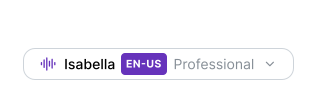
The picker lets you pick by:
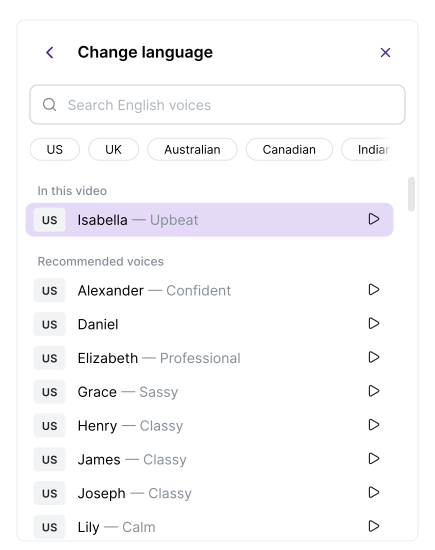
Preview each option before selecting. The voice you pick applies to the entire video — you can’t use different voices for different sections.
AI voices are available in 74 languages including English, German, French, Spanish, Japanese, Chinese, Hindi, Arabic, Portuguese, Korean, and many more. Each language has native-sounding voices with proper intonation and pronunciation.
While silent recording works well, speaking while recording gives AI a better starting point for the narration script:

Enable audio by clicking the microphone icon in the Recorder, then select an audio source and speak while recording.
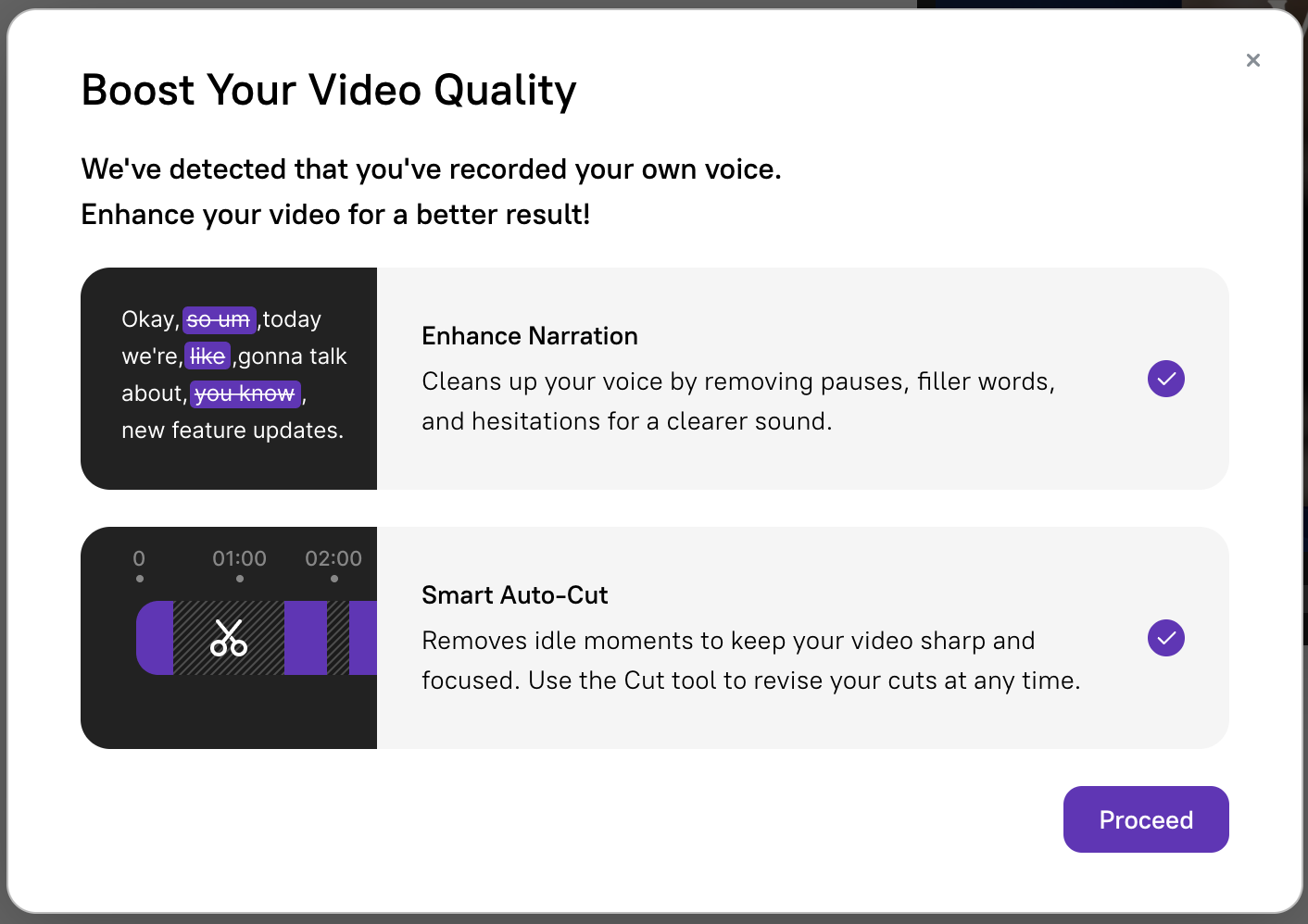
After upload, the system offers automatic enhancements:
On the Enterprise plan, additional voice capabilities are available: