
Comparison
Tutorial AI vs Trainn
Trainn combines tutorial creation with customer-education tools, including an LMS and knowledge hub on Scale. Tutorial AI focuses on creating and updating narrated tutorials and written guides for the systems your team already uses.
3 free projects. No credit card.
Choose the scope you need
Tutorial AI offers a 3-project trial and monthly or annual plans. Trainn offers Creator at $19/mo and annual team plans.
02Edit narration like a doc
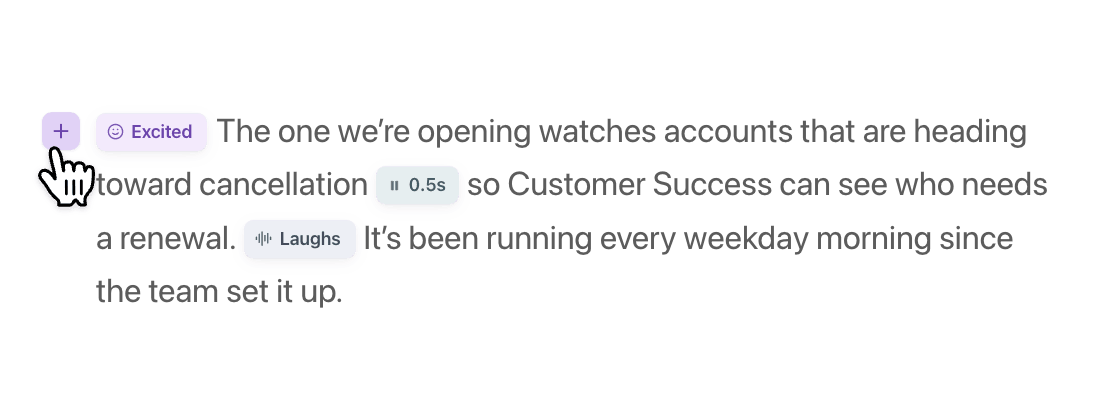
Change the script, regenerate the voiceover and let the video re-time itself.
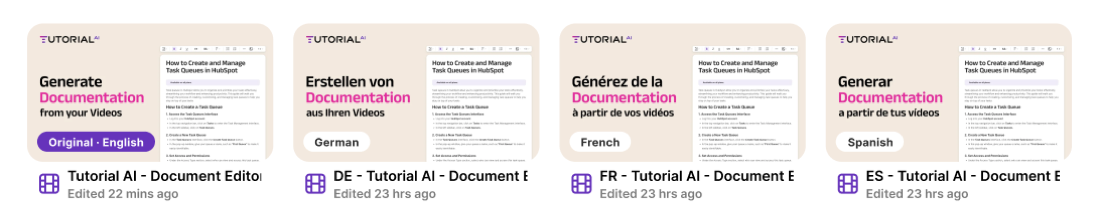
0374 languages, one embed
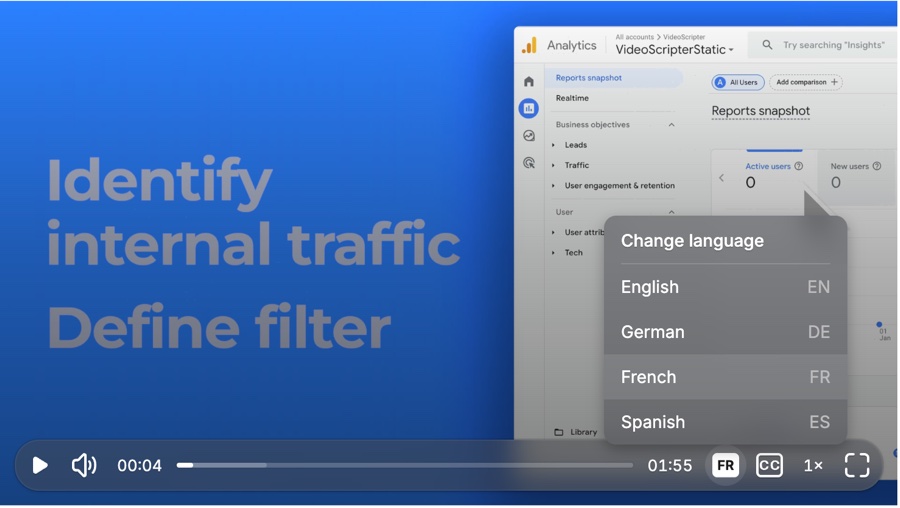
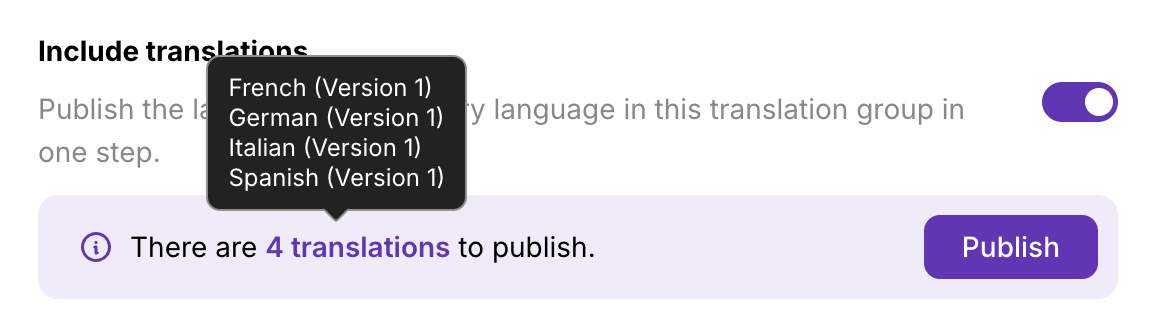
Review language drafts, then publish your approved Tutorial AI versions in one player.
01 — Price and allowance
Choose tutorial production or a broader training platform
Trainn Creator is $19/month for one user and 15 videos and guides, with a 3-day trial. Launch is $2,400/year for 3 users and 120 videos and guides, with a 14-day trial. Scale is $10,000/year for 5 users and 250 videos and guides, including an LMS with 100 monthly active users and a branded knowledge hub. Enterprise is custom-priced.
Tutorial AI Solo is $18/seat/mo billed annually or $29/seat/mo billed monthly. Team is $108/mo billed annually or $149/mo billed monthly, including two editor seats. Annual export quotas are 2 hours on Solo, 6 on Growth and 12 on Team. If you already have an LMS or help center, compare the work needed to create and maintain its tutorials.
- Free option 3-project trial 3-day / 14-day trial
- Entry monthly billing $29/seat/mo Creator $19/mo
- Team annual billing $108/mo, 2 editors Launch $2,400/yr, 3 users
02 — Editing
Update a tutorial when the UI changes
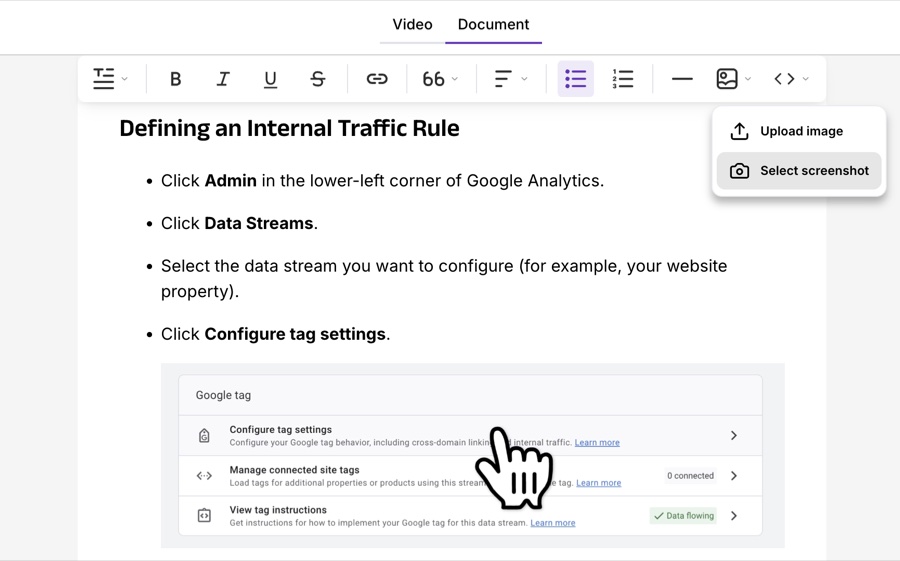
Trainn lists a video timeline editor, automatic zoom and spotlights, captions and guide creation. It can suit teams that want tutorial production alongside a broader training platform.
Tutorial AI uses script-based editing: change the narration, regenerate the voiceover and let the video re-time itself. Voice tags mark emphasis, pauses and pronunciation. Replace a changed clip and review the video and written guide before sharing.
- Screen recording, zoom and captions ✓ Listed
- Written step-by-step guides ✓ ✓
- Editing model Edit like a Doc Video timeline editor
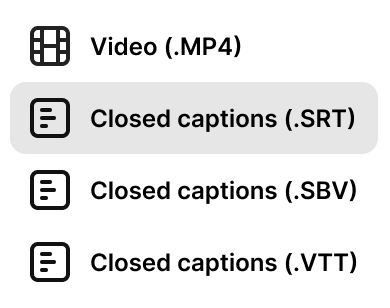
- Guide export Markdown, RTF, HTML Check plan

03 — Multilingual publishing
Review every language, then publish one embed
Trainn lists one-click translation into 30+ languages; its Scale plan includes translation and a branded knowledge hub. Check the plan and the languages your learners need.
Tutorial AI offers AI voices and AutoRetime translations in 74 languages. Translations 2.0 groups language versions as drafts in a Translation Folder: review the script, correct product terms, then publish the approved versions. One multilingual embed includes a language switcher. Test embedding and recipient access in the help center or LMS you use; compatibility should be checked rather than assumed.
- Languages 74 voice + translation 30+ translation
- Language review Translation Folders Glossary listed
- Learning platform Export/embed into your system LMS + hub on Scale
Everything at a glance
Trainn offers a broader customer-education platform. Tutorial AI focuses on creating, editing and publishing tutorial videos and written guides.
| Feature | Tutorial AI | Trainn |
|---|---|---|
| Workflow and plans | ||
| Narrated video and written guides | Yes, from one recording | AI video and guide generation |
| Editing model | Edit like a Doc; regenerated narration and re-timing | Video timeline editor |
| Free option | Free trial: 3 projects, no credit card, watermarked exports | Creator 3-day trial; Launch 14-day trial |
| Entry monthly billing | Solo $29/seat/mo monthly | Creator $19/month, 1 user, 15 videos and guides |
| Annual pricing | Solo $18/seat/mo; Team $108/mo with 2 editor seats, billed annually | Launch $2,400/year, 3 users; Scale $10,000/year, 5 users |
| Annual export quota | Solo 2h; Growth 6h; Team 12h | Launch 120 videos/guides; Scale 250 videos/guides |
| Languages | 74 AI voice and translation languages; review drafts before publishing | 30+ translation languages; check plan availability |
| LMS and knowledge hub | Publish into an existing system; SCORM on Enterprise | Scale includes LMS with 100 MAUs and branded knowledge hub |
| Enterprise | Custom | Custom |
Prices checked November 2026. USD; taxes and billing terms may vary.





What teams say about Tutorial AI
 4.9 on

"We decreased employee churn by investing in our people — Tutorial AI made it effortless to create training content for every backoffice system."

Thomas Akos
Retail Board Member, Intesa Sanpaolo Group
"Our teams can quickly turn complex bioinformatics workflows into clear, accurate content—then adapt it across multiple languages without losing precision. It's become an essential tool for both our training and sales enablement efforts."

Attila Berces
SVP of Transplant Innovation & Post-Transplant, Werfen SA
"The multilingual support is a game-changer. We now ship tutorials in 12 languages without hiring a single translator or voice actor."

Roland Dzogan
CEO, YDistri Inc.
"Our sales team used to spend hours recording custom demos for every prospect. Now they send a polished Tutorial AI walkthrough in minutes — and close deals faster."

Naoko Ryde
VP of Sales Enablement, Factbird ApS
Common questions
What is the main difference between Tutorial AI and Trainn?
Trainn combines tutorial production with customer-education tools, including an LMS and branded knowledge hub on Scale. Tutorial AI focuses on making and updating narrated videos and written guides, with script editing and multilingual publishing. Choose whether you need a broader training platform or content for your existing system.
What if we already have an LMS or help center?
Tutorial AI can host videos and provide embeds, while written guides export to Markdown, RTF or HTML. Enterprise includes SCORM. Test the specific embed or import in your existing system and check access before rolling it out.
Do I need video editing skills?
Tutorial AI uses script-based editing. Edit the narration text, regenerate the voiceover and review the automatically re-timed result. You can also adjust cursor effects, zooms and captions before sharing.
Can I try Tutorial AI before paying?
Yes. The free trial includes 3 video projects, with no credit card required. Trial video exports carry a watermark. Solo is $18/seat/mo billed annually or $29/seat/mo billed monthly.
See the difference on your own workflow
Record once, then review the video and written guide. Free trial: 3 projects, no credit card, watermarked exports.
3 free projects. No credit card.