CRM lead assignment SOP
Record how a lead is created, qualified and assigned.
Record the process once. Tutorial AI turns the screen recording into a narrated video SOP and a written SOP with step-by-step instructions and screenshots. Review the output, make edits, then publish it for your team.
Built for Operations Teams
Record without audio. AI generates professional narration, scripts, and step-by-step documentation automatically.
One recording produces both a narrated video walkthrough and a written SOP with screenshots.
When a tool changes, re-record and replace — embedded SOPs auto-update everywhere they're shared.
Track changes to your SOPs over time. See what changed, when, and by whom.
Manual SOP creation repeats the same work: screenshots, written steps, a walkthrough and multiple files to update later.
Start with the real process recording so the video and written instructions share the same workflow:
Silent screen recording
AI-generated narration
One-click updates
Instead of writing the SOP from memory, record the real workflow. Tutorial AI uses the recording to create both a visual walkthrough and written instructions from the same source. See the full set of Tutorial AI features used in the workflow.
How it works
One recording, two outputs
Create a narrated video SOP and structured written instructions from the same recorded workflow, so both formats explain the same process.
AI-generated voiceover, smart zoom effects, cursor smoothing, captions, and professional transitions — all automatic.
AI-generated written documentation with screenshots, numbered steps, and descriptions — ready for your knowledge base or CMS.
Doc Editor
 Fine-tune AI-generated articles with the built-in editor Add context, reorder steps, and customize formatting Publish directly to your knowledge base or wiki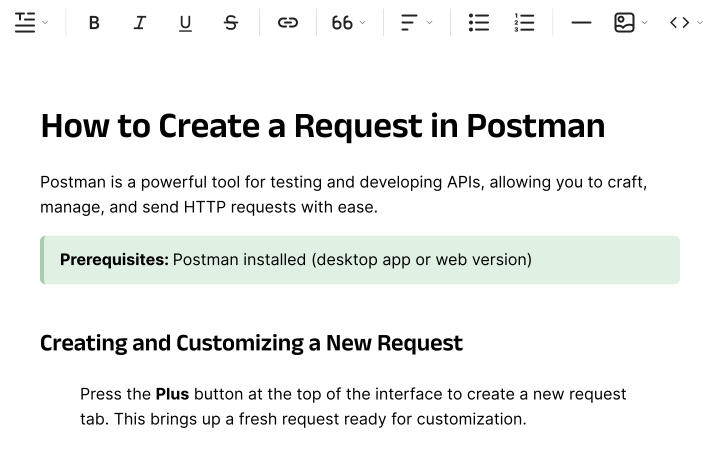
Practical SOP workflows
Record the actual task, then review the generated video, steps and screenshots before sharing the procedure.
Record how a lead is created, qualified and assigned.
Show the exact admin steps and decision handoff.
Record how to create accounts and configure access.
Capture the source systems, filters, export and submission steps.
Record how a common ticket type should be investigated and resolved.
Related workflows: software training tutorials and customer onboarding documentation.
Example written output
Use the generated draft as a starting point, then verify every step against the real process. You can generate documentation from a recording, edit narration like a document and choose AI voices for SOP narration.
Purpose: Make sure every new lead has an owner and next step.
Screenshots: Place a screenshot beside the steps where the UI action matters. Your team can also add fields such as owner, review date or approval when its SOP standard requires them.
Why This Works
Create both formats from the same recorded process instead of rebuilding the workflow twice.
Key screenshots come from the recording and can be reviewed before publishing.
Re-record and replace — every embedded SOP updates automatically.
Folders
Nest folders by department, system, or compliance area Translated versions auto-group with the source in a Translation Folder Move projects between team workspaces without losing structure 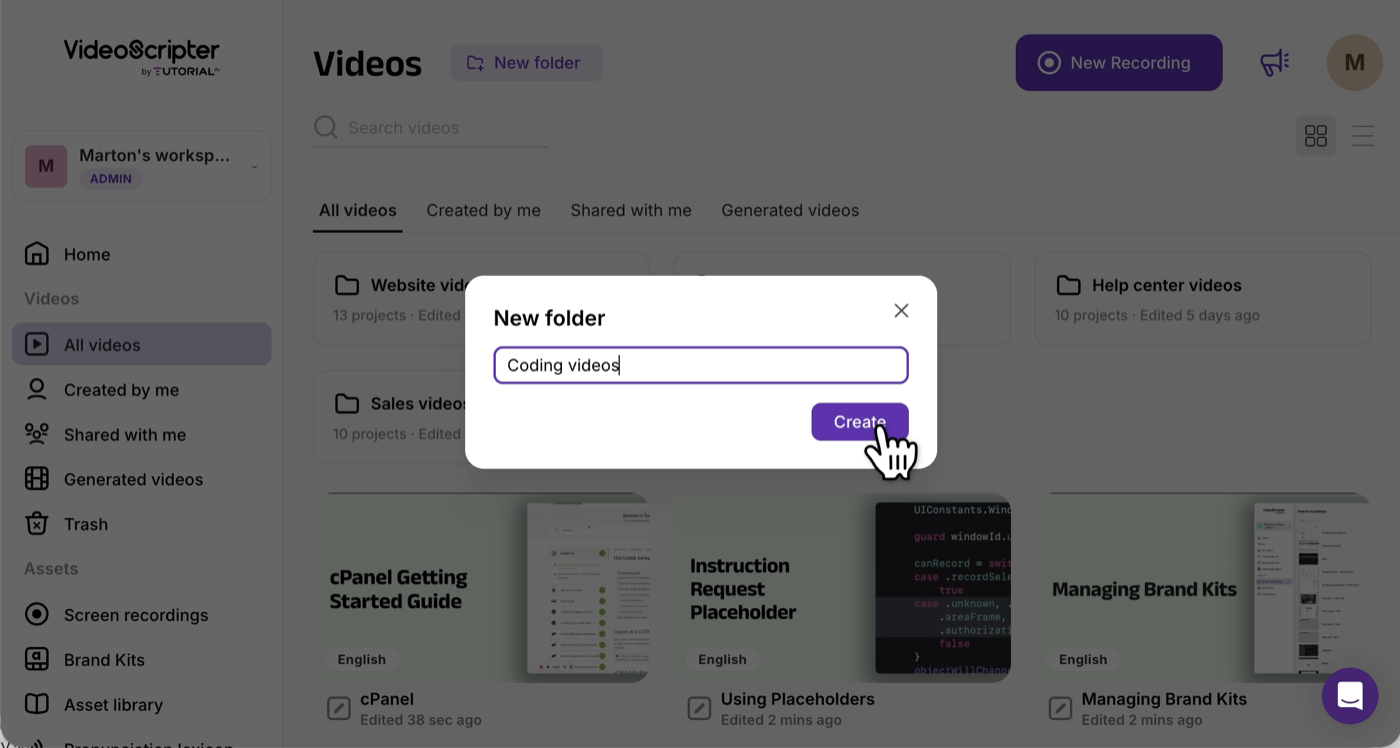
Multilingual Player
One embed includes every translated version of a procedure Operators switch language in the player — no per-locale handbooks Add a new language → existing embeds across your wiki update automatically 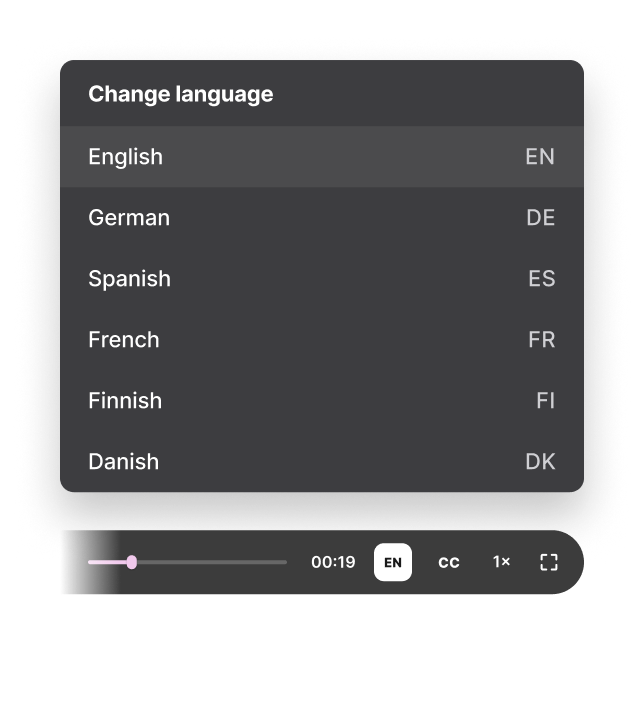
Yes. Record the process on screen and use the recording as the source for the written steps, screenshots and video walkthrough.
Tutorial AI is built around recorded workflows and can generate documentation from video content. For the clearest SOP, use a recording that shows the process from start to finish and review the generated steps before publishing.
A video SOP is a visual walkthrough of a standard process. It shows the actual workflow on screen while narration explains what to do. Tutorial AI can pair that video with written instructions from the same recording.
No. You can record silently, then generate or edit the narration as text and choose an AI voice for the final video.
Yes. Review the generated written instructions, reorder or rewrite steps, adjust the supporting screenshots and edit the video narration before sharing it.
Update or replace the relevant recorded process and republish the content. For important procedures, also keep your normal owner and review-date process so someone is responsible for checking that the SOP is still correct.
Yes. Tutorial AI supports multilingual narration and localized versions across 74 languages, which is useful for teams working in multiple regions.
Record the process once. Generate the video SOP and written SOP, review the steps, then publish it for your team.