
Comparison
Tutorial AI vs Camtasia
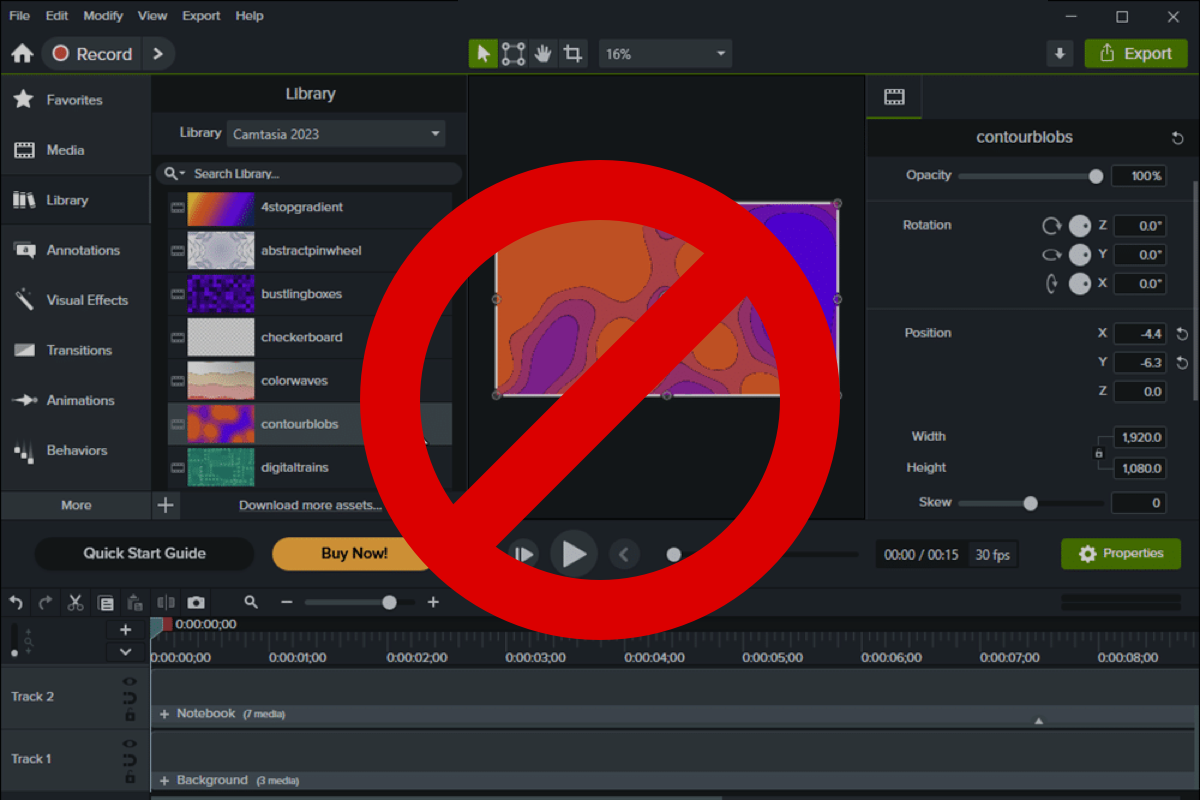
Camtasia gives you a full timeline editor — and the learning curve and hours that come with it. Tutorial AI produces a polished tutorial in minutes, with no editor on staff and no timeline.
 Loved on
No timeline, ~10× faster
Edit narration like a doc and ship in minutes — no multi-track editor, no editing skills.
02AI does the production
Voiceover, auto-zoom, cursor, captions — automatic, not manual keyframes.
03Outputs Camtasia can't
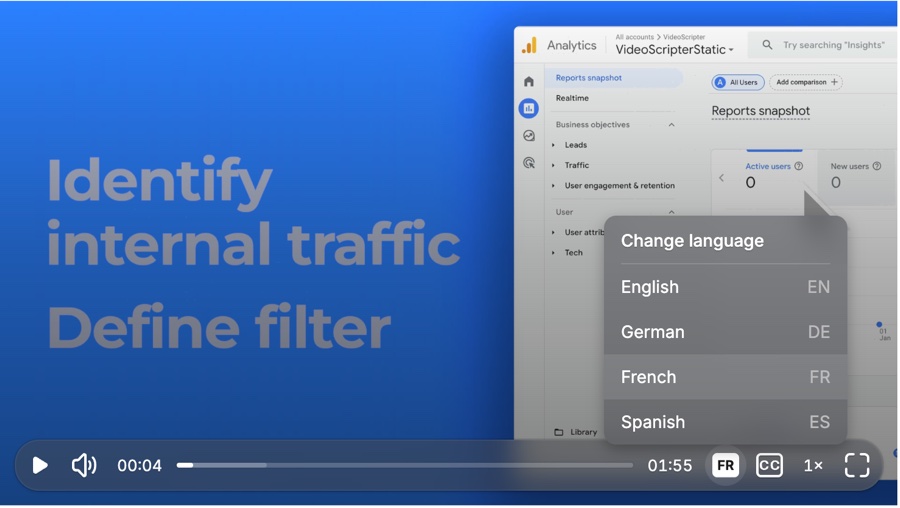
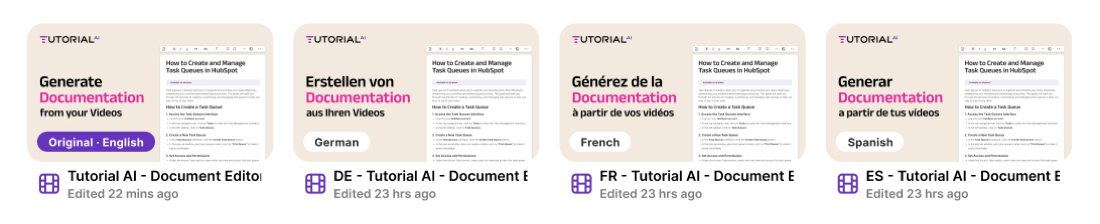
A written guide, 74-language translations, and embeds that stay up to date.
01 — Speed & simplicity
Skip the timeline. Ship in minutes.
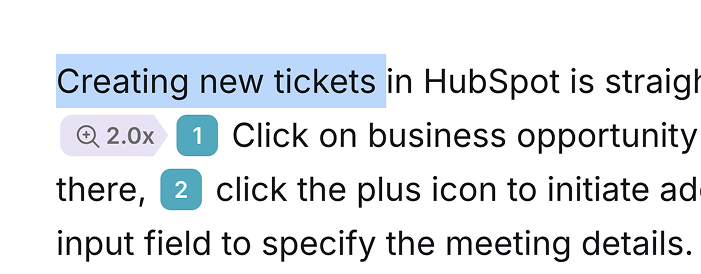
Camtasia is a powerful multi-track editor — which means transitions, keyframes, and a learning curve. For an experienced editor that's control; for everyone else it's hours per video. Tutorial AI takes a different path: record your screen, and AI assembles a polished tutorial automatically. To change something, you Edit like a Doc — rewrite the narration as text and the video re-times itself. No timeline, no keyframes, no editing skills, roughly 10× faster for the same result.
That doesn't mean less polish — it means the polish is automatic (next section). Camtasia still wins if you need frame-level creative control or fully offline editing; most product tutorials simply don't.
- No video timeline to learn ✓ —
- Edit narration like a document ✓ —
- Polished tutorial in minutes ✓ Hours
- No editing skills required ✓ —
02 — AI production
The polish, done by AI — not by hand
Everything Camtasia makes you do manually, Tutorial AI does automatically: auto-zoom on the action instead of keyframed zoom, cursor smoothing instead of hand-tuned motion, auto-synced captions, and one-click blur.
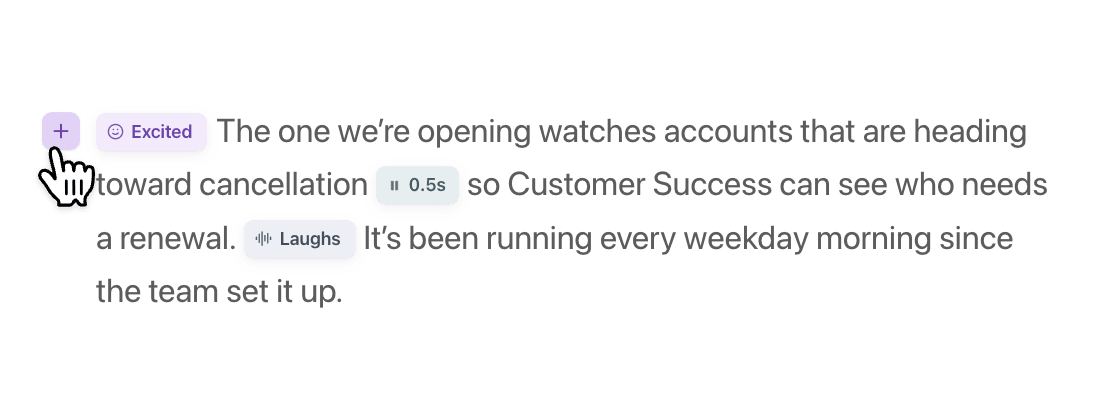
And the audio: studio-quality AI voiceover in 74 languages — record silently and let AI narrate, or enhance your own voice — with voice tags for emphasis, pauses, and emotion. Camtasia's narration is manual or basic; here it regenerates the moment you edit the script.
- AI voiceover (74 languages) ✓ Basic
- Automatic cursor smoothing & auto-zoom ✓ Manual keyframes
- Voice tags (emphasis, pauses, emotion) ✓ —
- Auto-synced captions ✓ ✓
03 — Outputs Camtasia lacks
Outputs Camtasia can't produce
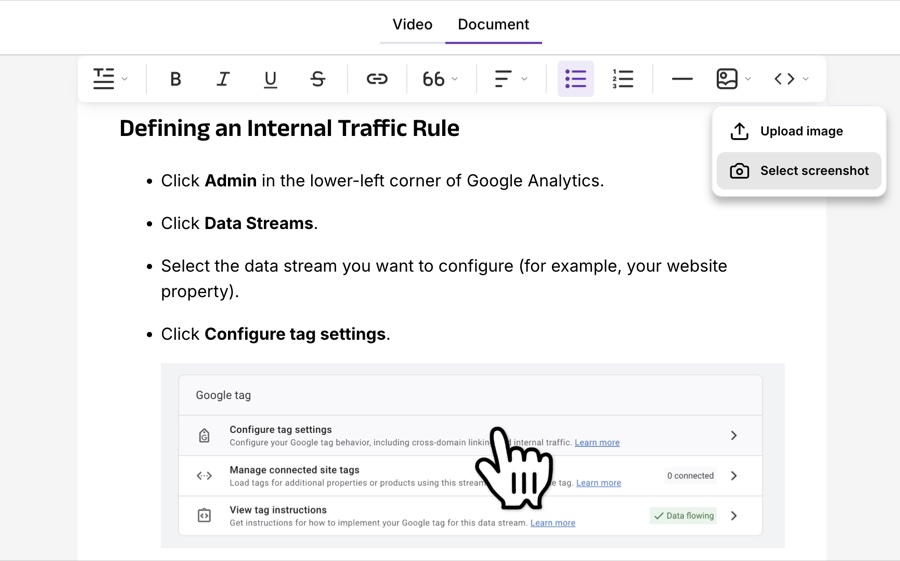
Some things aren't a matter of effort in Camtasia — they're simply missing. Tutorial AI generates a written step-by-step guide from the same recording, exportable to Markdown, RTF, or HTML. It translates the voiceover into 74 languages with a review workflow, and bundles them into one embed with an in-player language switcher.
And with Smart Updates, every embedded video refreshes when you edit the source — no re-exporting or re-distributing static files, the way a Camtasia render requires.
- Written guide from the same recording ✓ —
- Translated voiceover (74 languages) ✓ —
- One multilingual embed player ✓ —
- Smart Updates — embeds stay fresh ✓ —
Everything at a glance
Camtasia wins on offline editing, one-time pricing, and frame-level control — we say so. The gap is speed, AI production, and outputs.
| Feature | Tutorial AI | Camtasia |
|---|---|---|
| Speed & skill | ||
| Editing model | Edit like a doc — no timeline | Multi-track timeline |
| Time per tutorial | Minutes | Hours |
| Skill required | None | Experienced editor |
| Frame-level creative control | Not needed for most | Yes — full control |
| AI production | ||
| AI voiceover | 74 languages, studio quality | Basic / manual |
| Cursor smoothing & auto-zoom | Automatic | Manual keyframes |
| Auto-synced captions | Yes | Yes (AI captions) |
| Voice tags (emphasis, pauses) | Yes | No |
| Outputs Camtasia lacks | ||
| Written guide from the recording | Yes | No |
| Translated voiceover | 74 languages | No |
| Multilingual embed player | One embed | No |
| Smart Updates (embeds stay fresh) | Yes | No — static files |
| Plans & platform | ||
| Pricing model | Subscription + free tier | One-time license (~$90–$240/yr) |
| Works offline | No — cloud-based | Yes |
| Free plan | All AI features, watermarked videos | Free trial only |





Teams that switched aren't looking back
4.9 on "We decreased employee churn by investing in our people — Tutorial AI made it effortless to create training content for every backoffice system."

Thomas Akos
Retail Board Member, Intesa Sanpaolo Group
"Our teams can quickly turn complex bioinformatics workflows into clear, accurate content—then adapt it across multiple languages without losing precision. It's become an essential tool for both our training and sales enablement efforts."

Attila Berces
SVP of Transplant Innovation & Post-Transplant, Werfen SA
"The multilingual support is a game-changer. We now ship tutorials in 12 languages without hiring a single translator or voice actor."

Roland Dzogan
CEO, YDistri Inc.
"Our sales team used to spend hours recording custom demos for every prospect. Now they send a polished Tutorial AI walkthrough in minutes — and close deals faster."

Naoko Ryde
VP of Sales Enablement, Factbird ApS
Common questions
We've used Camtasia for years — why switch?
Camtasia is a great editor for experienced users. The real question is volume. If you ship fewer than about five tutorials a month, Camtasia plus an editor's time works fine. To scale to 20+ a quarter, manual editing becomes the bottleneck — Tutorial AI removes it by automating zoom, narration, captions, and assembly, producing a comparable result roughly 10× faster.
Camtasia gives full creative control and Tutorial AI doesn't — true?
True for frame-level control. But most tutorials don't need it — they need clear narration, smart zoom on interactions, clean slides, and captions. Tutorial AI automates the 80% case that Camtasia makes you do by hand. For highly custom, creative edits, Camtasia still wins; for repeatable product tutorials at volume, the automation wins.
Isn't Camtasia cheaper long-term?
For a single user producing the occasional video, Camtasia's one-time-style license (~$90–$240/year) is cheaper than Tutorial AI Growth at $89/month. For a team, or for time-sensitive content production, Tutorial AI's ~10× speed and AI features (voiceover, translation, docs) usually offset the price difference. It comes down to how much you produce and how fast you need it.
Does Tutorial AI work offline?
No — it's cloud-based because the AI processing (voiceover, translation, effects) runs server-side. For air-gapped environments, Camtasia's offline desktop app is the right call. For everyone else, the cloud workflow is no obstacle and is what unlocks 74-language voiceover, instant script regeneration, and embeds that update automatically.
Same quality, none of the timeline
Record once — AI produces a polished tutorial in minutes, in 74 languages. Free to start, no credit card required.