Feature launch
Show the new workflow with the real product UI and a clean voiceover.
Record your product once and turn it into a polished demo video plus a written guide. Create feature launches, walkthroughs, help content and reusable product education without timeline editing.
Built for Product Marketing
Record a walkthrough and have a polished video and article ready for launch day — not weeks later.
Brand Kit applies your logo, colors, and fonts automatically to every video and article.
One recording produces video, articles, and embeddable content for docs, blog, social, and help center.
Every recording becomes both a narrated video and a written article with screenshots — two assets, one workflow.
Show the new workflow with the real product UI and a clean voiceover.
Turn a feature recording into a polished walkthrough plus a written article for your launch page or blog.
Create a short product walkthrough that explains one outcome without a live sales call, then reuse it for customer onboarding.
customer onboardingReuse the approved product demo as a leave-behind asset for sales and customer success.
sales enablement videosProduct launches need video content but traditional production takes weeks — the feature is already outdated.
Tutorial AI delivers launch-ready content from one recording:
Same-day video production
Brand Kit consistency
Multi-channel distribution
How it works
One recording, two outputs
Record your screen — with or without audio. Tutorial AI produces a professionally narrated video and a step-by-step article with screenshots. Replace two tools with one.
AI-generated voiceover, smart zoom effects, cursor smoothing, captions, and professional transitions — all automatic.
AI-generated written documentation with screenshots, numbered steps, and descriptions — ready for your knowledge base or CMS.
Brand Kit
 Apply your logo, colors, and fonts automatically Consistent look across all marketing assets Professional output without a design team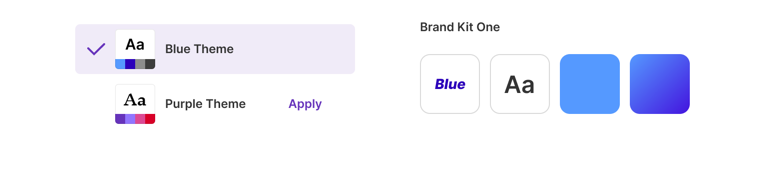
Why This Works
Go from recording to polished launch video in minutes, not weeks.
Produce more assets per launch with the same team size.
Localize launch content for global markets automatically.
Slide Animations
Animate every text box and image individually — entrance, exit, and motion Pan effect combines movement and zoom to bring still product shots to life Copy a tuned animation to every comparable element for consistent reveals across a deck 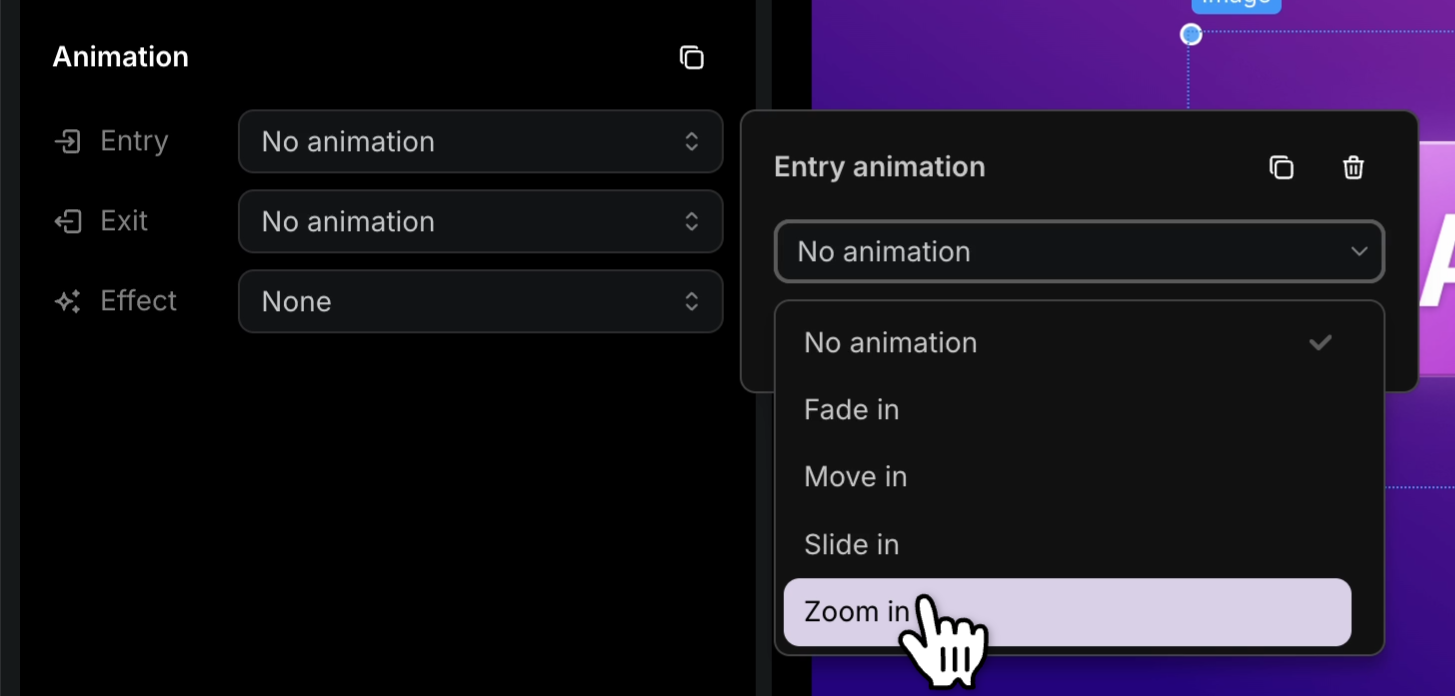
Multilingual Player
74 languages in one embed code — no separate launch pages per market Visitors land in their browser's language automatically Add a new language → it appears in every existing embed without changing the snippet 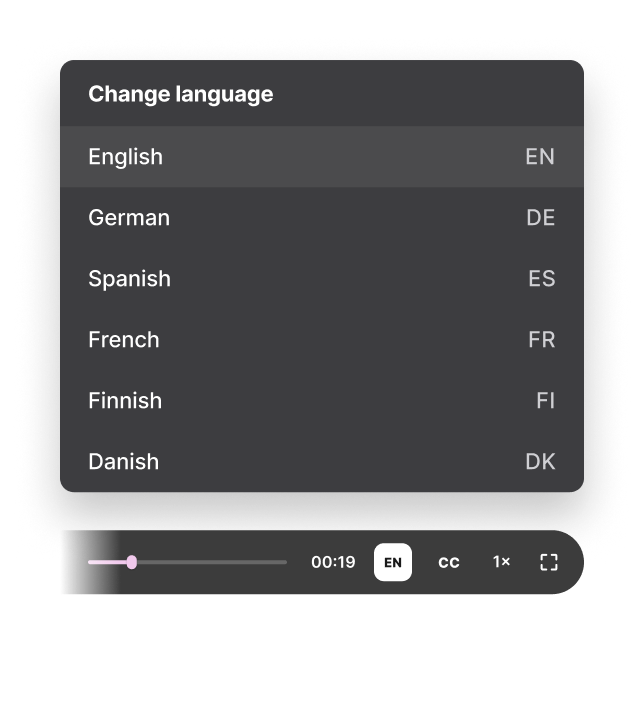
Yes. Tutorial AI starts from a real screen recording, so the finished walkthrough shows the actual software workflow.
Yes. Edit the project and republish the updated version instead of recreating the whole demo from a blank timeline.
Yes. The same source recording can generate a narrated video and a written step-by-step article with screenshots.
Yes. Tutorial AI supports multilingual voice, captions and publishing workflows for global product education.
Record the product workflow once. Tutorial AI turns it into a polished product demo video and a matching written guide you can reuse across launch, sales and support.