
Comparison
Tutorial AI vs Loom
Loom is built for quick async screen shares. Tutorial AI turns a recording into a customer-ready tutorial — AI voiceover, a written guide, and 74 languages — for the content that ships to your users.
 Loved on
Polished, not just async
AI voiceover, auto-zoom, slides, blur — a customer-ready tutorial, not a raw share.
02A written guide too
One recording also becomes an exportable written article. Loom is video-only.
03Multilingual at scale
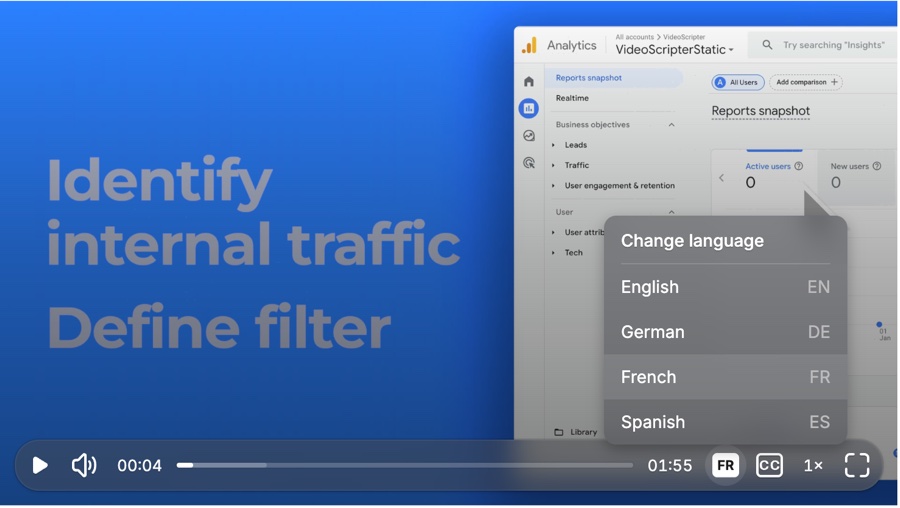
Translated voiceover in 74 languages + one embed. Loom does captions only.
01 — Production quality
A polished tutorial, not a raw screen share
Loom is the fastest way to record something and drop a link in Slack — and for async messaging it's hard to beat. But what you record is what you ship: editing is trim-only, with no narration help, no zoom, no framing. Tutorial AI turns the same recording into a produced tutorial — studio-quality AI voiceover in 74 languages, automatic zoom, smooth cursor motion, intro/outro and agenda slides, one-click blur, and auto-synced captions.
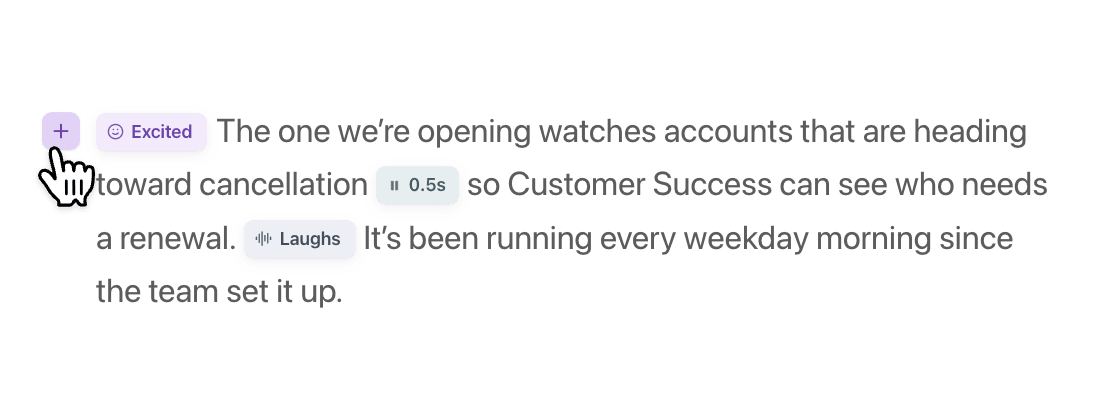
And you're not stuck with the first take. With Edit like a Doc you rewrite the narration as text and the AI voiceover regenerates — voice tags add emphasis, pauses, and emotion. No re-recording.
- AI voiceover (74 languages) ✓ —
- Automatic cursor smoothing & auto-zoom ✓ —
- Editing beyond trim ✓ Trim only
- Intro/outro & slide framing ✓ —
- Quick async record & share ✓ ✓
02 — Dual output
A written guide from the same recording
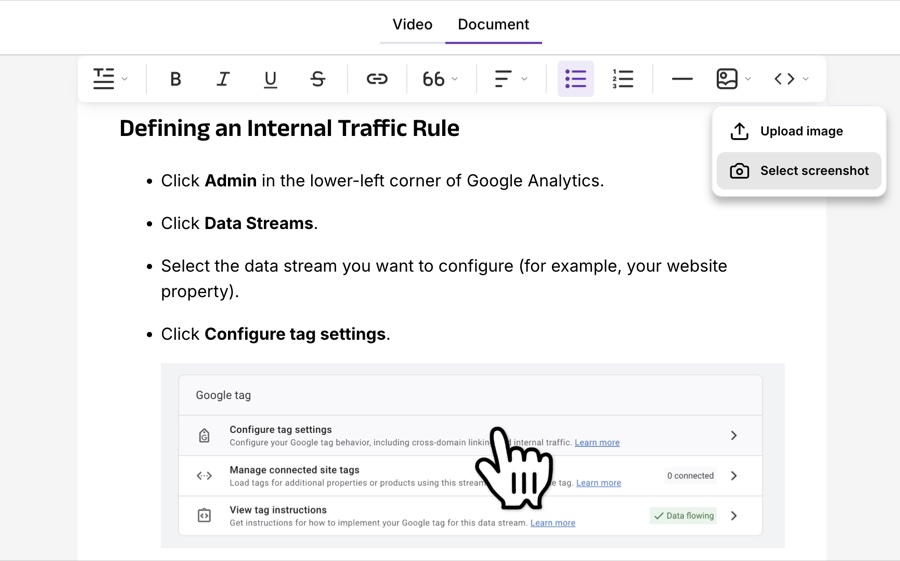
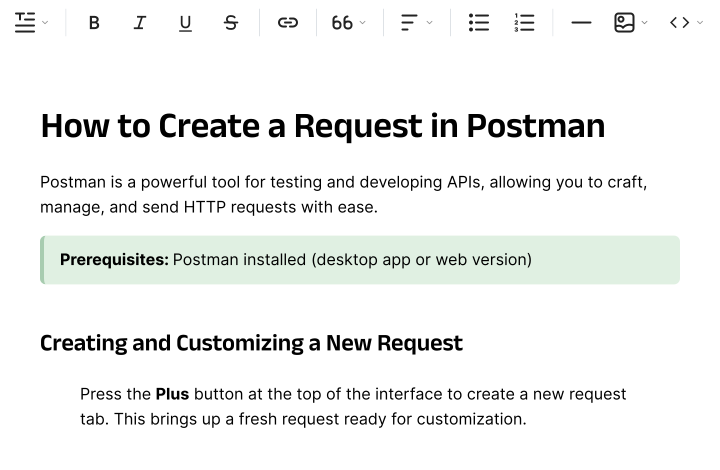
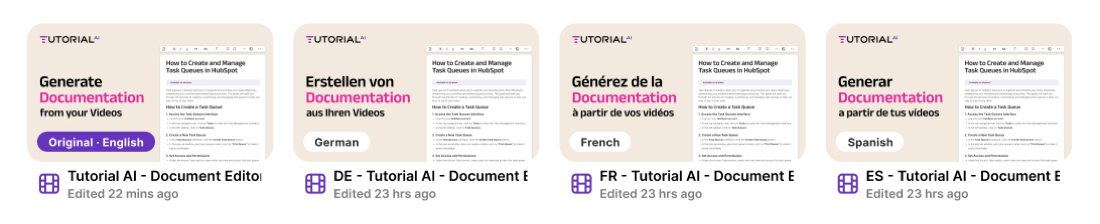
Loom gives you a video and, with Loom AI, a summary. Tutorial AI also generates a full written step-by-step article from the same recording — with screenshots placed for you — alongside the video.
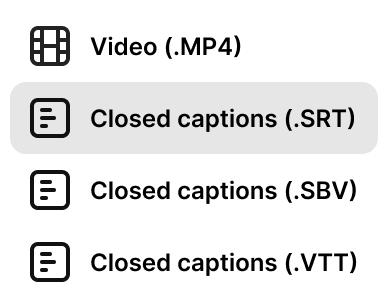
Export to Markdown, RTF, or HTML and publish it straight into your help center or knowledge base. The video for watching, the guide for skimming and searching — both from one capture, both updatable without re-recording.
- Separate written step-by-step article ✓ —
- Export to Markdown / RTF / HTML ✓ —
- AI summary of the recording ✓ ✓
- Screenshots auto-placed in the guide ✓ —
03 — Multilingual at scale
Every language, one embed
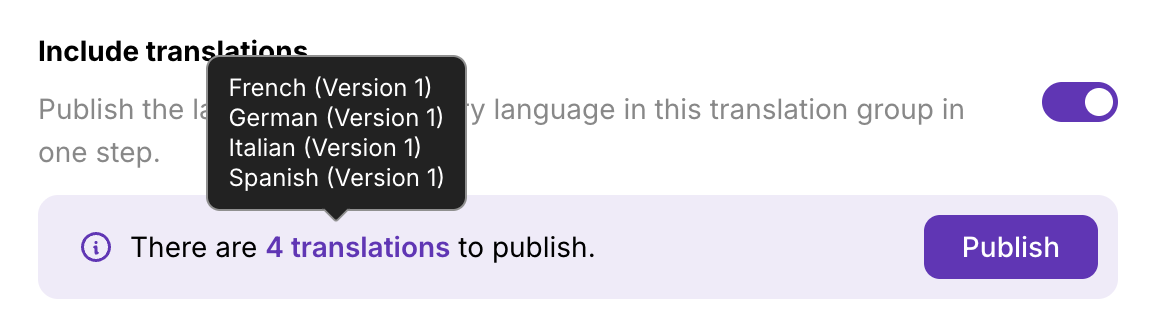
Loom offers captions in many languages, but the audio stays in the language you recorded. Tutorial AI translates the voiceover itself into 74 languages with Translations 2.0 — review each language, fix brand terms, then publish per-language or "Republish all" at once. AutoRetime keeps captions and timing in sync.
And one embed code bundles every language with an in-player switcher and automatic browser-language detection — where Loom embeds are single-language.
- Translated AI voiceover (74 languages) ✓ Captions only
- Auto-captions in many languages ✓ ✓
- One multilingual embed player ✓ —
- Translation Folders & review workflow ✓ —
Everything at a glance
Loom owns async screen-share and integrations — we say so. The gap is production polish, documentation, and translated audio.
| Feature | Tutorial AI | Loom |
|---|---|---|
| Recording & sharing | ||
| Quick async record & share | Yes | Yes — its specialty |
| Integration ecosystem | Via integrations | Extensive (Slack, Jira, Figma…) |
| Comments & reactions | Yes | Yes |
| Production quality | ||
| AI voiceover | 74 languages, studio quality | None — narrate yourself |
| Cursor smoothing & auto-zoom | Automatic | No |
| Editing | Text-based, full narration | Trim only |
| Slides, intro/outro, blur | Yes | No |
| Output formats | ||
| Polished video tutorial | Yes | Basic recording |
| Written article + export | Yes | No (AI summary only) |
| Multilingual | ||
| Voiceover translation | 74 languages | Captions only |
| Multilingual embed player | One embed, in-player switcher | No |
| Plans | ||
| Free plan | All AI features, watermarked videos | 25 videos, 5-min cap |
| Paid from | $29/mo | $15/seat/mo |





Teams that switched aren't looking back
4.9 on "We decreased employee churn by investing in our people — Tutorial AI made it effortless to create training content for every backoffice system."

Thomas Akos
Retail Board Member, Intesa Sanpaolo Group
"Our teams can quickly turn complex bioinformatics workflows into clear, accurate content—then adapt it across multiple languages without losing precision. It's become an essential tool for both our training and sales enablement efforts."

Attila Berces
SVP of Transplant Innovation & Post-Transplant, Werfen SA
"The multilingual support is a game-changer. We now ship tutorials in 12 languages without hiring a single translator or voice actor."

Roland Dzogan
CEO, YDistri Inc.
"Our sales team used to spend hours recording custom demos for every prospect. Now they send a polished Tutorial AI walkthrough in minutes — and close deals faster."

Naoko Ryde
VP of Sales Enablement, Factbird ApS
Common questions
We already use Loom — should we replace it?
Not necessarily. Loom is great for async DMs and quick internal shares, and the two tools complement each other well. Tutorial AI is the polished-tutorial layer for content that ships to customers — help center, onboarding, product marketing. A common pattern: a CSM records a quick Loom for one customer, and if it's good, it gets re-produced in Tutorial AI for the help-center library. Many teams run both.
Loom is cheaper — why pay more?
For pure async screen-share, Loom is cheaper and a better fit — match the tool to the job. For polished tutorials with AI narration, multilingual output, and a written guide from the same recording, Tutorial AI delivers value Loom doesn't. The comparison is Loom Business (~$24/seat) vs Tutorial AI Growth ($89/seat) — different jobs, different value.
Loom has Loom AI now — isn't that the same?
Loom AI summarizes recordings and pulls out takeaways. It doesn't generate narration, polish the video with zoom and cursor effects, produce a written documentation article, or translate the audio into other languages. It's a different AI scope from Tutorial AI's production pipeline.
Do I need video editing skills?
No. Tutorial AI has no timeline — you edit the narration as text, the AI voiceover regenerates, and effects like zoom, cursor smoothing, and captions are applied automatically. If you can write a Loom description, you can produce a Tutorial AI video.
From quick recording to customer-ready tutorial
Record once — get a polished video, a written guide, and 74 languages. Free to start, no credit card required.