
Comparison
Tutorial AI vs Guidde
Both turn a screen recording into an AI-narrated tutorial. Tutorial AI goes three steps further — more polished video, a written guide from the same recording, and true multilingual publishing.
 Loved on
Polished video production
Auto-zoom, cursor smoothing, slide animations — edited like a doc, not a timeline.
02Video + a written guide
One recording becomes a polished video and a separate, exportable written article.
03Multilingual at scale
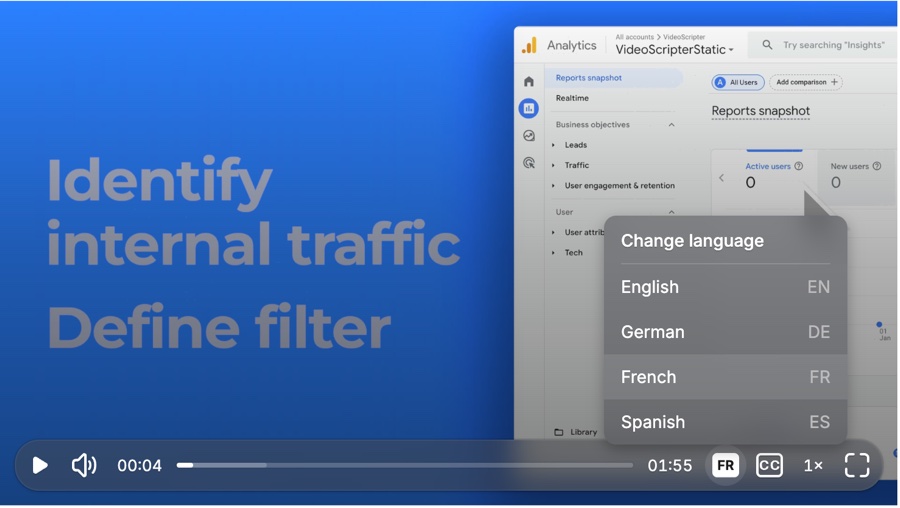
Review each language, then publish into one embed that plays them all.
01 — Production quality
A finished video, not a click-by-click walkthrough
Guidde captures clicks and assembles a walkthrough with light editing. Tutorial AI turns the same recording into a genuinely produced video: smooth cursor motion, automatic zoom on the action, one-click blur for sensitive data, click highlights, and auto-synced captions — applied for you.
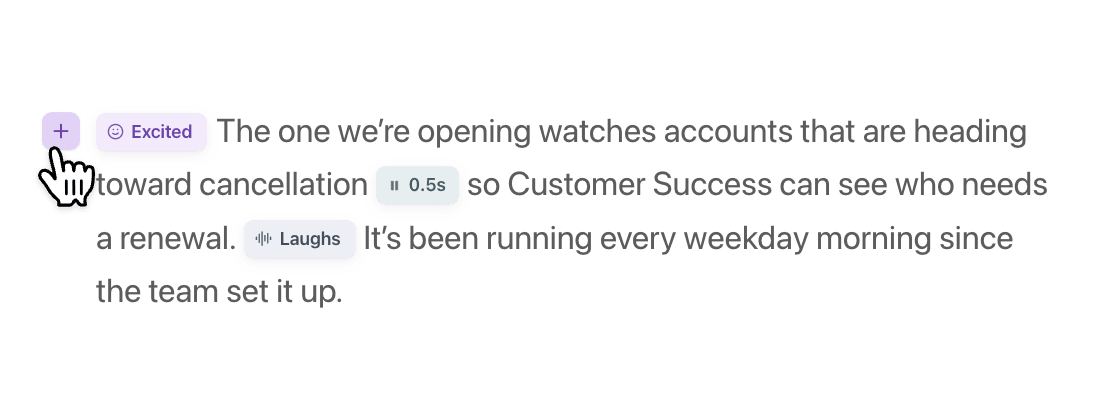
The audio gets the same treatment. Guidde generates a voiceover too — but Tutorial AI lets you shape how it sounds. You get studio-quality narration in 74 languages, whether you record silently and let AI write and speak the script, or narrate and have your own voice enhanced. Voice tags let you mark emphasis, pauses, emotion, and pronunciation right in the text.
And nothing lives on a timeline. With Edit like a Doc you change the narration as text and the voiceover regenerates instantly while the video re-times itself.
- AI voiceover from your recording ✓ ✓
- Voice tags (emphasis, pauses, emotion) ✓ —
- Edit the script → voiceover regenerates ✓ Limited
- Automatic cursor smoothing & auto-zoom ✓ Limited
- Auto-synced captions ✓ ✓
02 — Dual output
One recording. A video and a written guide.
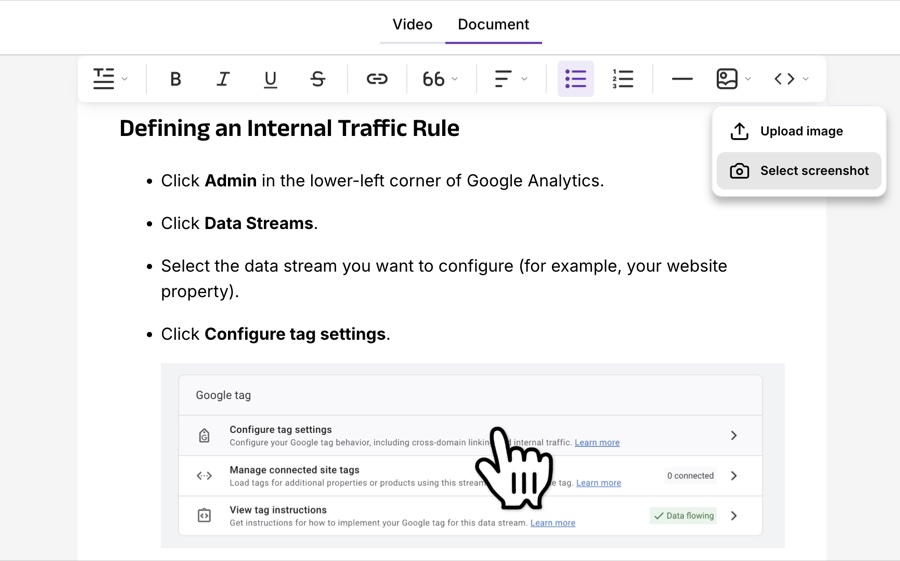
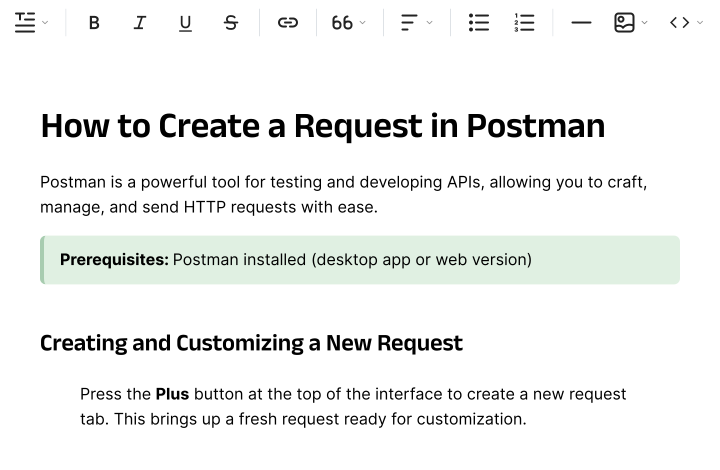
Guidde gives you a single hybrid walkthrough. Tutorial AI generates two deliverables from the same screen recording: a polished video tutorial and a separate, fully editable written step-by-step article — with AI-selected screenshots placed for you.
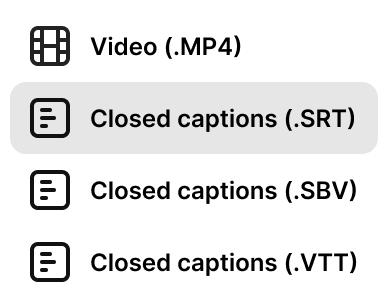
That written guide isn't locked in. Export to Markdown, RTF, or HTML and drop it straight into your help center, Notion, Confluence, or a tech-writer pipeline. When the UI changes, edit once and re-export — no re-recording.
- Polished video tutorial output ✓ ✓
- Separate written step-by-step article ✓ Hybrid only
- Export to Markdown / RTF / HTML ✓ —
- AI-selected screenshots in the guide ✓ Basic
03 — Multilingual at scale
Publish in every language from one place
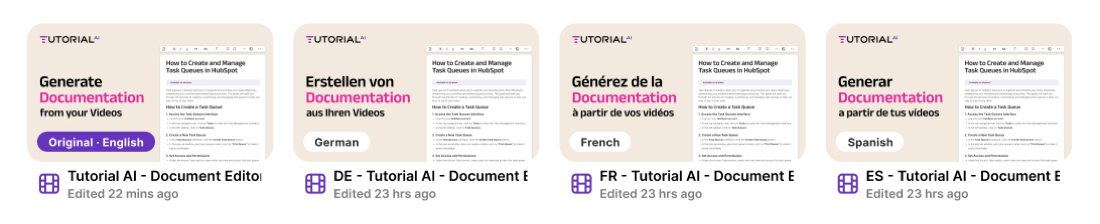
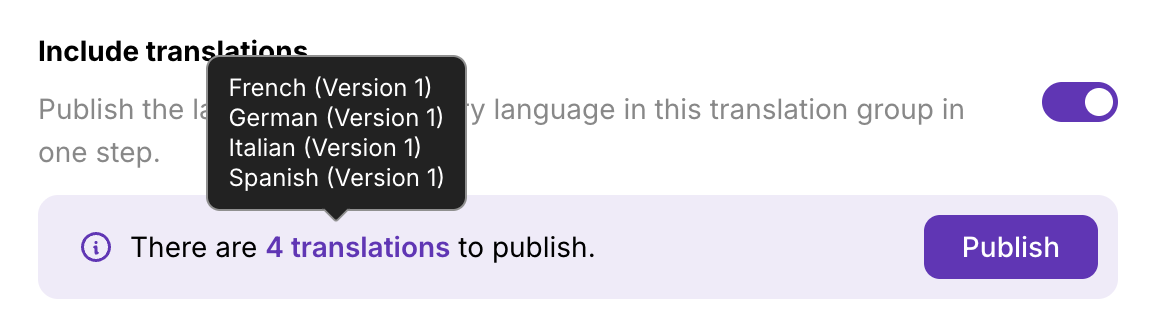
Guidde can translate, but each language is a separate output and there's no review step. Tutorial AI's Translations 2.0 groups every language into a Translation Folder as drafts — review each script, fix brand terms, then publish per-language or "Republish all" at once. AutoRetime keeps captions, clicks, and zoom in sync.
Then there's the player: one embed code that bundles every language, with an in-player switcher and automatic browser-language detection. Paste it once; it serves everyone.
- Translations 2.0 — review before publish ✓ —
- One multilingual embed player ✓ —
- Translation Folders (auto-grouped) ✓ —
- AI voiceover (74 languages) ✓ Limited
Everything at a glance
Where the two tools are at parity, we say so. The gap is in polish, output formats, and multilingual.
| Feature | Tutorial AI | Guidde |
|---|---|---|
| Video production & editing | ||
| AI-polished screen recordings | Yes — core workflow | Yes — core workflow |
| Cursor smoothing & auto-zoom | Automatic | Limited |
| Per-element slide animations | Text & image, independent timing | No |
| Blur & click highlights | One-click | Limited |
| Editing model | Edit narration like a doc — no timeline | Click-by-click, limited edits |
| Output formats | ||
| Polished video tutorial | Yes | Yes |
| Separate written article | Yes — from the same recording | Hybrid walkthrough only |
| Doc export (MD / RTF / HTML) | Yes | No |
| Multilingual | ||
| AI voiceover languages | 74, studio quality | Limited |
| Translations 2.0 (review → publish) | Yes | Basic — no review step |
| Multilingual embed player | One embed, in-player switcher | Separate output per language |
| Translation Folders | Auto-grouped | No |
| Plans | ||
| Free plan | All AI features, watermarked videos | Yes — some feature limits |
| Paid from | $29/mo | Paid tiers (higher tiers sales-led) |





Teams that switched aren't looking back
4.9 on "We decreased employee churn by investing in our people — Tutorial AI made it effortless to create training content for every backoffice system."

Thomas Akos
Retail Board Member, Intesa Sanpaolo Group
"Our teams can quickly turn complex bioinformatics workflows into clear, accurate content—then adapt it across multiple languages without losing precision. It's become an essential tool for both our training and sales enablement efforts."

Attila Berces
SVP of Transplant Innovation & Post-Transplant, Werfen SA
"The multilingual support is a game-changer. We now ship tutorials in 12 languages without hiring a single translator or voice actor."

Roland Dzogan
CEO, YDistri Inc.
"Our sales team used to spend hours recording custom demos for every prospect. Now they send a polished Tutorial AI walkthrough in minutes — and close deals faster."

Naoko Ryde
VP of Sales Enablement, Factbird ApS
Common questions
We're evaluating both Tutorial AI and Guidde — what's the real difference?
Both turn a screen recording into an AI-narrated tutorial, so the decision comes down to three things. First, output polish: Tutorial AI adds automatic cursor smoothing, auto-zoom, per-element slide animations, and one-click blur/highlights, all edited like a document rather than on a timeline. Second, dual output: one recording produces both a polished video and a separate written article you can export as Markdown, RTF, or HTML — Guidde's output is a single hybrid walkthrough. Third, multilingual: Translations 2.0 lets you review each language before publishing, and one embed serves every language. If your need is a single-language internal SOP, either tool works; beyond that, Tutorial AI goes further.
I don't need translation. Is Tutorial AI still a better choice than Guidde?
Yes — translation is only one of three reasons teams switch. Even for single-language content, Tutorial AI produces a more polished video (auto-zoom, cursor smoothing, slide animations, blur, highlights) and gives you a separate written guide from the same recording. The editing model is also different: you edit the narration like a document and the video re-times itself, instead of working click-by-click.
Do I need video editing skills to switch?
No. Tutorial AI is built for non-editors — there's no timeline. You edit the narration as text, the AI voiceover regenerates, and effects like zoom and cursor smoothing are applied automatically. It's the same low-effort capture you're used to with Guidde, with more polish on the way out.
Guidde's free plan looks generous — how does Tutorial AI compare?
Tutorial AI's free plan unlocks every AI feature — voiceover, effects, written docs, and translation — so you can produce a complete, polished tutorial before paying anything. Free videos carry a small watermark; upgrading removes it. It's worth comparing side-by-side for your specific use case.
See the difference on your own workflow
Record once — get a polished video, a written guide, and 74 languages. Free to start, no credit card required.