Account setup
Show customers exactly where to configure an important setting.
Turn repetitive support answers into clear video tutorials and written help guides. Record the workflow once, publish it in your help center, and update the content when your product changes.
One recording creates a narrated support video and a written step-by-step guide with screenshots.
Built for Support Teams
Produce high-quality support videos in minutes — no editing experience required.
AI transcribes and refines your recording into professional voiceovers automatically — with regional accents so the help-center video sounds local to each customer.
One recording creates both a narrated video and a step-by-step article with screenshots for your knowledge base.
Embedded and shared videos auto-update with your latest edits — no need to re-share links when your UI changes.
Show customers exactly where to configure an important setting.
Record the correct path for a recurring error or support question.
Create a short help-center walkthrough for a workflow customers repeatedly ask about.
Document permissions, workspace settings or internal procedures for support teams.
Customers prefer audio-visual content over text — yet 98% of knowledge bases are text-only.
Tutorial AI makes video + article production 50x more efficient:
Easy-to-use screen recording
AI-enhanced narration
Automatic documentation
How it works
Security
 Hide confidential data on your screen effortlessly Keep customer and employee information secure Build trust with safer training materials
AI Voiceovers
Faster and more effective onboarding Consistent training experience Higher employee retention Publish & Share
Publish and share videos instantly via link.
One code snippet for any website, LMS, or CMS.
Edits go live instantly — no re-sharing needed.
Why This Works
Replace lengthy text explanations with engaging video tutorials.
Self-serve video guides answer questions before they're asked.
Customers understand solutions faster with visual guides.
Multilingual Player
74 languages bundled into one embed code Customers switch language inside the player — no separate help-center pages per locale Add a new language later and every existing embed picks it up automatically 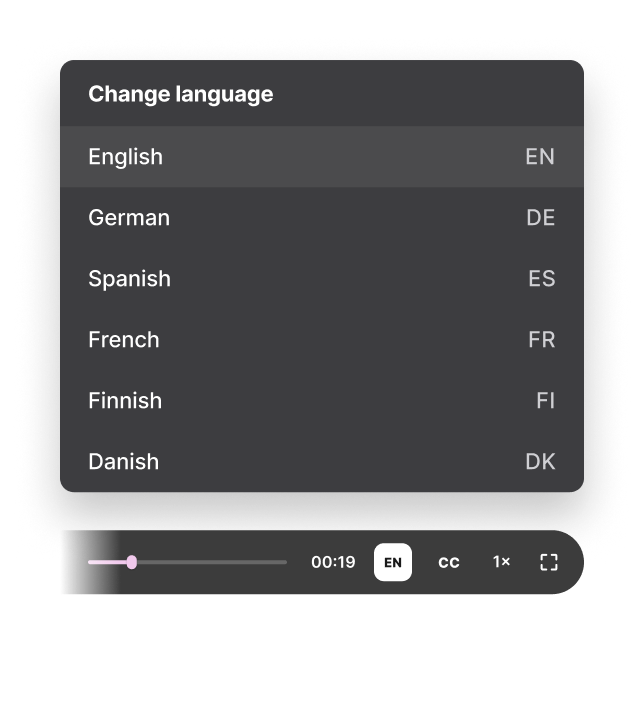
Yes. Share and embed published tutorials in websites, help centers and other content systems.
Edit or replace the tutorial and republish it. Smart updates help keep the latest version available without sending a new link.
Yes. Tutorial AI can generate a step-by-step article with screenshots from the same recording.
Yes. Tutorial AI supports multilingual voice, captions and publishing workflows for global support content.
Record the support workflow once and turn it into a polished video plus a written guide customers can follow without opening another ticket.