A permission toggle ships on Friday. On Monday, support still walks customers through the old screen, because the help article never moved. The engineer who last touched that page left two quarters ago, and the channel that “owns docs” has gone quiet. Nobody refused the work. Nobody was named to do it.
How to assign ownership for software documentation updates means a named owner who can publish, a named backup, and a completion check: the release isn’t closed until the page matches the product. Roles, triggers, and review gates make that stick.
Who Owns Each Documentation Update
Every documentation update needs five named roles, and one of them carries the publish decision.
| Role | Responsibility | Typical holder |
|---|---|---|
| Accountable owner | Publishes the page and keeps it current | Team that owns the feature |
| Technical reviewer | Confirms steps match current behavior | Engineer on the feature |
| Audience reviewer | Checks the steps make sense to customers | Support or enablement lead |
| Documentation steward | Structure, terminology, screenshots, and publishing readiness | Technical writer or coordinator |
| Backup owner | Takes over during leave or reorganization | Named second person on the same team |
Accountability is not the same as contribution. The accountable owner is responsible for freshness and for the decision to publish. Subject-matter experts approve technical accuracy. Downstream teams, including support, security, and customer education, validate whether the page is useful to their audience.
A product area should never sit with “the engineering team” as a whole. A shared owner is no owner. Microservice documentation research treats “lack of clarification of responsibilities” as a recurring barrier, along with misalignment across suborganizations and inconsistent team practices, and it recommends recording both a responsible individual and a responsible team so stakeholders can reach the right person, according to work published through the ACM Digital Library.
Attach the assignment to the service, feature, or documentation set, not only to a person, and review it at handoffs, reorganizations, and major releases. Ownership has to cover the source recording, generated derivatives, translations, approvals, and retirement, not merely the final page.
For each product area in the docs, name all five roles. Any blank is the first assignment to make.
Why Documentation Drifts Without a Named Owner
A release renames a permission setting. The feature team ships on schedule, the changelog goes out, and the help article still describes the old flow three months later. Nobody received a trigger to update it, so the fix waits for whoever happens to notice.
That is what “documentation belongs to everyone” produces in practice: the change lands in the product, and acting on it is no one’s job. The pattern holds at scale. Google Cloud’s DevOps Research and Assessment (DORA) program analyzed responses from more than 32,000 technology professionals across seven years of research, and the 2021 DORA Accelerate State of DevOps report found that only about 25% reported good-quality internal documentation across reliability, findability, and usefulness, while teams with high-quality documentation were 2.4 times more likely to report better software delivery and operational performance.
Documentation quality this rare, with a payoff that large, is an operational problem. Operational problems get assigned owners.
What usually blocks the update
- Shared task, no trigger. Docs are “everyone’s job,” so a behavior change, incident, or deprecation never lands on a calendar or a queue.
- One maintainer, no backup. Maintenance piles onto a single person, and the queue stops the week that person is on leave or moves teams.
- Terms that don’t match. Product, support, and sales describe the same control with different words, and readers can’t tell which page is current.
- Nothing written down. On a distributed team, no one overhears the decision in a hallway. The owner’s name and the trigger have to live where each team already works, the same way institutional knowledge has to be captured before it walks out the door.
Named ownership turns the update into a control with a completion check. A person is requested for the review, so it moves. Conflicting pages get one accountable editor. The owner names a backup, so the queue survives a vacation. And someone verifies the published page against the shipped product, which is how you catch the renamed setting before it turns into support tickets about steps that no longer match the screen.
Team Models and Where Accountability Sits
Pick the model by who can confirm the product behaves as written. The accountable team should be the one that owns the underlying code or product area. That team is responsible for correctness. It doesn’t have to write every page.
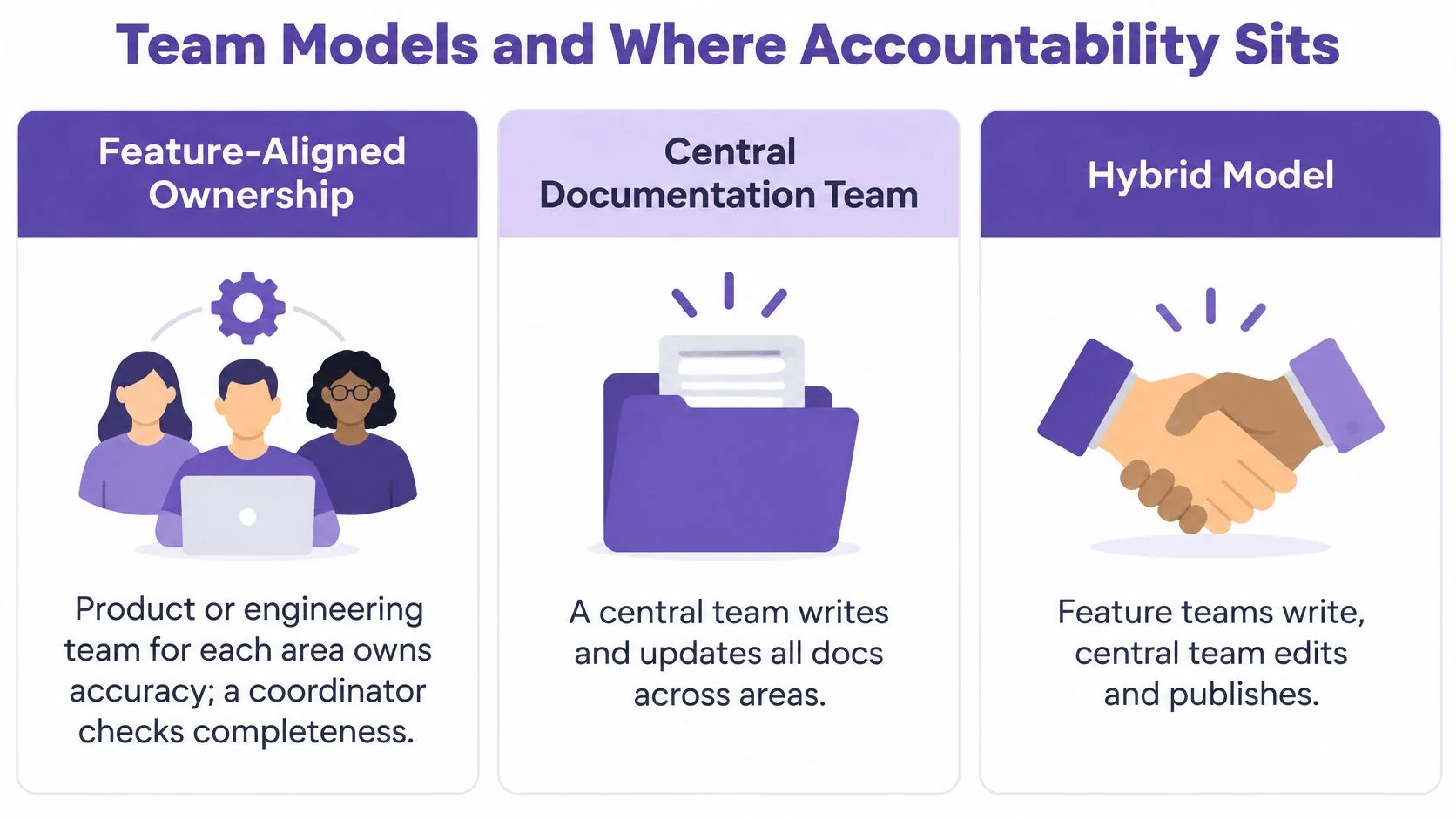
| Model | Accountable owner | Who writes | Where it breaks |
|---|---|---|---|
| Feature-aligned | Product or engineering owner for each area | Feature team, with a coordinator checking completion | Feature team has no spare capacity for updates |
| Hybrid | Documentation team for shared foundations, domain team for feature guides | Both, split by page type | The line between shared and domain pages is unclear |
| Central documentation team | Documentation lead for all pages | Writers, with subject-matter input | Writers lag behind releases and lack product context |
Feature-aligned ownership fits when each area already has a product or engineering lead. That lead owns accuracy for billing, permissions, or exports, and a coordinator checks that the update is complete. It breaks when the feature team is fully booked and docs slip behind the release.
A hybrid model fits most documentation groups. The documentation team owns navigation, style, and templates. Domain teams own technical references and feature guides. It breaks when nobody can say whether a page is “shared” or “domain,” so both sides wait.
A central team fits a small product with steady release notes and available writers. It breaks when writers are downstream of engineering and don’t see the interface until after customers do.
Match the review style to the change. A live session suits a release that touches several areas at once. Pull-request review or a recorded walkthrough suits routine edits and remote teams across time zones. Require support or sales sign-off whenever those teams depend on the page. A small company can run hybrid with one steward. A larger one usually needs a coordinator so domain sections stay consistent.
How to Assign Owners for Each Documentation Area
Start with a list of documentation areas and the team that builds each one.
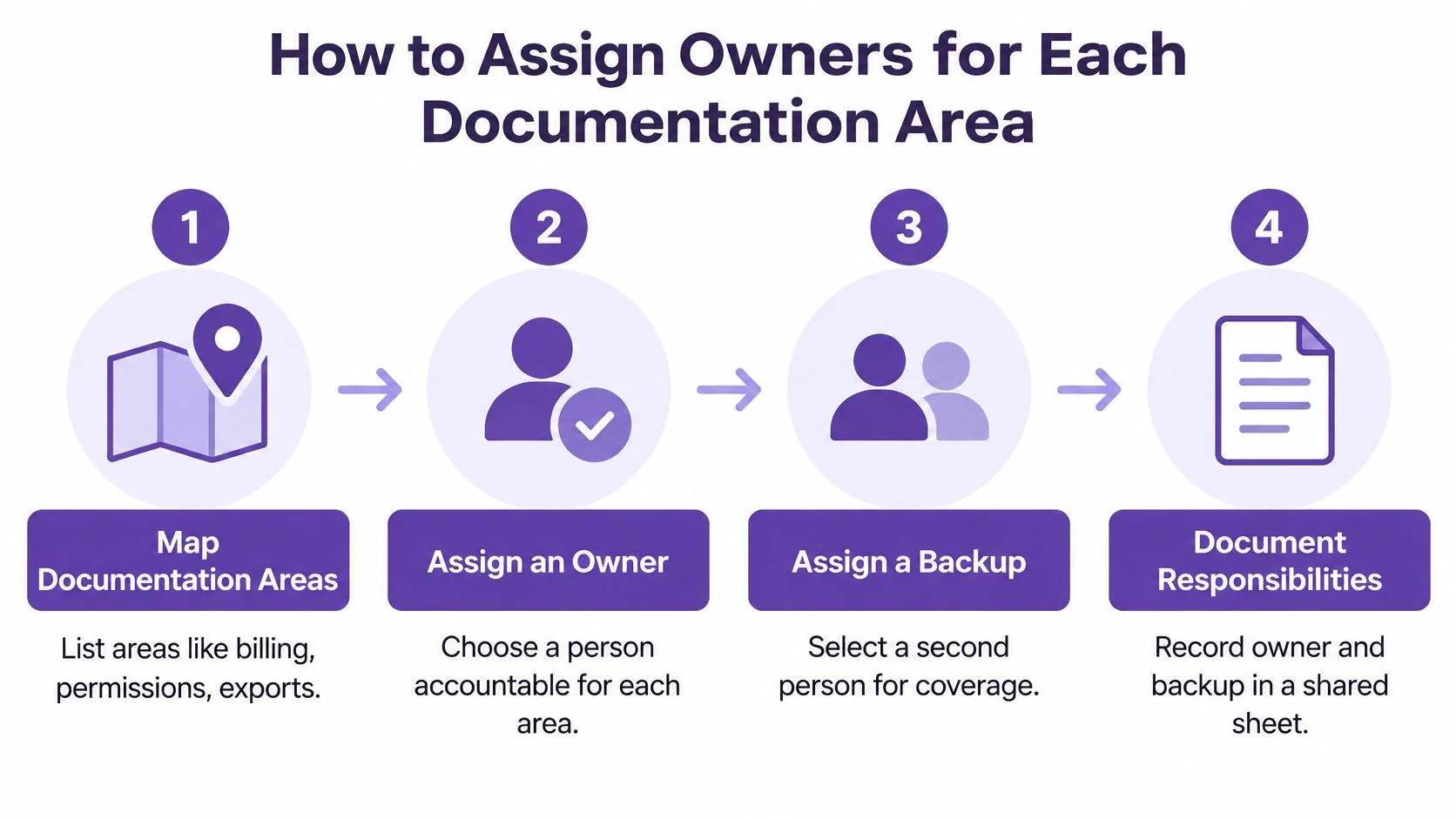
Name the areas, then the people
- Map each documentation area to the feature or code it describes, such as billing, permissions, or exports. Ownership follows the code, so a docs change routes to people who still know the behavior.
- Name one accountable team per area, not one person. A team assignment survives a departure. A personal assignment does not.
- Name a backup owner on that same team. A single maintainer becomes the bottleneck the week they’re on leave.
- Assign one documentation steward across areas. That person checks terminology, structure, screenshots, and whether the page is ready to publish.
- Record the assignments where tools can read them. For repository docs, use a CODEOWNERS file with narrow patterns such as
docs/auth/**,docs/api/**, anddocs/tutorials/**. GitHub’s code owners map those patterns to people or teams, request them on a pull request, and can sit behind branch protection so merge waits on owner approval. The file has to exist on the pull request’s base branch, and each listed owner needs the right repository permission. - Set the triggers that open a review: a feature release, a behavior change, an incident, or a deprecation. Memory is not a trigger.
- Require domain-owner approval when behavior changes. Allow a lighter path for wording, links, and formatting.
- Review the registry quarterly and after every reorganization, and include the ownership file in onboarding and access reviews.
Who can edit, and who only comments
Separate the people who change the tutorial from the people who only review it. On Tutorial AI, editor licenses set how many teammates can create and edit videos: 1 on Solo, 1 on Growth, and 2 on Team. Guest users can view and comment without an editor license: 3 on Solo, 5 on Growth, and 10 on Team. Put the accountable owner and the steward on editor seats. Put the audience reviewer on a guest seat when their job is to comment, not to rewrite the recording.
Recovery. If a test change under a docs path doesn’t request the expected reviewer, check that CODEOWNERS is on the base branch and that the listed owner still has repository permission. Then fix the pattern. A pattern that matches the whole knowledge base sends every edit to the wrong queue.
Success check. The registry returns an owner and a backup for every area, and a test pull request on a docs path requests that reviewer.
Metrics That Show Whether Ownership Works
Five indicators show whether owners act. Start with two or three. Each one needs a named steward who reports it. Set targets from your own release cadence. Don’t copy a number from another company.
| Metric | What it shows | How to calculate it |
|---|---|---|
| Review responsiveness | Whether owners respond within the target | Changes reviewed within target, divided by all documentation changes |
| Median review latency | How long a change waits for an owner | Median hours from review request to approval |
| Stale-page age | Pages no one has checked recently | Days since last verification against the live product |
| Reopened documentation defects | Fixes that did not hold | Count of defects reopened within the review window |
| Coverage of changed surfaces | Whether releases carry documentation updates | Changed features with a linked documentation update, divided by all changed features |
Read the pattern, not a single bad week.
High median latency usually means owners are overloaded, not careless. Split the area or add the backup to the review rotation before you add another status meeting.
Rising stale-page age in one area usually means that area has no active owner or no backup. Sort pages by days since someone checked them against the live product, and assign the oldest cluster first.
Reopened defects mean the last fix didn’t hold. The technical reviewer signed off on wording, or the screenshot came from a build customers never received.
Coverage is the release question. If billing changed and no linked doc update exists, the trigger failed, even if every other page looks fresh. Pair that check with process documentation so the same owner list covers SOPs, not only public help articles.
A metric without a person who reports it becomes another unread dashboard.
How a Recording-Based Update Moves Through Review
Generated pages don’t remove the owner. They multiply the files that owner has to stand behind.
Example, not a customer result. The billing owner ships a release that changes the invoice button label from Export to Download CSV. Prerequisites are a named owner and backup for billing, a release build they can open, and access to record the flow.
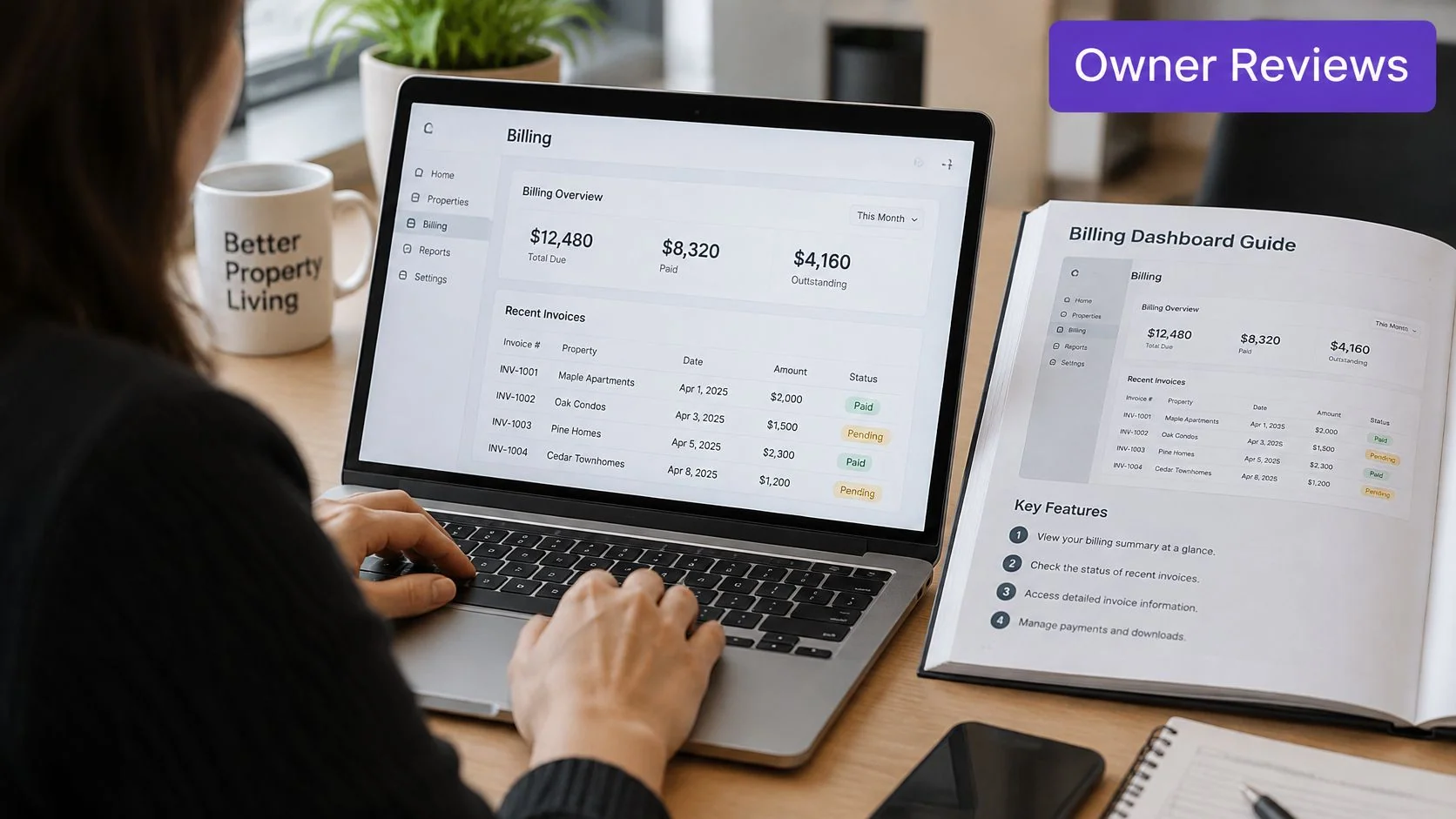
From the release build to a closed change
- Record the changed flow on the release build. Narrate if you want spoken steps. A silent recording still works when the clicks are visible.
- Generate the tutorial video from that recording.
- In Tutorial AI, open the Document tab and generate the written guide with screenshots from the same recording. One source keeps the video and the article on the same label.
- Check the video and the guide against the live interface. Edit the script, narration, steps, or screenshots, then export or share only after that pass. Generated output still needs a human review.
- Send the draft to the technical reviewer and the audience reviewer. The engineer confirms Download CSV is the current control. Support confirms a customer who never saw the design can follow the steps. Treat that package the way a developer handoff treats specs and assets: one owner, named reviewers, and a record of what changed.
- If you produce other languages, review each script before anyone renders it. Translations are created as drafts in a translation folder so each language can be checked first, and a video is generated and published only after that translation is approved. Confirm current language support on the official site before you plan a set of locales.
- Share the approved version and write down the approver and the date. If someone else will maintain the set, use a clear walkthrough handoff so the next owner inherits the recording, not only the published URL.
- Close the change only after the docs show the new label and the superseded version is handled under your retention rules.
Research on generative documentation finds that practitioners often know what good docs should contain and still lack clear guidelines and organizational support. A 2025 study of documentation review also found that maintenance can fall to individual team members, which becomes a single point of failure when tooling depends on one person, as discussed in work on GenAI documentation practices. AI-generated documentation doesn’t remove ownership debt. It can increase it by multiplying outputs. Record whether each artifact was generated, edited, or approved, and decide up front that a new recording triggers review of the transcript, voiceover, captions, screenshots, article, and translations together.
Success check. The screenshot shows Download CSV, the narration uses that same label, and the change record names the approver.
Recovery. If the screenshot still says Export, the recording came from a staging build. Re-record on the release build, regenerate, and send it through approval again.
Confirm Ownership Before Your Next Release
Run this before the next ship, not after the first wrong ticket.
- Every changed product area has an accountable owner, a named backup, and a reviewer in the registry or in CODEOWNERS.
- Each update was triggered by the release, incident, or deprecation that caused it.
- The recording or guide shows the interface customers have now.
- The record says whether each artifact was generated, edited, or approved with AI, so reviewers know what to verify.
- The change is marked complete only when the docs show the new behavior and the superseded version is archived or disposed of under the retention rules.
A change-control policy of this kind records the business need, testing, approvals, and production migration, and it requires information-resource documentation to be updated after the change, with old documentation archived or disposed of under retention rules, as described in iCompaas change-control guidance. The change isn’t closed until that information is current.
Tutorial AI gives the owner one source for the release change: a screen recording of a real software task becomes a tutorial video and a written guide with screenshots, which the owner reviews and edits before sharing. Larger plans add shared workspaces, asset libraries, and approval workflows, so a steward can hold the approver and the date next to the video instead of in a separate spreadsheet. Generated output still needs review before anyone shares it.
This week, pick the feature that changed most recently, assign its owner and backup, and run one update through the review steps above. Tutorial AI’s free plan is a place to start: record one real software task, generate the video and guide, and check them before you share.