74% of people have relied on video content to learn how to use a new app or website, and 97% believe video is an effective tool to welcome and educate new customers according to Custify’s onboarding statistics roundup. That tells you something important right away. Customer onboarding videos aren’t an extra content format. They’re already how many users expect to learn.
A common mistake in onboarding video is treating it as a one-off production task. Someone records a long walkthrough, uploads it to the help center, and calls it done. Users don’t experience that as onboarding. They experience it as homework.
A scalable onboarding video program works differently. It gives new customers the right explanation at the right moment, in the right format, with a clear next action. That requires more than recording skill. It requires sequencing, scripting, measurement, and a workflow that your product experts can sustain.
Strategy Before You Record Anything
Poor onboarding gets expensive fast. 75% of users ditch an app within the first week if it is a hassle to use, and 74% of potential customers will switch to a competitor if onboarding is too complicated, based on guidance from Videate on SaaS customer onboarding videos. That’s why the first decision isn’t camera angle or editing style. It’s deciding what user behavior each video should move.
Most onboarding programs improve when teams stop asking, “What video should we make?” and start asking, “What confusion are we removing this week?”
Build the journey before the asset
A strong program is phased and behavior-triggered. Vidyard’s customer onboarding video guidance recommends a short welcome video within 24–48 hours, then a quick-start video for the first essential action, followed by modular feature videos tied to user goals, and a final next-steps video over roughly 2–3 weeks. It also recommends keeping most onboarding tutorials under three minutes.
That sequence matters because new users don’t need full product literacy on day one. They need confidence and momentum.
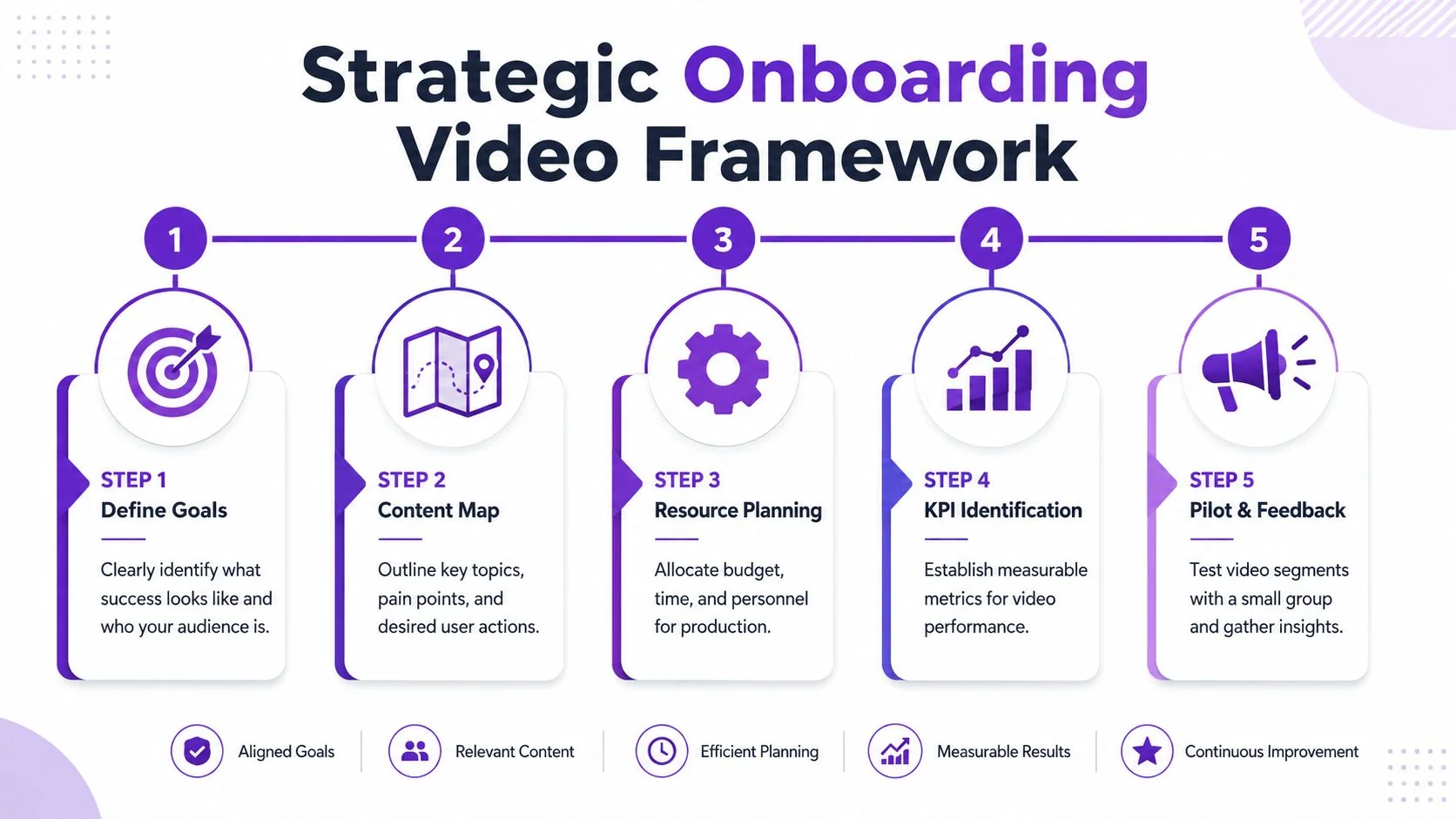
Start with milestones, not features
If your onboarding is organized by product navigation, it usually gets bloated. If it’s organized by user milestones, it stays useful.
A practical map looks like this:
- Welcome and expectation setting
Confirm what happens next, where to start, and what success looks like in plain language. - First win
Show the shortest path to one meaningful action. Account setup, first project, first import, first report, first invite. - Role-based expansion
Separate admin videos from end-user videos. Separate beginner workflows from specialist workflows. - Support and recovery
Create short troubleshooting clips for the stalls you already see in tickets, onboarding calls, and implementation notes.
Practical rule: Every onboarding video should correspond to a user milestone, a known friction point, or a decision that affects activation. If it does none of those, it probably belongs in the knowledge base, not the onboarding path.
Decide where each video appears
Production teams often think in terms of libraries. Customers learn in context.
A welcome video belongs in the first email or in-app message. A quick-start tutorial belongs inside the product, beside the task it explains. Feature-specific clips belong in help articles, lifecycle emails, and CSM follow-ups. That distribution plan should exist before recording starts.
This is one reason I like borrowing ideas from other industries that depend on sequencing and context, not just creativity. A good real estate video marketing guide shows the same pattern. Different videos serve different stages of trust and decision-making. Onboarding works the same way.
Make ownership explicit
Scalable programs fail when no one owns the operating model. Someone needs to define:
- Audience segments like trial users, admins, and end users
- Trigger logic such as signup, inactivity, first login, or failed setup
- Publishing locations including email, in-app, LMS, and help center
- Success metrics tied to activation and feature use
- Update rules for product changes and releases
If your team needs a broader operating model for education content, this customer education strategy framework is a useful reference point for aligning content to user outcomes.
Scripting for Clarity and User Action
Recording is rarely the hard part. Clarity is.
Most weak customer onboarding videos suffer from one of three script problems. They start too wide, explain too much, or end without telling the user what to do next. In onboarding, that’s costly. Confused users don’t pause to admire your thoroughness.
Write to one action per video
A welcome video should not also be a feature overview. A setup tutorial should not also explain permissions, reporting, integrations, and billing. Good onboarding scripts are narrow on purpose.
The script should answer four questions in order:
- Why should I care right now
- What exactly am I doing
- What does success look like on screen
- What should I do next
That sequence keeps the video anchored in user action instead of product narration.
Use different script shapes for different onboarding moments
| Video Type | Primary Goal | Key Script Elements | Ideal Length |
|---|---|---|---|
| Welcome video | Reduce uncertainty and set next steps | Personal greeting, what to expect, first action, where to get help | Short |
| Quick-start tutorial | Get the user to the first meaningful outcome | Problem statement, exact steps, visible success state, CTA into product | Short and tightly scoped |
| Feature demo | Expand adoption after first success | Use-case framing, role relevance, single workflow, optional next feature | Brief and modular |
The useful discipline here is that each video has one job. If you can’t summarize the job in a sentence, the script isn’t ready.
The best onboarding scripts read like guided decision support, not like product tours.
A practical scripting pattern
For a quick-start tutorial, a simple structure works well:
- Opening line
Name the task and why it matters now. - Step narration
Explain only what the user must do and notice. - Success confirmation
Show the result clearly on screen. - Next action
Point to the next milestone, article, or in-app step.
That’s also why an editable script matters. When product teams change labels, fields, or flows, you don’t want to re-record everything because one sentence is outdated. Text-based editing is much faster for maintenance than traditional timeline editing, especially when the person updating the content is a product expert, not an editor.
For teams building repeatable tutorial scripts, this video script template resource can help standardize structure across welcome, quick-start, and feature videos.
Choose silent or narrated on purpose
Not every onboarding video needs spoken narration. Some tasks are obvious enough that short captions and cursor guidance do the job. Others absolutely need voice.
Use silent, text-led videos when:
- The workflow is visually obvious and the user mainly needs orientation
- The clip will be embedded in support content where people skim first
- The environment may be sound-off such as offices, transit, or mobile
Use narrated walkthroughs when:
- The task has decision points and users need explanation, not just direction
- The interface is dense with settings, dependencies, or role-specific logic
- The “why” matters as much as the click path
If the task is complex, narration wins because it reduces ambiguity. If the task is simple, silence can reduce friction. The right choice depends on cognitive load, not production preference.
Polished Production for Non-Producers
Customer onboarding teams do not need a studio setup. They need a repeatable production standard that keeps videos clear, fast to update, and consistent across the whole program.
That standard matters because production choices affect maintenance cost just as much as viewer experience. If every walkthrough depends on a designer, editor, or motion specialist, the library stops growing the minute priorities shift. A scalable onboarding program needs a workflow that subject-matter experts can use themselves, with enough guardrails to keep quality steady.
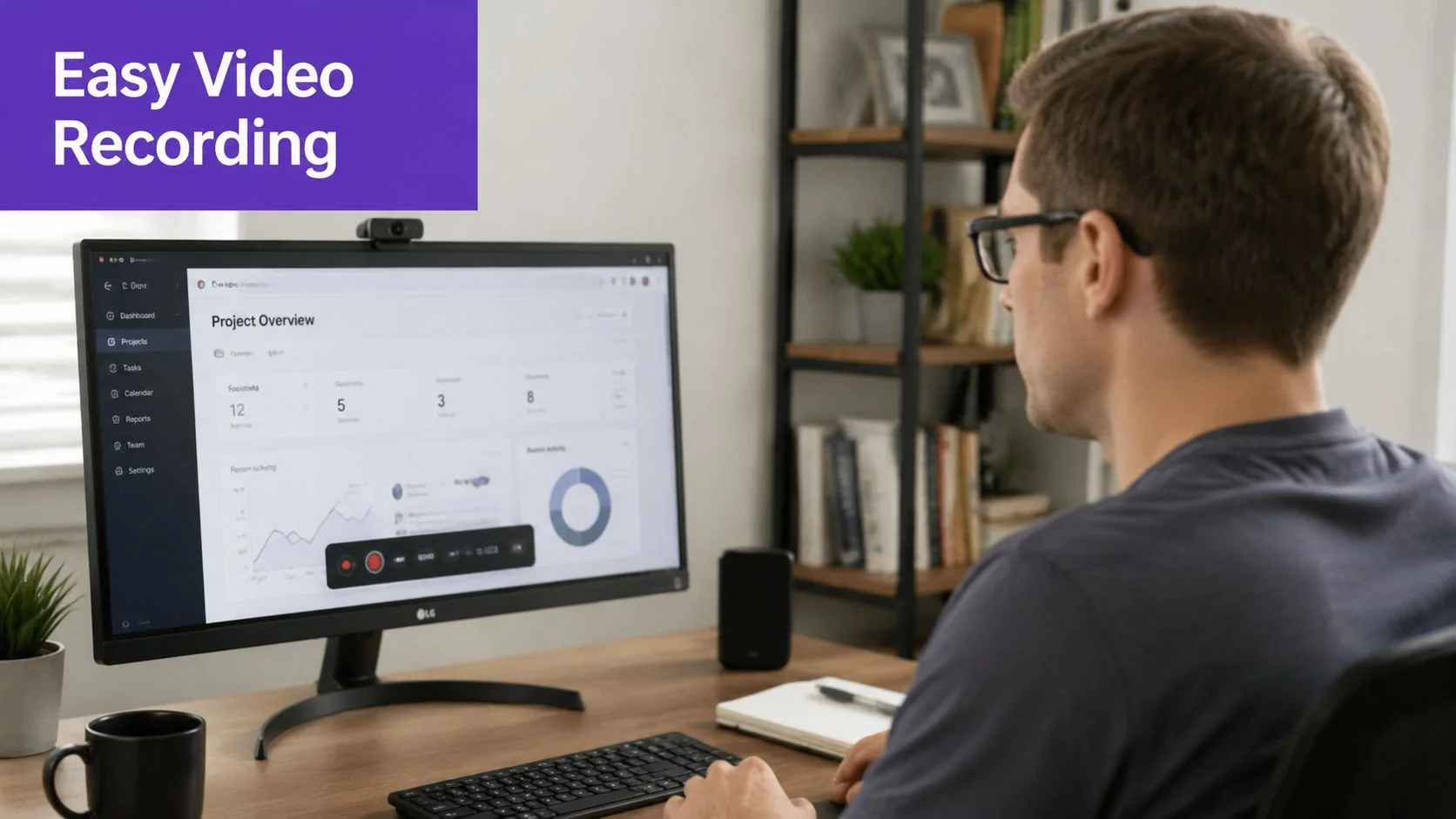
Record cleanly before you edit anything
Production gets cheaper when the source recording is clean. Teams often try to fix clutter, hesitation, and audio problems in editing, but those are avoidable upstream.
Set a simple recording checklist and use it every time:
- Clean the workspace by closing unrelated tabs, muting notifications, and removing sensitive data
- Increase interface readability with browser zoom, larger cursor visibility, and sensible window sizing
- Record in short modules so one mistake does not force a full retake
- Use decent audio because users will forgive average visuals long before they forgive hard-to-hear narration
If you need lightweight capture tools before you standardize on a broader workflow, Budget Loadout’s software recommendations are a practical starting point for comparing free recording options.
Choose a workflow your team can maintain
Production decision is not which editor has the most features. It is which workflow lets your team publish and revise onboarding content every week without bottlenecks.
Basic screen recorders are fast, but they often leave in pauses, retries, and rambling explanations. Traditional editors such as Adobe Premiere Pro, Final Cut, and Camtasia give more control, but they also assume someone has time to handle cuts, motion, callouts, exports, and branding. For many customer education teams, that is the wrong dependency. The product expert knows what the user needs. The video specialist knows the software. Scalable programs reduce the handoff between those two roles.
I usually recommend setting a house style before the library grows past a handful of videos. Decide how you will handle intros, cursor treatment, zoom behavior, title cards, resolution, aspect ratio, and export naming. That sounds operational because it is operational. It prevents every new video from becoming a one-off production project.
What polish looks like in onboarding
Polish in customer onboarding videos usually comes down to a short list:
- Tighter pacing so users are not waiting through dead air
- Clear visual focus through zooms, cursor emphasis, and cropped framing
- Consistent branding across title cards, fonts, and colors
- Fast revision cycles when the UI changes
The last point is the one teams underestimate. A polished onboarding program is not just a set of videos that looked good on launch day. It is a library your team can keep current as the product changes. Tools that support text-based edits, reusable brand presets, and quick voice or language updates reduce rework across the whole system. If multilingual delivery is part of your roadmap, it helps to plan for video translation services for onboarding content before the library sprawls.
A polished screen tutorial should feel edited with respect for the user’s time. Every click has a purpose. Every zoom answers a question. Every second earns its place.
Here’s a short example of the kind of screen-led walkthrough format that works well for product education:
You do not need a dedicated editor to publish clean, branded onboarding videos at scale. You need clear source recordings, a production standard the team can follow, and tools that make updates inexpensive.
Scale Your Reach with Localization and Integration
A good onboarding video is useful once. A scalable onboarding asset is useful across markets, channels, and content formats.
Many teams face a significant hurdle. They can produce an English walkthrough for one audience, but they struggle to reuse it in other languages, embed it consistently, or keep the written documentation aligned with the video. The operational burden grows faster than the library.
Localization is more than subtitles
Subtitles help, but they don’t solve the whole problem. Spoken explanations vary in length across languages. When the new narration runs longer or shorter, scenes, cuts, cursor movement, and on-screen timing can all drift out of sync.
That’s why localization needs a workflow, not just translation files.
If your team is still sorting out caption workflows, this guide to understanding subtitle file types is helpful because it clarifies where common subtitle formats fit and where they fall short for full tutorial localization.
For global onboarding, the more scalable approach is to keep one core source recording and adapt narration, captions, and timing together. That prevents the usual mess of duplicated edits, inconsistent article updates, and fragmented video versions.
Distribution should mirror the customer journey
Localization only matters if users can access the right version where they need it. The best customer onboarding videos don’t live in one place.
They should appear in a few coordinated locations:
- In-app onboarding moments for setup tasks and first-win guidance
- Help-center articles where users need searchable, self-serve support
- CRM and lifecycle emails for triggered follow-up based on adoption stage
- CSM or support workflows when customers stall or ask recurring questions
The strongest setup is one recording that can become both a video and a written article. That avoids the common failure where the video shows one workflow and the help doc explains another because they were created separately.
For teams planning multilingual distribution, this overview of video translation services is useful for thinking through language coverage, playback, and maintenance.
Design for integration, not just publication
A video program becomes scalable when it plugs into the systems your team already uses. That might mean your CMS, LMS, CRM, knowledge base, or in-app messaging stack. It can also mean access controls, workspace permissions, and enterprise requirements such as SSO/SAML, SOC 2, and GDPR support.
Those details aren’t glamorous, but they decide whether onboarding video becomes an operating capability or stays an isolated content project.
A video that’s easy to record but hard to distribute will never become part of the customer journey at scale.
Measure What Matters and Optimize for Success
A long list of videos doesn’t mean you have an onboarding program. It means you have files.
The technical mistake I see most often is treating onboarding as a linear curriculum instead of a funnel. Gainsight’s customer onboarding guidance recommends mapping videos to the customer’s first “aha” moment, using progress indicators and clear CTAs to reduce drop-off, and adapting content by role or behavior. In practice, that means instrumenting onboarding with checkpoints for completion and feature adoption.
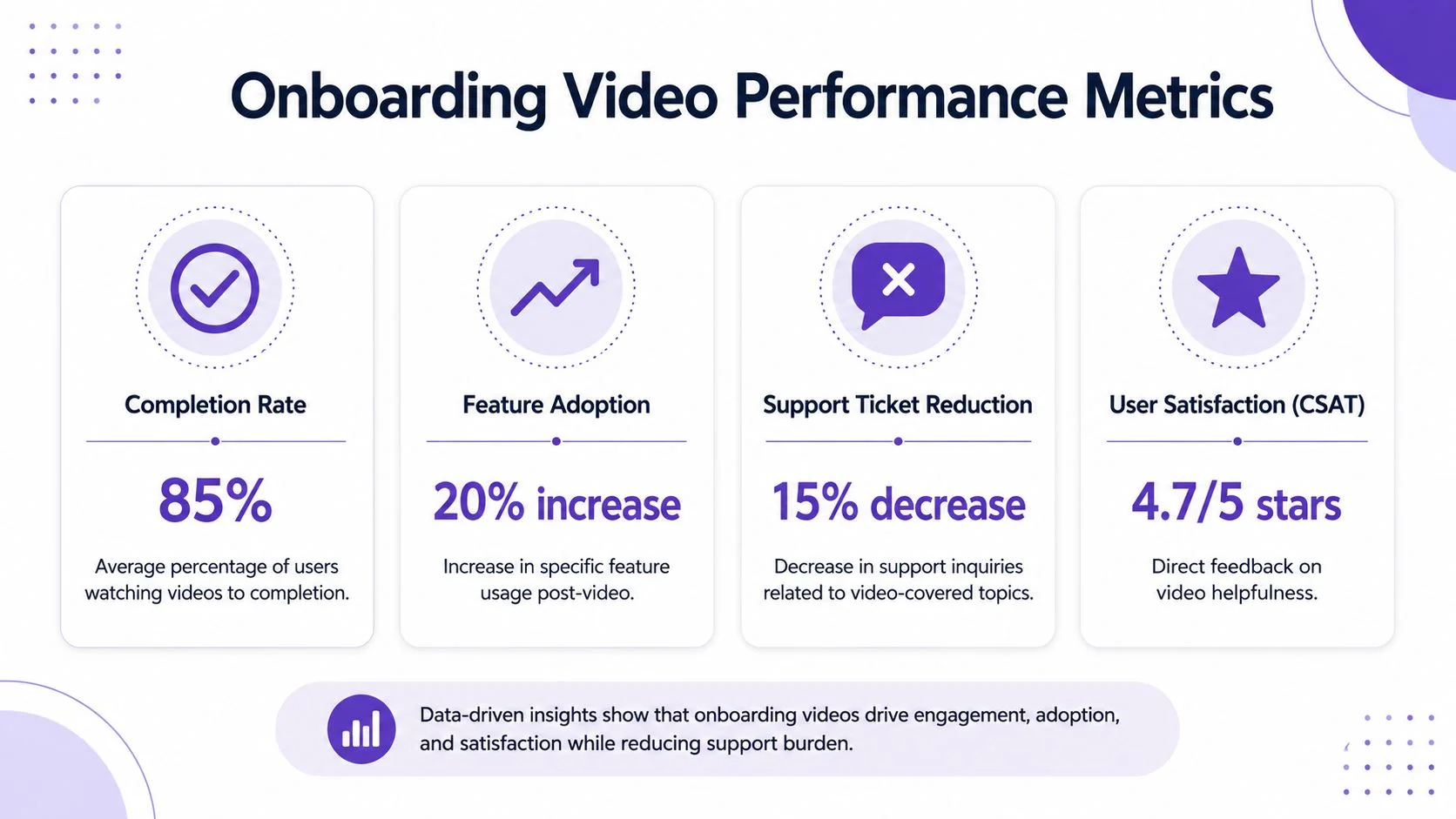
Track behavior, not vanity
View count is rarely enough. It tells you something was loaded, not whether the video helped.
The metrics that usually matter most are:
- Completion and drop-off because they show whether the video holds attention long enough to teach the task
- Checkpoint completion such as account setup, import finished, teammate invited, or first workflow completed
- Feature adoption after viewing because the point of onboarding is changed behavior
- Support signals including whether repeated “how do I” issues decline for covered topics
When a team only tracks plays, it can’t tell the difference between a useful tutorial and a confusing one that users abandon halfway through.
Use a diagnosis mindset
Optimization works better when you treat each video like a product surface.
If users drop in the first moments, the opening probably doesn’t match their intent. If they stop during a dense configuration step, the explanation may be too abstract or too fast. If they finish the video but don’t complete the task, the CTA or the surrounding workflow may be weak.
A simple review loop helps:
| Signal | What it often means | Likely response |
|---|---|---|
| Early drop-off | Intro is too broad or too slow | Rewrite the opening around the immediate task |
| Mid-video exits | One step is confusing or overloaded | Split the video or add a clearer visual cue |
| High completion but low action | CTA is weak or poorly placed | Put the next step closer to the success moment |
| Repeated support questions | The topic is still unclear in context | Pair video with article steps or in-app guidance |
Optimization lens: Don’t ask whether the video is “good.” Ask where users stall and what changed after they watched it.
Test the sequence, not just the asset
A lot of improvements come from changing delivery, not the actual recording.
Try sending a quick-start tutorial earlier. Move a feature video from the help center into the app. Split an admin flow from an end-user flow. Replace one long orientation clip with three shorter milestones. Customer onboarding videos work best when sequencing and context are tested alongside wording and visuals.
This also helps teams avoid overproducing low-impact content. If a video doesn’t correlate with progress, it may not need polishing. It may need replacement.
Your Path to a Scalable Onboarding Program
The teams that get the most from customer onboarding videos don’t behave like media companies. They behave like operators. They map user milestones, script for action, publish in context, localize carefully, and measure whether customers move forward.
That makes the work much more manageable.
You don’t need a huge studio setup. You need a repeatable system. One that starts with the welcome moment, drives a first win quickly, expands by role and use case, and gets smarter as you learn where customers stall. When that system is in place, video stops being a content backlog item and becomes part of how your product teaches itself.
That shift matters because onboarding isn’t just an education problem. It’s an activation problem, a support problem, and often a retention problem. A strong program helps in all three places at once.
If you’re building from scratch, keep the first version small. Create the welcome. Create the first-win tutorial. Create the top troubleshooting clip. Put each one where the customer needs it. Then measure the handoffs and refine.
That’s how scalable onboarding programs are built. Not with one big video launch, but with a controlled sequence of useful assets that make the next customer action easier.
If you want a faster way to produce polished customer onboarding videos and matching written guides from the same recording, Tutorial AI is built for exactly that workflow. It helps product experts turn a screen recording and narration into a cleaned-up tutorial, then generate a companion article without starting from scratch twice. That’s especially useful for teams that need consistent onboarding content across help centers, support, training, and customer education.