
At its core, a customer education strategy is all about teaching your customers how to win with your product. It’s a deliberate plan to guide them through their entire journey, from their first "hello" to becoming a seasoned power user. This goes way beyond a simple welcome tour; it's about building expertise so your customers become more successful, stick around longer, and champion your brand.
Why Customer Education Is Your New Growth Engine

Most companies treat customer support like a fire department—a team that reacts to problems after they’ve already started. But what if you could stop the fires before they even begin? That's exactly where a smart customer education strategy comes in, flipping the script from reactive problem-solving to proactive empowerment.
Think about it. You launch a fantastic new piece of software, but without any real guidance, your users barely scratch the surface. They get frustrated, miss out on the best features, and eventually, they leave. Now, imagine that same launch with a well-designed education program. Customers are walked through the essentials, shown how to use key features, and given insider tips. They get results faster, see the product's true power, and turn into your biggest fans.
Moving from Support to Enablement
This jump from support to enablement isn't just a change in vocabulary; it’s a fundamental business strategy that drives real, sustainable growth. You’re no longer just putting out fires—you’re giving your customers the tools and knowledge to succeed on their own.
A great education program touches every part of the customer's journey. It helps new users get that critical "aha!" moment fast, which is everything for activation. Then, as they grow, you keep teaching them about advanced features and new ways to use the product, making it an indispensable part of their work.
This approach pays off in several huge ways:
- Improved Product Adoption: When customers know what they're doing, they use more of your product. It becomes deeply embedded in their daily routine, making your relationship that much stickier.
- Increased Customer Loyalty: Investing in your customers' success shows you care. That builds trust and turns everyday users into loyal advocates who will sing your praises.
- Reduced Customer Churn: People don't leave products they love and get value from. Education tackles the confusion and frustration that are the root causes of churn.
A well-executed customer education strategy functions as a powerful growth engine. By turning new users into expert advocates, you create a self-perpetuating cycle of success that reduces support costs while simultaneously boosting retention and revenue.
In the end, customer education is much more than just writing help docs or filming a few tutorials. It's about building a complete learning experience that empowers people every step of the way. By doing this, you ensure customers don't just stay—they grow right alongside you, becoming your most valuable asset for long-term success.
The Real-World Payoff of Customer Education
Let's get straight to the point: a smart customer education strategy isn't some fluffy, "nice-to-have" add-on. It's a full-blown revenue engine. When you take the time to teach customers how to get the most out of your product, the results show up everywhere—from your support queue to your bottom line. It's what separates a tool that gets used from a solution that becomes absolutely essential to a customer's success.
Think of it this way: investing in your customers' expertise is a direct investment in your own financial stability. When users are confident, they dig deeper into your platform, discover more features, and unlock more value. That level of engagement turns them from passive users into enthusiastic advocates who stick around longer and spend more over time.
Slashing Costs and Boosting Efficiency
One of the first places you'll see the impact is in your support department. A solid education program answers questions before your customers even think to ask them, giving them the power to troubleshoot on their own. This means fewer support tickets clogging up the queue and frees up your team to tackle the truly complex issues.
The savings here are real and measurable. Companies that formalize their customer education see an average 6.1% decrease in support costs. In fact, about 65% of companies can draw a straight line from customers who go through training to lower support expenses. On top of that, 63% of leaders confirm that their learning strategy has sped up ticket resolution times. It's a clear win-win.
Accelerating Revenue and Customer Growth
But this isn't just about saving money. A great customer education program is a direct path to growing your revenue. When customers truly get what your product can do for them, they're far more likely to upgrade, add new services, and tell their friends about you. This creates a powerful, self-sustaining growth loop fueled by genuine customer success.
Here's a breakdown of how teaching your customers leads to tangible financial results:
- It Shrinks the Sales Cycle: When potential customers can educate themselves with clear, helpful content, they come to your sales team already understanding the basics. This allows your reps to skip the feature tour and focus on closing the deal.
- It Unlocks Upsell and Cross-sell Opportunities: Once a customer masters your core features, they naturally start looking for what's next. Your educational content can perfectly position them for advanced features or related products.
- It Skyrockets Customer Retention: This is the big one. Customers who achieve their goals with your product don't leave. Better education leads to higher success rates, which directly boosts Customer Lifetime Value (CLV)—the bedrock of any sustainable business.
A well-planned customer education program is what separates the winners from the losers in a crowded market. Providing excellent learning resources, like well-structured documentation of training materials, can be a huge differentiator that attracts and keeps the best customers.
A formal education strategy has a direct, positive effect on the metrics that matter most. The table below illustrates the kind of improvements businesses often see.
Key Performance Indicators Improved by Customer Education
Ultimately, the data is clear: investing in your customers' success is the most reliable way to ensure your own.
A strong customer education strategy shifts the conversation from cost to value. It proves that investing in customer knowledge is not an expense but a direct investment in retention, expansion, and long-term profitability.
At the end of the day, teaching your customers how to win with your product is the surest way for your own business to win, too.
How to Build Your Customer Education Strategy Framework
Alright, you understand why customer education is a game-changer. Now for the fun part: figuring out how to actually build a strategy that works.
This isn't about throwing a bunch of articles and videos at a wall and seeing what sticks. A truly effective framework is built step-by-step. It starts with a deep understanding of your customers and ends with delivering the perfect piece of knowledge at the exact moment they need it.
Let's break it down into four practical phases. Follow these, and you'll create a program that doesn't just inform users—it methodically transforms them from total beginners into confident, loyal advocates for your product.
This isn't just theory. A well-oiled education machine has a direct, measurable impact on your business.
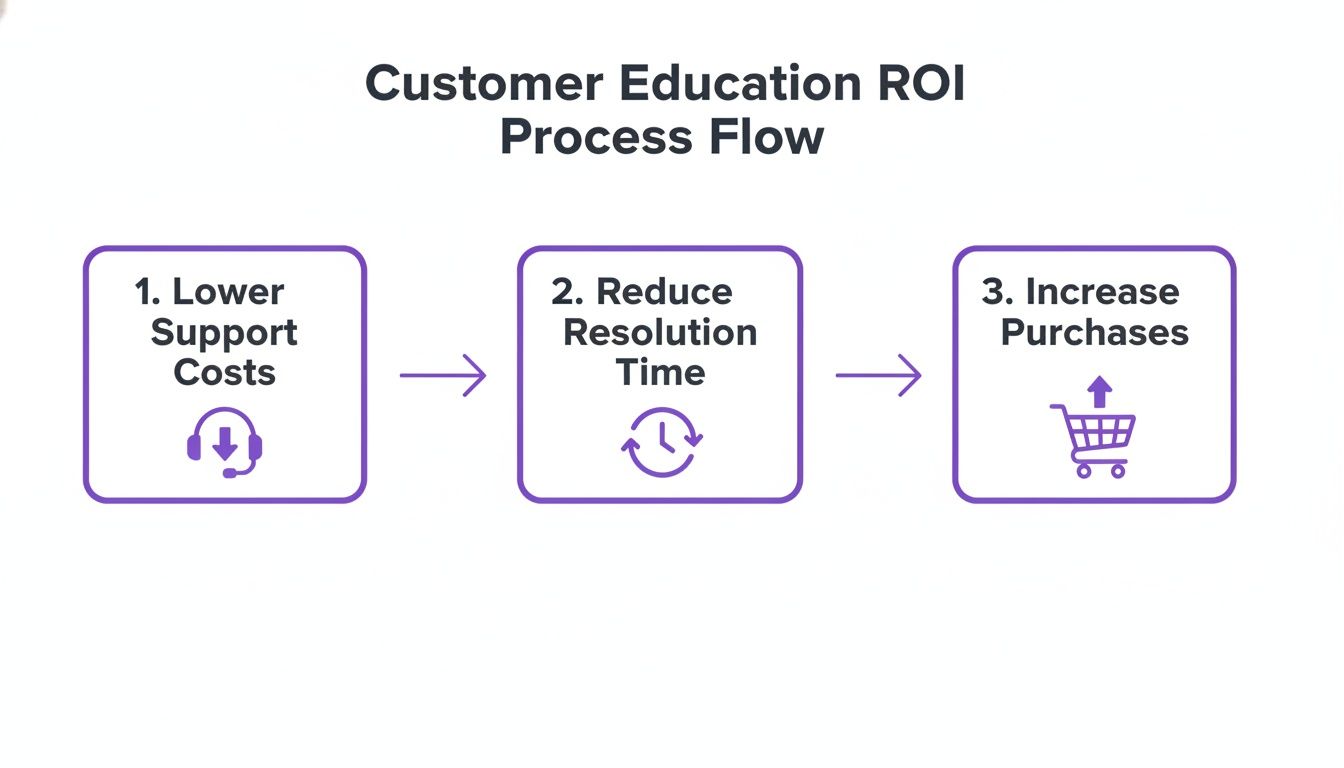
As you can see, when you empower customers with the right knowledge, you systematically drive down support costs, help them solve problems faster on their own, and even encourage them to buy more.
Phase 1: Define Your Audience and Goals
Before you write a single word or record a single video, you have to get crystal clear on who you're talking to. This is where you create detailed user personas. Go beyond just their job title. What are their biggest headaches? What are they trying to accomplish with your product? What makes them tick?
Once you have a picture of your audience, you can set specific learning objectives. Think about what a brand new user absolutely must know in their first week to feel like they made the right choice. Then, consider what an experienced user needs after six months to level up their skills. These goals give your content a clear purpose.
Phase 2: Design the Curriculum
With your audience and goals locked in, it's time to map out the curriculum. This isn't just a list of features. It's a learning path that mirrors the customer journey.
Think about the key milestones your customers hit. What do they need to learn at each point?
- Onboarding Stage: The goal here is simple: get them to that first "aha!" moment as quickly as possible. Focus on the core setup and initial wins.
- Adoption Stage: Now you can introduce them to the features that will solve their day-to-day problems and make your product a habit.
- Proficiency Stage: Time to show off the advanced stuff. Teach them sophisticated workflows, cool integrations, and pro-level best practices.
- Advocacy Stage: At this point, you're turning experts into champions. Share new use cases and strategies that empower them to teach others.
Structuring your curriculum this way means you deliver the right knowledge at the right time, guiding users from one success to the next without overwhelming them.
Phase 3: Choose Content Formats and Channels
Now we get to bring your curriculum to life. People learn in all sorts of ways, so a one-size-fits-all approach won't cut it. A winning customer education strategy needs a diverse content library.
Mix and match these powerful formats:
- Video Tutorials: Nothing beats a video for showing, not just telling. They're perfect for quick demos, full onboarding walkthroughs, and deep dives into specific features.
- Knowledge Base Articles: This is your go-to for detailed, searchable answers. A solid knowledge base article template will keep everything clear and consistent.
- Webinars: Great for live, interactive sessions. You can tackle complex topics, host Q&As, and build a real sense of community.
- LMS Courses: When you need a structured learning path, an LMS is your best bet. It guides users through a full curriculum, often with quizzes to check their understanding.
Where you put this content is just as important as what it is. A key part of your strategy should involve building an effective customer self-service portal where users can easily find answers themselves.
Your goal is to create a seamless learning ecosystem where customers can easily find the help they need, whether they prefer watching a video, reading an article, or attending a live session.
When learning feels like a natural part of using your product instead of a chore, you know you're on the right track.
Phase 4: Launch and Promote Your Program
You can create the best content in the world, but it won't matter if no one ever sees it. Your launch needs a smart promotion plan to make sure your resources are front and center.
Weave promotion directly into the user experience. Use in-app pop-ups to announce new tutorials. Send targeted emails about upcoming webinars. Have your Customer Success team share helpful articles on their calls. The more you can serve up content in context, the more it will get used.
The payoff is huge. A Forrester study found that companies with formal customer education programs saw an average revenue bump of 7.6%. Product adoption for specific features shot up by an astonishing 38.3%.
And it doesn't stop there: 43% of companies with education programs report higher revenue, and 56% see better customer retention. The numbers don't lie—educating your customers is one of the best investments you can make.
Creating Scalable Video Content with AI
In any modern customer education strategy, video isn't just nice to have—it's essential. When you need to show off a tricky workflow, onboard a new user, or announce a feature, nothing gets the point across and builds confidence faster than a great tutorial. But for a lot of teams, this is where things grind to a halt.
You're stuck with a frustrating choice between speed and quality.
On one side, you have easy-to-use screen recording tools like Loom. The upside is that any expert can hit record and go. The problem? Raw recordings are often 50-100% longer than necessary, filled with rambling, "uhms," and a wandering mouse cursor. It doesn't look professional.
On the other side, you have professional video editing software like Camtasia or Adobe Premiere Pro. These tools can produce a polished, high-quality video, but they require expert video editing knowledge. This creates a bottleneck where your subject matter experts—the people with the knowledge—can't create the content your customers need.
Bridging the Gap with AI-Powered Video Generation
This is where tools like Tutorial AI are changing the game by generating polished video tutorials directly from screen recordings. The core idea is to let AI handle the heavy lifting of post-production, freeing up your experts to do what they do best: share their knowledge.
With Tutorial AI's tools, a subject matter expert can simply record their screen and speak freely without any practice. The AI then transforms that raw recording into a video that looks as if it was professionally edited in Adobe Premiere Pro. It removes mistakes, trims pauses, and perfects the pacing, ensuring the final product is concise and on-brand.
The real breakthrough is allowing your subject matter experts to create on-brand videos with extreme efficiency. They can speak freely without any practice, and the video will still look professional, as if it was meticulously edited in Adobe Premiere Pro.
This approach makes high-quality video creation accessible to everyone on your team. It puts the power to produce studio-quality tutorials directly into the hands of the people who know your product inside and out, no editing expertise required.
From Raw Recording to Polished Tutorial
Tutorial AI is built to streamline this entire workflow, intelligently analyzing your raw screen recordings to generate the exact types of videos your customer education strategy needs to succeed.
Here are just a few of the video types you can create based on simple screen recordings:
- Demos: Create clean, concise walkthroughs that focus attention on your product's most valuable features.
- Onboarding Videos: Guide new users through setup with clear, step-by-step visual stories.
- Explainer Videos: Break down complex concepts into simple, easy-to-digest visual explanations.
- Feature Release Videos: Quickly produce engaging announcements for new functions, helping users adopt them right away.
- Knowledge Base Videos: Add visual walkthroughs to your help center to solve common problems and reduce ticket volume.
- Support Article Videos: Turn text-heavy instructions into easy-to-follow visual guides that customers will actually love.
The system lets your expert just talk freely, and the AI refines the narration, adds smart zooms to highlight key details, and perfects the pacing. It’s like having a professional post-production team on call 24/7. For a more in-depth look, our guide on how to create training videos offers more strategies and tips.
For those curious about how artificial intelligence can simplify video creation, exploring the latest AI integration in post-production provides some fantastic insights. By automating the tedious parts of editing, your team can finally scale content creation to keep up with a growing user base, making your customer education strategy more nimble and effective. This efficiency lets you build a full library of high-quality, on-brand videos that empower your users at every step.
Measuring the Success of Your Education Program

A great strategy is worthless if you can't prove it's working. To show the real value of your customer education program, you have to connect your efforts to real-world business results. This is about moving beyond vanity metrics like page views and building a data-backed story that shows how education impacts the entire organization.
Tracking the right numbers proves that customer education isn’t just another expense. It's a powerful engine for growth, efficiency, and retention. By organizing your metrics, you can draw a straight line from teaching customers to improving the bottom line, which is exactly what you need to get buy-in and justify more investment in your customer education strategy.
H3: Engagement Metrics
The first place to look is at how your customers are actually interacting with the learning content. Are they even showing up? These metrics tell you if your materials are accessible, relevant, and interesting enough to keep your audience from clicking away. This is the foundation of your entire measurement framework.
High engagement is a strong signal that you’re on the right track, creating content your customers genuinely want and need.
- Content Views and Downloads: This tracks the basic reach of your articles, videos, and guides.
- Course Completion Rates: How many people who start a course actually see it through to the end? A big drop-off rate might mean your content is too long, too confusing, or just plain boring.
- Time Spent Learning: This shows the average time users are spending with your educational resources, giving you a sense of how deep their engagement really is.
- Quiz Scores and Assessments: This gives you direct feedback on whether the information is actually sticking.
H3: Performance Metrics
Next, we connect your program to operational efficiency, especially for your support and success teams. When customers can find their own answers, the pressure on your internal teams drops dramatically, freeing them up to tackle more complex, high-value problems.
These KPIs are your proof that proactive education is way more cost-effective than reactive support.
A well-executed education program acts as a force multiplier for your support team. By answering common questions at scale, you reduce repetitive inquiries, allowing your experts to focus on complex issues that truly require a human touch.
Imagine launching a new tutorial video and then seeing a sharp drop in support tickets about that specific feature—that’s a clear win. Key metrics to watch here include a decrease in support ticket volume, faster ticket resolution times, and a noticeable increase in self-service resolution rates.
H3: Satisfaction Metrics
So, how do educated customers actually feel about your product and your company? Satisfaction metrics give you a window into the emotional impact of your program. It’s simple: customers who feel confident and competent with your product are almost always happier and more loyal.
The trick is to measure satisfaction scores specifically for users who have gone through your educational content and compare them to those who haven’t.
- Net Promoter Score (NPS): Well-educated users are often your biggest fans. Segment your NPS responses to see if program participants give higher scores.
- Customer Satisfaction (CSAT): Measure CSAT scores right after a support interaction. You’ll likely find that educated users report higher satisfaction because their problems get solved faster.
- Customer Effort Score (CES): This measures how easy it is for customers to get help. A strong education program should make this score plummet.
H3: Business Impact Metrics
Finally, we get to the metrics that make the leadership team sit up and take notice. This category ties your customer education strategy directly to revenue, retention, and growth. These are the KPIs that tell the ultimate story of your program's return on investment (ROI).
Proving a direct link to business impact is how you elevate customer education from a support function to a core strategic initiative. You can demonstrate this value by tracking metrics like improved customer retention rates, increased product adoption (users trying and using more features), and even higher upsell and cross-sell revenue from customers who have mastered your product.
To help you get started, here’s a simple framework for organizing your metrics and connecting them to overarching business goals.
Customer Education Metrics Framework
Using a framework like this ensures you're not just collecting data for the sake of it. Instead, you're building a comprehensive picture of how your education efforts are creating real, measurable value across every part of the business.
Frequently Asked Questions About Customer Education Strategy
As you start piecing together your program, you’ll inevitably run into some common questions and practical hurdles. Working through these is a normal part of the process and key to building a customer education strategy that actually sticks. This section tackles some of the most frequent questions we see teams wrestling with.
Think of this as a quick guide for those tricky forks in the road. Getting these foundational pieces right from the start will give your program a much better shot at long-term success and ensure it delivers real value to your customers and your business.
Where Should Customer Education Live in an Organization?
This is the classic "it depends" question, but for a good reason. There’s no single, perfect home for a customer education team because it hinges on your company’s structure, primary goals, and overall culture. What matters most is that the team has the freedom to work across departments and is judged by its impact on the business.
You'll typically find customer education teams sitting in one of a few places:
- Customer Success: This is probably the most natural fit. Both teams are fundamentally focused on helping customers achieve their goals and, in turn, drive retention.
- Marketing: If your educational content is a big part of attracting and warming up new leads, it makes a lot of sense for it to live within marketing.
- Product: Embedding the education team within product ensures that learning content stays perfectly in sync with new feature launches and product updates.
No matter where the team reports, the most important thing is to avoid letting it become an island. A truly effective education function needs strong, active partnerships with success, support, product, and sales.
What Is the Difference Between Onboarding and Education?
Nailing this distinction is crucial. Think of customer onboarding as the first, most important chapter in a very long book. Its main job is to get a new user to that initial "aha!" moment as quickly as possible, proving the product's value right out of the gate. It's a focused, short-term push designed to stop new customers from churning.
Customer education is the entire library. It’s an ongoing journey that goes way beyond the initial setup, guiding customers toward true mastery over their entire time with you.
A complete customer education strategy includes onboarding, but it doesn't stop there. It covers everything from advanced feature training and best-practice workshops to strategic content that helps your most experienced customers find new ways to use your product and get even better results over time.
How Do I Get Started with a Small Team and Budget?
You absolutely do not need a huge team or a massive budget to make a real difference. The trick is to start small and be incredibly strategic. Focus on solving the most painful, recurring problems first. Don't even think about building a sprawling "university" on day one.
Instead, your first stop should be your support ticket queue. What are the top three questions your support team has to answer again and again? There’s your starting point. This approach guarantees your first few pieces of content will have an immediate, measurable impact by taking a load off your support team.
Create a couple of high-quality assets that directly address these issues:
- A detailed knowledge base article with clear, step-by-step instructions and screenshots.
- A short, two-minute video tutorial that shows users exactly how to solve the problem.
By hitting these common friction points first, you deliver immediate value to both your customers and your internal teams. It's the perfect way to build momentum, prove the ROI of your work, and build a strong case for getting more resources down the line.
Ready to create polished, on-brand tutorial videos without the editing headache? Tutorial AI empowers your subject matter experts to turn simple screen recordings into studio-quality demos and guides in minutes. Start creating scalable video content today.



