A team leader notices the problem the same way. Someone in support, product, or onboarding says, “I’ll record a quick walkthrough.” A few hours later, there is a long screen recording with awkward pauses, missed clicks, and a few “sorry, let me start that again” moments baked in.
The alternative is not better. You hand the raw file to a designer or video editor, and the “quick walkthrough” turns into a production queue. Days pass. Sometimes weeks. By the time the polished version is ready, the interface has changed and the video feels dated.
That gap between fast but rough and professional but slow is why video training software matters. For teams that create demos, onboarding videos, feature release videos, knowledge base videos, and support article videos, ad hoc recording stops working long before the company realizes it.
The Hidden Costs of Inefficient Video Training
A messy video process rarely looks expensive at first.
It looks like a product manager recording in Loom after a meeting. It looks like a support lead narrating while Slack notifications pop up. It looks like a sales engineer making a custom demo, then re-recording it because the first take felt too long and the second take had the wrong positioning message.
What ad hoc creation does to teams
The true cost is not only the recording time. It is the repeated effort around the recording.
One person records. Another asks for edits. A third person notices the branding is off. Someone else wants captions. Then legal asks for a blur over customer data. Finally, the team publishes a version that “works for now,” even though nobody is happy with it.
That process creates four common problems:
- Wasted expert time: Your subject matter experts spend time re-recording instead of teaching, selling, or supporting customers.
- Inconsistent quality: One video is crisp and structured. The next sounds improvised and looks unfinished.
- Hard-to-update assets: A small UI change can force a full re-record because the original file was never built for editing.
- Poor learner experience: Viewers sit through dead space, verbal detours, and extra clicks that should have been removed.
Why long videos are usually a process problem
When a team uses a simple screen recorder, the tool encourages one behavior. Hit record, talk through the task, then share the file.
That is useful for quick internal communication. It is weak for repeatable training.
A training video should behave more like a lesson than a live conversation. The learner does not need your pauses, false starts, or commentary while you search for the right menu. They need a clear path from problem to outcome.
Key takeaway: If your experts have to choose between “publish the rough version now” and “wait for a specialist to edit it later,” your process is broken. A broken process also creates hidden political costs. Teams stop volunteering to make videos. Managers hesitate to ask for updates. Important knowledge stays trapped in meetings and chat threads because video feels harder than it should.
That is the moment when dedicated video training software becomes less of a nice-to-have and more of an operating system for knowledge transfer.
What Is Video Training Software?
Video training software is a category of tools built to help teams record, edit, structure, publish, and update instructional videos without forcing every creator to become a professional editor.
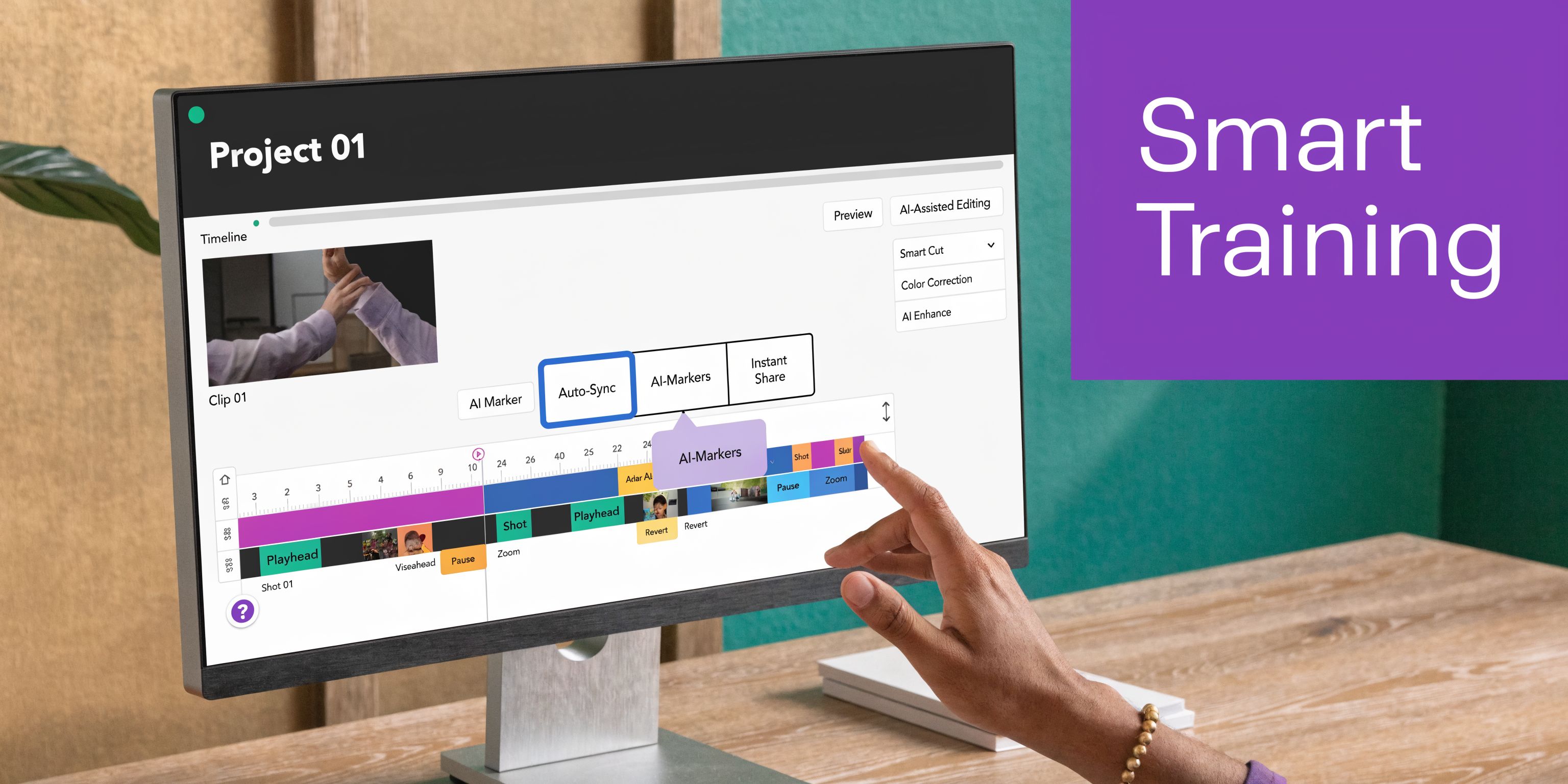
A simple way to think about it is this. A basic recorder is a hammer. A professional editor is a machine shop. Video training software is the specialized toolkit built for one job: turning know-how into clear instruction.
That category is growing for a reason. The global market for premium video editing software is projected to reach 48.22 million paid users by 2025, and the video streaming market was valued at US$224.13 billion in 2024, while 85% of companies view video as a key marketing tool according to these video editing statistics.
Three tool categories that teams often confuse
Many teams compare the wrong products because they treat all video tools as if they solve the same problem.
Simple screen recorders
Tools like Loom are built for speed.
You click record, talk through your screen, and send a link. That is perfect for async updates, quick bug explanations, or informal internal communication. It is not built for a polished training library that needs brand consistency, edits, localization, and reuse.
The strength is immediacy. The weakness is that the first take often becomes the final artifact.
Professional editing suites
Tools like Camtasia and Adobe Premiere Pro give you much more control.
You can clean up audio, adjust pacing, add callouts, control timing, and create a polished final video. The tradeoff is skill and time. Even when the interface is better than traditional broadcast tools, the creator still has to think like an editor.
That can work when you have a dedicated production function. It usually breaks when key knowledge lives with product marketers, enablement leads, solutions engineers, support managers, and instructors.
Where the new category fits
AI-powered video training software sits between those two ends.
It keeps the low-friction capture experience of a recorder, then adds structure and polish that would normally require a trained editor. In practice, that means a subject matter expert can explain the product naturally, then use AI-assisted tools to remove friction afterward instead of rehearsing every sentence upfront.
This short demo shows how that newer workflow feels in practice.
What separates training software from general video tools
Dedicated training tools are built around a few needs that generic recorders often ignore:
- Repeatability: You are not making one video. You are building a system for many videos.
- Updateability: Small product changes should not require starting from zero.
- Instructional clarity: The video should guide the learner’s attention, not just document what happened on screen.
- Team workflows: Review, approval, hosting, and embedding matter as much as recording.
When team leaders understand that distinction, buying decisions get easier. The question stops being “Which recorder should we use?” and becomes “Which workflow lets our experts produce professional training at scale?”
Key Features of Modern Video Training Platforms
A modern platform should close the efficiency gap, not just give you another recording button.
That means each feature has to reduce a real bottleneck in the training workflow. Recording should capture the right material. Editing should remove friction. Localization should preserve timing. Hosting should make the finished asset usable across the business.
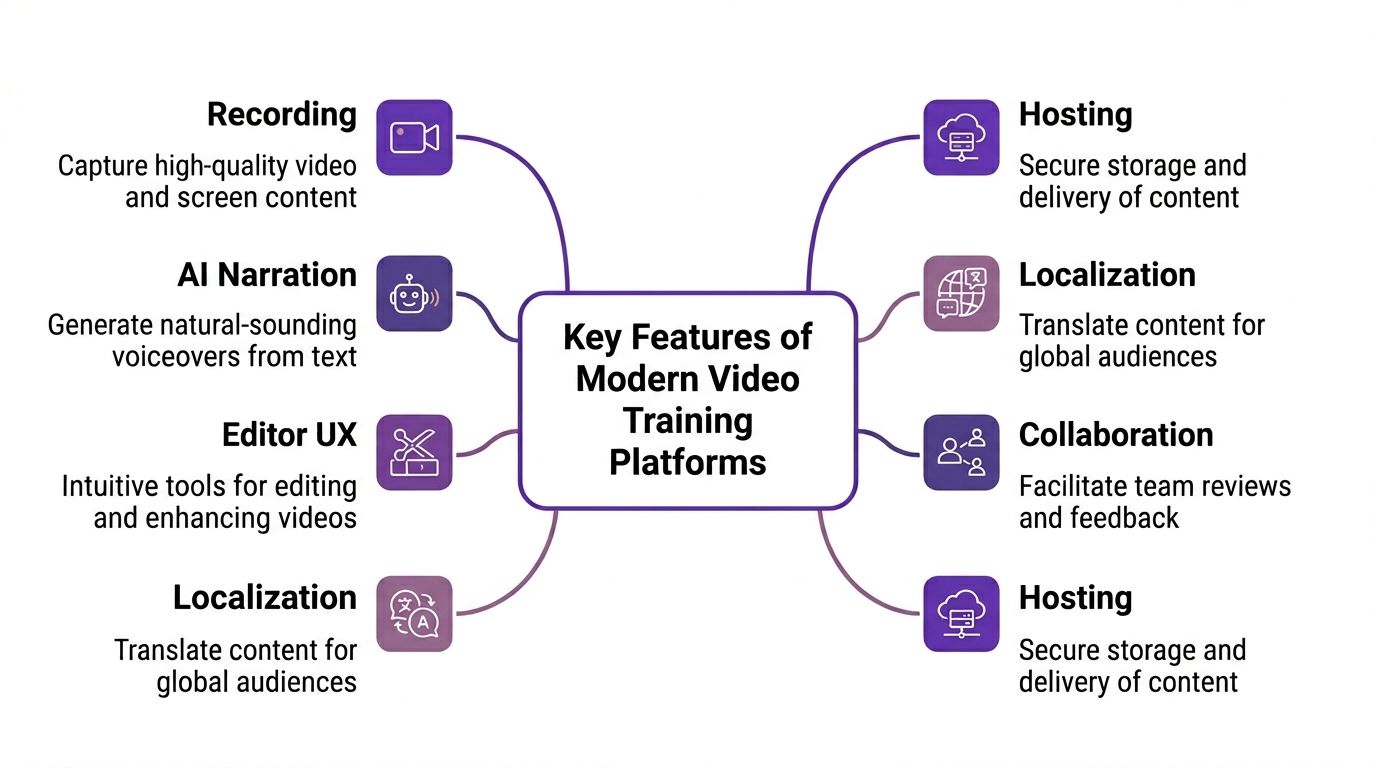
Recording that captures options, not just footage
Basic recorders flatten everything into one stream. That seems convenient until something goes wrong.
In tools like Camtasia, multitrack recording captures screen, webcam, and audio on separate tracks. That matters because an issue in one layer does not ruin the whole take. According to this breakdown of software for creating training videos, multitrack recording can reduce editing time for complex software demos by 40-60% compared to single-track recorders, and transcript-based editing can cut revision cycles by 50%.
Consider it like cooking with ingredients separated in bowls rather than mixed into one pot too early. If the salt is off, you fix the seasoning. You do not throw away dinner.
What to look for:
- Independent capture layers: Screen, webcam, microphone, and system audio should stay editable.
- Clean cursor capture: Training videos live or die by whether the viewer can follow the mouse.
- Reliable retakes: The tool should make partial fixes easy.
AI narration and script cleanup
Many experts know the product well but do not speak in a tidy sequence on the first try.
That is normal. Teaching and recording are different skills.
The right platform lets the expert speak freely first, then shape the message afterward. Such capabilities, including AI narration, transcription, and script polishing, change the workflow. Instead of re-recording because one sentence was clumsy, the creator edits the text and updates the spoken output.
That closes one of the biggest gaps between rough screen captures and polished tutorials.
Practical tip: If your experts are rehearsing heavily before recording, your tool is shifting production burden to the wrong person. Good software should absorb more of that burden after the recording.
Editor UX that feels like editing a document
Traditional timelines are powerful. They are also intimidating.
A team leader should ask a simple question: can a support lead or product manager make a clean update without asking for a video specialist? If the answer is no, the workflow will not scale.
The most important editor decision is not feature depth. It is interface design.
Timeline-first editing
This is how Camtasia, Premiere Pro, and similar tools work. You trim clips, move layers, align assets, and control timing manually.
That is useful for advanced production. It is slower for fast-moving internal teams.
Text-first editing
This newer model treats the transcript as the control layer. You edit sentences, remove filler, adjust pacing, and update voiceover through the script.
That is closer to how training teams already work. They think in steps, wording, and sequence. They do not think in waveform manipulation.
If you are evaluating platforms, review the workflow details at Tutorial AI features and compare them against how your experts already create training content.
Localization that goes beyond subtitles
Many buyers hear “multilingual support” and assume subtitles solve the problem.
They do not.
True localization means the translated version still feels native. Captions should match the pacing. Callouts should appear at the right time. Zooms should still land on the relevant UI element when the spoken script expands or contracts in another language.
It is common for teams to discover that translation is easy, but timing realignment is hard.
Good localization features include:
- Script translation: The spoken content can be adapted into other languages.
- Voice replacement: The new version does not require another full recording session.
- Scene retiming: Captions, cuts, callouts, and zooms stay aligned.
- Reusable layouts: Brand and structure remain consistent across versions.
Collaboration that fits distributed teams
Training videos rarely move from one person straight to publication.
A support manager may draft the video. A product marketer may adjust the language. A compliance reviewer may ask for one sentence to change. An enablement lead may want a second version for sales.
Without collaboration features, video turns into file chaos.
The useful features are not glamorous:
- Shared workspaces: Teams need one place to store active projects.
- Versioning: Reviewers should know which draft is current.
- Guest review: Stakeholders should comment without downloading large files.
- Role control: Not everyone should be able to publish.
If your team also turns live sessions into shorter learning assets, this guide to webinar content repurposing software is a helpful companion because it shows how reusable video workflows reduce duplicate effort across formats.
Hosting and distribution built for training
Publishing is part of the product.
A finished video that cannot be embedded in a help center, LMS, CRM, or internal wiki still creates friction. Teams end up pasting links into docs and hoping viewers can find the right version later.
Look for platforms that support:
| Need | Why it matters |
|---|---|
| Embeddable players | Lets teams place videos in docs, LMS pages, and support articles |
| Secure hosting | Protects internal or customer-sensitive training |
| Searchability | Helps people find the right lesson later |
| Export flexibility | Supports YouTube, knowledge bases, and internal systems |
A training video is not just content. It is infrastructure. The right platform treats it that way.
Where to Use Video Training Software in Your Business
The easiest way to understand video training software is to follow it into real teams.
Different departments often think they have separate video needs. In practice, they are solving the same problem. An expert knows something important, and the organization needs that knowledge delivered clearly without creating a production bottleneck.
The broader market supports that shift. The eLearning market is forecasted to reach $400 billion globally by 2026, and 38% of businesses target lead generation and sales via product education videos, while 89% of viewers are convinced to buy after watching a brand’s video according to these eLearning and video training statistics.
Knowledge base and customer support
A support team usually starts with written articles.
Then the tickets come in. Customers still ask where to click, how to configure a setting, or why a workflow behaves a certain way. Written steps help, but many issues are easier to understand when someone shows the screen.
A video knowledge base works best when videos are short, easy to update, and visually consistent. If every article includes a different recording style, the library feels stitched together. Dedicated software helps support teams create repeatable “show me” answers instead of one-off recordings.
Employee onboarding and internal training
An onboarding manager faces a familiar problem. The same walkthrough gets delivered again and again, but every manager explains it slightly differently.
Video gives new hires one clear reference point. They can rewatch the process instead of asking a colleague to repeat it. The training team can also update modules as systems change without rebuilding the whole program.
Team leader lens: If your internal experts keep joining the same onboarding calls to explain the same software tasks, you have content that should become a reusable video asset.
Sales enablement and presales
Sales teams do not need blockbuster production. They need speed with polish.
A solutions engineer might need to answer a prospect’s specific question with a short demo. A sales enablement lead might need a library of objection-handling walkthroughs. An SDR team might need product snippets that explain one feature cleanly.
Simple recorders are often too rough for customer-facing use. Full editing suites are too slow for fast response. Such dedicated training-style video tools fit especially well in this context.
Product marketing and feature releases
Product marketing teams live with a constant update cycle.
A new release ships. The website needs an explainer. Existing customers need a walkthrough. Sales needs a launch asset. Support needs a knowledge base version. Internal teams need training. The underlying product story is similar, but each audience needs a slightly different cut.
Video training software helps teams repurpose that knowledge while keeping the visual language consistent. One core walkthrough can become several assets with different narration, pacing, and context.
Education and software instruction
Educators and trainers have always understood something business teams are just catching up to. Explaining software well is its own craft.
A good tutorial does more than capture actions. It guides attention, reduces cognitive overload, and makes the “why” visible alongside the “how.” Dedicated software supports that work better than generic communication tools because it is built around teaching rather than merely recording.
From Raw Recording to Polished Tutorial The Modern Workflow
The old choice used to be simple and frustrating.
You could record fast and accept an unpolished result, or edit thoroughly and accept a slow process. Teams frequently bounced between those two extremes depending on urgency.
That is the efficiency gap.
The three common workflows
The easiest way to see the difference is to compare the workflows side by side.
| Approach | Time to Create | Required Skill | Final Quality |
|---|---|---|---|
| Simple screen recorder | Fast at the start, but often slowed by retakes and awkward first takes | Low | Usually informal and longer than necessary |
| Professional editor | Slowest overall because capture and editing are separate crafts | High | High when handled by an experienced editor |
| AI-driven video training workflow | Fast capture with structured cleanup afterward | Moderate and often accessible to non-editors | Professional, consistent, and easier to scale |
Why the Loom-style approach stalls out
A basic recorder encourages creators to “get it right while speaking.”
That sounds efficient. It often is not.
When an expert knows they cannot easily reshape the video later, they self-edit while talking. They pause. Restart sentences. Add verbal filler to cover transitions. Leave in moments where they search for the right menu or think out loud. The output becomes a recording of the creation process rather than a clean lesson.
That is why these videos often feel longer than the task itself.
Why the Premiere-style approach creates dependency
At the other end, professional editing gives you control over almost everything.
But it also creates a handoff problem. The expert records. Then an editor interprets the raw material. Then review cycles begin. If the message changes, the team may need another edit pass or another recording session.
That workflow is fine for flagship videos. It is a poor fit for fast-moving help content, onboarding updates, product demos, and release communication.
What the modern workflow changes
A newer platform changes where the effort happens.
Instead of requiring the expert to perform perfectly live or forcing a specialist to rebuild the recording later, the software handles the cleanup layer in between. The creator records the screen, talks naturally, and lets the platform generate a transcript, refine the script, improve narration, and apply visual emphasis after capture.
One example is Tutorial AI, which turns screen recordings into tutorials and demos by transcribing speech, polishing scripts, regenerating narration, applying smart zooms and cursor effects, and keeping videos aligned with brand assets. For global teams, multilingual AutoRetime can realign scenes, captions, callouts, and cuts across 30+ languages, potentially cutting localization time by 70% without manual edits, based on this training video software analysis.
That matters because localization is usually where fast workflows collapse. Translating words is only half the job. The visuals have to stay in sync.
What changes for the SME: They stop acting like a broadcaster and start acting like the expert they already are.
A practical sequence that scales
Typically, the modern workflow looks like this:
- Record the task once: Show the process naturally, without trying to sound perfect.
- Generate the transcript: Use the text as the working layer.
- Tighten the script: Remove filler, fix phrasing, and clarify steps.
- Regenerate or refine narration: Match the cleaner script to the visuals.
- Apply visual focus: Add zooms, cursor emphasis, blurs, highlights, or callouts.
- Localize and retime if needed: Keep translated versions synchronized.
- Publish and reuse: Embed in docs, LMS pages, support centers, or sales assets.
Teams that want to standardize this kind of process across formats can borrow ideas from a strong content creation workflow, especially when one recording needs to serve support, marketing, and enablement at the same time.
For a concrete example of AI-assisted creation in this category, this walkthrough on /b/create-training-videos-with-ai shows how the flow moves from raw capture to edited training asset without demanding traditional timeline expertise.
Measuring Success and Calculating ROI
A team leader does not need a complicated model to judge whether video training software is paying off.
Start with one question: Are your experts spending less effort producing clearer training that people use?
If the answer is yes, you are already moving toward ROI. The next step is to make that visible.
What to measure first
The strongest measurement approach combines operational metrics with quality signals.
Production efficiency
Track the before-and-after workflow.
Look at how long it takes to move from idea to published video, how many people touch each asset, and how often videos require full re-records for minor changes. If experts can produce updates themselves, that is a significant gain even before you assign a dollar value.
Training effectiveness
A polished video that nobody finishes is not a win.
Measure completion behavior, replay moments, and whether viewers find the exact segment they need. One of the most promising developments here is AI analysis after production. As noted in this article on advanced AI video understanding, newer models can analyze visual, motion, and audio elements to help teams search libraries by specific demo actions, track learner engagement, and uncover insights that creation-only tools miss.
Business outcomes
Connect the video to the function using it.
For example:
- Support teams: Are repetitive questions easier to deflect into self-serve answers?
- L&D teams: Do managers spend less time repeating the same walkthroughs?
- Sales teams: Are product education assets helping prospects move forward with fewer live explanations?
- Product marketing teams: Can launch education reach internal and external audiences faster?
A simple ROI checklist
Use a lightweight scorecard instead of chasing perfect attribution.
| Area | Questions to ask |
|---|---|
| Creation time | Are videos getting published faster with fewer handoffs? |
| Update effort | Can small product changes be fixed without a full re-record? |
| Consistency | Do videos look and sound like they come from one company? |
| Reuse | Can one recording support docs, onboarding, support, and sales? |
| Discovery | Can viewers find the exact lesson or moment they need? |
The less visible return
Some of the best returns do not show up in a spreadsheet right away.
Subject matter experts become more willing to share knowledge. Teams stop delaying video updates because the process no longer feels painful. Customers and employees get clearer guidance. Managers gain confidence that training materials reflect the product as it exists now, not three releases ago.
If you need a broader measurement framework, the L&D benchmarks discussed at /b/learning-and-development-metrics can help teams connect content production with learning outcomes.
The Future of Training is Fast and Professional
For years, teams treated video quality and production speed like opposing goals.
That tradeoff made sense when the only options were quick screen recorders or specialist editing suites. It makes less sense now. Modern video training software is changing who gets to create polished content and how quickly that content can be updated.
The most important shift is not technical. It is organizational.
Knowledge usually lives with the people doing the work. The support lead knows the recurring issue. The sales engineer knows the objection. The onboarding manager knows where new hires get stuck. The product marketer knows how to explain the release. When those people can produce professional training without becoming editors, the business moves faster.
What team leaders should challenge
Ask a few direct questions about your current process:
- Who owns the raw knowledge?
- Who owns the production bottleneck?
- How often do videos stay outdated because updates feel too expensive?
- How many useful recordings never become reusable training assets?
If the answers point to delay, inconsistency, or dependency on a small number of specialists, your workflow is not just inconvenient. It is limiting how your company teaches.
What a better system looks like
A healthy system lets experts record naturally, shape content quickly, publish consistently, and update without friction. It treats video as part of day-to-day operations, not a special project that needs unusual effort.
That is a core promise of this category. Not more video for its own sake. Better transfer of knowledge, with less waste around the edges.
The teams that build this capability early will not only publish more tutorials. They will keep their training closer to the actual product, key customer questions, and the essential work employees need to do.
If your current process swings between rough screen captures and slow editing queues, Tutorial AI is worth evaluating as one option for AI-powered screen recording and tutorial creation. It is built for teams that need to turn demos, onboarding videos, explainers, feature release videos, knowledge base videos, and support videos into polished assets without forcing every subject matter expert to learn a traditional editing suite.