You’re staring at a config file, a SOAP response, or a documentation export, and the shape is obvious enough to recognize but not obvious enough to trust. That’s the point where a good tutorial XML walkthrough helps, because XML is less about memorizing tags and more about learning how to read structure, spot rules, and keep data portable across systems.
XML was standardized as XML 1.0 in 1998 by the World Wide Web Consortium as a software- and hardware-independent format for storing, transmitting, and reconstructing data, which is why it still shows up in configuration files, documentation formats, and enterprise data exchange workflows today. The practical value is simple, the same document can be readable to people and machines, and the core teaching goals stay consistent, elements, attributes, and the declaration and schema rules that make a file valid and machine-readable. W3Schools’ XML overview
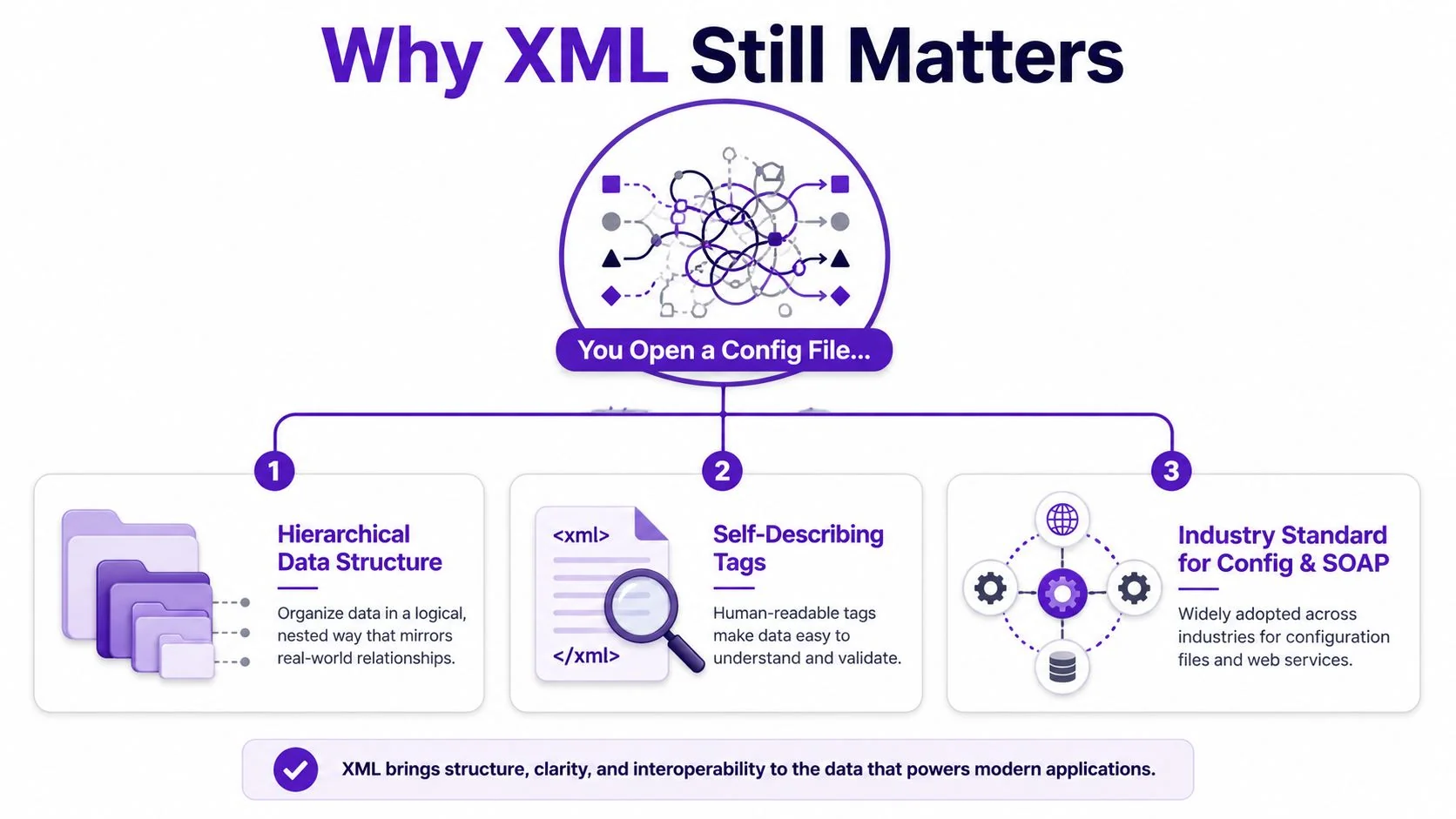
Why XML Still Matters and What This Tutorial Covers
XML still earns its keep anywhere a system needs a shared structure instead of a loose blob of text. That’s why it sticks around in build configs, office documents, integration payloads, and support tooling, even as JSON-first APIs have become more common. The format’s design, by intent, is to describe data clearly rather than just display it, which is also why it continues to bridge heterogeneous systems long after its 1998 standardization.
The reader usually isn’t asking, “What is XML?” They’re trying to understand why one file breaks a parser, why a namespace suddenly matters, or why a schema rejects a document that looks fine in a text editor. XML’s job is to make meaning explicit through nested elements, attributes, and validation rules, not to make the file look pretty.
Practical rule: if a document has to survive hand edits, automated transforms, and system-to-system exchange, XML is usually being used as a living data asset, not just a file format.
By the end, you should be able to do four things with confidence. First, write well-formed XML by hand without triggering parser errors. Second, validate that document against a schema or DTD so the structure is enforceable, not just readable. Third, query and reshape XML with XPath and XSLT. Fourth, parse it in at least one programming language without treating every XML file like a mystery box.
If you want a fast way to tidy up a file while you’re learning, use Digital ToolPad for XML. A cleanly formatted document makes the hierarchy easier to inspect before you start worrying about validation or code.
Anatomy of an XML Document
A well-made XML file starts with a simple rule, one document, one root, and a set of nested parts underneath it. That structure is what gives XML its meaning, because each tag shows both where the data sits and what it represents. In production systems, that matters because XML is often carrying data between tools, services, and platforms that need the same structure to survive intact.
A small sample makes the shape easier to see.
A small bookstore example
Here’s the outline to keep in mind:
<?xml version="1.0" encoding="UTF-8"?><bookstore><book category="fiction"><title>The Left Hand of XML</title><author>J. Rivera</author><price currency="USD">19.99</price></book></bookstore>The first line is the XML declaration. It is optional in some cases, but introductory tutorials usually show it first because it tells the parser which version and encoding to expect. After that comes the root element, here bookstore, and every other element lives inside it.
The next rules are the ones that usually trip people up. Every element must have a closing tag, attributes must be in quotes, and nested tags must stay properly paired. If price is an element, the value belongs in the element body. If currency is an attribute, it stays as a compact property attached to that element.
Why this matters: use an element when the value may need child nodes later, use an attribute when the value is a small property that will stay simple.
A clean hierarchy is easier to inspect before code touches it. If you are formatting examples while you learn, use a structured XML prettifier workflow so the prolog, root, and nesting errors stand out before a parser sees the file. That habit also helps when XML starts behaving like a live data asset instead of a static file, because the structure stays readable as documents move through edits, transforms, and validation checks.
Well-Formed Versus Valid and How Schemas Enforce Rules
A document can be well-formed and still fail the job it was meant to do. The parser may accept the syntax, the tags may match, and the quotes may all be in the right places, yet the file can still miss the structure a consuming system expects. Valid means the document also follows a schema or DTD, so its elements, attributes, and allowed values match the contract the system is built around. Oracle’s XML tutorial notes the workflow clearly, declaration, root element, closed tags, and validation all work together as part of that contract. Oracle’s XML tutorial notes the workflow of declaration, root element, closed tags, and validation
DTD and XSD do different jobs
A DTD is older and lighter. It can describe which elements are allowed and the order they appear in, which makes it useful for simple structure checks. An XSD gives you more precise control, especially when namespaces and built-in data types matter, because it can define tighter rules for the content inside each element.
For a bookstore document, the difference is easy to see.
| Criterion | DTD | XSD |
|---|---|---|
| Structure rules | Declares allowed elements and order | Declares allowed elements, order, and content models |
| Data types | Limited typing | Built-in types such as numeric and date-like values |
| Namespace support | Weak | Strong |
| Validation style | Basic contract checking | Better for production schemas |
A minimal DTD might say that bookstore contains one or more book elements, and that each book contains title, author, and price. A minimal XSD can go further and require that price uses a numeric type, while category stays an attribute with a defined pattern or enumerated values.
A document that passes syntax checks can still break downstream code if a required field is missing. Validation catches that before the file moves into production.
If you are comparing schema-driven documentation patterns, the technical documentation format guide shows how structured content contracts behave outside pure XML.
Namespaces, XPath, and XSLT Basics
Namespaces are where XML stops feeling simple, because different vocabularies can collide in the same file. The fix is to bind a prefix to a namespace URI with xmlns, so tags from one vocabulary don’t get confused with tags from another. That matters in SOAP envelopes, where the wrapper and the payload often come from different schemas and each needs its own namespace declaration.
Why prefixes exist
A namespace is not decoration, it’s a disambiguation tool. If one document contains both a SOAP envelope and a business payload, the parser needs a way to tell which Body element belongs to which vocabulary. A prefix like soap: or ns1: makes that separation explicit.
XPath is the next layer. It lets you ask for a node by path instead of manually walking the tree, which is why it’s the preferred navigation method in expert XML parsing practice. The example /bookstore/book[@category='fiction'] says, in plain terms, “find the fiction books under the root bookstore element.” In browsers outside Internet Explorer, you use document.evaluate, and the returned XPathResult iterator can hand back matching nodes directly. XPath navigation practice and document.evaluate usage
XSLT sits above that as the transformation layer. XPath asks questions, XSLT reshapes answers. A tiny stylesheet can take the bookstore XML and output an HTML list, which is why XML often acts as the input side of a publishing pipeline rather than the final presentation layer.
Mental model: namespaces keep vocabularies from colliding, XPath finds the pieces, and XSLT turns those pieces into a different shape.
If you work with structured localization or reusable content modules, the XLIFF file format guide is a useful parallel, because it shows the same pattern of structured source content being moved through tooling without losing meaning.
Parsing and Serializing XML in Python, JavaScript, and Java
Once you move from reading XML by eye to handling it in code, the main question becomes which parser gives you the least friction for the job. The defaults are often enough for small scripts, but they diverge quickly when you need schema validation, XPath support, or reliable serialization. The safest habit is to match the library to the level of control you need instead of assuming every XML API behaves the same way.
Python, quick work first, strict work second
Python’s xml.etree.ElementTree is fine for simple reads and writes. It’s easy to parse a file, inspect children, and write it back out. For anything that needs deeper XPath support or XSD validation, lxml is the better choice because it gives you a fuller toolset.
import xml.etree.ElementTree as ETtree = ET.parse("bookstore.xml")root = tree.getroot()for book in root.findall("book"):print(book.findtext("title"))root.set("source", "imported")tree.write("bookstore-out.xml", encoding="utf-8", xml_declaration=True)The foot-gun here is that the default parser doesn’t honor external DTDs in the way many beginners expect. If your document depends on those rules, you need to be explicit about the library you use.
JavaScript, browser and server are different worlds
In the browser, DOMParser can read XML, but the surrounding XML API surface is not as consistent as many developers hope. On the server side, a package like @xmldom/xmldom gives you a more predictable DOM-like model for reading and writing.
const parser = new DOMParser();const doc = parser.parseFromString(xmlString, "application/xml");const titles = doc.getElementsByTagName("title");const serializer = new XMLSerializer();const output = serializer.serializeToString(doc);JavaScript’s main gotcha is serialization. The browser has pieces of the API, but not always the convenient round-trip behavior you expect, so you often end up choosing a package that fills the gaps.
Java, built for schema-aware work
Java’s DocumentBuilderFactory plus javax.xml.validation is the familiar production path when the document has to be parsed and checked against a schema. It’s the right fit for codebases that treat XML as a contract, not just a text format.
DocumentBuilderFactory factory = DocumentBuilderFactory.newInstance();factory.setNamespaceAware(true);DocumentBuilder builder = factory.newDocumentBuilder();Document doc = builder.parse(new File("bookstore.xml"));Java factories are mutable, so reuse them carefully. If one part of the app changes parser settings, that can leak into another part if you’re not paying attention.
If the defaults stop being enough, the usual upgrade path is lxml in Python, fast-xml-parser in JavaScript, and Jackson XML in Java. Those libraries are the point where teams usually stop fighting the basic APIs and start working with the document itself.
Troubleshooting Common XML Pitfalls
Most XML errors aren’t mysterious. They’re just small violations that the parser refuses to forgive, and the error message usually tells you where to look if you stop guessing and read it closely. The fastest recovery pattern is still the same, paste the bad line into a validator, read the line and column, and fix the smallest possible scope before touching the rest of the file.
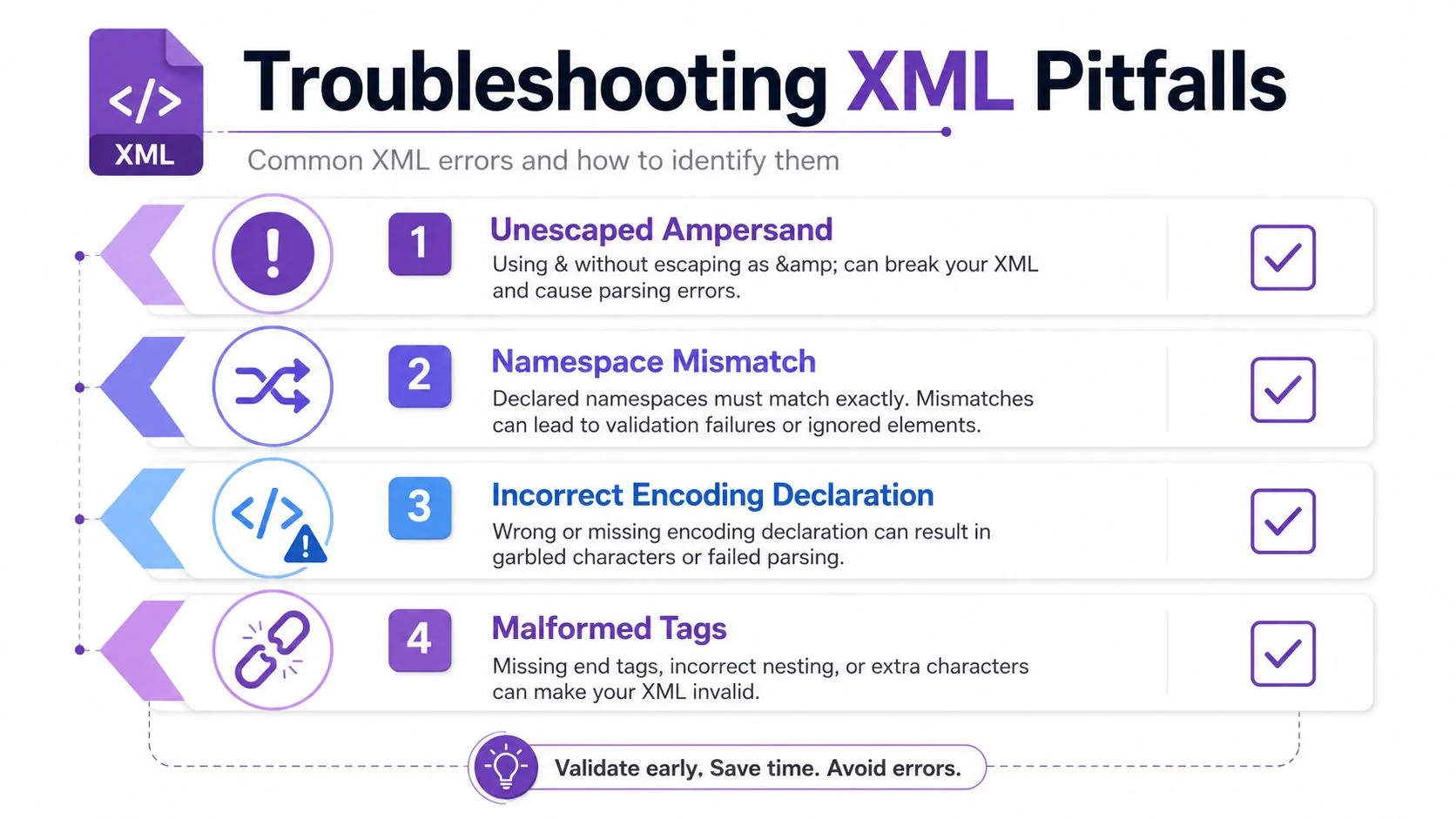
The four failures that show up most often
- Unescaped ampersand: if content includes
&, the parser thinks an entity reference is coming. Replace it with&unless you are deliberately writing markup-safe content. - Namespace mismatch: if a default namespace and a prefixed form point at different vocabularies, the same-looking tag can mean two different things. Declare the default namespace once and keep the vocabulary consistent.
- Closing tag case mismatch: XML is strict about element names, so
<Price>and</price>are not the same. Match the case exactly. - CDATA used as a blanket fix: CDATA can make embedded text easier to read, but it still behaves as character data rather than structure, which can complicate later XSLT or indexing.
That last point is the one many beginner guides gloss over. The community guidance on escaping angle brackets and using CDATA is clear about syntax, but it also shows the core operational question, whether CDATA is the safest choice once the document needs downstream processing. CDATA and escaping tradeoffs in practice
Practical rule: use CDATA when readability is the priority for embedded text, but use entity escaping when the content still needs to be parsed or transformed reliably.
Namespace hygiene deserves its own checklist. Declare the default namespace once, avoid mixing default and prefixed forms for the same vocabulary, and validate the file before it reaches production. Most namespace bugs aren’t syntax bugs, they’re contract bugs, and the sooner you catch them, the less time you spend untangling broken integrations.
Putting XML to Work in Real Pipelines
XML survives because teams still need a format that can carry structure across tools, not just data inside one app. You see that in build configuration, in SOAP and other legacy integrations, and in structured publishing systems where the same content may need to be transformed for humans and queried by machines. Microsoft’s XML guidance makes the separation of data and presentation explicit, once the information is organized in XML, presentation can be handled separately with technologies such as CSS, HTML, and JavaScript.
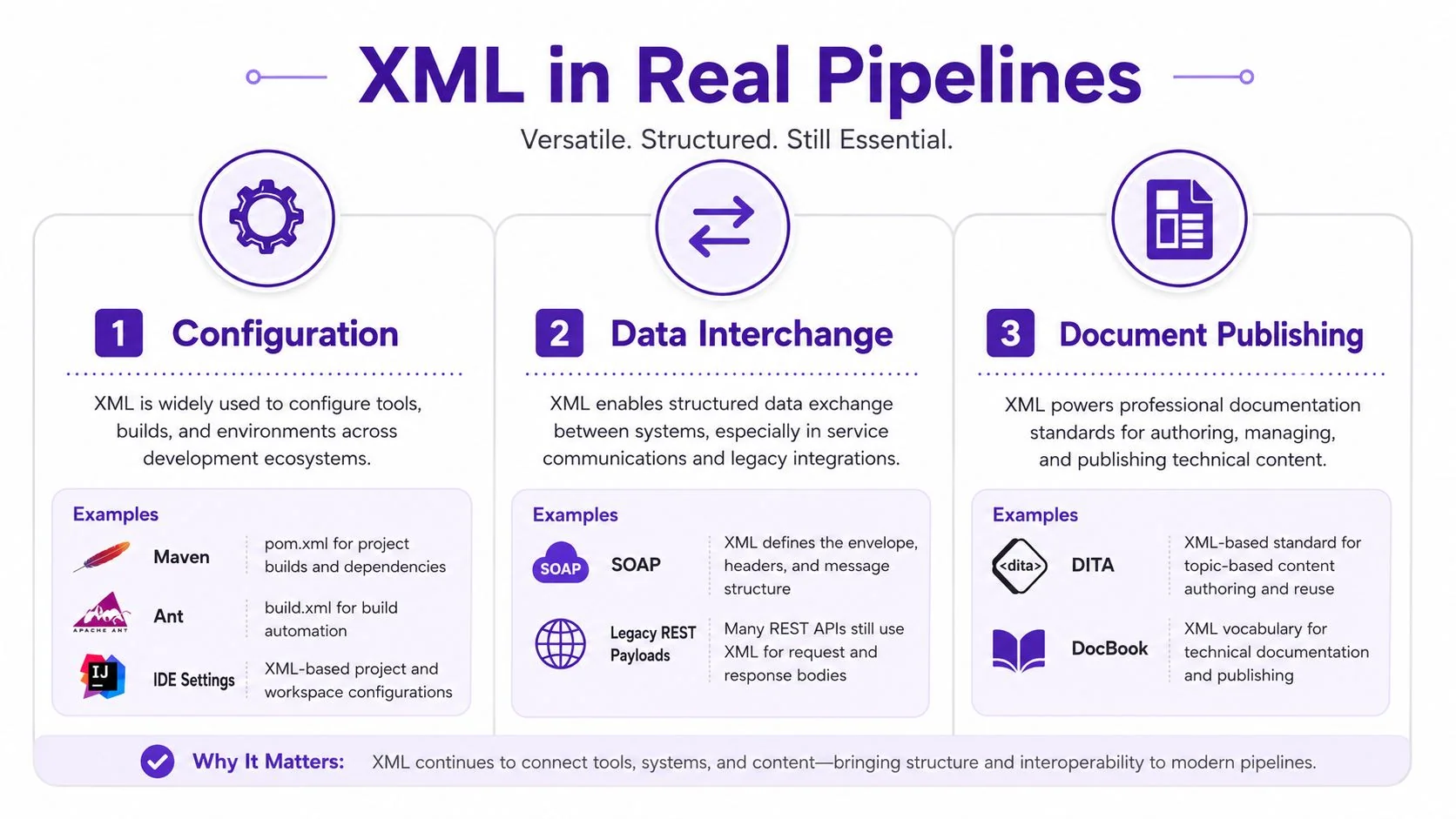
Where XML still fits
Configuration files are the easiest place to spot the pattern. The file is readable, the structure is explicit, and the consuming tool can validate it before doing real work. Data interchange works the same way, especially in SOAP payloads, where the message shape matters as much as the values. Document publishing is the third lane, where XML acts as source material for formats like DocBook and similar structured workflows.
A good XML file is not a one-time artifact. It’s a reusable content asset that can be validated, transformed, localized, and republished without rewriting the underlying structure.
If you’re maintaining training materials or documentation exports, the SCORM file guide is worth a look because it sits in the same broader world of structured content moving through learning and publishing systems.
A short checklist keeps the work sane. Declare the namespace early, validate against an XSD when the file has to be trusted, pick a parser that matches your language, and write one round-trip test so you know the file can be read, changed, and saved without damage. XML is easiest to manage when you treat it like a contract, not a text blob.
If you’re building tutorials, support walkthroughs, or internal training around XML, Tutorial AI can turn a screen recording into a polished video and a matching article from the same capture. Visit Tutorial AI if you want to ship clearer documentation faster, especially when the recording, the narration, and the written steps all need to stay in sync.