A SCORM file is a special ZIP package that lets training content upload into an LMS and report learner activity back to it. SCORM has been around since 1999, and nearly 95% of LMS platforms are compatible with SCORM 2004, which is why people still ask for it when they need reliable course tracking.
If you’ve just finished a product demo, onboarding walkthrough, or internal training module, the SCORM question usually appears right at handoff. The video is done. The lesson is clear. Then someone in L&D asks, “Can you export that as a SCORM file?”
That request makes sense if the team needs completion data, quiz scores, and LMS reporting. It makes less sense when the content is a screen-recorded tutorial that could live perfectly well as a video plus article inside a help center, customer education hub, or LMS page. That’s the key decision point. Before you package anything, you need to know what a SCORM file is, what problem it solves, and when it adds unnecessary complexity.
Your Guide to Understanding SCORM
You finish a training module, send it over for launch, and the first question back is, “Do you have the SCORM file?” That usually sounds more technical than it really is. In practice, they are asking whether the course can be dropped into the LMS and tracked in a standard way.
SCORM stands for Sharable Content Object Reference Model, but the acronym matters less than the job. SCORM became the common packaging and reporting standard for online training because L&D teams needed content that could run across different LMS platforms without rebuilding the course each time.
That is why SCORM still shows up in so many handoff conversations. It solves an operational problem. Administrators need a course format their LMS can launch, assign, and report on with predictable behavior.
Use that requirement as a filter, not a default.
If the training is formal, assigned, and tied to completion records, SCORM is often the right answer. That usually includes compliance courses, internal certifications, and any program where quiz results or completion status need to live inside the LMS. In those cases, packaging the content as SCORM saves support time and avoids custom integrations.
If the content is a product walkthrough, feature tutorial, or short support video, SCORM may be unnecessary overhead. A lot of modern content teams now publish training as video, step-by-step articles, or embedded lessons in a knowledge base or customer education platform. Tools built around fast, video-first production, including workflows like Tutorial AI, fit that model well because the goal is speed, clarity, and reach, not always LMS-grade tracking.
That is the core decision behind the SCORM question. Not “What does the acronym mean?” but “Do we need LMS tracking badly enough to justify packaging, testing, and version management?”
Teams often assume SCORM is the professional option. Sometimes it is. Sometimes it just adds one more file, one more compatibility check, and one more thing to troubleshoot after upload.
What a SCORM File Actually Does
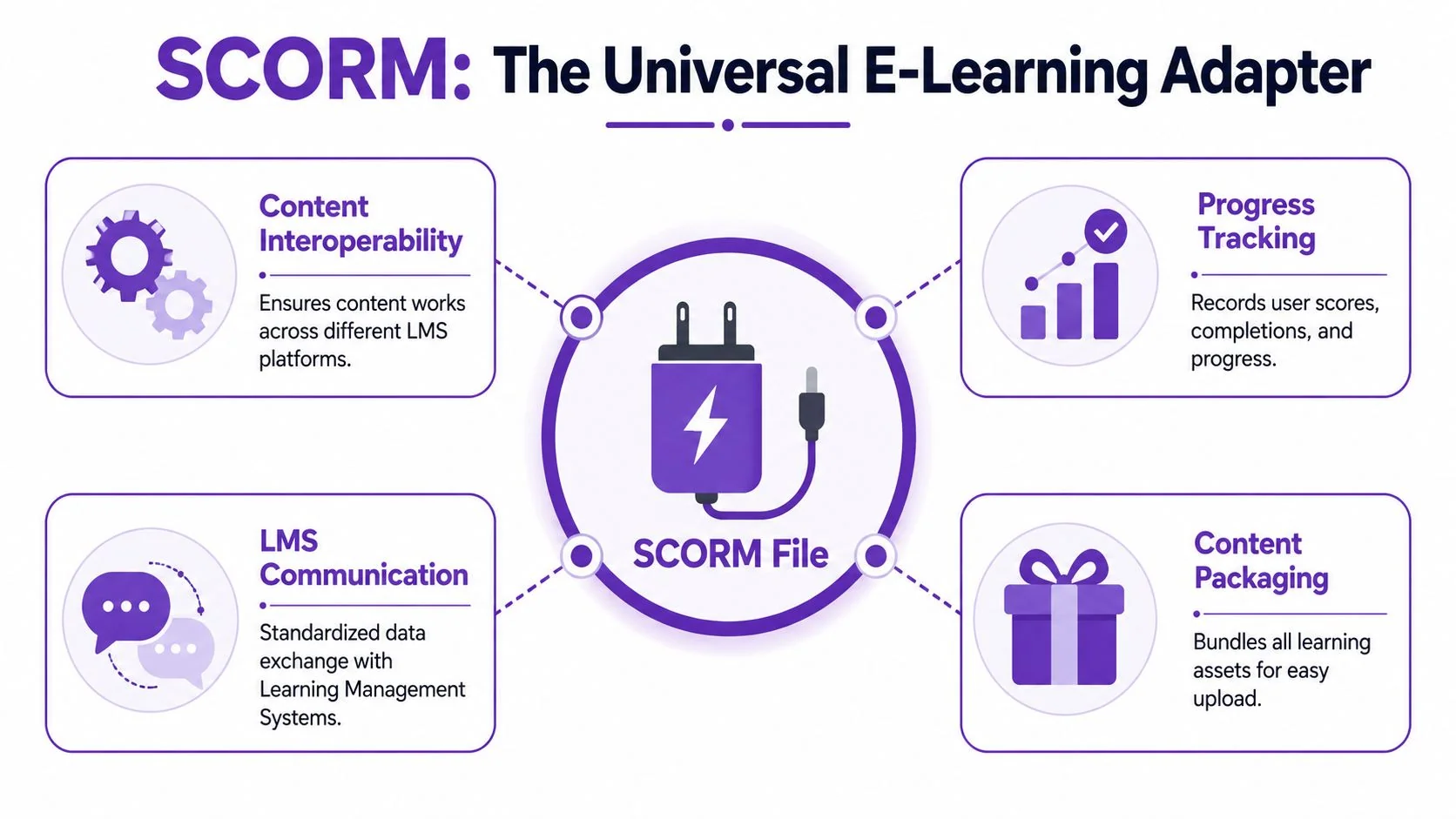
SCORM works a lot like a universal power adapter. You build the training once, package it in the right format, and the LMS can usually plug it in without needing a custom rebuild.
That practical value matters more than the acronym. SCORM isn’t valued for its elegance; rather, it’s valued for reducing deployment friction and making reporting possible.
It packages the course for upload
A SCORM file bundles the assets needed to launch a course. That may include HTML pages, media files, quiz logic, and the files that tell the LMS how everything is organized. Instead of uploading a loose folder of assets, the administrator uploads one package.
For L&D teams, that means fewer moving parts. For learners, it means the course launches from the LMS as a single unit.
It gives the LMS a common language
SCORM’s biggest job isn’t visual. It’s communicative. The LMS and the course exchange status information using a standard model, so the system can record things like whether the learner opened the course, finished it, or submitted a score.
That shared language is why SCORM has stayed useful for so long. It isn’t a course builder. It isn’t a video editor. It’s the compatibility layer that keeps content and LMS platforms in sync.
It makes reuse practical
If your organization changes LMS platforms, you don’t want to rebuild every course from scratch. SCORM was designed to make content portable.
That doesn’t mean every migration is painless. Different LMS implementations still create edge cases. But a SCORM package is far easier to move than a custom-built one-off training object.
A good SCORM package saves work twice. First when you deploy it, then again when you need to move or reuse it.
It supports the reporting people actually need
For most managers, the value of SCORM comes down to a short list:
- Completion tracking so assigned training can be audited
- Score reporting for quizzes and assessments
- Time data to show participation inside the module
- Launch consistency across LMS platforms
If none of those matter, SCORM may be overhead. If they do matter, SCORM is still one of the safest formats to hand to an LMS administrator.
How a SCORM File Communicates with an LMS
A course can launch perfectly and still fail at the one job the LMS cares about: tracking. That usually means the learner sees the content, but the LMS never receives completion, score, or time data.
The communication starts before the course opens. A SCORM package arrives as a ZIP, but the LMS is really looking for a file called imsmanifest.xml. That manifest defines the package structure, identifies the launch file, and lists the trackable units inside the course, called SCOs.
The manifest controls the launch
imsmanifest.xml works like the package map. If it is missing, broken, or pointing to the wrong files, the LMS may reject the upload, launch to a blank screen, or open the course without tracking.
The process is usually straightforward:
- The LMS opens the ZIP.
- It reads
imsmanifest.xml. - It finds the launch file and course structure.
- It starts the course and exposes the SCORM API for tracking.
A lot of SCORM debugging starts here. Not in the visible lesson, but in the package structure.
The course has to connect to the LMS at run time
After launch, the content has to find the LMS’s SCORM API and start a session. If that connection fails, the course may still play normally. Videos run, buttons work, quizzes appear. The LMS still records nothing useful.
That is the classic “it opens, but it doesn’t complete” problem.
In practice, I check the API connection before I check the slide logic. Authors often assume the course is fine because it looks fine. LMS admins know better. A visible launch only proves the browser found the start page.
The data exchange is simple by design
SCORM sends small, defined pieces of information back to the LMS. Typical values include lesson status, completion, score, bookmarks, and session time. The package does not send rich behavior data or detailed event streams. If a team wants that level of reporting, SCORM may be the wrong format.
That trade-off matters for modern creators. If the actual requirement is “host a video course and know who watched it,” a SCORM package may add unnecessary packaging and QA work. If the requirement is “assign training, record completion, and prove it in the LMS,” SCORM still does the job well. Teams comparing those workflows usually run into the same LMS integration considerations for course delivery and tracking.
What reliable communication depends on
SCORM packages tend to work when four things are configured correctly:
- The manifest is at the ZIP root so the LMS can find it immediately
- File paths are correct so launch assets load
- SCO setup matches the course structure so the LMS tracks the right unit
- SCORM API calls complete successfully so status data gets written back
This is also where the “Do I even need SCORM?” question becomes practical. If you are building formal compliance training, onboarding with pass/fail rules, or any course that must report back to an LMS, SCORM is still a sensible format. If you are publishing fast, video-first learning and do not need LMS-grade tracking, skipping SCORM can save time without losing anything important.
SCORM 1.2 vs SCORM 2004 Which Version to Use
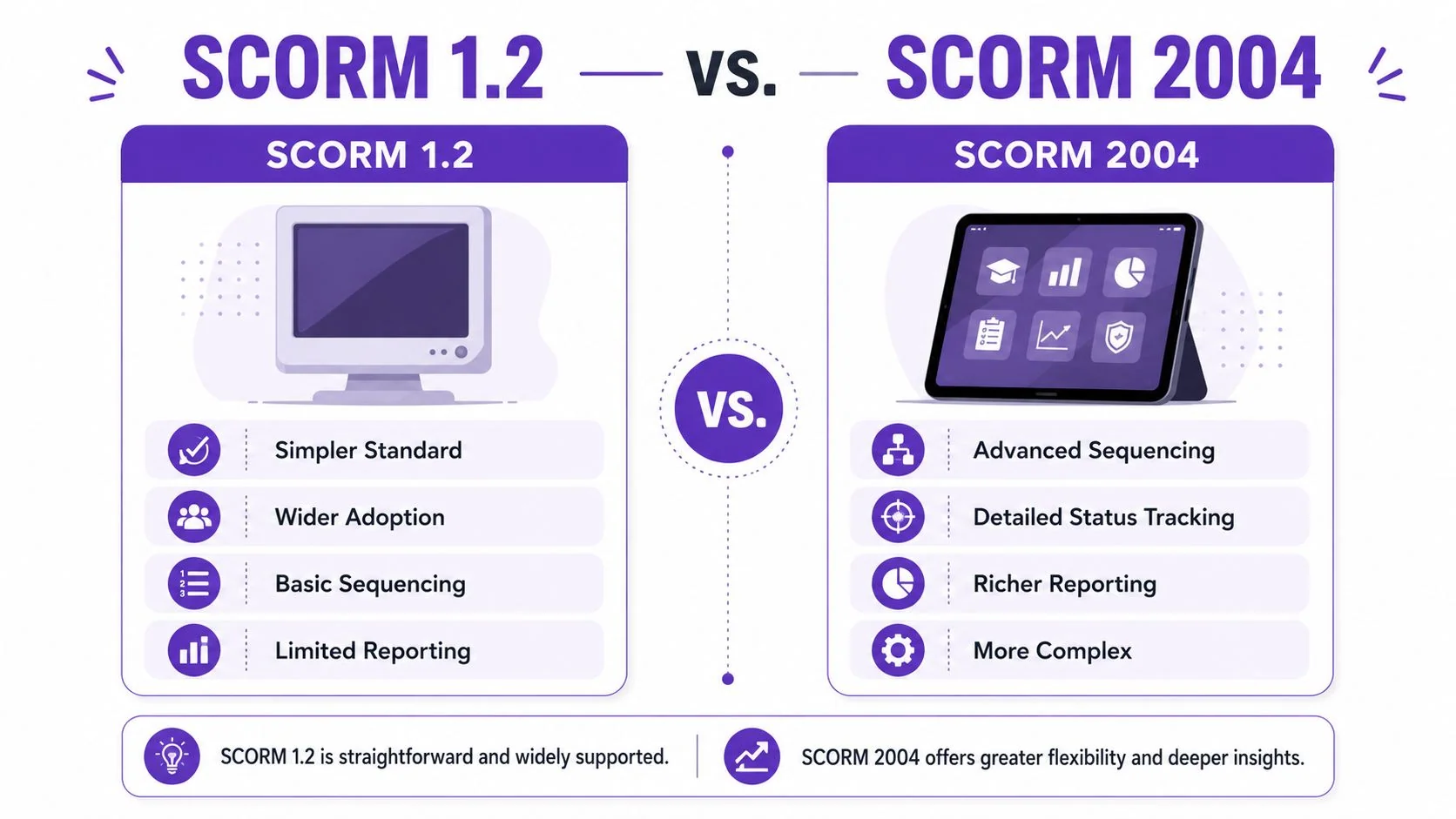
Organizations still commonly encounter two versions in practice: SCORM 1.2 and SCORM 2004. Both can package and launch LMS content. The difference is how much control and reporting depth you want.
The short recommendation is simple. If your LMS supports it, use SCORM 2004 for new work. According to SCORM.com’s overview of SCORM standards, nearly 95% of LMS platforms are fully compatible with SCORM 2004, and that version added deeper sequencing rules for more complex learning paths.
SCORM 1.2 is simpler
SCORM 1.2 is older and widely recognized. It still appears in many LMS export menus because it’s straightforward and familiar.
That simplicity is useful when you need broad baseline compatibility and your course logic is basic. If the module only needs to launch, mark complete, and perhaps capture a score, 1.2 may be enough.
SCORM 2004 is better for richer learning flows
SCORM 2004 improves sequencing and status handling. That matters when the learner’s path depends on performance, prerequisites, or gated progression.
If you want one module to become available only after another is passed, or you need more precise distinction between finishing a course and succeeding in it, SCORM 2004 is the better fit.
| Feature | SCORM 1.2 | SCORM 2004 |
|---|---|---|
| Standard style | Older and simpler | More advanced and structured |
| Sequencing | Basic | Deep sequencing rules |
| Status handling | More limited | More detailed |
| Best fit | Simple LMS courses | Performance-based learning paths |
The practical choice in 2026
Use the LMS requirement, not personal preference, as the deciding factor. If the platform or client asks for 1.2, give them 1.2. If you’re building from scratch and have a choice, 2004 is usually the stronger default.
One more point matters in real projects. Your authoring tool can influence the decision as much as the standard itself. Publishing options, test tools, and LMS compatibility checks often matter more than abstract spec differences. If you’re comparing tools for that workflow, this roundup of authoring software examples is a useful starting point.
Choose the newest version your LMS handles cleanly. The best SCORM format is the one your admins can import, test, and report on without surprises.
How to Create and Package Training Content for an LMS
A common project starts like this. The training request sounds simple: show people how to use a feature, explain the new process, get it into the LMS by Friday. Then the team has to decide whether that content needs a SCORM package at all, or whether a video and supporting article will do the job.
That decision matters more than the authoring tool.
The traditional route works best for formal courses
Traditional SCORM authoring still fits courses with branching paths, graded checks, gated progression, and strict completion rules. If a learner must pass a quiz, complete topics in sequence, or produce reportable LMS status data, tools like Storyline and Captivate still earn their place.
The workflow is familiar:
- Build slides, interactions, and assessment logic.
- Set completion rules and reporting behavior.
- Export as SCORM 1.2 or SCORM 2004.
- Upload to the LMS and test in a sandbox.
That process gives you control. It also adds production overhead. Subject-matter experts often have the knowledge, but not the time or tool fluency to build packaged e-learning well, so the work queues up with a small learning team.
The video-first route fits a large share of training needs
A lot of workplace training is simpler than a formal course. It explains a workflow, demonstrates a task, or shows what changed in a product. In those cases, a screen recording with clear narration is often more useful than a slide-based module.
That applies to work like:
- Product demos that show the UI
- Feature release videos that explain what’s changed
- Customer onboarding walk-throughs for new users
- Help-center and knowledge-base videos tied to support content
- Support article videos that mirror written instructions
- Internal training for tools and systems
- SOPs that show the exact process on screen
- Sales enablement walkthroughs for product messaging and workflow
For these use cases, packaging everything as SCORM can create extra work without adding much instructional value.
I see this trade-off often. Teams want one asset they can reuse in the LMS, the help center, and internal documentation. That is one reason many teams building training content for LMS delivery across multiple channels start with a video-first workflow instead of a SCORM-first one.
The primary gap is tracking, not creation
Creating the content is usually not the hard part. Tracking it in the LMS is where the decision gets more complicated.
If the platform only needs to show that someone opened a lesson or watched a video, native hosting may be enough. If the business needs completion status, pass or fail data, quiz scores, or tighter reporting for compliance, SCORM is still the safer format.
That is the modern tension around SCORM. Video is faster to produce and easier to update. SCORM is better when the LMS has to record structured learner data.
When you probably don’t need SCORM
You can usually skip SCORM in cases like these:
- The goal is enablement, not compliance. Sales, support, and product education often care more about speed and clarity than LMS status codes.
- The same training needs to live in several places. Video plus written documentation is easier to reuse across onboarding, docs, and support.
- The learner needs the actual interface. Screen-recorded instruction is often better than a simulated course built from slides.
- The content changes often. Replacing a short video is usually faster than republishing and retesting a SCORM package.
For software training in particular, showing the actual product usually beats building a polished but artificial course shell. That is why many teams now use video-first tools for creation, then add SCORM packaging only when the LMS or compliance requirement specifically calls for it.
If you remember one rule from this section, use this one: start with the reporting requirement, not the file format. If the LMS does not need SCORM-level tracking, you may not need a SCORM file at all.
Common SCORM Problems and How to Fix Them
Most SCORM failures fall into a small set of patterns. The frustrating part is that the course may look fine while still failing in the LMS.
The package won’t import
This usually points to packaging structure, not course quality. Common causes include zipping the wrong parent folder, burying the manifest too deep, or exporting in a format the LMS doesn’t expect.
Try these fixes first:
- Check the root of the ZIP.
imsmanifest.xmlshould be in the expected location, not hidden inside another folder. - Re-export from the authoring tool. Manual rezipping often creates avoidable structure errors.
- Match the LMS setting. If the LMS expects SCORM 1.2 and you send 2004, the import may fail or behave unpredictably.
The course launches but never marks complete
This is the classic communication issue. The learner can move through the content, but the LMS never receives the completion update.
The SCORM run-time environment reports learner progress through JavaScript API calls. A score can be recorded with a call like LMSSetValue('cmi.score.raw', 100), and if that call fails or is malformed, the LMS database won’t update. That behavior is described in the earlier cited SCORM reference.
If completion fails, test the reporting logic before you rebuild the visuals. Playback and tracking are not the same thing.
The score doesn’t save correctly
This often happens when the course sends a value the LMS can’t interpret cleanly, or when completion and scoring rules in the authoring tool don’t align with the LMS setup.
Use a short checklist:
- Confirm the quiz result is submitted inside the authoring tool’s reporting settings.
- Review pass and completion rules so the module isn’t marking one status while withholding another.
- Test in an LMS sandbox before assigning the module widely.
The old package used to work and now doesn’t
Legacy SCORM content can break after LMS upgrades, browser changes, or stricter validation rules. In practice, the fastest fix is often to reopen the source project and re-export from a current version of the authoring tool.
If you don’t have the source project, your options narrow quickly. You may be stuck troubleshooting the manifest and package structure directly, which is possible but rarely efficient for business teams.
Plainly put, if the training still matters, keeping source files matters too.
The Future xAPI and cmi5
SCORM still handles a lot of standard LMS work well. But learning no longer happens only inside browser-launched course packages.
That’s where xAPI and cmi5 enter the conversation.
What xAPI changes
xAPI was built for tracking learning beyond the classic LMS course model. It can support learning activity that happens in more places, on more devices, and in more formats.
That matters when training includes things SCORM was never built to capture well, such as mobile activity, offline moments, real-world task completion, or experiences outside a single course player.
Where cmi5 fits
cmi5 is often the practical bridge. It combines LMS launch structure with the broader tracking model associated with xAPI.
For teams that still want LMS control but need something more flexible than classic SCORM, cmi5 is worth watching. It doesn’t make SCORM obsolete. It solves a different class of tracking problems.
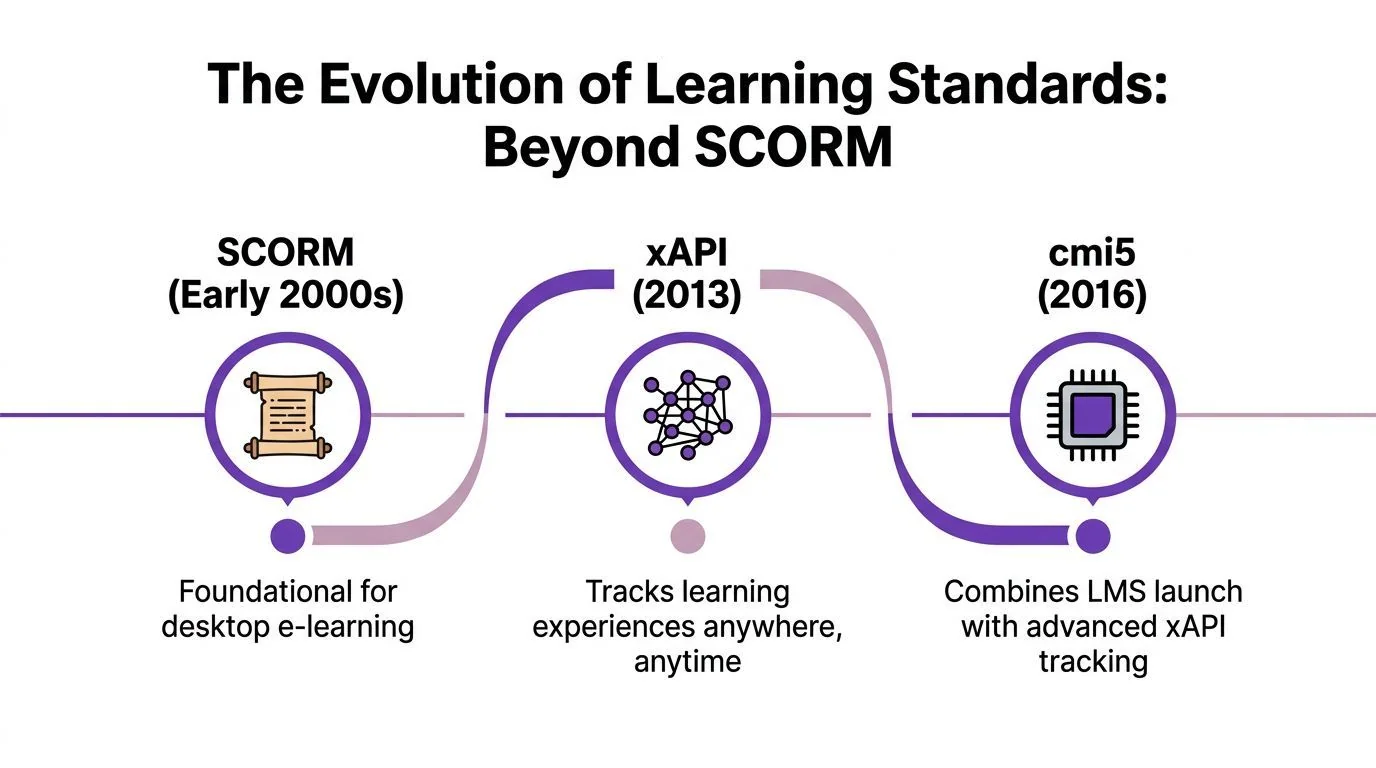
SCORM is still the default for many formal courses. xAPI and cmi5 matter when the learning experience no longer fits inside a single zipped package.
The important takeaway isn’t that SCORM is outdated. It’s that you should choose the tracking model that matches the training. If you’re assigning a browser-based course in an LMS, SCORM is still a strong fit. If you’re publishing real-world workflows, distributed learning content, or video-first enablement, newer approaches may match the work better.
If your team creates product demos, onboarding walkthroughs, SOPs, support videos, or internal training, Tutorial AI gives subject-matter experts a faster way to produce polished learning content from a single screen recording — with built-in SCORM 1.2 and 2004 export so the same video ships straight into your LMS with completion tracking. It turns raw capture plus spoken narration into a refined tutorial video, generates a matching written article from the same recording, supports narration in 74 languages, and includes features like AutoRetime, Brand Kits, Multilingual Player, SSO/SAML, and SOC 2 + GDPR readiness. That’s useful when you need training assets for an LMS, help center, or knowledge base, especially if you want real screen plus real voice instead of casual recordings, synthetic avatars, or a full Adobe Premiere Pro workflow. Teams at Bosch, Deutsche Bahn, Intesa Sanpaolo, Microsoft, and UNICEF use it to ship clearer training and documentation without turning every subject-matter expert into a video editor.