The sales enablement platform market was valued at USD 4.21 billion in 2025 and is projected to reach USD 12.35 billion by 2031. Cloud solutions accounted for 82.18% of the market in 2025, which makes integration and workflow fit more important than choosing software just because it has the longest feature list.
The most popular advice about sales enablement tools is also the least useful. Teams are told to find a platform that combines content, training, coaching, analytics, and buyer engagement. That can work for an enterprise replacing several disconnected systems, but it can be the wrong decision for a support team that needs searchable answers, a sales operations team that needs in-app guidance, or a product marketer who needs to turn a software demonstration into usable training content.
The right tool depends on the enablement job. This comparison evaluates each option by its primary use case, documented capabilities, integration approach, pricing transparency, implementation effort, and practical limitations. It starts with Tutorial AI for tutorial production, then covers full-suite platforms such as Highspot, Seismic, Showpad, Mindtickle, Allego, and Bigtincan. It also includes Mediafly for value selling, Guru for knowledge access, and Spekit for in-app guidance.
The category has matured from shared folders and informal collateral management into a broader discipline spanning content, coaching, analytics, and workflow. One account of that evolution traces the field’s origins to 1999, formal definition around 2010, the formation of the Sales Enablement Society in 2016, and Forrester’s $245 million acquisition of SiriusDecisions in 2019. This history of sales enablement helps explain why today’s products overlap so heavily.
Before purchasing, verify current pricing, plan boundaries, integrations, security certifications, export formats, and performance claims directly with each vendor. Teams comparing enablement software may also benefit from this guide to sales engagement platforms explained, because sales engagement and sales enablement often share data without solving the same problem.
1. Tutorial AI
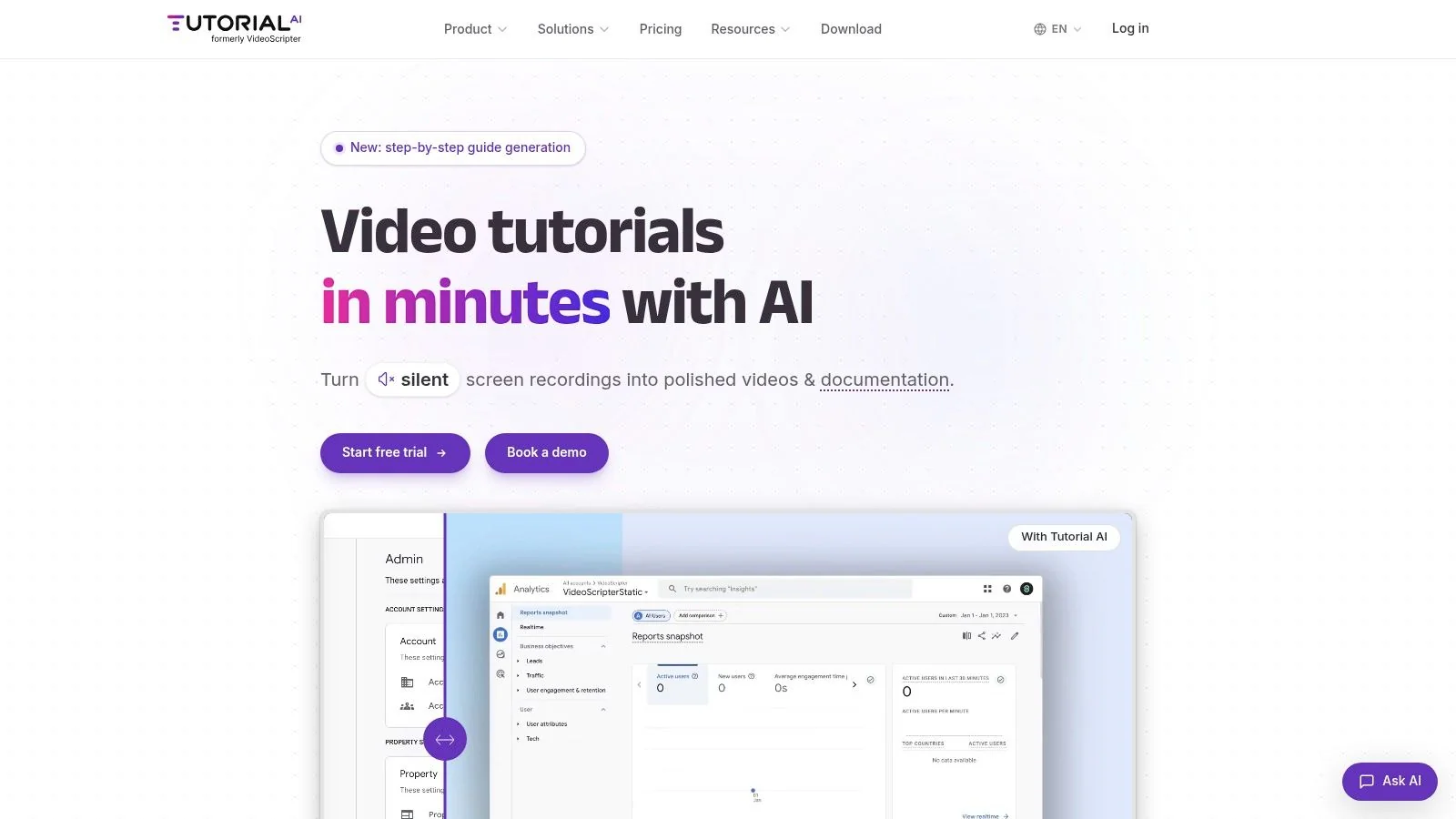
Tutorial AI is built for the part of enablement that many broad platforms leave to internal teams: creating accurate software walkthroughs, training videos, product demos, and written documentation.
A user records a process on screen, with or without narration. Tutorial AI then uses the recording and the demonstrator’s knowledge to create a polished tutorial video and a step-by-step guide with screenshots. The creator can review and edit the generated script, narration, steps, and visuals before sharing the result.
Best fit
This workflow suits customer education, support, learning and development, technical documentation, product marketing, and sales enablement teams. For example, a product marketer can record a new feature once, refine the explanation, and produce a buyer-facing demo plus internal training material without separately scripting a video and writing a help article.
Tutorial AI supports screen recording on Mac, Windows, iPhone, iPad, and Chrome. Its editing workflow lets users rewrite the script and update narration, captions, and timing without working directly on a traditional video timeline. Cursor tracking, smart zoom, highlights, blurs, backgrounds, and other visual treatments help focus attention on the relevant software action.
The platform also supports localization with AI narration in 74 languages, including regional accents, and AutoRetime can adjust scenes, captions, and cuts to match translated voiceover. Those language, export, and plan details should be confirmed on the Tutorial AI website before procurement because availability may vary by plan.
Strengths and limitations
- Strong production workflow: A single recording can become a video, screenshots, and structured documentation.
- Useful for global teams: Translation and automatic retiming can reduce the manual work involved in preparing localized versions.
- Accessible editing model: The “Edit like a Doc” approach is more approachable for subject-matter experts than timeline-based editing.
- Broader publishing options: Outputs can support help centers, LMS environments, CMS workflows, CRM use cases, and embeddable players.
- Not a complete enablement suite: It doesn’t replace a full content governance, coaching, buyer room, or readiness platform.
- Human review remains necessary: Product terminology, compliance language, and nuanced sales messaging should be checked before publication.
Tutorial AI complements sales enablement software rather than replacing it. A full-suite platform can distribute and measure the finished asset, while Tutorial AI can help the team produce the asset accurately from a real demonstration.
2. Highspot
Highspot is a broad sales enablement platform for organizations that want content management, AI guidance, learning, coaching, buyer collaboration, and analytics in one system. Its strongest fit is a mid-market or enterprise sales organization that wants to connect enablement activity with deal execution rather than maintain separate repositories for every function.
The platform combines content management with AI-assisted learning and coaching. Its agentic AI is positioned to guide sellers in the flow of work, support plays, and recommend actions based on the sales situation. Digital Sales Rooms give reps a way to create personalized buyer experiences and share relevant content with stakeholders.
Highspot also emphasizes unified analytics across content, learning, coaching, and deal execution. That matters for leaders who don’t want to stop at asset views or course completion and instead need to understand whether enablement activity is being used in active opportunities. The vendor lists 100+ integrations across CRM, CMS, engagement, and conversation intelligence tools on its product materials, but buyers should confirm which connections are native, which require configuration, and which are available on their selected plan. Highspot uses a custom pricing approach, so public price comparison is limited.
Where Highspot fits
Highspot is a strong candidate when a team needs buyer collaboration and revenue-linked analytics alongside a large content library. It can be more suitable than a document repository for organizations with multiple products, regions, sales motions, and approval requirements.
The trade-off is implementation effort. Content governance doesn’t happen automatically. Administrators still need to organize assets, define ownership, remove outdated material, and establish rules for publishing plays. The platform can also overlap with an existing LMS, CRM, CMS, or conversation intelligence system.
Practical rule: Choose Highspot for consolidation and governance, not simply because your team needs somewhere to upload sales collateral.
For teams creating the underlying product demonstrations and internal walkthroughs, sales enablement best practices can complement the platform’s distribution and coaching workflows.
3. Seismic
Seismic is an enterprise enablement cloud aimed at organizations that need content management, learning, buyer collaboration, AI assistance, and strong governance. It is particularly relevant to large or regulated companies where security, compliance, permissions, and structured enablement programs influence the buying decision.
The platform combines Digital Sales Rooms with Seismic Learning, previously associated with Lessonly, and an AI layer called Aura Copilot. That combination gives enablement leaders a way to manage buyer-facing assets while also delivering internal learning and coaching programs. Its broad integration ecosystem can connect the enablement layer to CRM, learning, content, and revenue workflows.
Seismic’s enterprise positioning is a strength when several departments need controlled access to approved content. It can support sales, marketing, customer success, and partner teams that share messaging but require different experiences. The vendor describes security and compliance capabilities including SOC 2, ISO 27001, and ISO 27701, although procurement teams should validate the current scope, audit status, and coverage of each certification for the purchased service. See the Seismic platform for current product and security information.
What to examine before buying
Seismic is likely to require more planning than a lightweight knowledge tool. A team must define taxonomy, ownership, lifecycle rules, learning paths, buyer-room standards, and reporting requirements. Without that operating model, the platform can become a complex layer over disorganized content.
Its Digital Sales Rooms also depend on adoption from both sellers and buyers. If reps continue sending attachments or links outside the approved workflow, leaders may not receive the engagement data they expect.
The better comparison is not Seismic versus a simple content library. It’s Seismic versus the combined cost and complexity of maintaining separate systems for content, learning, buyer collaboration, and analytics. Teams that need only quick access to approved answers may find Guru more focused, while teams that need to create software tutorials may pair Seismic with sales enablement content management guidance.
4. Showpad
Showpad combines content distribution, learning, coaching, conversation intelligence, and buyer collaboration in a platform designed to support revenue teams across desktop and mobile workflows. Its appeal is breadth with an emphasis on keeping reps inside a shared experience rather than sending them across multiple specialist tools.
The content hub supports asset governance and AI-assisted questions about materials. Showpad also includes Courses and Paths for structured learning, Pitch AI for practice, conversation intelligence for coaching, and shared buyer spaces or MAPs for collaboration. Mobile support is useful for field sellers who need access to approved material away from a desk.
Showpad’s broad coverage makes it a reasonable choice for teams that want content and readiness in one interface. It can also suit organizations with different user groups because packaging can be adapted around roles and needs. Current packaging has changed over time, and advanced AI capabilities may be restricted to higher tiers, so buyers should confirm exactly what a proposal includes through Showpad.
Practical evaluation
The key question is whether the shared interface reduces friction or brings more modules into one account. A team with an established LMS, conversation intelligence tool, and buyer collaboration system may gain less from Showpad’s breadth than a team consolidating those functions.
Pricing isn’t publicly listed, which makes total-cost comparison difficult before a sales conversation. Ask for a breakdown by user type, module, implementation service, storage, integrations, and AI functionality. Also test the mobile experience with the actual assets sellers use in the field.
Showpad is best evaluated through a realistic workflow: find a current asset, assign a learning path, practice a pitch, share a buyer space, and inspect the resulting analytics. Feature presence alone won’t show whether reps can complete those tasks without administrative help.
5. Mindtickle
Mindtickle focuses on seller readiness, skills development, structured training, coaching, certifications, and readiness analytics. It fits organizations that have a formal enablement function and want to measure whether reps are prepared to sell a product, execute a play, or handle a specific buyer conversation.
Its capabilities include skills-based training, role-play, certification programs, coaching, conversation intelligence, and revenue-linked readiness analytics. APIs and reporting tools support integration with broader revenue operations systems. The platform’s value is less about storing a PDF and more about creating a repeatable learning and assessment process.
A sales enablement leader can use Mindtickle to assign role-specific learning, assess performance, and identify skill gaps. That makes it a better match for a company with structured onboarding and ongoing certification requirements than for a small team that only needs a searchable product guide. Visit Mindtickle to confirm current modules and integration availability.
Where the platform can be heavy
Mindtickle generally makes the most sense when someone owns enablement operations. Administrators must maintain learning paths, update assessments, coordinate coaches, define certification rules, and connect readiness data to business processes. Without that ownership, the platform may become a course repository rather than a readiness system.
Pricing is typically quote-based and enterprise-focused. Ask whether role-play, conversation intelligence, analytics, APIs, services, and reporting are included or separately packaged.
The practical limitation is scope. Mindtickle can help a rep learn how to position a product, but it isn’t primarily a tool for producing the underlying software walkthrough. Tutorial AI can complement it by turning a subject-matter expert’s screen demonstration into the training video and written guide that a readiness program distributes.
6. Allego
Allego takes a full-suite approach that combines learning, coaching, conversation intelligence, content management, AI search, and Digital Sales Rooms. Its positioning is especially relevant to enterprise teams trying to reduce tool sprawl by consolidating several enablement functions under one vendor.
The learning and coaching layer includes flash drills, scorecards, role-play, and conversation intelligence. Its content hub uses AI metadata and generative search to help sellers locate information. Digital Rooms and Deal Navigator support branded buyer experiences, templates, and deal workflows. Integrations extend across CRM, email, and web environments.
This breadth gives Allego a clear role in a consolidation strategy. A team can compare its current LMS, content system, buyer-room tool, and coaching platform against a combined deployment instead of evaluating each module in isolation. The Allego platform should be assessed through a module-by-module proposal because pricing and packaging are not fully transparent.
Implementation and commercial fit
Allego is most compelling when multiple point tools already create duplicate administration, disconnected analytics, or inconsistent rep workflows. Its implementation and success-services focus may help enterprise teams plan a broader rollout, but services also add effort and cost that should be included in the business case.
The platform may be excessive for a narrow requirement. If the only problem is that sellers cannot find the latest competitive battlecard, Guru may be simpler. If the problem is producing training videos from software demonstrations, a tutorial-production tool addresses the bottleneck more directly.
Contracts are commonly structured around broader deployments, and the strongest value appears when a team uses several Allego modules. Buyers should test whether the platform’s search, coaching, and buyer-room workflows are adopted by the specific groups that will use them, not just approved by central operations.
7. Bigtincan Including Brainshark
Bigtincan offers editions spanning learning, coaching, content management, search, Digital Sales Rooms, meeting intelligence, and analytics. Its acquisition of Brainshark strengthens the platform’s training and assessment heritage, making it relevant to teams that want content and readiness capabilities in a flexible package.
RolePlayAI and CoachingAI support practice and coaching workflows. SearchAI helps users locate content, while Digital Sales Rooms and meeting intelligence extend the platform into buyer engagement and conversation workflows. Scorecards can connect training and engagement activity to broader impact reporting.
The platform’s flexible packaging may help a team start with a particular solution area instead of purchasing every module immediately. That can be useful when a sales organization has a defined problem, such as learning and coaching, but expects its enablement stack to grow. Confirm the current edition structure and module availability on Bigtincan.
Benefits and trade-offs
Bigtincan’s breadth is its main advantage, but it can also create administrative complexity. A narrow team may not need multiple AI assistants, buyer rooms, content workflows, and learning systems. Scoping should therefore begin with a process map, not a feature demonstration.
Ask the vendor to show how an administrator updates a product asset, assigns training, reviews rep engagement, and identifies whether the asset was used in a deal. Those steps reveal more about operational fit than a catalog of individual features.
Pricing is custom and requires scoping. Compare user roles, editions, implementation, services, integrations, and reporting access. If the team has inherited Brainshark content or processes, include migration and governance requirements in the evaluation.
8. Mediafly
Mediafly is the clearest specialist choice in this list for value selling. It combines content management and readiness with tools designed to help sellers quantify customer impact through ROI and total-cost-of-ownership calculators, business-case builders, and Value360 dashboards.
That focus matters in complex enterprise deals where a product demo alone doesn’t answer the buyer’s central question: what financial or operational value will this create? Mediafly gives sales teams a structured way to translate product capabilities into a buyer-specific business case.
The platform also includes content analytics, readiness and learning modules, integrations, and enterprise services. Its strength is therefore not merely calculation. It connects value messaging, supporting content, seller preparation, and buyer-facing evidence. See Mediafly for the current product scope and services model.
The input problem
Value-selling tools are only as reliable as the assumptions, data, and governance behind them. A calculator built from outdated pricing, unsupported savings assumptions, or inconsistent customer inputs can create more risk than confidence. Sales operations, finance, product, and legal teams may need to approve the methodology.
Pricing is typically customized to the package and implementation requirements. Ask how calculators are maintained, who can edit formulas, how versions are controlled, and what buyers see when a business case is shared.
Mediafly is a better fit than a general enablement suite when quantified value is the missing capability. It isn’t the obvious choice for creating software training or step-by-step documentation. Tutorial AI can produce the product walkthrough that explains the workflow, while Mediafly can help structure the financial case around that workflow.
9. Guru
Guru is a knowledge management layer for teams that need trusted answers inside the tools where sellers already work. Its Knowledge Agents search connected sources and return cited answers subject to permissions, while verification workflows help content owners keep information current.
For sales enablement, that can mean faster access to battlecards, competitive intelligence, product details, pricing guidance, objection handling, and internal process answers. Guru supports integrations across workplace and revenue tools, including Slack, Salesforce, and browser-based workflows. Its governance capabilities include verification, enterprise permissions, SOC 2 Type II, SSO, SCIM, and DLP according to vendor materials. Confirm current scope and plan eligibility on Guru.
Why knowledge access is different
Guru isn’t a full Digital Sales Room, LMS, or end-to-end readiness platform. It doesn’t replace structured coaching, certification programs, or buyer collaboration. Its role is narrower and often more immediate: reduce the time a rep spends searching or asking another employee for an answer.
That narrower scope can be an advantage. Teams don’t need to introduce a large suite when the actual failure is that approved information is buried across Slack, documents, CRM records, and internal sites. Verification workflows also address a problem that basic AI search can create, namely answers that sound confident but rely on outdated material.
Pricing is sold through custom packages rather than a simple public per-seat listing. Ask about connectors, knowledge-agent usage, permissions, verification roles, browser functionality, and admin controls. Guru can also pair well with Tutorial AI, which creates the software walkthroughs and written guides that become governed knowledge assets.
10. Spekit
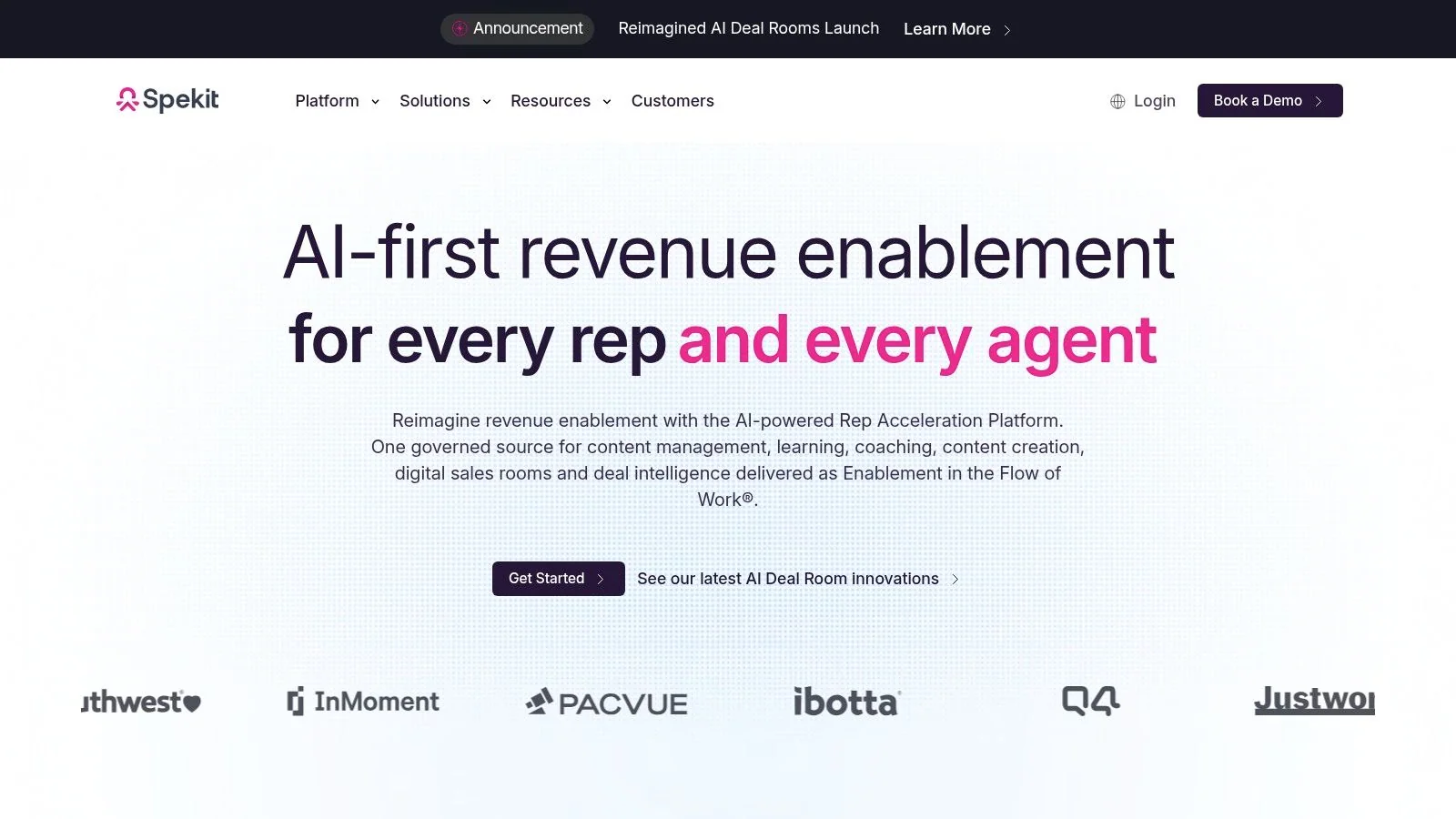
Spekit is an in-app enablement and change-management tool. Instead of asking sellers to open a separate portal, it surfaces playbooks, answers, training, announcements, and contextual guidance inside web applications, especially Salesforce.
Its AI Sidekick provides answers and recommendations based on the working context. Spekit also offers Learning Paths, knowledge checks, in-app announcements, Slack search, templates, and deep Salesforce synchronization. That makes it useful when a team knows what reps should do but struggles to make the guidance appear at the moment of action.
Best use and limitation
Spekit is lighter than a full-suite enablement platform and works well as an overlay on an existing content hub, CRM, or buyer-room system. A sales operations team can use it to announce a process change, show a contextual prompt in Salesforce, or reinforce a play with a knowledge check.
It isn’t a replacement for a full content repository or Digital Sales Room. Teams still need a governed place to create, approve, and maintain the underlying material. Spekit also depends on thoughtful contextual design. Too many prompts can distract reps, while poorly maintained guidance can spread outdated instructions faster.
Pricing is quote-based and varies by volume and contract. Confirm supported applications, Salesforce synchronization, admin permissions, analytics, rollout services, and plan limits through Spekit. For teams evaluating this category, digital adoption platform guidance provides useful context on how in-workflow support differs from a conventional content library.
Top 10 Sales Enablement Tools Comparison
| Product | Core features | 👥 Target audience | ★ UX / Quality | ✨ Unique selling points | 💰 Pricing / Value |
|---|---|---|---|---|---|
| 🏆 Tutorial AI | Screen recorder + AI video editor, transcript→voice, AutoRetime, doc/SCORM export | 👥 Product teams, support, L&D, sales enablement | ★★★★★ 4.9, fast, polished output | ✨ Edit‑like‑a‑Doc, 74 languages, cursor effects, AutoRetime, docs from recording | 💰 Free → Enterprise; advanced voices/cloning on paid tiers |
| Highspot | AI guidance, Digital Sales Rooms, unified analytics, 100+ integrations | 👥 Sales teams & revenue ops (mid‑market→enterprise) | ★★★★, strong analytics & adoption | ✨ In‑flow AI coaching + DSR personalization | 💰 Quote-based; mid‑market/enterprise focus |
| Seismic | Content mgmt, Learning (Lessonly), Aura Copilot, DSRs | 👥 Large, regulated enterprises | ★★★★, enterprise‑grade, secure | ✨ Compliance (SOC2/ISO), generative AI copilot | 💰 Enterprise pricing; complex implementation |
| Showpad | Content hub, Pitch AI, coaching, mobile apps | 👥 Sales & enablement teams prioritizing mobile | ★★★★, broad feature set, mobile strength | ✨ Pitch AI, conversation intelligence & coaching | 💰 Quote-based; advanced AI on higher tiers |
| Mindtickle | Skills training, role‑play, certifications, readiness analytics | 👥 Formal enablement programs, large teams | ★★★★, measurable readiness & reporting | ✨ Skills‑first training tied to revenue impact | 💰 Quote-based; enterprise‑focused |
| Allego | Learning & coaching, GenAI search, Digital Rooms, integrations | 👥 Teams consolidating learning, coaching & DSRs | ★★★★, full‑suite with implementation support | ✨ GenAI search + in‑workflow learning, deal templates | 💰 Quote-based; best value when consolidating modules |
| Bigtincan (w/ Brainshark) | Learning/coaching, Content mgmt, DSR, meeting intelligence | 👥 Teams needing modular enablement & training | ★★★★, flexible packaging; broad capability | ✨ RolePlayAI, CoachingAI, Brainshark training heritage | 💰 Quote-based; multiple editions to scope |
| Mediafly | Content hub, readiness, Value selling tools, dashboards | 👥 Sellers of complex enterprise deals (value selling) | ★★★★, strong for ROI-driven selling | ✨ ROI/TCO calculators, Value360 dashboards | 💰 Custom pricing; package‑dependent |
| Guru | Knowledge Agents, verification workflows, 100+ integrations | 👥 Sellers needing in‑flow answers, battlecards | ★★★★, reduces search friction; strong governance | ✨ Agentic search with citations & verification flows | 💰 Tailored packages; not simple per‑seat list |
| Spekit | In‑app guidance, AI Sidekick, Salesforce sync, knowledge checks | 👥 Salesforce-heavy orgs, change & adoption teams | ★★★★, high adoption via contextual delivery | ✨ Contextual in‑app guidance + AI Sidekick | 💰 Quote-based; volume/contract varies |
Choose the Capability Your Team Is Missing
There is no universal winner among sales enablement tools because the products solve different operational problems. Start by identifying the failure that costs the team time or consistency.
Choose a full-suite platform when content, learning, coaching, buyer collaboration, and analytics must be managed together. Highspot, Seismic, Showpad, Allego, Bigtincan, and Mindtickle can all fit this broad category, but their emphasis differs. Highspot and Seismic are strong candidates for content governance and buyer engagement. Showpad and Bigtincan offer broad coverage across content and readiness. Mindtickle is more compelling when structured training, certifications, role-play, and readiness measurement are central. Allego is worth considering when consolidation is the primary commercial objective.
Choose Guru when the main problem is finding accurate knowledge during daily work. It can serve as a governed answer layer across connected systems, but it isn’t a replacement for an LMS, Digital Sales Room, or complete coaching program.
Choose Spekit when reps need guidance inside the applications where they execute their work. Its in-app approach can complement a content platform and may be more practical than sending reps to another portal for every process update. It still needs good source content and clear governance.
Choose Mediafly when sellers need to prove value in financial or operational terms. ROI calculators, business-case builders, and value dashboards are useful only when the assumptions are controlled and the methodology remains current.
Consider Tutorial AI when the bottleneck is producing accurate software walkthroughs, training videos, customer onboarding content, or step-by-step documentation from a real demonstration. The workflow is direct: demonstrate the task, generate the video and written guide, review the script and visuals, localize or brand the outputs, and publish them to the systems your team already uses. That solves content production, not the broader functions of readiness management, buyer-room analytics, or sales coaching.
Market adoption also doesn’t prove that a particular platform will be operationally successful. One benchmark found only about 35% of respondents considered their sales enablement technology stack very well integrated, while another summary reported that roughly 75% of organizations use sales enablement software and that teams commonly rely on 3 to 5 tools. The adoption benchmark points to a practical conclusion: integration and workflow adherence deserve as much attention as feature breadth.
Before signing, validate current pricing, integrations, security details, export requirements, implementation scope, data handling, user roles, and plan-specific features with each vendor. Run a realistic pilot using a current product update, a real onboarding task, or an actual sales play. Measure whether the intended users can find, create, edit, share, and maintain the content without a separate manual workaround.
Tutorial AI complements rather than replaces a broader sales enablement platform. Use the platform to govern, distribute, coach, and measure. Use Tutorial AI when a real software demonstration needs to become polished, reusable enablement content quickly.
Tutorial AI turns screen recordings into polished software tutorials, training videos, and step-by-step documentation that sales, support, product, and L&D teams can review and share. If your enablement bottleneck is creating accurate walkthroughs from a real product workflow, visit Tutorial AI to explore the recording-to-tutorial process.