The first welcoming new employees email does more than greet someone. It tells a new hire whether the company is organized, whether the manager is prepared, and whether the role feels real yet. If you’re trying to make that first message useful instead of generic, the best templates do three things at once, they reduce uncertainty, set expectations, and make the employee feel expected. That’s why a strong welcome email is part logistics, part culture, and part signal that the onboarding process is already underway. For a broader employee-experience angle, you can also pair your onboarding message with employee gifts they’ll actually love.
1. The Warm Welcome with Role-Specific Onboarding Path
A role-specific welcome works best when the employee needs immediate clarity. Instead of sending a vague “welcome to the team,” spell out who they’ll work with, what their first week looks like, and which systems or training paths matter most for their job. That matters because onboarding doesn’t land the same way for every role, and companies like Microsoft are known for tailoring onboarding by function rather than using a single generic track.
For distributed teams, the email should do more than list dates. It should point new hires to the exact resources they’ll need, then make those resources easy to consume. A polished screen recording can do that better than a dense document, especially when the new hire needs to see a product, workflow, or internal tool in action.
Practical rule: If a new hire can’t tell what to do next after reading the email once, the email isn’t ready.
A strong version of this template usually includes:
- A personalized opening: Use the employee’s name, role, and team.
- A visible onboarding path: List the first week’s focus in plain language.
- Direct manager context: Include who owns what, and who answers questions.
- Embedded video guidance: Link to short Tutorial AI walkthroughs for software, systems, or department processes.
- A text backup: Offer a matching written article for people who prefer reading or need offline reference.
Tutorial AI fits especially well when the job requires multiple tools or internal workflows. You can record a department walkthrough once, then use AutoRetime to update the narration later if the process changes. The same recording can also be exported as a written guide, and that makes the welcome email more useful than a static PDF. For a deeper onboarding structure, this employee onboarding best practices guide pairs well with this template.
2. The 90-Day Checkpoint Framework Email
A 90-day onboarding email is the right choice when you want the new hire to move in stages instead of all at once. That structure helps managers avoid overwhelming someone with every policy, workflow, and expectation on day one. It also gives the employee a clear sense that onboarding is a process, not a single meeting.
The strongest version of this email lays out the milestones in plain terms, then ties each checkpoint to a learning goal. Day one can focus on access and orientation, day 30 on core systems, day 60 on process fluency, and day 90 on independent execution. Consulting teams and manufacturing groups often use this kind of phased approach because it helps people build competence before they’re asked to operate at full speed.
When Tutorial AI is part of the process, the content stays manageable. Short videos work better than one long recording, especially when each checkpoint has a narrow purpose. A week-one video might cover login setup and company context, while a later video handles product or process training.
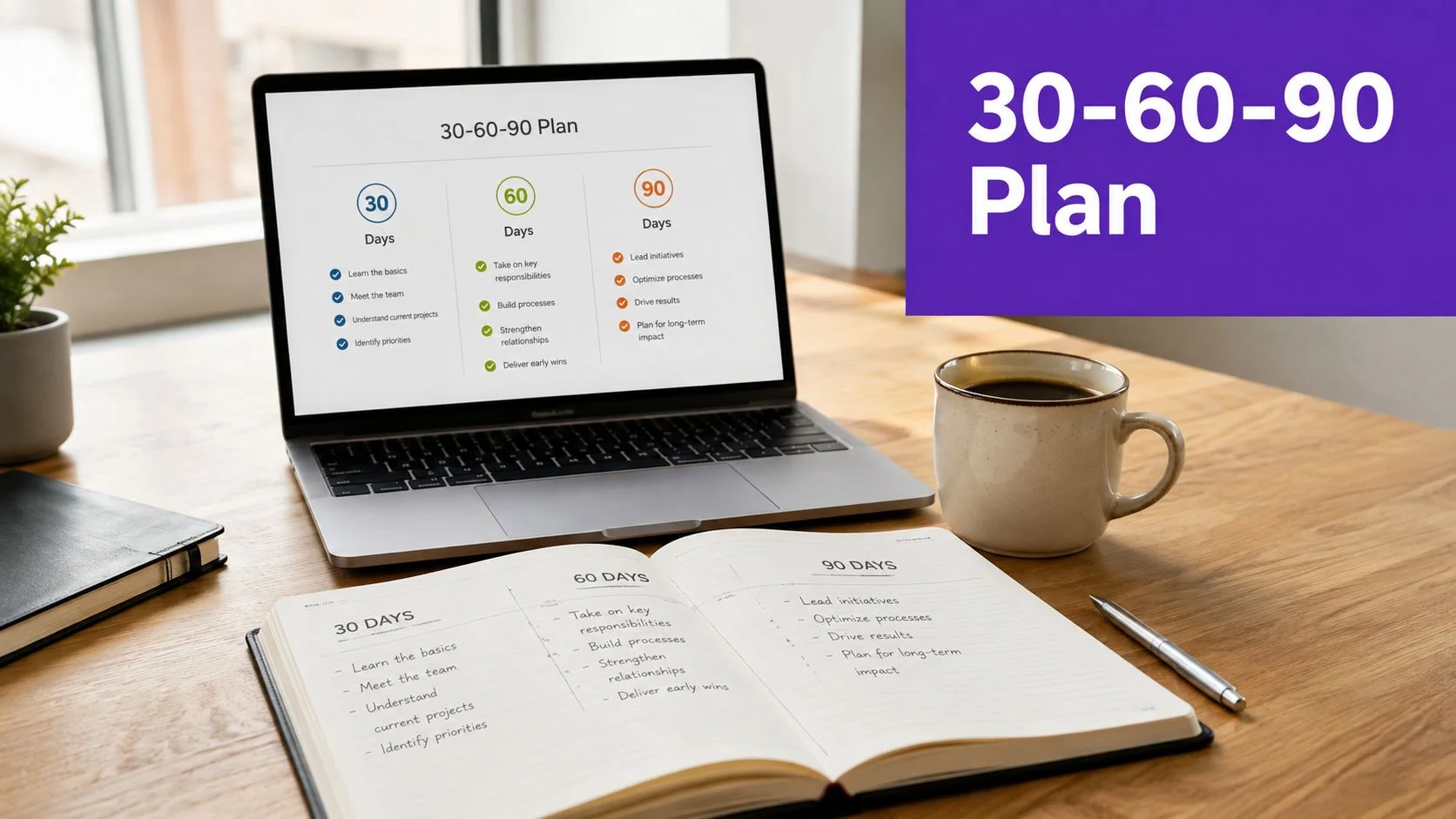
A practical way to write it is to make each checkpoint feel like a small commitment, not a giant assignment. That keeps the email readable and makes it easier for the manager to follow up without sounding repetitive.
- Day 30: Share one or two focused videos on the systems the employee now uses most.
- Day 60: Introduce deeper workflow training or customer-facing processes.
- Day 90: Confirm independence, then invite feedback on onboarding friction.
If managers need to review content first, Tutorial AI’s guest sharing makes that easy before anything reaches the new hire. And if the employee prefers reading, the same recording can produce step-by-step documentation instead of forcing everyone through another video. For an additional planning lens, the 30 60 90 day plan sits naturally beside this style of welcome.
3. The Culture and Values-First Welcome
A culture-first welcome email is the right move when belonging matters as much as logistics. Mission-driven organizations, including UNICEF, often lead with purpose because the new employee needs to understand the organization’s “why” before they absorb process details. That approach also works well for distributed teams, where a warm message from leadership can replace the informal moments that happen naturally in an office.
The key is to avoid making the email feel like a branding brochure. Keep the tone direct, then use one short leadership video or culture tour to give the employee a real sense of how the company behaves. Tutorial AI is a strong fit here because it captures actual screen recordings, office visuals, or leadership narration without forcing the message through a synthetic avatar.
A useful structure is simple. Open with the company mission, follow with the values that shape day-to-day work, then give the new hire one link that shows how those values show up in real systems, team spaces, or internal docs. If you’re using video, keep it conversational and brief.
Real culture reads better than polished slogans. New hires can spot the difference quickly.
That’s why real employee testimonials, a CEO welcome, or even a screen-share tour of shared channels can work better than a generic paragraph about teamwork. Use Brand Kits to keep the visuals consistent if you’re turning multiple clips into a series. You can also generate a written values guide from the same recording so the employee can revisit it later without hunting through inboxes.
This style works especially well for companies that want the first email to answer a social question, not just an administrative one. “Where do I fit here?” is often the primary issue on day one, and a values-first message handles that better than a checklist alone.
4. The Compliance and Security Checklist Email
Some roles need a welcome email that starts with risk, not culture. Financial services, healthcare, government, and other regulated environments can’t wait until week two to explain security expectations, NDA requirements, or access controls. Intesa Sanpaolo is a good example of a financial-services environment where structured compliance onboarding matters from the beginning.
This email works best when it is clear, short, and unapologetically practical. The new hire should know what training must be completed, which tools need setup, and what they’re not allowed to access yet. That’s where video helps, because a screen recording can show password managers, VPN setup, two-factor authentication, and data handling in a way that written instructions often can’t.
Tutorial AI is especially useful when compliance steps vary by system or region. You can record once, then regenerate narration in the languages spoken by your workforce, which helps non-English speakers follow critical instructions without a second production cycle. If sensitive data appears on screen during a recording, use smart blur so the email doesn’t point employees to a tutorial that exposes the wrong information.
A strong compliance welcome usually includes:
- Mandatory training links: Put the required steps first.
- Access rules: Clarify what systems are off-limits until training is done.
- Short tutorial videos: Keep each one narrowly focused.
- A written reference: Give people a searchable backup.
- Completion tracking: Make it easy for compliance teams to verify progress.
Tutorial AI’s sensitive information protection guidance is a smart companion resource for this kind of onboarding content. If the company operates across regions, this is also the point to keep the message tightly controlled and avoid language that implies guaranteed employment terms or other unintended promises. Compliance emails should calm people down, but they shouldn’t ramble.
5. The Peer Buddy and Team Integration Email
A buddy-based welcome email is the fastest way to make a new hire feel like they’ve joined a real team instead of a queue of tasks. This format works well in collaborative environments where peer learning matters as much as manager direction. GitHub and GitLab-style cultures lean on peer-driven onboarding for a reason, it lowers the social barrier to asking questions.
The email should introduce the buddy, explain what that person owns, and show the new hire how to use them. Don’t make the buddy feel like a decorative extra. Give them a real job, such as answering informal questions, pointing out team norms, or walking the new hire through the first internal tools they’ll use.
Tutorial AI helps here because the recordings don’t need to feel polished in a corporate sense. A short real-voice introduction from a teammate can feel more human than a scripted brand video, especially when the speaker shares their screen and talks through the tools they use every day. That authenticity is what makes the welcome stick.
A practical email for this format often includes one short intro from the buddy, one short intro from the team, and one follow-up note about what happens at the end of week one. Multiple people can record their own pieces, then Brand Kits can keep the experience visually coherent. The goal isn’t perfection, it’s familiarity.
Use authenticity on purpose. A slightly casual peer video often builds more trust than a highly produced internal announcement.
If the buddy shares a quick process walkthrough, that clip can also become a reusable resource for future hires. Tutorial AI’s auto-tightening makes rambling recordings easier to share without asking employees to rehearse. That keeps the social warmth intact while still giving the new hire something concrete to watch.
6. The Interactive Scavenger Hunt and Self-Paced Learning Email
A gamified welcome email works best when the team values self-directed learning. Instead of handing over a flat checklist, turn onboarding into a sequence of small tasks or “quests.” That format is especially useful for product teams, SaaS companies, and younger workforces that respond well to progress markers and visible momentum.
This style should still feel structured, not playful for its own sake. The email can point the new hire toward the handbook, a product tutorial, a team introduction, and a workspace setup step, but each task should have a clear purpose. Tutorial AI videos fit naturally here because short, focused clips can sit inside each quest without making the email feel heavy.
Use collapsible sections or clear internal anchors so the employee can move through the material at their own pace. A short clip explaining a product feature works better than a long overview, especially if the goal is discovery rather than compliance. Progress indicators can help too, but they only work if each step is achievable in a reasonable amount of time.
The best versions of this email give people room to explore. Add an optional deep-dive video for employees who want more detail, then make the required steps obvious. That balance matters because not every new hire wants the same amount of context on day one.
For teams that want a direct template reference, employee onboarding videos pairs naturally with this approach. The bigger advantage is that the same recording can produce a written checklist, which helps people who prefer scanning over watching. A scavenger-hunt format only works if the new hire can find what they need without asking three separate people.
7. The Executive Sponsor and Strategic Context Email
Senior hires need more than a warm greeting. They need context, priorities, and a clear sense of where their role fits inside the business strategy. That’s why an executive welcome email should sound different from a frontline onboarding note. Microsoft-style executive briefings, as well as private equity portfolio transitions, usually focus on business context first because that’s what the new leader needs to operate well.
The email should start with a personal note from the hiring executive, then move quickly into strategic priorities, key stakeholders, and the first decisions that matter. Don’t bury the role in background information. A senior hire wants to know how their work connects to the roadmap, the market, and the team around them.
Tutorial AI is useful here because it can turn a strategy deck or competitive overview into a polished briefing video without slide-by-slide production overhead. The recorder can narrate a market analysis, highlight key slides, and create a written brief at the same time. That gives executives both a fast view and a skim-friendly reference.
A strong executive welcome often includes:
- A personal note from leadership: Make the message feel direct.
- A strategic overview: Explain current priorities and constraints.
- Key stakeholder context: Identify who the new hire should meet first.
- A briefing video: Use screen shares to walk through the business.
- A follow-up meeting invitation: Keep the momentum moving.
Use Smart Zoom on slides when a specific metric or strategic initiative deserves attention. That keeps the recording polished without turning it into a formal presentation production. A separate written executive brief also helps, especially for leaders who prefer to review context before their first live conversation.
7-Approach New Hire Welcome Email Comparison
| Template | Implementation Complexity 🔄 | Resource Requirements ⚡ | Expected Outcomes 📊 | Ideal Use Cases 💡 | Key Advantages ⭐ |
|---|---|---|---|---|---|
| The Warm Welcome with Role-Specific Onboarding Path | Medium, coordination across HR, managers, training | Moderate, role-specific videos, manager time, content upkeep | Faster role ramp-up; clearer expectations | Role-specific hires; scalable departmental onboarding; global teams | Personalized orientation; targeted videos; multilingual; scalable |
| The 90-Day Checkpoint Framework Email | Medium–High, multiple scheduled touchpoints and follow-ups | Moderate–High, phased content, manager check-ins, tracking | Improved retention and measurable progress across 30/60/90 days | Complex roles or long ramp-up positions; technical or cross-functional hires | Spaced learning; milestone tracking; early issue detection |
| The Culture and Values-First Welcome | Low–Medium, requires leadership buy-in for authentic messaging | Low–Moderate, leadership video time, culture assets | Stronger engagement and sense of belonging | Employer branding, distributed teams, values-driven organizations | Emotional connection; authentic leadership presence; supports recruitment |
| The Compliance and Security Checklist Email | Medium, integration with policies, legal, and IT processes | High, legal review, security tooling, compliance tracking | Higher compliance adherence; reduced security errors; audit records | Regulated industries (finance, healthcare, government) | Establishes legal protections; clear security setup; multilingual mandatory training |
| The Peer Buddy and Team Integration Email | Low–Medium, pairing and coordination of peer contributors | Low, brief peer recordings, buddy time, minimal editing | Faster social integration; stronger peer support and retention | Collaborative teams, startups, people-focused organizations | Authentic peer learning; quick to produce; builds belonging |
| The Interactive Scavenger Hunt and Self-Paced Learning Email | High, design and test gamified flow and email interactivity | Moderate, content creation, tracking, UX/design effort | Higher engagement but variable completion rates | Younger workforce, self-directed learners, remote hires | Gamified motivation; self-paced progression; engaging discovery |
| The Executive Sponsor and Strategic Context Email | Medium, requires executive availability and tailored briefing | High, executive time, polished briefings, strategic docs | Faster strategic alignment for senior hires; clear role impact | New executives, senior leaders, strategic hires | Signals investment; concise strategic context; professional executive briefings |
Automate Onboarding, Not the Human Connection
The best welcoming new employees email blends clarity with warmth. It should answer the practical questions first, then leave room for the human part of onboarding to happen through conversations, introductions, and follow-up support. That balance matters because new hires are deciding early whether the company feels prepared, responsive, and worth staying with, and the early weeks shape those impressions in a very real way.
The strongest templates aren’t the longest ones. They’re the ones that match the employee’s actual situation, whether that means role-specific onboarding, a 90-day cadence, a culture-first message, or a compliance-heavy welcome. Managers and HR teams often make the mistake of stuffing every possible detail into one email. A better approach is to send the right detail at the right time, then use video and written follow-up materials to keep the first message clean.
Tutorial AI is useful because it lets teams turn a single screen recording and narration into a polished tutorial video and a matching written article. That means onboarding content can stay consistent across departments, languages, and locations without forcing managers to rewrite the same explanation every time a process changes. It’s especially practical for teams that need real screen capture, not synthetic avatar videos, because new hires need to see the actual systems they’ll use.
The point isn’t to replace the welcome. It’s to make the welcome more useful. When the email is clear, the videos are short, and the next step is obvious, new employees spend less time guessing and more time settling in.
If you want to build welcoming new employees emails that are clearer, more scalable, and easier to maintain, visit Tutorial AI and turn one onboarding recording into a polished tutorial video plus a matching help article. It’s a practical way to give new hires the clarity they need without adding more manual work for HR, L&D, or managers.