The outgoing software owner has recorded a walkthrough, shared a folder and booked a final training session. The receiving team still hasn’t built the quarterly report without help, tested its own permissions or worked out who handles a failed export. The handover looks finished, but the operational responsibility hasn’t transferred.
A software training handover checklist should separate delivered materials from demonstrated readiness. The practical completion test is whether the successor can perform representative tasks, use the right access and handle exceptions without the outgoing expert.
The Handover Checklist at a Glance
| Area | What to verify | Owner | Evidence |
|---|---|---|---|
| System purpose and architecture | Purpose, components, data flows, integrations | Outgoing owner | Dated architecture note |
| Access and accounts | Named accounts, MFA enabled, least privilege | IT admin | Access test log from recipient account |
| Workflows and runbooks | Deployment, reporting, routine tasks, admin actions | Trainer | Runbook link and version date |
| Failure modes and rollback | Known errors, rollback steps, recovery order | Technical lead | Known-error list with fixes |
| Support ownership | Escalation contacts, response expectations, vendor contacts | Support manager | Escalation matrix |
| Open questions | Unresolved items, uncertainties, workarounds | Outgoing owner | Question log with owners and due dates |
| Training record | Who demonstrated each task and who received it | Learning lead | Signed training record |
| Validation result | Scenario pass or fail, unprompted task completion | Receiving lead | Scenario score sheet |
A row is complete only when its evidence exists and the receiving team can inspect it. A document title alone does not show that a runbook works. The record should open, identify the workflow and show when it was last checked. An attendance sheet confirms participation, not independent performance.
Evidence should identify the system, environment, person performing the check and observed result. Screenshots can support a record, but they need context: an application homepage does not show whether the successor can complete an assigned administrative task.
Make each row specific enough to verify
Name accountable people before training begins. An IT department may provision access, but a named administrator should confirm the recipient’s permissions and record the test result.
Set the training scope around business workflows, not the order of application menus. A team supporting property-management software, for example, can use a checklist for short-term rental operations to identify relevant business activities. Map those activities to the software tasks the successor must perform.
Practical rule: A completion mark should point to an observed result, not a promise to send missing material later.
Keep business and technical ownership distinct where needed. A support manager can approve the escalation route, while a technical lead confirms the recovery procedure. Record each decision under the person responsible for it.
Maintain the table as a working file throughout the handover. Each row needs a named owner, an evidence location and a status that separates pending work from verified completion. Keep unresolved items beside the relevant row so the receiving lead can assess them without reconciling separate email threads. Accept the handover only when the successor has passed the listed scenarios and access tests.
Verify Access Without Sharing Passwords
Access transfer needs its own controlled procedure. The BM Technologies technical handover guide recommends named, least-privileged accounts, multi-factor authentication, secure credential handling and removal of obsolete access after the transition.
An access review should happen with the successor’s account, not the outgoing owner’s session.

- Name the approver. Record who authorizes each application, administrative role and environment. Include approval evidence rather than assuming that an invitation establishes authorization.
- Create a named account with only the permissions needed for the successor’s work. Enable multi-factor authentication and confirm that recovery methods belong to the authorized recipient.
- Keep secrets out of the checklist. Store shared credentials in an approved password manager or vault. The handover file should identify the secure location and access owner, not contain passwords, recovery codes or private keys.
- Document the recovery route when the normal contact is unavailable. Include the backup approver and the process for recovering access through an authorized channel.
- Have the successor sign in independently and perform a read-only task. Record the account, environment, expected permission and actual result.
- Remove obsolete access after transition checks. Disable outgoing accounts and revoke permissions, active sessions and delegated access where applicable. Retain evidence of the administrator’s confirmation.
- Rotate exposed secrets, including passwords, API keys, signing keys and certificates. Check service dependencies before rotation so a security cleanup doesn’t interrupt an integration.
Example of a helpdesk administrator transition
A support lead taking over a helpdesk admin role signs in with her named account. She confirms that she can change macro settings but can’t modify billing rules, using an approved test macro for the write check. After acceptance, the IT administrator disables the outgoing admin’s account the same day and records the result.
Training captures need a separate privacy check. The guide to protecting sensitive information in software tutorials is relevant before recording account settings or administrative screens.
Access hasn’t transferred if the task works only because the outgoing person is still logged in.
A clean browser session helps expose that failure. If the successor encounters a permission error, the administrator should correct the role assignment rather than lend an account or broaden privileges without approval.
Run the Three-Phase Handover and Acceptance Gate
The receiving lead should agree on acceptance criteria before the walkthrough starts. Otherwise, the outgoing expert can finish presenting while the receiving team still has no shared definition of readiness.
The University of Texas technology-transfer study identifies communication, distance, equivocality and motivation as transfer factors. In practical terms, the handover needs to expose ambiguous instructions and hidden assumptions, not deliver more content.
The process below separates inventory, supported practice and independent validation.
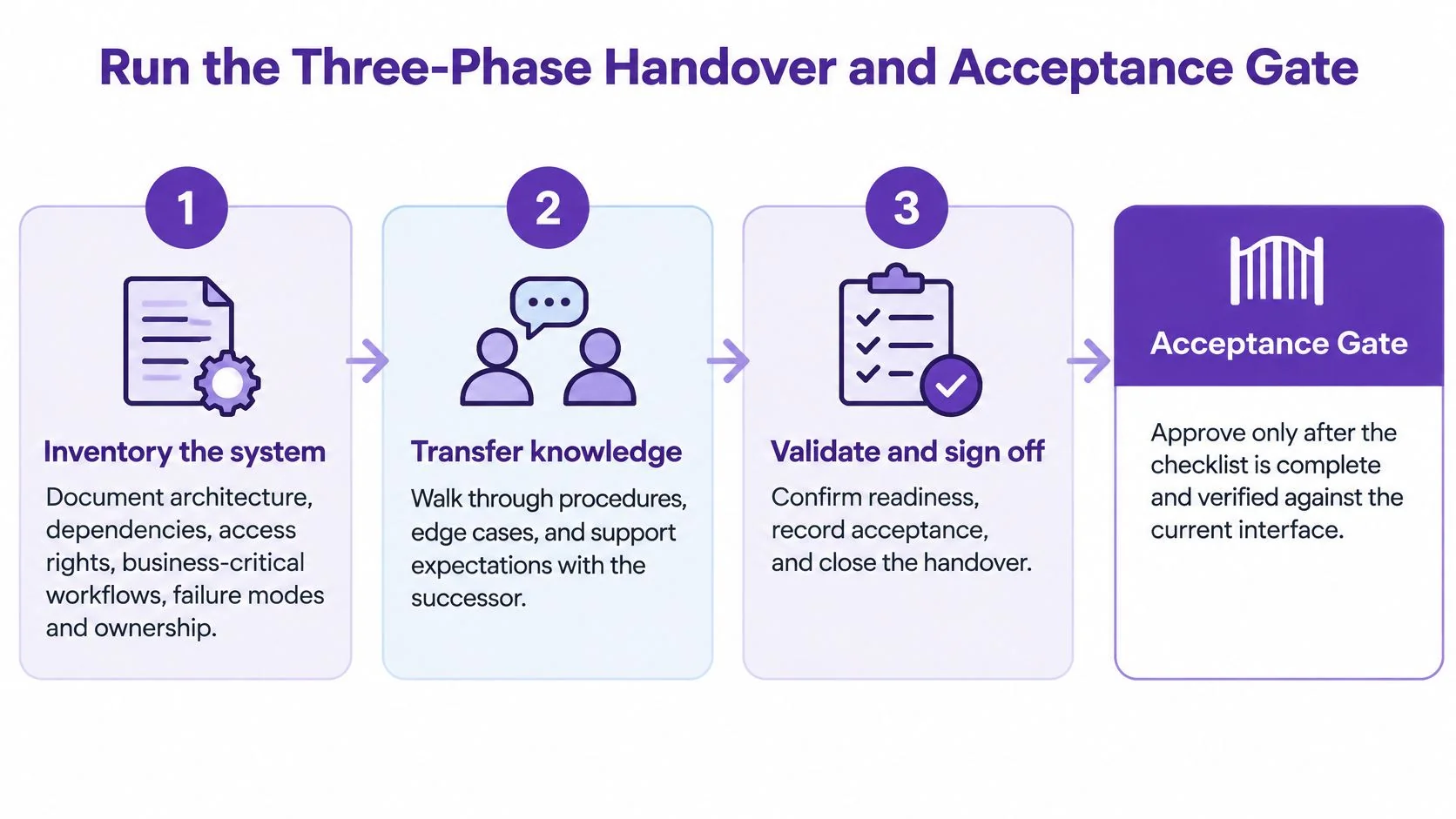
Phase 1 Inventory the system
Before recording anything, the outgoing owner documents architecture, dependencies, access rights, business-critical workflows, failure modes and ownership. The inventory should connect software actions to business outcomes.
For a reporting workflow, that means recording more than the export button. The recipient needs to know which source data is authoritative, which filters affect the result, where the output goes and who approves publication.
Include operational dependencies such as scheduled jobs, monitoring and vendor-managed services. If remote monitoring and management sits within the team’s scope, the RDE Technologies guide to RMM offers useful context for identifying which monitoring responsibilities need an explicit owner.
The inventory should also distinguish routine tasks from restricted actions. A support agent may need to recognize a billing fault without having permission to repair it.
Phase 2 Transfer knowledge with the successor driving
The successor operates the software while the incumbent observes. This reverses the familiar demonstration format and makes missing knowledge visible.
Every intervention belongs in the question log. If the expert says that a filter must be cleared before exporting, that instruction becomes a runbook change rather than a passing comment.
Practice should include decisions, not just clicks:
- Normal operation: Complete the expected workflow from its documented starting state.
- Exception handling: Explain what changes when data is missing or access is denied.
- Stopping conditions: Identify when proceeding could create an incorrect result or customer impact.
- Escalation: Locate the right contact and prepare the information that person needs.
A polished walkthrough can still contain an incorrect assumption. The workflow for reviewing software tutorials with subject-matter experts helps separate technical validation from presentation edits.
Phase 3 Validate independently
Select a small set of high-risk scenarios from the inventory. Run them in staging with seeded data, without the incumbent present. Failed deployments, permission requests and incomplete reports are useful candidates when they represent the successor’s actual responsibilities.
For each scenario, define the starting conditions, expected result, permitted reference material and evidence to retain. The assessor should score the performance rather than rescue it.
| Result | Meaning | Next action |
|---|---|---|
| Pass | Task completed independently with correct reasoning and evidence | Eligible for acceptance |
| Pass with help | Task completed after a prompt or intervention | Revise guidance and repeat practice |
| Fail | Incorrect outcome, unsafe action or inability to proceed | Return to supported walkthrough |
Example: A learning team handing over a quarterly report build creates five hypothetical scenarios. The successor fails the filtered-export scenario because the runbook omits the filter reset step. The learning lead records the gap, assigns an owner and returns that workflow to supported practice before another independent attempt.
Apply the acceptance gate before sign-off
The successor must complete critical tasks without prompts, find the authoritative runbook within an agreed time, explain rollback or escalation decisions and record the outcome. A pass with help remains a training result, not independent acceptance.
Acceptance boundary: Open administrative work can have a follow-up owner. An unresolved inability to perform a critical task blocks sign-off for that responsibility.
Written sign-off should identify the accepted scope, evidence reviewed and remaining risks, each with an owner and due date. If the departing expert’s availability is ending, the receiving manager must arrange coverage rather than redefine a failed test as complete.
As planning suggestions, a straightforward internal tool may need a few days, while a connected multi-system estate may need several weeks. The schedule should reflect scenario complexity and access dependencies, not the length of the presentation.
Follow-Up Checks and the Mistakes That Undo a Handover
Retrieval checks should happen immediately after training, after about a week and during the first real incident or a realistic practice exercise. At each checkpoint, the successor performs a task instead of confirming that the guide was read.
The Scribe training reinforcement guidance recommends evaluating effectiveness at one and four weeks using independent task completion, error rate, escalation quality and mean time to resolution. These measures help distinguish missing knowledge from problems such as broken access or misleading instructions.
Diagnose the failure before adding more training
A slow completion time doesn’t automatically mean the successor needs another video. The guide may be difficult to find, a permission may have changed or the task may require an undocumented approval.
Review the attempt with those possibilities in mind. Compare equivalent tasks and record what caused errors rather than treating every escalation as poor performance. A correct, timely escalation can be the safest outcome.
Common handover failures include:
- One-way demonstrations: The expert performs everything while the successor watches.
- Obsolete screenshots: The guide shows controls that have moved or changed.
- Unwritten decisions: Instructions describe actions but omit why a particular route is appropriate.
- Insider jargon: Terms make sense only to the outgoing team.
- Unassigned maintenance: Nobody owns updates after the transition.
Name a post-handover owner for every guide and attach a review date. That owner should receive relevant change notifications and have a clear route for collecting corrections from support, operations and training teams.
Completion requires both capability and maintainable instructions. The checklist is complete only when the successor passes the acceptance scenarios and the documentation is versioned, searchable, access-tested and linked to the change process. Attendance, publication and confidence ratings don’t substitute for that evidence.
Record the Walkthrough and Publish the Guide
A guide is only useful if it captures the decisions behind the clicks. Record a successfully validated scenario from its starting state through the decision points to the expected result. Use a test or staging account and safe example data; if you plan to narrate, choose a quiet room.
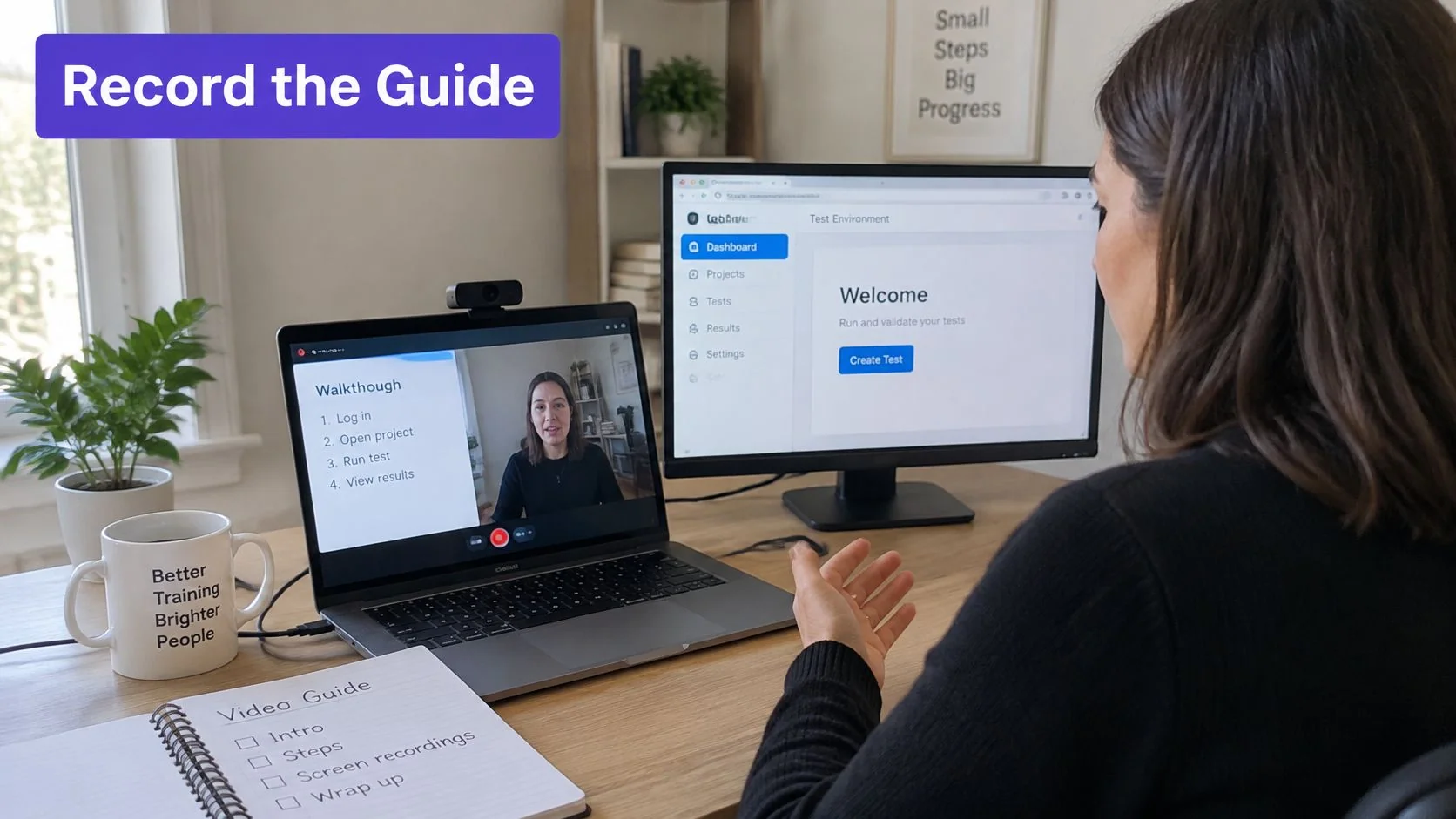
Example of a quarterly report guide
In a staging analytics workspace, the expert resets a filter and shows the active filter before the change and the corrected reporting scope afterward. That contrast makes the reason for the reset clear.
- Record the complete task. Capture the relevant software window as the expert runs the scenario. Narration should explain decision points and recovery steps, not read button labels.
- Create a tutorial video and written guide with screenshots from the recording. Tutorial AI can produce both; separate recording and manual documentation work when the team needs tighter control of each artifact.
- Review before sharing. Compare the script, narration, steps and screenshots with the current interface. Remove sensitive information and correct generated wording that changes the expert’s meaning.
- Ask the successor to follow the guide without help. A successful attempt provides evidence that the instructions work; then share the reviewed materials with the team.
- Assign a named owner, version and review date so someone is responsible for keeping the guide current.
The guide to creating software tutorials covers recording and documentation. The same review applies whether narration is recorded live or added during editing.
The video below shows the recording-to-tutorial workflow.
Check the published result
Visible success check: The successor completes the scenario using only the published guide, and the resulting report matches the expected scope.
A release can change the interface and make a step inaccurate. Re-record the affected step, update the guide’s version and repeat the independent test. Before publishing, check screenshot readability, narration accuracy, working links and recipient access.
Tutorial AI turns a screen recording into a tutorial video and written guide with screenshots that can be reviewed and edited before sharing. Those materials support the handover, but the successor still needs to pass the scenario independently. Tutorial AI offers a free plan, so you can turn one of your own recordings into a written guide at Tutorial AI.