A new employee can open a formal welcome message and feel reassured by its structure. A free-trial user may receive the same wording and wonder whether they’ve accidentally entered a procurement process. Both messages say “welcome,” but they serve different relationships, expectations, and next actions.
The strongest sample welcome letters match four things: the audience, the relationship stage, the action you want next, and the level of support the recipient needs. A new hire needs logistics and belonging. A customer needs setup guidance. A webinar attendee needs timing and access details. A partner needs enablement, responsibilities, and a path to revenue.
The examples below organize eight letters by communication goal. Each one includes subject-line options, tone guidance, an editable structure, practical trade-offs, customization tactics, and a way to extend the message with useful video or documentation. Tutorial AI can support that surrounding experience by turning one screen recording and spoken narration into a polished tutorial video and a matching written article, so a welcome letter doesn’t have to carry every instruction by itself.
For direct mail teams adapting these ideas beyond email, direct mail solutions can help connect the message to a broader customer communication workflow.
1. Professional Corporate Welcome Letter
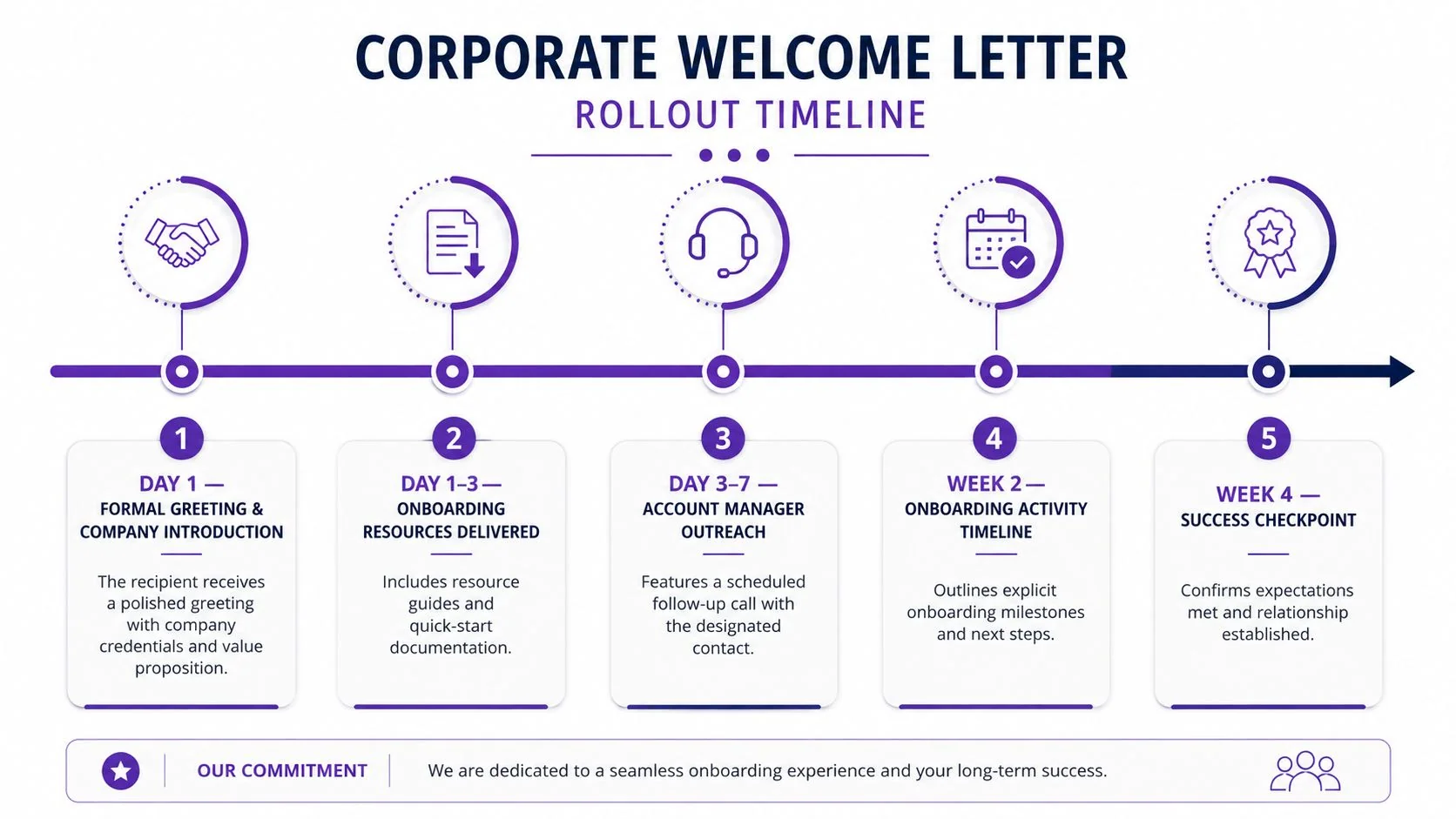
A corporate welcome letter should make the recipient feel that they’re entering a well-run relationship, not receiving a ceremonial greeting. It works particularly well for an enterprise account, a financial services client, or a B2B SaaS customer moving from signed contract to implementation.
Subject line options:
- Welcome to [Company], [Recipient Name]
- Your [Company] onboarding team is ready
- Next steps for [Customer Company] with [Product]
The tone should be composed, specific, and confident. Avoid inflated enthusiasm and broad promises. Confirm the relationship, explain the service in terms relevant to the recipient’s organization, and identify one person who owns the next step.
Editable structure:
Dear [Recipient Name],
Welcome to [Company]. We’re pleased to support [Customer Company] with [specific service or business outcome].
Your onboarding contact is [Name, title, email]. We’ll begin with [first milestone], followed by [next milestone].
To prepare, please review [quick-start guide] and bring [required information] to our [meeting or kickoff].
We look forward to helping your team [specific relevant outcome].
Best,
[Sender]
Microsoft onboarding a new enterprise account, a bank introducing a relationship manager, and a software provider welcoming a procurement-led customer all require this basic discipline. The difference lies in the benefits and proof points you select. A regulated financial services recipient may need documentation and governance information. A SaaS buyer may need implementation resources and a named customer success contact.
The trade-off is warmth versus authority. Too much formality creates distance. Too much casual language can weaken confidence, particularly when several stakeholders will forward the message internally. Use Tutorial AI’s document generation to create a matching support article from the same narrated product walkthrough, then link to that article rather than attaching a long manual.
2. Customer Onboarding Welcome Letter
A customer onboarding letter should answer the question, “What should I do first?” It arrives after purchase, when enthusiasm can fade quickly if the customer doesn’t know how to configure the product, invite colleagues, or reach the right specialist.
Subject line options:
- Your first steps with [Product]
- Let’s get [Customer Company] set up
- Start here: your [Product] onboarding plan
Write warmly, but keep the message action-oriented. A useful sequence starts with the first session, identifies a quick win, and postpones advanced capabilities until the customer has a working foundation. This approach is more effective than listing every feature immediately.
Editable structure:
- Start with recognition: Thank [Customer Name] for joining and confirm the product or plan.
- Name the first win: Ask them to complete [specific setup action].
- Provide guided help: Embed a short Tutorial AI walkthrough and link to the matching article.
- Assign ownership: Introduce [Success Contact] for questions.
- Set the checkpoint: Confirm when the team will review progress together.
A SaaS customer success team might use this after a kickoff call. An LMS provider could guide an administrator through importing learners and creating a first course. A sales team could send it after a product demo, with the first action focused on exploring the capability discussed in the meeting.
The central trade-off is completeness versus momentum. If the letter includes every resource, customers may postpone starting. Keep the first message focused on one meaningful action, then use scheduled follow-ups for advanced workflows. Guidance on how to improve customer onboarding processes can help teams connect the letter to a broader sequence instead of treating it as a standalone email.
Tutorial AI can embed a product tutorial in the letter and generate a help-center article from that recording. For email sequencing teams, improve email onboarding with Mail Merge can support the follow-up structure around the initial welcome.
3. Employee Welcome Letter
At 5 p.m. before a new hire’s first day, a company brochure answers few practical questions. The employee needs the arrival time, location, contact person, required documents, and a realistic view of the opening week. A useful letter also confirms the job title and manager, following the checklist in Independent HR template guidance.
Subject line options:
- Welcome to [Company], [Employee Name]
- Your first day at [Company]
- Getting ready for your first week
Build the message around arrival and orientation:
Welcome, [Employee Name]. We’re excited for you to join the [Team] as [Job Title] on [Start Date] at [Time]. Please report to [Location] and ask for [Contact]. Your first day includes [meeting], [setup activity], and [orientation]. Before you arrive, please complete [required form] and bring [required document].
The structure works because it answers immediate questions before introducing culture. Add a brief note about the team, name the manager and close colleagues, and point to the internal knowledge base. An IT team can include a device setup walkthrough. A support team can link to a standard procedure. A sales manager can outline the first-week training path. For international hires, include compliance tips for translated documents when translated forms or policies are part of the process.

Keep the tone welcoming, while making logistics easy to scan. Extended onboarding programs beyond the first day have been associated with up to 82% higher new-hire retention in Brandon Hall Group benchmarking cited by this onboarding analysis. That finding supports treating the letter as the first handoff in an ongoing program, not the entire onboarding experience.
For a fuller email workflow, use this employee welcome email structure. Tutorial AI can turn a narrated SOP recording into a training video and a written step-by-step guide, giving the new hire two ways to learn the same process.
4. SaaS Free Trial Welcome Letter
A free-trial welcome letter has a shorter attention window and a sharper commercial purpose. The recipient hasn’t committed to a long-term relationship, so the message should reduce friction and make the first useful action obvious.
Subject line options:
- Start your first project in [Product]
- Your [Product] trial starts here
- Try [Feature] first
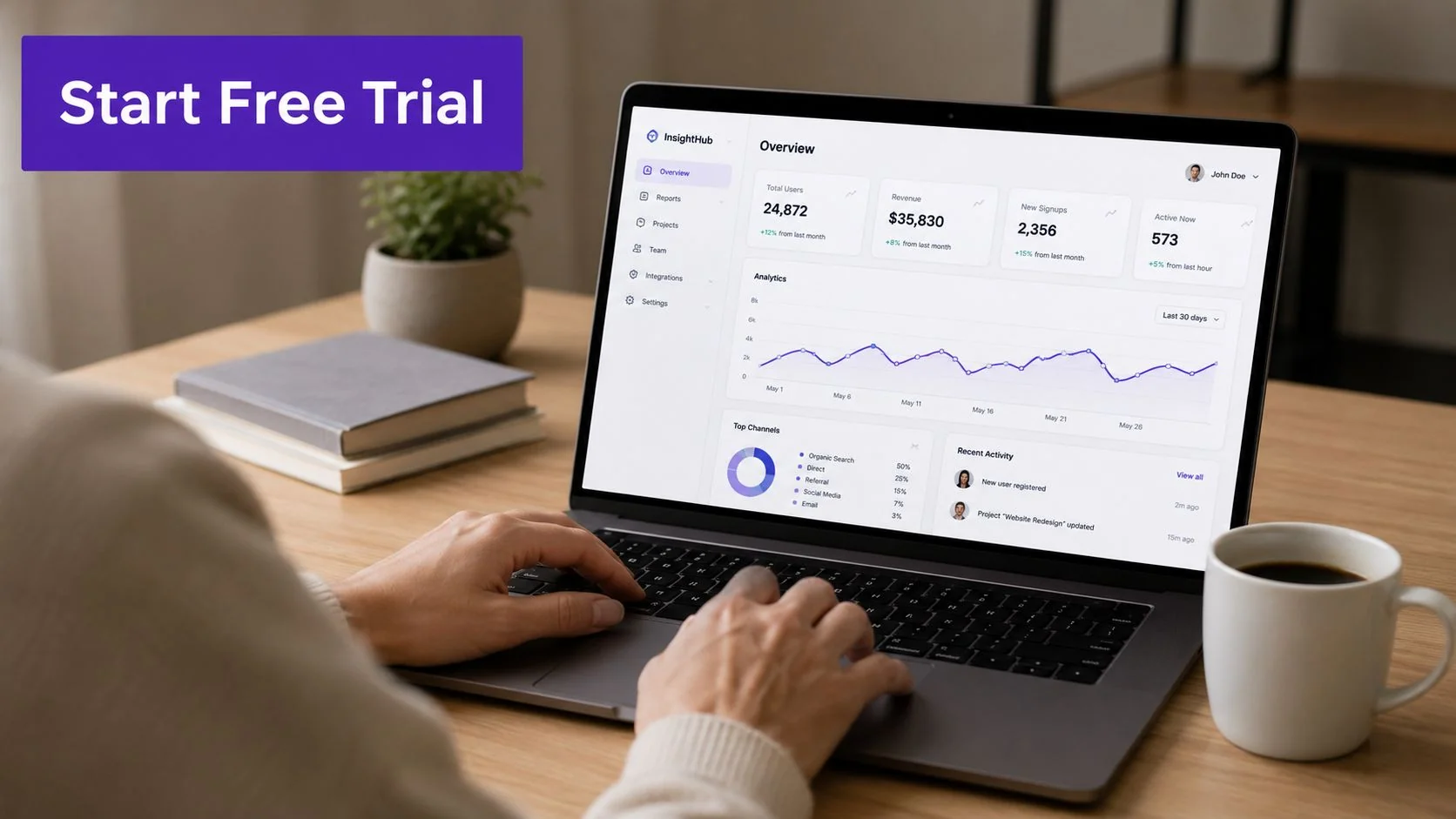
Lead with the outcome the user signed up for, not the history of your company. A project management trial might ask the user to create a project and invite a colleague. An analytics platform could guide them to connect a data source and view one dashboard. Design software might point them to a template that matches the user’s stated use case.
Editable structure:
Dear [First Name],
Welcome to [Product]. You can use it to [specific outcome]. The fastest way to see how it works is to [first action].
Start with this short walkthrough: [Tutorial AI video].
Once you’ve completed that step, try [quick-win activity]. If you’d like help choosing the right setup, [book a demo] or contact [named specialist].
Best,
[Name]
The strongest version uses progressive disclosure. Give the user one core task now, then introduce advanced features after they’ve experienced a result. Adding a sales invitation can help high-intent users, but placing it above the product action may make the email feel like a lead-routing message rather than a welcome.
Welcome emails can be measurable conversion levers. Experian CheetahMail reported that welcome emails produced 4× the total open rates, 5× the click rates, and 9× the transaction rates of other bulk mailings, with revenue per email about 8× higher than bulk campaigns, according to the welcome email report. Use one primary CTA, not a menu of competing links.
Tutorial AI is useful when the trial depends on seeing the interface. It captures the actual screen and voice, unlike avatar tools that generate synthetic presenters. For international users, narration in 74 languages can support localized product education without creating a separate recording for every audience.
5. Educational Program Welcome Letter
An educational welcome letter should orient learners without making the program feel like a compliance document. It needs to establish what learners will achieve, how the modules progress, where to find materials, and how they should participate.
Subject line options:
- Welcome to [Program Name]
- Your learning path begins here
- Start your [Course or Certification] journey
Begin with purpose. Explain why the program exists and what the learner should be able to do after completing it. Then provide the first practical step, such as opening the introductory module, completing a diagnostic activity, or joining the learner community.
A useful structure includes:
- Program outcome: State the capability learners will develop.
- First module: Link directly to the starting lesson.
- Learning rhythm: Explain how lessons, exercises, and assessments fit together.
- Support route: Name the instructor, facilitator, or technical contact.
- Community expectations: Set clear norms for discussion and collaboration.
An online certification course may need assessment guidance. A corporate learning team may need to explain how training connects to an internal process. A UNICEF training program may serve learners across regions, so language access and downloadable materials deserve early attention.
Avoid introducing every policy, resource, and optional activity in the first message. Learners need a map, not a warehouse. Tutorial AI can create an instructional video from a real screen demonstration, then generate a downloadable study guide or structured article from the same recording. Its narration supports 74 languages, which can help global learning teams adapt technical explanations for different audiences.
A video works best when learners need to see a process, such as navigating an LMS, submitting an assignment, or using a software tool. Pair it with concise written instructions so learners can scan, search, and revisit the details without replaying the entire video.
6. Customer Support Portal Welcome Letter
A support portal welcome letter should teach customers how to help themselves. It isn’t a generic thank-you note. It’s an orientation to the search system, article library, escalation route, and community resources that stand between a user and a support request.
Subject line options:
- Find answers faster in the [Company] Help Center
- Your guide to [Company] support
- Start with the [Product] knowledge base
Open with the practical benefit, then show the portal in use. Demonstrate a search query, explain how to filter results, and identify what customers should include when escalating an issue. A technical documentation library might highlight version labels. A help desk portal might explain ticket status and response expectations.
Practical rule: Show customers how to search for one realistic problem, not how to admire the portal homepage.
Editable structure:
Dear [First Name],
Welcome to the [Company] Support Portal. Start by searching for the product area and task you need, such as [real example]. You’ll find setup guides, troubleshooting articles, and process walkthroughs in [main sections].
If you can’t find an answer, select [contact option] and include [required details]. For urgent issues, use [escalation route].
Begin with [featured guide] or watch the short navigation walkthrough below.
Best,
[Support Team]
Tutorial AI can record the portal navigation, add smart zooms or highlights to focus attention, and generate a matching written guide from the same recording. A video-based troubleshooting guide can show the exact sequence for a complex workflow, while the article gives experienced users a faster reference. Teams building the written side can use this knowledge base article template to keep structure consistent.
The main failure mode is overloading the welcome message with every category and policy. Keep the first email focused on finding help, then use contextual links inside the portal to guide customers toward relevant articles.
7. Partnership or Channel Partner Welcome Letter
A partner welcome letter establishes a working agreement, not just a friendly relationship. Resellers, affiliates, integration partners, and channel teams need to know what they can sell, which resources they can use, what training is required, and who owns partner support.
Subject line options:
- Welcome to the [Company] partner program
- Your [Company] partner onboarding starts here
- Partner resources and next steps for [Partner Company]
Write for the partner’s operating reality. A reseller needs positioning, pricing access, lead registration, and sales enablement. An integration partner needs technical documentation, sandbox access, and launch coordination. An affiliate needs approved messaging, tracking instructions, and disclosure requirements.
Use a clear opening that confirms acceptance and names the partner manager. Then separate immediate actions from later opportunities:
- Complete access setup: Activate the portal, credentials, or integration environment.
- Review the offer: Learn the product story, target customer, and competitive boundaries.
- Finish enablement: Watch the sales training and complete required certification.
- Plan the launch: Confirm co-marketing, integration, or account-planning milestones.
- Escalate questions: Contact the named partner operations owner.
Microsoft partner program onboarding, a SaaS integration acceptance email, and a reseller channel launch all need different resources, even when the letter framework is similar. Don’t promise “everything you need” if key materials will arrive later. Tell the partner what exists now and when the next enablement touchpoint will occur.
Tutorial AI can turn a product demo into a partner sales training video, a feature walkthrough for customer onboarding, and a written product guide. Real screen capture matters when partners must learn the actual interface. Multilingual narration and a player with language switching can support international partners, while Brand Kits keep co-branded assets consistent.
The trade-off is control versus flexibility. Standardize approved claims, product language, and escalation rules. Let regional partner managers customize examples, industries, and launch actions.
8. Event or Webinar Attendee Welcome Letter
An event welcome letter has a deadline built into it. The reader needs access information, timing, preparation guidance, and a reason to attend, all without searching through a long registration confirmation.
Subject line options:
- You’re registered for [Event Name]
- How to prepare for [Webinar Title]
- Your access details for [Event Name]
Put the logistics near the top. Include the event date and time, access link, platform requirements, speaker names and credentials, and the correct contact for technical problems. Then add one preparation action, such as watching a short introduction, submitting a question, or reviewing a pre-reading resource.
A product launch event might link to a feature preview. A sales training webinar could include a platform walkthrough and a prompt to bring a current objection. A customer education summit may use short speaker videos to build anticipation, followed by a reminder message before the session.
Tutorial AI can create a concise video showing how to join the webinar platform, test audio, or access shared materials. It can also convert a narrated explanation of the event topic into a polished pre-event resource. Keep that video optional in the first confirmation, because the attendee’s essential action is still registration and attendance.
Editable structure:
You’re registered for [Event Name]. Join us at [time] using [access link]. We’ll cover [specific topic], led by [speaker and credential].
Before the event, please [one preparation action]. If you have technical questions, contact [name or team]. Add the event to your calendar here: [calendar link].
We’ll send a reminder before the session with the key topics and access details.
Best,
[Event Team]
A reminder sequence should repeat the access path clearly rather than assuming the first email was saved. The message earns attention by removing uncertainty, not by adding promotional language.
Comparison of 8 Sample Welcome Letters
| Template | Implementation Complexity 🔄 | Resources Required ⚡ | Expected Outcomes 📊 ⭐ | Ideal Use Cases | Key Advantages / Tips 💡 |
|---|---|---|---|---|---|
| Professional Corporate Welcome Letter | Medium 🔄🔄 | Medium ⚡⚡ | Establishes credibility, clarifies timelines, reduces ambiguity 📊, ⭐⭐⭐⭐ | Enterprise onboarding, C-suite communications, B2B contracts | Formal structure, include account manager contact and verified credentials 💡 |
| Customer Onboarding Welcome Letter | Low–Medium 🔄🔄 | Medium ⚡⚡⚡ | Faster time-to-value, higher adoption, fewer support tickets 📊, ⭐⭐⭐⭐⭐ | New customers completing product setup, SaaS onboarding | Use checklist, progressive disclosure, embed tutorial videos 💡 |
| Employee Welcome Letter | Low–Medium 🔄🔄 | Medium ⚡⚡ | Standardizes experience, reduces ramp time, communicates culture 📊, ⭐⭐⭐⭐ | New hires, role transitions, internal onboarding | Include org chart, mentor assignment, links to internal SOPs 💡 |
| SaaS Free Trial Welcome Letter | Medium 🔄🔄🔄 | Medium–High ⚡⚡⚡ | Increases trial engagement and conversions; measurable ROI 📊, ⭐⭐⭐⭐⭐ | Free-trial users, product-growth campaigns, A/B testing | Highlight key metrics, include countdown and CTAs; offer demos 💡 |
| Educational Program Welcome Letter | Medium 🔄🔄 | Medium ⚡⚡ | Clear learning objectives, reduced confusion, improved completion rates 📊, ⭐⭐⭐⭐ | Online courses, corporate training, certification programs | Provide outcomes, pacing, multimedia resources and community norms 💡 |
| Customer Support Portal Welcome Letter | Low 🔄 | Low–Medium ⚡⚡ | More self-service, fewer repetitive tickets, faster resolution 📊, ⭐⭐⭐⭐ | Knowledge base subscribers, help-center onboarding | Show search examples, quick-links, and escalation paths; add walkthroughs 💡 |
| Partnership / Channel Partner Welcome Letter | High 🔄🔄🔄 | High ⚡⚡⚡⚡ | Aligns expectations, speeds time-to-first-sale, clarifies KPIs 📊, ⭐⭐⭐⭐ | Resellers, affiliates, integration partners | Include playbooks, co-marketing guidelines, and partner training videos 💡 |
| Event / Webinar Attendee Welcome Letter | Low 🔄 | Low ⚡ | Higher attendance, fewer tech issues, better engagement 📊, ⭐⭐⭐⭐ | Webinar registrants, event attendees, pre-event reminders | Provide logistics, speaker bios, and technical setup walkthroughs; send reminders 💡 |
Turn a Welcome Letter Into a Guided First Step
The eight formats serve different jobs. The professional corporate letter establishes trust. The customer onboarding letter drives setup. The employee letter builds belonging and reduces first-day uncertainty. The SaaS trial letter increases product exploration and conversion. The educational letter orients learners. The support portal letter promotes self-service. The partner letter aligns a channel relationship. The event letter improves attendance by making logistics easy to follow.
Before sending any version, make six editing decisions:
- Identify the audience: Name the recipient’s role, relationship, and likely concern.
- Choose the desired action: Decide what the reader should do immediately after reading.
- Match the tone: Use authority for enterprise relationships, warmth for employees, and momentum for trials.
- Write a specific subject line: Include the event, product, role, or next step instead of relying on “Welcome.”
- Limit the first step: Give readers one primary action, not a catalog of links.
- Add only immediate resources: Link to the guide, video, or form needed now, then schedule the next touchpoint.
A welcome letter fails when it tries to solve the entire onboarding journey in one message. It also fails when personalization stops at the recipient’s first name. Credibility comes from concrete details, including the relevant role, product, milestone, contact person, schedule, and support route.
Tutorial AI becomes most relevant when the letter needs to connect to a polished product demo, onboarding walkthrough, SOP, help-center video, or matching article. One narrated screen recording can become an edited tutorial and structured documentation, with Brand Kits, captions, multilingual narration, and an embeddable player supporting different audiences. For teams with governance requirements, enterprise capture and documentation products may include controls such as SOC 2 Type II, GDPR compliance, and SAML SSO, as described on the Haiku security and pricing page.
Keep the letter short enough to act on, but make the surrounding experience complete enough to continue learning. The best welcome doesn’t merely say that someone belongs, signed up, registered, or partnered. It shows them exactly what to do next and makes help easy to find.
Tutorial AI turns a single narrated screen recording into a polished tutorial video and a matching written article, making it practical for customer onboarding, employee training, support documentation, and event preparation. Visit Tutorial AI to create the video and documentation that turn your next welcome letter into a guided first step.