Proofreading, working links, and attractive screenshots aren’t enough to validate a software tutorial. A polished video can still show the wrong permission, omit a confirmation dialog, or end before the promised result exists. Technically accurate isn’t the same as executable.
For teams deciding how to validate software tutorial steps before publishing, the practical standard is an independent, unaided run from a documented starting state to a visible outcome. The reviewer follows the recording and written guide separately, compares both with the current product, logs failures, and retests the repaired workflow with representative users.
The Publish Gate for Tutorial Steps
Example throughout this article: Northstar is a fictional billing app. Its tutorial, Invite a teammate and assign the Billing Admin role, passes only when a fresh invitee appears in the member list as Billing Admin and can open Billing after accepting the invitation.
Publish gate for a software tutorial
| Check | Pass looks like | Do not publish if |
|---|---|---|
| Product version and start state | Version, plan, and a fresh or reset account are named | Steps work only in the author’s already configured account |
| Prerequisites and permissions | Role, test data, and required settings appear before step 1 | A missing permission surfaces halfway through |
| Each action and expected screen | The next label, message, or screen is named after every action | The instruction names a control that the current UI does not show |
| Final outcome | The promised result is visible, such as Billing Admin on the member row | The flow ends on a toast that doesn’t match the stated goal |
| Independent reproduction | A person who didn’t write the draft finishes with no coaching | Only the author can complete it |
| Recorded verification | Reviewer, product version, and last-verified date are stored with the tutorial | Nobody can tell which release the steps were checked against |
Any failed row blocks publication. The software-tutorial execution study identifies missing instructions, documentation rot, and volatile steps as obstacles to execution. Editorial polish doesn’t establish that the procedure works.
False passes that deserve a stop
In Northstar, the author already has admin rights, so an omitted permission requirement goes unnoticed. An attractive screenshot still says Add user after the button becomes Invite. The written guide skips a confirmation dialog visible in the video.
Each defect can survive proofreading. A defined software tutorial approval workflow should therefore require execution evidence, not merely approval comments.
For education teams connecting instructional reliability with the broader learning experience, LearnStream’s guide to improve learner engagement through QA provides useful context. The release decision still rests on whether the learner can finish the task.
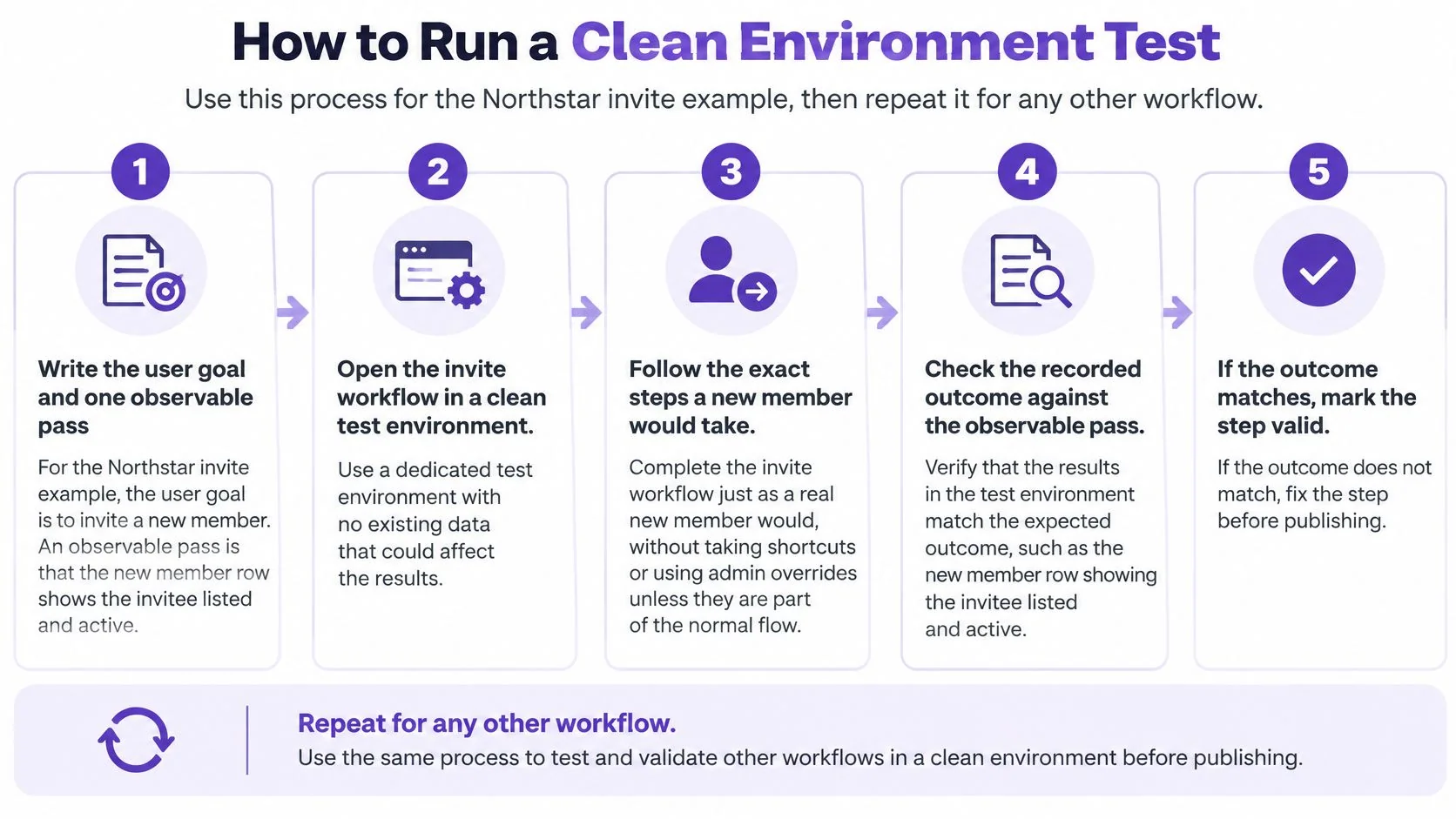
How to Run a Clean Environment Test
A reviewer who already holds admin rights in Northstar will never notice a missing permission step. A clean test strips away the author’s saved sessions, privileged access, and remembered setup, so the procedure stands or falls on what is written. The reviewer needs a resettable test workspace, authorized access, safe test data, and an invitation inbox under the team’s control.
The following run applies to Northstar and can be adapted to another software workflow.
Execute the procedure without filling gaps
- Write the goal and observable pass. The test record names the fresh invitee, the required Billing Admin member row, and successful access to Billing. An invitation-sent message alone doesn’t satisfy this goal.
- Record the environment. The reviewer records the product version, operating system, plan, acting role, and test data, including an email address never previously invited. The initial Members screen should show no entry for that address.
- Reset to the documented start. The reviewer signs out and uses a fresh workspace or wiped test tenant, without leaving the author’s session open. After sign-in, the workspace and acting role must match the prerequisites.
- Follow only the artifact under test. During the video test, the reviewer pauses playback and performs each action. During the written-guide test, narration stays off; undocumented knowledge can’t supply missing instructions.
- Compare expected and actual screens after every action. Opening Members, then Invite, should reveal the documented Invite dialog and role menu. If the guide predicts a direct save instead, the reviewer records the mismatch rather than improvising.
- Log the attempt. The record captures elapsed time, wrong clicks, detours, and the exact instruction where progress stops. A screenshot of the unexpected state makes the failure actionable.
- Try a realistic failure path. An already registered email, expired session, or unassignable role should produce a documented response. The reviewer checks the actual error and the route back to a usable state.
- Compare all artifacts with the application. The recording, generated script, screenshot guide, and live interface must agree about labels, dialogs, and results. A clear sentence describing the wrong screen remains a defect.
- Verify the completed outcome. After invitation acceptance, the reviewer checks the member row and signs in as the invitee to open Billing. Help from the author makes the attempt assisted, not an independent pass.
Test generated documentation separately
With Tutorial AI, the creator records a short workflow or uploads an existing screen recording. A silent recording can generate a script from the on-screen actions; the creator reviews the script, generates the video, then opens the Document tab to create a written guide with screenshots. That guide needs its own execution test. Passing the video run does not cover it, because the written steps can compress or reorder actions the video shows in full.
A documentation-review benchmark can serve as a reference point when a team sets its own completion threshold. The threshold itself is a team decision: it defines how much of a test group must finish the task unaided before a tutorial may publish. A billing or security procedure that falls below the agreed threshold stays unpublished pending remediation.
Expert Review and Five User Retests
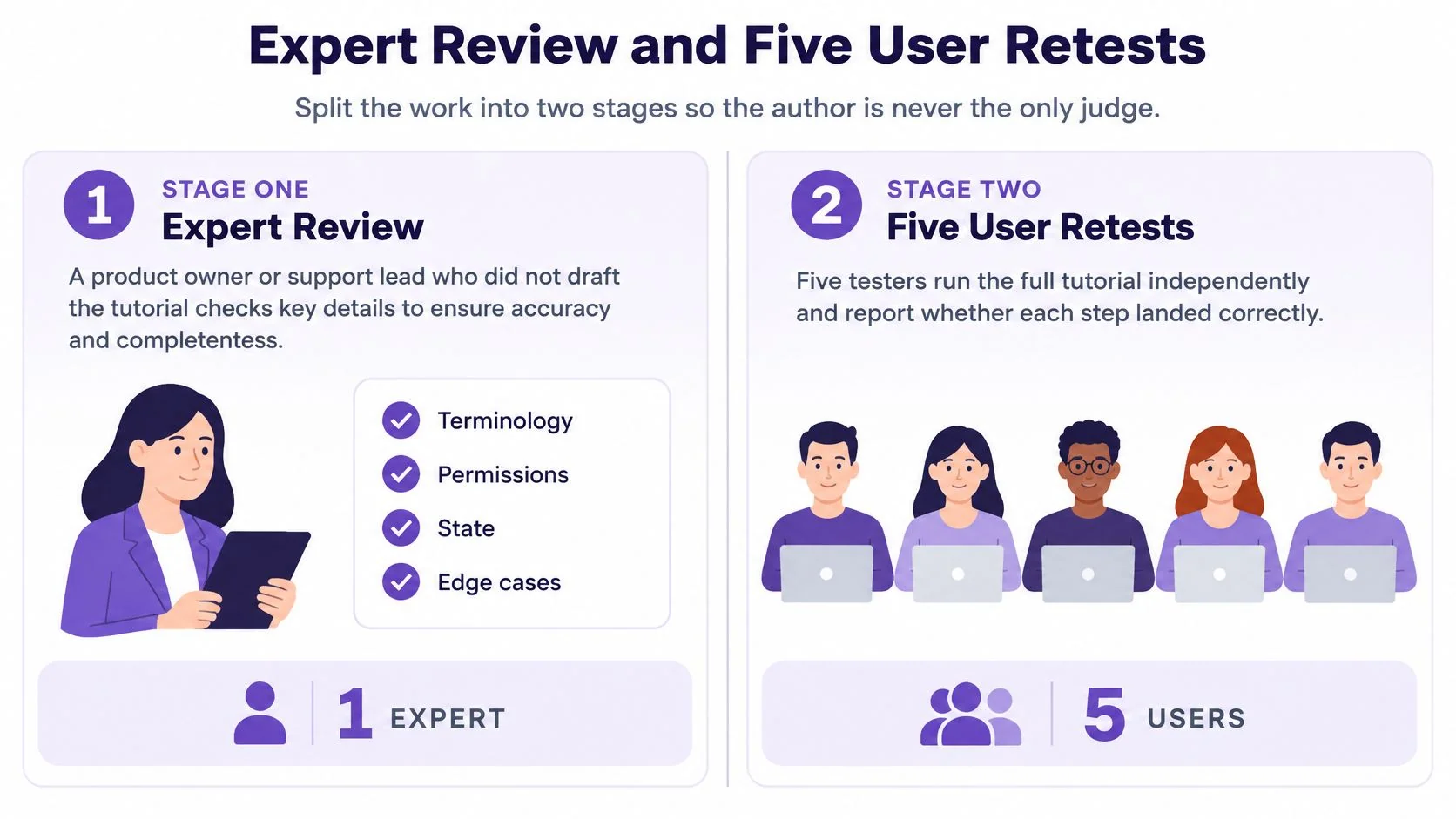
Expert inspection and audience testing answer different questions. A product expert determines whether the procedure matches supported product behavior; representative users reveal whether the intended audience can understand and execute it.
Neither decision belongs solely to the author. An author can unconsciously bridge an omitted instruction because the correct action already feels obvious.
Expert inspection establishes technical correctness
An independent product owner or support lead checks terminology, permissions, state changes, error messages, screenshots, and version compatibility. The inspection includes the happy path, invalid input, an interrupted session, missing permission, and recovery.
For Northstar, an existing member needs a different route from a fresh invitee. The guide should direct the authorized admin to change the existing member’s role instead of repeatedly sending another invitation.
The task-based documentation testing guide supports testing realistic tasks while tracking success, time, and incorrect actions. A structured subject-matter expert review of software tutorials helps keep technical corrections distinct from stylistic preferences.
Audience testing establishes instructional usability
A customer admin unfamiliar with the draft receives the goal and access to the tutorial, without extra explanation. The observer watches for hesitation, skipped setup, wrong controls, unsuccessful recovery, and requests for help.
The observer also records first-attempt success, elapsed time, errors, and post-task confidence. An apparently confident participant who assigns the wrong role has failed the outcome, even if the sequence looked smooth.
Nielsen Norman Group’s usability-testing guidance models a single user’s chance of encountering a given usability problem at about 31%, estimates that five users can expose approximately 85% of interface usability problems, and distinguishes that discovery work from quantitative studies generally requiring at least 20 participants.
Who tests a tutorial and what that test can decide
| Stage | Who and how many | What it can decide | Publish rule |
|---|---|---|---|
| Expert inspection | 1 reviewer who didn’t write the draft | Wrong labels, permissions, version drift, missing recovery | Required before any audience test |
| Qualitative usability | 5 people who match the audience | About 85 percent of usability problems in that task, under the model described above | Revise severe failures, then test a new small group |
| Reported performance metric | At least 20 participants | Completion rate, error rate, or time on task | No precise success percentage from a five-person round |
Sample rule: Small rounds find defects. Larger measurement studies support performance reporting.
After the initial round, the team repairs the highest-severity failures and recruits a fresh small group. Retesting the same participants alone risks measuring familiarity rather than clearer instructions.
Publication requires audience members to reproduce the intended result, with the worst failures from the earlier round eliminated. Expert approval doesn’t override a learner’s inability to finish.
Checks That Video and Written Steps Match
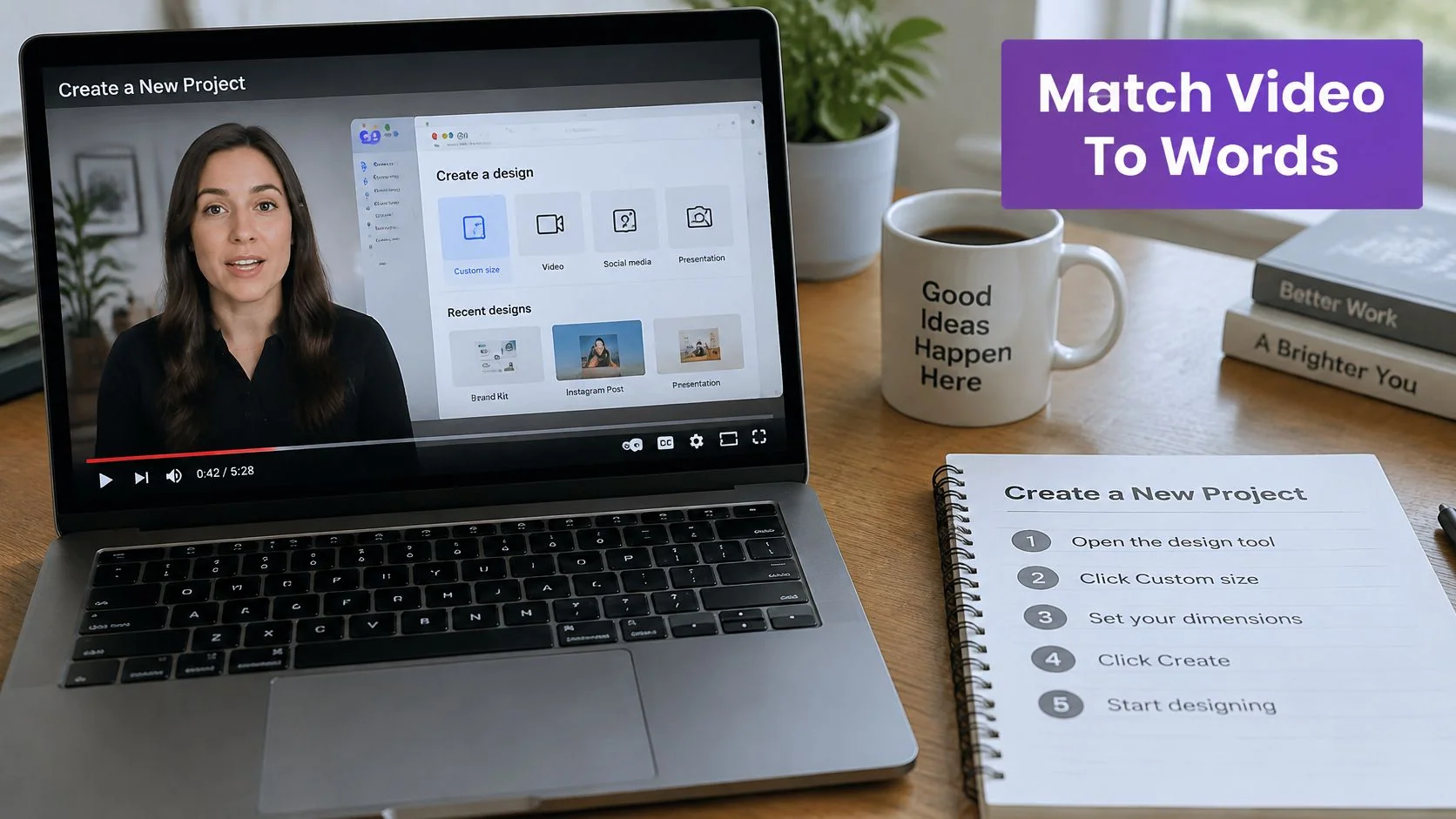
Captions, transcripts, and screenshots are instructional routes, not decorations added after editing. Each supported route must provide enough information to reach the Northstar outcome without borrowing essential context from another asset.
A still image can make an instruction look straightforward while omitting the menu that determines the result.
Check equivalent outcomes across formats
Same Billing Admin pass across four modalities
| Modality | What the tester uses | Pass looks like | Fail looks like |
|---|---|---|---|
| Video with narration | Spoken steps plus the on-screen recording | The new member row shows Billing Admin and the invitee can open Billing | Narration says Billing while the screen still shows Finance |
| Transcript or captions only | The words of the steps, without relying on the picture | The same role and Billing access are reached from the words alone | The caption says click the button and never names which button or the state change |
| Screenshot article only | Written steps and stills | The Invite dialog, role menu, and member row are visible, and the invitee can open Billing | A tight crop drops the role menu or the still says Add user |
| Keyboard only | Tab, arrow keys, and visible focus, with the mouse set aside | Every demonstrated invite action has a keyboard route, the same outcome is reached, and focus isn’t trapped | A control works only by pointer, or focus disappears or gets stuck |
A generated caption isn’t proof of equivalence. If the recording reveals a confirmation dialog, the transcript must identify that dialog, the confirmation action, and the resulting state.
The role name must remain readable when the page is enlarged. Screenshots also need enough context to distinguish the role control without relying on color alone.
Test navigation and the delivery page
The government guide to understanding WCAG explains practical accessibility expectations including text alternatives, video captions, keyboard operation, visible focus, and avoiding keyboard traps. Checking the product demonstration isn’t sufficient if the surrounding player or help page can’t be operated.
The tester sets the mouse aside, moves with Tab and arrow keys, activates controls by keyboard, and checks focus through dialogs and player controls. Where the product lacks an accessible route, the limitation needs explicit documentation and product escalation, not an invented keyboard instruction.
A passing video doesn’t make a failing transcript a supported procedure.
Localization needs the same matrix. A translated label or longer narration can refer to a different control or arrive after the relevant screen disappears. A failing asset stays withheld unless the page clearly identifies another asset as the supported procedure.
Fixes When a Step Fails the Test
A role that saves in the dialog but reverts in the member list blocks Northstar’s outcome. That failure deserves attention before awkward narration or a slightly misaligned screenshot.
The reviewer should classify the defect before rewriting the tutorial. Repair the highest-severity failure first, especially when the wrong instruction could grant unintended access.
Match the repair to the failure
Tutorial step failures and the retest
| Failure class | What the tester sees | Fix | Retest |
|---|---|---|---|
| Missing setup | A required role or setting appears mid-task | Move it before step 1 and name the plan | Fresh account completes setup before the first product click |
| Ambiguous wording | The tester chooses the wrong control | Name the screen, control, and expected result | A new person hits the named control with no coaching |
| Version drift | The label in the guide is gone | Recapture the step and replace the screenshot | Actual UI text matches the guide on the stated version |
| Author-only environment | It works only with hidden data or a privileged account | Reset the example to the documented tenant | The same pass occurs on a clean account |
| Product defect | The UI result doesn’t stick | Hold publication and report the product bug | Publication remains blocked until the defect is resolved; no workaround hides it |
For missing setup, Northstar’s invitation permission belongs before the procedure begins. Naming the supported plan and acting role prevents a learner from reaching an inaccessible dialog halfway through.
For ambiguous wording, replacing “open the menu” with a precise instruction matters because several menus may be visible. The repaired sequence names Members, Invite, and the role control, along with the screen expected after each action.
Version drift requires replacing the obsolete Add user clip and screenshot, not merely changing the surrounding text. Author-only success requires removing the saved seat, hidden test data, or privileged workspace state that made the demonstration work.
Confirm the repair without hiding the cause
After each repair, the original reviewer reruns the failed step and verifies the final outcome. A new person then executes the complete procedure without coaching, catching downstream effects that an isolated step check could miss.
For a product defect, the ticket should include the starting state, attempted action, expected result, actual result, and evidence of the role reverting. Narration mustn’t describe a successful assignment that the application doesn’t retain.
The tutorial record also needs a maintenance trigger for changed buttons, layouts, and permissions. Commands and API examples can have release checks against expected output, but a successful automated check doesn’t establish that the human-facing UI path remains usable.
Keep the Tutorial Fresh After Publish
Once the gate passes, the team stores a verification record beside the Northstar member-list screenshot showing Billing Admin. The record names the independent reviewer, product version, last-verified date, tested starting state, and approved assets.
That record documents the publish decision. A failed gate remains in draft with its defect classification and owner; another editorial read-through doesn’t convert failure into approval.
Preserve an auditable decision
The technical-review study recommends explicit entry and exit criteria, systematic review measurement, and attention to clarity. Assigning a named owner through a software documentation update ownership process makes those criteria actionable after release.
For Tutorial AI content, the creator checks the generated script, edits its wording, and chooses a narration voice before generating the video. After the execution tests, the creator checks the video and guide for accuracy, makes final edits, and exports or shares the approved result; hosted videos can be shared by link.
Translations remain drafts in a translation folder while their scripts are reviewed. Each language needs its own successful Billing Admin run before approval, final rendering, and publication.
Monitor failures after release
For the next 90 days, the owner can review support tickets, viewer feedback, and failed invitation attempts as a defined monitoring window, adapting the post-delivery defect review approach described in the defect-removal efficiency review. The owner separates content defects from product failures and records the correction made.
- Release trigger: A changed button, role menu, layout, or permission prompts a targeted rerun.
- Final quality check: The published assets must match the approved versions, retain readable screenshots, and expose the intended instructions.
- Evidence retained: The owner preserves the verification record and failure history rather than relying on memory.
Tutorial AI turns a real software screen recording into a narrated tutorial video and a written guide with screenshots, with review and editing before sharing. Visit Tutorial AI, select Start free trial, and record a workflow to validate against this publish gate before releasing it to learners.