An agent has just closed another ticket about an expired API token. The reply contains the right menu path, a warning about credentials, and the fix that finally worked, but the next customer will still need someone to explain it again.
The practical answer to how to turn a support ticket answer into a reusable software guide is to extract the repeatable task, map the ticket details into documentation fields, demonstrate the verified procedure, and test it with someone who didn’t write it. Copying the final reply isn’t enough. A reusable guide must preserve the conditions that made the answer correct while removing everything specific to that customer.
Turn a Resolved Ticket Into a Step-by-Step Procedure
Ticket details and the guide element they become
| Ticket element | Guide element | Example (illustrative) |
|---|---|---|
| Customer goal | Task title | Reset an expired API token |
| Product area, plan and version | Scope line | Admin users, current web app version |
| Exact menu path from the agent | Numbered action 1 | Settings > Security > API tokens |
| Result the customer confirmed | Expected result | The token list shows a new token with a new expiry date |
| Error message or symptom | Failure branch | Token expired message on the sign-in screen |
| Workaround or internal note | Escalation criteria or removed | Not published as a step |
| Customer name or account ID | Redacted placeholder | [customer account] |
Start with the narrowest repeatable scenario, not the ticket’s broad category. Resetting an expired API token has a defined starting state and observable outcome; authentication problems could involve permissions, identity providers, credentials, or an outage.
The opportunity is meaningful without assuming every ticket can disappear. An HDI and Lionbridge study from the second quarter of 2019 found that a median 16% to 20% of support tickets involved issues users potentially could have resolved through available knowledge, as summarized by Stealth Agents’ knowledge-base maintenance analysis.
Before drafting, check that the thread explains the resolution. SourceX’s resource to screen support ticket context with SourceX provides a useful screening reference when selecting tickets with enough context to reconstruct a procedure.
Convert the resolution into executable steps
- List prerequisites. Specify the required role, eligible plan, supported product version, starting screen, and anything that must already exist. Replace a vague requirement such as appropriate access with the actual permission needed.
- Write one action per step. Put the interface label first, followed by the instruction. In the illustrative workflow, Settings > Security > API tokens identifies the route, but opening the token menu and creating a replacement should remain separate actions when either can fail independently.
- State the observable result. After an action that changes data, explain what appears on screen. A success banner alone may not prove completion; the reader may also need to see the replacement token in the list.
- Add failure branches. Select recurring symptoms from related tickets. Each branch needs the visible symptom, a plain-language explanation, and a recovery action, rather than a catch-all instruction to try again.
- Define rollback and stopping conditions. Explain how to undo a reversible change. For irreversible actions, state that no rollback exists and identify when support must take over.
- Place safety warnings before the risky action. A token warning belongs before the credential appears, not beneath the final screenshot. Never instruct readers to paste secrets into a ticket.
- Remove case-specific material and run the procedure. Replace customer identifiers with placeholders, strip internal commentary, and exclude workarounds tied to temporary infrastructure. A fresh reader should reach the stated outcome without needing the original conversation.
Preserve the reasoning that affects the outcome
The biggest loss during rewriting is often the agent’s unstated decision: why this path applied to this account. Preserve that condition in the scope line or a branch, rather than preserving the entire conversation.
Practical rule: Remove conversational history, not the conditions that made the solution correct.
A consistent procedure-writing structure helps keep prerequisites, actions, checks, and recovery instructions distinct. If the ticket never established why the fix worked, it needs investigation before it becomes public guidance.
Capture and Redact Evidence for the Guide
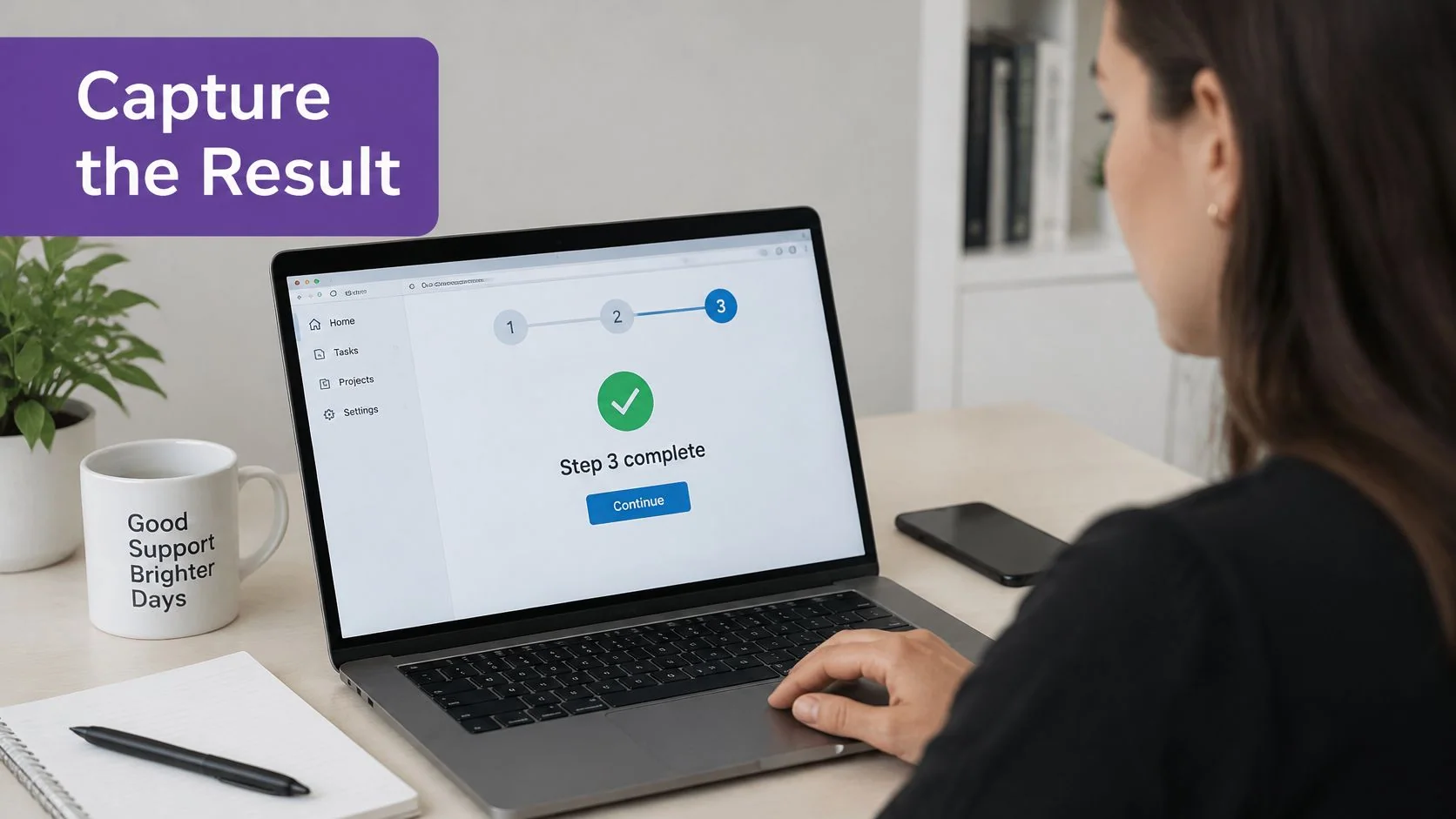
Capture the screen after it shows the promised result, not while the interface is still loading or before the change has been saved. A screenshot should help the reader recognize the correct state, not merely prove that an agent visited a page.
For the token example, useful evidence includes the token-management page, the relevant creation controls, and the final token-list state. The secret itself adds no instructional value and shouldn’t appear in a published capture.
Capture only what supports a decision
- Use representative test data. Replace real customer records before recording whenever possible. Prevention is safer than relying entirely on later redaction.
- Keep enough interface context. Include the page heading and relevant navigation so readers can orient themselves. Avoid cropping a button so tightly that its location becomes unclear.
- Name files by step and state. A filename such as
step-03-token-list.pngmakes later replacement straightforward. - Inspect surrounding content. Notifications, account menus, browser tabs, autofill suggestions, and background windows can expose information unrelated to the task.
The same scrutiny applies to motion. A recording can reveal a credential briefly even when the selected screenshot looks safe, so every visible frame needs inspection before sharing.
A documented sensitive-information protection checklist gives reviewers a consistent way to check names, account IDs, email addresses, tokens, and billing details. Redaction belongs in the production checklist, not in optional visual polish.
Use one recording as the source material
With Tutorial AI, the first production step is to record a short workflow or upload an existing screen recording. Its documentation workflow generates help articles with screenshots from the recording, allowing the demonstration and written explanation to start from the same source.
Record a deliberate run through the task, pausing where the viewer needs to recognize a changed state. Spoken narration can explain why a choice matters, but the screen must still show the selected control and its result.
Use a short recording when movement carries meaning, such as dragging an item or navigating a non-obvious selector. Keep straightforward settings changes readable as text and screenshots; video shouldn’t become a prerequisite for finding a button.
Before distribution through email, Slack, Microsoft Teams, or another channel, confirm the destination’s current file-format and size requirements. Check the actual shared artifact, since a safe source recording doesn’t guarantee that every exported or published version is correct.
Test the Guide and Measure Repeat Tickets
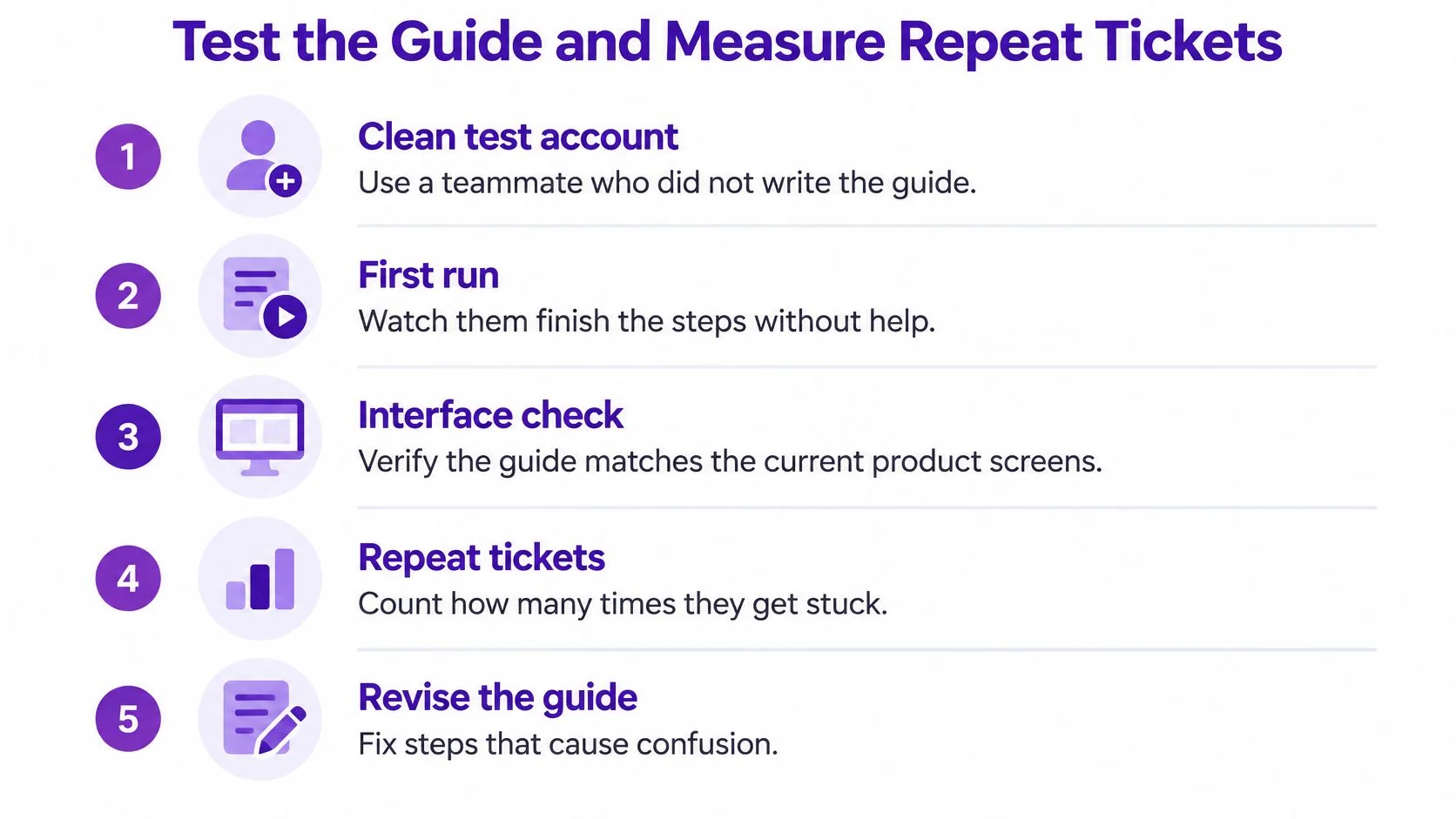
A teammate opens the draft on a clean test account and stops at the first instruction. The author knows where the security settings live; the teammate can’t see them because the account has the wrong role. That’s a documentation failure even if every click in the author’s demonstration was accurate.
Author familiarity isn’t evidence of usability. Give the draft to someone who didn’t write it, provide only the stated prerequisites, and observe the attempt without coaching. Record completion, time on task, errors, and requests for assistance.
Separate usability testing from accuracy review
The task test reveals whether someone can follow the explanation. A product expert must also verify that the procedure is supported, safe, and consistent with the current interface.
Use a structured subject-matter expert review for software tutorials to check menu labels, button text, screenshots, scope, failure branches, and escalation criteria. The reviewer should flag any instruction that works only because the test account has hidden privileges.
Knowledge-Centered Support treats documentation as part of resolving and improving the answer, rather than a separate writing backlog, as explained in Supportbench’s KCS operating model. Apply that model by returning useful corrections to the article when agents discover them during subsequent cases.
A reviewer’s request for help is a finding to fix, not an interruption to the test.
Before release, require explicit sign-off on accuracy, redaction, visual evidence, recovery paths, and the stopping point. A guide that completes the happy path but leaves readers stranded after a failed save isn’t ready.
Measure resolution rather than visits
For an operational self-service measure, use explicit solved feedback or an agreed no-related-ticket window; 72 hours is a practical default in HappySupport’s ticket-deflection guidance. Keep confirmed resolution separate from inferred resolution in reporting.
Metrics that show whether a guide resolves the issue
| Metric | What counts | What it reveals |
|---|---|---|
| Solved confirmation | Reader or agent confirms the issue is solved | Resolution happened |
| No-ticket window | No related ticket within the defined observation window | The reader likely self-served |
| Reopened or duplicate tickets | The same issue returns after reading | A potentially missing step or unresolved condition |
| Zero-result searches | Searches that match no article | A possible mismatch with customer terminology |
| Median time to resolution | Time from ticket opening to solved | Whether handling becomes quicker, alongside evidence of guide use |
None of these measures explains causation alone. A reopened ticket could indicate a missing instruction, but it could also reveal a product defect or an account condition outside the guide’s scope.
Likewise, a shorter resolution time doesn’t prove agents linked the guide instead of retyping. Check article-assisted tickets and agent behavior alongside the timing measure.
Review results monthly and investigate guides associated with repeat contacts first. Read the follow-up tickets, inspect zero-result search phrases, and compare the unsuccessful path with the documented one. Fix terminology, missing conditions, and outdated screenshots before expanding the content library.
Keep the Guide Current After Releases
Treat a changed menu label, moved feature, revised permission, or altered workflow as an update trigger. A rise in related reopened tickets is another reason to retest, even when release notes don’t mention the procedure.
Operating-system changes matter when the task uses system dialogs or local settings. Plan changes matter when customers lose access to a control that the guide assumes is visible. Neither belongs in an undifferentiated note at the bottom.
Give each guide an accountable owner
Maintain a compact record alongside the article and source recording:
- Owner. Name the person or team responsible for approving corrections.
- Last verified date. Record when someone completed the task against the live interface.
- Tested environment. Include the product version where available, role, plan, and relevant operating system.
- Next review date. Schedule a deliberate check even if no update trigger appears.
- Affected dependencies. Identify related guides, support macros, or onboarding materials that use the same instructions.
The owner doesn’t need to perform every edit. The owner does need to ensure that a correction reaches the published article, its visuals, and any linked support response.
Maintenance principle: A corrected source file isn’t a corrected customer-facing guide until the published version has been checked.
Replace the changed segment without losing context
When a release changes token creation, re-record the affected workflow segment with enough surrounding context to show the entry and exit states. Replace its matching screenshot and instruction, then run the complete procedure to catch dependencies outside that segment.
Keep alternate paths together when they lead to the same outcome. Label them by the condition that selects the path, such as Administrator, Member, or the relevant operating system. If a role cannot complete the task, say so rather than presenting unavailable controls as an alternative route.
A branch deserves its own article when the prerequisites, risks, and procedure differ substantially. Otherwise, splitting near-identical instructions creates competing search results and additional maintenance work.
Before creating a replacement article, compare both search intent and body content with published pages and queued drafts. Improve an existing target when it already answers the same question, preserve its history, and flag ambiguous overlaps for editorial review.
Retire guidance for removed features and merge genuine duplicates into the current answer. Finally, inspect the published page, its images, and its incoming support links. Editing a draft or uploading a replacement doesn’t establish that customers can access the corrected version.
Pick the Ticket to Convert First and Start This Week
Choose a category with a stable procedure, a clear outcome, and enough repeated handling to justify maintenance. Rank candidates by frequency and repeated handling effort, then consider whether the customer can realistically complete the task without an agent.
A recurring export-setting question is usually a better starting point than a rare error requiring database investigation. A brief answer that resolves an account-specific exception may deserve an internal note, not a public tutorial.
Stealth Agents’ ticket-deflection benchmark summary reports that mature self-service programs can deflect approximately 25% to 40% of inbound tickets before an agent interaction. That’s a program-level benchmark, not a promised result from publishing an individual guide.
Example of converting an expired-token ticket
Consider an illustrative SaaS product where an administrator can replace an expired API token. The candidate ticket is suitable only after the team confirms the supported replacement procedure, the required permissions, and how the customer verifies that the consuming application works again.
The production sequence is concrete:
- Prepare the demonstration. Use a test workspace with a deliberately expired token and no live customer data. Confirm that the replacement path doesn’t depend on an undocumented workaround.
- Record the verified workflow with Tutorial AI. Show the starting symptom, the route to token management, the replacement action, and the final verification. Narration should explain any decision that isn’t obvious from the screen.
- Generate and inspect the outputs. Generate the tutorial video, then open the Document tab to create the written guide with screenshots. Review the script, narration, steps, and visuals against the demonstrated process.
- Complete the release check. Make final edits before exporting or sharing. Confirm that the consuming application passes the documented connection check, not merely that a replacement token appears in a list.
Know when not to publish
Reject the candidate when the fix depends on temporary infrastructure, exposes an unsupported security bypass, or requires individualized judgment that can’t be expressed safely. Documentation shouldn’t turn a one-time exception into apparent product policy.
The final quality check should establish that the article title matches the task, prerequisites are complete, the visible result proves success, and each common failure has a recovery or escalation path. Any unresolved product behavior should block the affected instruction rather than become a confident sentence.
Check current trial terms before describing access or export conditions to the team. Keep the first deliverable narrow: a validated answer customers can find and complete, with an owner ready to maintain it.
Tutorial AI turns a demonstrated software process into a tutorial video and a written guide with screenshots, with review and editing before sharing. Start a free trial at Tutorial AI and use a recurring resolved ticket to create a guide with clear prerequisites, visible success checks, and tested recovery steps.