A 2023 survey found that 94% of marketers repurpose content, and 46% said it was their best-performing content marketing strategy according to Ukti’s summary of repurposing statistics. That number changes the conversation. Repurposing isn’t a side tactic for teams with extra time. It’s how efficient teams keep shipping without rebuilding every asset from scratch.
In B2B SaaS, the most practical version of repurposing starts with content you already need to create anyway. Product demos. Onboarding walkthroughs. Help-center videos. Internal SOPs. Sales enablement explainers. If one strong screen recording can feed multiple channels, your content operation stops depending on a large production team and starts acting like a system.
The mistake is thinking about repurposing too late. Teams frequently record a demo, publish it once, and move on. Then later they ask whether they can cut a few clips, write an article, or turn it into documentation. That usually produces fragmented assets, inconsistent messaging, and more editing work than expected.
A better approach is to build around a source asset. Record once. Structure the narrative cleanly. Then turn that recording into the formats different teams and audiences need. That’s how to repurpose content in a way that improves efficiency without lowering quality.
Why Repurposing Content Is a System Not a Task
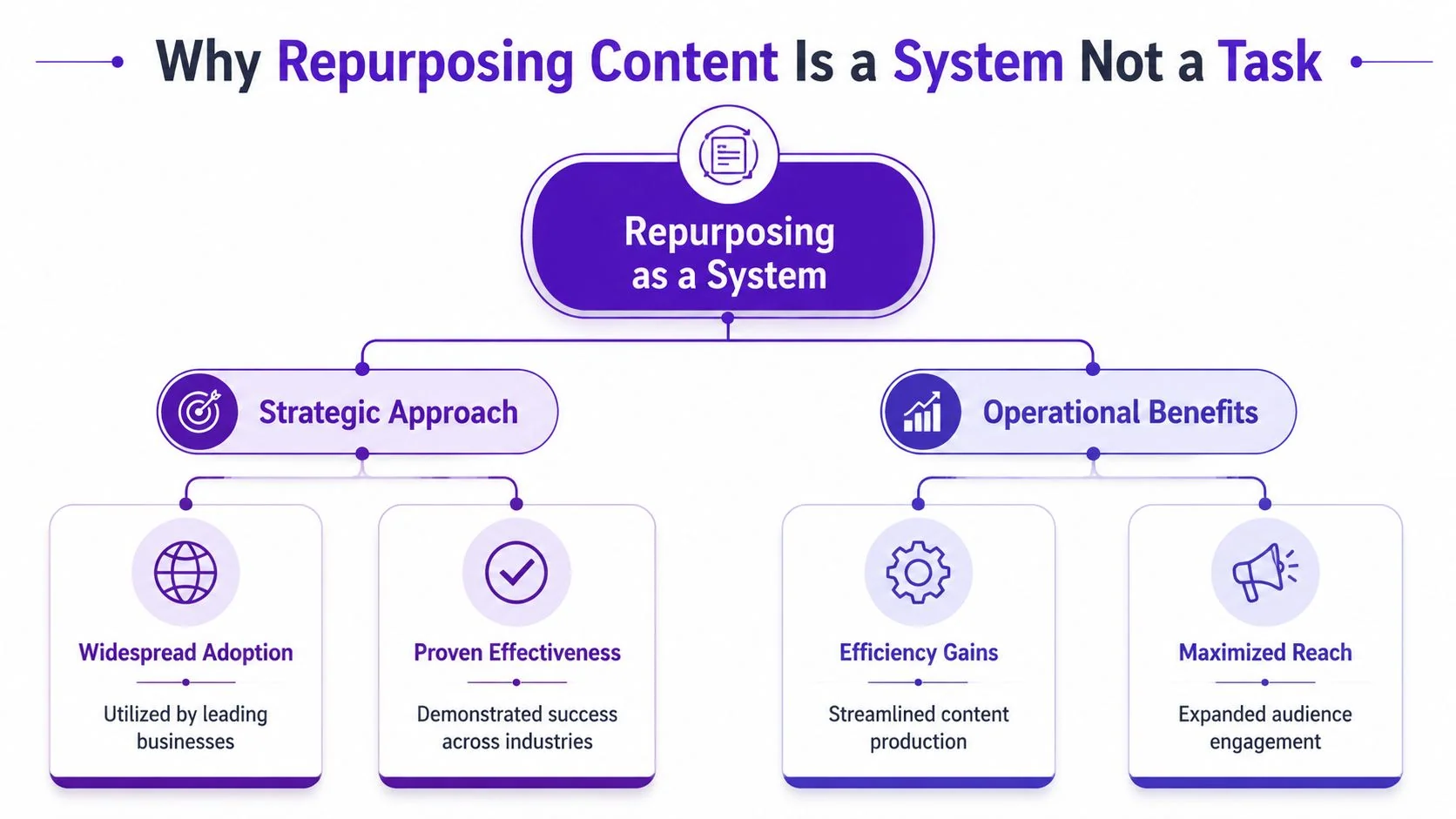
Treat repurposing as an operating model, not a cleanup exercise after launch. The old model was simple: make one asset, publish it, then start over next week. The newer model is different. One core asset becomes a cluster of outputs adapted for different channels, stages of the funnel, and internal use cases.
That shift matters because content teams rarely struggle with ideas. They struggle with throughput. Product marketers have launch messaging. Support teams have recurring questions. Sales teams need walkthroughs. Customer education teams need training material. The bottleneck is turning all of that knowledge into usable content at a sustainable pace.
What changes when you think in systems
Once repurposing becomes a system, teams stop asking, “What else can we do with this video?” and start asking, “What source asset should we build this month that can feed multiple outputs?”
That sounds subtle, but it changes planning, production, and measurement.
- Planning gets sharper. Teams choose topics with reuse potential, not just immediate publishing needs.
- Production gets cleaner. Recordings are structured for extraction, clipping, transcription, and reuse.
- Distribution gets wider. The same core explanation can support social, docs, onboarding, sales, and training.
- Measurement gets clearer. Each derivative asset gets evaluated on its own job, not lumped into one vanity metric.
Practical rule: If an asset can only live in one place, it probably wasn’t designed well enough at the source.
Small teams benefit most from this mindset because they can’t afford one-and-done production. A single product walkthrough can support a release announcement, a support article, a customer training module, and a sales follow-up. That’s a much better use of expert time than asking the same subject-matter expert to recreate the same explanation in four formats.
What a one-and-done workflow gets wrong
One-and-done content usually fails in predictable ways. The recording rambles. The article gets written later by someone who wasn’t in the original conversation. The social posts feel generic because nobody extracted the strongest moments. Then the team concludes that repurposing is messy.
It isn’t messy when the workflow is designed for reuse from the start. It becomes a repeatable engine. That’s the difference between a task and a system.
Find Your Goldmines Before You Start Digging
Most repurposing efforts fail before production starts. The team picks an asset because it feels important, not because there’s evidence people want it. That’s backward.
A practical workflow starts with a data audit. Siege Media’s repurposing guidance recommends prioritizing evergreen, high-traffic assets in Google Analytics and validating current keyword intent in Google Search Console before choosing new formats. That sequence matters because repurposing weak source material usually creates more weak material.
What to look for in your audit
Start with assets that already prove demand. In B2B SaaS, those usually fall into a few categories:
- Evergreen product explainers. Core workflows, setup guides, and “how it works” content tend to stay useful longer than launch announcements.
- Support-heavy topics. If customers repeatedly ask the same question, that topic is a strong candidate for a reusable content cluster.
- High-intent pages. Articles and videos tied to onboarding, implementation, integrations, or key features often deserve more distribution.
- Strong webinar or demo recordings. Long-form recordings with a clear narrative often contain multiple smaller assets hiding inside them.
Then validate whether the topic still matches current search behavior. An older article may still get traffic while targeting an outdated framing. Search Console helps you catch that before you repackage the same angle into new channels.
A practical shortlist process
A huge backlog review isn’t always necessary to start. What’s needed is a shortlist for action. I’d narrow it like this:
- Pull candidate pages and videos from Analytics. Look for traffic, engagement, and signs that the topic keeps attracting interest.
- Check the query layer in Search Console. Confirm what users are looking for now.
- Filter for evergreen relevance. Remove anything too time-bound, too narrow, or already obsolete.
- Score by reuse potential. Ask whether the asset could credibly become video clips, a written article, internal training, and channel-specific snippets.
- Choose a small batch. A focused queue is better than an overbuilt roadmap.
Repurposing works best when the original asset already has evidence behind it. You’re scaling a signal, not trying to rescue a weak idea.
What usually belongs on the shortlist
For most SaaS teams, the first batch often includes content like this:
| Asset candidate | Why it tends to work |
|---|---|
| Product demo | High reuse across marketing, sales, and onboarding |
| Feature walkthrough | Useful for launch content and support education |
| Help-center article | Often tied to recurring customer intent |
| Customer onboarding tutorial | Relevant to activation and retention |
| Internal SOP recording | Can be adapted for training and enablement |
The audit phase is where discipline matters most. Don’t repurpose everything. Repurpose the assets that already show traction, stay relevant, and map cleanly to multiple audience needs.
The Source Asset From One Recording to Many Outputs
The cleanest repurposing workflow starts with a source asset. For B2B teams, that’s often a screen recording with spoken narration. Not a polished final video. Not a transcript dumped into a doc. A source asset is the master explanation from which everything else gets produced.
If you’ve ever tried to create a product demo, then separately write a support article, then brief someone to cut clips for social, you already know the inefficiency. You repeat the same thinking three times. A stronger approach is to capture the explanation once, with enough structure that it can become multiple assets downstream.
What a strong source asset looks like
The source recording should do a few things well:
- Show the exact interface. For tutorials, demos, and SOPs, viewers need to see the actual product flow.
- Follow a clear narrative. Problem, action, result. That structure transfers well into both video and written formats.
- Use clean spoken language. Not perfect delivery. Just direct language that can be tightened later.
- Stay modular. Each section should be extractable as its own clip, article subsection, or documentation step.
Many teams run into tool friction. Casual screen recorders are fast, but they often preserve every pause, retake, and tangent. Traditional editors like Camtasia, Adobe Premiere Pro, or Final Cut can polish the result, but they require someone who knows how to edit timelines well. Then someone still has to write the article version.
Why one recording should create both video and documentation
In practice, your audience rarely wants one format only. Some users prefer to watch. Others want to skim steps. Support teams need searchable docs. Sales teams need a concise walkthrough. Training teams need a version they can reuse internally.
A source-asset workflow solves that by treating the recording as the master input for both media types. One recording can become a polished tutorial video and a matching written article with aligned steps, screenshots, and structure. That’s a much more efficient pattern than publishing the video first and asking someone else to reconstruct the logic afterward.
If you already have a useful recording sitting in a folder, you don’t necessarily need to start over. This guide on creating a new project from an existing recording shows the practical value of treating past recordings as reusable source material instead of dead files.
How to build around the 5-to-1 rule
Buffer’s widely used framework recommends the 5-to-1 rule, which means creating at least five smaller pieces from every long-form asset, as explained in Buffer’s repurposing guide. That’s a helpful floor for B2B teams. In practice, one good screen recording can support much more than a few social snippets.
A product demo, for example, can feed:
- A polished tutorial video for your site or help center
- A written help article based on the same walkthrough
- Feature clips for launch or social distribution
- A support macro companion asset that agents can send
- A sales follow-up walkthrough for prospects evaluating the feature
If your team also works with audio-first channels, some of the same logic applies outside software tutorials. This overview of content repurposing for podcasts is useful because it shows the same source-asset principle in another medium.
A recorded workflow is easier to repurpose when the source is concise. Rambling inputs create cleanup work downstream. Tight source material creates options.
Here’s a short product walkthrough example in video form:
The workflow that usually breaks
The slow version of this process is familiar. Someone records in Loom or another lightweight tool. Someone else trims it manually in Adobe Premiere Pro. Then a marketer or technical writer drafts the article from scratch. Every handoff introduces drift.
The system works better when the recording is the canonical source and every output inherits from it. That keeps the explanation consistent across video, article, and derivative assets while reducing the amount of repetitive production work.
Expand Your Reach by Adapting Content for New Channels
Repurposing breaks down when teams confuse adaptation with duplication. Publishing the same clip everywhere with the same title, same hook, and same CTA isn’t a channel strategy. It’s distribution by copy-paste.
Better repurposing changes the presentation to fit the audience and context. Postquick’s guidance argues that true repurposing adds new value and changes at least two variables per platform, such as the hook and angle. That’s a useful operating rule because every channel has different expectations.
One demo, several jobs
Take a product demo as the source asset. The long-form version may work well on a landing page or in a help center because the viewer already has intent. But shorter derivatives should each do a more specific job.
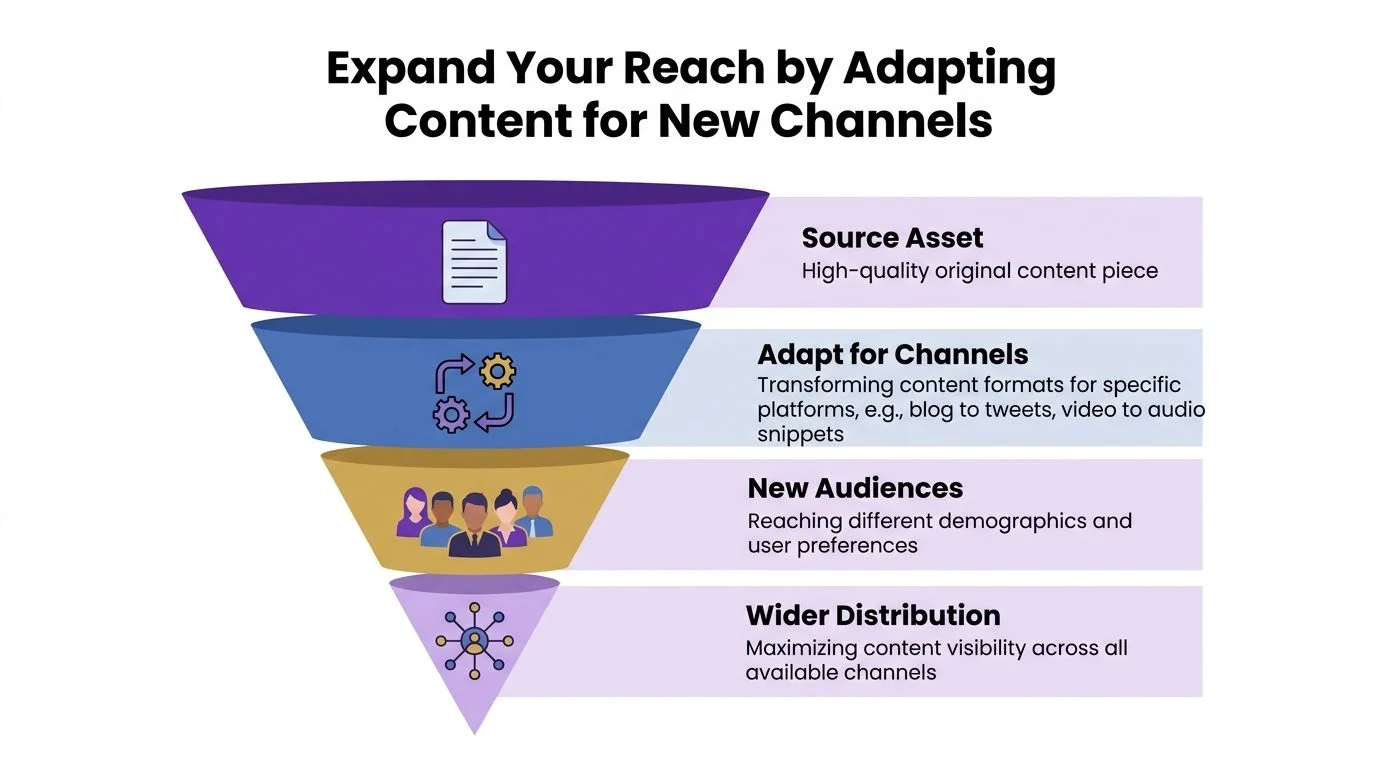
A common pattern looks like this:
- For social discovery: Pull one moment that shows the feature outcome quickly. Lead with the payoff, not the setup.
- For the help center: Use the written version to provide ordered steps, screenshots, and scannable headings.
- For sales enablement: Trim the demo to the objection or use case that matters to a specific buyer conversation.
- For customer onboarding: Reframe the same workflow around first success and common mistakes.
The core explanation may stay the same, but the wrapper changes. That’s what makes the asset feel native instead of recycled.
What adaptation looks like in practice
A ten-minute onboarding walkthrough might produce a short clip focused on “how to complete the first task,” a support article focused on troubleshooting, and an internal enablement version with commentary for CSMs. Same source. Different intent.
A feature release recording can also support global distribution if your team serves multiple regions. In that scenario, visual consistency and language handling matter. Brand Kits help keep variants aligned, while multilingual delivery matters when the same tutorial has to work across teams and markets. For short-form social use cases, the workflow considerations are similar to what you’d want from a dedicated AI video editor for TikTok even when the original source started as a product demo.
The fastest way to make repurposed content feel low quality is to keep the original framing when the audience context has changed.
Where teams usually overdo it
Not every source asset belongs on every channel. Some walkthroughs are too detailed for social. Some support topics are too narrow for broad distribution. Some internal training material shouldn’t leave the company at all.
The right question isn’t, “How many places can we post this?” It’s, “Which adaptation creates a distinct use case?” That keeps the repurposing process focused on new value, not just additional volume.
Measure What Matters to Prove Repurposing ROI
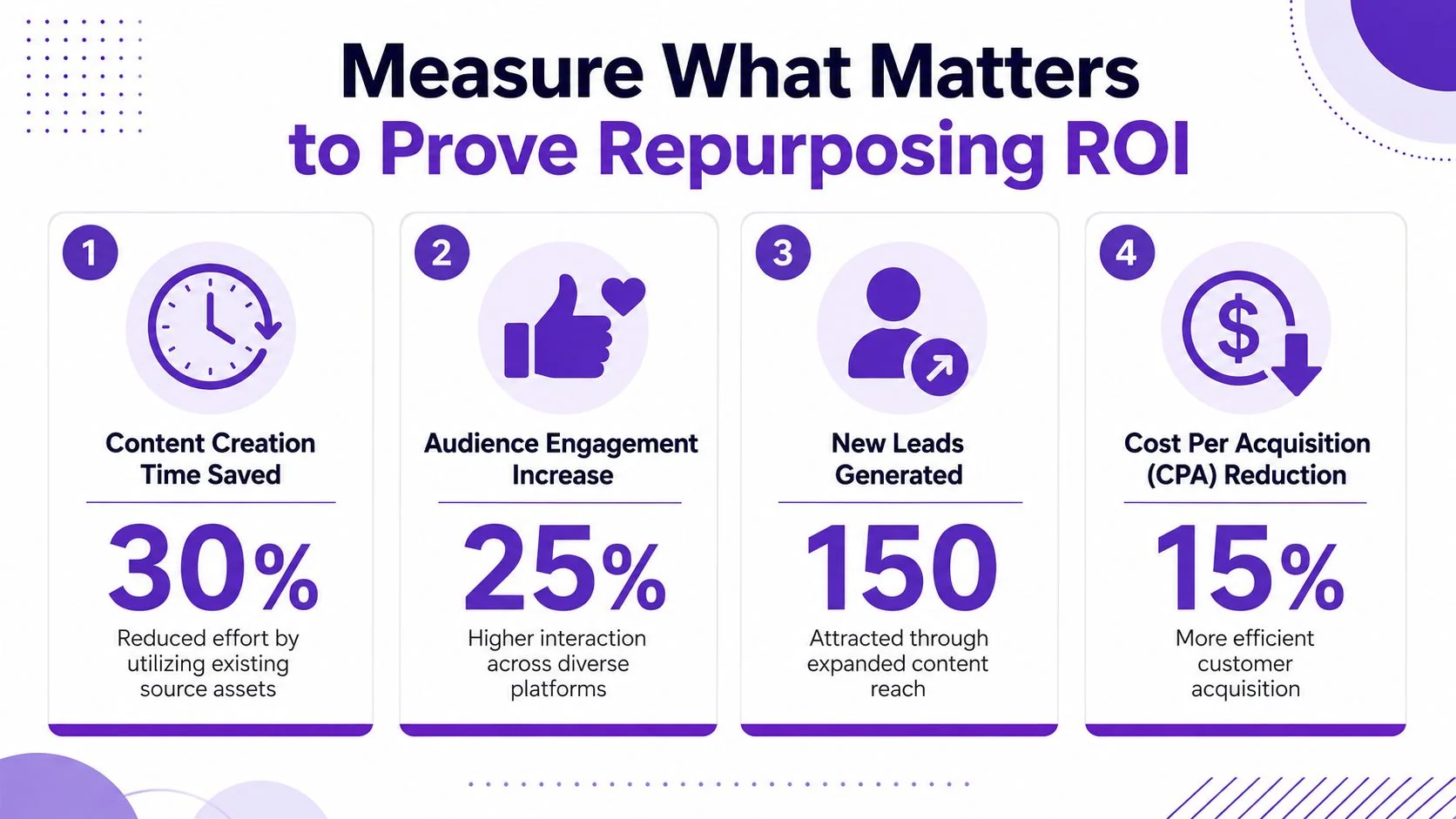
Repurposing often gets approved on intuition and judged on output count. That’s a weak way to run it. If you want the workflow to survive budgeting and planning cycles, you need a measurement model that ties each derivative asset to a job.
That’s also where most generic advice stops short. Optimizely’s overview notes that measurement is a major gap in repurposing guidance and argues that teams need to track each asset’s contribution to pipeline, retention, or search rankings. That’s the right standard. Output volume alone doesn’t prove value.
Match the metric to the asset
The easiest mistake is using one metric for every format. A help article and a sales clip should not be judged the same way.
Use a simple model instead:
| Asset format | What to measure |
|---|---|
| Help-center article | Search visibility, engagement, and support usefulness |
| Tutorial video | Watch behavior and whether viewers complete the intended action |
| Sales walkthrough clip | Response quality and downstream deal influence |
| Internal training asset | Completion and operational adoption |
| Onboarding content | Activation-related behavior and recurring friction points |
This doesn’t require a complex attribution stack to start. It requires discipline. Define the asset’s job before publishing it, then judge performance against that job.
A practical attribution habit
Create a tracking row for every repurposed asset, not just the source piece. Give each output its own owner, distribution channel, primary metric, and review date. That prevents the common reporting problem where a strong source asset masks weak derivative performance.
Measurement habit: Every repurposed asset should answer one question clearly. Did this version help a specific audience do something useful?
That applies beyond marketing. A repurposed help video may reduce repeated confusion in support. A rewritten article may improve findability. A short sales walkthrough may move a prospect from curiosity to a more concrete conversation. Those are different forms of value, and they need different scorecards.
For training and enablement teams, it’s useful to align this with broader learning and development metrics so repurposed instructional content gets evaluated as part of operational performance, not as a side project.
What not to overvalue
Views are easy to collect and easy to misread. A clip can get attention and still fail to drive action. A help article can attract modest traffic and still be highly valuable if it resolves a recurring issue for the right users.
Measure the asset in context. That’s how repurposing moves from content activity to business function.
Build Your Repurposing System with the Right Tools
A repurposing system works when each tool has a clear role. Confusion starts when teams ask one category of tool to do everything.
Casual screen recorders are useful for quick capture. They’re fine when speed matters more than polish. The trade-off is that raw recordings often run long, include pauses and retakes, and need cleanup before they can become customer-facing assets.
Traditional editors like Camtasia, Adobe Premiere Pro, and Final Cut give you precise control. They’re the right fit when you have an editor and a production process that justifies timeline work. The downside is obvious. Most subject-matter experts aren’t editors, and they shouldn’t need to become one to publish a product tutorial or support walkthrough.
Avatar-based tools solve a different problem. They’re useful when you need a synthetic presenter. They’re less useful when your viewer needs to watch a real product flow on a real interface. For demos, onboarding, SOPs, and help content, the screen is usually the primary actor.
What the system should include
The stack doesn’t have to be large, but it should cover a few functions well:
- Capture: A reliable way to record the actual workflow and narration.
- Polish: The ability to tighten pacing, clean up delivery, and keep branding consistent.
- Transform: A way to turn the same source into video variants, written docs, and channel-specific assets.
- Governance: Shared access, version control, and security for larger teams.
- Measurement: A lightweight framework for tracking outputs individually.
One useful reference point is this glossary entry on how AI helps content repurposing, which frames automation as support for scaling transformations rather than replacing strategic judgment. That distinction matters. Automation helps with editing, formatting, transcription, and variants. It doesn’t decide what deserves repurposing or how each audience should receive it.
A modern workflow for UI-based content
For teams producing interface-driven content, one option is Tutorial AI, which combines screen recording, automated editing, and document generation from the same recording. That’s relevant when the same source asset needs to become a polished tutorial video, a written help article, and additional variants without requiring timeline-editing expertise. Features like Brand Kits, multilingual narration, a Multilingual Player, SSO/SAML, and SOC 2 plus GDPR support also matter once multiple teams and regions are involved.
The operational point is simpler than the product list. Subject-matter experts should be able to create the source asset themselves, while the system handles enough of the downstream production that content doesn’t stall waiting for a specialist.
A sample output map
Here’s what one source asset can reasonably produce when the workflow is designed for reuse. Masset’s repurposing checklist describes a systematic process that can break one flagship asset into 10+ formats by atomizing reusable subunits and tracking each format separately.
| Asset Type | Target Channel | Primary Goal |
|---|---|---|
| Full demo video | Website or product page | Explain value clearly |
| Help article | Knowledge base | Support self-service |
| Short feature clip | Social or community | Drive discovery |
| Onboarding walkthrough | Customer education | Speed activation |
| Sales follow-up video | Email or CRM | Reinforce buyer understanding |
| Internal SOP | Team workspace | Standardize execution |
| Training module excerpt | LMS | Support internal learning |
| Release recap article | Blog or changelog | Communicate updates |
The strongest systems don’t ask teams to create more ideas. They help teams extract more value from explanations they already need to produce.
If your team creates product demos, onboarding walkthroughs, help videos, or SOPs, Tutorial AI fits this source-asset workflow well. You record the screen once, keep the original UI and original voice, then turn that recording into a polished tutorial and matching written documentation without building a heavy editing process around every asset.