You’ve probably watched a strong tutorial that answered the big question, showed the screen clearly, and then just… cut off. No recap, no next step, no sense that the video knew it was finished. That awkward stop is exactly where an outro earns its keep, because the ending is where viewers decide whether to act, keep watching, or leave without doing either.
An outro is the closing section of a video, and in practice it’s the last chance to reinforce the message, brand, and next step before attention drops. In music and media, the term has a real history, and in video production it’s more than decoration. It’s the part that turns an ending into a deliberate finish.
The Video That Just Stops
A tutorial can be useful right up until the final frame, then feel unfinished because nobody gave it a proper landing. I’ve seen product demos, onboarding clips, and support walkthroughs lose momentum in those last seconds because the video ended at the exact moment the viewer needed direction most.
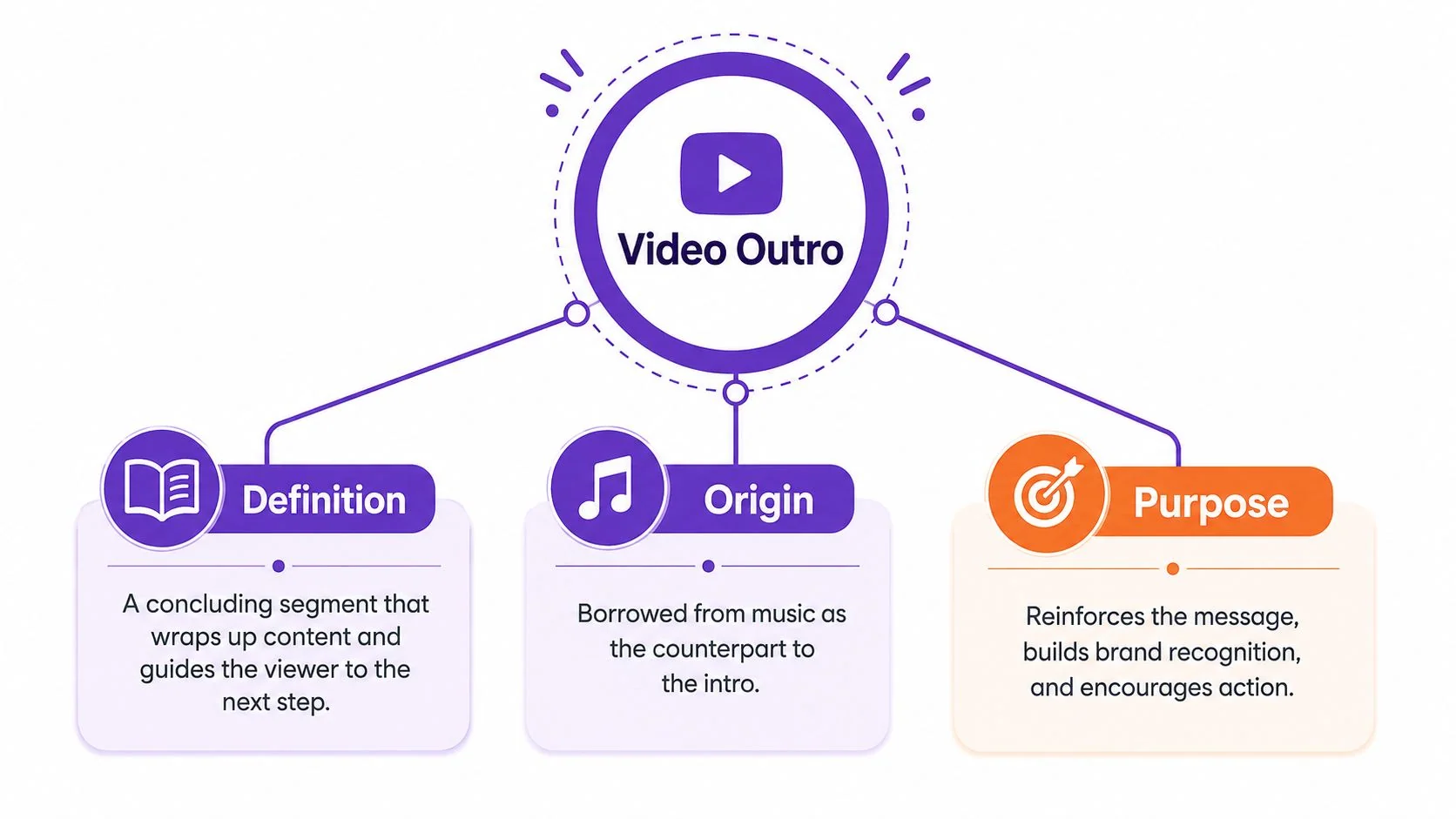
That’s the problem an outro solves. Dictionaries define it as a short, distinct closing section, and in media it’s the final segment that gives the audience a cue that the piece is complete, while also pointing them to what happens next. Merriam-Webster’s definition of outro captures that closing role clearly, and the term’s meaning in music and broadcast media has carried into video naturally over time. Merriam-Webster’s definition of “outro”
For a creator or product team, the difference is practical, not academic. A clean outro can hold the viewer’s attention long enough to make the next action obvious, whether that’s watching another video, visiting a help article, or starting a trial.
What it isn’t is dead air with a logo slapped on top.
Practical rule: if the ending doesn’t tell the viewer what to do next, it’s not really doing outro work, it’s just occupying the last seconds of the timeline.
The Basics of a Video Outro
Where the term came from
The word outro didn’t begin in video. It emerged as an informal counterpart to intro, first appearing in English by 1967, with later references describing it as common in popular-music usage during the 1970s. Wiktionary also records an early attestation in 1967 in The Intro and the Outro by the Bonzo Dog Doo-Dah Band, which is a neat reminder that the term grew out of music before it spread into broader media language. Wiktionary’s entry on “outro”
That origin matters because music already understood the job a closing section has to do. In production terms, an outro is the final structural section of a track, usually used to create closure by ending on a cadence, sustaining the groove briefly, or fading out to silence. It’s distinct from the rest of the arrangement, and it tells the listener the piece is complete. Music theory explanation of an outro
What it does in video
Video borrowed that same structural idea. An outro is the final segment after the main content, and it gives viewers a controlled exit rather than a hard stop. In practice, it’s where you summarize the point, reinforce the brand, and direct the audience to the next best action.
That’s why the best outros feel like part of the content, not an add-on. A strong ending helps a viewer understand that the lesson is over and that the video is now handing them something to do with what they just watched.
A useful outro doesn’t repeat the entire lesson. It gives the viewer one clean bridge from understanding to action.
Why the distinction matters
People sometimes use outro, coda, and conclusion as if they’re interchangeable, but the setting changes the word that fits best. In popular music and video, outro is the natural term, while classical or more formal contexts often lean toward coda or conclusion. That genre-dependent convention matters when you’re writing a script, labeling a template, or searching for the right production term. Why “outro” differs from “coda” or “conclusion”
Types of Outros and When to Use Each One
The right outro depends on the job you want the ending to do. A branded closing screen that looks great in one context can feel bloated in another, especially if the viewer only needs a clear next step.
The main formats
Branded outro. Use this when recognition matters. It usually carries your logo, colors, and a repeated visual pattern so viewers know the video came from you even if they joined late or watched in a feed.
Call-to-action outro. This is the sharpest option when the video has one conversion goal. Ask viewers to subscribe, book a demo, open the help center, or start a trial, but keep it to one clear action.
End screen outro. This works well on platforms such as YouTube, where clickable elements can sit in the final moments and steer people to another video or playlist.
Credit outro. Use this in longer-form content, internal updates, or case studies where contributors need recognition. It’s more formal, and it can live alongside a brand mark or a lighter CTA.
Minimalist outro. This is the cleanest option when attention is scarce. A brief logo animation and one CTA can be enough, especially in short tutorials, product demos, or support clips.
A good match between format and purpose keeps the outro from feeling generic. If the video is meant to convert, don’t make the ending behave like a film credit roll. If the goal is education, don’t force a sales pitch into the last frame.
For script ideas that pair well with these formats, a practical starting point is this set of free script templates.
Outro Timing and Best Practices
Keep the ending tight
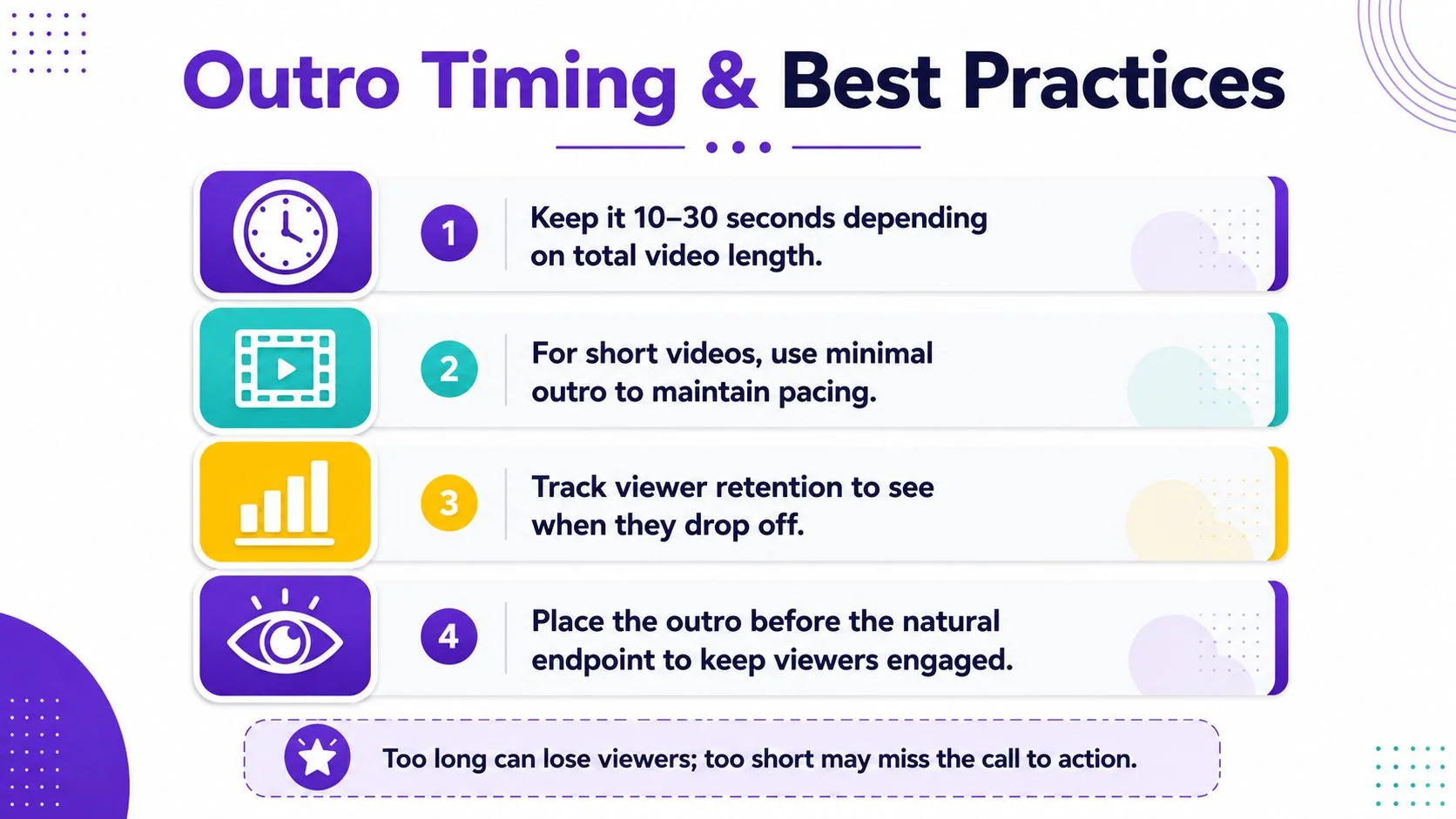
A good outro respects the viewer’s time. For short tutorials, the ending should be very brief. For longer explainers or webinars, you can give the outro more room, but only if it earns that space with a clear purpose.
The simplest rule is this, make the ending long enough to act on, and short enough to avoid drag. If you’re asking someone to click, subscribe, or open a resource, the CTA needs enough time to register. If you’re just filling space, the audience notices immediately.
Use one message
The worst outros try to do too much. They ask the viewer to subscribe, visit a website, watch two other videos, follow three social accounts, and somehow remember the brand story at the same time. That’s not a strategy, that’s a panic dump.
A stronger outro chooses one outcome and supports it visually.
- Keep the CTA singular. One action beats three competing ones.
- Use readable text. Small or decorative type fails on mobile.
- Keep motion simple. Fast, clean animation feels intentional.
- End on a clear visual. The last frame should look finished, not accidental.
If you’re trimming a recorded tutorial before adding the ending, this guide on how to trim video is a useful reference point for shaping the final section cleanly.
Rule of thumb: if the outro feels like extra runtime, it’s too long. If it disappears before the viewer can react, it’s too short.
Real Outro Examples and Quick Templates
A good outro template is usually a reusable structure, not a fixed script. The ending should change with the video type, because a product demo, onboarding walkthrough, and internal SOP all ask the viewer to do different things.
For a product demo, the outro should usually carry the logo, a short closing line, and a single CTA that pushes toward a free trial or demo request. The job is conversion, so the visual path should stay simple and obvious.
For customer onboarding or a help-center video, the ending can recap the key outcome and point people to the next support resource. That feels more useful than persuasive, and it fits the viewer’s intent better.
For internal training or SOP content, a minimalist outro often works best. A company mark, a completion message, and maybe a short reminder of where the document lives is enough.
For sales enablement walkthroughs, the outro should guide prospects to the next meeting, demo, or follow-up asset. The ending has to keep momentum, not stall it.
A reusable template usually contains three parts:
- Brand marker. Logo, color block, or familiar motion.
- Primary action. One clear next step.
- Visual cleanup. A tidy ending that doesn’t feel abrupt.
For teams that need consistent video assets, Tutorial AI can generate polished tutorial videos from a screen recording and narration, which makes it easier to keep the closing screen aligned with the rest of the video. It can also generate a matching article from the same recording, so the video and support content stay in sync.
Creating Polished Outros with Tutorial AI
A practical workflow
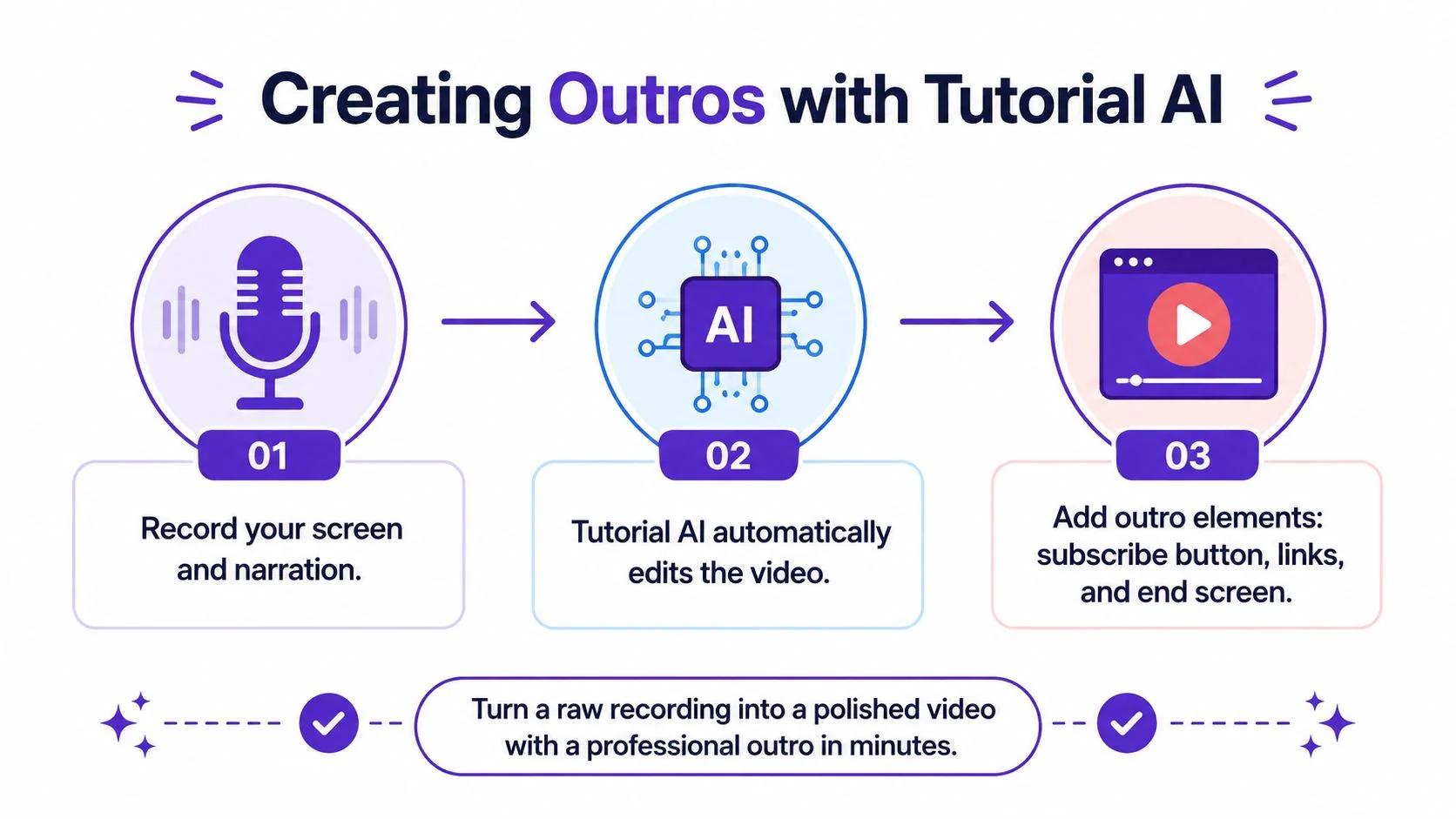
The fastest way to produce a clean outro is to plan it before you record. Close your narration with a direct action statement, then let the edit do the cleanup instead of trying to patch the ending after the fact.
A simple workflow looks like this. Record the screen and narration. Let the platform tighten the pacing with AutoRetime. Then add the outro screen with your Brand Kit, so the colors, fonts, and closing treatment stay consistent.
That approach is especially useful in product demos, feature release videos, customer onboarding, support videos, internal training, and sales enablement walkthroughs. Those formats all need a reliable ending that feels deliberate every time.
What the workflow helps with
Tutorial AI is built around screen recording, narration, script editing, captions, and written documentation from the same source recording. That matters for outros because the final screen often needs to match the voiceover closely, and a manual timeline edit can slow that down.
The platform also supports narration in 74 languages, a Multilingual Player, SSO/SAML, and SOC 2 + GDPR alignment, which makes it easier for teams to ship the same ending across different audiences and internal workflows. It’s a practical way to keep the ending consistent without building it from scratch in a traditional editor every time.
Strong closing screens aren’t mainly about design skill. They’re about having a repeatable process that keeps the ending aligned with the rest of the video.
Putting It All Together and Common Questions
An outro isn’t filler at the end of a video. It’s the final conversion opportunity, the last branded impression, and the clearest place to tell the viewer what to do next. When it’s short, purposeful, and matched to the video’s goal, it makes the whole piece feel more complete.
The rough rule is simple. Match the outro to the type of content, keep the message focused, and don’t let the ending wander past the point where the viewer still cares. The videos that close well usually respect the viewer’s attention and make the next step obvious.
What is the difference between an outro and end credits? An outro is the final branded or actionable segment. End credits list contributors and acknowledgments, and the two can appear together without serving the same purpose.
Can an outro be too long? Yes. Once the ending stops helping the viewer act, it starts feeling like drift.
What should an outro include? At minimum, a clear visual identity and one next step. Anything extra should support that goal, not compete with it.
How do I choose the right outro type? Start with the video’s goal, then pick the ending that supports that goal most directly. Brand building, conversion, and education don’t need the same closing treatment.
If you want to build stronger endings without spending your day inside an editor, visit Tutorial AI and use it to turn raw screen recordings into polished tutorials, demos, and documentation with a consistent outro. It’s a practical way to keep the final 10 to 30 seconds focused, on-brand, and ready to send viewers to the next step.