If you’re still running training from a shared spreadsheet, inbox reminders, and a folder full of PDFs, you probably know the pattern already. Someone finishes required training, but the record sits in an email thread. A manager swears a contractor completed the module, but nobody can find proof. Audit prep turns into detective work.
That’s usually the moment teams start shopping for training tracking software. Not because they want another platform, but because manual tracking stops working once training becomes operational, regulated, or spread across departments, sites, and external partners. The underlying issue isn’t just admin burden. It’s that many organizations can tell who clicked through a course, but not whether the training changed performance.
Why Spreadsheets Are Failing Your Training Program
Spreadsheets work for a while. They feel flexible, cheap, and familiar. Then the training program grows. One sheet tracks onboarding. Another tracks certifications. A manager keeps local records. HR has a different version. Compliance asks for an export by Friday.
At that point, the spreadsheet isn’t a system. It’s a patch.
What breaks first
The first failure is usually ownership. Nobody knows which file is current, who updates it, or whether the status is reliable. The second is timing. Manual reminders go out late, recertifications slip, and exceptions pile up. The third is visibility. You can log completions, but you can’t easily see patterns across teams, roles, or locations.
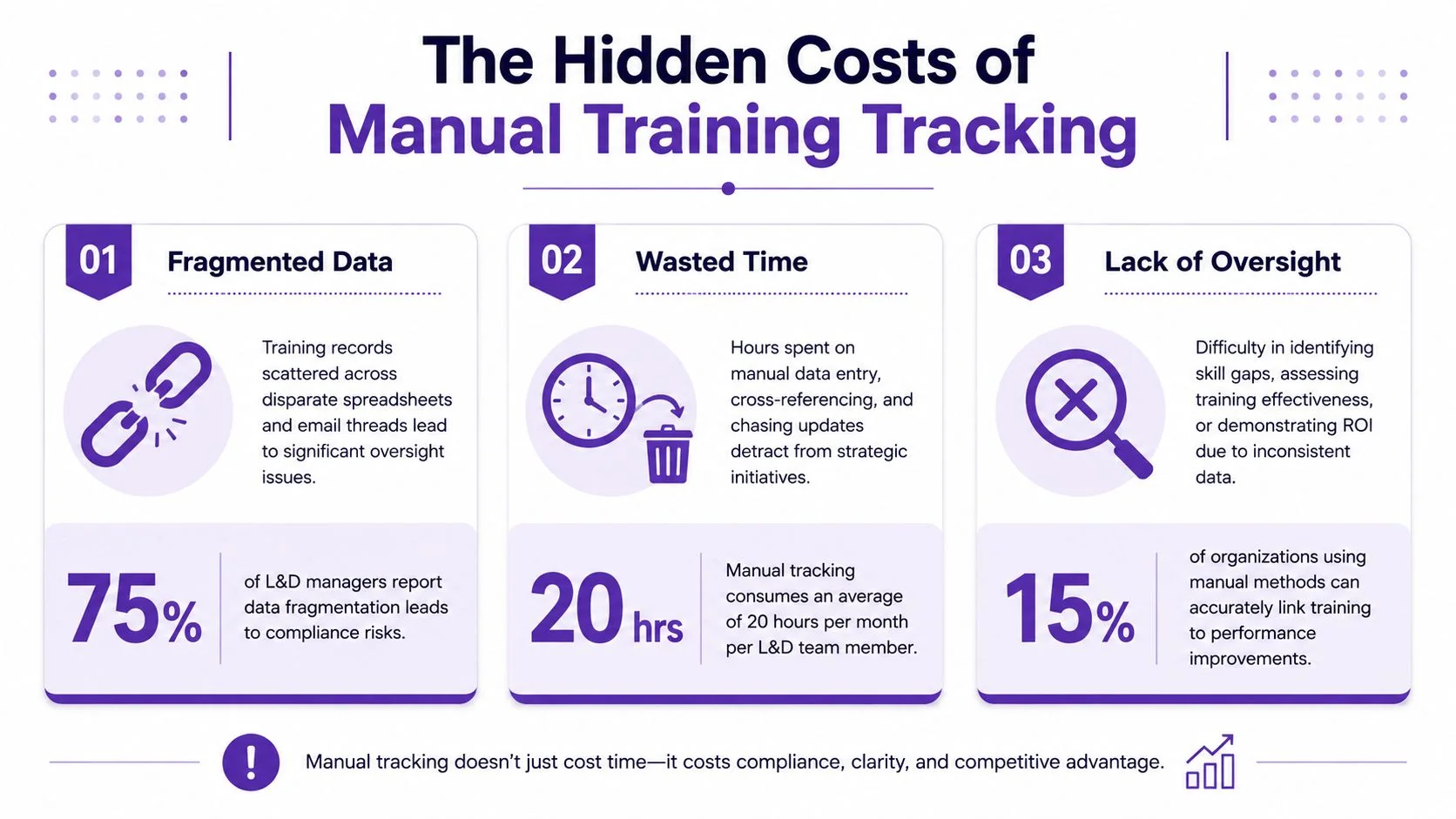
A lot of teams try to solve this with more process. More naming conventions. More status meetings. More follow-up emails. That helps for a month or two. It doesn’t fix the underlying problem that training data is fragmented across tools that weren’t built to manage compliance, skills evidence, or recurring assignments.
Practical rule: If your team has to reconcile training status manually before every audit, you don’t have a tracking process. You have a recurring cleanup project.
The broader market reflects that shift. The global Training Management System market was valued at $8.4 billion in 2025 and is projected to reach $21.6 billion by 2034, according to Training Management System market analysis. Buyers aren’t adopting these systems because software is fashionable. They’re adopting them because manual administration breaks under real operating conditions.
Manual tracking also creates vendor sprawl
One overlooked cost is software sprawl around the spreadsheet itself. Teams start adding form tools, reminder tools, e-signature tools, storage tools, and reporting workarounds. If that sounds familiar, a practical vendor management guide is worth reviewing before you add yet another point solution.
For teams documenting procedures alongside training, it also helps to think about the content workflow, not just the tracking layer. This guide to documentation of training is a useful reference for tightening that connection.
Defining Training Tracking Software
Training tracking software is a system for recording, organizing, and reporting training activity. At minimum, it shows who was assigned training, who completed it, what remains overdue, and which certifications or requirements need renewal. In stronger deployments, it also ties those records to assessments, manager sign-off, and evidence of competence.
A simple way to think about it is this: training content teaches the skill. Tracking software proves what happened around that training.
What it does well
Most teams buy this category for four operational jobs:
- Recordkeeping: Store completion status, dates, acknowledgments, and training history in one place.
- Automation: Trigger reminders, recurring assignments, and status updates without chasing people manually.
- Reporting: Give managers, L&D, HR, and compliance teams a consistent view of progress.
- Audit support: Produce clean records when someone asks who trained on what, when, and under which requirement.
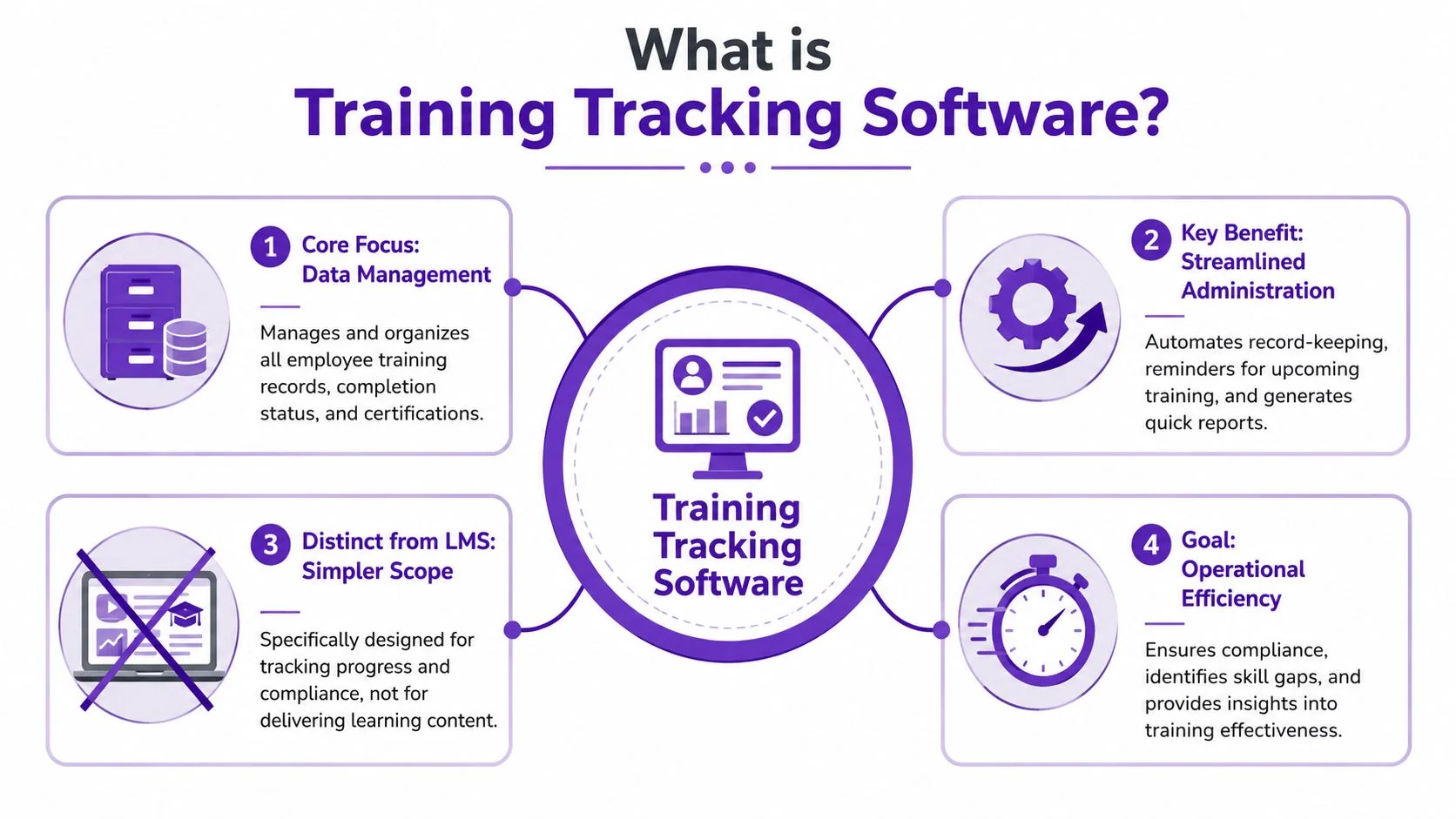
That makes it different from a broad LMS in practice. An LMS often focuses on course delivery, content libraries, learner experience, and program administration. Training tracking software is narrower and more operational. It exists to answer questions like: Are people current? What is overdue? What changed after retraining? Can we prove this in a report?
Where teams get confused
Many products blur the line. A platform may market itself as an LMS, a TMS, a training matrix, or a compliance tool while offering overlapping features. That’s normal. The important distinction isn’t the label. It’s the primary job the software performs in your environment.
Use this quick comparison during evaluation:
| Focus area | Training tracking software | Broad LMS |
|---|---|---|
| Primary purpose | Status, records, compliance, reporting | Content delivery and learning experience |
| Best fit | Operational training, recurring requirements, audits | Courses, academies, structured learning programs |
| Core buyer concern | Visibility and proof | Engagement and delivery |
| Common failure mode | Tracks completion only | Becomes too complex for simple compliance use cases |
The best system isn’t the one with the most menus. It’s the one your managers can trust when they need an answer fast.
That matters because a lot of implementations fail at the requirements stage. Teams buy a platform built for course publishing when what they really needed was a reliable training ledger tied to real work.
Moving Beyond Completion Key Features and Metrics That Matter
A surprising number of training programs stop at the easiest metric to collect: completion. The dashboard says people finished the course, so the program looks healthy. But completion is only evidence that someone reached the end of the content. It is not evidence that they can do the job better.
That gap is larger than most vendor demos admit. Data shows that 68% of organizations track course completion, but only 22% validate whether employees can apply learned skills to real tasks, according to eFront’s employee training tracker analysis.
The metrics that matter more
If you want ROI, look for a system and process that help you track four levels of evidence.
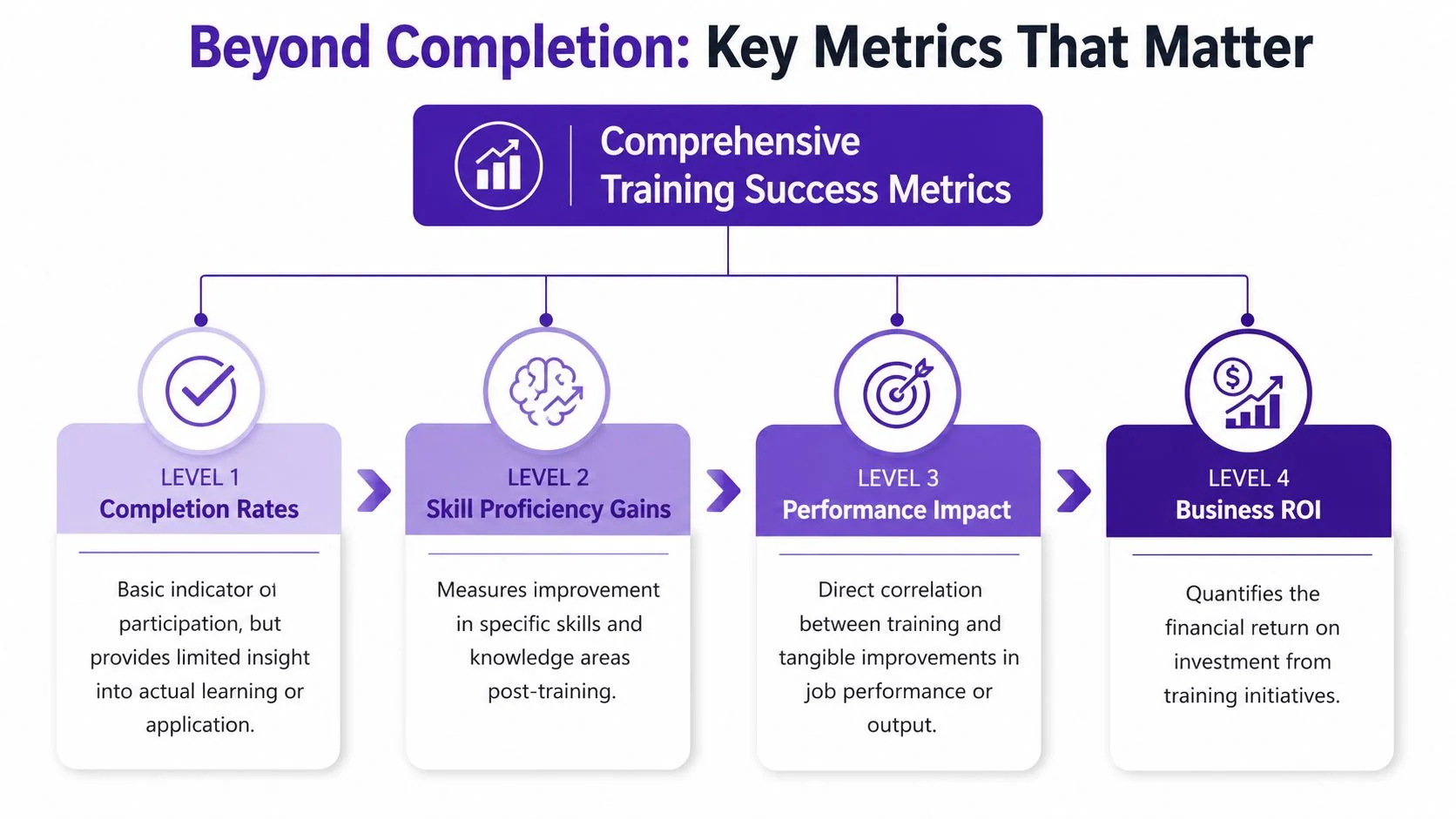
- Completion
Useful for compliance basics and assignment control. Necessary, but weak on its own. - Knowledge check
Quizzes, short assessments, and acknowledgment steps tell you whether learners recognized the material. - Skill application
Value starts with the ability to apply skills. Can the employee perform the task, follow the workflow, or use the tool correctly after training? - Performance impact
Has something improved in the job itself: fewer errors, stronger adherence to SOPs, better support handling, smoother onboarding, cleaner system usage?
Most software handles the first two reasonably well. Fewer systems support the third and fourth without custom work.
What to ask vendors instead of asking about dashboards
A practical buyer asks better questions than “Can I see completions by department?” Try these instead:
- How do we capture proof of application? Can managers submit observations, sign-offs, or task validations?
- Can we track pre- and post-assessment results? Not just scores, but progression over time.
- How do you handle recurring skill checks? Especially after process changes or release updates.
- Can reporting connect training activity to operational KPIs? Even if that requires integrations or exported analysis.
For education and cohort-based environments, it can help to look at how adjacent tools track enrollments and student progress, because the best ideas often come from systems built around learner progression rather than simple completion logs.
A useful benchmark for your own evaluation is this overview of learning and development metrics. It’s a good prompt for deciding what evidence you want before you ever enter a demo.
Completion data is a starting point. Skill evidence is what lets you defend the training budget.
Features that support real measurement
The strongest setups usually include a mix of platform capability and operating discipline:
- Supervisor validation: Managers confirm whether the learner performed the task correctly on the job.
- Scenario or task assessment: The learner demonstrates the behavior, not just recall.
- Role-based success criteria: Different roles need different definitions of competence.
- Timed follow-up checks: A skill validated immediately after training may disappear a few weeks later.
What doesn’t work is assuming the platform alone will solve this. If your success metrics are vague, the software will just produce more polished vanity metrics.
Real World Impact Benefits and Use Cases
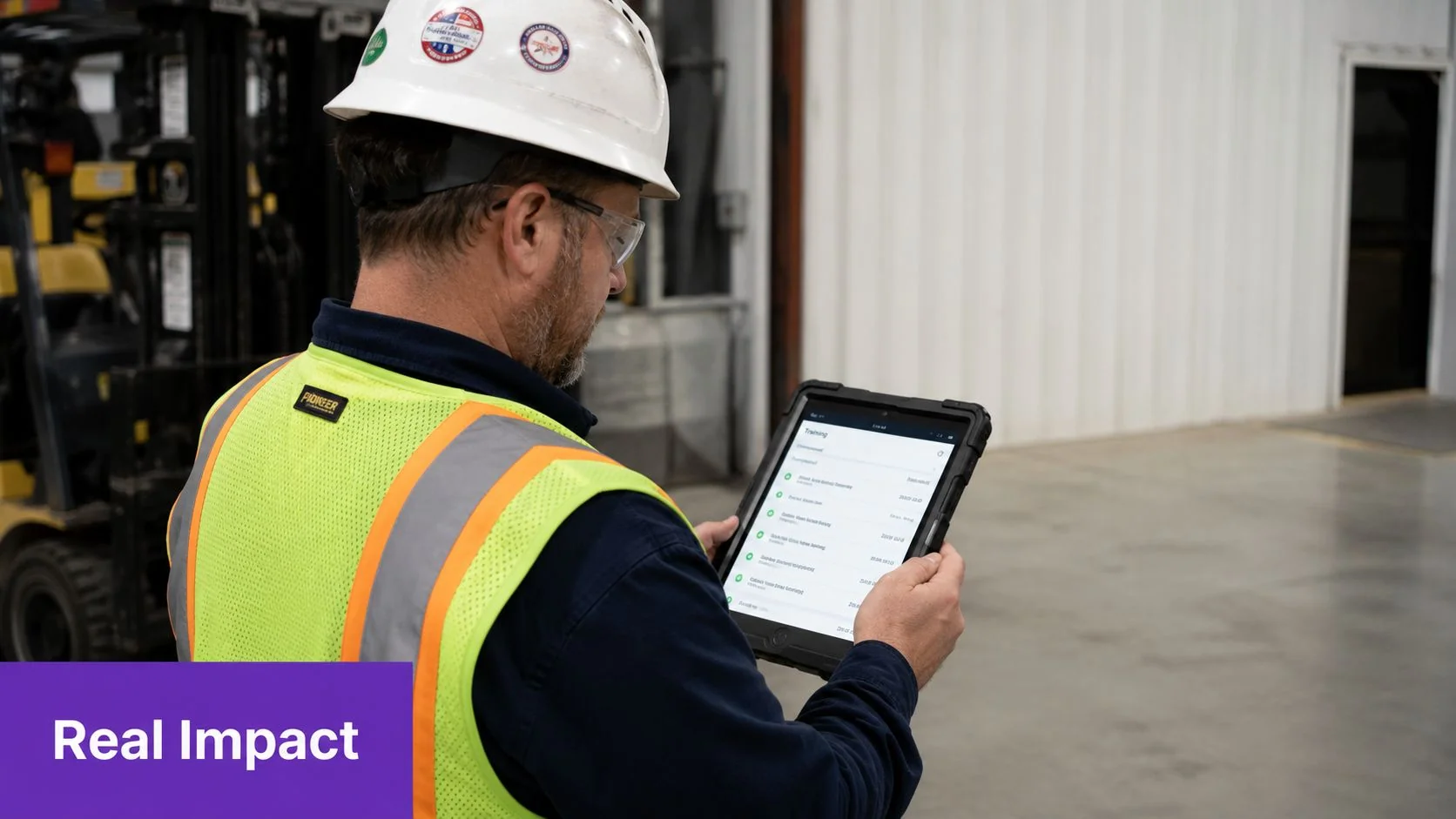
Training tracking software matters most when training affects operations. That’s why the strongest use cases usually come from environments where missing evidence has immediate consequences.
Manufacturing and regulated operations
In manufacturing, logistics, and field operations, training isn’t an HR side project. It’s part of how work gets done safely and consistently. A plant manager needs to know whether staff are current on a revised process. A site lead needs proof that contractors completed required safety instruction before entering a work area.
Named enterprise environments like Bosch and Deutsche Bahn help frame the stakes. Large, distributed organizations don’t buy tracking tools for curiosity. They need a reliable record across locations, roles, and changing operational requirements.
Onboarding and internal enablement
A different pattern shows up in software and service companies. The problem isn’t usually audit readiness first. It’s speed to competence. New hires need onboarding, SOPs, product walkthroughs, support workflows, and internal training that managers can monitor without manually checking every step.
Good tracking helps answer practical questions:
- Who is blocked? New hires who haven’t reached the required milestones.
- Where are people dropping off? A module everyone starts but few complete usually signals a content or sequencing problem.
- Which managers follow through? Systems expose whether the process is failing at learner level or manager level.
Sales enablement and support readiness
Sales teams and support teams often need the same discipline with different content. Sales enablement walkthroughs, feature release videos, help-center videos, and support article videos all benefit from clear assignment and visibility. If reps haven’t reviewed a new product workflow, or support agents haven’t completed training on a changed UI, the consequences show up fast in customer conversations.
A training record becomes useful when a manager can act on it today, not when L&D exports it at month end.
External partners and contractor training
One of the biggest shifts in recent years is that training no longer stops at employees. As companies move toward ecosystem-wide training, 45% of critical training in industries such as manufacturing must reach external partners or contractors, according to Absorb’s review of training tracking needs.
That changes the buying criteria. A system built only for internal employees can struggle with partner identities, location-specific requirements, language needs, and separate reporting views. If you’re training distributors, franchisees, vendors, contractors, or customers, that complexity isn’t edge-case complexity. It’s core design.
Named global organizations like Microsoft, UNICEF, and Intesa Sanpaolo also highlight another practical reality. Multi-audience training often requires multiple languages, multiple brands, and multiple governance models. If the platform can’t handle that cleanly, teams end up back in spreadsheets for the audiences that matter most.
Creating Engaging Content for Your Training Program
Tracking gets most of the budget discussion, but content quality drives whether the tracking data means anything. If the material is confusing, too long, or obviously improvised, learners click through it or postpone it. Then the software records completion while the actual learning barely happened.
That problem is especially visible in software training. Product demos, feature release videos, customer onboarding, help-center videos, support article videos, internal training, SOPs, and sales enablement walkthroughs all depend on clarity. People need to see the actual UI, hear a concise explanation, and find the written steps later without digging through another system.
Why subject-matter experts need a simpler workflow
Most training teams don’t have a dedicated video editor for every tutorial. The person who understands the workflow is usually a product manager, trainer, support lead, solutions engineer, or operations expert. If producing one polished walkthrough requires Adobe Premiere Pro, Camtasia, or Final Cut skills, content creation slows down fast.
Casual recorders create a different problem. The recording often runs far longer than necessary because the speaker rambles, pauses, restarts mid-sentence, or leaves dead time between actions. That’s common in tools like Loom and other lightweight screen recorders. The raw capture is useful, but not publication-ready.
A more practical model is a tool that starts with a single screen recording and spoken narration, tightens pacing through an editable script, and outputs both a video and matching article from the same source. That matters because training teams rarely have time to maintain separate production workflows for video and documentation.
Time savings change the content strategy
The economics matter. Traditional workflows for creating a professional screen recording take 90 to 180 minutes per video, while AI-driven workflows reduce that to 12 to 33 minutes per video, according to Pointerful’s workflow comparison. That kind of reduction changes what teams can afford to publish.
Instead of reserving polished content for major launches, teams can keep smaller but high-value assets current:
- Release walkthroughs after a UI change
- Customer onboarding clips tied to specific tasks
- SOP refreshers when a process changes
- Internal training modules owned by the functional expert instead of a production team
What good software tutorial content looks like
A few production choices consistently improve training outcomes:
| Content choice | What works | What doesn’t |
|---|---|---|
| Screen capture style | Real screen and real voice for UI instruction | Synthetic talking heads when users need to see the actual product |
| Pacing | Tightened script, cut pauses, short segments | Long one-take recordings with mistakes left in |
| Output format | Video plus written article from one recording | Separate content workflows that drift out of sync |
| Localization | One source adapted across languages | Rebuilding each version manually |
For software walkthroughs specifically, 30 frames per second is the optimal frame rate because it appears smooth without creating unnecessary file size, based on screen recording guidance for training videos. And when recording, professionals usually don’t try to capture everything in one flawless take. They record in short segments and restart cleanly after errors, as described in screen recording to demo video guidance.
The strongest modern tools also support brand consistency, multilingual delivery, and enterprise controls. Features like AutoRetime, Brand Kits, narration in 74 languages, document generation from video, a Multilingual Player, and enterprise requirements such as SSO/SAML, SOC 2, and GDPR support matter once training moves beyond a single team.
How to Select the Right Training Tracking Software
Most buying mistakes happen before the demo scorecard. Teams either evaluate too broadly or focus on the wrong problems. The fastest way to narrow the field is to define the operating environment first.
Start with the training model
Ask these questions before you compare vendors:
- Who are the learners? Employees only, or also contractors, partners, customers, and temporary staff?
- What are you tracking? Completions, certifications, SOP acknowledgments, manager validations, skill checks, or all of them?
- What creates risk if the system fails? Audit exposure, inconsistent onboarding, product misuse, field safety, partner enablement?
If the answers are operational, recurring, and cross-functional, you want a system optimized for reliable records and administration. If the priority is learner experience and deep content delivery, a broader LMS may deserve more attention.
Check integrations before features
A vendor can show a polished dashboard and still create an administrative mess if the system doesn’t connect to the rest of your stack. Look closely at integrations with HR systems, identity tools, content platforms, and reporting environments. This overview of learning management system integration is a good reference for the kinds of connections that usually matter in production.
Use a simple filter:
- Identity and access
Can the platform support SSO/SAML cleanly? If users span employees and external audiences, access design matters early. - System of record
Where do user changes originate? If HR or IT updates a role, can assignments follow without manual intervention? - Content ecosystem
Can the software work with your existing learning content, SOPs, or documentation process without constant export-import workarounds?
Evaluate the admin reality
The admin workflow tells you more than the front-end demo. Ask vendors to show how an administrator handles a changed requirement, a missed deadline, an exception case, and a recurring certification. That’s where weak products get exposed.
The best demo question is often, “Show me what happens when the process breaks.”
Also consider the content side of the workflow. Modern screen recording tools now automate tasks like captioning, noise removal, and filler word deletion, which cuts production time by hours and lets non-editors produce cleaner material, as described in TechSmith’s review of screen recording workflows. That’s relevant because tracking software performs better when your content pipeline is realistic for subject-matter experts, not built around a specialist bottleneck.
Don’t treat security and scale as procurement paperwork
Security, privacy, and scale shouldn’t sit at the end of the checklist. They affect implementation design from day one. If you expect external users, regional requirements, or enterprise rollout, ask about access control, auditability, data handling, and how the vendor supports large audience structures. If you’re considering a global setup, support for multilingual delivery, brand controls, and consistent reporting across business units will matter sooner than you think.
Your Vendor Evaluation Checklist
Use the checklist below during live demos. Don’t score from the homepage. Score from what the vendor can show in your workflow. Give each criterion a simple rating, then compare notes across stakeholders before discussing price.
If your security or legal team needs a shared reference point, this 2026 data privacy compliance guide is a practical companion when you review vendor claims around data handling and governance.
| Category | Feature/Criterion | Key Question to Ask | Vendor A Score | Vendor B Score |
|---|---|---|---|---|
| Core Tracking Features | Assignments and completions | Can you show assignments by role, status, and overdue items in one view? | ||
| Core Tracking Features | Certification management | How are renewals, expirations, and recurring requirements handled? | ||
| Core Tracking Features | Manager validation | Can supervisors confirm on-the-job skill application, not just course completion? | ||
| Analytics and Reporting | Audit-ready reporting | How quickly can we produce evidence for a specific user, team, or requirement? | ||
| Analytics and Reporting | Performance measurement | What can we track beyond completion, and how do you support application-level evidence? | ||
| Integrations | Identity and access | Do you support SSO/SAML, and how do external users get provisioned? | ||
| Integrations | System connectivity | Which HR, LMS, or documentation systems do customers commonly connect? | ||
| User Experience | Admin workflow | Show us how an admin handles a missed requirement or changed training rule. | ||
| User Experience | Learner experience | What does the learner actually receive, and how many clicks does completion take? | ||
| Security and Support | Governance | What security controls, privacy commitments, and support model are included? |
A strong evaluation process usually reveals one thing quickly. The right product isn’t always the one with the biggest feature list. It’s the one that fits your operating model, gives credible evidence of skill and compliance, and doesn’t force your team into manual cleanup every week.
If your team needs better training content to feed a stronger tracking system, Tutorial AI is worth a close look. It turns a single screen recording and spoken narration into a polished tutorial video that looks edited in Adobe Premiere Pro, then generates a matching written article from the same recording. That makes it practical for subject-matter experts to produce product demos, feature release videos, customer onboarding, help-center content, internal training, SOPs, and sales enablement walkthroughs without needing expert editing skills.