You can spot a broken documentation system fast. There’s a shared folder full of one-off files, one engineer keeps rewriting the same setup steps from scratch, and the help article no longer matches the product after the last release. A template for technical documentation fixes that only if it behaves like an operating system for docs, not a decorative form.
Good templates standardize the minimum information readers need, including purpose, prerequisites, step-by-step instructions, code examples, troubleshooting, and glossary. That core structure is why reusable documentation stays coherent across authors, audiences, and product versions, and it’s also why teams that want stronger operating habits often borrow from best practices for AI support teams when they build their own doc workflows. The value isn’t the blank layout. It’s the repeatable structure that makes review easier, onboarding faster, and maintenance less painful across releases.
Why Documentation Templates Break Without a Plan
A template fails the moment people treat it like a one-time formatting shortcut. The engineer wants to ship a feature note, the support writer needs a help article, and the product team needs something that won’t drift after the next release. If each person starts from scratch, the result is predictable, inconsistent headings, missing prerequisites, and docs that readers stop trusting.
A template is a system, not a style choice
The strongest guidance around technical documentation keeps returning to the same backbone, title page, scope, audience, requirements, procedure, and references. Docsio’s template guidance also lists required sections and recommends a version-history table, while Asana’s template guidance adds table of contents, setup, usage, troubleshooting, and glossary or appendix sections, which shows how seriously structure affects usability and upkeep (Docsio template guidance). That’s not cosmetic. It’s what lets multiple people work from the same source without inventing a new structure every time.
Practical rule: if a section doesn’t help a reader act, audit, or maintain the document, it probably doesn’t belong in the template.
The other reason templates matter is maintenance. A doc that looks fine on day one can still fail on day ninety if nobody knows who owns it, when it was reviewed, or what changed. That’s why strong templates are closer to an operating model than a page layout.
What this guide gives you
A usable template needs more than headings. It needs type-specific variants, accessibility and localization hooks, and an update workflow that keeps the document aligned with the product after launch. That’s the difference between documentation that ships and documentation that decays.
The Structural Backbone Every Template Needs
The most reliable templates don’t improvise the basics. They carry the same structural backbone across document types, then adjust the body for the audience and task. That backbone usually starts with metadata, then moves into the reader-facing content, and ends with the upkeep layer that keeps the doc trustworthy.
What each block is doing
Metadata makes ownership visible. When a doc has a title, owner, audience, version, status, and review date, nobody has to guess who should update it or whether it’s current. In practice, that matters just as much as the procedure itself, because stale ownership is how good docs turn into support debt.
Prerequisites belong before the procedure because they prevent the most common confusion. If a reader has to discover missing access, setup, or environment details halfway through, the document has already failed them. A changelog belongs near the end because it records drift between the doc and the product, which is the part teams usually notice only after a release breaks the old instructions.
| Template Section | Reader Question It Answers | Why It Belongs in Every Variant |
|---|---|---|
| Metadata block | Who owns this, and is it current? | Makes accountability and review status visible |
| Introduction | What is this for? | Sets purpose and scope before details start |
| Prerequisites | What do I need first? | Prevents avoidable setup failures |
| Procedure or reference body | What do I actually do or look up? | Delivers the core task or answer |
| Expected outcome | How do I know I did it right? | Confirms success and reduces ambiguity |
| Troubleshooting | What broke, and what should I try? | Shortens support loops and search time |
| Related links | Where do I go next? | Reduces duplication and points to the canonical source |
| Changelog | What changed, and when? | Keeps docs and product history aligned |
The internal discipline matters across doc types. An API reference and an onboarding guide won’t share the same body content, but they should still share metadata and changelog habits. That consistency is what keeps a documentation set manageable when several teams touch it.
A good reference for the underlying page structure is the template format for technical documentation. The point isn’t to copy the page word for word. The point is to keep the same control fields every time so the document can survive edits, localization, and release churn.
Missing change tracking doesn’t hurt the day you publish. It hurts the day someone has to prove what changed after the fact.
Adapting the Template for Common Doc Types
The same backbone can stretch across a lot of documentation without turning into a generic blob. The trick is to keep the control fields constant while changing the body to fit the reader’s job. That means the template serves the doc type, not the other way around.
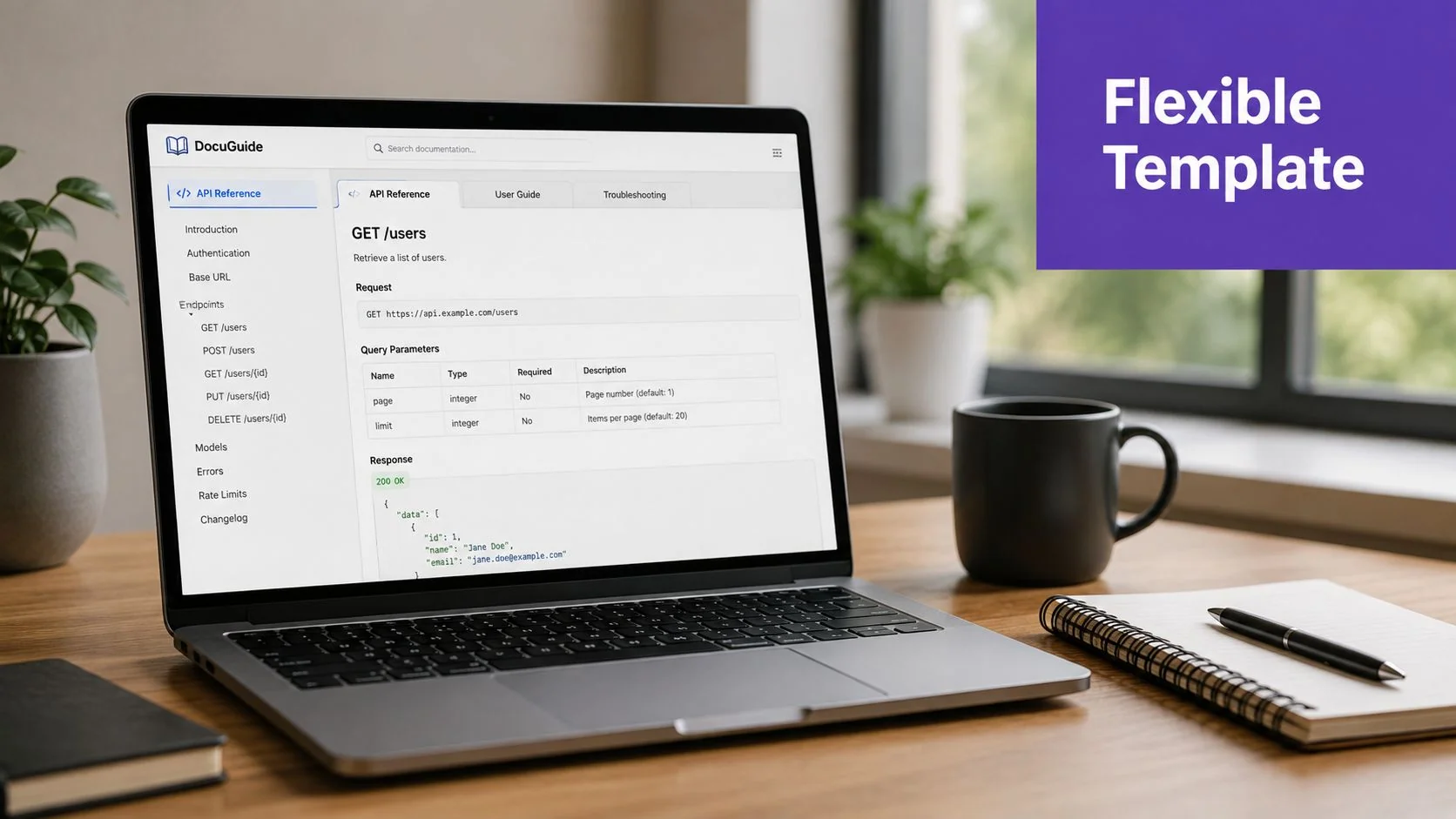
API reference and user guide need different shapes
An API reference should privilege endpoints, request and response examples, error codes, and rate limits. The metadata and prerequisites still matter, but the reader is there to integrate, not to learn the business story. A clean endpoint block should show the method, path, expected input, and a sample response so developers don’t have to infer behavior.
A user guide works better when it stays close to a single task per page. The intro should state the goal, the procedure should use numbered steps, and each step should end with the expected result. That format keeps the reader moving instead of forcing them to interpret a dense narrative.
For a ready-made pattern library, the sample software documentation template is useful because it shows how a template can stay general without getting vague. I’d still keep the same rule in-house, one page, one task, one outcome.
Troubleshooting and release notes need search-friendly structure
Troubleshooting docs should usually start with the symptom, then move to likely cause and fix. Readers don’t open those pages to admire prose, they want the fastest route from error to resolution. Titles should reflect the user’s problem in plain language so search works the way support teams expect.
Release notes should be chronological and categorized. A clean entry style is Added, Changed, Fixed, Removed, Security, because readers scan those labels faster than they read paragraphs. If your release notes also roll into a version history table, the template can carry that same structure forward without forcing a separate change log elsewhere.
A strong comparison point for reader intent is the knowledge base article template, since it shows how one task-focused format differs from a broader reference page. That distinction matters. A template only works when it fits the way the audience reads.
Writing and Formatting Rules That Travel Across Templates
A good template can still produce bad docs if the writing rules are loose. The best teams keep the sentence-level habits as strict as the headings, because readers feel those choices immediately. Style isn’t decoration in technical writing, it’s part of the product.
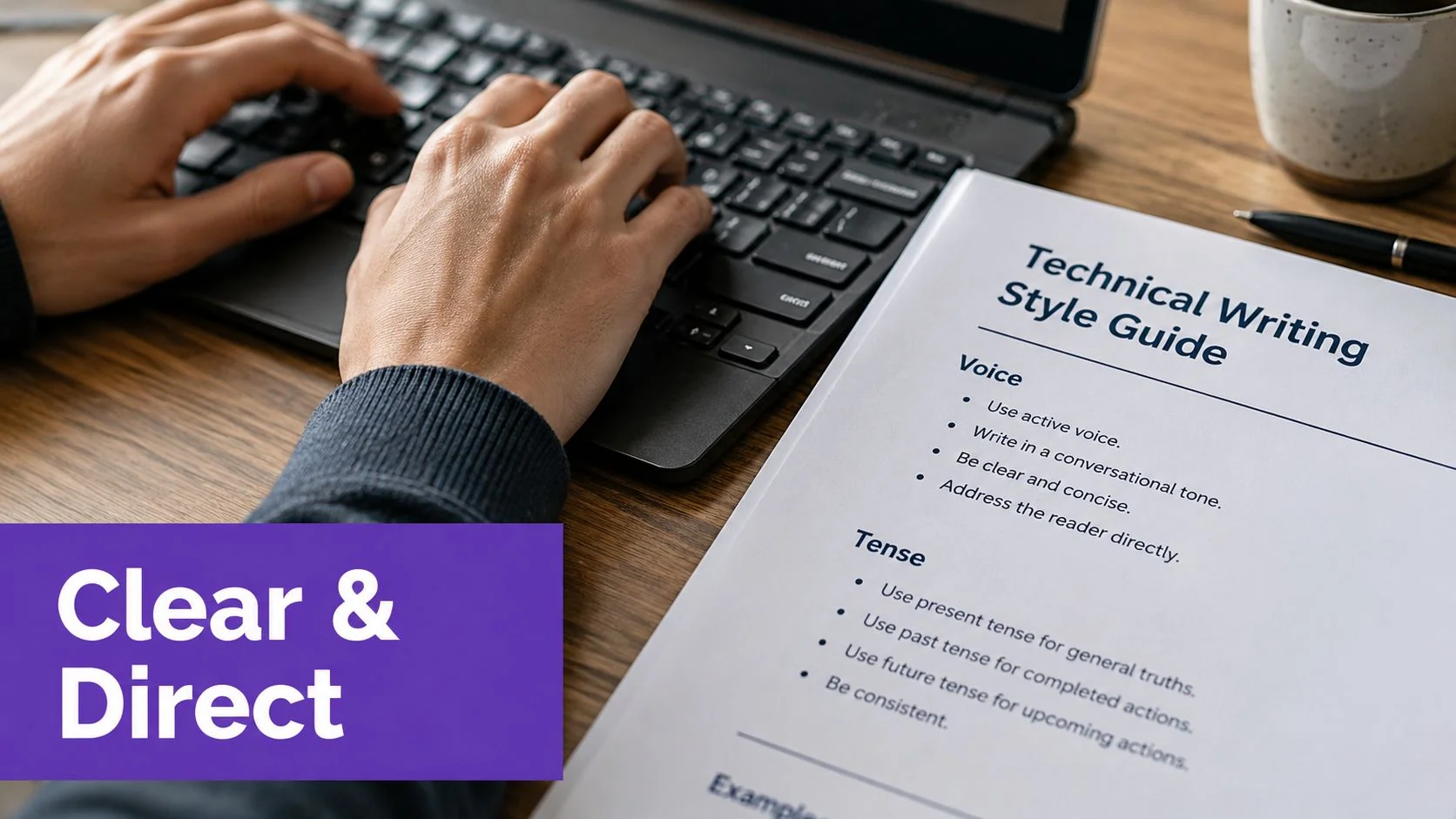
Procedural writing should stay tight
Use second person, present tense, and one action per step. If a step does too much, split it. Readers should never have to unpack a compound instruction while they’re trying to complete a task.
Keep headings plain. One idea per H2 is enough, and clever titles usually get in the way of search and scanning. Short sentences help too, especially when the doc includes code or a UI workflow.
Every step should end with the reader knowing what success looks like.
Code blocks and terminology need discipline
Code samples should carry language tags, runnable snippets where possible, and explicit runtime labels when the environment matters. If the sample output is relevant, show it. Missing output is one of the fastest ways to make a technically correct doc feel incomplete.
Terminology consistency is a system problem, not just a copyediting issue. If one writer says “workspace” and another says “project area” for the same concept, readers don’t just get confused, they lose confidence in the whole doc set. A glossary section in the template solves that better than chasing inconsistencies page by page.
Use bold for UI elements and key terms when they help the reader orient quickly. Save italics for emphasis only. Define acronyms on first use, and keep screenshots honest. If a screenshot labels a control the user can’t find, the doc is misleading no matter how polished it looks.
A quick rule to keep contributors aligned:
- One action per step. Don’t bundle setup, validation, and cleanup into the same instruction.
- Always show expected output. Readers need a success check, not a vague promise.
- Name things the same way everywhere. If the product says “team space,” the doc should too.
Accessibility and Localization Built into the Template
Accessibility and localization work best when they’re designed into the template itself. If you leave them for the final review pass, you end up fixing the same problems document after document. That’s expensive, slow, and usually inconsistent.
Make accessibility part of the structure
Semantic heading order should be strictly followed, because screen readers depend on it. Alt text for screenshots should describe the action or purpose, not the visual decoration. If a screenshot exists to show where to click, say that plainly.
Link text should tell readers where they’re going. “Click here” forces extra interpretation, while descriptive anchor text gives the destination upfront. If the page includes colored callouts, they need enough contrast to survive outside the ideal desktop view, and any video embed should have a transcript or captions attached to it.
For a deeper reference point, the localization best practices guide is a good reminder that readability and translation readiness often overlap. The same plain-language habits that help accessibility usually make localization cleaner too.
Design for translation before launch
Localization starts with the words you choose. Idioms, culture-specific metaphors, and casual phrasing slow translators down and create room for mismatch. Templates should leave room for placeholders for product names, dates, units, and formats so language versions don’t require structural rewrites.
Writing for translation up front is cheaper than rewriting for translation after launch.
The metadata block should also carry language, locale, and last-translated fields next to owner and version. That way translation review becomes part of routine maintenance instead of a special-case scramble. If a template already anticipates localization, the same source can support multiple markets without destroying the original structure.
Keeping the Template Alive After Launch
A template only earns its keep if it survives the first release. The maintenance model matters more than people expect, because docs don’t usually fail at draft time. They fail when product changes keep moving and nobody updates the source of truth.
Ownership and review cadence need to be explicit
Each section needs an owner. Not a vague “team,” a person or role that knows when a section must be revisited and what counts as a meaningful change. Review dates and changelog entries make that responsibility visible, and they give teams a way to catch drift before customers do.
The cleanest operating model is to keep the template in the same repository as the product or release assets, then review it on the same rhythm as the code or feature it describes. That makes the doc part of the shipping process instead of a side file sitting in a wiki. A wiki can be fine for discovery, but version control wins on auditability and change discipline because the history lives with the content.
Regenerate from the source recording, not from memory
A workflow like Tutorial AI fits naturally here. One screen recording with spoken narration can produce an edited tutorial video and a written article from the same source, which means the template stays connected to what the product does. When the product changes, teams can regenerate the tutorial, update the article, and reuse the metadata so the new version lands in the correct help-center category with the right changelog entry and brand styling.
That matters for formats like product demos, feature release videos, customer onboarding, help-center videos, support articles, internal training, SOPs, and sales enablement walkthroughs. A single source recording keeps the structure honest because the UI, narration, and article all come from the same session. It also gives teams a practical way to maintain consistency across languages, especially when the narration needs to be retimed for another locale.
For teams thinking about the broader operating model, the guide to knowledge management for SaaS is worth reading because it aligns documentation upkeep with support and product change, not just publishing. That’s the right mental model. Documentation isn’t done when the file exists.
The goal is not to eliminate editing. The goal is to remove the recording step as a recurring cost so teams can regenerate, review, and ship.
Your First Template Checklist
Use this as the first pass before a doc goes live.
- Metadata is complete. Title, owner, audience, version, status, and review date are filled in.
- Prerequisites come first. Readers know what they need before the procedure starts.
- Each step ends cleanly. The expected result is visible after every important action.
- Code blocks are usable. Language tags, runtime labels, and output examples are present when needed.
- Troubleshooting is structured. Symptom, cause, and fix are easy to scan.
- Accessibility is reviewed. Heading order, alt text, and descriptive links are checked.
- Localization fields exist. Language, locale, and last-translated are part of the template.
- Changelog comes before publish. No meaningful update ships without a recorded change.
If a template passes those checks, it’s much more likely to survive a year of releases without turning into shelfware.
If you’re building documentation as part of a product workflow, Tutorial AI can help you create the tutorial video and the matching article from the same recording, then keep both aligned as the product changes. It’s a practical fit for teams that need repeatable documentation, branded output, and a faster path from screen capture to publish. Visit Tutorial AI to see how that workflow can support your next help article or product walkthrough.