You already know the hard part of software demos: the product. What usually slows teams down isn’t expertise. It’s the production layer that suddenly lands on a product marketer, solutions engineer, support lead, or founder who now has to turn product knowledge into a polished video.
That’s when the friction starts. You record a walkthrough, realize it rambles, redo the intro three times, then open Adobe Premiere Pro and remember you didn’t sign up to become a video editor. Or you publish a quick screen recording, only to see that the pacing drags, the cursor is hard to follow, and the demo sounds more like a feature inventory than a reason to care.
Good software demo best practices solve that whole workflow, not just the final recording. They help you decide what to show, how to narrate it, how to keep it tight, how to repurpose it for sales and support, and how to improve it after launch. They also reflect how demo creation has changed. Teams now need content that can be localized, embedded in help centers, reused in onboarding, and updated without rebuilding everything from scratch.
One more shift matters. Interactive demos are no longer a niche format. As of 2026, 18% of about 5,000 B2B SaaS websites featured an interactive demo, which was reported as a 40% increase from the prior year, according to Navattic’s interactive demo trend analysis. That doesn’t make video demos less useful. It makes quality and clarity more important, because your audience can compare your experience against a much higher baseline.
1. Start with a Clear Objective and Narrative Arc
You open a fresh recording, click through the product the way you know it, and ten minutes later you have a polished tour of everything except the one thing the viewer came to learn. That failure usually starts before the screen capture. The objective was never defined tightly enough to govern what stays in and what gets cut.
Good demos make a specific promise. They target one audience, one problem, and one outcome. If the audience is a sales manager evaluating Salesforce, the story is not “here is the platform.” The story is “here is how your team moves an opportunity from first touch to forecast with less manual work.” That decision shapes every scene, every click, and every line of narration.

Build the demo around a job to be done
A useful structure is simple: context, workflow, outcome. Start with the trigger that made the viewer care. Then show the shortest believable path through the product. Close by stating the operational or business result the workflow creates.
That sequence matters because demos are judged on relevance before they are judged on production quality. Product teams that skip the setup often compensate by adding more features, more polish, or more editing. None of that fixes a weak story.
Use three planning lines before you record:
- Who this is for: the role, segment, or account type
- What changed: the pain, trigger, or goal that creates urgency
- What outcome to prove: the result the viewer should remember
If you need a repeatable way to script that structure, use this demo script outline template. It is constrained enough to keep the demo focused and flexible enough to support video, interactive walkthroughs, and repurposed help content.
One more practical step helps here. Decide what level of personalization belongs in the narrative before you write the script. Broad demos need a role-based story. Sales follow-up demos often need account-specific examples, terminology, or data. Otter A/B’s personalization guide is a useful reference for drawing that line without turning every demo into a custom production project.
Practical rule: If the first minute does not define the viewer’s problem and the promised result, you are recording a product tour.
Keep the narrative narrow enough to finish strong
Scope drives completion. Analysts at Arcade found that interactive demos with 9 to 12 steps achieved an 84% higher completion rate than shorter demos with five steps or fewer, according to Arcade’s SaaS demo best practices analysis. The lesson is not to add steps for the sake of length. The lesson is to build a guided sequence with enough context and payoff that the user can complete a full task.
The same trade-off applies to video. A two-minute clip that proves one workflow usually performs better than a six-minute overview that touches five. Product experts often resist that constraint because they know the product has more value than the demo shows. That instinct is reasonable, but the fix is not a denser first video. The fix is an end-to-end demo system: one focused demo per job to be done, then customized versions for sales, onboarding, support, and localization.
That approach also makes updates easier. If AI-assisted editing, voice replacement, or translation enters your workflow later, a clear narrative spine gives those tools something stable to work from. Without that spine, every revision becomes a rebuild.
2. Use Authentic Narration and Personalization
The fastest way to make a good product look forgettable is to narrate it like a compliance training video.
Viewers respond to a voice that sounds like a knowledgeable human showing them something useful. That doesn’t mean casual to the point of messy. It means conversational, specific, and paced like you’re speaking to one customer, not reading to a room. Intercom and Notion tutorials work well here because the narration feels grounded in actual use, not corporate script language.
Sound like an expert, not a voice actor
If you’re the product expert, your voice usually carries more trust than a polished but detached read. You know where users hesitate. You know which click matters. That context comes through in small choices, like saying “this is the step support teams care about” instead of reading the feature name exactly as it appears in the UI.
A useful production workflow is to record naturally, transcribe the narration, then tighten the script after the fact. That gives you the authority of real speech without keeping every pause, restart, and tangent. Tools built for documentation, rather than mere raw recording, prove invaluable. Tutorial AI, for example, can tighten pacing, regenerate narration, and produce a matching written article from the same capture, which is especially useful when a product demo also needs to become a help center asset or onboarding resource.
Good narration has intent. Every sentence should either orient the viewer, explain an action, or connect the action to value.
Personalization matters here too, but not in a gimmicky way. Change the examples, terminology, and emphasis to fit the audience. A sales demo for a RevOps lead should sound different from a support walkthrough for an admin. The core product can stay the same while the narration shifts toward the viewer’s priorities.
For teams thinking about tone and audience fit, Otter A/B’s personalization guide is a useful framing reference. The practical move is simple: personalize the explanation, not just the greeting.
Keep the voice consistent across versions
Once teams create more than a few demos, consistency becomes hard. Different presenters, different energy levels, different wording. That’s where having an editable script and standardized voice approach helps. If you need multilingual versions, consistency matters even more. A polished English demo with flat translated narration feels like two different brands.
Tutorial AI’s narration workflows are useful here because teams can keep the original screen capture, refine the script, and publish versions across 74 languages without rebuilding the entire asset. That’s a better fit for product walkthroughs than avatar-led tools when the actual interface needs to stay front and center.
3. Focus on User Actions and Show Real Workflows, Not Just Features
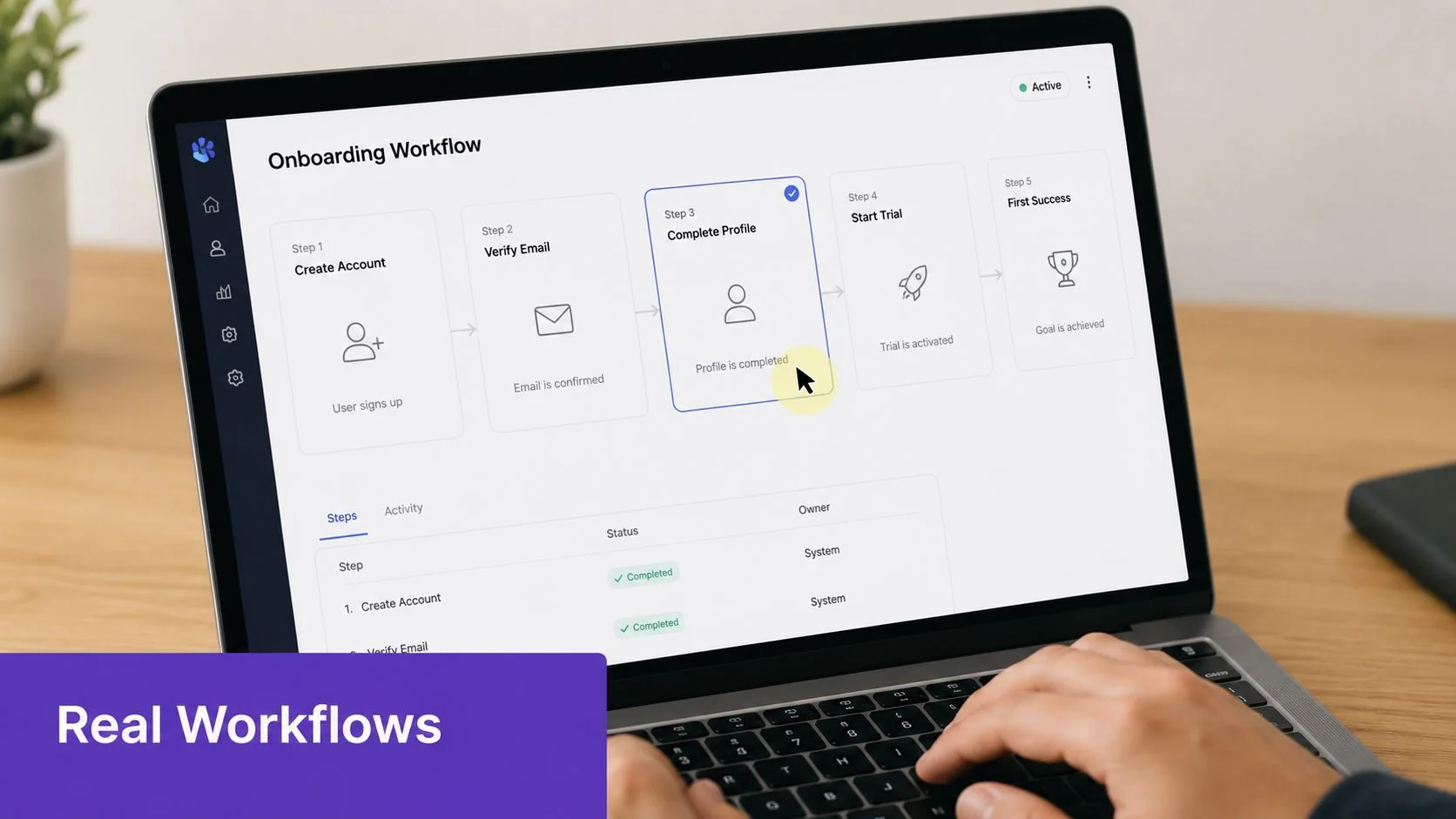
Feature-by-feature demos are easy to record and hard to remember. Real workflows take more planning, but viewers can map them to their own work.
If you’re demoing Asana, don’t stop at “here’s the timeline view” and “here’s task assignment.” Show a project manager setting up a campaign, assigning owners, reviewing deadlines, and tracking progress. If you’re demoing HubSpot, don’t isolate pipeline stages. Walk through how a rep moves a prospect from first touch to follow-up.
Use realistic task sequences
The viewer isn’t asking, “What features exist?” They’re asking, “Can I see myself doing this without friction?” That means your demo should include setup, transition points, and outcomes. Support teams do this well when they record a full ticket resolution flow instead of showing isolated settings pages.
Choose two or three repeatable workflows your audience performs regularly. Good candidates are onboarding a user, approving a request, resolving a support issue, building a report, or publishing an update. Monday.com demos are often strongest when they move from sprint planning into execution rather than treating each board feature as a separate achievement.
A few production choices improve workflow demos immediately:
- Use realistic sample data: Fake records should still look believable for the audience.
- Narrate the decision points: Explain why this click matters now.
- Don’t skip transitions: Moving between pages is part of how users understand the system.
Protect realism without exposing sensitive data
The challenge with workflow demos is that realistic environments often include information you can’t publish. You don’t need to choose between authenticity and compliance.
Use blur, shadows, or controlled sample workspaces to keep the sequence intact while hiding account details or internal names. This is especially important for finance, healthcare, and enterprise IT demos where the process itself matters, but certain fields can’t appear on screen.
What works well in practice is recording the full flow once, then adding focus effects afterward so the viewer follows the actual task. That includes cursor smoothing, highlights, selective zooms, and background softening. Those edits preserve realism while making the path easier to understand.
4. Keep Demos Short and Progressive
Long demos often come from a reasonable instinct: “Let’s make one version that covers everything.” That usually creates an asset nobody watches all the way through and nobody can easily reuse.
Shorter, purpose-built demos are easier to produce, easier to update, and easier for viewers to choose. Instead of one master walkthrough, build a progressive set. A brief overview for first-touch interest. A focused use-case demo for evaluation. A deeper walkthrough for onboarding or training.
Segment by user intent
Software demo best practices pivot from presentation advice to content strategy. The right length depends on the job. A product marketing overview should feel different from a support article video. A feature release announcement should feel different from an internal SOP.
One notable gap in common demo advice is measurement after the session. TestBox points out that many teams talk about personalization and preparation but rarely define a practical evaluation framework, even though buyers are already informed before the demo. In fact, one source cited in TestBox’s guide to software demo presentations says 91% of buyers who get on a sales call already know the brand and product. That raises the bar for relevance. Your demo doesn’t need to introduce everything. It needs to answer the next question.
A short demo isn’t a smaller version of a long one. It’s a different asset with a different promise.
A useful content stack looks like this:
- Overview video: A quick explanation of the problem and primary workflow.
- Focused demo: One use case for one audience.
- Deeper walkthrough: More context for onboarding, implementation, or training.
Reuse one recording across formats
Modern production tools alter the economics. If a single recording can become a polished video, a transcript, and a written article, you’re much more likely to segment content properly because each version doesn’t require starting over.
Tutorial AI is particularly useful for this pattern. You can record once, tighten the pacing, and generate matching documentation from the same source material. For help centers and customer education teams, that means the “video version” and “article version” don’t drift apart.
5. Optimize Visual Clarity and Maintain Production Excellence
A familiar failure looks like this. The workflow is solid, the narration is accurate, and the viewer still misses the point because the cursor moves too fast, the text is too small, or three panels compete for attention at once.
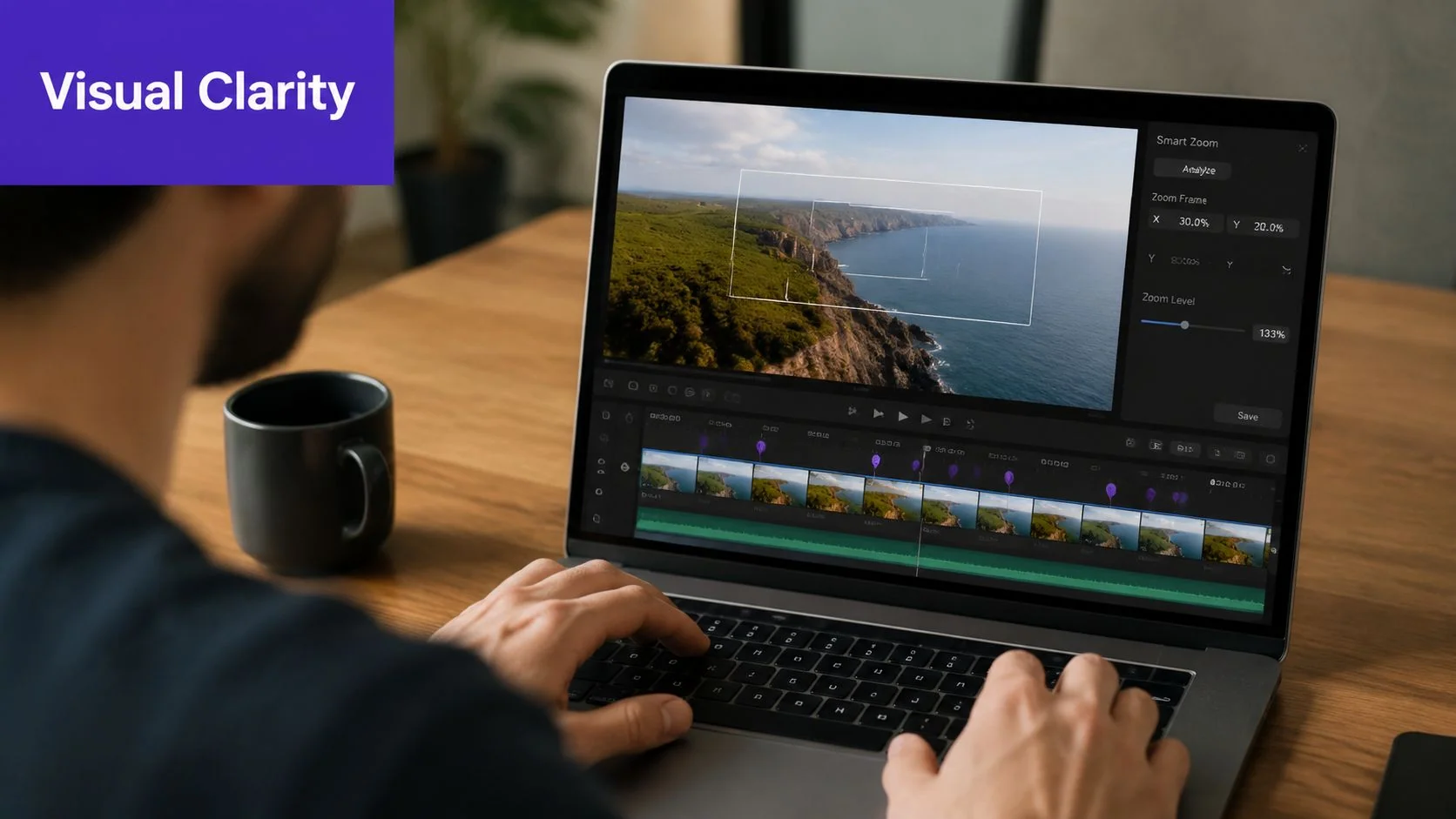
Screen demos ask the audience to process a lot quickly. Product experts already know the interface, so they naturally skip visual guidance that a first-time viewer needs. Good production closes that gap. It makes the next click, field, and outcome obvious without slowing the demo into a training course.
Direct the eye on purpose
Visual direction starts before editing. Record at a resolution that keeps interface text readable, simplify the workspace, close irrelevant tabs, and increase browser zoom if the product UI runs dense. If a prospect has to expand the video to understand a menu label, clarity has already dropped.
Then use motion carefully. Cursor emphasis, restrained zooms, and tight framing help the viewer stay oriented. Overdo those effects and the demo starts to feel busy or theatrical, which is just another form of distraction. The trade-off is simple. Add emphasis only where comprehension would otherwise break.
A practical production standard usually includes:
- Readable UI at normal playback size: Labels, values, and buttons should stay legible on a laptop screen.
- Deliberate cursor movement: Pause briefly before key clicks so the viewer can track intent.
- Selective zoom and highlight use: Magnify only small or high-stakes details.
- Clean scene composition: Remove clutter, notifications, and unused panels before you hit record.
- Consistent brand treatment: Captions, title cards, callouts, and lower-thirds should look like they came from one system.
Build a system your team can repeat
Production excellence matters less as a one-off achievement than as an operating standard. If every demo depends on a skilled editor rescuing rough footage in post, quality will vary by team, deadline, and budget.
Set templates for intros, caption styles, zoom behavior, blur rules, aspect ratios, and export settings. That gives product marketing, sales engineering, support, and education teams one visual language across the full demo library. It also makes iteration faster when messaging changes or a workflow needs to be re-cut for a new segment.
Tutorial AI’s video effects workflow for screen recordings shows the right production model for modern teams. Apply cursor edits, zooms, blurs, and branding after recording, instead of trying to capture everything perfectly in one take. That approach reduces rework, supports faster versioning, and creates cleaner source material for repurposing later.
Clean visuals build trust faster than clever narration.
That standard carries across sales demos, release walkthroughs, onboarding clips, support videos, and internal training. The goal is dependable clarity. Polish matters, but clarity is what gets the viewer to the next step.
6. Localize and Adapt Content for Global Audiences Without Multiplying Effort
Localization breaks a lot of demo workflows because teams often treat it as an afterthought. They finish the English version, then realize every translated version will need new timing, updated captions, and possibly a different spoken pace.
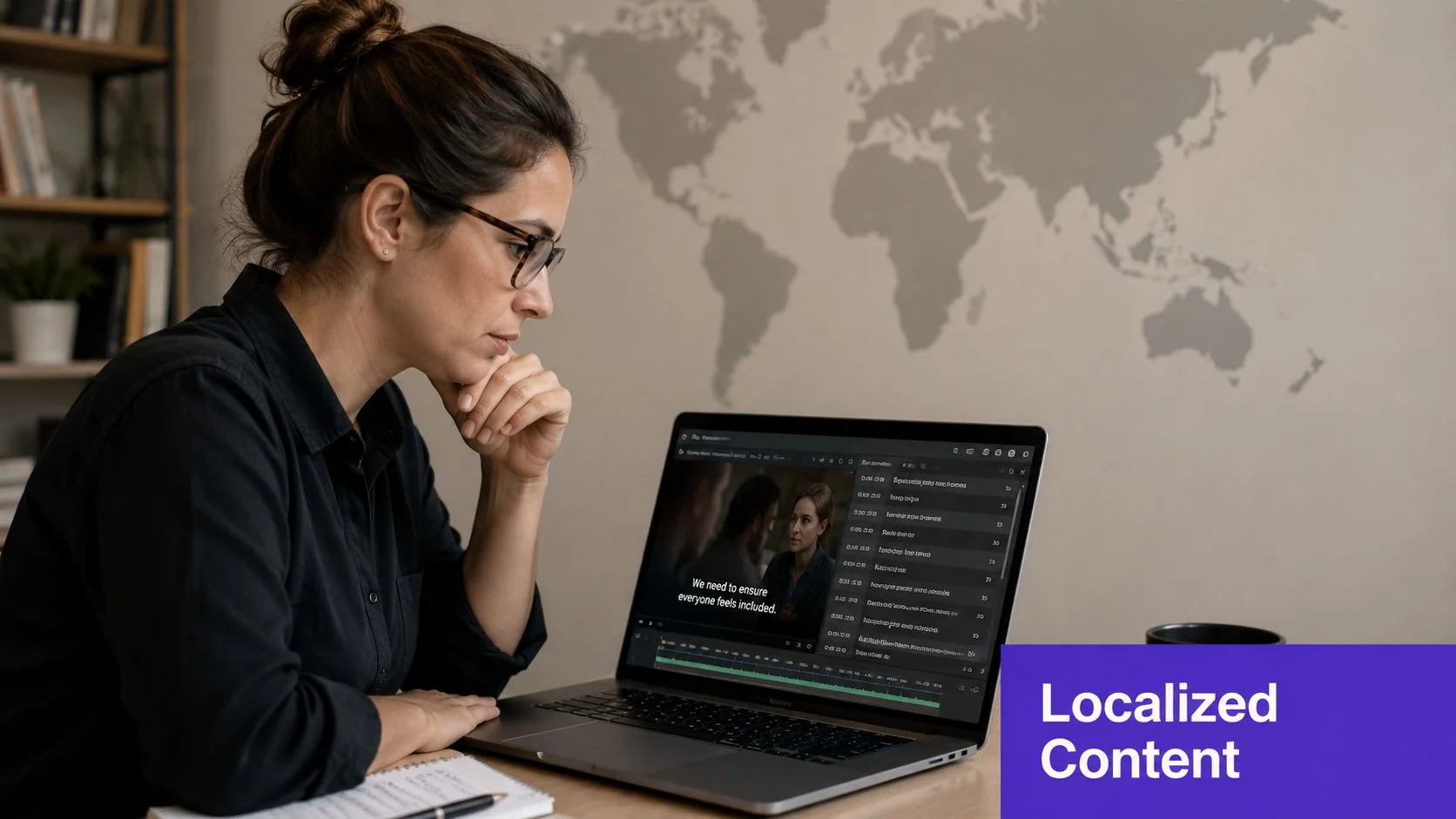
Subtitles alone usually aren’t enough. A localized demo should still feel intentional when watched by someone in another language. That means the narration timing, scene pacing, and on-screen text need to stay aligned.
Start with a translation-friendly source recording
The easiest localization fix happens before translation. Record the original demo in clear, simple language. Avoid idioms, rushed narration, and jokes that won’t travel. Keep sentences short enough that a translated voice track won’t turn every scene into a timing mismatch.
Then clean the script before you localize it. This is one of the strongest reasons to use a transcript-first editing workflow. Once the narration is editable as text, you can refine meaning first and translation second.
For teams distributing demos globally, Tutorial AI has a practical advantage here. It supports narration in 74 languages and uses AutoRetime so scene lengths, captions, and cuts can adjust to the translated voiceover instead of forcing the translation into the original timing. That matters because the same screen action often needs more or less spoken explanation depending on the language.
Keep brand consistency while adapting context
Localization should preserve the brand while adapting the delivery. Your fonts, color system, logo use, and player experience should stay consistent. Your examples and phrasing may need to change.
The pattern that works is one base demo, then controlled variants. Keep the screen, keep the visual identity, adapt the narration and supporting text. If your team serves multiple regions, use a multilingual player so one asset can support language switching without creating a fragmented publishing process.
This matters for more than customer-facing demos. Internal training, SOP walkthroughs, and onboarding content all benefit when global teams can access the same material in a language they can use day to day.
7. Align Demos with Sales and Support Funnels
A demo created for one team only is often underused. The best assets move across the funnel with small changes in framing.
A product demo can start in marketing as an overview, move into sales as a leave-behind, become onboarding material after purchase, and later serve as a support reference. The screen recording doesn’t need to be different every time. The packaging does.
Build for reuse from the first draft
This is especially important in longer B2B cycles, where multiple stakeholders need different answers. ZoomInfo’s guidance on software demos emphasizes identifying decision-makers, influencers, and blockers early, while also showing the limits of generic personalization. As noted in ZoomInfo’s software sales demo tips, mixed-audience demos work better with a modular narrative and a few validated use cases than with a full product tour.
That idea translates well into reusable content. Instead of recording one giant enterprise demo for everyone, record modular segments:
- Business value segment: Useful for economic buyers.
- Workflow proof segment: Useful for operators and end users.
- Configuration or governance segment: Useful for technical evaluators.
Sales teams can send the right segment after a call. Support teams can embed the same workflow video into an article. Customer success can include it in onboarding. Internal enablement teams can use it to train new reps on how the product is supposed to be explained.
Pair every video with documentation
Video is strong for showing motion and sequence. Written documentation is strong for scanning, searching, and following steps at your own pace. You usually need both.
That’s why a dual-output workflow matters. Tutorial AI can turn a single recording into both video and written documentation, which is far more useful than keeping your help center article and your walkthrough video in separate production systems. If you’re designing assets for presales and post-sale teams together, this sales enablement content framework is a practical model for shared ownership and reuse.
Teams get more value from demos when they stop treating them as campaign assets and start treating them as operational content.
Versioning matters too. Label assets by audience, product area, and update date so teams don’t accidentally send stale material.
8. Build Feedback Loops and Continuously Iterate Based on Engagement Data
Publishing a demo isn’t the end of the work. It’s the start of learning what landed.
Many teams exhibit less rigor than they perceive. They know whether a video exists. They don’t know which section loses the viewer, which explanation creates confusion, or which version sales reuses. Demo quality needs a review loop, not just a production process.
Measure more than views
One of the most useful observations in current demo guidance is that measurement is still underdeveloped. Existing advice often recommends tracking engagement, feedback, and win rates, but rarely explains how to compare demo quality across reps, audiences, or formats. That gap is a primary area for improvement for many organizations.
Start with a small scorecard. Track completion, drop-off points, qualitative feedback from sales and support, and whether the asset helped the next step happen. For self-serve demos, that might mean trial signups or deeper product exploration. For support videos, it might mean whether the article resolved the issue without escalation. For internal training, it might mean whether new hires can complete the task afterward without extra coaching.
Make updates cheap enough to happen
The biggest barrier to iteration is usually editing friction. If every improvement requires reopening a timeline, recutting audio, and exporting from scratch, your team will avoid small fixes until the content is already stale.
Script-based editing proves to be more than a convenience. If you can revise a sentence, regenerate the narration, and update timing without re-recording the whole thing, you can respond to what viewers do. Tutorial AI supports that kind of doc-like update flow, which makes it more practical to improve demos monthly instead of treating them as finished forever.
A good operating rhythm looks like this:
- Review top assets regularly: Check the demos your teams use most.
- Rewrite weak sections first: Intros, transitions, and CTA moments usually matter most.
- Share findings across teams: Sales, support, and product education often notice different problems.
- Document what changed: Otherwise you won’t know which edits improved performance.
The best software demo best practices aren’t static rules. They’re habits that make the next demo better than the last.
8-Point Software Demo Best Practices Comparison
| Demo Practice | Implementation Complexity 🔄 | Resource Requirements ⚡ | Expected Outcomes ⭐📊 | Ideal Use Cases 💡 | Key Advantages ⭐ |
|---|---|---|---|---|---|
| Start with a Clear Objective and Narrative Arc | Moderate, requires upfront scripting and timing | Moderate time and planning; minimal tooling | Higher engagement and conversion; clearer understanding | Sales pitches, onboarding, product overviews | Stronger storytelling; avoids feature-dump |
| Use Authentic Narration and Personalization | Moderate, voice selection or AI setup and testing | Requires voice talent or premium AI voices; localization effort | Increased trust and memorability; scalable personalization | Customer-facing tutorials, marketing, localized messaging | Authentic brand voice; personalized at scale |
| Focus on User Actions and Show Real Workflows | Moderate–High, scenario planning and data masking | Requires realistic data, recording time, and editing | Greater purchase confidence; reduced onboarding friction | Onboarding, support workflows, sales proof-of-concept | Demonstrates practical value; more persuasive |
| Keep Demos Short and Progressive (Micro-Segmented) | Moderate, content design and module planning | Higher production volume but highly reusable | Better retention and completion rates; easier updates | FAQ videos, quick how-tos, learning paths | Modular reuse; audience-targeted consumption |
| Optimize Visual Clarity & Production Excellence | High, advanced post-production and governance | Significant editing, design resources, and style guides | Improved comprehension, credibility, and accessibility | Complex UIs, enterprise demos, compliance-sensitive content | Clear visual focus; professional, consistent branding |
| Localize and Adapt Content for Global Audiences | High, translation, retiming, and cultural review | Needs localization tools, AI voices, and native reviewers | Expanded reach and higher regional engagement | Global launches, regional training, multilingual support | One-to-many scaling across languages with minimal re-recording |
| Align Demos with Sales & Support Funnels (Multi-Use) | High, cross-team planning and taxonomy governance | Requires content ops, shared libraries, and collaboration | Higher ROI and consistent messaging across teams | Organizations needing multi-use assets across funnel stages | Single-source multi-format publishing; better handoffs |
| Build Feedback Loops & Iterate Based on Engagement Data | Moderate, analytics setup and iteration workflows | Requires analytics tools, A/B testing capacity, analyst time | Continuous, data-driven improvements; higher long-term performance | Ongoing demo programs and high-traffic content | Pinpoints weak sections; enables rapid targeted updates |
From Best Practice to Daily Practice
The difference between an average demo and a useful one usually isn’t product knowledge. It’s process. Product experts already know what matters in the UI. What they need is a reliable way to turn that knowledge into a clear narrative, a polished recording, and a reusable asset that other teams can deploy.
That’s why the strongest software demo best practices span the full lifecycle. You need a clear story before recording. You need narration that sounds human. You need workflow-based examples instead of disconnected feature callouts. You need visual clarity that guides attention. And once the demo exists, you need a system for repurposing it across sales, onboarding, support, internal training, and documentation.
This matters more now because demo content has become operational. It isn’t just a one-off sales artifact anymore. The same product walkthrough might live on a website, inside a CRM follow-up, in a help center article, in an LMS, or in an internal enablement library. If the asset is hard to update, impossible to localize, or inconsistent from one team to another, that friction compounds quickly.
The practical trade-off is straightforward. You can keep treating demos like ad hoc recordings that need cleanup in Adobe Premiere Pro, Camtasia, or Final Cut after every take. Or you can build a workflow that makes good structure, editing, localization, and documentation easier by default. The second approach is what scales, especially when your subject-matter experts aren’t full-time editors.
For many teams, that’s also where modern tooling becomes useful in a grounded way. Not as a replacement for expertise, but as a way to remove production drag. Auto-tightening pacing, editable scripts, multilingual narration, generated articles, brand consistency, and easier versioning all make software demo best practices more realistic to follow every week, not just when a launch gets special attention.
Consistency is the win. When your demos are easier to create and easier to improve, teams publish more often, update faster, and serve more use cases from the same source material. That’s how demos become part of daily operations instead of lingering in a folder as one-off recordings.
If you’re also tightening the systems around how your team communicates after the demo, Email Deliverability Best Practices is a useful companion read. The handoff after a strong demo matters almost as much as the demo itself.
If your team knows the product but keeps losing time to retakes, manual editing, and one-off documentation work, Tutorial AI is built for that exact gap. It turns a single screen recording into a polished demo video and matching written article, helps you refine pacing without timeline editing, supports multilingual narration and AutoRetime for global distribution, and keeps every asset on-brand across sales, support, onboarding, and training.