Most multilingual content advice starts with the wrong instruction: translate everything, then expand into more markets. That sounds complete, but it often creates a larger library of mediocre assets, slower releases, and expensive review queues. Multilingual content creation works better as a budget allocation and timing problem, where each market earns deeper investment through demand, discoverability, and the cost of producing content that feels native.
The practical unit isn’t a translated paragraph. It’s a coordinated source asset and its adapted versions across text, audio, captions, screenshots, UI layers, and documentation. A single screen recording can become a product demo, a feature release video, a help-center article, and localized training content, but only if the source is structured for reuse from the start.
The need is structural. W3Techs reports that English appears on 49.5% of websites whose content language is known, compared with 6.0% for Spanish and 5.8% for German, as of September 8, 2026. W3Techs reporting on web language composition shows why English dominance doesn’t mean English-only audiences. A multilingual strategy should close that gap selectively, not turn language count into a vanity metric.
Why More Languages Is Usually the Wrong Goal
Teams often celebrate a new locale as if shipping the translation completes the work. It doesn’t. Every added language can create new requirements for script adaptation, voice recording, caption timing, screenshots, UI validation, glossary maintenance, legal review, and post-launch updates. A coverage map may look impressive while the assets themselves remain too thin to influence adoption.
The better question is narrower: which language addresses meaningful product or content demand this quarter? That question forces a team to examine search impressions, customer requests, sales pipeline, support volume, and the effort required to maintain the market after launch. A language with strong demand and a reusable production workflow deserves more attention than several low-intent locales shipped once and abandoned.
Practical rule: Measure market progress, not the number of language folders in your content system.
English still dominates the web, but its share has fluctuated rather than declined in a straight line. Historical W3Techs measurements from 2021 through 2026 range from 49.2% to 63.6%, depending on the reporting snapshot and sample. The historical web-language data makes the strategic point without offering a simple story about one language replacing another. Content composition changes as publishing expands, so teams need current market signals rather than assumptions based on old internet narratives.
Define the work before you scale it
Multilingual content creation includes three connected decisions:
- Discovery: Identify where users search, buy, learn, and request support in another language.
- Adaptation: Decide whether each asset needs translation, localization, transcreation, or a new visual treatment.
- Timing: Ship the adapted asset when the product release, campaign, or support need still matters.
The late 1990s and early 2000s pushed companies beyond single-language websites as internet access expanded internationally. English-language companies began building plurilingual sites, while non-English organizations published in both native languages and English. Earlier estimates placed English at 85% of web content in 1998, before multilingual publishing became a mainstream response to international demand, as described in this historical overview of multilingual web development.
That shift has continued into everyday behavior. DataReportal’s summary of GWI findings says nearly 1 in 3 working-age internet users uses online translation tools every week, reinforcing that multilingual access isn’t an enterprise-only concern. The DataReportal summary and language-access context support a selective strategy: go deep enough in priority markets that users can discover, understand, and successfully use the product.
Translation Versus Localization and When Each One Matters
Translation converts meaning from one language to another. Localization adapts the entire experience for a target market, including tone, layout, imagery, date formats, currency, cultural references, screenshots, and user expectations. The distinction matters because technically accurate words can still produce an awkward or ineffective asset.
A stable interface label such as “Submit” usually belongs in the translation workflow. So do error messages, API references, configuration documentation, and recurring product terminology, provided translators receive context and an approved glossary. A context-aware machine translation draft with light human review can be sensible for these lower-risk strings.
“Cancel anytime, no questions asked” is different. The sentence carries a commercial promise and a tone of reassurance. A literal version may preserve the words but weaken the offer, sound legally uncomfortable, or fail to match how customers in that market evaluate risk. Marketing pages, onboarding videos, nurture emails, and support articles often need localization because the message, layout, visual hierarchy, and call to action must work together.
Use the smallest appropriate service
Over-localizing a stable UI slows product releases and creates unnecessary review work. Under-localizing a narrative asset produces copy that reads as foreign even when every sentence is grammatically correct.
| Dimension | Translation | Localization |
|---|---|---|
| Primary task | Convert source meaning accurately | Adapt the experience for a specific market |
| Typical assets | UI labels, error messages, API references, config docs | Landing pages, onboarding videos, campaigns, support articles |
| Main control | Glossary, translation memory, context | Market insight, native review, layout and cultural adaptation |
| Human judgment | Resolve ambiguity and terminology | Rework tone, promises, imagery, examples, and calls to action |
| Failure mode | Technically correct but unclear wording | A fluent asset that still feels irrelevant or culturally wrong |
Video adds another layer because the visual and spoken channels must agree. A tutorial may need translated narration, redesigned screenshots, retimed captions, and locale-specific UI states rather than a transcript swap. For a practical treatment of the production implications, the Busylike video localization guide is useful background when deciding how much adaptation an asset needs.
The End to End Multilingual Production Workflow
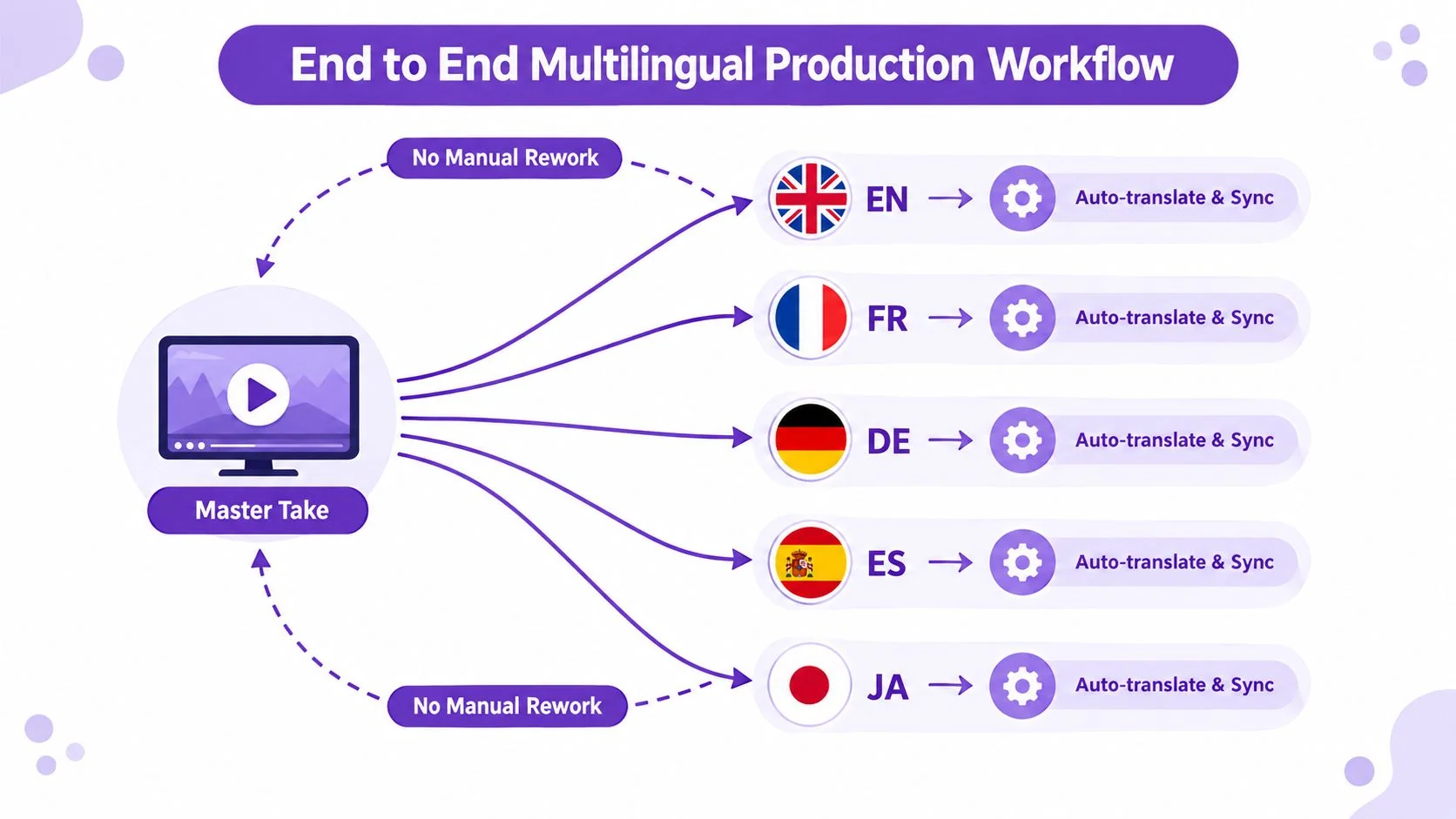
Start with one master screen recording and treat it as the source of truth. The recording should support every downstream output, from a product demo and feature release video to customer onboarding, a help-center video, a support article video, internal training, an SOP, or a sales enablement walkthrough.
Record for adaptation, not just capture
Step one is the master take. Record clean audio, speak at a deliberate pace, leave useful pauses, and keep the cursor movement intentional. Don’t compress every transition in the source. Translated narration can expand, and the editor needs room to absorb the change without cutting away from the UI demonstration.
Step two locks the script. Store the narration as a structured file with scene timestamps, glossary terms, UI callouts, speaker notes, and locale-sensitive elements tagged. A sentence such as “click the button on the right” needs a visual reference, especially when the interface or layout changes between markets.
Step three combines translation and adaptation. Send the structured script through a glossary-aware engine, then have a human reviewer rewrite for length, tone, and cultural fit. The reviewer shouldn’t spend time reconstructing what a vague string was meant to do. Screenshots, surrounding copy, and scene context should already answer that question.
Fan the source into synchronized outputs
Step four generates dubbed audio. Match the chosen voice and pacing to the tutorial’s purpose. A product demo may need a confident, direct track, while internal training may prioritize clarity over performance.
Step five retimes the asset. Captions, scene cuts, on-screen text, animated overlays, and cursor emphasis must follow the new audio. Tools such as Tutorial AI’s video translation workflow operate across these production steps by regenerating narration, updating localized text, and synchronizing timing from the same source recording.
Step six exports language-specific renders. Swap UI strings, screenshots, dates, and other locale-specific elements before rendering. Don’t burn English text into a video and expect translated captions to repair the experience.
Step seven publishes the matching article. Generate the written help article from the same translated source, with screenshots and ordered steps tied to the video scenes. This keeps the video and documentation aligned when the product changes. The most useful workflow is the one that updates both outputs together instead of creating a second editorial project after the video is finished.
Subtitles Dubbing and Voiceover Compared
Subtitles, dubbing, and voiceover solve different problems. Subtitles preserve the original audio and add translated dialogue as text. They’re efficient for talks, awareness videos, and markets where the original speaker’s identity matters more than a fully native presentation. They become less effective when the screen recording already contains dense source-language UI text.
Dubbing replaces the spoken track with a target-language voice. It suits product demonstrations, paid social, onboarding, and customer education where viewers need to watch the interface while listening naturally. Dubbing also introduces more production variables, including voice character, pronunciation, timing, and the relationship between speech and visual actions.
Voiceover overlays a new narration while the original audio remains faintly audible. It can work well for training, interviews, or instructional material where retaining the original speaker adds context. The approach sits between subtitles and dubbing, but it isn’t a shortcut if the new track conflicts with the original pacing.
Subtitling guidance commonly limits subtitles to two lines, synchronized with dialogue and constrained by reading speed. A cited rule of thumb says that two full lines of about 35 characters each can be read comfortably in around six seconds, with very short exposure times generally avoided. The subtitling research reference explains why caption timing is a comprehension issue, not a cosmetic preference.
| Format | Best For | Cost | Production Time | Caveats |
|---|---|---|---|---|
| Subtitles | Awareness, talks, low-risk training | Lowest of the three | Shortest when visuals already work | Source-language UI and fast speech can undermine comprehension |
| Dubbing | Product demos, onboarding, paid social | Higher | Longer because audio and visuals must sync | Voice quality, pronunciation, and timing need review |
| Voiceover | Training, interviews, explanatory content | Moderate | Moderate | Original audio remains audible and can compete with the new track |
For teams producing narration without a full studio, a voiceover video maker can help create an initial track, but a native reviewer still needs to check pronunciation, emphasis, and product terminology. The broader workflow is covered in Tutorial AI’s guide to AI video dubbing.
Source Quality as the Real Lever for Multilingual ROI
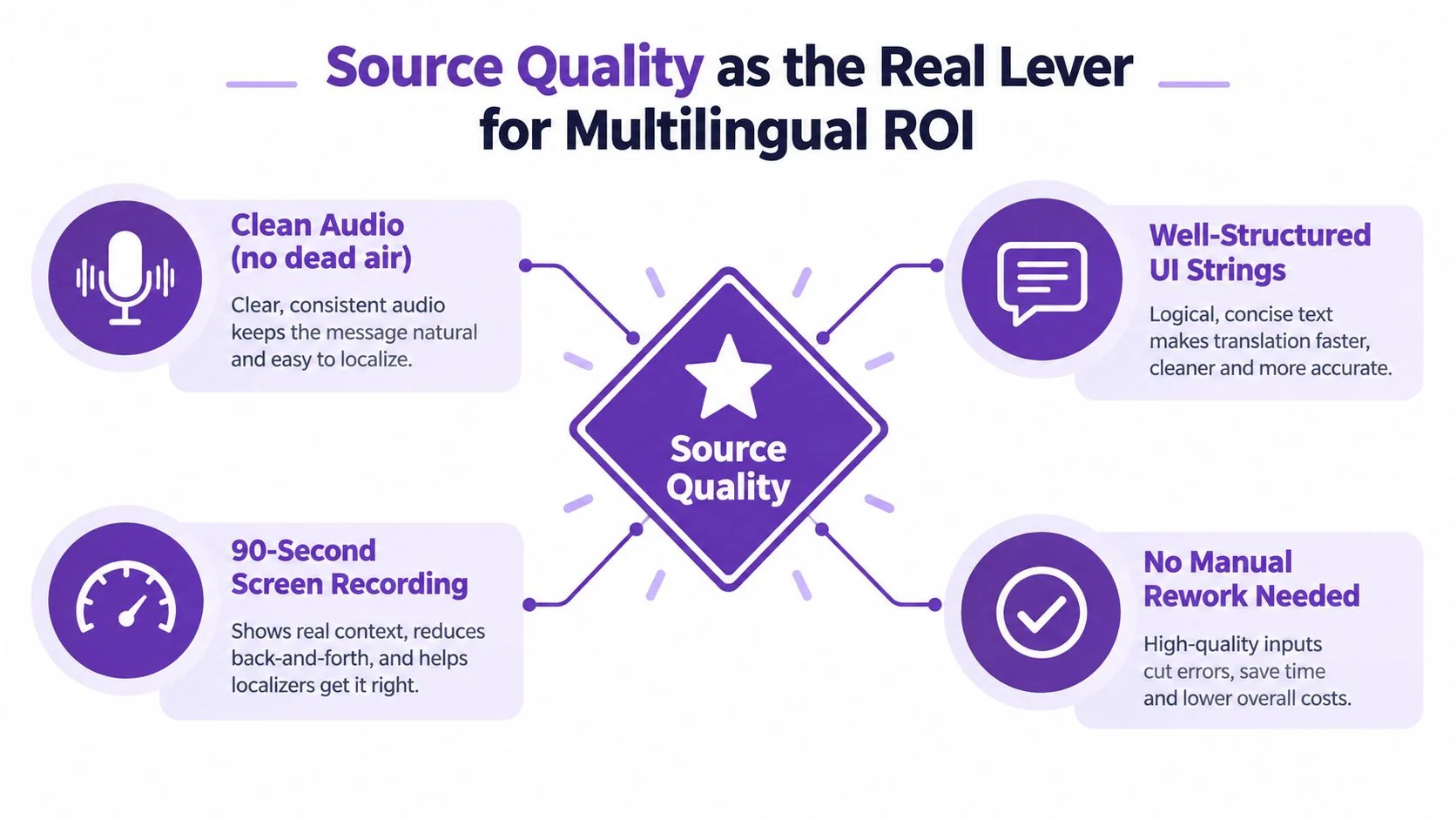
The source asset determines how much every target market will cost. A clean screen recording with unambiguous narration, consistent UI language, and deliberate scene structure gives translators and localization tools material they can reuse. A rambling recording with overlapping speech, unexplained pronouns, and inconsistent product names forces each market reviewer to repair the same underlying defects.
A landmark localization study found that machine translation effectiveness depends heavily on source-material quality. Ambiguity, inconsistent terminology, and errors in the original can reduce translation accuracy and propagate into downstream languages. The AMTA localization study supports a simple operating principle: fix the source once before multiplying the problem.
Build source hygiene into production
Controlled authoring starts before recording. Use one approved product term, write complete sentences rather than fragments, and avoid references that depend on an invisible context. “Select it” is weaker than “Select Export in the settings menu” when the sentence will be extracted into a script, caption file, or help article.
A glossary should include the preferred term, prohibited alternatives, grammatical notes, and a screenshot or scene reference where confusion is likely. Rich string-level context matters because a terse UI string can’t reliably tell a translation engine whether a label is a verb, noun, menu item, or status message.
Let the source compound across formats
Source improvements flow into every output:
- Clean audio reduces transcript repair and makes dubbing easier to time.
- Structured UI strings prevent inconsistent labels across captions, screenshots, and documentation.
- Scene metadata helps reviewers verify that translated instructions match the visible action.
- Glossary enforcement keeps product language stable across languages and releases.
- Reusable layouts reduce the need to rebuild every localized render manually.
The return isn’t just a better translation. It comes from lowering the amount of interpretation each market requires. When the source is clear, human reviewers can focus on market fit rather than deciphering the author’s intent.
Best Practices and Common Pitfalls in Practice
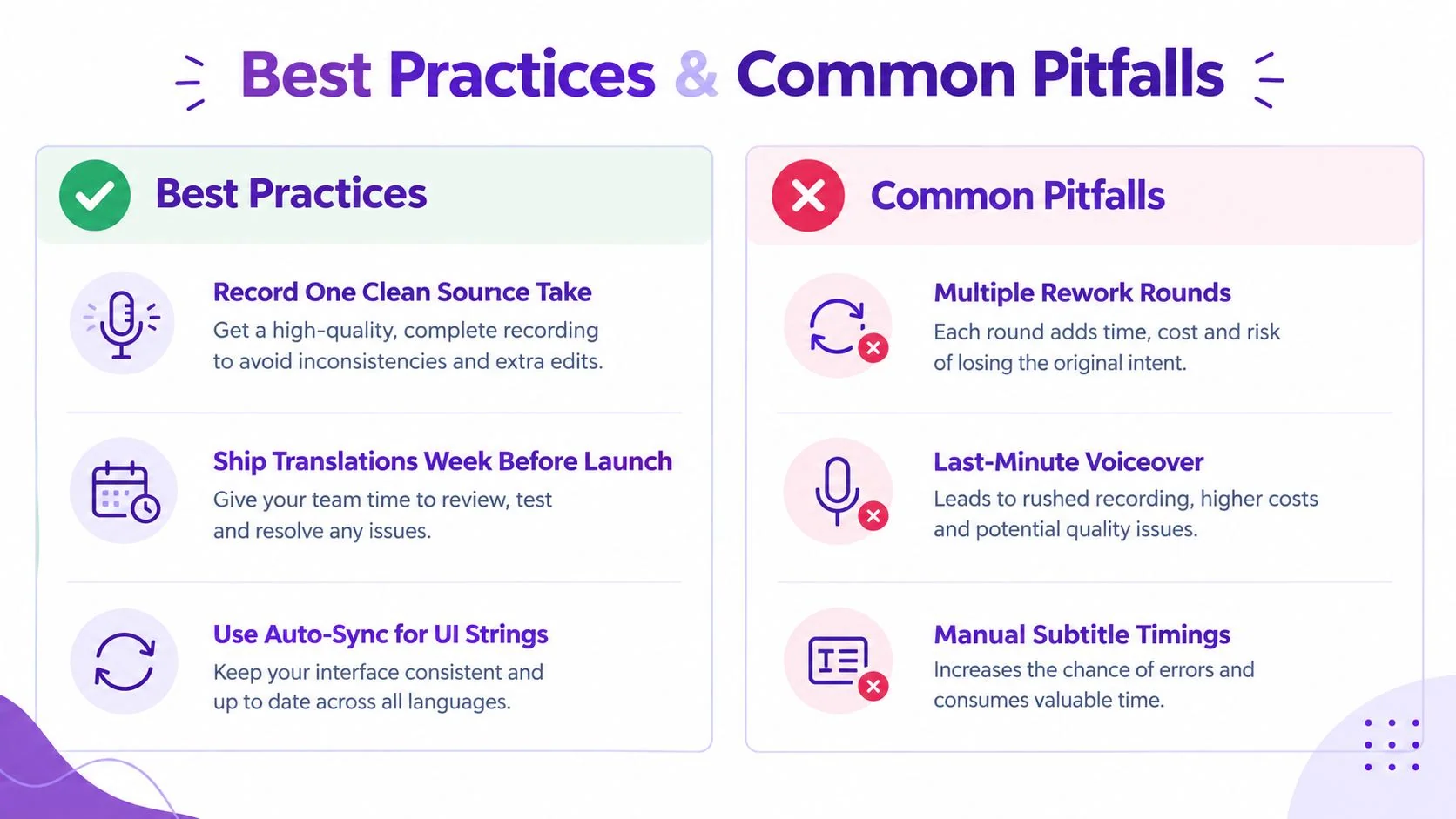
A SaaS team has a feature release video scheduled for five languages the week before launch. The team records one clean master take, locks the script, and sends translators the glossary, screenshots, and scene notes at the same time. That parallel preparation gives reviewers enough context to adapt the copy while the video team prepares the localized overlays.
The team uses AI to draft the initial dubs, then asks native reviewers to correct pronunciation, emphasis, and product terminology. The visual team re-renders the localized screen overlays from the same After Effects master instead of exporting a flattened English video and repairing it afterward.
Where the schedule breaks
The first failure appears in the marketing copy. A word-for-word translation preserves the call to action but loses its urgency, so the reviewer has to rewrite the opening while the launch date is approaching.
The second failure sits inside the screenshots. Dates and currencies were hardcoded in the source UI, which means the team must recreate the visuals for each locale. Arabic and Hebrew introduce another check, because a right-to-left layout can change hierarchy, alignment, and the apparent direction of the workflow.
The third failure comes from treating voice cloning as a final pass. A cloned voice can produce a useful draft, but it may mispronounce a feature name or emphasize the wrong phrase. Finding that issue after the visuals are locked creates rework across audio, captions, and cuts.
Speed comes from parallel pipelines, not from skipping review.
A dependable release sequence separates decisions that can happen concurrently from decisions that depend on one another:
- Prepare together: Script, glossary, screenshots, and market notes should move to reviewers as one package.
- Review early: Native speakers should hear draft narration before final timing and visual polish.
- Render from source: Keep editable overlays and UI layers available for every locale.
- Validate direction: Test right-to-left layouts and longer translated strings before export.
- Publish as a set: Release the localized video and matching article together so support teams aren’t forced to explain gaps.
The localization best practices resource from Tutorial AI provides a useful reference for formalizing these controls. The practical lesson is less glamorous but more valuable: teams lose time when they postpone decisions that could have been made before recording.
Quality Assurance and Measurement That Proves Impact
Quality assurance needs two separate tracks. Linguistic QA asks whether the content means the right thing in the target market. Technical QA asks whether the asset plays correctly, displays correctly, and stays synchronized.
Linguistic reviewers should verify the approved glossary, tone, names, numbers, dates, and market-specific formatting. They also need to review the full experience, not isolated strings. A caption can be accurate on its own and still contradict the button visible on screen.
Technical checks are more mechanical and therefore easier to automate. Subtitles should stay within the chosen reading-speed and line-length rules. Dubbing should be checked for pronunciation, loudness consistency, and drift between speech and action. Captions, scene cuts, and animated overlays should follow the localized audio rather than the original timestamp by default.
| Layer | Check | Target | KPI |
|---|---|---|---|
| Linguistic | Glossary and terminology | Approved terms used consistently | Support ticket volume per language |
| Linguistic | Tone and native review | Meaning and market fit confirmed | Engagement on localized video against source |
| Technical | Caption timing | Within the selected broadcast tolerance | Time to market per market |
| Technical | Subtitle layout | Readable line length and exposure | Completion or engagement trend |
| Technical | Audio and sync | Stable loudness and aligned action | Localization ROI |
| Business | Market performance | Localized revenue compared with total localization cost | Localized revenue divided by total localization cost |
The requested technical targets in one operating checklist include caption timing within plus or minus 0.1 seconds, audio normalization around minus 16 LUFS, lip-sync drift under two seconds, and subtitle lines capped at about 42 characters. Treat those as production targets to validate against your delivery standard, not as substitutes for viewer testing.
Measure the business, not just the asset
Track four measures monthly:
- Localization ROI: Localized revenue divided by total localization cost.
- Time to market: The elapsed time from source approval to a market-ready release.
- Support volume: Ticket volume by language, normalized against the relevant customer base when available.
- Localized engagement: Performance of the localized video compared with the source version.
A proactive QA culture helps teams catch regressions before finance or launch reviews. SigOS’s guidance on building a proactive quality culture is relevant because multilingual QA succeeds when ownership, checklists, and escalation paths are defined before defects appear.
Choosing Where to Invest Your Multilingual Budget
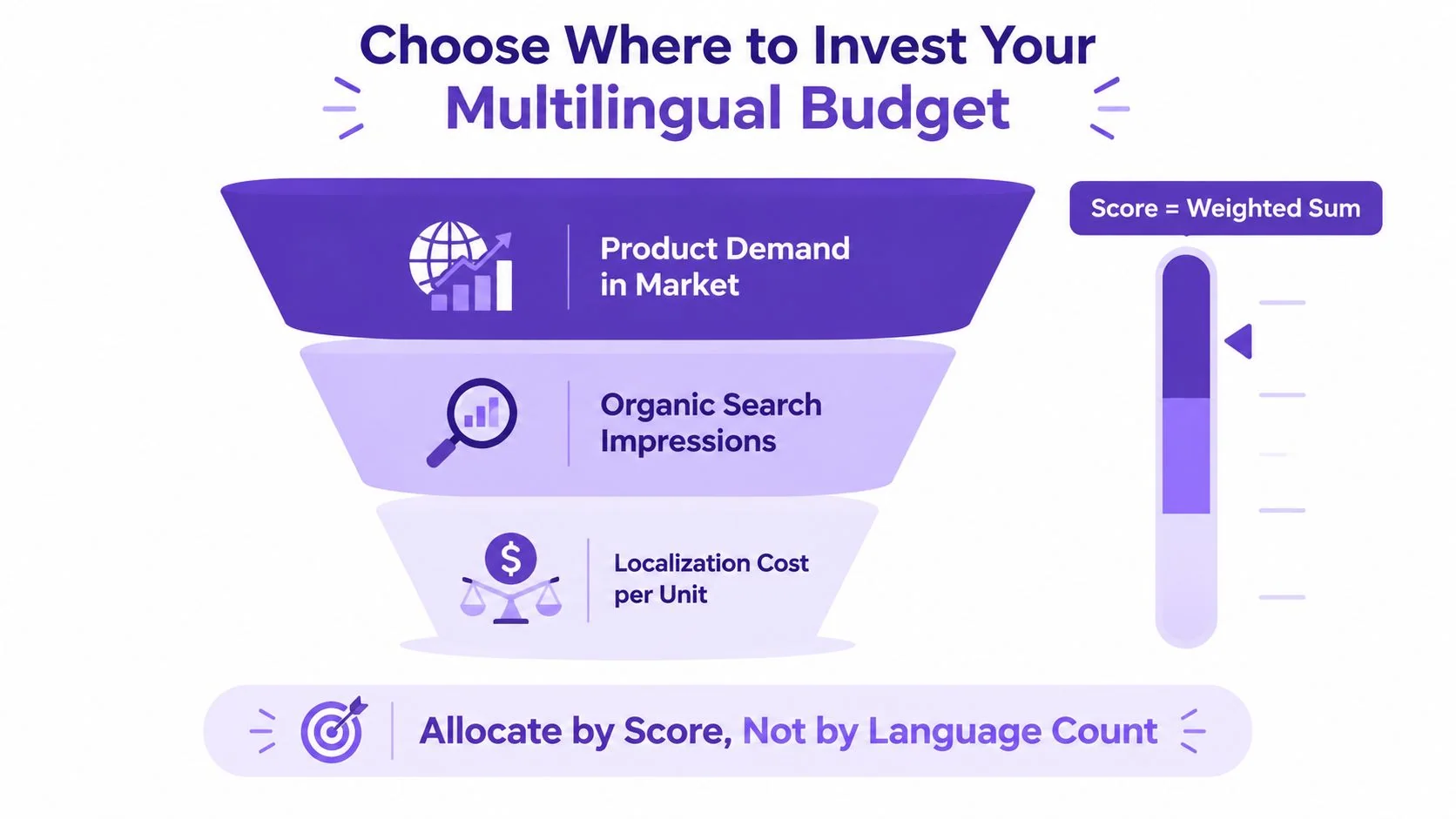
Stop allocating by language count. Rank markets with a score built from three signals: existing product demand, organic search impressions in the target language, and localization cost per content unit. That framework turns a vague global ambition into a quarterly decision about where the next video, article, reviewer hour, and release slot should go.
Score markets before choosing formats
A market with strong product demand but weak organic discovery may need localized onboarding and sales enablement. A market with substantial search impressions may justify translated documentation before a large video library. A market with low demand and high production cost should wait, even if another department wants it added for completeness.
Use intent to choose the content format:
- Technical and search intent: Prioritize written documentation, glossary consistency, structured metadata, and language-specific discoverability.
- Awareness and training: Start with subtitles when the source visuals and audio remain clear.
- Product demonstration and paid social: Consider dubbing when watch time and interface comprehension depend on spoken delivery.
- High-volume support: Use machine translation with post-editing where the risk is controlled and terminology is stable.
- Legal and pricing content: Use human translation and specialized review.
- Large video libraries: Use AI dubbing and synchronization for scale, then reserve human QA for pronunciation, tone, and market fit.
Re-score every two quarters. If a market hasn’t moved its agreed KPIs after two review cycles, demote it and reinvest in the next candidate. That rule protects a small team from maintaining low-impact locales indefinitely.
The broader market is moving from one-off translation toward connected multilingual ecosystems, including captions, translated audio, transcripts, reusable recordings, and language-selectable distribution. Recent market coverage projects generative AI in media localization and multilingual content generation to grow from USD 4.18 billion in 2025 to USD 5.29 billion in 2026 and USD 18.47 billion by 2031, driven by AI dubbing, subtitle generation, voice cloning, and faster localization. The Research and Markets projection is useful context, but the operational question remains your own: can your team govern, review, and measure every format it creates?
One 2026 report says 40% of localization budgets are flat, while another says 73% of companies optimizing for AI search plan to increase localization investment. The 2026 multilingual marketing trends coverage also says one in four organizations doesn’t measure multilingual business impact. Those signals point to the same conclusion: the winning KPI isn’t language coverage. It’s accountable market performance.
Tutorial AI turns one screen recording and spoken narration into a polished tutorial video, then generates a matching written article from that recording. It supports narration in 74 languages, automatic pacing and timing adjustments through AutoRetime, localized captions and on-screen text, Brand Kits, a Multilingual Player, and enterprise controls including SSO/SAML, SOC 2, and GDPR. Visit Tutorial AI to see how one recording can support localized videos and documentation without rebuilding each market asset manually.