A finance team needs invoices as editable Word files, because the controller still adjusts line items before anything goes out. A product team needs a PDF report generated by an API call at two in the morning with nobody watching. An operations team needs a guided form that asks six questions and assembles the right paperwork for each case.
Three teams, three outputs, three completely different shortlists. Most tool roundups ignore that and rank projects by stars, which is how people end up trying to force a PDF renderer into producing a Word file an accountant can edit.
The same reasoning holds outside software. Anyone automating paperwork starts from the artefact that has to exist at the end rather than from the tool, which is the approach the Ares guide to medical record automation takes when it works backwards from the finished record.
Sort by output first: editable Office files, rendered PDFs, or interview-driven paperwork. Then ask the two questions that decide whether the choice survives contact with production. Who edits the template when a clause, a column or a logo changes? And what does the licence permit if the generator sits inside a product you sell?
The ten tools below are grouped loosely by those output classes. Each entry states the licence and the operational cost beside the strength, because a permissive licence with no template editor and a commercial licence with a good one are different purchases, not better and worse ones.
1. pdfme
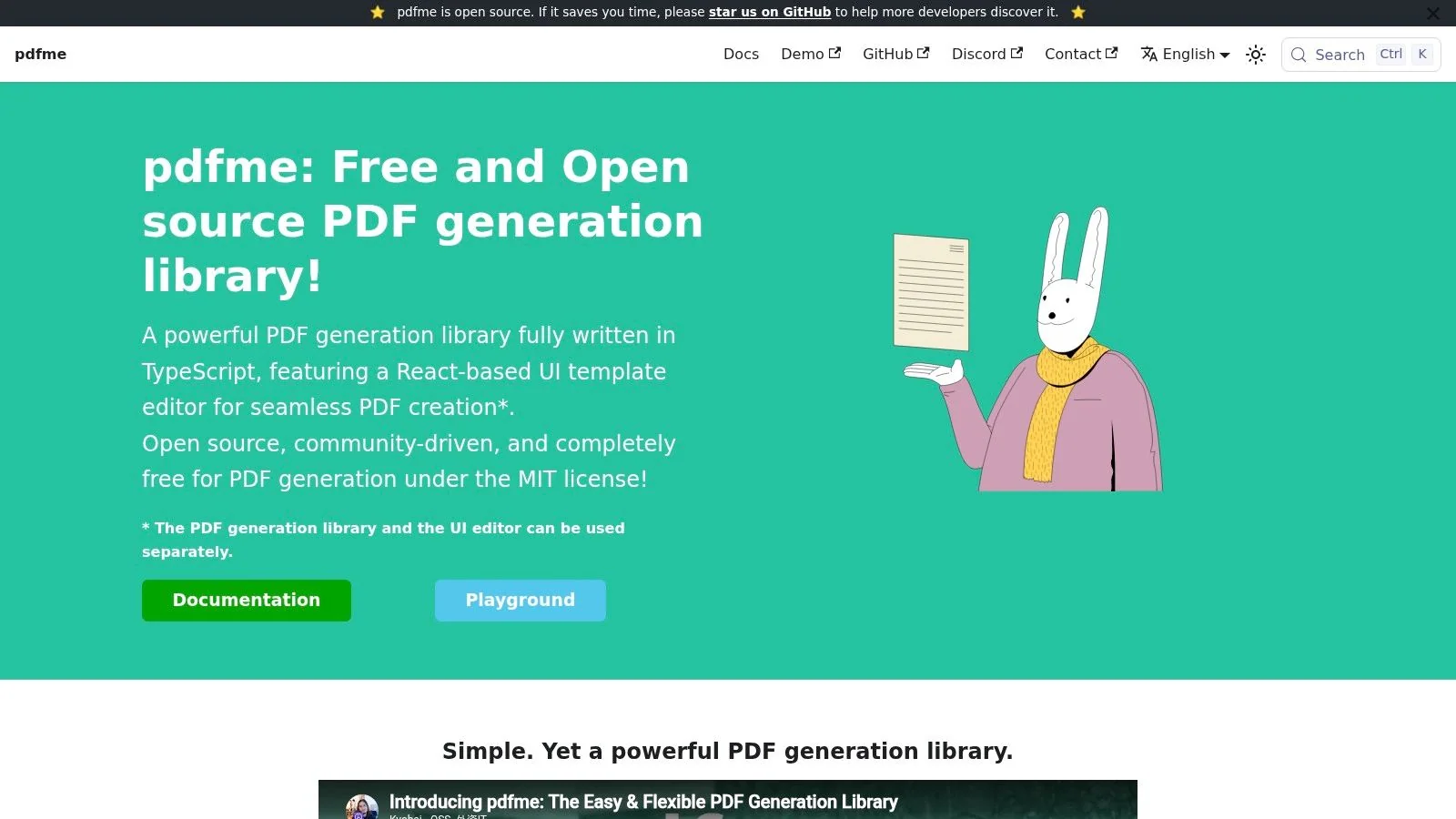
pdfme fits the case where the output is a fixed-layout PDF and the person building the template is comfortable in TypeScript. Templates are JSON, the merged data is JSON, and rendering runs in Node.js or straight in the browser, which takes a server round trip out of simple documents.
The component that earns it a place here is the designer. Most PDF libraries leave you placing text at coordinates and recompiling to see the result, and a one-millimetre mistake costs another cycle. pdfme ships a React-based template designer and PDF viewer, so a layout can be assembled on screen and exported as a schema.
Licensing note: the MIT licence lets pdfme sit inside a commercial product without a legal conversation, which is rarer in this category than it should be.
Strengths that hold up in production
- Visual template design: field placement becomes a form-filling exercise instead of code.
- Browser-side rendering: useful for previews and for apps that must work without a backend call.
- Small surface area: JSON in, PDF out, no document server to operate.
Constraints worth pricing in
- PDF output only. Nothing here produces an editable Word file.
- A developer owns the template. The schema lives in a repository, so a copy change can still require a deploy.
The designer and viewer are React components, which is what the workflow looks like in practice:
The split that works is simple. A designer owns field placement, an engineer owns the schema and the rendering service. Setup examples are on pdfme.com.
2. Docxtemplater
Start from the deliverable, not the library. If a client has to receive a .docx, edit a paragraph and send it back, the template should be built in Word by the person who owns the wording, and code should only fill it.
That’s the model Docxtemplater implements. Its open-source core replaces template tags with values and supports conditions and loops, so one file can render a one-line letter or a forty-page contract with optional clauses. Word and PowerPoint output are both covered.
Where Teams Get This Wrong
The merge mechanics are rarely the failure. The failure is a template maintained in two places, a document in Word and a copy of the same wording inside the application, which drift until a customer receives last year’s terms. Keep one .docx per document type, version it, and render from exactly that file.
The second risk is the data going into the merge. Research on AI-assisted documentation identifies recurring problems including hallucinations, privacy and transparency, and warns that factually incorrect documentation can introduce bugs when developers trust it without verification (arXiv study on automated documentation). A template filled with model-generated clauses looks authoritative and can be wrong.
Good fit
- Editable output: the finished file is a real Office document, not a picture of one.
- Author-friendly workflow: wording changes stay with the person who owns the wording.
- A licence you can start with: an MIT-licensed core, with paid modules for heavier features.
Check before committing
- Module boundaries: some advanced capabilities sit behind commercial modules, so map requirements to the licence before the prototype hardens.
- Formatting edge cases: tables, headers and fonts behave differently per renderer, so test with the actual documents.
When the artefact people need is an explanation of a process rather than a filled field, the problem changes shape. Generating documentation automatically from a recorded walkthrough covers that ground, and it’s worth deciding which of the two problems you have.
Templates and licensing detail are on docxtemplater.com.
3. Carbone
Carbone starts from an Office template and a JSON payload and renders DOCX, ODT, XLSX or PDF from that single source. That matters when one report has to exist in three formats for three audiences, because the alternative is three templates that drift apart within a quarter.
Throughput is the other argument. A public benchmark for Carbone measured 10,302 one-page DOCX invoices per minute for DOCX-to-DOCX merging and 2,842 per minute for DOCX-to-PDF conversion on a single CPU, against approximately 1,144 DOCX-to-PDF documents per minute for LibreOffice used directly (Carbone repository benchmark). With four CPUs and five virtual users the same test reached 17,871 and 13,856 documents per minute.
Those are benchmark conditions, not a guarantee for your templates. Fonts, embedded media, page count and conversion fidelity all move the number. The lesson worth taking is that reusing a warm office process beats optimising the template.
The Licence Is the Real Decision
Carbone is open-core. The community edition can be embedded in a Node.js application, and cloud and on-premises options exist. If document generation is part of a service you host for customers, read the licence terms rather than assuming the open-source label covers hosted use.
Where it wins
- One template, several formats: DOCX, ODT, XLSX and PDF from the same source.
- Authors stay in Office: non-developers can maintain layout in familiar software.
- Deployment flexibility: embed it in an app or run it on-premises.
Where it costs you
- Restrictive terms: more conditions than a plain permissive licence.
- Commercial features: some capabilities and service options are paid.
- LibreOffice dependency: conversion paths inherit its behaviour and its cold-start cost.
If the surrounding pipeline is the part you’re unsure about, the walkthrough on how to automate documentation end to end is a useful sanity check before you commit to an architecture. Product detail sits at carbone.io.
4. Gotenberg
Gotenberg is an HTTP service that accepts HTML, a URL, Markdown or an office file and returns a PDF. It runs in Docker, uses Chromium for HTML and LibreOffice for office formats, and is MIT licensed. The accurate description is a rendering component, not a document system.
The LibreOffice Bottleneck
Most conversion stacks eventually hit the same wall. LibreOffice does the work, and LibreOffice doesn’t start quickly. A Rust implementation built to reproduce LibreOffice document generation reported 10 to 187 times faster execution than LibreOffice across 63 format-pair conversions, with a mean speedup of roughly 116 times on the tested macOS Apple Silicon environment, and it validated output by converting generated files with the LibreOffice command line (libreoffice-pure crate documentation).
Treat that as an optimisation signal rather than a product claim, since it’s a project benchmark on one platform. The direction is still instructive. For short, repetitive documents, process reuse and controlled concurrency matter more than template elegance.
Operational rule: cap concurrent conversions and queue the rest. An unbounded pool of office processes takes down the host before it takes down the queue.
What it gives you
- One endpoint, many formats: HTML, URLs, Markdown and office documents in, PDF out.
- Self-hosted and permissive: MIT licensing, no vendor in the path.
- Chromium fidelity: modern CSS renders the way your web team expects.
What you still own
- Templates and source documents: nothing here designs a layout.
- The infrastructure: containers, monitoring, memory limits, timeouts, retries.
- The queue: a rendering endpoint without backpressure is an outage waiting for a peak.
The container image and API reference are at gotenberg.dev.
5. docassemble
This one belongs to a different category. The hard part isn’t the layout, it’s the question flow. docassemble runs a guided web interview, branches on answers, then assembles a PDF, RTF or DOCX that can be downloaded or emailed.
That structure solves a specific and common failure. Procedures often exist at management level without being usable by the people executing them. A 2026 survey of 699 customer-success and onboarding professionals found that 69% of leaders said their onboarding process was fully documented and followed consistently, against 46% of practitioners, a 23-point gap (Thinkific state of customer onboarding report). Encoding the procedure as interview questions narrows that gap, because the software asks for the information the document needs.
Strengths
- Questions and assembly in one place: no separate form builder and template engine to reconcile.
- Conditional paperwork: the right clauses appear for the right case, without a human remembering the rules.
- Free, open source, self-hostable: data can stay inside your own network.
Constraints
- Platform weight: a simple fill-in-the-blank template doesn’t justify it.
- Its own model: interview logic and deployment take time to learn.
- Conversion dependency: DOCX to PDF relies on supporting software such as LibreOffice.
The interview-first approach is worth considering whenever the same form has three variants and staff pick the variant by memory. Documentation and installation guidance live at docassemble.org.
6. WeasyPrint
If the team writes HTML and CSS all day, WeasyPrint is the shortest path from markup to a paginated PDF. It’s a Python library and command-line tool under a BSD licence, and it renders HTML, CSS and SVG with print features such as page breaks, running headers and page counters.
The approach ages well for the same reason LaTeX has lasted since the mid-1980s: source stays separate from rendering. The LaTeX Project reported more than 10,000 daily users of latex-project.org and more than 10 million users on Overleaf by 2022, alongside more than 2 million documents in the arXiv repository (LaTeX Project 2022 slides). Structured source, multiple consistent outputs, decades of life.
Pagination is a design constraint, not a finishing step.
Where it earns its place
- Skills you already have: HTML and CSS instead of a proprietary template language.
- Good paginated output: invoices, statements and reports fit the model well.
- Clean Python integration: a library call inside an existing service.
Where it bites
- Page breaks, fonts and widows: every one needs testing against real content, not sample data.
- No DOCX template engine: if a reviewer must edit in Word, this isn’t the tool.
- You build the pipeline: templates, data assembly and fonts are yours to maintain.
Test with your longest and shortest real records before rollout, because sample data hides every pagination failure. Print CSS guidance is at weasyprint.org.
7. ReportLab
ReportLab works at a lower level than everything above. A template system says “put this value in that placeholder”. ReportLab says “draw this string here, then draw the rule under it”. That control is the point when layout depends on the data, such as a chart whose axis changes per customer or a table whose column count varies.
Who Maintains the Template
With ReportLab, the template is a Python module. Engineers own it, review it like code, and track changes in version control. In a regulated environment that’s an advantage rather than a drawback, because a layout change is auditable and a diff shows exactly what moved.
The trade-off is direct. A copywriter can’t adjust spacing, and a marketing request for a new header becomes a development task. Budget for that queue or don’t choose this tool.
Good fit
- Highly custom output: precise drawing, embedded graphics, calculated layout.
- BSD licensing: commercial use without a licensing negotiation on the open-source toolkit.
- Documentation and examples: enough sample code to get a first document out quickly.
Watch for
- Code-intensive layout: every visual decision is a line of Python.
- No visual editor: non-technical staff can’t safely change the file.
- Commercial boundaries: some advanced products and support sit outside the open-source toolkit.
The open-source toolkit, commercial products and support options are described at reportlab.com.
8. jsreport
jsreport bundles a template studio with a rendering API, so editing and rendering live in one service. Templates are stored inside jsreport, edited in a browser studio, and rendered through an HTTP call from any language in your stack.
The free plan allows up to five stored templates, with paid on-premises licences adding capacity and options such as multi-instance support (jsreport). That limit shapes the decision more than any feature comparison does.
Five stored templates is enough to prove the workflow and not much else.
Count your document inventory before choosing a tier. A product with twelve document types, each with a customer and an internal variant, needs twenty-four templates before anyone writes a line of code.
Strengths
- Studio plus engine: template management and rendering in a single deployment.
- JavaScript ecosystem: schedules, scripts and extensions fit teams already there.
- A real evaluation path: the free tier lets you test the workflow, not just the output.
Costs
- Template ceiling: the free plan constrains a real document catalogue quickly.
- Licence tier matters: check terms before running commercial production volume.
- Configuration remains technical: helpers, data sources and extensions need setup.
If the artefact your team owes people is a help article with screenshots rather than a data-bound report, a report engine is the wrong instrument, and documentation creation software compared for support teams is the better starting point. Product detail is at jsreport.net.
9. Apache FOP
FOP takes XSL Formatting Objects, an XML vocabulary for pages, and renders paginated output, primarily PDF plus PostScript and PNG. It’s a Java library and command-line application from the Apache Software Foundation, and it’s the right answer when content is already XML and pagination has to follow a specification rather than a designer’s eye.
Building on a standard rather than a vendor format has a long record in this space. OASIS approved OpenDocument Format 1.0 in May 2005, and ISO/IEC approved it as International Standard 26300 in May 2006, which gave open document generation international-standard status and reduced dependence on a single commercial vendor (OASIS paper on ODF advantages). The same logic applies to XSL-FO pipelines: the format outlives the tool that renders it.
Strengths
- Deterministic pagination: page breaks follow rules, not browser quirks.
- Embeds in Java services: a library call inside an existing application.
- Established pipelines: documentation toolchains and publishing systems already speak XSL-FO.
Constraints
- A steeper learning curve: XSL-FO is more verbose than HTML and CSS.
- No visual editor: layouts are written, not drawn.
- Team fit matters: without XML publishing experience, the maintenance cost lands on one person.
The project documentation and samples are at Apache XML Graphics FOP.
10. JasperReports Library
JasperReports is a Java reporting engine with a separate design tool, JasperSoft Studio. Reports are built as bands with expressions, filled from a data source, and exported to several formats, which suits organisations that need repeatable, designed reports sitting inside a Java application.
Licensing Is the Decision Here
The community edition is listed under LGPLv3, and there’s a commercial edition with its own terms. If you embed the library in software you distribute, LGPL linking rules are a legal question, not a technical one, and it belongs before the proof of concept rather than after it.
Strengths
- Design and engine together: a visual workflow that still produces a library call.
- Complex reports: subreports, expressions and charting for business data.
- Multiple output formats: the same design serves PDF, spreadsheet and web distribution.
Costs
- More concepts to learn: bands, expressions, parameters and data sources are real overhead.
- Java ecosystem required: it’s a poor fit for a Python or Node team.
- Design files in review: the XML behind a report is awkward to diff, so visual review stays manual.
For a single invoice with twelve fields, the machinery outweighs the benefit, and a small PDF library wins. For a quarterly pack assembled from six queries and reviewed by finance, the structure pays for itself. Project resources are at JasperReports Library.
How the 10 tools differ at a glance
| Item | Core approach | License (as listed) | Best for |
|---|---|---|---|
| pdfme | Generate PDFs from JSON templates with a visual designer | MIT | JavaScript teams creating templated PDFs in browsers or Node.js |
| Docxtemplater | Fill Word and PowerPoint templates with application data | MIT-licensed core; commercial modules available | Generating editable Office documents from familiar templates |
| Carbone | Generate multiple document formats from JSON data and templates | Open-core; review license terms | Teams needing reports across DOCX, ODT, XLSX, and PDF |
| Gotenberg | Self-hosted API for converting documents and web content to PDF | MIT | Adding PDF conversion to a backend pipeline |
| docassemble | Gather answers through guided interviews and assemble documents | Free and open source; specific license not listed | Legal or administrative workflows with conditional questionnaires |
| WeasyPrint | Render HTML, CSS, and SVG as paginated PDFs | BSD | Python teams producing reports and invoices with web technologies |
| ReportLab | Create PDFs and graphics programmatically in Python | BSD open-source toolkit | Developers building customized, data-driven PDFs |
| jsreport | Manage templates in a studio and render them through an API | Free plan; paid licenses available | Teams needing a broader reporting and template-management platform |
| Apache FOP | Render XSL-FO into paginated documents, primarily PDFs | Open source; specific license not listed | Java or XML publishing workflows |
| JasperReports Library | Generate data-driven reports with a Java engine and design tool | LGPLv3 community edition | Organizations embedding designed reports in Java applications |
Match the Tool to Your Team, Then Test With Real Templates
A support team that ships a weekly status PDF, a legal group that still revises Word, and a procurement desk that interviews applicants before any file exists will not share one generator. Match the tool to the file someone has to maintain, and to who owns the template after launch.
Editable Office files point to Docxtemplater when the deliverable stays a Word document people revise by hand, and to Carbone when one JSON payload must fan out to DOCX, ODT, XLSX, and PDF. Rendered PDFs split differently: pdfme if a TypeScript team wants a designer in the loop, WeasyPrint if the authors already think in HTML and CSS, ReportLab if layout depends on the data itself, and Gotenberg if you only need a conversion endpoint behind an existing service. Interview-driven paperwork is docassemble. Structured XML publishing is Apache FOP or JasperReports Library, depending on whether the pipeline is XSL-FO or a designed Java report.
Build one real document before you commit. Use the longest file you ship: the widest table, the largest font, the embedded logo, and the conditional clause legal will not drop. A weekend prototype against that file shows what a feature matrix hides. The second render is the telling one, when a logo moves, a clause flips, and the page count changes.
The failure that shows up later is drift, not the first successful generate. A study of documentation tooling notes that useful documentation is scattered across multiple software artifacts while automated approaches focus largely on source code, and that the TensorFlow repository averages roughly 300 commits per week (arXiv study on documentation automation). Templates age the same way. Before you scale, check three things: every generated section traces to a source artifact, you can regenerate only the sections that changed, and a reviewer can approve a change without rereading the whole document.
The same pressure hits compliance-heavy proposal work. Teams producing proposals for public sector buyers run into versioning, approvals, and audit trails, and the government proposal software guide covers how those requirements reshape the tooling decision.
If the artefact people need is a walkthrough rather than a form, a template engine is the wrong class of tool. Research summarised in a 2026 onboarding analysis reports that 81% of customers try to resolve an issue themselves before contacting a live representative, while Gartner research cited in the same summary finds that although 73% of customers use self-service at some point, only about 14% of issues are fully resolved that way (onboarding statistics analysis). A static PDF of field names does not close that gap.
Tutorial AI sits on that other workflow. Someone who already knows the process records the screen while demonstrating it. Generating the video comes first. Opening the Document tab then creates a written guide with screenshots from the same recording. Script, narration, steps, and visuals stay open for review before anything is shared. Tutorial AI has a free plan, so you can record a first walkthrough and see how it becomes a written guide.
Templated invoices and contracts still come from a generator. The explanation of how a product or process works usually comes from someone demonstrating it. If the team is documenting a feature, an onboarding flow, or an internal SOP, visit Tutorial AI to see how one recording becomes both the video and the written guide.