A polished tutorial isn’t finished when the export completes. It’s finished when the right person can find it, access it, understand it, and act on it. That requires more than uploading a video to a library. Tutorial and documentation teams need a distribution system that connects searchable articles, embedded players, LMS and CMS destinations, email, social channels, in-product guidance, partner portals, and controlled internal access.
The strongest workflow starts with one accurate source. Tutorial AI turns a single screen recording and spoken narration into a polished tutorial video, then generates a matching written article from that recording. Teams can ship both formats through one workflow, but they still need channel-specific packaging, governance, localization, and measurement.
That distinction matters because distribution strategies should serve an operational job, not create more impressions. The list below covers 10 distribution strategies for tutorial content, from self-service documentation and customer activation to formal training, sales enablement, partner education, localization, and measurement. It closes with practical playbooks for knowledge-base, training, and sales enablement teams. For broader education ideas, explore Keyword Kick education insights.
1. Direct Documentation and Knowledge Base Integration
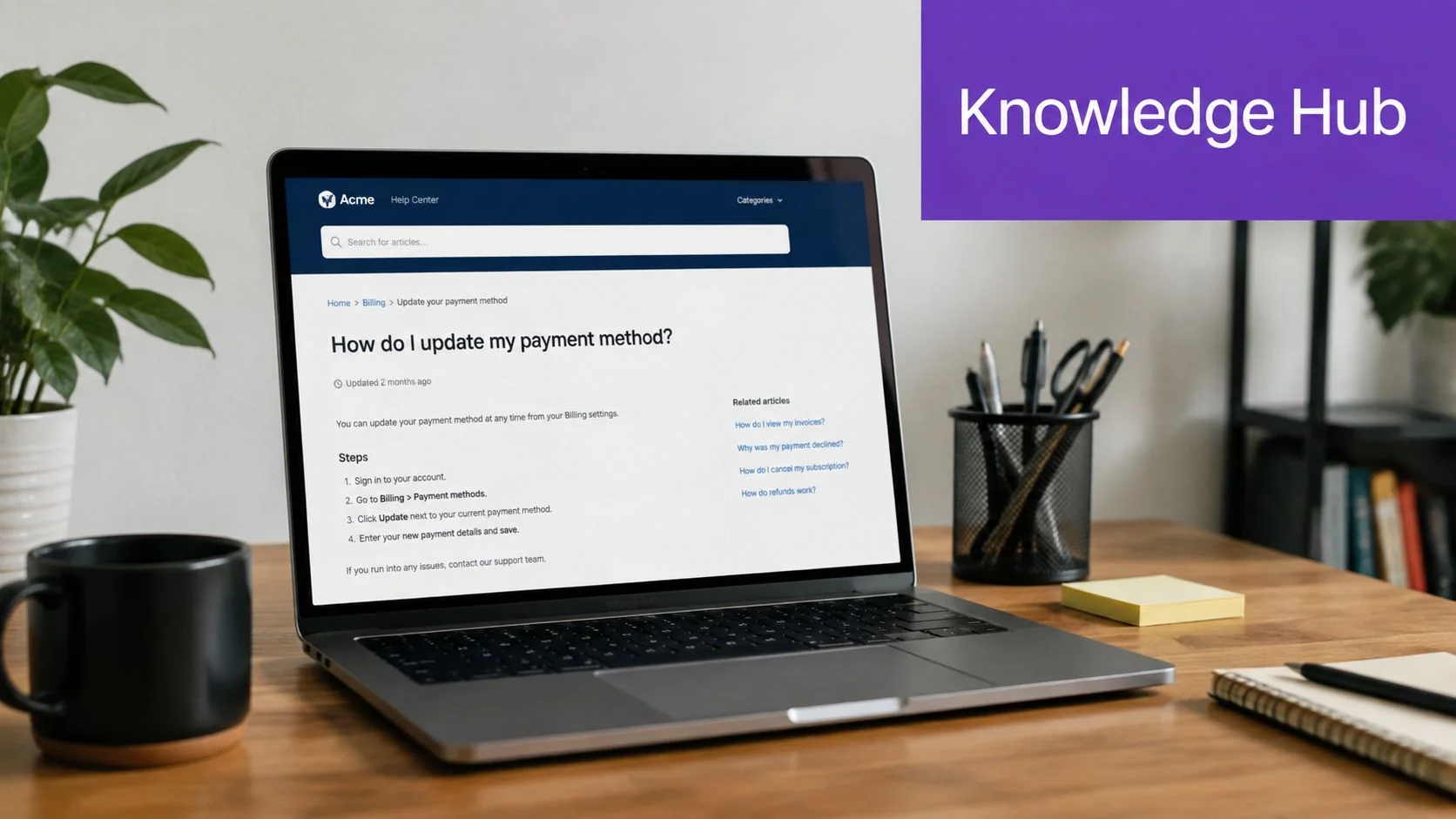
A knowledge base is often the first place a customer looks when a task fails or a feature feels unfamiliar. Publishing a task-focused video beside a written article gives that person a choice. Some users want to watch the complete workflow, while others need searchable steps they can scan, copy, or revisit later.
Tutorial AI supports this pairing by turning one screen recording into a polished video and formatted documentation. That helps subject-matter experts capture the product context once instead of recording for video and then starting a separate documentation project. The result can fit into Zendesk, Confluence, Freshdesk, Notion, or another self-hosted or cloud-based help environment.
Match the asset to the search task
Record one job or feature per tutorial. “Update a payment method” is easier to find and maintain than a long recording covering billing, invoices, refunds, and account permissions. Generate the article immediately after recording, while terminology and edge cases are still fresh.
Use a bidirectional link between the video and article. Add descriptive titles, product-version metadata, captions, and a clear indication of who the instructions are for. Teams building a new resource should also follow this guide to building a knowledge base.
Practical rule: Treat the article as the index and the video as the demonstration. Neither format should be buried behind the other.
Monitor searches, failed searches, video completion, article engagement, and support themes. Those signals reveal whether a topic needs a clearer title, a missing step, a new screenshot, or a replacement recording. AutoRetime can help align pacing, captions, and cuts when the same tutorial is prepared for multiple languages.
2. Customer Onboarding and Activation Programs
Customer onboarding content needs to arrive while the product is still new, not after the user has already formed workarounds. Product walkthroughs, setup guides, feature introductions, and short troubleshooting videos can sit inside welcome emails, onboarding checklists, customer portals, or in-product tours.
The operational trade-off is speed versus completeness. A single video that explains every setting may feel efficient for the creator, but it forces a new customer to search through an unfamiliar workflow. Modular videos let teams deliver the next useful step without overwhelming the user.
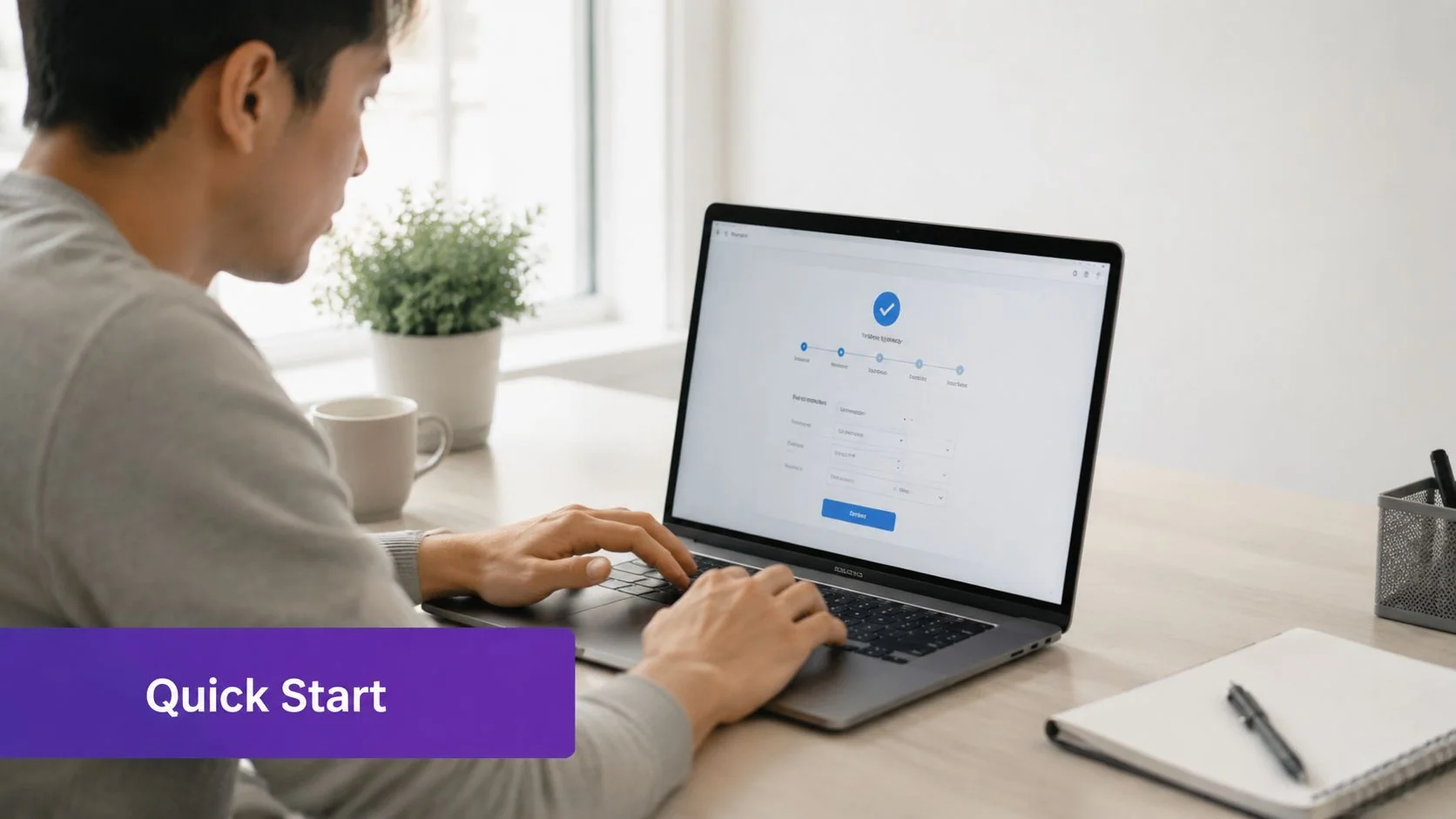
Record the flow in the same sequence customers will follow. Pair each video with an interactive checklist, a written fallback, and a clear completion action. Tutorial AI’s silent recording and post-production narration can help teams capture the product flow first, then refine the explanation without waiting for a traditional editing process.
Make activation content easy to discover
Keep complex setup work divided into focused segments. Embed the first relevant video in the welcome message or onboarding screen, rather than sending users to a general video library. For global audiences, use AutoRetime to adapt timing and captions to localized narration, and provide a language choice where the player supports it.
A practical onboarding sequence might introduce account setup, the first core task, collaboration, and advanced configuration as separate assets. Each piece should answer one question and point to the next action. This structure also makes updates safer, because a changed settings screen doesn’t require rebuilding the entire onboarding library.
Review activation paths alongside video engagement. If users start a tutorial but stop before the first meaningful action, shorten the introduction or move the explanation closer to the relevant interface.
3. Sales Enablement and Presales Walkthroughs
Sales teams need tutorial content that supports a conversation, not a generic product tour. A prospect evaluating permissions, integrations, reporting, or compliance wants to see the actual workflow and understand how it maps to their environment.
Tutorial AI captures the product screen and voice, which matters when buyers need to recognize the interface they may use. That differs from AI avatar tools such as Synthesia, HeyGen, and Vyond, which generate synthetic talking heads. A screen recording is usually the stronger choice for product demonstrations where interface accuracy builds confidence.
Build a modular demo library
Create one walkthrough per important feature, use case, or buyer concern. Salespeople can combine those modules for different conversations rather than searching for one oversized demo that fits nobody. Record at a natural pace, then use AutoRetime to tighten pauses and remove dead air.
Editable scripts are useful when the same product needs different framing for technical evaluators, business sponsors, or regulated industries. Emphasize the relevant workflow, security detail, or implementation consideration without re-recording every screen. Captions also make demos usable during muted playback and remote presentations.
Sales enablement content needs release discipline. Tie every demo to the product version, owner, approval status, and retirement date. A shared library without version control creates risk when a prospect sees an outdated screen.
For operating guidance, use this sales enablement content management resource. Track views, completion, shared links, and follow-up actions, but don’t treat consumption as proof of purchase intent. A viewed demo is a useful signal. The sales objective is a better conversation and a clearer next step.
4. Internal Training and Standard Operating Procedures
Internal training works best when employees can observe the exact process they’re expected to perform. Screen-based SOPs are particularly useful for finance systems, support consoles, HR platforms, operational dashboards, and compliance workflows where a written description alone can leave too much room for interpretation.
The subject-matter expert should lead the recording. They know the exceptions, permissions, naming conventions, and failure points that a professional editor may not understand. Tutorial AI lets HR, operations, IT, and management teams record those workflows without needing expert video-production skills, then generate a written guide from the same source.
Keep procedures maintainable
Break complex SOPs into short modules organized around a single outcome. Each module should identify the starting condition, the steps, the expected result, and what to do if the result doesn’t appear. The paired article gives employees a searchable reference, while the video demonstrates cursor movement, screen state, and sequence.
Publish the material to an internal LMS, wiki, or controlled documentation system with searchable metadata. Include the process owner, department, applicable region, and review trigger. Update the video when the workflow changes, and retain version history so managers know which procedure was active at a given time.
The best SOP is not the longest one. It’s the one an employee can locate at the moment of work and follow without guessing.
For multilingual teams, AutoRetime can adjust scene timing, captions, and cuts to match localized narration. That supports regional distribution, but native speakers should still review terminology and the final result. Localization can change the meaning of a process even when every word is technically translated.
5. Social Media and Content Marketing Distribution
Social channels perform a different job from a knowledge base. They create awareness, demonstrate expertise, and direct people toward a deeper tutorial, product page, or documentation resource. The mistake is treating social distribution as a simple reposting step.
Start with a modular recording. A full product walkthrough can produce a longer YouTube tutorial, short LinkedIn clips, a concise post explaining one workflow, and a written article that captures the searchable details. Tutorial AI’s AutoRetime, script editing, and document generation support that reuse without requiring a separate production cycle for every format.

Package the same lesson differently
A social viewer needs a clear reason to continue watching. Put the problem, result, or key lesson early, then direct viewers to the complete tutorial or article. A help-center viewer has a different intent, so the long-form version should prioritize accurate steps, searchable language, and accessible captions.
Use social analytics to identify topics that earn meaningful engagement, then improve the underlying tutorial rather than chasing disconnected trends. Pair social posts with article exports and internal links so short-form reach can contribute to longer-term discovery.
For community growth, use practical platform-specific packaging instead of copying the same caption everywhere. If you’re building a presence on Threads, these Threads audience growth tactics can complement tutorial repurposing.
Social is a poor substitute for owned documentation. Algorithms change, posts become difficult to retrieve, and viewers may not be ready to complete a product task. Use social to earn attention, then move high-intent users to a destination your team controls.
6. Email and Campaign-Based Nurture Sequences
Email gives tutorial teams a direct way to place the right explanation in front of a known audience. A product education email can introduce a feature, a customer onboarding message can guide setup, and a sales nurture sequence can answer a question that surfaced during evaluation.
The format should respect the recipient’s preference. Use a video thumbnail and a concise explanation for people who want a visual walkthrough, but include a text-only link and a written article for recipients whose email client, accessibility needs, or working environment makes video inconvenient. Tutorial AI’s video-to-article workflow makes that pairing practical without requiring separate source material.
Segment by the action ahead
Send different tutorials based on lifecycle stage and context. A new user may need first-use guidance, an active customer may need an advanced workflow, and a prospect may need a feature-specific demonstration. Content should answer the next question, not repeat the entire product story.
Use descriptive subject lines and one primary call to action. Link to the video and article with consistent campaign tracking, using the segmentation and personalization tactics that fit your audience data. The purpose of tracking is to connect email engagement with the next meaningful action, such as completing setup, visiting a feature, requesting a demo, or opening a support resource.
Measure the handoff, not just the click. A tutorial email succeeds when it helps the recipient take the intended next step.
Don’t place a full video transcript in every message. Keep the email focused, let the linked article carry searchable depth, and reserve the video for demonstration.
7. In-Product Tours and Guided Experiences
In-product distribution puts education beside the feature it explains. A help widget, overlay tour, onboarding screen, or contextual player can reach users at the moment they encounter an unfamiliar workflow. That proximity reduces the gap between learning and doing.
Real screen capture matters here. Users should see the actual buttons, menus, states, and terminology they’ll encounter. A generic animation may explain a concept, but it can’t always answer the practical question, “Which control do I select on this screen?” Tutorial AI captures the product interface and lets teams revise the script after recording, which supports audience-specific explanations and iterative testing.
Respect the user’s context
A first-time user may benefit from a guided introduction. An experienced user opening the same feature may want a short reminder or a written reference instead. Target tours based on user state, feature access, and prior completion rather than showing the same overlay to everyone.
Keep each experience focused and provide progress information for longer workflows. Record against the product version users have. An inaccurate tour damages trust faster than no tour because it interrupts the task while pointing to the wrong interface.
Generate the article version for users who prefer reading or need an accessible alternative. Track starts, completion, exits, repeated views, and the support topics that follow. If users repeatedly abandon the same step, the problem may be unclear copy, poor timing, or a product workflow that needs improvement.
In-product video shouldn’t become a substitute for interface design. Use it to explain complexity, not to hide confusing navigation or an avoidable setup burden.
8. Learning Management System and Formal Training Programs
An LMS turns tutorial content into an assigned learning experience. That changes the distribution requirements. Training managers need structured modules, learning objectives, completion records, access controls, captions, transcripts, and evidence that the learner received the required material.
Tutorial AI can generate a polished video and structured documentation from one recording. Teams can place the video in platforms such as Canvas, Blackboard, Moodle, Docebo, or TalentLMS, then pair it with a written guide, quiz, knowledge check, or downloadable reference. Where the LMS requires it, published videos can be delivered through SCORM packages with completion and progress tracking.
Design for learning, not storage
Start each module with an observable outcome. The recording should show the process that supports that outcome, and the assessment should test whether the learner can recognize or perform it. Metadata should identify the role, system, region, version, owner, and review status so learners can find the correct material.
A training library also needs governance. Define who approves content, who receives updates, and what happens when a policy or product changes. Completion data can show whether people finished a module, but it won’t automatically prove that the process transferred to the job. Managers may need follow-up observation, practice, or a work-based check.
Captions and transcripts support accessibility and create a searchable text layer. The article format helps learners review a procedure without replaying an entire video. For restricted internal programs, use appropriate identity and access controls rather than exposing sensitive training through an unrestricted public link.
Formal training succeeds when the channel, assessment, and access model match the obligation. A public video may explain a process, but it doesn’t replace controlled delivery where completion must be verified.
9. Partner and Reseller Enablement
Partners need content they can understand, reuse, and pass to customers without introducing messaging errors. A partner portal or shared enablement library can distribute product demos, implementation walkthroughs, positioning guidance, handoff checklists, and reference articles in one controlled environment.
The main trade-off is consistency versus flexibility. A completely locked asset protects the message but may not fit every partner’s market. A completely editable asset can drift away from approved positioning. Modular tutorials provide a middle path. Partners can sequence approved feature videos for their audience while the vendor maintains control over core claims, product screens, and release information.
Create a partner-ready asset system
Record demonstrations around common customer problems rather than internal feature names. Provide the video, article, checklist, and suggested customer handoff language together. Tutorial AI’s document generation can create the written reference from the same recording, while script editing supports regional or segment-specific versions.
AutoRetime can support multilingual production, and Tutorial AI’s narration capability covers 74 languages according to its product information. Don’t treat automated localization as final approval. Partners should review terminology, product names, legal wording, and cultural context before publishing customer-facing versions.
Track which partners access which materials and collect feedback through a defined channel. Low engagement may indicate poor discoverability, an irrelevant topic, or insufficient explanation. High engagement around one feature may justify a deeper implementation guide or a localized customer version.
Partner enablement also needs retirement rules. Mark superseded demos clearly, notify partners when a release changes the interface, and keep customer-facing links pointed to the approved version. Distribution only scales when partners can trust the library.
10. Accessibility and Multilingual Content Localization
Localization is a distribution strategy because language determines whether a tutorial can reach and serve a market. Accessibility expands that reach further through captions, transcripts, readable documentation, descriptive narration, and player controls that work for different viewing conditions.
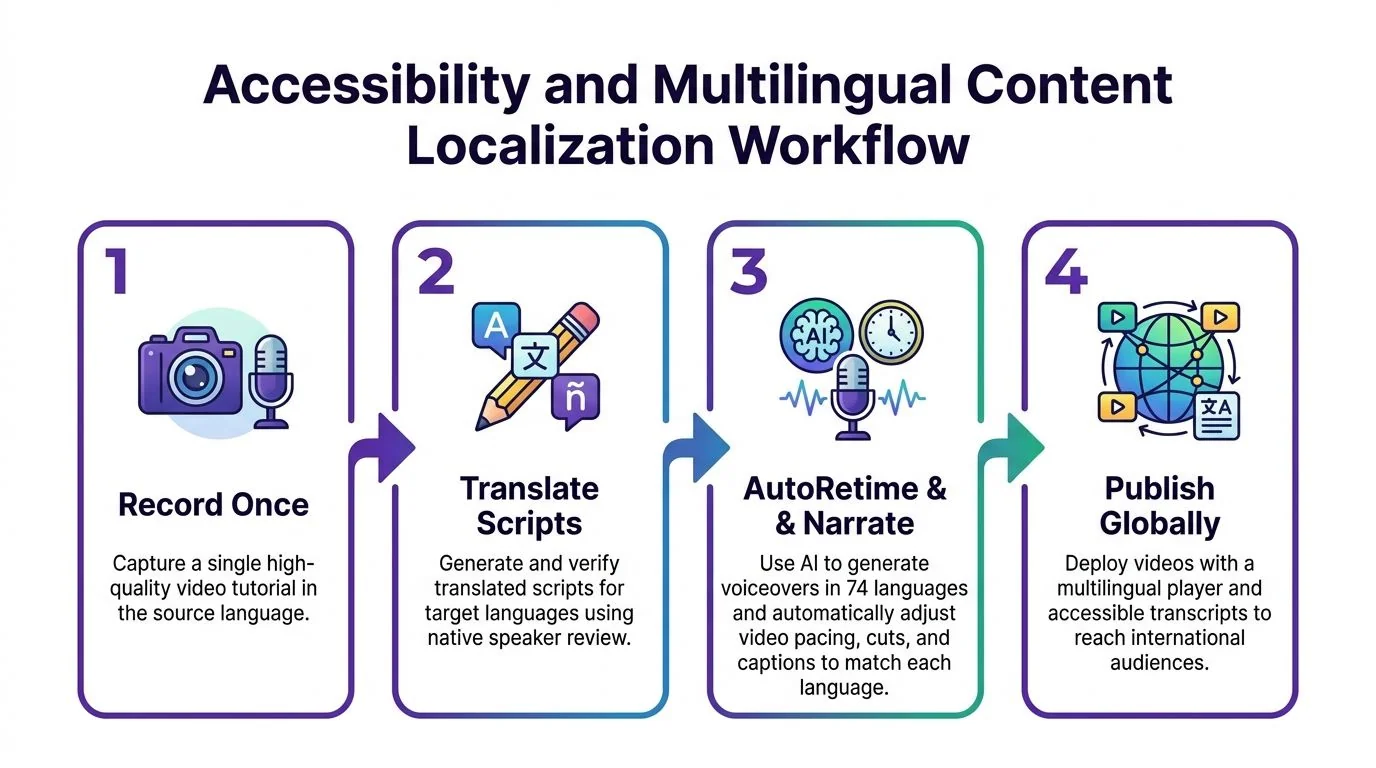
Tutorial AI can create multiple outputs from one recording. Its product information describes narration in 74 languages, and its AutoRetime feature adjusts scenes, captions, and cuts to match the length of each language’s voiceover. A multilingual player can bundle language versions into one embed so viewers select their preferred option from the player controls. That reduces the need to maintain separate links for every language.
Review meaning, not just mechanics
Have native speakers review translated scripts before narration. Product terminology, formality, regional conventions, and technical context can change the usefulness of an otherwise accurate translation. Captions should be present in every language version, and the written article should receive the same terminology review as the video.
Test the player and documentation with real users in target markets. Ask whether the narration sounds natural, whether labels match the interface, whether the pace supports comprehension, and whether the written steps are easy to scan. The localization best practices guide can help teams formalize that review process.
Privacy and access requirements matter during global publishing. Enterprise buyers commonly distinguish SOC 2 from GDPR. SOC 2 is a voluntary attestation about controls such as security, availability, confidentiality, and privacy, while GDPR is mandatory EU law governing personal-data processing. A SOC 2 report doesn’t by itself make a company GDPR compliant, as explained in this SOC 2 and GDPR comparison.
10-Point Distribution Strategies Comparison
| Item | Implementation Complexity (🔄) | Resource Requirements (⚡) | Expected Outcomes (⭐ / 📊) | Ideal Use Cases | Key Advantages (💡) |
|---|---|---|---|---|---|
| Direct Documentation and Knowledge Base Integration | 🔄🔄, requires platform integration and SSO | Moderate, content + dev upkeep | ⭐⭐⭐, 📊 reduces support tickets; improves discoverability | Self‑service support, technical docs, cross‑team KBs | 💡 Single workflow produces video + article; bidirectional linking boosts search |
| Customer Onboarding and Activation Programs | 🔄🔄🔄, sequencing and localization needs planning | Moderate, recording, narration, localization | ⭐⭐⭐, 📊 faster time‑to‑value; higher activation rates | New‑user onboarding, feature launches, global rollouts | 💡 Short modular videos standardize onboarding; silent recording enables quick edits |
| Sales Enablement and Presales Walkthroughs | 🔄🔄, lightweight for reps but needs version control | Low–Moderate, rep time, Brand Kits for polish ⚡ | ⭐⭐, 📊 shorter sales cycles; better follow‑up collateral | SDRs/AEs, presales demos, proposal leave‑behinds | 💡 Modular demos allow persona tailoring; fast turnaround without editors |
| Internal Training and Standard Operating Procedures (SOPs) | 🔄🔄, capture many processes; versioning required | Moderate, subject‑matter experts + recording time | ⭐⭐⭐, 📊 consistent onboarding; audit trail for compliance | HR, IT ops, finance, manufacturing SOPs | 💡 Auto document generation creates single source of truth; short modules aid retention |
| Social Media and Content Marketing Distribution | 🔄🔄, requires format/length adaptation per platform | Low, scalable production; AutoRetime speeds repurposing ⚡ | ⭐⭐, 📊 higher content output and traffic; reach varies by algorithm | Content/growth teams, creators, product marketing | 💡 One recording → many formats/languages; captions improve muted engagement |
| Email and Campaign‑Based Nurture Sequences | 🔄, simple to embed/link but needs fallbacks | Low, assets + email ops; segmentation effort ⚡ | ⭐⭐, 📊 higher CTRs and conversions when paired with articles | Demand gen, nurture sequences, customer success programs | 💡 Include text fallback links and segmented videos; track engagement for lead scoring |
| In‑Product Tours and Guided Experiences | 🔄🔄🔄, requires product integration and upkeep | Moderate–High, embed work, testing, version sync | ⭐⭐⭐, 📊 increased feature adoption and reduced support load | Product teams, mobile apps, SaaS feature launch | 💡 Contextual, personalized tours boost adoption; keep tours short and targeted |
| LMS and Formal Training Programs | 🔄🔄🔄, needs SCORM/xAPI setup and assessment design | High, LMS integration, assessments, compliance features | ⭐⭐⭐, 📊 standardized training and auditability at scale | Corporate training, regulated industries, education | 💡 Pair videos with quizzes and metadata; track completion and revise by metrics |
| Partner and Reseller Enablement | 🔄🔄, coordination with external orgs and versioning | Moderate, co‑branding, localization, guest access | ⭐⭐, 📊 faster partner ramp; consistent messaging | Channel programs, resellers, MSPs, international partners | 💡 Modular, co‑brandable assets + AutoRetime for multi‑region enablement |
| Accessibility and Multilingual Content Localization | 🔄🔄, translation review and formatting checks | Moderate, translation validation; AutoRetime reduces rework ⚡ | ⭐⭐⭐, 📊 expands reach; meets accessibility requirements (captions/transcripts) | Global SaaS, NGOs, educational platforms, distributed teams | 💡 Single recording → 74 languages with AutoRetime; native reviews ensure accuracy |
Turn One Recording Into a Distribution System
The practical lesson across these distribution strategies is simple. Don’t ask where a video can be uploaded. Ask what job the channel must perform, who needs access, what format helps that audience act, and which signal will show whether the distribution worked.
A knowledge-base team should begin with task-focused recordings. Capture one customer question or internal procedure, generate the paired article, embed the player, add search metadata, and link the video and written format together. Assign an owner and review date to both outputs. Then examine support searches, failed searches, article engagement, video completion, and repeated questions. Those signals can guide refreshes more reliably than a publishing calendar alone.
A training team should map each module to a learning objective before recording. Publish the video and documentation together in the LMS, add a quiz or knowledge check where appropriate, and make captions and transcripts available. Use SCORM delivery when completion and progress tracking are required. For restricted programs, control access with SSO or SAML and review permissions by role, region, and employment status. If the organization handles regulated or personal data, evaluate its security and privacy obligations separately rather than assuming one compliance signal covers both.
A sales enablement team should build modular feature walkthroughs tied to buyer questions and product releases. Brand Kits can keep visuals, fonts, and presentation consistent, while guest sharing helps distribute approved assets to prospects or collaborators. Use AutoRetime for localized versions, apply release-based versioning, and track engagement on shared links and embedded players. The useful question isn’t only whether someone watched. It’s whether the asset supported a follow-up, answered an objection, or moved the conversation toward a defined next step.
Tutorial AI fits this single-source model by turning screen recordings and narration into polished tutorials and matching documentation. Its wider workflow includes editable scripts, AutoRetime, Brand Kits, multilingual publishing, embeddable players, shared workspaces, versioning, and access options for teams that need controlled distribution.
The strongest system doesn’t publish the same asset everywhere. It adapts the format to the audience, the channel to the operational job, the access level to the sensitivity of the content, and the measurement to the intended outcome. One recording can support self-service, onboarding, training, partner enablement, and sales, but each destination still needs its own title, context, call to action, governance, and review process.
Tutorial AI turns one screen recording and spoken narration into a polished tutorial video plus a matching written article, with tools for editing, localization, Brand Kits, embeddable players, and controlled team distribution. Visit Tutorial AI to build a repeatable workflow for knowledge-base content, customer education, sales enablement, or internal training.