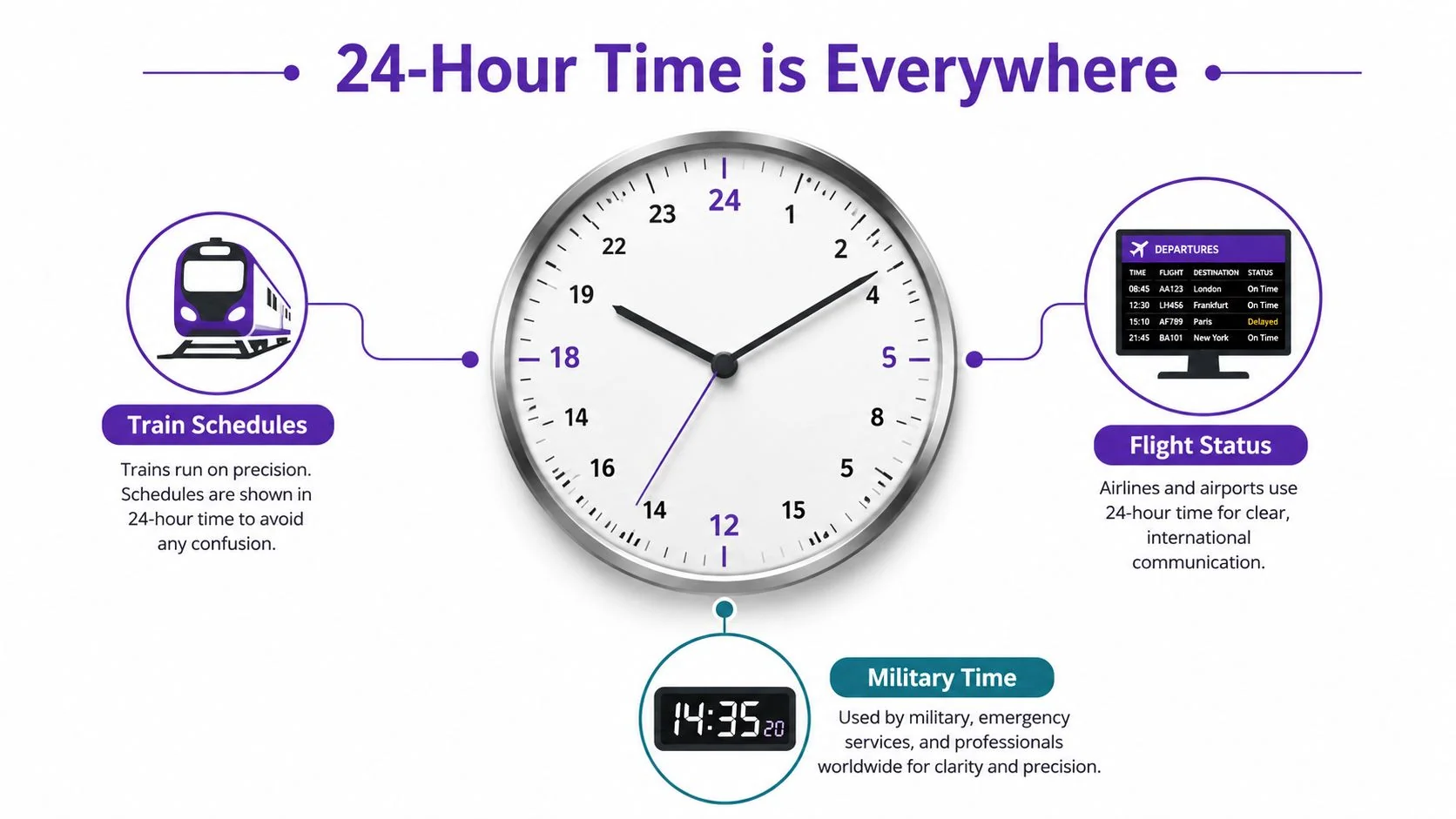
You’re staring at a departure board, a flight screen, or a calendar invite that says 17:30, and the time makes sense even before you translate it in your head. That’s the basic promise of a clock with 24 hours. It gives every minute a single place in the day, which is why so many transport systems, digital devices, and technical schedules use it when ambiguity would cause problems.
What a Clock With 24 Hours Actually Shows
The clearest visible difference is simple, a 24-hour clock doesn’t restart at noon. It runs from 00:00 to 23:59, so each minute of the day has one unambiguous label and there’s no need for AM or PM markers (Britannica’s overview of the 24-hour clock). That’s why a schedule can say 09:15, 13:40, and 22:05 in one continuous sequence.
Digital format and analog face
You’ll see the system in two forms. The first is the 24-hour digital format, usually written as HH:MM, where the hour numbers stay within 00 to 23 and the minutes stay within 00 to 59 (Third Space Learning’s explanation of 24-hour time notation). The second is the 24-hour analog face, a circular dial that places 24 hour marks around the clock instead of 12.
Practical rule: if a timestamp looks like a single clean sequence from morning to night, you’re probably looking at 24-hour notation.
That structure is why the format works so well for transportation, computing, and other global systems where a recording, log, or departure time has to mean exactly one thing. The system doesn’t ask the reader to infer whether 7:00 means morning or evening, because the number itself carries the answer.
Where the 24-Hour Day Came From
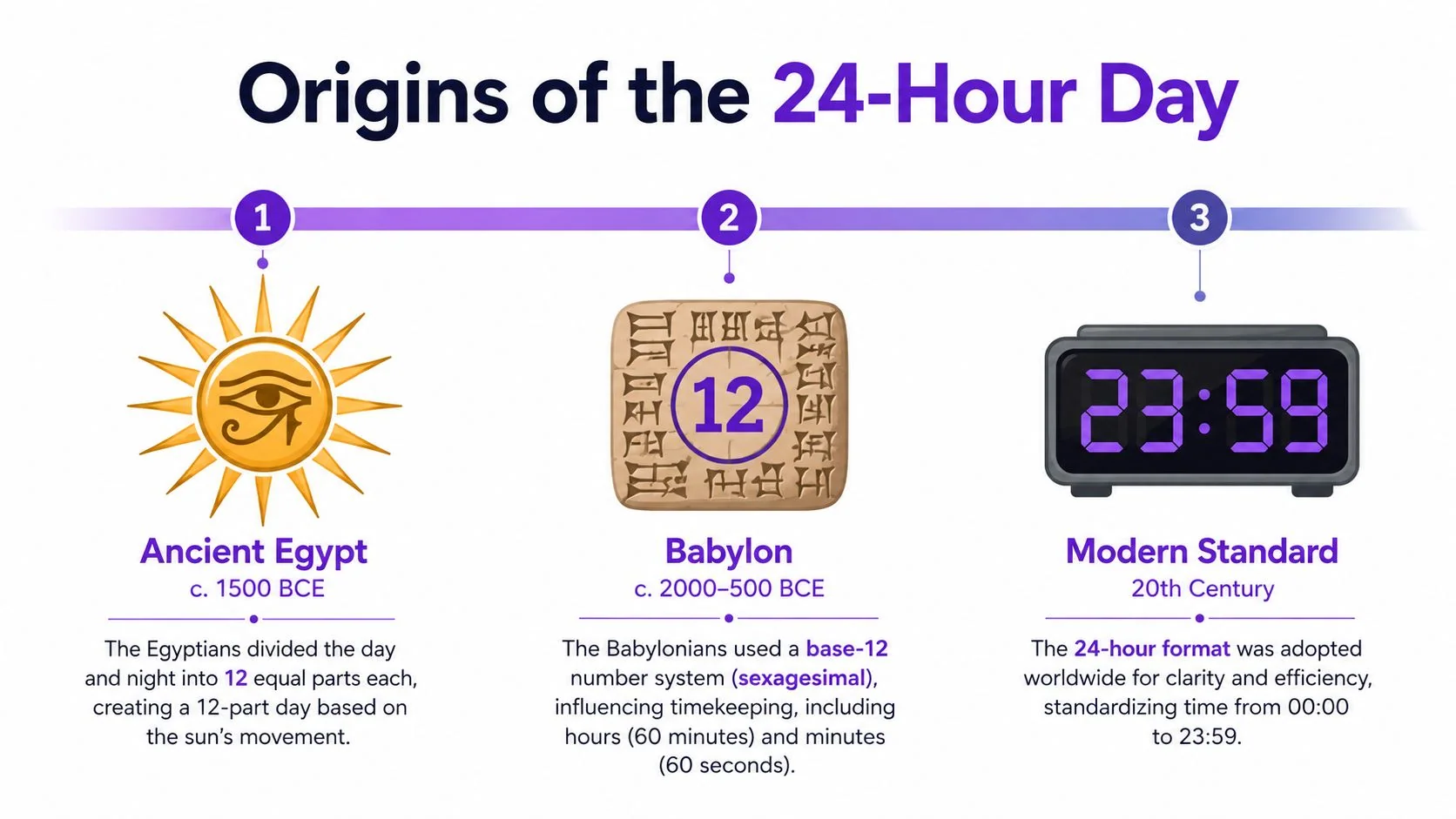
A clock with 24 hours does not come from modern screens or digital menus. Its structure reaches back to early civilizations, where time was first divided into regular parts so people could track daylight, night, and the tasks that followed each part of the day. Ancient Egypt and Babylon already used timekeeping traditions built around 12, and those systems go back about 4,000 years. The Egyptians are widely credited with dividing the day into 24 parts, which gave later timekeeping a clear framework to build on (History Facts on the ancient Egyptian day).
From ancient division to modern standard
Later, Greek astronomer Hipparchus proposed an equal 24-hour day in the 2nd century BCE. That shift mattered because it moved timekeeping from a practical split of daylight into a uniform system that could be used across the whole day, not just in one part of it. Much later, ISO 8601 formalized the 24-hour clock for international use, and Britannica notes that it is now the most widespread time notation worldwide (Britannica).
The shape of the system also helps explain why it lasted. A 24-hour analog dial makes one full 360° turn in a day, so the numbers sit naturally around a circle instead of fighting the geometry of the face. That is why the format still feels readable on watches, dashboards, and interface elements, even though the idea predates modern mechanical and digital clocks. For creators who are building labels, clock faces, or timestamp systems, the historical lesson is practical, and the design lesson is just as useful. Clear time formats reduce confusion, and a well-planned 24-hour display also matches the way a circular dial works. For a useful method on turning that clarity into step-by-step instructions, see how to write step-by-step instructions.
How to Convert Between 12-Hour and 24-Hour Time
A conversion from 12-hour time to 24-hour time follows a fixed rule, and the easiest way to learn it is to separate morning, afternoon, and the two noon-and-midnight edge cases. AM times usually keep the same hour number, while PM times add 12, except for 12 PM, which stays 12:00, and 12 AM, which becomes 00:00 (Vedantu’s conversion examples). Once that pattern is clear, the rest becomes a matter of reading the hour slot correctly.
The rule in plain language
A few examples make the pattern easier to see:
- 9:00 AM = 09:00, because morning hours keep the same hour number.
- 1:00 PM = 13:00, because 12 gets added to the PM hour.
- 7:00 PM = 19:00, using the same PM rule.
- 12 AM = 00:00, which marks the start of the day.
- 12 PM = 12:00, which stays in the middle of the day.
The structure is simple because every hour from 00 to 23 gets its own slot, so morning and evening do not share the same number (Third Space Learning). That removes the ambiguity that can appear in a 12-hour clock, where the same number repeats twice in one day.
A quick check helps when a time feels uncertain: ask whether it is before or after noon. Before noon, the hour usually stays the same. After noon, add 12 unless the time is exactly 12 PM.
There is one edge case that matters in schedules, logs, and system timestamps. 24:00 can mark the end of a date, and Britannica notes that it refers to 00:00 of the following day. That distinction keeps a deadline or record boundary clean when a day ends exactly at midnight.
If you want a broader pattern for turning a rule into clear instructions, this step-by-step guide for writing instructions is a useful model. It keeps each action in order and helps avoid confusion around exceptions like midnight and noon.
Reading a 24-Hour Analog Dial
A 24-hour analog dial keeps the same circular face, but the hour scale works differently. The numbers run from 1 to 24 instead of 1 to 12, and the hour hand takes a full day to complete one loop. One turn now represents 24 hours, so the hand moves more slowly across the same physical space.
How the geometry changes
On a standard clock, the top half of the dial usually helps separate one part of the day from another. On a 24-hour dial, the whole circle is used once per day. That gives the dial a different geometry, and it makes day and night positions easier to distinguish at a glance, especially in technical settings where a user needs to see whether a time is early, middle, or late in the day.
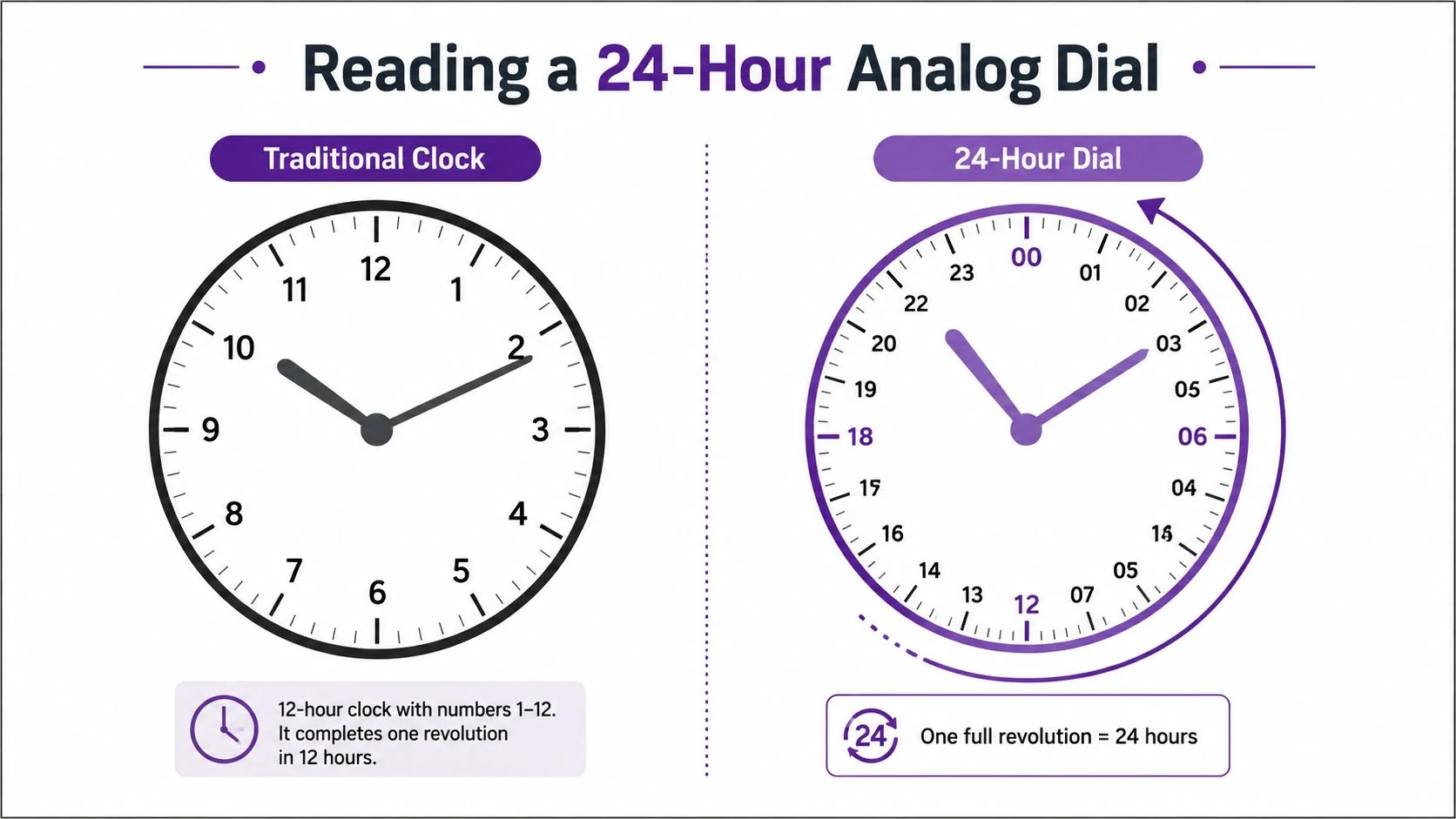
That change in layout also affects how the dial reads in motion. A creator building a device, recording, or interface cannot assume the same visual shortcuts used on a 12-hour clock. The geometry changes the spacing, the label strategy, and the way users estimate progress across the day.
Why the angle puzzles change
The edge case that tends to surprise people is the 180° alignment. On a 24-hour clock, those alignments occur 22 times in 24 hours, compared with 11 times in 12 hours on a standard clock (Wikipedia on the 24-hour analog dial). The reason is simple enough to picture without a full proof. If the hour hand is moving through a full day instead of half a day, the points where the hands face each other repeat on a different cycle.
That matters outside puzzle books. It shows up in clock-angle problems, in sundial calibration, and in any interface that uses a 24-hour dial as a visual element. A designer who keeps the shape of a normal clock but changes the underlying math needs to account for those shifts, or the spacing will mislead users.
The face looks familiar, but the timing is different. A 24-hour dial usually needs explicit labels, or readers will treat it like a standard 12-hour watch.
If you are preparing a help clip or training demo that shows the reading process, clean subtitles make the menu names and dial changes easier to follow. A tool for automated subtitle insertion can help when the audience needs to see each step clearly on screen.
For a process-style explanation that stays in order, the structure in this procedure-writing guide is a useful reference point. It keeps the action sequence exact and avoids burying the reading logic in extra explanation.
Video:
Switching Your Device to 24-Hour Time
Don’t worry about memorizing the format. Just ensure your phone or computer displays it consistently. Once the system setting is adjusted, the lock screen, status bar, calendar app, and many third-party apps that respect the system locale will follow along.
iPhone
- Open Settings.
- Tap General.
- Tap Date & Time.
- Turn on 24-Hour Time.
Android
- Open Settings.
- Tap System.
- Open Date & time.
- Turn on Use 24-hour format.
Windows 10 or 11
- Open Settings.
- Go to Time & Language.
- Open Date & Time.
- Check Regional format settings or use the Time display toggle, depending on your version.
macOS
- Open System Settings.
- Click General.
- Open Date & Time.
- Turn on 24-hour time.
If you’re documenting one of these changes for a help center or training clip, a clean subtitle track makes the path easier to follow. A resource like automated subtitle insertion can be helpful when the audience needs the exact menu names on screen.
For a process-style walkthrough that reads cleanly, the structure in this procedure-writing guide is a good reference point. It keeps the action order exact and avoids burying the click path in extra explanation.
Design Tips for Builders of 24-Hour Displays
A clock with 24 hours asks a simple question of the builder, what should the user understand at a glance, and what needs to be spelled out? Midnight is the first decision. Some products show 00:00 because the day starts at zero, while others reserve 24:00 for the end of a date in a schedule or log. Use the form that matches the meaning of the time, so the display does not suggest the wrong boundary.
A useful way to test the design is to ask whether a person reading quickly can tell if they are seeing the start of a day or the close of one. If the answer is no, the label is doing too little.
Four decisions that matter
- Zero-padding: write 09:05 instead of 9:05 when consistency matters, because the fixed-width form is easier to scan in tables, schedules, and logs.
- Noon and midnight: avoid leaving the user to guess. If there is no AM/PM label, the surrounding context has to make 12:00 and 00:00 clear.
- Dial layout: on a 24-hour analog face, the numerals need to read quickly as a full circle, not as two stacked 12-hour cycles. That geometry matters because the viewer is reading position around the dial, not translating two separate loops.
- Labeling: if the display might be mistaken for a normal watch, add context near the time, especially in software interfaces and printed diagrams.
UX rule: if a reader can mistake a day boundary for the start of the next day, the display needs a clearer label.
The same clarity applies to recordings and documentation. When a system clock is set to 24-hour time, screenshots, screen recordings, and exported help articles inherit that format. That keeps the UI, narration, and captions aligned for a global audience, especially in multilingual tutorials where the on-screen timestamp has to match the spoken time exactly. For teams shaping that material, instructional design best practices help keep the time format, labels, and on-screen explanation in the same frame.
For knowledge-base videos, support walkthroughs, onboarding clips, and internal training, that consistency reduces confusion later. The timestamp shown in the recording should match the format you teach, so the viewer is not forced to reconcile two different conventions at once.
Recap and Where to Go Next
A clock with 24 hours gives each minute one fixed place in the day, using the range from 00 to 23. The conversion rules stay straightforward once you separate them by part of the day. AM keeps the hour, PM adds 12, 12 PM stays 12:00, and 12 AM becomes 00:00. 24:00 can also mark the end of a date in technical schedules, which is why it appears in formal timekeeping systems.
Two confusions cause most mistakes. One is mixing up 12 AM and 12 PM. The other is treating 24:00 and 00:00 as the same moment without checking whether the time refers to the end of one day or the start of the next. Once those edge cases are clear, the rest of the format is easy to read and easier to explain to someone else.
A useful next step is to compare the clock face with the written time. On a 24-hour analog dial, the numbers are arranged to show a full day around one circle, so the layout itself carries meaning before any conversion happens. That matters for creators building devices, interfaces, or recordings, because the display, the label, and the spoken time all need to agree. As noted earlier, Britannica gives a clear overview of the format itself, while the design side depends on making the day boundary obvious to the reader.
If you are applying this in practice, the most useful follow-up topics are time-zone math for global teams, ISO 8601 for engineers, and 24-hour analog dial design for product teams. Those are the places where conversion rules stop being abstract and start affecting real screens, help articles, and recordings.
A CTA for Tutorial AI.