Ever wondered how you can create a perfect, consistent voiceover for all your training materials without ever stepping into a recording booth? That’s the magic of AI voice cloning. It’s software that uses artificial intelligence to analyze a person’s voice and create a digital replica that can say anything you type.
For anyone creating product demos, feature release videos, or knowledge base videos, this technology can significantly cut editing time. You can produce professional-sounding narration on demand, ensuring every piece of content has the same familiar, on-brand voice.
How AI Voice Cloning Actually Works
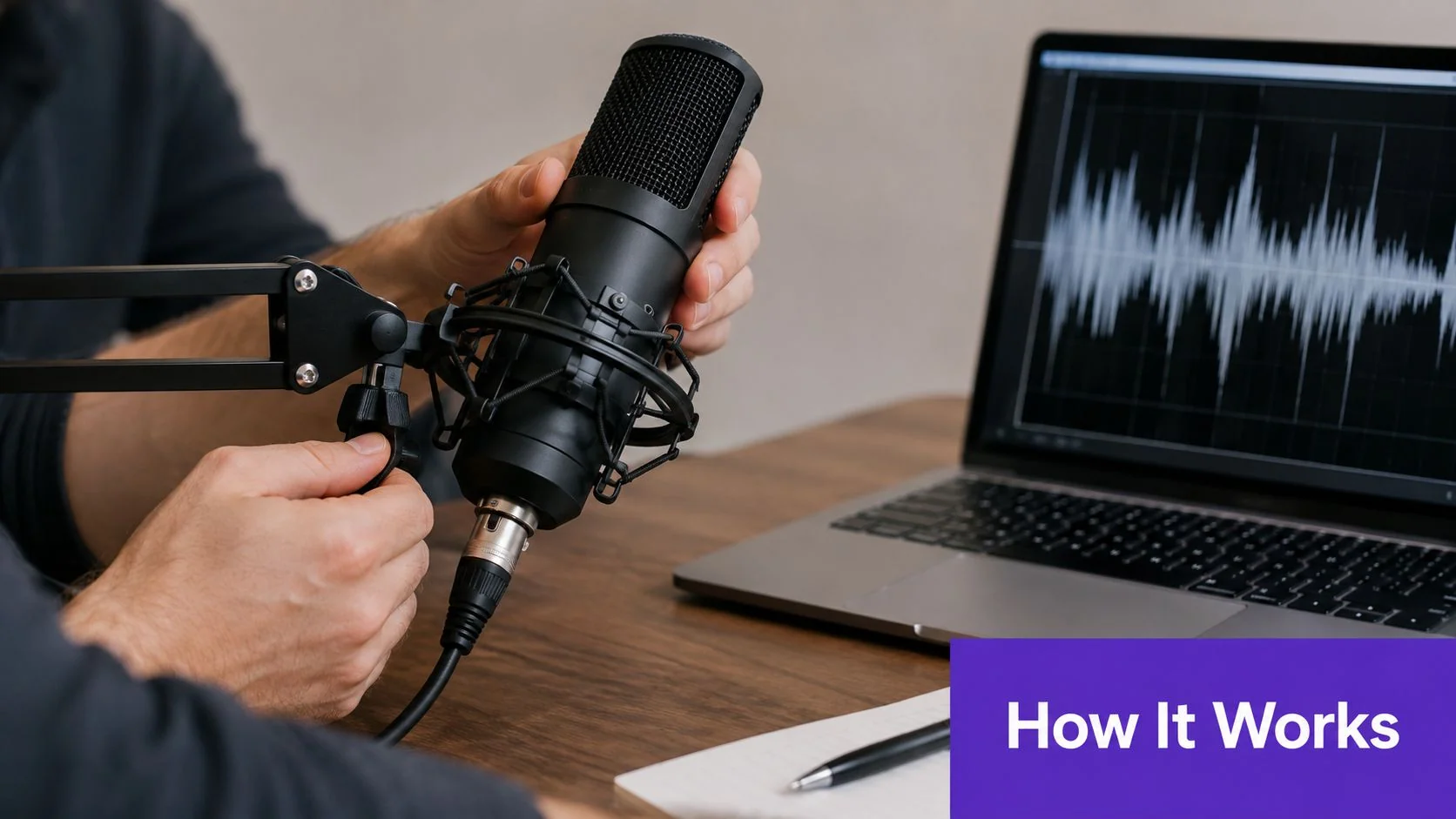
At its heart, AI voice cloning is about teaching a machine to speak just like you. The process starts with a short audio recording, which the software breaks down using advanced text-to-speech (TTS) models and neural networks. It’s not just mimicking words; it’s learning the very essence of a voice.
The software meticulously analyzes an audio sample to understand its unique vocal fingerprint, focusing on three key elements:
- Pitch and Intonation: The natural rise and fall of the voice when speaking.
- Pacing and Rhythm: The unique speed and cadence of someone’s speech patterns.
- Timbre and Tone: The distinct quality and character that makes a voice instantly recognizable.
Once the AI has learned these patterns, it can generate entirely new speech from text while preserving the original speaker’s sound. This is incredibly powerful for maintaining consistency, even if you need to update a tutorial video months down the line. If you’re curious about putting these to work, you can explore some great examples in our guide to AI voices for professional narration.
Instant vs. Professional Voice Cloning
It’s important to know that not all voice cloning is created equal. The quality you get often comes down to the amount of audio data you start with, which splits the technology into two main categories.
Instant cloning is fast. It typically only needs a minute or two of your voice to work. While it’s handy for quick tests or informal projects, the results can sometimes lack the emotional depth and nuance needed for polished content.
For high-stakes content like customer onboarding or sales enablement walkthroughs, a professional-grade clone is essential. This method uses more audio—often 30 minutes or more—to create a high-fidelity voice that captures nuance and delivers studio-quality results every time.
This distinction really matters for teams creating help center videos or internal training modules. The quality and consistency of the narration directly affect how well your audience engages with and understands the material. That’s why an integrated platform like Tutorial AI focuses on professional-grade clones, ensuring every voiceover is clear, natural, and perfectly aligned with your brand.
How to Choose the Right AI Voice Cloning Software
When you’re ready to pick an AI voice cloning tool, it’s easy to get distracted by impressive demos. But to find a solution that will actually work for your team, you need to dig deeper. This section provides a practical, evidence-led guide for subject-matter experts who need to make an informed choice.
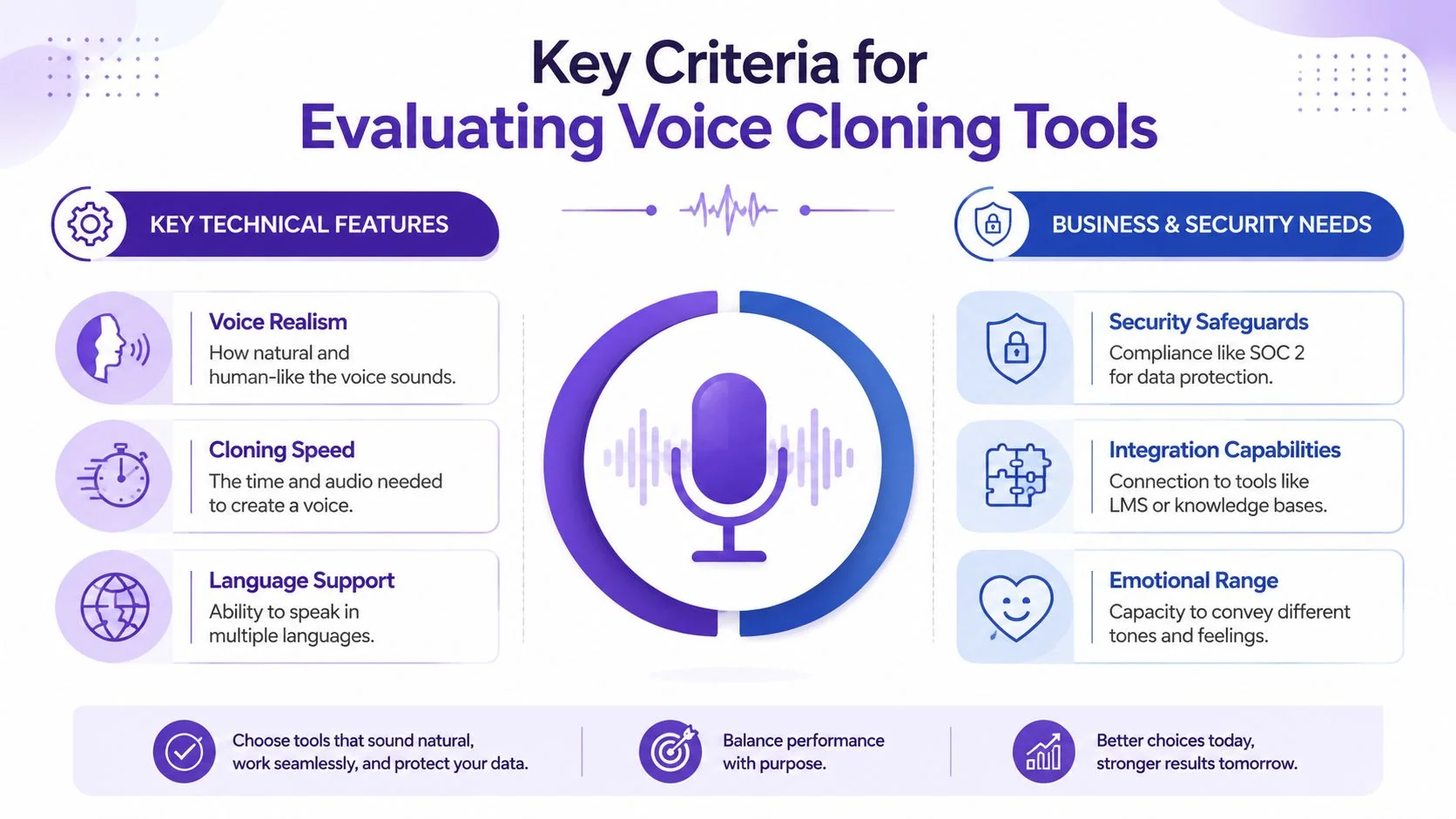
Let’s start with the most obvious criterion: the sound. The quality of the voice clone is everything. A robotic or monotone voice will immediately turn listeners off, which is the last thing you want for training content or product walkthroughs. You’re looking for a voice that sounds genuinely human and can capture the subtle emotions in your script. When you need a voice to sound reassuring or urgent, can the AI actually deliver?
Does It Fit Your Workflow?
Beyond pure audio quality, you have to consider the practical side of things. How will this tool actually fit into your team’s day-to-day work? There’s often a trade-off between speed and quality. Some tools can generate an “instant” clone from just a minute of audio, but the results often lack the polish needed for professional work.
High-quality clones, the kind you’d want for your help center videos, usually require more input—think 30 minutes or more of clean audio. This initial investment pays off with a much more realistic and usable voice.
Efficiency is another major factor. Think about what happens when you need to update a script. Do you have to re-record the entire audio file just to change a single sentence? The best tools have an editable script that syncs with the voiceover, which saves a massive amount of time. Compared to casual screen recorders like Loom, which can result in rambling recordings that are 50-100% longer than needed, a platform with an editable script and auto-tightening features delivers a much more polished final product.
For companies operating on a global scale, language support is a deal-breaker. Top-tier AI voice cloning software goes beyond simple translation. The goal is to have the cloned voice speak fluently in different languages while keeping its unique vocal characteristics. Some advanced platforms, like Tutorial AI, can handle narration in 74 languages and even automatically adjust video timings to match the cadence of the new language with its Multilingual Player.
What About Security and Integration?
Finally, you can’t overlook the business and security implications, especially in an enterprise setting. You need absolute confidence that your data is protected and the platform meets industry standards.
Here are a few key points to check:
- Security Compliance: Don’t just take their word for it. Look for official certifications like SOC 2 and GDPR compliance. This shows the provider is serious about data protection, a non-negotiable for organizations like Microsoft, Bosch, and UNICEF.
- Integration Capabilities: A great tool that doesn’t talk to your other systems creates more work, not less. Check for seamless integrations with your learning management system (LMS), knowledge base, or CMS to ensure a smooth content pipeline.
- Workflow Automation: Does the platform do more than just generate audio? For example, if it can create a written article from the same recording you use for the voiceover, you’ve just turned one task into a two-for-one deal, boosting your team’s productivity. Tutorial AI offers this document generation capability.
A Practical Comparison of Leading Voice Cloning Solutions
When you’re trying to pick the right AI voice cloning software, it’s easy to get lost in feature lists. But what really matters is how a tool fits into your actual workflow and solves a specific problem. A platform that’s perfect for generating audio for a digital avatar might be a terrible choice for creating screen-based product demos or internal training.
The market has really split into two camps: standalone voice generators and fully integrated solutions.
Standalone tools are great for simple, one-off audio jobs. You upload a script, pick a voice, and get an MP3 file to download. But if you’re creating content that pairs narration with visuals—like a help center video—this creates a real headache. Any time the script or the on-screen UI changes, you have to go back, generate a new audio file, and manually re-sync everything in a video editor like Adobe Premiere Pro. It’s a frustratingly disjointed process.
This is where integrated platforms completely change the game. A solution like Tutorial AI, for example, builds the voice cloning capabilities directly into its video and document creation workflow. If you edit the transcribed script, the voiceover, video timing, and captions all update at the same time, automatically. For teams constantly updating SOPs or sales enablement walkthroughs, this saves an enormous amount of time and effort.
Differentiating by Core Use Case
Before you start comparing, the first question to ask yourself is: what am I actually trying to make? Different tools are optimized for entirely different outcomes, which impacts everything from your team’s efficiency to the quality of the final product.
For example, AI avatar tools like Synthesia or HeyGen are designed to create videos with a synthetic person talking to the camera. Their voice cloning is specifically tuned to sync perfectly with an avatar’s lip movements. This is great for certain kinds of presentations, but it’s completely unsuited for content where the audience needs to see a software interface, like in a product demo or a customer onboarding video. For that, you need to capture the real screen and hear a real (or real-sounding) voice.
In contrast, Tutorial AI is purpose-built for creating screen-based content. It captures your screen and voice, and its AI turns that single recording into a polished, studio-quality video and a matching help article. Here, voice cloning isn’t just an add-on feature; it’s a fundamental part of a system designed to produce practical, high-quality instructional content.
A Closer Look at Key Differentiators
The business-level factors—like security and integrations—often determine whether a tool is actually a viable option for your organization.
Let’s break down how these differentiators really play out in practice:
- Workflow Integration: Standalone voice tools force you to manage audio files as separate assets. Integrated platforms like Tutorial AI, on the other hand, keep the audio locked to the video script. A change in one place instantly updates the other. Its AutoRetime feature even auto-tightens the video’s pacing when translating a voiceover into one of its 74 languages, which reduces a ton of tedious manual editing.
- Purpose-Built Features: Casual screen recorders like Loom are fantastic for quick, informal messages, but they often result in long videos filled with pauses and rambling. Tutorial AI is designed to automatically tighten up these recordings for a much more professional and concise result. It delivers the polish you’d expect from a tool like Camtasia or Adobe Premiere Pro but automates much of the editing skill required.
- Security and Compliance: For any business—but especially for large enterprises like Bosch and Deutsche Bahn—security is simply non-negotiable. Always look for platforms with proven, enterprise-grade security credentials, including SOC 2 and GDPR compliance and options for SSO/SAML. Custom Brand Kits are another feature that helps large organizations maintain consistency.
Ultimately, the best tool is the one that aligns with your team’s primary goal. If you just need to generate a bunch of audio files, a standalone tool will probably do the trick. But if your objective is to efficiently build and maintain a library of polished tutorial videos and documentation, an integrated solution offers a much more direct and scalable path to success.
The Business Case for Adopting Voice AI
Let’s be clear: AI voice cloning isn’t just a cool tech toy anymore. It’s a core business strategy that can deliver a surprisingly fast return on investment. The biggest and most immediate win is a massive drop in the time and money spent on creating content.
Think about the old way of doing voice-overs. You had to book studio time, hire and schedule voice actors, and then go through the whole painful process again for even the smallest update. By automating narration, you can sidestep all of that.
What used to take days of audio production can now be done in minutes. This is a practical benefit, especially if you’re constantly churning out product demos, feature release videos, or internal training modules. A subject-matter expert can record a quick screen capture, and with the right platform, instantly get a polished video—and even a matching help article—from that single recording.
Driving Scalability and Reducing Costs
The financial upside is hard to ignore. Evidence suggests that companies can see a return on their voice AI investment in under six months. These gains come from slashing production time by up to 80% compared to traditional methods. It’s no wonder the market for voice AI agents, valued at USD 2.4 billion in 2026, is projected to keep growing. You can dive into the full analysis of the voice AI market to see the detailed projections.
These efficiencies create real cost savings, particularly for businesses operating globally. A platform like Tutorial AI, which supports multilingual voice cloning across 74 languages, means you don’t have to find and hire different voice actors for every market you want to reach.

From One-Off Task to Strategic Asset
The real value of voice AI shines when it’s built into your workflow, not just used as a standalone tool. When it’s integrated with video creation, it completely changes how you manage and maintain your content.
Imagine you need to update a tutorial because a button moved in your latest UI release. Instead of re-recording the entire video, you just edit the script. The platform then automatically regenerates the audio in the original cloned voice.
Suddenly, your content library isn’t a static archive; it’s a living, breathing asset that’s easy to keep current. For teams managing help centers or creating SOP walkthroughs, this means your content stays accurate with almost no extra work. Our guide on creating professional training voice-overs walks through how to set up these kinds of efficient systems.
Ultimately, adopting AI voice cloning isn’t just about saving a bit of cash. It’s about building a more scalable and agile foundation for all your future training and marketing content.
Practical Use Cases for AI Voice Cloning
The real appeal of AI voice cloning software isn’t the tech itself—it’s about the very real problems it solves for busy teams. When you can move past recording one-off audio files, you open up huge efficiencies, especially if your business depends on clear and consistent communication.
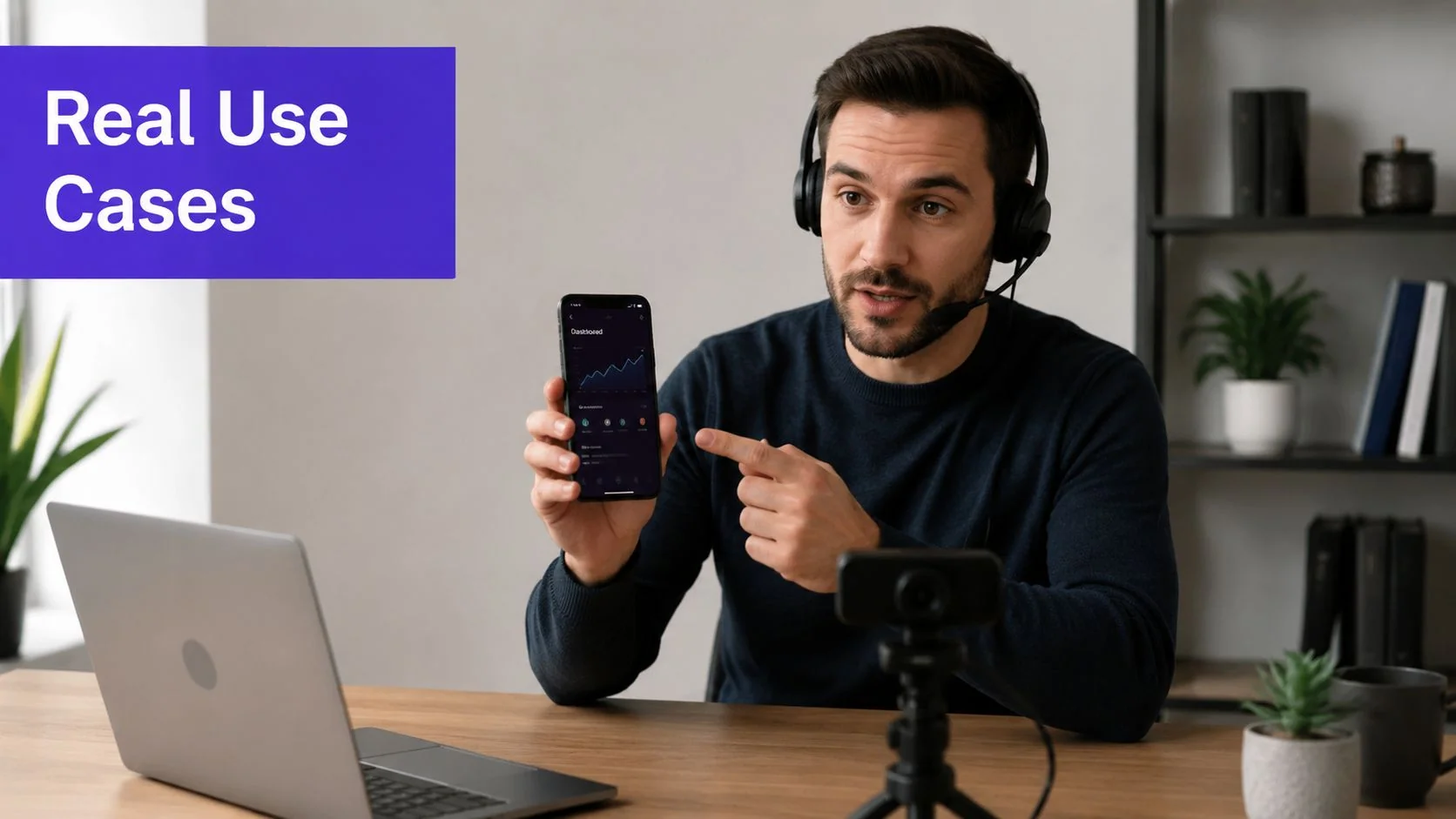
Think about a company that has a whole library of customer onboarding videos. Without a cloned voice, every little UI update or new feature means booking another recording session just to keep the narration consistent. With a good clone, a subject-matter expert can just tweak the script, and the platform regenerates the audio perfectly. The time saved is enormous.
Scaling Training and Enablement Content
Internal training and sales enablement are two other areas where voice cloning really shines. For a global company like Deutsche Bahn or Microsoft, delivering standardized training across different departments and languages is a massive undertaking.
Instead of trying to wrangle dozens of voice actors, they can use a single cloned voice from a trusted leader or expert to narrate all the material. From there, some of the more advanced platforms can even translate that voice into other languages automatically.
For instance, a team could produce a whole series of SOP walkthroughs or internal training videos using one familiar voice. When a process inevitably changes, updating the audio is as simple as rewriting a few lines of text. This guarantees every employee gets the same high-quality, current information, no matter where they are.
A key differentiator here is the ability to handle localization seamlessly. A platform like Tutorial AI, which supports narration in 74 languages, lets a marketing team update a feature release video’s narration for global markets without a single re-recording. The AI handles both the voice generation and the video retiming.
Many voice cloning tools are built specifically for creating high-quality AI voice over for different types of media, which is a major practical application.
From Video Recording to Multi-Format Assets
The most efficient workflows don’t just stop at voice cloning; they integrate it into a broader content ecosystem. The idea is to squeeze every bit of value out of each recording. A platform like Tutorial AI is built for exactly this, turning one screen recording into both a polished video and a corresponding written help article.
Here are a few video types where this integrated approach is a practical advantage:
- Product Demos: Create and update polished demos with perfectly consistent narration for sales and marketing.
- Knowledge Base Videos: Embed clear, concise tutorial videos directly into your support articles, all generated from the same source material.
- Feature Release Videos: Quickly produce localized announcement videos for a global audience, all using a single cloned voice.
By connecting voice generation directly to video and document creation, teams can ship multiple assets from one unified workflow. If you want to see how this works for video content specifically, you might be interested in our guide on the best AI voice generator for videos. This is how AI voice cloning goes from being a simple audio tool to a strategic asset for content production.
Navigating the Ethical and Legal Considerations
It’s easy to get excited about what AI voice cloning software can do, but we have to talk about the serious side. The same technology that creates incredible efficiencies can also be used for unauthorized deepfakes and fraud. If you’re a team lead or a subject-matter expert considering this tech, grappling with these risks isn’t just a formality—it’s your first responsibility.
Everything boils down to one word: consent. You should walk away from any platform that lets you clone a voice without getting explicit, verified permission first. It’s a massive red flag. Getting this right isn’t just about ethics; it’s about protecting your brand’s reputation and building real trust with your listeners. Always check a provider’s consent policies and make sure they have clear safeguards to prevent abuse.
Upholding Security and Data Privacy
Beyond just getting permission, you have to consider how your voice data is being handled. A person’s voice is sensitive data, and you need to know exactly how a provider stores and protects that information. It’s a direct reflection of their commitment to running an ethical operation.
When you’re dealing with company and personal data, strong security isn’t just a nice-to-have. It’s a deal-breaker. The easiest way to verify a platform’s commitment is to look for established, verifiable security certifications.
When you’re comparing tools, make sure they can prove their security claims. Look for these two key compliance standards:
- SOC 2 Compliance: This is a big one. It certifies that a provider maintains a high level of information security across its systems, covering everything from availability and confidentiality to privacy.
- GDPR Adherence: If you have any customers or employees in Europe, compliance with the General Data Protection Regulation (GDPR) is absolutely mandatory for handling personal data like voiceprints.
This is an area where enterprise-focused platforms really stand apart. For instance, tools like Tutorial AI are built from the ground up with these security measures in mind, offering SOC 2 and GDPR compliance along with SSO/SAML integration. This level of security gives you the confidence to use voice cloning effectively without putting your data—or your ethics—at risk.
Your Voice Cloning Questions, Answered
As you start exploring AI voice cloning, a few key questions usually come up. Let’s walk through the practical answers you’ll need to get started on the right foot.
How Much Audio Do I Really Need to Record?
This really depends on the quality you’re aiming for. Some tools can generate a quick clone from just a minute or two of audio, which is great for experimenting.
However, for professional content like internal training videos or official documentation, you’ll want a much richer and more nuanced result. In that case, expect to provide 30 minutes or more of clean, high-quality audio. Taking the time to record this upfront is what allows the AI to capture the unique cadence and tone of the speaker, ensuring the final voice sounds natural and consistent across all your projects.
Is Voice Cloning Actually Safe and Legal to Use?
Yes, it is, provided you approach it ethically and work with a trusted platform. The entire legal framework for voice cloning hinges on one critical word: consent. You must have explicit permission to clone a person’s voice.
This is why leading platforms have strict identity verification processes in place. When choosing a tool for your business, look for signs of a serious commitment to security, like SOC 2 compliance and adherence to GDPR. These aren’t just buzzwords; they’re your assurance that your data is protected and the technology is being used responsibly.
Can a Cloned Voice Speak Other Languages?
Absolutely. This is where modern AI voice cloning truly shines, especially for global teams. The best platforms can take a single English voice clone and have it speak fluently in dozens of other languages, all while preserving the speaker’s core vocal identity.
For example, a tool like Tutorial AI supports over 74 languages. Its AutoRetime feature automatically adjusts your video’s timing to sync perfectly with the new, longer or shorter, translated voiceover. This makes localizing things like product demos or customer onboarding videos incredibly efficient.
Ready to see how you can create studio-quality tutorial videos and documentation from just one recording? Try Tutorial AI for free and discover how easy it can be. Learn more at https://www.tutorial.ai.