Your team probably already has English videos for onboarding, demos, release notes, and support. They’re useful. They convert. They reduce tickets. Then expansion into Spanish-speaking markets starts, and the video library suddenly becomes a weak point.
Most SaaS teams don’t fail here because they lack product knowledge. They fail because their localization workflow was designed for text, not screen recordings. A help center article can be translated with a standard content workflow. A product tutorial has voice, timing, captions, zooms, UI labels, and distribution choices that affect whether anyone watches it.
That’s why spanish translation videos need a different operating model. The strong workflow isn’t “record in English, send to translation, upload later.” It’s a chain: capture the right source, clean the script, localize for the target market, generate narration, fix timing, run QA, and publish in a way the platform can distribute.
Why Your SaaS Needs Spanish Translation Videos
A lot of product marketers are sitting on the same problem. The English content library is solid, but growth in Spanish-speaking regions stays flat because the product education layer hasn’t caught up. Buyers can sign up, but activation, onboarding, and self-serve support still depend on English.
That creates friction in the exact moments where trust matters most. If a user is learning a workflow, troubleshooting a setup issue, or evaluating whether your product fits their team, language quality affects comprehension and confidence.
The gap isn’t generic Spanish content
There’s a broad supply of Spanish-language video content online, but much of it is aimed at general learning, travel phrases, and consumer topics. There is minimal coverage of professional translation challenges specific to enterprise software and customer support, and that gap matters for companies entering Spanish-speaking markets. One source also notes that Latin America represents 5-6% of global SaaS adoption and is growing 2x faster than English markets in that context, which makes the content gap commercially important, not just editorially inconvenient (discussion of the enterprise software translation gap).
For SaaS teams, the hard part isn’t translating “hello” or “thank you.” It’s handling:
- UI language: Button labels, menu names, settings, and navigation terms have to match the product.
- Support terminology: Error states, troubleshooting steps, and recovery actions need precision.
- Technical context: API references, permissions, integrations, and workflow logic can’t sound approximate.
- Regional expectations: Spanish for Mexico, Spain, and broader Latin America often needs different phrasing choices.
Why video matters more than text alone
Text localization covers only part of the user journey. Video does the heavy lifting for onboarding, customer education, and presales because it shows motion, sequence, and intent. A written article can describe where to click. A localized video can show the click, explain why it matters, and remove hesitation.
Practical rule: If a workflow is easier to demonstrate than describe, localize the video, not just the article.
Spanish translation videos also help internally. Sales enablement teams use them in follow-up sequences. Support teams share them to resolve repeat questions. Customer education teams turn them into reusable assets for LMS and knowledge base environments. Product marketing uses them to launch features without asking every regional team to build content from scratch.
The opportunity is real, but the shortcut approach usually fails. Literal translation produces awkward tutorials. Manual editing is too slow. And posting a translated asset without thinking about distribution leaves the work underused. The better path starts before translation begins, at the source recording.
From Raw Recording to a Polished Script
Most bad localization work starts with a messy source video. If the English original is rambling, full of filler, or loosely structured, every downstream step gets harder. The translation is harder. The voiceover sounds less natural. The timing drifts. Review cycles multiply.
That’s why the source recording needs to become a clean script before anyone translates a word.
Record freely, then edit the words
The old choices were frustrating. Loom-style recording is fast, but the raw output is often 50-100% longer than necessary because people speak casually, backtrack, and leave dead air. Traditional editors like Camtasia or Adobe Premiere Pro can absolutely fix that, but they expect timeline skill, patience, and someone who knows how to cut tightly.
A better workflow is to let the subject matter expert record naturally, then edit the transcript instead of scrubbing a timeline. That preserves expertise without forcing the expert to perform like a trained presenter.
This visual captures the handoff clearly:
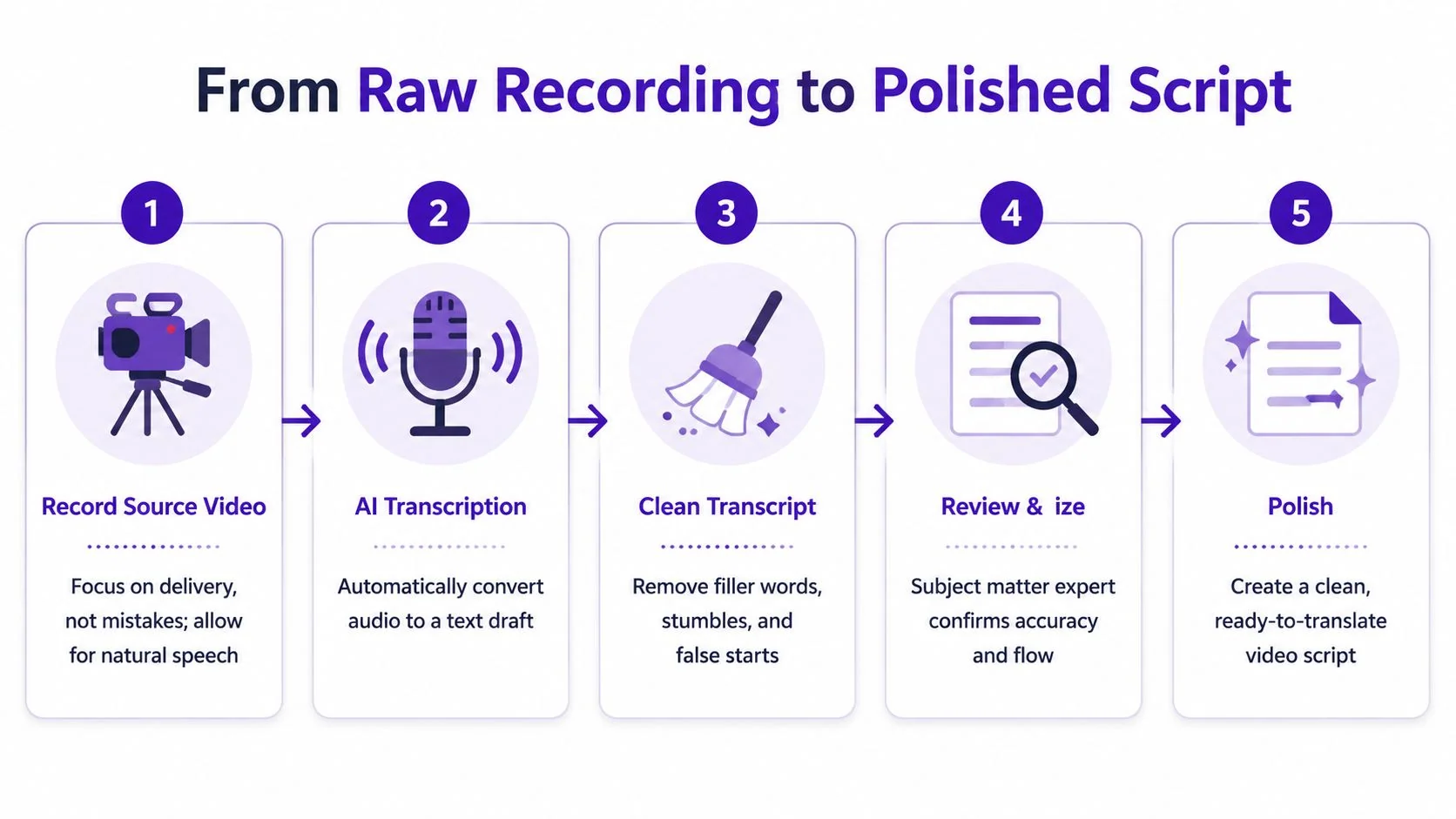
The transcript-first workflow works best when you treat the English script as the master version. In practice, that means:
-
Record the workflow once — Open the product, walk through the task, and narrate naturally. Don’t restart every time you miss a word.
-
Generate the transcript — Use a transcription layer to convert narration into editable text.
-
Cut filler and false starts — Remove throat-clearing, repeated phrases, and side comments that only make sense to the speaker.
-
Check technical accuracy — A product marketer or support lead should confirm labels, menu paths, and feature names.
-
Approve a final source script — This becomes the text everyone localizes from.
Why this step saves the whole project
A polished source script solves several problems at once. It standardizes terminology, shortens review cycles, and keeps the visual sequence aligned with the spoken explanation. If your team works with translation memory or glossary-driven processes, it also makes that work cleaner. For teams that need more background on structured translation workflows, this CAT software guide for Django developers is a useful reference because it shows how tooling and terminology discipline reduce inconsistency.
If you’re using an AI script-first workflow, it helps to start from a system that treats the transcript as the center of the editing process rather than an afterthought. This is the same principle behind an AI video script generator workflow: edit the words, then let the video update around them.
Clean English scripts produce better Spanish localization than “good enough” recordings ever will.
The practical trade-off is simple. Spend time early making the source precise, or spend more time later fixing avoidable translation and timing issues. Teams that do this well don’t ask the translator to clean the original. They hand off something stable.
Translating Beyond Words with True Localization
Direct translation is fast. True localization is what makes the video usable.
That difference shows up quickly in product tutorials. A literal line might be grammatically correct but still sound foreign, too formal, or just wrong for the target user. In SaaS, that matters because viewers are trying to complete a task, not admire your wording.
AI first, native review second
For English-to-Spanish work, automated systems are strong enough to do the first pass well in many cases. One benchmark notes that Google Translate can achieve 94% accuracy for Spanish video translations, but that same source is clear that native post-editing is still necessary for cultural nuance and idiomatic language (Spanish translation accuracy benchmark and post-editing guidance).
That lines up with what practitioners see. The draft is usually serviceable. The final polish is where quality happens.
Use a workflow like this:
- Start with the approved English script so translators aren’t interpreting rough speech.
- Run an AI translation pass for speed and consistency.
- Give a native Spanish linguist the draft to rewrite awkward phrases, resolve terminology, and adapt the tone.
- Review region-specific wording if the asset is intended for Spain, Mexico, or a broad Latin American audience.
- Validate product terms against your UI and help center language.
What tends to break in literal translations
The most common failures aren’t dramatic. They’re subtle enough to survive internal review and still make the final video feel off.
A few patterns to watch:
| Issue | What happens | Better approach |
|---|---|---|
| UI mismatch | Narration uses terms different from the product interface | Match the exact label shown on screen |
| Idioms carried over | English phrasing sounds unnatural in Spanish | Rewrite for clarity, not word order |
| Tone drift | Tutorial sounds too stiff or too casual | Set tone by audience and use case |
| Regional wording | A term is correct in one market, awkward in another | Choose market-specific variants where needed |
If a translator has to choose between preserving your sentence and preserving the viewer’s understanding, the sentence should lose.
For support and onboarding videos, clarity beats elegance. If the English original says “kick off the workflow,” the Spanish version might need a more direct verb. If a support video mentions a feature nickname your internal team uses, that nickname may need to disappear entirely in the localized version.
Localization decisions should be visible
Don’t bury decisions in email threads. Keep a running glossary with approved terms for product names, role labels, permission states, and support language. That becomes especially important when multiple teams produce videos across releases.
The strongest spanish translation videos sound like they were written for Spanish-speaking users first. That doesn’t happen through word replacement alone. It happens when someone checks the draft with product context, linguistic judgment, and a clear sense of who the viewer is.
Generating Lifelike Voiceovers and Nailing the Timing
Once the Spanish script is approved, the next challenge is performance. A translation on paper can be excellent and still fail in video if the narration sounds stiff or the timing no longer matches what’s on screen.
That used to be the most painful part of localization. Teams either re-recorded everything with human talent or spent hours dragging clips around a timeline to make the dub fit. Modern AI has changed that.
What good AI dubbing gets right
The baseline has improved a lot. Spanish is already a major language on YouTube, ranking second by video volume at 6.2% of all content, and current AI services can process full translated dubs with lip-sync in 24-48 hours in some workflows rather than relying on slower traditional methods (research on Spanish video volume and AI dubbing speed).
That speed matters for SaaS content because tutorials age quickly. Feature releases, UI changes, and onboarding updates can make a slow localization cycle unusable before it ships.
A strong AI voiceover workflow should handle:
- Natural pacing: The voice should sound instructional, not synthetic.
- Pronunciation control: Product names, acronyms, and borrowed English terms often need manual review.
- Caption alignment: Subtitle timing should match the spoken line, not the original English cadence.
- Scene timing: On-screen actions must still arrive when the narration references them.
Timing is the real production bottleneck
Many teams underestimate the work involved in this process. Spanish can expand or compress relative to English, so a perfectly timed source edit often falls apart after dubbing. If the narration finishes late, your click happens too early. If the line ends early, the viewer waits in silence while the cursor keeps moving.
Field note: Most localization defects aren’t translation defects. They’re timing defects the viewer experiences as confusion.
This is why timeline-free retiming matters so much. A workflow built around Spanish voice over generation should do more than swap narration. It should update scene durations, caption timing, and cuts to match the new language automatically.
What to check before approving the dub
I look for three things before calling a localized voiceover ready:
-
Does the speaker sound credible for the use case? — A presales walkthrough can tolerate a warmer tone. A compliance setup video usually needs a steadier delivery.
-
Do visual cues still land on time? — If the narration says “click Save,” the cursor should be there when the line is spoken.
-
Have product-specific terms been protected? — Some terms should remain in English. Others need approved Spanish equivalents. This should be intentional, not accidental.
When these pieces come together, the video stops feeling translated. It feels produced.
Your Final Quality Assurance Checklist
Before publishing, treat QA as a release gate, not a courtesy review. A translated tutorial can be linguistically solid and still fail because the wrong screen appears under the right sentence, the captions lag, or the UI labels on screen conflict with the narration.
The review has to cover language, product accuracy, audio, and presentation at the same time.
The checklist I use before sign-off
| Check Area | What to Verify | Status |
|---|---|---|
| Script accuracy | Final Spanish script matches the approved meaning of the source and uses current product terminology | ☐ |
| Regional fit | Wording is appropriate for the intended market, with no awkward idioms or country-specific mismatches | ☐ |
| On-screen UI | Buttons, menus, modals, and field names shown in the video align with the narration | ☐ |
| Caption quality | Captions are complete, readable, and synchronized with the spoken audio | ☐ |
| Scene timing | Clicks, highlights, zooms, and transitions happen when the narration references them | ☐ |
| Audio polish | Voice level is even, pronunciation is correct, and no artifacts distract from comprehension | ☐ |
| Brand consistency | Fonts, colors, intro slides, lower thirds, and visual style match the brand system | ☐ |
| Reviewer approval | A Spanish-speaking stakeholder has watched the near-final version and signed off | ☐ |
Where teams usually miss issues
The most common mistake is splitting review by department. Marketing checks the brand. Support checks product accuracy. A bilingual teammate checks language. Nobody watches the full experience as an end user.
Run one final viewing in real time from start to finish. No skipping. No transcript beside it. If the video confuses the reviewer in motion, the viewer will feel it too.
A few practical habits help:
- Use private preview links so regional teammates can review the actual playback experience.
- Collect comments in context on the exact timestamp, not in separate documents.
- Check mobile playback if the video will live in a help center or LMS where many users watch on smaller screens.
- Verify brand assets after localization, especially when text expansion affects layouts.
Review the video like a customer. They don’t know what you meant to say. They only see what shipped.
If your team maintains multilingual assets at scale, create a repeatable approval path. One product owner, one language reviewer, one final publisher. That keeps feedback from turning into endless revision loops.
Distributing and Measuring Your Video’s Impact
A localized tutorial only creates value if viewers can find it, watch it, and act on it. Many teams waste good production work at this stage. They finish the translation, upload it as an alternate audio track on the main channel, and assume distribution is solved.
That approach leaves reach on the table.
Publish for the language, not just the asset
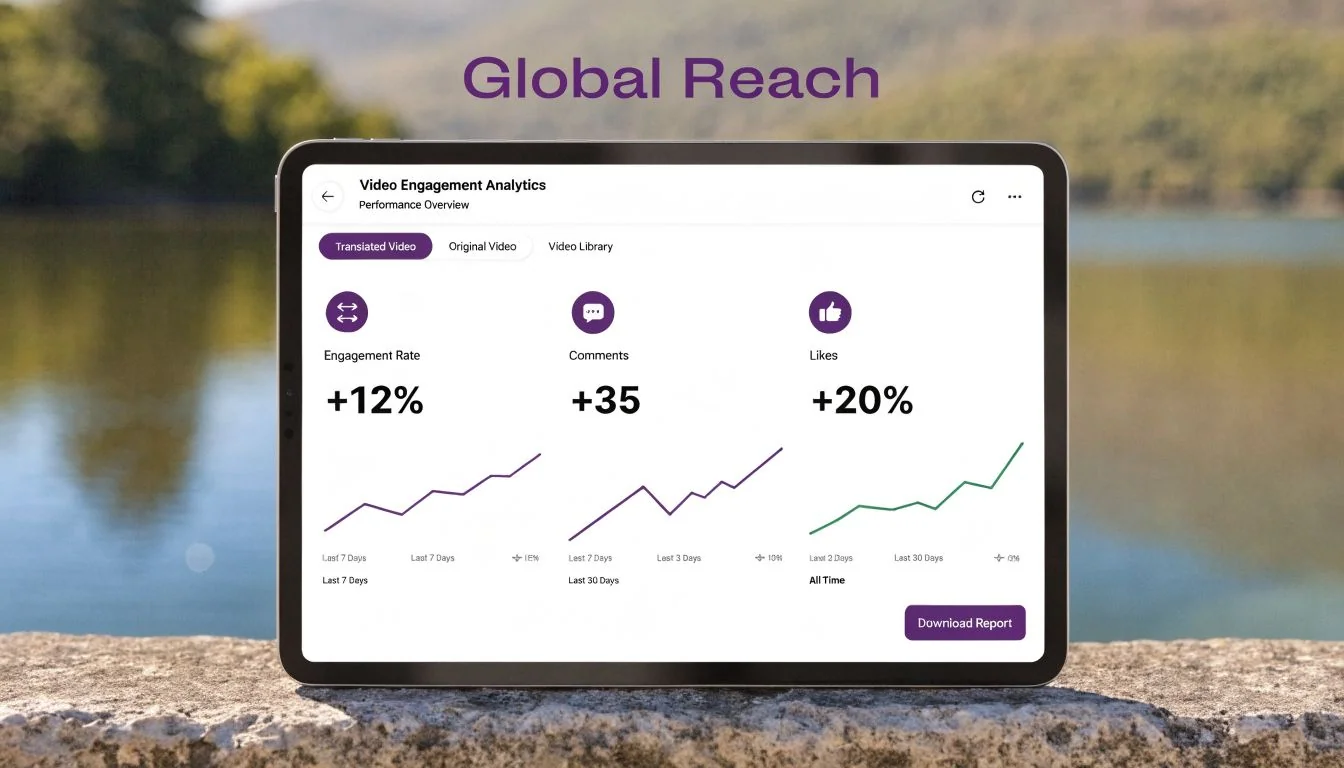
A real-world experiment compared two ways to distribute the same Spanish translation on YouTube. The dedicated Spanish channel version reached 3,897 views in 90 days, while the same translation as an alternate audio track on the main English channel reached 32 views. That’s over 100 times more views for the dedicated localized channel (YouTube translation channel experiment).
That result changes the distribution playbook. If Spanish is a serious market for your company, don’t treat localization as a hidden option on English content. Build a Spanish-language publishing surface.
For YouTube, that usually means:
- Create a dedicated Spanish channel with localized titles, descriptions, thumbnails, and playlists.
- Group videos by use case such as onboarding, admin setup, feature education, and troubleshooting.
- Keep publishing cadence consistent so the channel looks active and intentional.
- Use native Spanish metadata instead of translating only the audio.
For product education environments, the strategy is different. If the videos live in your help center, LMS, or customer portal, use a player that lets viewers switch languages cleanly in the same embed. A platform offering video translation services for multilingual delivery should support that without forcing teams to manage duplicate pages manually.
Measure what matters
Success isn’t just “the video exists.” The campaign has to justify itself operationally and commercially. The measurement model from translated video campaigns often includes average view duration with a target above 70% of video length, CTR above 5%, and ROI above 200%, alongside A/B deployment and ROI calculation through the standard formula of revenue minus costs over costs (video translation KPI and ROI framework).
In practice, I’d monitor these buckets:
| KPI group | What to look for |
|---|---|
| Consumption | Plays, watch time, completion patterns, drop-off points |
| Discovery | Click-through rate, thumbnail performance, search entry points |
| Engagement | Comments, shares, support deflection signals, sales reuse |
| Business impact | Influence on activation, expansion conversations, and support efficiency |
The trade-off here is straightforward. If you only localize production and ignore distribution, the asset underperforms. If you distribute well but don’t measure outcomes, leadership sees localization as a cost center instead of a growth lever.
Done properly, spanish translation videos become part of your go-to-market system. They support acquisition, improve onboarding, reduce repetitive support work, and give regional teams content they can use.
If your team wants to turn raw screen recordings into polished multilingual tutorials without rebuilding every video by hand, Tutorial AI is built for that workflow. It helps teams create demos, onboarding videos, feature releases, knowledge base videos, and support content from a single recording, then localize them with AI narration, script-based editing, and automatic retiming across languages.