An effective SOP documentation format isn’t just a formality—it’s a practical tool. It needs a clear, scannable structure that walks someone through a process without causing more confusion than it solves. At its core, this means including a title, a clear purpose, its scope, the actual steps, and a way to track versions.
Why Your SOP Documentation Format Needs a Rethink

Let’s be honest for a second. Most Standard Operating Procedures are completely ignored. They end up as digital dust bunnies, buried deep in a shared drive somewhere, only to be frantically searched for during an audit.
The real problem isn’t usually the process itself. It’s the stale, uninviting SOP documentation format teams are stuck with. A wall of text, vague instructions, and a confusing structure are the usual suspects. When an employee needs help, they need it now. A document that feels like a research paper is a roadblock, not a guide.
The Principles of a Modern SOP
Truly useful SOPs aren’t about enforcing rigid rules. They’re about giving your team a practical tool to do their jobs correctly and consistently. This all comes down to a few modern principles.
- Scannability: Your team should be able to glance at the document and find what they need in seconds. Think clear headings, short paragraphs, bullet points, and bold text for the important stuff.
- Actionable Language: Get straight to the point. Use active verbs and precise details to cut out any guesswork. Tell them what to do.
- Logical Flow: The document has to follow the real-world workflow. A logical sequence prevents people from getting lost or, even worse, skipping crucial steps.
This focus on clarity isn’t just a nice-to-have. It’s a proven method for success, even in high-stakes fields. For example, in the hyper-competitive world of graduate admissions, the standard SOP documentation format has a strict recommended length of 500 to 1,000 words. When top university programs are sifting through over 10,000 applications for maybe 50 spots, they favor SOPs that stick to the format because they’re simply easier to assess. The best way to understand how formatting impacts readability is to look at the guidelines provided by leading academic institutions.
An SOP’s value isn’t measured by its length but by its utility. A one-page checklist that gets used daily is infinitely more valuable than a 50-page manual that’s never opened.
Core Components of an Effective SOP Format
The first step is to forget those outdated, wordy templates. A modern SOP is built from a few essential components that provide clarity and serve a real function.
Here’s a breakdown of the sections every high-impact SOP should have. While you can certainly adapt them to your needs, these core elements are what make the document truly work.
Core Components of an Effective SOP Format
| Component | Purpose | Best Practice |
|---|---|---|
| Title | Clearly identifies the process. | Use a descriptive, verb-based title. (e.g., "How to Process a Customer Refund") |
| Purpose | Explains why this process exists. | A brief 1-2 sentence statement on the goal of the procedure. |
| Scope | Defines what the SOP covers (and what it doesn't). | Clearly state the teams, tasks, or situations this SOP applies to. |
| Roles & Responsibilities | Clarifies who does what. | List the roles involved and their specific duties in the process. |
| Procedure Steps | The step-by-step instructions. | Use a numbered list with clear, actionable language for each step. |
| Exceptions | Outlines how to handle deviations from the norm. | Detail any known exceptions and the specific steps to manage them. |
| Metrics | Defines how to measure success. | List the key performance indicators (KPIs) used to track the process's effectiveness. |
| Version Control | Tracks changes and updates over time. | Include a simple table with version number, date, author, and a summary of changes. |
Getting these sections right is the foundation for creating an SOP that people will actually read and, more importantly, use.
The Anatomy of a High-Impact SOP Document
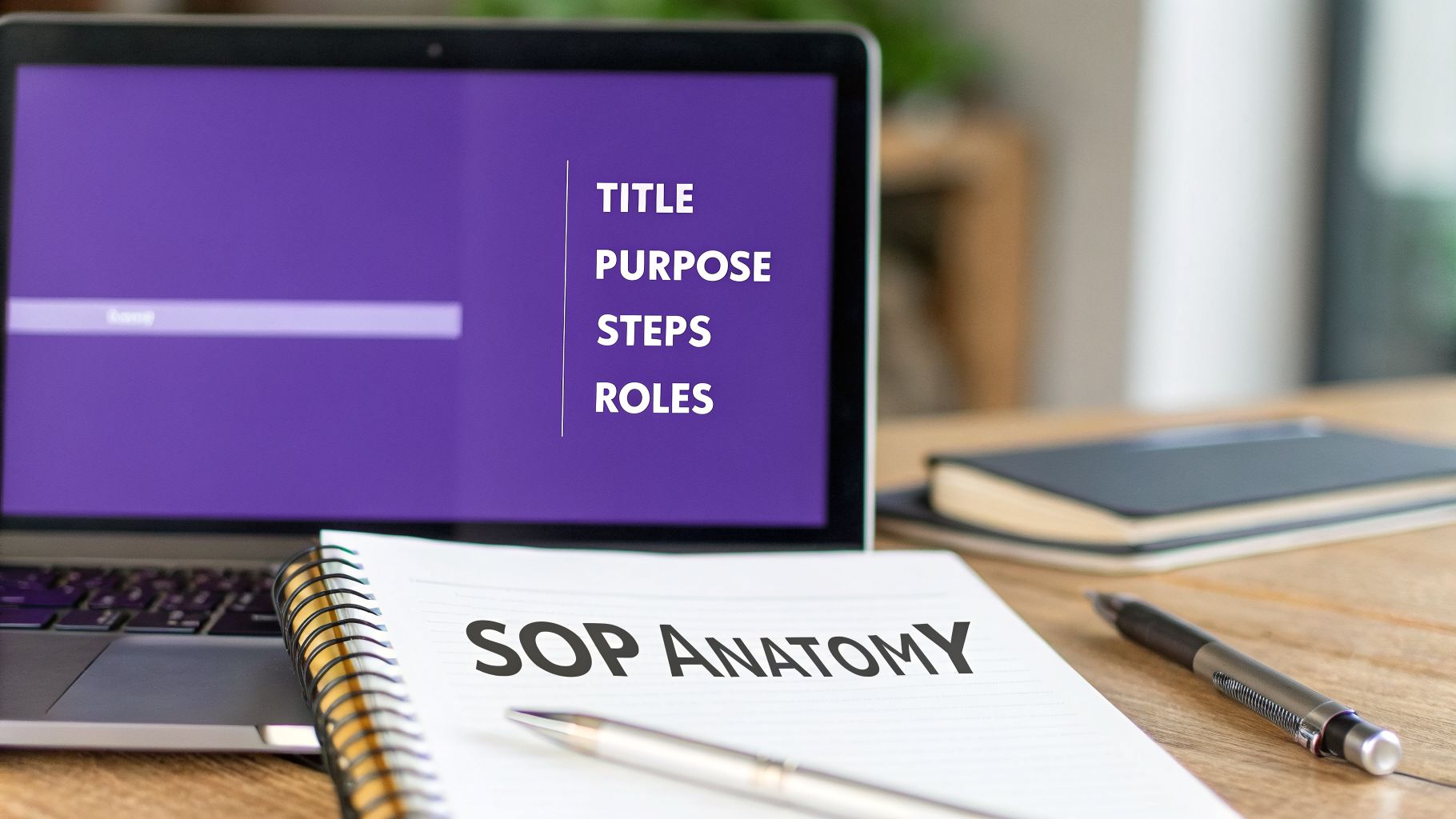
Let’s move past the theory. A truly great SOP documentation format isn’t a novel; it’s a blueprint. Every single piece has a job to do, guiding your team from “why” to “how” with zero fluff. I’ve always thought of it like a recipe—if you leave out a key ingredient, the result just won’t be right.
To make this tangible, let’s walk through a common scenario: you need to create an SOP for your sales team to produce a new product demo video. We’ll break down how each section of the SOP provides critical information, stops confusion before it starts, and ensures you get a quality video every single time.
Laying the Foundation: Title, Purpose, and Scope
Before anyone dives into the steps, they need to know if they’re even in the right place. These first few sections act as your front-line filter and get everyone on the same page.
- Title and Unique ID: The title needs to be an action-oriented snapshot, something like “SOP-MKT-007: Creating a New Product Demo Video.” That unique ID (SOP-MKT-007) is a lifesaver. It makes the document instantly searchable and kills any confusion about which version is the latest.
- Purpose: This is your one-sentence mission statement. For our demo video, the purpose could be: “To standardize the process for creating professional and on-brand product demo videos for new feature launches.” This immediately tells a team member the end goal.
- Scope: This is where you draw the lines. For instance: “This SOP applies to the Sales Engineering team for creating demo videos under five minutes. It does not cover long-form webinar production or live demonstration scripts.” This kind of clarity prevents people from wasting time on a process that doesn’t apply to them.
Thinking about the structure of your SOPs is crucial. The way you organize information is directly tied to how useful it will be, which is a core principle behind choosing a good software documentation format.
Defining Roles and Responsibilities
One of the biggest reasons workflows fail? Ambiguity. Someone, somewhere, isn’t sure if a task is their responsibility. This section eliminates that guesswork by clearly defining ownership.
A great SOP anticipates questions. The “Roles” section answers the most important one: “Is this my job?” By defining responsibilities upfront, you eliminate hesitation and empower team members to act confidently. For our video creation SOP, the roles would be spelled out with no room for interpretation:
- Sales Engineer (SE): Responsible for recording the screen capture, providing the initial narration, and verifying the technical accuracy of the final video.
- Marketing Manager: Responsible for reviewing the script for brand messaging, approving the final video, and publishing it to the knowledge base.
This structure has parallels in other fields. Academic studies found that documents with a well-defined Introduction (10-15%) and Body (60-70%) were far more effective. In our world, this translates to having a clear purpose followed by detailed procedural sections, which can have a huge impact on success. You can find more practical advice on structuring documents in our guide on the best format for technical documentation.
Writing Procedures That People Actually Follow
You can have the most beautifully formatted SOP in the world, but if the actual steps are confusing or vague, it’s just a document that will sit on a virtual shelf collecting dust. This is where the rubber meets the road—turning a theoretical process into a practical guide your team can rely on every single day.
The biggest enemy of a good procedure is ambiguity. Phrases like “Update the CRM” or “Check the system” are invitations for inconsistency. They force team members to guess, and guessing leads to mistakes.
Instead of being vague, get granular. Think about that “Update the CRM” task. What does it actually mean? It probably looks more like this:
- Navigate to the Lead record in Salesforce.
- Change the “Lead Status” field from “Open” to “Contacted.”
- In the “Activity” pane, log a new call and summarize the outcome in under 50 words.
See the difference? That level of detail doesn’t just provide instructions; it gives your team confidence. They know exactly what “done” looks like, every time.
From Vague Claims to Concrete Proof
This isn’t just a good idea for internal docs; it’s a proven strategy for any kind of high-stakes communication. Think about it: research shows that quantifiable achievements are a game-changer in competitive environments. A striking 85% of successful graduate school applications use hard numbers to turn abstract claims into solid proof.
In fact, many top universities now explicitly ask applicants to quantify their work. This simple shift helped improve how well they could identify the right candidates by 45% in certain groups. As the University of Illinois Writers Workshop points out, adding numbers is what turns ambiguity into authority. The same exact logic applies to your SOPs.
An instruction isn’t finished until you can’t subtract any more ambiguity from it. The more you quantify, the less your team has to guess.
Using Active Voice and Simple Language
When you’re writing out the steps, remember you’re giving commands, not telling a story. Always use the active voice. It clearly assigns ownership and makes the instruction direct.
- Passive (Vague): “The report should be sent by the manager.”
- Active (Clear): “The Marketing Manager sends the weekly performance report.”
On that same note, keep your language simple. Ditch the corporate jargon and acronyms unless they are absolutely essential (and if they are, make sure they’re defined!). Your real goal should be for a brand-new hire to understand the process as easily as a ten-year veteran.
Always write for the least experienced person who will be doing the task. When you do that, you guarantee clarity for everyone.
Turning Your Text SOPs Into Engaging Video Tutorials
While a solid text-based SOP is the backbone of any good process, let’s be honest: it has its limits. When you’re dealing with complex software or digital workflows, even the best-written sop documentation format can feel dense and hard to follow. That’s when video tutorials become a game-changer, turning a flat document into a guide your team can actually see in action.
The problem is, creating good video SOPs has always felt like a trade-off. You could use an easy-to-use recorder like Loom, which is fast. But the end result is often a rambling, unedited take that’s 50-100% longer than necessary, filled with every “um,” hesitation, and wrong turn.
The alternative? Professional video editing software like Adobe Premiere Pro or Camtasia. These tools can produce beautiful, polished videos. But they require expert video editing knowledge that most of your subject matter experts (SMEs)—the people who actually know the process inside and out—simply don’t have. This creates a huge bottleneck, separating the knowledge from the ability to share it effectively.
A Smarter Way to Create with Tutorial AI
This is where Tutorial AI’s tools come in, offering a new way to generate video tutorials based on screen recordings. It allows your subject matter expert to speak freely without any practice and still have their video look professional, as if it was edited in Adobe Premiere Pro.
It allows your in-house expert to just hit record and walk through a process on their screen. They can talk naturally, without a script, just like they were showing a coworker how to do something. The tool lets the subject matter expert create on-brand videos extremely efficiently.
The goal is to take a process that might feel fuzzy or confusing and make it crystal clear.
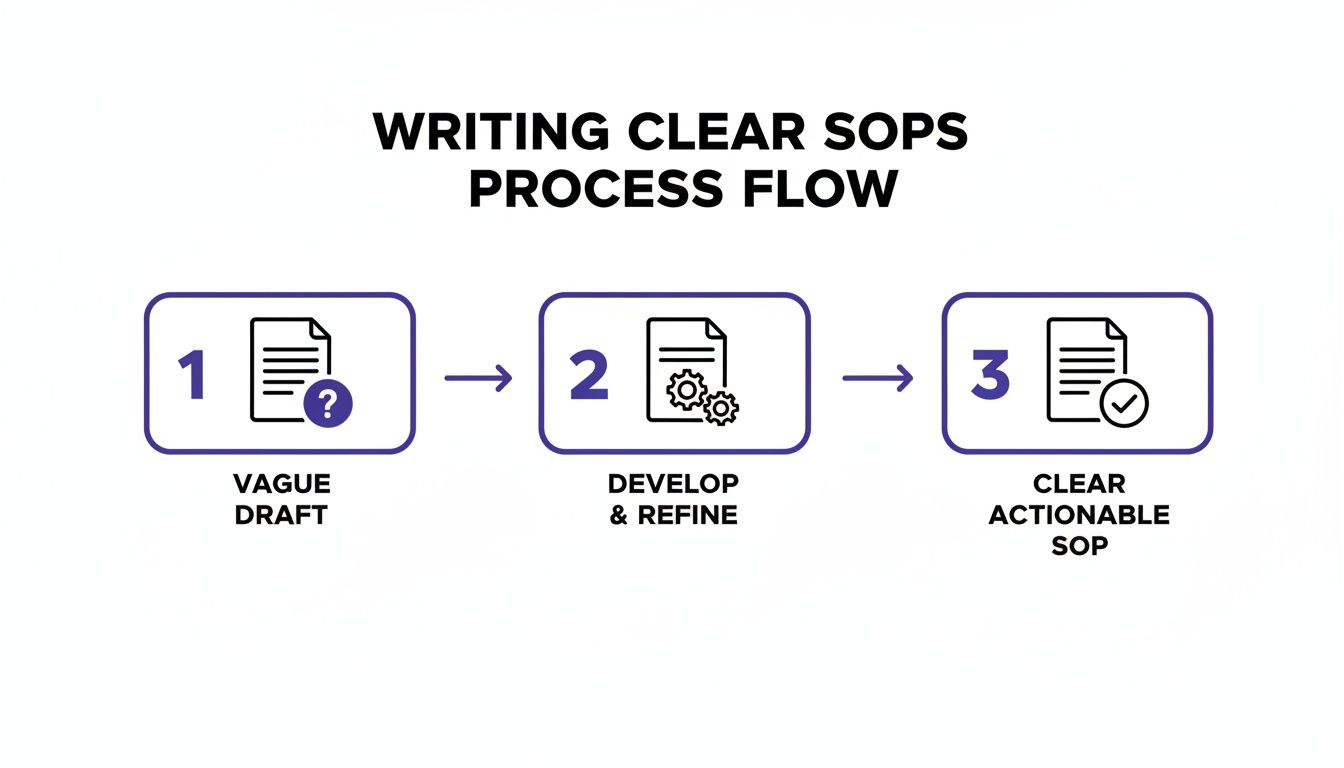
AI-driven tools help you move from a place of questions and uncertainty to one of clarity and confidence, which is what great documentation is all about.
From Raw Demo to Polished Tutorial
With a tool like Tutorial AI, the SME—the person with the actual knowledge—can create on-brand, professional videos in a fraction of the time. It completely changes the old, clunky workflow.
You can quickly produce all sorts of essential video content based on your screen recordings:
- Demos and Onboarding Videos: Create quick walkthroughs of new features or show new hires exactly how to get started.
- Explainer Videos: Break down complicated subjects into visual guides that are easy for anyone to understand.
- Feature Release Videos: Announce product updates with a clear demonstration so users can see the new functionality for themselves.
- Knowledge Base and Support Article Videos: Add visual instructions to your help articles to solve customer problems faster and reduce support tickets.
First, the platform transcribes the audio from your raw recording. Then, its AI refines that narration into a clear and concise script, cutting out all the fluff. This new script is used to generate a clean, studio-quality AI voiceover.
The real magic is that you edit the video by editing the text. If you change a sentence in the script, the video’s timing, visuals, and voiceover update automatically. You never have to touch a confusing timeline. The platform also adds all the professional touches that make a tutorial truly helpful. It automatically zooms in on key details, highlights where you click, and can even blur out sensitive on-screen information. The finished product is a sharp, on-brand video that looks like it was made by a pro editor, but it was created by your expert in minutes.
If you’re interested in this modern approach, you can learn more about how to create software tutorials that are both effective and efficient. It’s all about empowering your experts to become your best content creators.
How to Manage and Distribute Your SOPs So People Actually Use Them
You can write the most brilliant SOP in the world—a masterpiece of clarity, whether it’s a document or a slick video tutorial. But if your team can’t find it, or worse, they dig up an old version from a forgotten email thread, all that effort was for nothing. The real magic happens when your SOPs are managed and distributed effectively.
I’ve seen it happen too many times: different versions of a procedure get scattered across personal drives, team chats, and email inboxes. It’s a fast track to confusion and costly mistakes. This is why you absolutely must have a single source of truth—one central, trusted place where all final, approved SOPs live.
Picking Your Central Hub
This central hub needs to be dead simple for everyone to find and use. Think of a shared workspace in a tool like Tutorial AI or, even better, a dedicated internal knowledge base.
A good knowledge base isn’t just a folder; it’s a searchable, organized library that guarantees every person is pulling from the most current playbook. If you’re starting from scratch, our guide on how to build a knowledge base has some great, practical advice for getting it right.
Keeping Track of Changes with Simple Version Control
You don’t need a complex, enterprise-level system for this. A simple but consistent version control method is a non-negotiable part of a good SOP documentation format. It tells everyone at a glance which version is the right one and what’s new.
Think of version control as the document’s official history. It builds trust by showing your team that these procedures aren’t just written and forgotten—they’re alive and actively maintained. Here’s a straightforward system you can start using today:
- Version Numbering: Keep it simple. Use v1.0 for a major new release. For small tweaks and clarifications, iterate with v1.1, v1.2, and so on.
- Change Log: At the top or bottom of the SOP, add a small table. It should track the version number, the date, who made the change, and a quick summary of what was updated.
Put Your SOPs Where the Work Happens
The final step is to stop making people hunt for information. Bring the guidance directly into the tools they use every single day.
For example, those video tutorials you create in Tutorial AI can be embedded straight into your CRM, your company wiki, or a project management tool. Imagine a sales rep getting stuck on a new feature in the CRM. Instead of breaking their flow to search for a guide, a video tutorial appears right there on the screen. This kind of in-context help is a game-changer for getting people up to speed and using tools correctly.
Answering Your Top Questions About SOPs
Even after you’ve built a solid template, you’re bound to run into some practical questions as you start creating and managing your SOPs. It happens to everyone. Let’s walk through some of the most common ones I hear from teams who are deep in the documentation process.
Think of this as a quick reference guide. As you build out your own internal knowledge base, you might even find it useful to create something similar, like a dedicated FAQ section, so your team always knows where to find answers.
What’s the Best Format for a Standard Operating Procedure?
Honestly, the “best” format is the one your team will actually use. That usually means prioritizing clarity and consistency above all else. Most people find a simple step-by-step or hierarchical structure works well because it presents the process in a logical, easy-to-follow sequence.
No matter the layout, every SOP needs a few non-negotiable parts:
- A descriptive title and a unique ID number for easy reference.
- The purpose (why this matters) and scope (what it covers).
- Clearly defined roles and responsibilities—who does what.
- The actual step-by-step instructions.
- A version history to keep track of changes over time.
For any process that involves software, I’m a big fan of a hybrid approach. Combine a concise written document with an embedded video tutorial that shows exactly what to do. It’s the most effective way I’ve found to get the point across quickly.
How Long Should an SOP Be?
This is a classic question. The simple answer is: as long as it needs to be to explain the process clearly, and not a word longer.
Your focus should be on documenting a single, self-contained process. If your SOP is creeping past 10-15 steps, that’s a huge red flag. It almost always means you should break the procedure into smaller, more manageable SOPs that can link to each other.
A super long SOP is usually a sign you’re trying to cram multiple procedures into one document. Splitting it up makes each task easier to find, follow, and—most importantly—update. Remember, for digital workflows, a quick 2-5 minute video can often communicate more effectively than pages of text. This keeps things digestible and much more engaging for your team.
How Often Should We Review Our SOPs?
Your SOPs should never just sit on a shelf collecting dust. They’re living documents. A good baseline is to review every SOP at least once a year.
More importantly, an SOP must be reviewed the moment the process itself changes. This could be triggered by a new software update, a team reorganization, or a shift in compliance rules.
The best way to make sure this actually happens is to assign an “owner” to every single SOP. This person is officially responsible for keeping it accurate and kicking off a review on a regular schedule, whether that’s quarterly or semi-annually. Using a system with built-in version control makes this whole lifecycle so much easier to manage, from tracking edits to notifying the right people.