The easiest way to grasp the difference between linear and non linear editing comes down to one word: access. Think of it this way. Linear editing was like making a mixtape on a cassette—you had to record each song in the final order, one after the other. If you messed up the third song, you had to start over from that point.
In contrast, non-linear editing is like managing a playlist on Spotify. You can jump to any point, drag and drop songs, delete one from the middle, or swap the order instantly. Nothing is permanent until you decide it is.
From Analog Tapes to AI Timelines
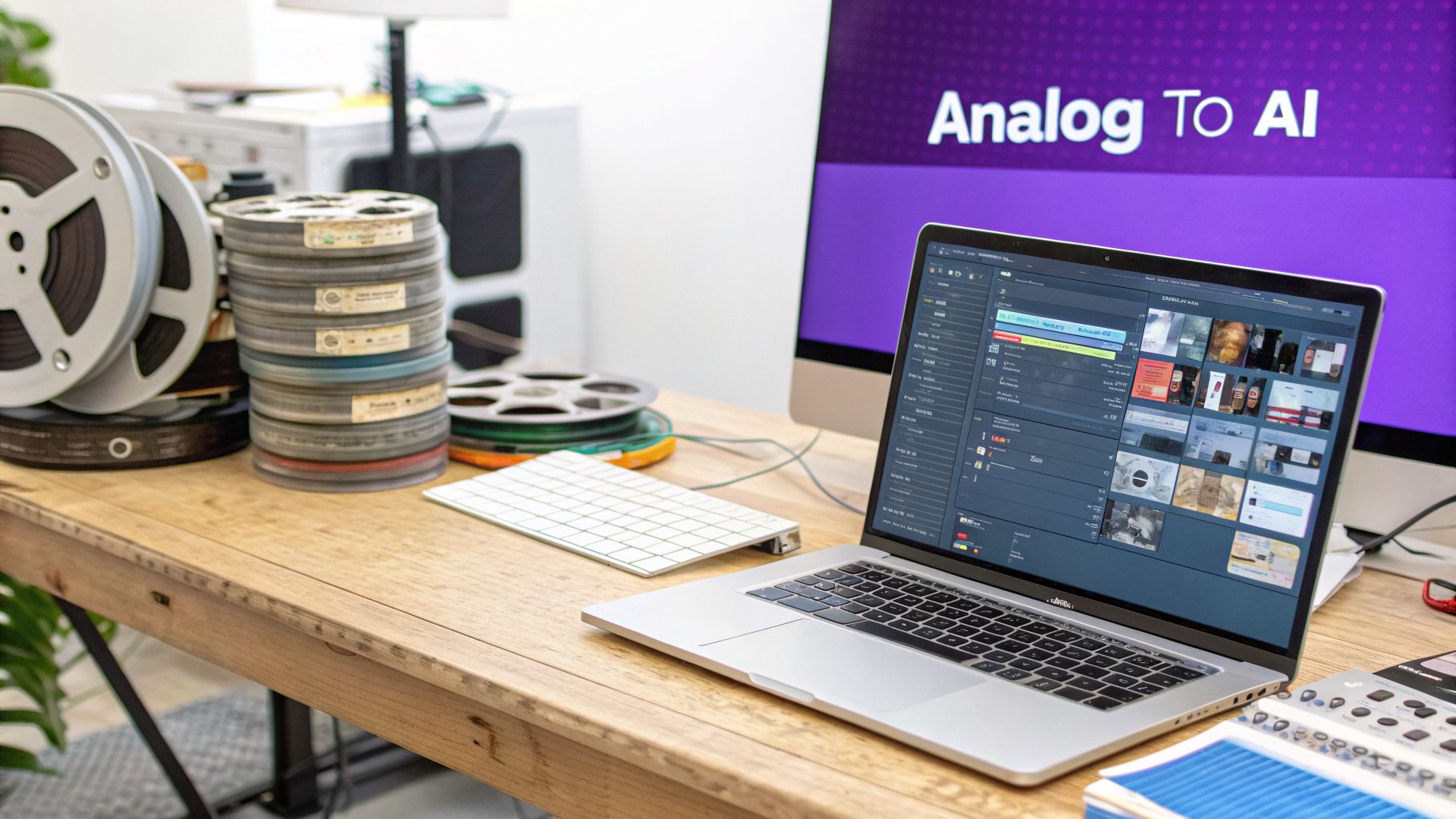
The evolution of video editing isn’t just a story about technology; it’s a story about creative freedom. We’ve moved from the high-stakes, physical process of linear editing to the flexible world of non-linear editing, and now we’re entering an entirely new phase driven by AI. Understanding this path is key for any team producing content today.
For decades, linear editing was the only way. It was a painstaking, tape-to-tape process where editors physically copied clips from source tapes onto a master reel in sequence. A single mistake or a last-minute change could force you to rebuild the entire project from the error forward. There was no “undo” button.
Then came the digital revolution and non-linear editing systems (NLEs). By converting footage into digital files, NLEs gave editors the power of random access. Suddenly, you could jump to any point on a timeline and make changes without destroying the original footage. This non-destructive workflow opened the floodgates for experimentation and made revisions trivial.
A New Way of Working
Now, a third wave is here, and it’s tackling the problems that traditional NLEs never solved. On one hand, you have incredibly powerful tools like Adobe Premiere Pro that demand deep technical expertise. On the other, easy to use recording such as recording via Loom is often 50-100% longer than necessary. Professional video editing software such as Camtasia or Adobe Premiere Pro requires expert video editing knowledge.
Tutorial AI’s tools let you speak freely without a any practice and still your video will look professional as if it was edited in Adobe Premiere Pro. It allows the subject matter expert to create on-brand videos extremely efficiently. This new AI-powered model is a game-changer for generating video tutorials based on screen recordings. It completely rethinks the workflow for the modern workplace.
- Demos & Onboarding Videos: Create perfectly paced, crystal-clear videos to walk new customers through your product.
- Explainer & Feature Release Videos: Announce updates and new features with polished, on-brand content.
- Knowledge Base & Support Article Videos: Build a comprehensive library of video guides to empower customers and reduce support tickets.
Instead of fighting with timelines and keyframes, the creator simply edits an auto-generated transcript. This shift allows subject matter experts to focus entirely on their message, not the mechanics of editing, making it an incredibly efficient way to produce high-quality videos at scale.
What Is Linear Editing? Its Process And Legacy
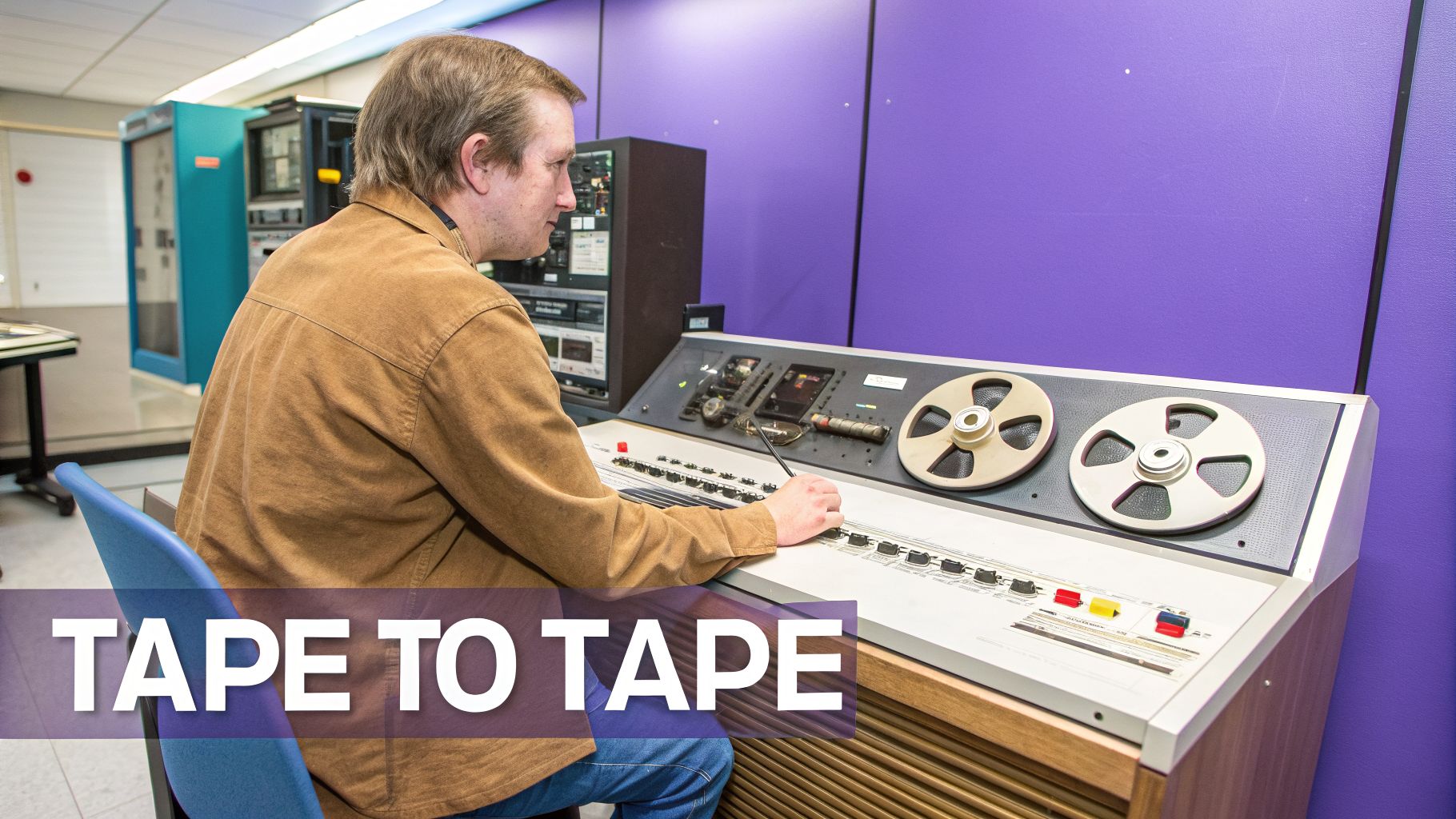
Before digital timelines and the simple mercy of “undo,” video editing was a high-stakes, physical process. This was the era of linear editing, a method as rigid as its name suggests. The core idea was assembling a program by recording clips in sequential order, one after the other, from source tapes onto a final master tape. For decades, this “tape-to-tape” workflow was the only game in town.
This process demanded an incredible amount of planning and precision. Editors had to lock in the exact start and end points for every single shot before recording it to the master. A single mistake—a badly timed cut or a last-minute client request—was a disaster. There was no easy way to insert a new clip or trim an existing one. You had to re-record the entire program from the point of the error onward.
Everything was governed by the physical reality of magnetic tape. Making a change meant rewinding multiple decks, finding a new spot to start recording, and praying you didn’t accidentally wipe something important.
The Tape-To-Tape Workflow Explained
A linear editing suite looked nothing like today’s software-centric setups. It was a room filled with dedicated hardware: at least two VCRs (a “player” for source tapes and a “recorder” for the master) all wired into a central edit controller.
For every single edit, an editor had to go through a meticulous routine:
- Locate the Clip: First, you’d shuttle through a source tape to find the perfect take.
- Set In and Out Points: You would then log the precise timecodes for where the clip should start (in-point) and stop (out-point).
- Cue the Master Tape: The master tape was cued to the exact frame where the new clip would begin, right after the last one.
- Execute the Edit: Finally, the edit controller would trigger both the player and recorder simultaneously, copying the clip from the source to the master.
This cycle was repeated, shot by shot, for the entire project. The whole video was built in real-time, in the final order, with no room for second-guessing.
This painstaking method meant a complex project could take days or even weeks to finish. A huge chunk of that time was just dead air—waiting for tapes to rewind and cue. The pressure on the editor was immense; one slip-up could destroy hours of work. This workflow dominated video production from the 1950s through the 1980s. Its strict, assembly-line nature made revisions a nightmare. Worse, every time you duplicated a tape, the quality degraded due to generation loss. You could only make a few copies before the video and audio became a fuzzy, hissing mess. You can get more details on the contrast between these classic and modern techniques from VideoMaker.com.
The Legacy Of Linear Editing
While linear editing is now a relic of post-production history, its influence remains. The language it gave us—terms like “cuts,” “reels,” and “bins”—is still part of the everyday vocabulary in modern editing software.
More importantly, the sheer difficulty of the process bred a generation of editors with an uncanny feel for pacing and story. Because mistakes were so costly, linear editors learned to plan their work with absolute certainty. This discipline is still a valuable skill. The limitations forced a kind of creative clarity, pushing editors to make decisive, powerful choices from the start. This history really puts into perspective the incredible freedom that came with non-linear editing—a technology that completely rewrote the rules.
What Is Non-Linear Editing?
If you’ve ever tried to find a specific scene on an old VHS tape, you have a pretty good idea of what linear editing felt like. You had to physically shuttle back and forth through tape, a slow and painstaking process where every decision was permanent. The move to non-linear editing (NLE) wasn’t just an improvement—it completely changed how we tell stories with video.
At its core, NLE is built on two game-changing concepts: ** random access** and non-destructive editing. Random access is exactly what it sounds like. Instead of winding through tape, an editor can click a mouse and instantly jump to any clip, at any time. Your entire footage library is immediately accessible, turning hours of rewinding and fast-forwarding into a simple click.
The Power of Non-Destructive Editing
The real breakthrough, though, is how NLEs handle your footage. When you make a cut, add an effect, or move a scene around in software like Adobe Premiere Pro or Final Cut Pro, you aren’t actually changing the original video files.
Instead, the software creates an Edit Decision List (EDL). Think of it as a recipe. The EDL is just a list of instructions telling the computer which parts of your source files to play, in what sequence, and for how long. Your original files remain untouched and pristine.
This means every single edit is reversible. You can experiment, try out a wild idea, and undo it all without any penalty. It also eliminates “generation loss,” the quality degradation that happened each time a tape was copied. With an NLE, the final video is rendered only once, directly from the original high-quality sources. This freedom from fear is what allowed editorial creativity to truly take off. You can learn more about how modern NLEs are evolving in our guide to AI video editing software.
From The First NLE to Modern Tools
The journey from clunky, tape-based workflows began with early systems like the CMX 600 back in 1971. The evolution since then has been staggering. Today, NLE systems dominate over 99% of professional post-production, as noted in the history of non-linear editing on Wikipedia.
While the core principles remain, today’s professional tools have become incredibly complex. An editor using Camtasia or Premiere Pro needs significant expertise to navigate timelines, keyframes, and countless settings. This created a new problem.
On one side, you have powerful but difficult-to-learn software. On the other, easy to use recording such as recording via Loom is often 50-100% longer than necessary because they capture every pause, mistake, and ramble. Creators were stuck choosing between a steep learning curve or publishing long, unpolished content.
Tutorial AI’s tools let you speak freely without any practice and still your video will look professional as if it was edited in Adobe Premiere Pro. It allows the subject matter expert to create on-brand videos extremely efficiently. A new generation of tools is closing this gap by generating video tutorials based on screen recordings like demos, onboarding videos, explainer videos, feature release videos, knowledge base videos, and support article videos. They build on the non-destructive foundation of NLEs but radically simplify the user experience. For example, when creating a product demo or training video, a subject matter expert can just record their screen and voice naturally, without a script. The AI generates a transcript, and editing the video is as easy as deleting words from a document. This approach finally lets experts create polished, professional-grade video without having to become video editors first.
Comparing Linear vs. Non-Linear Workflows
The real difference between linear and non-linear editing goes way beyond tapes versus files. It’s a fundamental shift in an editor’s entire workflow, their creative freedom, and their overall efficiency. Honestly, the move from a rigid, sequential assembly line to a flexible digital canvas was one of the most important moments in modern media history.
Think about it this way. Imagine you needed to replace a single shot right in the middle of a finished video. In a linear, tape-based world, this was a nightmare scenario. An editor would have to physically re-record the entire program from that point forward, copying every single clip that followed back onto the master tape. It was a painstaking, high-stakes process.
Now, contrast that with a non-linear workflow. That same task takes mere seconds. The editor just finds the new clip, drags it over the old one on the timeline, and the software’s Edit Decision List (EDL) instantly updates everything. The change is immediate, completely reversible, and doesn’t degrade the quality of any other footage.
To make this distinction crystal clear, here’s a direct comparison of the core attributes of each approach.
Key Differences: Linear vs. Non-Linear Editing
| Attribute | Linear Editing (Tape-Based) | Non-Linear Editing (Digital) |
|---|---|---|
| Media Access | Sequential; must shuttle through tape to find clips. | Random access; instantly jump to any point in any clip. |
| Editing Process | Destructive; edits are permanent and overwrite the source. | Non-destructive; original source files are never altered. |
| Flexibility | Extremely rigid. Changes are difficult and time-consuming. | Highly flexible. Reordering scenes and experimenting is easy. |
| Cost & Hardware | Required expensive, dedicated hardware (decks, controllers). | Runs on standard computers with accessible software. |
| Typical Use Case | Live broadcast, historical news production (pre-2000s). | Film, TV, YouTube, corporate video, tutorials—virtually all modern video. |
This table lays out the technical differences, but the practical implications for a creative professional are what truly matter.
Flexibility And Creative Freedom
The rigid structure of linear editing forced editors to be meticulous planners. You had to have the entire project mapped out in your head before you even started because fixing a mistake was incredibly costly and time-consuming. This kind of pressure didn’t exactly encourage experimentation; creativity was something that happened before the edit, not during it.
Non-linear editing, on the other hand, is a playground for ideas. An editor can try out a dozen different takes, shuffle entire scenes around, or tweak the pacing and effects without any real penalty. Because the process is non-destructive—meaning the original source files are never touched—it gives creators the confidence to explore, refine, and truly find the best version of their story.
The core advantage of non-linear editing is that it separates the creative process from the technical execution. It allows an editor to focus on storytelling, not just on the mechanics of assembling tape. This infographic breaks down the key pillars that give non-linear editing its power.
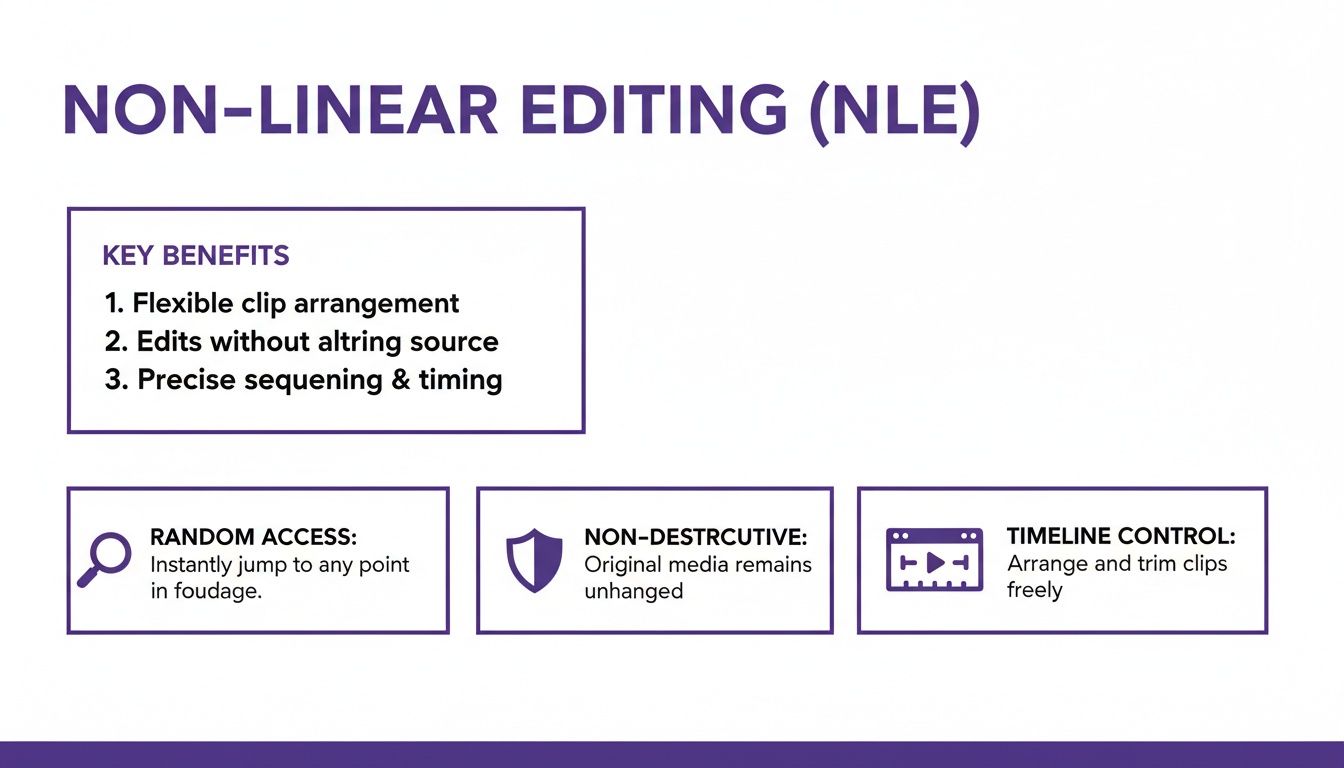
The combination of random access, non-destructive edits, and timeline control is the engine behind all modern video editing software.
Cost, Skill, And Accessibility
Back in the day, the cost difference was staggering. A professional linear editing suite represented a massive capital investment in specialized hardware. When the first Non-Linear Editors (NLEs) like Avid hit the scene, they were also wildly expensive, often running over $50,000.
Today, that entire dynamic has flipped on its head. Anyone with a decent computer can get access to professional-grade NLE software. But this accessibility has brought a new challenge to light: the skills gap. Powerful tools like Adobe Premiere Pro or Camtasia can do amazing things, but they demand real video editing expertise and a major time commitment to learn.
For teams creating high-quality tutorials and learning content, this presents a real problem. Easy to use recording such as recording via Loom is often 50-100% longer than necessary, full of “ums,” “ahs,” and restarts. That unpolished footage just isn’t good enough for customer-facing content like product demos, onboarding guides, or knowledge base articles.
To fix these recordings, a team would traditionally have to hand them off to a skilled editor using a complex NLE, adding significant time and cost. This is exactly where the next generation of editing tools is making its mark.
For example, Tutorial AI’s tools are designed to solve this specific problem by generating video tutorials based on screen recordings. A subject matter expert can record a software demo, speaking naturally without a script. The AI then steps in to transform that raw recording into a polished, professional video that looks like it was cut in Premiere Pro. This empowers the expert to create on-brand videos with incredible efficiency, cutting out the need for a dedicated video editor for day-to-day content. It’s an approach that makes professional instructional content far more achievable. For a closer look, you can explore our guide on easy video editing software.
Ultimately, while the debate over linear editing and non-linear editing is long over, the way we work continues to evolve. The goal is always the same—to tell a story or share information effectively. The tools we use are just getting smarter about helping us get there faster.
The Next Leap: AI-Powered Video Creation
The jump from linear to non-linear editing felt like a revolution, but the story of video creation didn’t end there. A new class of tools, built on artificial intelligence, is changing the game all over again. These platforms are doing more than just tweaking the non-linear process—they’re fundamentally changing who can create professional video and how fast they can do it.
This shift gets right to the heart of a problem many teams face. Easy to use recording such as recording via Loom is often 50-100% longer than it needs to be, packed with ums, ahs, and mistakes. The final product just doesn’t feel professional.
On the other side, you’ve got professional video editing sofware such as Adobe Premiere Pro or Camtasia which requires expert video editing knowledge. For teams just trying to create software demos or training guides, it’s a massive bottleneck.
Bridging the Gap Between Knowledge and Skill
Here’s the breakdown: the person who knows the subject inside and out is almost never a trained video editor. This leads to a clunky handoff where raw recordings get tossed over to an editor, adding days or even weeks to the production timeline. AI-powered platforms are built to tear down that wall.
As video editing continues to advance, the integration of artificial intelligence is the next logical step, bringing powerful new AI Tools for Video Editing that simplify the entire workflow. These tools finally let the expert be the creator by generating video tutorials based on screen recordings.
A platform like Tutorial AI shows exactly how this works. It lets a subject matter expert record a demo or an explainer video without worrying about a perfect take. They can just record their screen and talk naturally.
Tutorial AI’s tools let you speak freely without a any practice and still your video will look professional as if it was edited in Adobe Premiere Pro. It allows the subject matter expert to create on-brand videos extremely efficiently. The AI then gets to work, analyzing the raw footage and transforming it into a clean, tight edit. It automatically snips out silences, cuts filler words, and creates a natural flow, all without losing the core message. The result is studio-quality content produced at a speed that was once unthinkable.
Editing Video by Editing a Document
The biggest change these AI tools bring is the death of the traditional timeline. Instead of dragging clips and adjusting audio waves, you simply edit a transcript of your recording. This “edit-like-a-doc” workflow is as intuitive as it is powerful.
When you delete a word or a sentence from the transcript, the platform instantly removes that same segment from the video and audio. That one simple action performs a complex edit that would take a professional editor several minutes to pull off in a standard NLE.
This approach is a perfect match for creating instructional content like demos, onboarding videos, explainer videos, feature release videos, knowledge base videos, and support article videos.
- Demos and Onboarding Videos: Quickly produce clear, concise walkthroughs to guide new users.
- Explainer Videos: Announce new features or break down complex ideas with polished, engaging content.
- Knowledge Base and Support Article Videos: Build a full library of visual answers to common questions and lighten the load on your support team.
Imagine a support agent recording a quick screen share to solve a customer’s problem. Instead of spending an hour cleaning it up in Camtasia, they can edit the transcript in five minutes. The AI handles the rest, generating a perfect, on-brand video ready for sharing. You can see just how efficient this is in our guide on how to create AI video.
By taking the technical mess of timelines, keyframes, and track management out of the equation, AI-powered creation puts the focus back where it belongs: on the content. It empowers the person who knows the material best to create the final product, leading to a much more efficient and scalable video workflow for any organization.
Choosing The Right Editing Method For Your Team
The debate between linear and non-linear editing isn’t what it used to be. For most teams in 2026, the real decision isn’t between physical tape and digital files, but between traditional, complex software and newer, smarter workflows. Finding the right fit comes down to what you’re creating, who’s creating it, and how fast you need to move.
A narrative filmmaker, for example, absolutely needs the granular control of a professional NLE like Adobe Premiere Pro. Every single frame, transition, and audio cue demands that level of precision. The time investment is steep, but it’s essential for true cinematic storytelling.
But that level of complexity is often overkill for corporate video. Think about a customer support team that needs to pump out dozens of how-to videos, or a sales team creating quick demos of a new feature. For them, speed and simplicity are far more valuable than a mountain of creative options.
Matching The Tool To The Task
The real bottleneck for most businesses isn’t capturing video—tools like Loom make that part easy. The problem is, those raw screen recordings are often 50-100% longer than they need to be, packed with ums, ahs, and mistakes. Turning that raw footage into something polished using professional video editing sofware such as Camtasia or Adobe Premiere Pro requires expert video editing knowledge most subject matter experts just don’t have.
This is where AI-powered platforms like Tutorial AI create a new path. Its tools let a subject matter expert speak freely without any practice, and the video will still look professional, as if it was edited in Adobe Premiere Pro. It allows the expert to create on-brand videos with extreme efficiency. This completely removes the delay of handing footage over to a dedicated editor. As you think about the right editing style for your team, especially for content destined for digital platforms, it’s worth checking out the wide range of best video editing apps available today.
To figure out what your team actually needs, ask these questions:
- Content Volume: Are we talking about a few videos a month, or a few every week? High volume is a strong signal that you need AI-driven efficiency.
- Technical Skill: Do you have trained video editors on staff? Or are your creators subject matter experts who happen to be making video?
- Turnaround Time: Do videos need to go live in a matter of hours, or can you afford a production cycle that takes several days?
- Brand Consistency: How critical is it for every video to have the exact same fonts, colors, and branding elements?
For teams that live and breathe demos, onboarding tutorials, explainer videos, knowledge base content, or support articles, an AI-powered tool that generates video tutorials based on screen recordings is almost always the right call. It puts the power to create a finished, professional video directly into the hands of the person who knows the material best—no steep learning curve required.
Frequently Asked Questions
What Is The Biggest Advantage of Non-Linear Editing?
It boils down to two things that work together: ** random access** and non-destructive editing. Think about it—you can instantly jump to any point in your project and make changes without destroying your original source files. This means you don’t have to re-record or rebuild everything that comes after a change, which was the single biggest headache of linear editing. It’s this combination that gives editors the freedom to experiment and refine their work efficiently.
How Is AI Editing Different From Non-Linear Editing?
Traditional non-linear editing is a visual, spatial process. You’re dragging clips around on a timeline. AI editing, particularly with newer platforms like Tutorial AI, is fundamentally different—it’s content-aware. The system generates a text transcript of your video, and you edit the video by simply editing the text. When you delete a sentence from the script, the corresponding video and audio are cut instantly. This is how Tutorial AI generates video tutorials based on screen recordings for demos, onboarding videos, and more.
This shifts the focus from manipulating clips to refining your message, making the process much faster and more intuitive, especially if you’re not a trained video editor.
Can AI Bridge The Gap Between Simple and Pro Tools?
Yes, that’s exactly where it fits in. Easy to use recording such as recording via Loom is often 50-100% longer than necessary. At the other end of the spectrum, you have professional video editing sofware such as Camtasia or Adobe Premiere Pro, which requires expert video editing knowledge.
Tutorial AI’s tools let you speak freely without a any practice and still your video will look professional as if it was edited in Adobe Premiere Pro. It allows the subject matter expert to create on-brand videos extremely efficiently. This is why they’re so effective for generating video tutorials based on screen recordings where clarity and polish are key, such as:
- Demos and onboarding videos
- Explainer videos
- Feature release videos
- Knowledge base videos
- Support article videos
Can I Combine AI Editing With Traditional NLE Software?
Absolutely, and it’s a popular workflow for many teams. An instructional designer or product manager can use an AI tool to assemble the core narrative of a software demo, which often gets you 90% of the way there in just a few minutes.
Once the pacing, cuts, and narration are locked in, they can export that video and hand it off to a professional editor. The editor can then import it into a traditional NLE like Premiere Pro to add high-end motion graphics, custom branding, or other complex finishing touches.
Ready to skip the timeline and create professional tutorials in minutes? Tutorial AI turns your raw recordings into studio-quality videos effortlessly. Start creating for free at Tutorial.ai.