When you hear “process documentation,” you might picture a dusty binder on a shelf. But really, it’s about capturing the essential “how-to” of your business. It means sitting down with the people who actually do the work, mapping out the steps they take, and creating guides that anyone can follow.
The whole point is to create a single source of truth. This isn’t just about writing things down; it’s about turning that messy, “tribal knowledge” locked in people’s heads into a real, scalable asset for your company.
Why Process Documentation Is Your Secret Weapon for Growth
Ever thought about what undocumented workflows are really costing you? When everyone has their own “special way” of doing things, you’re not just dealing with minor quirks. You’re dealing with a silent bottleneck that kills growth, frustrates your team, and creates a rollercoaster of an experience for your customers.
Without clear playbooks, your sales team might be giving off-brand demos. New hires spend weeks just trying to figure out the basics. Your support agents end up re-recording the same knowledge base videos over and over again. Each one of these is a small crack in your operational foundation, and those cracks get bigger over time. This isn’t just about being a little more efficient—it’s about building a business that can actually last.
The True Cost of Inefficiency
Undocumented processes are a recipe for chaos. Picture a product marketer gearing up for a big feature launch. They’re scrambling to find the right messaging, but all they can find is outdated info because nothing is centralized. The result? Mixed signals hit the market, and customers get a confusing, disjointed experience. This isn’t a rare problem; it’s happening in more companies than you’d think.
By 2025, the world is expected to be storing 200 zettabytes of data, yet a shocking 97% of organizations are still winging it with little to no formal document processes. This isn’t just a missed opportunity; it’s a massive financial leak. These kinds of inefficiencies are costing Fortune 500 companies an estimated $12 billion every single year. Simple data entry errors alone are responsible for a global economic hit of over $600 billion. If you’re running a SaaS company, documenting your processes isn’t a “nice-to-have.” It’s a core survival tactic. You can dig into more of the numbers in this report on documentation statistics from usewhale.io.
The biggest risk isn’t documenting a process the wrong way. It’s not documenting it at all. When all that critical knowledge lives inside the heads of a few key people, your business is incredibly fragile.
Shifting from Chore to Strategy
The first step is to stop thinking of this as a tedious administrative task. It’s not. It’s a strategic move that, when done right, gives everyone in your organization the power to do their best work.
Here’s how it changes things on the ground:
- It empowers new hires. Good documentation radically shortens the learning curve. New team members can start contributing faster and feel a lot more confident doing it.
- It ensures consistency. Every customer interaction, every internal task—it all gets done according to your best practices. That’s how you build a reliable and professional brand.
- It fosters innovation. When you standardize the routine stuff, you free up your team’s brainpower to focus on solving bigger, more interesting problems.
- It drives scalability. Documented processes are repeatable. As your company grows, you can scale up without having to reinvent the wheel every single time you hire someone new.
At the end of the day, clear and accessible documentation is the backbone of any high-performing team. It replaces ambiguity with clarity and empowers everyone—from a junior support agent to a senior leader—to work with precision and purpose.
Building Your Process Documentation Framework
Great process documentation isn’t just about writing things down; it’s about building a reliable system. Without a solid plan, you end up with a messy collection of documents that nobody trusts or uses. The real goal is to turn that scattered “tribal knowledge” into a shared company asset.
The first step is figuring out where to even begin. You can’t document everything at once—that’s a surefire way to burn out. Instead, you have to be strategic and prioritize.
Identifying High-Impact Processes
My advice? Start with the biggest headaches or the biggest opportunities. Look for the processes that, if you could just get them right, would make a real, noticeable difference to your revenue, customer happiness, or your team’s sanity.
To zero in on these priorities, ask yourself a few direct questions:
- What’s our biggest point of failure? Think about a core product workflow or the customer billing cycle. If it breaks, everything grinds to a halt. That’s a great place to start.
- Where do new hires get stuck? Documenting the things that trip up every new person can slash their ramp-up time.
- Where are we most inconsistent? Maybe the sales team gives demos in 5 different ways, or the support team gives conflicting advice. Standardizing these processes is a huge win.
- What do we do over and over again? Even a tiny improvement in a high-frequency task saves a massive amount of time in the long run.
By focusing on these critical areas first, your documentation efforts deliver immediate value. That early win builds momentum and makes it much easier to get buy-in for the larger project.
Defining Scope and Boundaries
Once you’ve picked a process, the next step is to draw a box around it. You need to be crystal clear about where it starts and where it stops. If you don’t define these boundaries, you’ll end up with a sprawling document that tries to explain everything and ends up explaining nothing well.
For every process you tackle, nail down these four things:
- The Trigger: What specific event kicks this whole thing off? (e.g., “A new lead fills out the demo request form.”)
- The Inputs: What information or tools are absolutely necessary to get started? (e.g., “Lead’s contact info from HubSpot.”)
- The Key Steps: What are the major actions someone takes to get from start to finish?
- The Desired Outcome: What does “done” look like? (e.g., “The lead receives a confirmation email and is assigned to a sales rep.”)
This simple framework acts as a container, keeping your documentation focused and truly actionable. It’s how you move from the confusion of undocumented workflows to the clarity that fuels growth.
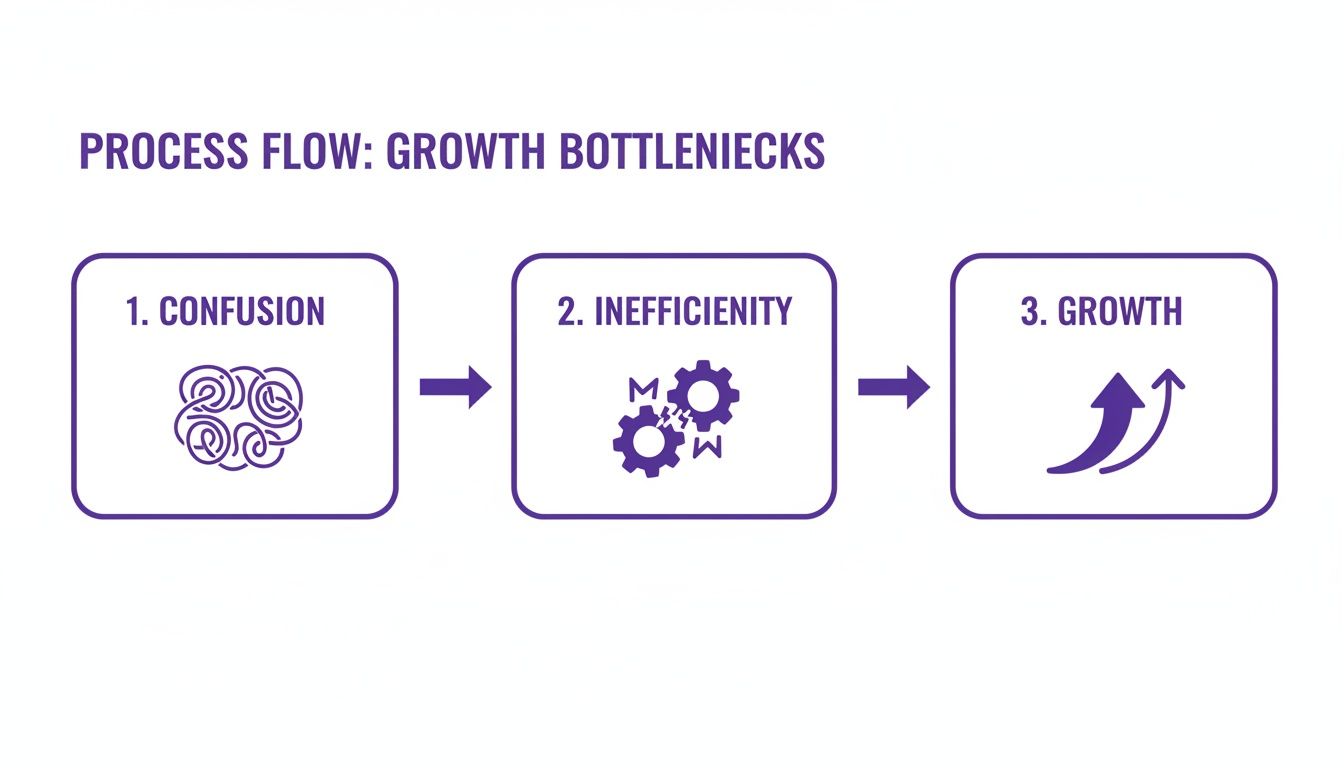
This visual really says it all. Tangled, undocumented workflows create constant friction, while a clear framework paves the way for a business that can actually scale.
Assembling the Right Documentation Team
I’ve seen this mistake made too many times: process documentation gets handed off to an intern or a manager who isn’t in the trenches every day. That’s a recipe for failure. The accuracy and real-world usefulness of your documentation hinge on getting the right people involved—specifically, your subject matter experts (SMEs).
These are the folks doing the work day in and day out. They know the shortcuts, the common pitfalls, and all the little unwritten rules that make a process actually function.
Involving SMEs isn’t just about getting the details right; it’s about getting people to actually use the documentation. When people help build the resource, they feel a sense of ownership and are far more likely to keep it alive. Your documentation team should be a small, collaborative crew. Ideally, it includes the process owner (the person responsible for its outcome), the SMEs who execute it, and someone to facilitate the conversation and do the actual writing. This blend of perspectives ensures the final document is both accurate and aligned with the bigger picture. After all, combining great documentation and training is a powerful way to scale your team’s knowledge.
Choosing the Right Tools for Capturing Your Workflows
Once you’ve nailed down which processes to document, the next big question is how to capture them. The tools you pick can be the difference between a living resource your team actually uses and a digital binder that just gathers dust. The goal isn’t just to document, but to create something that’s easy to make and even easier for your team to understand.
Your choice of tools really depends on what you’re trying to explain.
Comparing Process Documentation Methods
Choosing between traditional and modern methods isn’t about right or wrong; it’s about what works best for the specific process you’re documenting. This table breaks down the pros and cons to help you decide.
| Method | Best For | Pros | Cons |
|---|---|---|---|
| Traditional (SOPs, Flowcharts) | High-level overviews, decision-based workflows, and compliance-driven procedures. | Excellent for clarity and standardization. Great for showing a bird's-eye view of a process. | Can be text-heavy and hard to follow for complex digital tasks. Quickly becomes outdated. |
| Modern (Video, Interactive Guides) | Step-by-step digital tasks, software tutorials, and demonstrating "how" something is done. | Highly engaging and easy to follow. Captures nuance that text and screenshots miss. | Can be time-consuming to create and edit. Poor-quality videos can be frustrating. |
Ultimately, a blended approach is often the most effective. You might use a flowchart to map the overall approval process and then embed short tutorial videos for each specific software-based step within that workflow.
The Problem with Most Video Documentation
Video is king for showing someone how to navigate software, but creating good video tutorials is harder than it looks. The path from screen recording to a polished, helpful guide is usually riddled with friction that makes most subject matter experts give up before they even start.
On one side, you have simple screen recorders like Loom. They’re fantastic for quick, informal messages, but they aren’t designed for creating lasting process documentation. These raw recordings are often 50-100% longer than necessary, packed with filler words, long pauses, and shaky mouse movements that make viewers scrub back and forth just to find the important part.
On the other extreme are professional video editing suites like Adobe Premiere Pro or Camtasia. These tools are incredibly powerful, but they come with a steep learning curve. The person who actually knows the process inside and out—your subject matter expert—is rarely a skilled video editor.
This creates a huge gap. The people with the knowledge can’t efficiently create high-quality videos, and professional video editors don’t have the deep process expertise. The result? A major bottleneck, or even worse, no video documentation gets made at all. This isn’t a minor inconvenience. Think about this: office professionals already waste over 50% of their time just looking for information. As Workato’s report on automation stats points out, this problem is even more pronounced in hybrid work environments. Good documentation closes this gap.
AI-Powered Tools are Changing the Game
This is where a new wave of smart tools comes in, built specifically to solve this problem. Platforms like Tutorial AI, for instance, empower the expert to become the creator, no video editing skills required. The idea is brilliant in its simplicity: let the expert record their screen and explain the process naturally, then let AI handle the tedious work of turning that raw footage into a professional tutorial.
This technology automates the soul-crushing parts of video production, letting anyone generate video tutorials based on screen recordings for all sorts of use cases:
- Clear and concise product demos
- Quick onboarding and explainer videos
- Updates on new feature releases
- Visual additions to knowledge base and support article videos
When exploring platforms, it’s worth seeing how tools like supportgpt can also help organize and surface this information effectively.
The real win here is efficiency. Easy-to-use recording tools like Loom often produce videos that are 50-100% longer than necessary, while professional software like Camtasia or Adobe Premiere Pro requires expert editing knowledge. Tutorial AI’s tools bridge this gap. You can speak freely without any practice, and your video will still look professional, as if it was edited in Adobe Premiere Pro. This allows the subject matter expert to create on-brand videos extremely efficiently. To see how these tools fit into a broader strategy, check out our guide on the best software to document processes. It’s a fundamental shift that makes creating great video documentation accessible to any team, not just those with a video production budget.
Creating Process Documents People Actually Use

Let’s be honest: even the most detailed process document is worthless if it just collects dust on a server. The real goal isn’t just to write down steps; it’s to create a resource so clear and helpful that your team wants to use it instead of tapping a colleague on the shoulder.
This requires a mental shift from just capturing information to designing an experience. Good documentation is scannable, practical, and built for a busy person who needs an answer now. By focusing on clarity and using smart visuals, you can turn those intimidating walls of text into go-to tools for your team.
Writing for Clarity and Action
The bedrock of any document people will actually use is clear, direct writing. This isn’t about “dumbing it down”—it’s about respecting your reader’s time and getting straight to the point. Your subject matter experts are brilliant, but they don’t need to be novelists.
Here are a few core principles I always come back to:
- Use Simple Language: Ditch the jargon and acronyms when you can. If you absolutely have to use a technical term, define it the first time you mention it.
- Write in the Active Voice: Instead of a passive phrase like, “The report must be approved by the manager,” make it active: “The manager approves the report.” It’s more direct and easier to follow.
- Keep Terminology Consistent: Call a spade a spade, every single time. If it’s the “Client Dashboard” on page one, don’t call it the “Customer Portal” on page five. Consistency eliminates confusion.
If you really want to level up your skills, this ultimate user manuals guide to creating better documentation is a fantastic deep dive into the nuts and bolts of user-focused writing.
The Power of Visuals in Process Documentation
Text alone is often a terrible way to explain a complex workflow, especially when it involves software. Visuals aren’t just window dressing; they are essential for understanding. They break down complicated steps into simple, digestible chunks.
Think about it: a single, well-annotated screenshot can replace an entire paragraph of confusing directions. A basic flowchart can clarify a decision-making process far better than a tangled list of “if-then” statements. The goal is to show, not just tell.
Visual aids aren’t just nice-to-haves; they are comprehension accelerators. Research shows that people process images 60,000 times faster than text, which is a massive advantage when you need someone to grasp a process quickly.
Incorporating Video Tutorials the Smart Way
When it comes to software processes, nothing beats a good video. But historically, creating them has been a huge pain. Your subject matter expert might record a quick demo with a tool like Loom, but those raw recordings are often 50-100% longer than necessary, full of “ums,” “ahs,” and dead air.
The alternative? Professional editing software like Camtasia or Adobe Premiere Pro. These are powerful, but they require a skillset the average process owner simply doesn’t have.
This is where AI-powered tools are changing the game. Tutorial AI closes this gap by generating polished video tutorials based on screen recordings. Easy-to-use recording is often 50-100% longer than necessary, whereas professional video editing software requires expert video editing knowledge. Tutorial AI’s tools let you speak freely without any practice, and your video will still look professional, as if it was edited in Adobe Premiere Pro. It allows the subject matter expert to create on-brand videos extremely efficiently.
It’s a game-changer for creating all kinds of documentation assets:
- Detailed product demos
- Customer and employee onboarding videos
- Quick explainer and feature release videos
- Visual guides for your knowledge base and support article videos
This approach lets the person who knows the process best also be the creator, cutting out the friction and time sinks of traditional video editing. If you’re looking for more guidance, check out our article on how to write a procedure that your team will actually follow.
Keeping Your Documentation Alive and Relevant

It’s easy to breathe a sigh of relief after documenting all your key processes. But here’s a hard truth I’ve learned over the years: the real work begins after you hit “publish.”
The biggest mistake I see companies make is treating their documentation like a static artifact. It’s not. A process document is a living asset, and it starts aging the second it goes live. Workflows shift, software gets updated, and better methods emerge. Without a solid maintenance plan, your shiny new knowledge base will become a library of lies, leading to confusion, costly errors, and a complete breakdown of trust.
Establishing a Regular Review Cadence
To stop your docs from going stale, you need to build a proactive review cycle. This isn’t about random spot-checks when someone complains. It’s about creating a predictable schedule to keep every single document fresh and accurate.
A great way to start is by sorting your processes based on how volatile and critical they are. Not everything needs the same level of attention.
- Quarterly Reviews: Reserve these for your most dynamic and important processes. Think core product workflows, sales outreach sequences, or customer support protocols that get tweaked all the time.
- Bi-Annual Reviews: This is the perfect rhythm for stable, foundational processes. Things like employee onboarding or monthly financial reporting don’t change often, but you absolutely need them to be right.
- Annual Reviews: Use this for the “set it and forget it” stuff. We’re talking about company-wide policies or compliance guidelines that are low-volatility but still need a yearly check-in to ensure they’re aligned with current rules.
Setting up these cadences turns maintenance from a frantic, reactive fire drill into a manageable, proactive habit.
Assigning Clear Ownership
A process document without an owner is an orphan. It has no one looking out for it, and it will inevitably get neglected. Every document in your library needs a clearly assigned process owner.
This person isn’t just a name on a page; they are the official guardian of that document. Their job is clear: they are on the hook for its accuracy, they lead the scheduled reviews, and they’re the go-to person for any feedback or update requests. This accountability is the absolute linchpin of a sustainable documentation culture.
The most effective way to ensure documentation stays relevant is to make it part of someone’s job description. When ownership is clear, maintenance happens. When it’s a shared, vague responsibility, it gets ignored.
Creating a Feedback Loop
Your team on the front lines uses these documents every day. They’re the first to notice when a screenshot is from an old version of the software or a critical step is missing. You have to make it dead simple for them to tell you.
If raising an issue involves filling out a long form or navigating a clunky ticketing system, guess what? No one will bother.
Instead, implement a low-friction system. It could be a dedicated Slack channel (#doc-updates), a simple “Suggest an Edit” button in your knowledge base, or a basic feedback form. The tool doesn’t matter as much as the behavior. Acknowledge the feedback publicly and act on it. This proves to your team that their input is valued and helps everyone do their job better.
Managing Version Control
Nothing creates chaos faster than having multiple versions of the same document floating around. People waste time hunting for the “right” one, and worse, they follow outdated instructions that cause real problems.
Simple version control is non-negotiable. Whether you’re using a dedicated tool like Confluence or a shared Google Drive, it must be painfully obvious which version is the current source of truth.
A few battle-tested best practices:
- Use a Clear Naming Convention: Embed a version number and the last update date right in the title. Something like
"Client_Onboarding_SOP_v2.1_2024-10-15"leaves no room for doubt. - Maintain a Change Log: Add a quick, bulleted list at the top of each document explaining what changed in each version. This lets people see what’s new at a glance.
- Archive Old Versions: Don’t just hit delete. Move outdated documents to a specific “Archive” folder. You’ll be glad you have that historical record if you ever need to refer back to it.
By building these simple habits of review, ownership, and version control, you ensure your process documentation remains a trusted, valuable asset that actually supports your business as it grows.
Your Top Process Documentation Questions, Answered
As you start documenting how your business runs, you’re bound to run into some questions. That’s a good thing. Tackling these common hurdles head-on is what separates a documentation project that fizzles out from one that becomes a core part of how you operate. Let’s get into the practical stuff teams run into when they finally decide to get that “tribal knowledge” out of people’s heads and into a shared playbook.
What’s the Single Biggest Mistake to Avoid When Documenting Processes?
The number one mistake I see, time and again, is creating documentation in a vacuum. It happens when a manager or an executive team sits in a room and maps out a process without talking to the people who are actually in the trenches doing the work every single day.
When that happens, you get documents that are technically correct on paper but completely useless in reality. They miss the crucial workarounds, the little exceptions, and the “oh, by the way” details that make the process function. The team ends up ignoring it because it doesn’t reflect how things actually get done.
The only documentation that gets used is the kind built as a partnership between managers and the hands-on team. This approach guarantees accuracy, sure, but more importantly, it creates a sense of ownership that makes people want to use it.
How Do You Decide Which Processes to Document First?
If you try to document everything at once, you’ll get overwhelmed and give up. The key is to be strategic. You want to prioritize the processes that will give you the biggest bang for your buck right out of the gate.
I always advise clients to start by looking at a mix of impact and frequency. Here’s a good starting point:
- High-Risk Processes: Start with anything where a mistake could cost you serious money, lose you a customer, or land you in compliance trouble. These are non-negotiable.
- Frequent Bottlenecks: What are the things that always seem to grind projects to a halt? Pinpoint those tasks that consistently cause delays, and you’ll unlock some major efficiency gains by documenting them properly.
- Onboarding Essentials: Think about a new hire. What do they absolutely need to master in their first 30 days to be successful? Documenting these processes will shrink their ramp-up time dramatically.
- Critical to Revenue: Any process directly tied to making money—like sales demos, lead follow-up, or customer renewals—is a fantastic place to start.
Focusing on these high-impact areas first helps you build momentum. It proves the value of the entire initiative to the rest of the company early on.
How Can We Get Our Team to Actually Use the Documentation?
Getting people to use the documentation isn’t magic; you have to be intentional about it. For your team to truly rely on it, you need to make it incredibly easy to access, genuinely helpful, and a visible part of your company culture.
First off, put everything in one central, searchable place, like a dedicated knowledge base. Nobody is going to use a document they can’t find in under 10 seconds. Second, mix up the formats. A complex software task is almost always better explained with a quick video tutorial than a giant wall of text.
But the most important thing? Lead by example. Managers and team leads have to constantly reference the documentation in meetings, point to it during training, and treat it as the single source of truth. When the team sees leadership relying on it, they’ll follow suit.
What Level of Detail Should We Bother Including?
The right level of detail comes down to two things: your audience and the complexity of the task. Your north star should always be this question: Can a competent new person complete this task correctly without having to ask for help?
If you’re creating a high-level process map for the leadership team, a simple flowchart is probably perfect. But if you’re writing a standard operating procedure (SOP) for a new support agent, you’ll need detailed, step-by-step instructions, probably with annotated screenshots and maybe even a short video.
Always take a moment to ask, “Who is this for, and what do they need to succeed?” Answering that will keep you from writing a novel when a few bullet points would do, or vice versa.
Ready to create crystal-clear video documentation without the headache of traditional editing? With Tutorial AI, your subject matter experts can record their screen and let AI transform it into a polished, on-brand tutorial in minutes. Cut the fluff, focus on what matters, and empower your team with guides they’ll actually use. See how it works.