Employee training videos are so much more than just recorded presentations. They’re a powerful way to teach new skills, share crucial knowledge, and get new hires up to speed quickly. Think of them as the go-to learning tool for modern teams, turning dry, dense information into educational content that’s actually engaging, consistent, and easy to scale.
Why Your Team Prefers Learning on Video
Let’s be honest. When was the last time you needed to learn a new piece of software? Did you reach for the 50-page user manual, or did you search for a five-minute video that showed you exactly what to do? For most of us, the answer is obvious.
That simple preference reveals a huge shift in how people expect to learn at work. Employee training videos aren’t just a “nice-to-have” anymore; they’re an essential part of any effective training program, especially if you have remote employees or work in a fast-moving industry.
This isn’t just a feeling people have; it’s backed by how our brains work. We process visual information far more quickly and effectively than text, which is why video is a game-changer for boosting knowledge retention, particularly for complex or technical subjects. This lines up perfectly with what we know about how adults learn, a topic you can dive into with our guide on various adult learning styles.
The Business Case for Video Training
The benefits go way beyond just personal preference and build a powerful business case for making video a central part of your training strategy. Here are the biggest wins:
- Scalability: A single, well-made video can train thousands of employees across every time zone. You get the same core message to everyone without repeating the same training session over and over.
- Consistency: Video removes the natural differences you get with in-person trainers. This ensures that critical information about compliance, safety, or company procedures is delivered perfectly, every single time.
- Long-Term Cost Savings: There’s an upfront investment, of course. But videos dramatically cut down on long-term costs like travel, instructor fees, and printed materials. They become a valuable asset that keeps delivering value for years.
Backed by Data and Performance
The data we’re seeing in 2026 really drives this home. When it comes to workplace learning, video is the clear winner. A massive 95% of employees now say they prefer watching a video over reading text to learn something new.
This isn’t just about what people like; it’s about what works. Companies that heavily use video in their training programs report 92% higher employee engagement. They also see a 40-60% reduction in onboarding time for critical roles in departments like sales.
By making information easier to access and digest, video gives employees the power to learn at their own pace. This builds confidence and leads to more competent, self-sufficient teams. For example, to streamline customer support training, teams are using video to drastically reduce how long it takes to get new agents ready for prime time. The best part is that modern tools have made creating professional-looking videos accessible to everyone, not just big companies with dedicated production studios.
Choosing the Right Type of Training Video
Picking the right kind of training video isn’t just a creative choice—it’s a strategic one. You wouldn’t use a single tool for every job in a workshop, and the same principle applies here. The most effective training videos are those where the format is perfectly matched to the goal you’re trying to achieve and the people you’re trying to reach.
The options are surprisingly vast, ranging from quick software walkthroughs to full-blown onboarding experiences that set the tone for a new hire’s entire journey. While there’s a whole world of video strategy to explore, which you can see in resources like Contesimal’s video strategy insights, we’re going to focus on the formats that deliver the most bang for your buck in employee training.
Let’s dig into the heavy hitters.
Core Video Types for Every Training Program
-
Onboarding Videos: Think of these as your company’s first real handshake with a new employee. They do more than just explain policies; they bring your culture, mission, and values to life. A great onboarding series, often broken into 3-7 minute clips, makes someone feel like part of the team before they even log into their email.
-
Software Demos and Tutorials: This is where you get tactical. These videos are your go-to for showing employees how to use specific software, tools, and internal systems. An IT team can quickly demonstrate a new security protocol, or a marketing team can walk through the steps of a new analytics dashboard. The key is to keep them focused, short, and task-oriented.
-
Compliance and Safety Training: Let’s be honest, this content can be a bit dry. But it’s non-negotiable. Using video for safety procedures or data privacy rules ensures every single employee gets the exact same critical information in a format that’s far more engaging than a dense handbook. Consistency here isn’t just good practice; it’s essential for managing risk.
This infographic really drives home why modern teams have moved away from old-school manuals and embraced video.
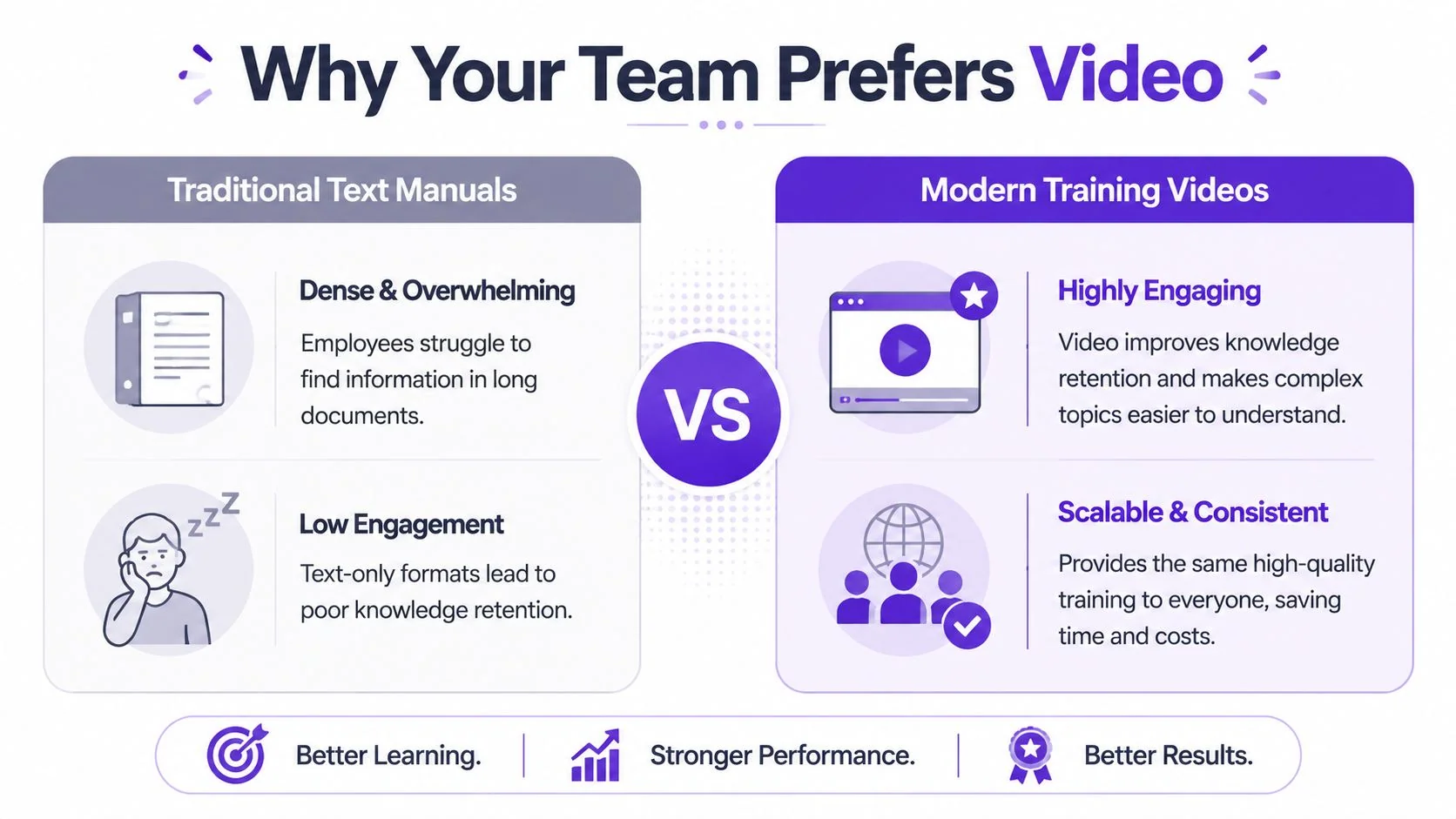
As you can see, video just works better. It’s more engaging, easier to digest, and a whole lot more scalable than printing stacks of paper.
To make the selection process easier, this table breaks down which video type works best for different business goals.
Matching Training Video Types to Business Goals
| Video Type | Primary Goal | Key Audience | Content Focus |
|---|---|---|---|
| Onboarding | Culture immersion & connection | New hires | Company mission, team intros, core values, first-week guide |
| Software Tutorial | Skill development & adoption | All employees, specific teams | Step-by-step process, screen recordings, feature walkthroughs |
| Compliance & Safety | Risk mitigation & policy adherence | All employees | Data security, workplace safety, HR policies, regulations |
| Sales Enablement | Boost performance & confidence | Sales representatives | Product features, objection handling, pitch practice, market info |
| Microlearning | Just-in-time knowledge reinforcement | All employees, mobile workers | Single tasks, quick refreshers, specific problem-solving |
By aligning your video format with a clear objective, you’re setting your training program up for success from the start.
Specialized Formats for Targeted Needs
Beyond those core types, you can get even more specific to solve unique challenges.
Sales enablement videos, for example, are a game-changer for any sales team. These aren’t just product demos; they’re tools for perfecting a pitch. You can show mock sales calls, dive deep into handling common objections, and break down competitor weaknesses, giving your reps the confidence and skills they need to close deals.
Finally, don’t underestimate the power of microlearning videos. These are ultra-short, focused clips—usually under 3 minutes—built for one thing and one thing only. Think of a field technician pulling up a quick video on their phone to double-check a repair step. It’s learning at the point of need, making it incredibly effective for reinforcing skills without pulling people away from their work for long stretches.
Your Pre-Production Planning Checklist
The secret to a great training video isn’t a fancy camera or expensive software. It’s what you do before you even think about hitting ‘record.’ Honestly, a solid plan will beat a big budget every single time. This pre-production phase is where you build the foundation for your employee training videos, turning a rough concept into a clear, effective teaching tool.
It all starts with a simple question: What do you want your employee to do after watching? Don’t get bogged down in what the video will show. Focus on the outcome. This small mental shift—from passive viewing to active capability—is the bedrock of any training that actually sticks.
Nail Down Your Audience and Script
With your learning goal set, it’s time to think about who you’re talking to. Are you creating this for new hires who know absolutely nothing, or for veteran team members who just need to learn a new process? The answer changes everything. You have to match your content to their existing knowledge, or you’ll either overwhelm them with jargon or bore them with basics.
Now, let’s talk about the script. I can’t stress this enough: the script is the single most important part of your plan. Winging it is a recipe for disaster—you’ll end up rambling, skipping crucial information, and making a video that’s twice as long as it needs to be. If you’re new to this, a solid template can be a lifesaver. You can find a great starting point in our comprehensive video script template and guide.
Writing for video is completely different from writing a memo or a report. You need to sound like a person, not a textbook. Read your script out loud. If it feels stiff or awkward, rewrite it. Keep tweaking it until it sounds like a natural conversation.
Remember, your script doesn’t have to be a rigid, word-for-word document. For some topics, especially when you have a subject matter expert presenting, a detailed bullet-point outline can work just as well. The goal is simply to have a clear roadmap to follow.
Start Thinking Visually
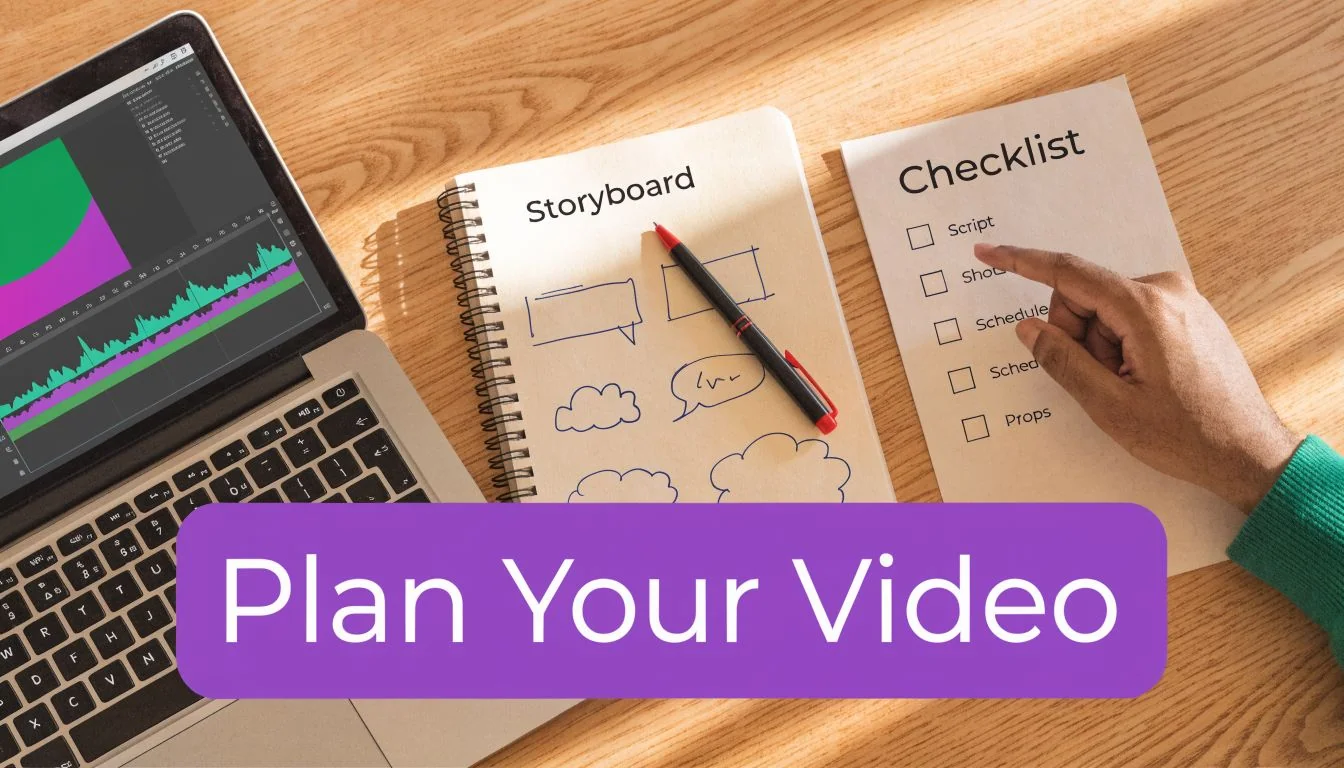
From the moment you start scripting, you need to be thinking visually. Don’t just write down what you’re going to say; plan what the viewer is going to see. For every single line of narration, ask yourself: what’s happening on screen right now?
This visual plan, often called a storyboard, is what connects your words to the action. It makes sure that what people are seeing directly supports what they’re hearing. This is absolutely critical for things like software demos or step-by-step process training, where visual clarity is everything. A good visual plan keeps your audience engaged and focused, turning a simple screen recording into a powerful learning experience.
Alright, let’s talk production. This is the part where your brilliant script and storyboard finally come to life. It’s also, frankly, where a lot of training video projects go off the rails.
For years, we’ve been stuck between two frustrating extremes, especially when making software tutorials.
On one side, you have the quick-and-dirty screen recorders like Loom. They’re great for a fast, informal message to a colleague. But for an official training video? The raw footage is often bloated, sometimes 50-100% longer than it needs to be, packed with “ums,” “ahs,” and those all-too-familiar moments where you click the wrong thing. It just doesn’t feel polished.
On the other side, you have the heavy hitters: professional editing suites like Adobe Premiere Pro or Camtasia. These are incredibly powerful tools, no doubt. But they come with a steep learning curve and demand a huge time commitment. This creates a massive bottleneck. Your subject matter expert knows the software inside and out, but they’re not a video editor, and they shouldn’t have to be.
A Smarter Way to Edit with AI
Thankfully, a new breed of AI-powered video platforms has emerged, completely changing this dynamic. Think of them as the bridge between speed and quality. Using a tool like Synthesia or similar AI-driven editors allows the expert to focus only on their expertise, not on mastering a timeline.
The workflow is a game-changer. The expert can simply record their screen, talking through the process naturally. No need to memorize a script or worry about making a mistake. They can just teach, knowing the tech will handle the cleanup.
After recording, they upload this raw take. The AI gets to work, automatically transcribing every word, cleaning up the script, and even recreating the audio with a perfect, studio-quality AI voice. All the background noise, filler words, and vocal stumbles? Gone.
The image below gives you a peek into how this works. An AI tool takes a messy screen recording and instantly generates a clean script that’s ready to go.
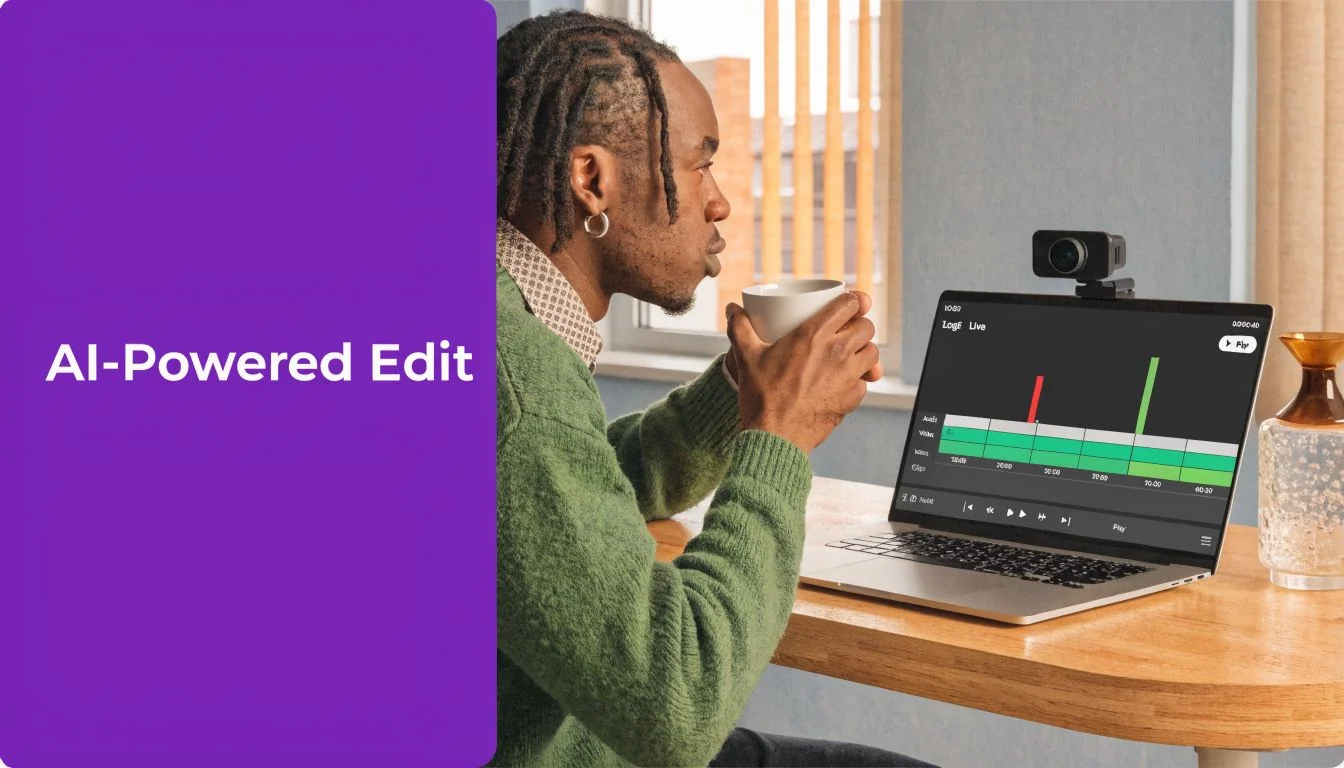
The real magic is that you edit the video by editing the text. It’s a far more intuitive and faster process than scrubbing through a traditional video timeline.
From Raw Take to Polished Tutorial
This AI-assisted approach lets your team produce professional, on-brand videos with astonishing speed. Instead of fighting with complex software, your expert can create a tutorial that looks like it was painstakingly edited in Premiere Pro, but in a tiny fraction of the time.
It’s more than just audio cleanup. These tools can automatically add smart zoom-ins to highlight key areas, place visual cues on important clicks, and even apply branded backgrounds and overlays. Your final video will look clean, professional, and perfectly aligned with your company’s brand.
This workflow is perfect for creating all sorts of crucial training content:
- Software Demos: Showcasing how your product works with flawless precision.
- Onboarding Videos: Walking new hires through your company’s internal tools.
- Explainer Videos: Breaking down complex workflows into simple, visual steps.
- Feature Updates: Quickly creating videos to announce new product capabilities.
- Knowledge Base Videos: Building a library of self-help resources to reduce support questions.
By taking the technical burden of video production out of the equation, these tools empower your experts to do what they do best: share their knowledge. This finally makes high-quality video creation a scalable and sustainable part of your learning strategy.
Getting Your Videos Seen and Measuring Their Success
You’ve poured time and effort into creating a fantastic employee training video. That’s a huge win, but it’s only half the battle. A brilliant video has zero impact if it’s just sitting on a server, unseen.
Now comes the most critical part: getting it in front of the right people and figuring out if it actually worked. This is where your hard work pays off and turns into real business value. The goal is to make learning a seamless part of your team’s day, not another task on their to-do list.
Making Training Content Discoverable
Your first job is to put these videos where your employees already are. Don’t just fire off an email and hope for the best. Instead, you need to embed this training directly into their workflow.
- Learning Management System (LMS): This is the natural home for your more structured training content. By placing videos in your LMS, you can build them into formal courses, track mandatory completions, and keep everything organized within your company’s official learning hub.
- Company Knowledge Base: Think of your internal wiki or knowledge base as the go-to spot for just-in-time answers. When someone searches “how to submit an expense report,” the first thing they should see is your helpful video walkthrough. It solves their problem in the moment.
- Team Communication Channels: For immediate updates and quick tips, push your videos directly to where the conversation is happening. Share a new feature tutorial in the sales team’s Slack channel or post a process update video in Microsoft Teams for the operations group.
Of course, simply uploading a video isn’t enough. You have to actively boost video views to ensure it reaches its intended audience and doesn’t get lost.
Measuring What Truly Matters
Once your videos are out in the wild, you need to know if they’re effective. It’s tempting to look at the total view count and call it a day, but that number doesn’t tell you if anyone actually learned something. You need to look beyond those vanity metrics.
The most important metrics go beyond simple views. True success is seeing a drop in support tickets after publishing a new help video or watching completion rates on compliance training hit 100%. This is how you connect video analytics to tangible business outcomes.
To get a real sense of performance, focus on data that signals genuine engagement and comprehension. We cover this topic in-depth in our guide on how to measure training effectiveness, but here are the key indicators to start with:
- Audience Retention and Engagement: Look at the average watch time. Are people bailing after the first 30 seconds, or are they watching all the way through? A high retention rate is a gold star, telling you that your content is genuinely engaging and valuable to your team.
- Completion Rates: For anything mandatory, this metric is non-negotiable. Tracking how many employees have actually finished a video or a whole series gives you a clear pass/fail indicator for both compliance and knowledge transfer.
- Qualitative Feedback: Don’t forget to simply ask your team what they thought. A quick survey asking about the video’s clarity and usefulness provides priceless feedback. This direct input is the secret to making your next round of videos even better.
Common Questions About Employee Training Videos
As you start mapping out your own employee training videos, a few questions almost always pop up. Let’s tackle some of the most common ones head-on to clear up any lingering doubts as you get ready to hit record.
How Long Should an Employee Training Video Be?
That’s the million-dollar question, and the answer really comes down to what you’re trying to teach. If you’re creating microlearning content focused on a single, tight task—like how to use one specific feature in a new software—keep it short and sweet. Aim for 2-5 minutes. This makes the information easy to digest and put into practice right away.
For more comprehensive topics, like walking through an entire process or introducing a new company-wide policy, you might stretch to 15 minutes. But even then, you’re usually better off splitting that longer subject into a series of shorter, connected videos. We see it time and time again in engagement data: viewership drops off a cliff after the 6-minute mark. Sticking to one core learning objective per video is the secret to keeping your audience locked in.
What Is the Most Important Part of a Training Video?
If you only focus on two things, make them crystal-clear audio and a well-structured script. It’s a surprising truth of video production: people will forgive so-so visuals, but they will instantly abandon a video if they can’t understand what’s being said. Garbled audio or a rambling, confusing script is a guaranteed way to lose your audience.
Always, always start with a solid script. It’s also worth investing in a decent microphone; even an affordable USB mic is a massive improvement over your laptop’s built-in one. This is also where AI voice generation tools are becoming a huge asset, delivering clean, consistent, and professional narration without any background noise or awkward stumbles.
Can I Make Great Training Videos on a Small Budget?
Absolutely. The idea that you need a full production crew and expensive gear is a thing of the past. Modern AI-powered platforms have completely changed the game, making professional-quality video accessible to everyone.
With a tool like Tutorial AI, any of your subject matter experts can produce a polished software demo using just their computer. The AI does the tedious work—cutting out mistakes, cleaning up the voiceover, and adding slick visuals—so you can pour your budget and energy into what really counts: creating accurate, high-quality content.
How Can Tutorial AI Help My Subject Matter Experts?
Tutorial AI specializes in generating video tutorials based on screen recordings. This is perfect for demos, onboarding videos, explainer videos, feature release videos, knowledge base videos, and support article videos.
Think about the usual options. Easy to use recording such as recording via Loom is often 50-100% longer than necessary. On the other hand, professional video editing software such as Camtasia or Adobe Premiere Pro requires expert video editing knowledge.
Tutorial AI’s tools let you speak freely without any practice and still your video will look professional as if it was edited in Adobe Premiere Pro. It allows the subject matter expert to create on-brand videos extremely efficiently.
Ready to empower your experts and create studio-quality training videos in minutes? Discover how Tutorial AI can transform your raw screen recordings into polished, professional, and on-brand employee training videos. Visit https://www.tutorial.ai to learn more and start your free trial.