
When we talk about customer success training, we're not just talking about a set of help docs or a few how-to videos. A real training program is a structured, strategic initiative designed to help your customers master your product, hit their goals, and get every ounce of value out of their investment. It's no longer just a nice-to-have support function; it's a proactive revenue-driving strategy.
Why Modern Customer Training Is a Revenue Driver
Let's get one thing straight: if you're still thinking of customer training as a cost center, you're missing the bigger picture. The old way of thinking is dead. Today, smart companies see customer education for what it is—a direct line to boosting crucial SaaS metrics like net revenue retention (NRR) and customer lifetime value (CLV).
Think about it. An educated customer is your best customer. They don't just scratch the surface; they dig in and become power users. This is where the magic happens for your business.
- They naturally start using your more advanced (and often stickier) features.
- They churn far less often because they're consistently seeing the product's value.
- They become your biggest fans and most authentic brand advocates.
This isn't just theory. There’s a clear, repeatable process that turns training into revenue.
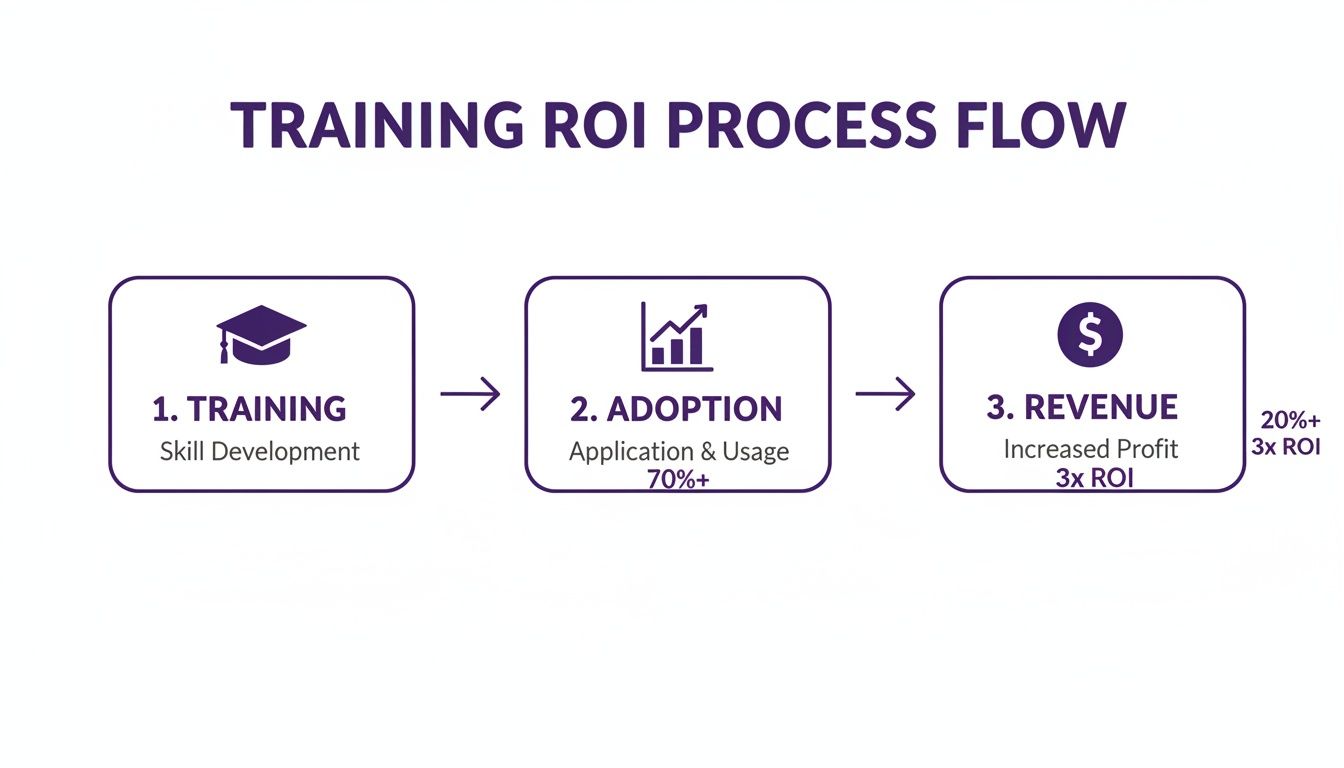
As you can see, it's a straightforward path from building skills to driving adoption, which ultimately leads to tangible financial returns.
Shifting from Cost Center to Profit Center
The return on investment for a well-built training program isn't just a rounding error; it’s substantial. We’ve seen this play out time and again. For instance, a SaaS project management tool saw a staggering 210% ROI after launching a new certification program. That same program also boosted feature adoption by 18% among everyone who went through it.
In another case, a B2B marketing platform generated $150,000 in pure revenue just by offering paid "Expert Level" certifications. The numbers don't lie—training directly pads the bottom line.
A well-executed customer success training program transforms users from passive consumers into active partners. By investing in their success, you are directly investing in your own growth, creating a cycle of loyalty and expansion revenue.
The Strategic Value of Customer Education
Effective training starts way earlier than most people think. It's not just about troubleshooting down the road. You need to improve your customer onboarding process from day one, because a smooth start is directly linked to higher retention and long-term value. It lays the groundwork for the entire relationship.
This guide is your blueprint for doing it right. We’ll walk through how to design, launch, and measure a customer success training program that builds a more profitable and loyal customer base. By empowering users to become self-sufficient, you reduce the strain on your support team and build a truly scalable model for growth.
If you want to zoom out and see the bigger picture first, check out our complete guide on building a powerful customer education strategy.
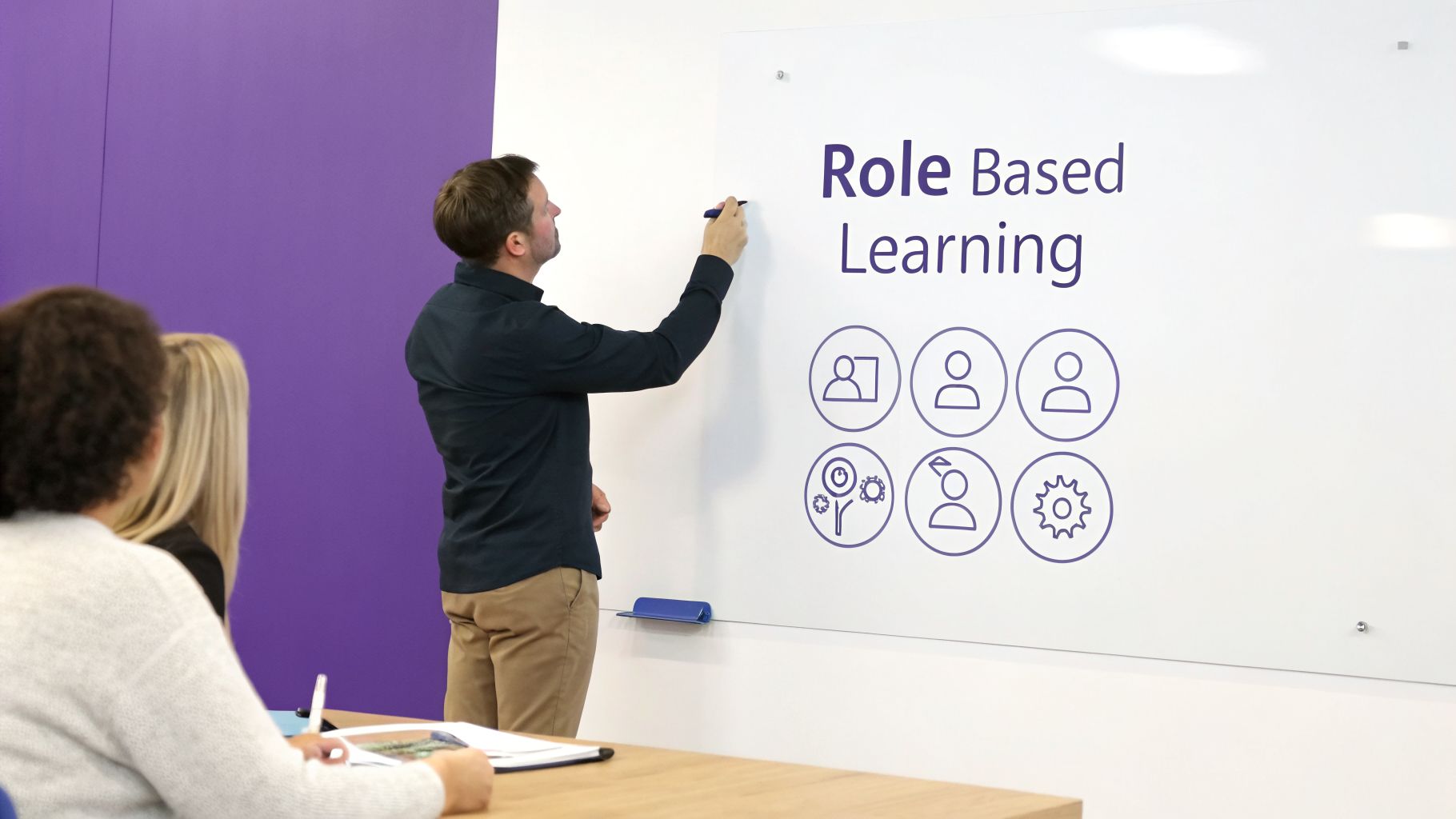
Designing a Curriculum That Aligns with User Roles
The biggest mistake I see companies make with customer training is creating a one-size-fits-all program. It’s a classic misstep. This generic approach almost always fails because different users have completely different jobs to do, not to mention varying levels of comfort with new technology.
If you want to build a training program that actually gets used and drives real product adoption, you have to think beyond basic tutorials. The entire curriculum needs to be designed around the real-world tasks your customers are trying to get done. That means mapping your training directly to the different types of people using your product.
From User Personas to Learning Pathways
So, where do you start? First, you need to get crystal clear on who you're training. A daily operator has a very different set of needs than a high-level admin. The operator wants to master core workflows, while the admin is focused on configuration, reporting, and managing their team. Then you have your power users, who are always hungry for advanced features and clever efficiency hacks.
Once you have these personas sketched out, you can build distinct learning pathways for each one.
- The New User: This path is all about foundational onboarding. The main goal here is to get them to their "first win" as fast as humanly possible. This builds their confidence and shows them immediate value.
- The Daily Operator: Training for this group should zero in on core job functions, best practices, and any shortcuts that can make their day-to-day work smoother and faster.
- The Administrator: This curriculum needs to cover the big picture: user management, security settings, advanced configurations, and how to plug your product into their company’s wider tech stack.
- The Power User: This is less about onboarding and more about ongoing enablement. Think content on advanced features, deep dives into new product releases, and strategic guides that empower them to become internal champions for your tool.
When you segment your training this way, you make sure the right content gets to the right person at just the right time. It prevents new users from getting overwhelmed with info they don't need and keeps your seasoned users engaged with material that challenges them.
A curriculum built around user roles is the difference between a training library nobody uses and an educational journey that customers actively seek out. It respects their time and focuses on what they need to succeed in their specific job.
Auditing Your Content and Defining Objectives
Before you dive into creating brand-new content, take a good, hard look at what you already have. A thorough audit of your existing educational assets can be surprisingly fruitful. Comb through your knowledge base articles, re-watch past webinar recordings, and even look at your support ticket macros. This process will help you find valuable content you can repurpose and, just as importantly, show you where the critical knowledge gaps are.
With those gaps identified, it’s time to define clear learning objectives for every single piece of content. I've found the SMART framework (Specific, Measurable, Achievable, Relevant, Time-bound) to be incredibly helpful for this.
For instance, a weak objective is something like, "Teach users about the dashboard." A much stronger, SMART objective would be: "After completing this 5-minute video, a new user will be able to add three widgets to their dashboard and set up their first custom report in under 10 minutes."
See the difference? That level of specificity makes it simple to measure success and ensures every video or article has a clear purpose. To really get this right, you'll want to explore some proven strategies for developing a training curriculum, as these frameworks can give you a solid structure to build from.
Ultimately, designing a curriculum is all about mapping out a journey for your customer. You're guiding them from basic competency all the way to advanced mastery, one logical step at a time. Each module, video, and guide should build on the last, creating a complete educational experience that deepens their investment in your product. This structured approach is the backbone of any successful customer success training program.
Creating Scalable Training Content with AI Tools
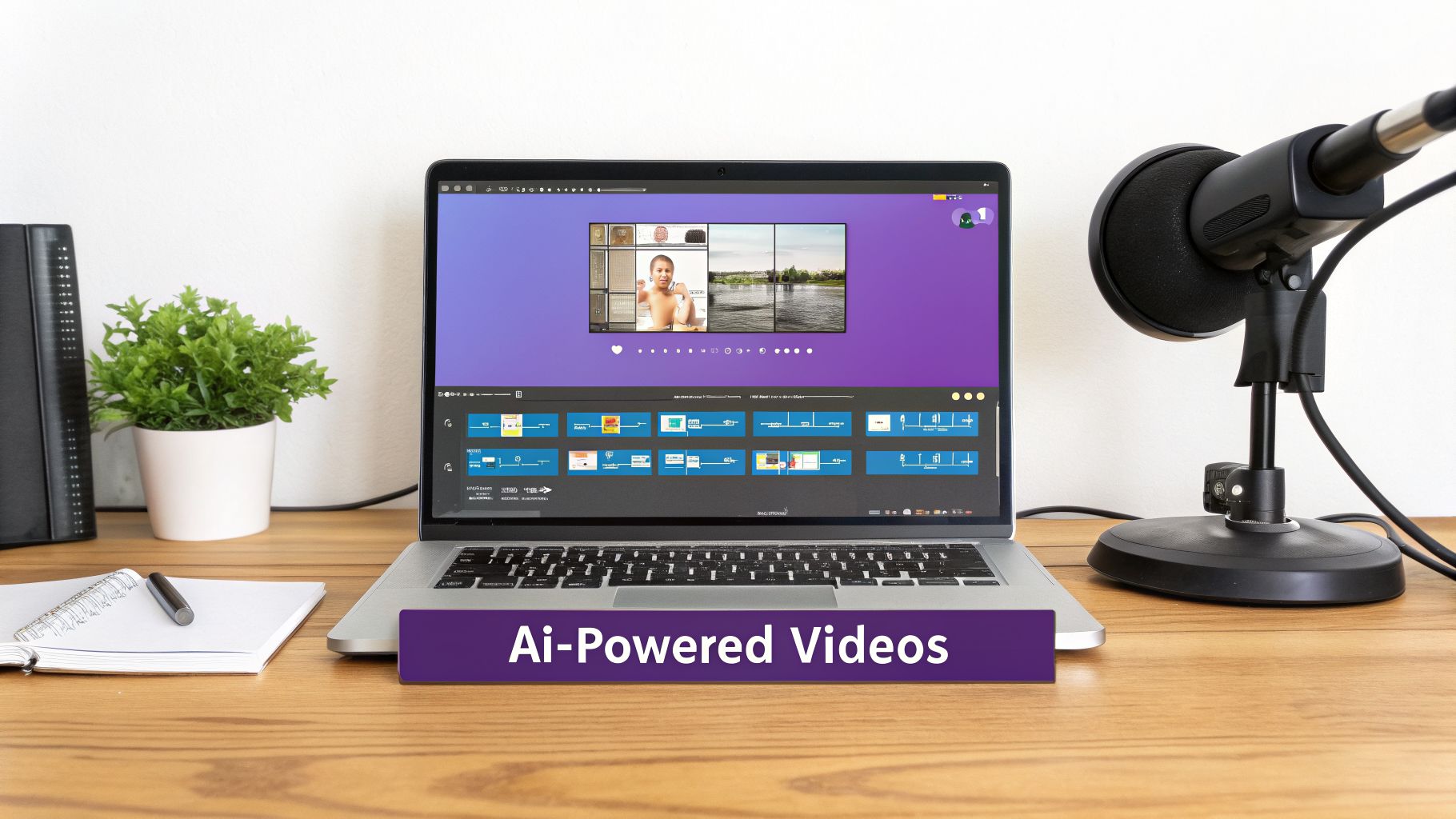
You’ve mapped out a brilliant curriculum, but now comes the hard part: actually creating all that content. High-quality training videos are the gold standard for customer education today, but producing them often feels like a no-win situation.
On one hand, you have simple screen recorders like Loom. They're wonderfully easy to use, but the final product is often… raw. A quick, unscripted walkthrough can easily be 50-100% longer than it needs to be, packed with filler words, awkward silences, and "oops, let me go back" moments. It's not a great experience for your customers.
On the other hand, you have professional editing suites like Camtasia or Adobe Premiere Pro. These tools give you a polished result but demand serious video editing skills. This creates a bottleneck, forcing your subject matter experts (SMEs) to hand off raw footage to a video editor. It's a slow, expensive process that often means training content is out-of-date or never gets made in the first place.
Bridging the Gap Between Ease and Professionalism
This is where AI-powered tools like Tutorial AI completely change the game for customer success training programs. Tutorial AI generates professional video tutorials from simple screen recordings. It builds a bridge between the simplicity of a screen recorder and the polish of a professional production house. This empowers the people who know your product best—your SMEs—to create amazing, on-brand videos themselves.
Think about it. Your product expert needs to record a demo for a new feature. Tutorial AI's tools let you speak freely without any practice, and still, your video will look professional as if it was edited in Adobe Premiere Pro. If they stumble or miss a step, it doesn't matter.
Tutorial AI takes that raw recording and works its magic. It transcribes the audio, then lets the SME edit the text to clean up the narration. It automatically removes all the "ums," "ahs," and long pauses, then generates a crystal-clear, studio-quality voiceover. The result is a professional video that looks like it took a whole team to produce, all without anyone needing to learn video editing.
This allows the subject matter expert to create on-brand videos extremely efficiently. The person with the deepest product knowledge—the SME—suddenly becomes an efficient content machine, able to quickly produce all kinds of essential training assets:
- Demos: Clear, step-by-step showcases of how your features work.
- Onboarding Videos: Guides for new users to get them through their first key actions.
- Explainer Videos: Simple tutorials that break down complex workflows.
- Feature Release Videos: Quick updates on what’s new and how to use it.
- Knowledge Base Videos: Visuals to accompany support articles for better understanding.
- Support Article Videos: Turning text-based help docs into easy-to-follow visual guides.
Enhancing Engagement and Ensuring Brand Consistency
A good training video doesn't just show a screen; it guides the viewer's eye. Tutorial AI automates this with smart effects. It intelligently zooms in on important details, smooths out jerky cursor movements, and adds highlights to direct attention. These automated touches make the final video incredibly engaging and easy to follow.
By removing the technical barriers of video production, AI empowers subject matter experts to become self-sufficient content creators. This dramatically shortens the production cycle, allowing teams to build and maintain a comprehensive library of training materials that stays current with product updates.
Brand consistency is another piece of the puzzle. With Tutorial AI’s Brand Kits, you can set up your company’s fonts, colors, and logos once. From then on, every video created by anyone on your team automatically has the right branding, ensuring a consistent and professional look for your customers.
Scaling Globally with Automated Translations
If you serve a global customer base, you know the headache of translating training content. The traditional route involves re-recording voiceovers, re-editing video timelines, and painstakingly adjusting captions for every single language. It’s a massive resource drain.
Tutorial AI’s AutoRetime feature handles this automatically. Once a video is finished, you can translate it into dozens of languages with just a few clicks. The AI translates the script, generates a new voiceover in the target language, and then—this is the incredible part—it re-syncs all the video scenes and on-screen callouts to match the timing of the new narration. This makes it feasible to roll out a truly global training program without a giant localization budget. You can see how to create training videos with AI to get a feel for these features.
This digital-first approach has real financial benefits. The efficiency of modern customer success is changing how companies spend money. Recent data shows that organizations using digital engagement strategies—including scalable video tutorials—report a median customer success spend of around 3% of revenue. That's a huge drop from the 8% spent by teams not using these tools, all while achieving similar or better results. It just goes to show how automating education with quality videos can slash costs and improve consistency at the same time.
Launching and Distributing Your Training Program
You’ve done the hard work and created a library of fantastic training videos. That’s a huge win, but it’s only half the battle. A customer success training program is only as good as its reach. If customers can’t find it or don’t know it exists, all your effort goes to waste.
The old "if you build it, they will come" mindset is a recipe for failure. You need a thoughtful, deliberate rollout plan that gets people excited and weaves learning directly into their daily workflow. It’s all about being strategic with where, when, and how you deliver your training content.
Crafting a Phased Rollout Plan
Resist the urge to flip a switch and launch everything at once. A phased rollout is a much smarter play. It gives you room to test your materials, get crucial feedback, and build momentum over time.
Start with a pilot launch. Handpick a small group of customers—maybe some power users you have a great relationship with or a few friendly accounts known for giving honest feedback. The goal isn't praise; it's to gather real-world input on clarity, relevance, and overall helpfulness before you go live for everyone.
Running a pilot program is like a dress rehearsal for your launch. It uncovers blind spots, validates your content, and gives you a chance to fix any issues while the stakes are low. The feedback you get from this initial group is invaluable.
After you've polished your program based on that pilot feedback, you're ready for the main event. This next phase is all about communication—making sure your customers know about this incredible new resource you've built just for them.
Choosing the Right Distribution Channels
Your training content needs to live where your customers already are. If you stick to just one channel, you’re guaranteed to miss huge segments of your audience. The key is a multi-channel strategy that makes your training discoverable right at the moment of need.
Here are some of the most effective channels I've seen work time and again:
- Knowledge Base and Help Center: This is the most logical home for your training. Embedding videos directly into support articles gives users visual aids to solve problems on their own.
- In-App Pop-Ups and Modals: Use smart, contextual triggers to offer help at the perfect time. For example, when a user navigates to an advanced feature for the first time, a small pop-up can offer a quick walkthrough video.
- Targeted Email Campaigns: Announce the new program to your entire user base, for sure. But also get more granular. Send specific learning paths to customers based on their role, industry, or product usage.
- Learning Management System (LMS): If you run a customer academy, your LMS is the natural hub for structured courses, learning paths, and official certifications.
- Your CSMs: Never underestimate the human element. Your Customer Success Managers should be your program's biggest advocates. Make sure they're equipped to share specific videos during onboarding calls, business reviews, or anytime a customer hits a snag.
Weaving Training into the Customer Journey
The best customer success training programs don't feel like a separate destination. They feel like a helpful guide that magically appears just when you need it. Think about the key moments in the customer lifecycle where a little bit of training could make a huge difference.
During onboarding, for example, you can set up an automated email series that sends new users a "getting started" video each day for their first week. When you push a major feature release, an in-app tour can link directly to a "what's new" tutorial.
As a customer gets closer to renewal, a CSM could proactively share a guide on advanced features they haven't touched yet, reinforcing the product's value. By embedding learning contextually, you make it a natural, ongoing part of the customer experience, driving both adoption and loyalty.
Measuring the Business Impact of Your Program
Here's a hard truth I've learned over the years: a customer success training program isn’t a one-and-done project. Its real value comes from being a living, breathing part of your customer experience—something that needs to be measured, analyzed, and constantly refined. If you just launch it and walk away, you’re leaving money on the table.
To do this right, you have to look past simple vanity metrics like video view counts. Honestly, who cares how many people watched a video? The real question is what they did afterward. Did they adopt that new feature? Did they stop creating basic support tickets? Are they actually happier with your product? This data-driven mindset is what separates a good training program from a great one.
Moving Beyond Vanity Metrics
Your first move is to stop tracking consumption and start tracking behavioral change. This means tying your training content directly to the business outcomes you're trying to achieve.
Instead of just asking "Did they watch it?" you need to start asking "Did it work?" Start by pinpointing the specific actions you want customers to take after watching a tutorial. Here are the metrics that really matter:
- Product Adoption Rates: This is a big one. Are users who complete a specific training module more likely to adopt and consistently use the feature it covers? Comparing usage data between trained and untrained user cohorts is incredibly revealing and gives you clear proof of impact.
- Support Ticket Deflection: Dig into your support ticket data. A successful program should lead to a noticeable drop in those repetitive "how-to" questions and basic troubleshooting requests that clog up your queue.
- Customer Satisfaction (CSAT/NPS): Keep a close eye on your satisfaction scores. An effective training program almost always correlates with higher CSAT and Net Promoter Scores because empowered, educated users are happier users.
- Time to Value: How long does it take a new customer to get up and running and see real value? Good training should dramatically shorten this window, getting them to their "aha!" moment much faster.
Focusing on these kinds of metrics helps you build a rock-solid business case for your training initiatives. If you want to go deeper, you can explore more about core learning and development metrics that connect education directly to business results.
The ultimate goal here is to draw a straight line from your training content to your revenue. A program that boosts product adoption and cuts down on support costs directly contributes to higher customer retention and opens the door for expansion revenue.
Key Metrics for Measuring Training Program ROI
To truly understand the ROI of your training, you need to track a mix of metrics across different areas of the business. This table breaks down the most important KPIs to keep on your dashboard.
By tracking these KPIs, you move the conversation from "training is a cost center" to "training is a revenue driver." This data gives you the ammunition you need to prove your program's worth to leadership.
Building a Continuous Feedback Loop
Data tells you what is happening, but direct feedback from your users tells you why. A solid feedback loop is non-negotiable for figuring out where your content is landing perfectly and where customers are still getting tripped up.
This doesn't have to be complicated. A mix of automated and manual methods works wonders.
You can embed simple, one-question surveys ("Was this video helpful?") at the end of your tutorials. For more depth, send out a more detailed survey after a user completes a major learning path. This qualitative feedback is gold for spotting confusing explanations or content gaps you might have missed.
Pair that with in-product behavior analysis. Tools that offer heatmaps or session recordings can show you exactly where users are clicking—or not clicking—after watching a tutorial. It’s like looking over their shoulder and seeing where the confusion sets in.
Iterating and Improving Your Content
Once you have this data and feedback, you can improve your curriculum with precision. When you see a video that’s underperforming or a module where users consistently drop off, you can act fast instead of guessing.
This is where modern tools completely change the game.
In the past, updating a video was a nightmare of re-recording and re-editing. Now, with AI-powered platforms like Tutorial AI, you can make changes incredibly efficiently. If a workflow changes or you get feedback that a step is unclear, you just edit the script. The tool automatically regenerates the voiceover and adjusts the video, letting you push out a fresh, on-brand tutorial in minutes, not weeks.
This kind of agility is what keeps your customer success training program relevant and valuable as your product—and your customers' needs—continue to evolve.
A Few Common Questions We Hear
As you start mapping out your customer success training, a few questions always seem to pop up. Let's walk through some of the most common hurdles I've seen teams face and talk about how to clear them.
How Much Should We Budget for a New Program?
Budgeting for a new training program can feel like you're just guessing. The most successful teams I’ve worked with don’t just pick a number—they anchor their budget directly to a business outcome, like cutting churn by a specific percentage or lowering support ticket volume.
A great place to start is by figuring out the cost of doing nothing. How many hours does your support team waste answering the same questions over and over? What’s the real dollar value of customers who leave because they never figured out your product? That number gives you a powerful baseline for the potential ROI. From there, your budget needs to cover content creation tools, any LMS fees, and, importantly, the time your own subject matter experts will invest.
How Can We Create Professional Training Videos Without a Film Crew?
Creating great training videos often feels like choosing between two bad options. On one hand, you have simple screen recorders like Loom. They're fast, but the final product is often 50-100% longer than it needs to be, full of "ums," "ahs," and awkward pauses that make for a pretty rough viewing experience.
On the other hand, you have powerful editing software like Camtasia or Adobe Premiere Pro. These tools can produce incredibly polished videos, but they require a skilled video editor. This creates a huge bottleneck, forcing your product experts to dump raw recordings on an editor and wait.
This is exactly where a new breed of AI tools is changing the game. With something like Tutorial AI, a subject matter expert can just hit record and talk through a process. You don't need a script or a single rehearsal. The tool automatically edits the recording, cutting out mistakes and awkward silences to create a video that looks like it was professionally produced. It’s an incredibly efficient way to create on-brand videos and turn your internal experts into a scalable content creation engine.
This solves a major headache, empowering your team to quickly produce all kinds of content:
- Product demos
- Onboarding tutorials
- Quick explainer videos
- New feature announcements
- Videos for your knowledge base
- Visuals for support articles
How Do We Choose the Right Platform to Deliver Training?
The "best" platform really depends on how mature your program is and, more importantly, where your customers actually go for help. You almost certainly don't need a full-blown Learning Management System (LMS) on day one. In fact, many fantastic programs start by simply embedding videos right into their knowledge base articles.
As your program evolves, you can graduate to more sophisticated platforms.
- Knowledge Base: This is perfect for on-demand, searchable content that helps users solve a specific problem right now.
- In-App Guides: These are brilliant for contextual, "just-in-time" learning that pops up based on what a user is doing in your product.
- LMS: You'll eventually need this for structured courses, official certifications, and tracking detailed user progress across a full curriculum.
The trick is to meet customers where they already are. Start simple, see what gets used, and then expand your channels based on real data, not just assumptions.
How Can We Keep Content Up-to-Date with Product Changes?
There's nothing worse than outdated training content. It breaks customer trust and just creates more support tickets. The only way to win this battle is to bake content maintenance directly into your product development cycle.
When your product team is scoping a new feature, your training team needs a seat at that table. This gives them the heads-up they need to start updating or creating new tutorials before the feature goes live.
Treat your training content like you treat your software. It needs a roadmap, regular updates, bug fixes (aka outdated info), and a clear owner. This mindset shifts educational content from a "one-and-done" project to a living, reliable resource.
Modern tools also make a world of difference here. If a small UI element changes, you shouldn't have to re-record an entire 10-minute video. AI-powered editors let you simply re-record one small section or even just edit the script, making updates fast and painless. That kind of agility is what keeps a training library valuable over the long haul.
Ready to create scalable, on-brand training videos without the editing headache? Tutorial AI empowers your team to turn simple screen recordings into professional tutorials in minutes. Start building your video library today.



