So, what exactly is documentation of training? It’s the process of capturing, organizing, and managing all the materials tied to your company’s learning and development programs. It’s how you turn abstract training goals into a concrete, repeatable system that ensures every employee gets the same high-quality instruction.
Why Documentation of Training Is Your Strategic Blueprint

Too many companies treat training documentation like an administrative chore—a folder of paperwork to file away after a workshop. But that view misses the point entirely. Good documentation isn’t about paperwork; it’s about building a strategic blueprint for consistent, scalable growth.
Think of it like a recipe for a restaurant’s signature dish. Without a clearly documented recipe, the quality will vary depending on who’s cooking, ingredients get wasted, and the customer experience is a roll of the dice. But with a precise, documented recipe? You guarantee excellence every single time. The same logic applies to building your team’s skills.
Turning Sporadic Efforts into a Reliable System
When you don’t have a formal system, training often feels like a series of disconnected, one-off events. Knowledge gets shared inconsistently, and you have no reliable way to measure what actually works. This is where a documented approach changes everything.
Documentation converts sporadic training sessions into a measurable, repeatable system that builds a reliable knowledge base, ensures compliance, and directly supports overarching business goals. By formalizing the process, you create an official record of what was taught, who was there, and how they performed. This simple step builds accountability and provides a clear audit trail, which is crucial for regulatory compliance and quality assurance. Even better, it establishes a single source of truth that both new and existing employees can always turn to.
If you’re looking for more tips on creating clear and effective guides, check out our article on software documentation best practices.
The global commitment to structured learning is obvious. The workplace training market hit a staggering $401 billion in 2024, largely driven by the massive need for reskilling. And even with minor spending shifts, companies are clearly invested—the average direct learning cost per hour shot up by 34% to $165. This signals a huge focus on high-quality, impactful training. It’s clear that top employers see documented training as a core strategy for keeping their workforce competent and compliant. You can find more insights on these trends over at Elearning Industry.
The Core Functions of Training Documentation
To truly grasp its strategic value, it helps to break down the main functions that well-maintained documentation serves. Each one directly boosts operational efficiency, minimizes risk, and supports sustainable growth.
The table below outlines these core functions and shows how they directly impact the business.
Core Functions of Effective Training Documentation
| Function | Description | Business Impact |
|---|---|---|
| Standardization | Ensures every employee receives the same core information and instruction, regardless of the trainer or location. | Guarantees consistent quality in performance, service, and product knowledge across the entire organization. |
| Knowledge Retention | Creates a centralized repository of training materials, procedures, and best practices that employees can access anytime. | Reduces knowledge loss when employees leave and accelerates the onboarding process for new hires. |
| Compliance and Auditing | Provides a verifiable record of training completion, which is often required for industry regulations and legal standards. | Mitigates legal risks, avoids penalties, and demonstrates due diligence to auditors and regulatory bodies. |
| Performance Measurement | Establishes clear learning objectives and assessment criteria, allowing for the measurement of training effectiveness. | Enables data-driven decisions to refine training programs and connects learning outcomes directly to performance improvements. |
| Scalability | Allows for the easy replication and deployment of successful training programs across new teams, departments, or locations. | Supports rapid and efficient company growth without diluting the quality of employee development. |
Each of these functions reinforces the others, creating a powerful framework that transforms training from a cost center into a strategic driver of success.
Building Your Training Documentation Toolkit
So, we’ve covered the ‘why.’ Now, let’s get into the ‘what.’ Think of building a world-class training program like a mechanic getting ready for a big job. You wouldn’t start working on an engine without the right wrenches, sockets, and diagnostic tools. In the same way, learning and development pros need a specific toolkit for every stage of the training lifecycle.
Each document has a job to do, guiding the entire process from the first spark of an idea all the way to measuring the final impact. Without these key pieces, training often feels chaotic, disjointed, and incomplete. When you treat each document as an essential tool, you create a system that’s solid, measurable, and easy to manage.
Pre-Training Foundation Tools
Before a single person enters a training room (or logs into a webinar), you need a rock-solid foundation. This stage is all about nailing down the purpose and setting crystal-clear goals. The documents you create here are your architectural blueprints.
- Training Needs Analysis: This is your diagnostic tool. It’s a structured way—using surveys, interviews, or performance data—to find the exact skill gaps or knowledge holes in a team or across the company.
- Learning Objectives: Once you know what’s missing, you define the destination. Learning objectives are specific, measurable statements spelling out what people should be able to do after the training. For example, “Participants will be able to process a customer refund in under two minutes using the new software.”
These foundational documents make sure your training is aimed at the right target and solves a real business problem from day one.
During-Training Execution Tools
With your plan locked in, the next set of tools is all about the actual delivery. These are the materials that help create a consistent, engaging learning experience for everyone, no matter who’s leading the session.
Think of these as the script and props for a stage play—they ensure every performance is just as effective as the last.
- Facilitator Guides: This is the trainer’s playbook, and it’s a game-changer. It should include everything from talking points and key concepts to step-by-step activity instructions, timing cues, and even answers to common questions.
- Participant Materials: These are the hands-on resources for your learners. This includes workbooks, cheat sheets, slide decks, quick-reference guides, or links to e-learning modules.
Creating these materials, especially for complex software, can be a huge time-sink. Looking into the right software to document processes can slash the time it takes to build high-quality, visual guides.
Post-Training Measurement Tools
The session might be over, but your job isn’t done. This last set of tools is absolutely critical for figuring out what worked, gathering feedback, and keeping a record of who finished the course. If you skip this, you have no way to prove the training’s value or make the next one even better.
These tools give you the hard data you need to fine-tune your approach and show leaders the real impact of your work. They’re your feedback and analytics instruments.
This post-training documentation is where you gather the evidence. It’s how you prove that learning actually happened and that it’s making a real difference back on the job. It closes the loop on the entire training cycle. Here’s what you absolutely need to have in place:
- Feedback Forms and Surveys: Get honest feedback from participants on the content, the instructor, and the overall experience. This is your goldmine for finding what to improve.
- Assessments and Quizzes: Did they actually learn it? Use assessments to measure knowledge and skill against the learning objectives you set at the very beginning.
- Attendance and Completion Records: This is non-negotiable, especially for compliance training. Keep a formal log of who attended and successfully completed the program.
By using the right tools for each stage—before, during, and after—you build a comprehensive documentation of training system that is strategic, defensible, and designed to get better over time.
Creating Your Documentation From Start to Finish
Alright, you’ve got the concepts down. Now, let’s get our hands dirty and actually build something. Creating effective documentation of training isn’t about having a sudden flash of creative genius; it’s a methodical process. By following a clear, repeatable workflow, you can move from identifying a skill gap to launching a complete training program without the usual chaos.
This systematic approach breaks down into five key phases. Each one builds directly on the last, making sure the final materials are relevant, effective, and easy for your team to use.
Phase 1: Performing a Needs Assessment
First things first: you can’t fix a problem you don’t understand. A needs assessment is your diagnostic tool. This is where you dig in and pinpoint the specific knowledge or skill gaps that are tripping up your team.
This isn’t about guesswork. It means gathering real data through employee surveys, interviews with managers, or by analyzing performance metrics. The whole point is to answer one question: What does the team need to be able to do that they can’t do right now? A solid answer here stops you from wasting time on training that doesn’t solve a real business problem.
Phase 2: Developing Your Content Outline
Once you know the what, it’s time to map out the how. Think of a content outline as the blueprint for your entire training program. It breaks down your big learning goals into bite-sized modules, individual lessons, and key talking points.
This is the stage where you lean heavily on your subject matter experts (SMEs). Their expertise is gold, ensuring the content is accurate, practical, and covers all the important bases. For truly detailed guides, you might even consider methods for transcribing training workshops to capture every single nuance from your experts. This detailed plan becomes your roadmap, keeping the whole project focused.
Phase 3: Creating and Formatting Materials
Now the fun begins—turning that blueprint into a reality. Using your outline, you’ll start building the actual training materials. This could be anything from facilitator guides and participant workbooks to slide decks, quick-reference sheets, or interactive e-learning modules.
Consistency is your best friend here. Use templates to keep everything looking professional and cohesive. Just as important, start using version control from day one. A simple naming system like “Sales_Process_v1.2” can save you a world of headaches later on.
The entire process, from prep to follow-up, is a continuous flow.
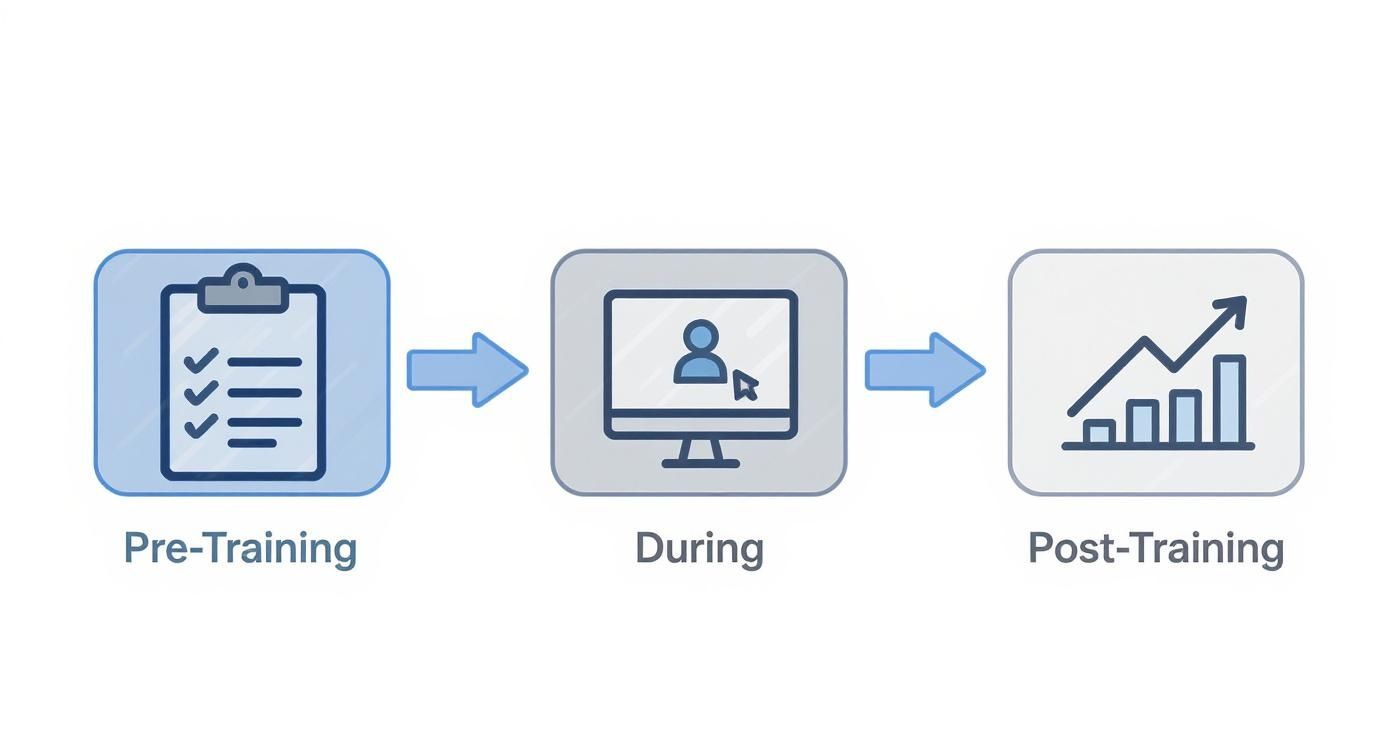
This visual really drives home the point that great training documentation is a full lifecycle, not just a one-off event.
Phase 4: Piloting and Validating Your Program
Before you go live for the whole company, you need to test-drive your training. A pilot session with a small, friendly group of employees is the perfect stress test. This isn’t just a rehearsal; it’s your best chance to gather honest feedback.
Think of a pilot session as a beta test for your training. It’s where you discover what’s confusing, what’s boring, and what’s missing. Getting candid feedback at this stage is a gift that lets you polish your materials before the big launch. Urge your pilot group to be brutally honest. Use their insights to tweak the content, adjust the timing, and improve the activities. This validation step is what separates good training from great training.
Phase 5: Deploying and Distributing Resources
With all the refinements made, it’s finally go-time. Launching your training involves more than just hitting “send” on an email. You need a solid plan to make sure everyone can easily find and use the materials.
Upload the final documents to a central spot—whether that’s a knowledge base, a Learning Management System (LMS), or a simple shared drive. Then, communicate clearly with managers and employees. Let them know where to find everything and what the expectations are. A smooth rollout ensures all your hard work actually pays off in improved skills and performance.
How AI Changes the Game for Training Videos
Video is a powerhouse for training, but let’s be honest—creating it has always been a major headache and a serious bottleneck in the documentation of training. For years, subject matter experts (SMEs) were stuck between two frustrating options.
They could either sink weeks into learning professional video editing software like Adobe Premiere Pro or Camtasia, which requires expert-level knowledge. Or, they could hit record with a simple tool like Loom and produce a screen recording that was often 50-100% longer than necessary, filled with mistakes and awkward pauses. This created a huge barrier, slowing down the creation of crucial training.
Bridging the Gap Between Knowing and Showing
Tutorial AI solves this problem by generating professional video tutorials based on simple screen recordings. It bridges the gap between expert knowledge and polished video content.
With Tutorial AI’s tools, you can speak freely without any practice, and your video will still look professional—as if it was edited in Adobe Premiere Pro. It allows the subject matter expert to create on-brand videos extremely efficiently. The AI analyzes the raw footage, automatically cuts out mistakes and dead air, and seamlessly stitches the best takes together. The result is a tight, professional-looking video that empowers your experts to focus on what they know best, not on becoming video editors.
So, What Can You Create With AI-Powered Video?
This shift in efficiency means you can start using video for all sorts of training documentation, not just the big, high-stakes projects. Everyday knowledge sharing suddenly becomes a perfect candidate for a quick, polished video.
Here are just a few examples of what you can produce in minutes based on simple screen recordings:
- Demos and Onboarding Videos: Create crystal-clear, step-by-step guides for new software or internal processes.
- Explainer Videos: Break down complex topics into easy-to-digest visual tutorials.
- Feature Release Videos: Announce product updates with slick walkthroughs for customers and internal teams.
- Knowledge Base & Support Article Videos: Supercharge your written documentation with visual instructions that make complicated steps easy to follow.
Of course, AI is a tool, not a replacement for good instructional design. It’s still incredibly helpful to understand the fundamentals of what makes a great training video. This fantastic guide to training video creation lays out some timeless principles that work perfectly with an AI-driven workflow.
Let’s look at a side-by-side comparison to see just how much the process has changed.
Traditional vs AI-Powered Video Tutorial Creation
This table highlights the incredible efficiency and accessibility gains you get when you move from conventional editing software to an AI-first tool like Tutorial AI.
| Aspect | Traditional Method (Camtasia, Premiere Pro) | AI-Powered Method (Tutorial AI) |
|---|---|---|
| Effort to Create | High. Requires manual editing, timeline management, and technical skills. | Low. AI automates editing, cuts, and pacing. |
| Time Investment | Hours to days per video. | Minutes to an hour per video. |
| Required Skills | Video editing, audio mixing, graphic design. | Subject matter expertise. No editing skills needed. |
| Consistency | Varies by editor. Difficult to maintain brand standards across a team. | High. AI ensures consistent branding, pacing, and quality. |
| Cost | High software licensing fees and potential need for professional editors. | Lower subscription costs. Empowers anyone to create. |
| Updating Content | Time-consuming. Requires re-editing source files. | Simple. AI can regenerate parts of the video with new recordings. |
The takeaway is clear: AI doesn’t just make video creation faster; it makes it more accessible to the people who hold the actual knowledge.
AI’s Growing Footprint in Learning and Development
This video revolution is just one piece of a much bigger puzzle. Artificial Intelligence is fundamentally reshaping corporate training. In a recent global survey of L&D professionals, a massive 58% pointed to AI-personalized learning as the single most impactful trend on the horizon. This isn’t just theory—nearly half (49%) of U.S. HR departments are already using AI to build customized learning programs.
By automating tedious jobs like video editing, AI lets L&D teams and SMEs get back to focusing on what they do best: creating great content that helps people learn and grow. This extends to other areas, too. For example, using an AI voice generator for videos can make it incredibly simple to produce training in multiple languages or ensure every video has a consistent, professional narration. This approach not only speeds everything up but also raises the bar for quality across all your training documentation.
Keeping Your Training Documentation Relevant and Effective

It’s a huge win to finally get your documentation of training created and launched. But here’s a hard truth I’ve learned over the years: the work is far from over. The biggest mistake anyone can make is to treat training guides like a book you write once and put on a shelf. It’s not a static library; it’s a living, breathing resource that needs regular care to stay useful.
Think about it. Processes change, software gets updated, and best practices are always evolving. Without a plan to keep things current, even the most perfect training guide becomes obsolete, fast. A manual that’s six months out of date isn’t just unhelpful—it can actually confuse employees and hurt performance, undoing all the hard work you put in.
Establish a Simple Review Cycle
The secret to keeping your training relevant isn’t some complex, bureaucratic system. It’s all about a simple, predictable schedule. For most materials, a quarterly or biannual review is the perfect cadence to start with.
During this check-up, the person who owns the content should give it a thorough once-over. Are all the steps accurate? Has the software interface changed? Are the compliance rules still current? This scheduled maintenance stops small issues from snowballing into a massive, painful overhaul project later on.
Create a Powerful Feedback Loop
Your best fact-checkers are the people using the materials every single day—your learners and trainers. They are on the front lines and will be the first to spot something that’s confusing, wrong, or completely missing. You just need to give them an easy way to tell you.
This doesn’t have to be complicated. A dedicated email address, a simple feedback form, or a dedicated Slack channel can work wonders. The key is to make it completely frictionless for someone to flag an issue.
Your training documentation should be a conversation, not a monologue. A strong feedback loop turns your entire team into a quality assurance department, ensuring your materials reflect the reality of their daily work. When you get feedback, respond quickly. And when you make a change based on their suggestion, circle back and let them know. It’s a small gesture, but it encourages more people to speak up, creating a powerful cycle of continuous improvement.
The Importance of Archiving and Ownership
Maintenance isn’t just about adding new information; it’s also about clearing out the old. Outdated guides are a huge liability. They cause confusion, lead to mistakes, and can even create serious compliance risks. A non-negotiable part of your maintenance plan has to be archiving or deleting old versions the moment they’re replaced.
To keep this from getting chaotic, every single piece of documentation needs a clear owner. This is the go-to person responsible for its entire lifecycle, from creation and review all the way to its retirement. When you assign ownership, you create accountability. Without it, everyone assumes someone else is on top of it, and the content slowly rots.
By building these simple habits—scheduled reviews, open feedback, clear ownership, and diligent archiving—you turn your training documentation from a one-time project into a powerful, dynamic asset. This proactive approach keeps your training perfectly aligned with how your organization actually works, ensuring it delivers real value for the long haul.
Measuring Your Impact and Dodging Common Pitfalls
So, you’ve invested time and energy into creating great documentation of training. That’s a huge step. But how do you actually know if it’s working? The real test is connecting your hard work to tangible business results. This not only proves its value but also makes a rock-solid case for getting the resources you need to keep it going.
Simply looking at who completed the training doesn’t tell you the whole story. To get a true sense of your impact, it helps to use a framework like the Kirkpatrick Model, which breaks down evaluation into four distinct levels. It’s a way to move beyond “Did they like it?” and get to “Did it actually change anything?”
A Four-Level Approach to Measurement
Think of measuring the success of your training documentation as peeling back the layers of an onion. Each layer gives you a clearer, more meaningful picture of the value you’re providing.
- Reaction: This is the gut check. How did people feel about the training? Was it clear? Engaging? Relevant to their job? A simple feedback form or a quick poll at the end of a session is all you need here.
- Learning: Okay, they liked it, but did they learn anything? This is where you measure knowledge gain. Short quizzes or simple assessments are perfect for checking if the key information actually stuck.
- Behavior: Now for the fun part. Are people actually using what they learned back on the job? This requires a bit more digging. You can find out through manager observations, performance reviews, or even just checking in to see if they’re applying the new skills.
- Results: This is the holy grail. Here, you connect the training directly to the numbers that matter to the business. Did that new sales playbook contribute to a 10% increase in closed deals? Did the updated process guides lead to a 15% drop in support tickets? This is the ultimate proof that your work is moving the needle.
Sidestepping Common Documentation Traps
Even with the best intentions, it’s surprisingly easy for training documentation projects to fall flat. Knowing what the common roadblocks are is the best way to steer clear of them.
The goal isn’t just to have documentation; it’s to have documentation that people actually use. Overly complex, outdated, or hard-to-find materials are often worse than having nothing at all. Here are a few classic mistakes I’ve seen time and again, and more importantly, how to avoid them:
- The Fix: Write for your audience, not for yourself. Use plain English, keep sentences short, and break things up with plenty of visuals. A great acid test is to have a brand-new hire read it and tell you if it makes sense.
- The Fix: Make your subject matter experts (SMEs) your best friends. Bring them into the process from the very beginning—from outlining to final review. Their insights will ensure the content is accurate, practical, and actually useful.
- The Fix: Assign a clear owner for every single piece of content. Put a recurring “review date” on the calendar (quarterly is a good starting point) to keep everything fresh and relevant.
- The Fix: House everything in one central, easy-to-search spot, like a dedicated knowledge base or your company’s Learning Management System (LMS). Make sure it’s a breeze to access from any device, anywhere.
A Few Common Questions About Training Documentation
Even with the best plan in place, some questions always pop up when it comes to creating and managing training materials. Let’s tackle some of the most common ones we hear.
How Often Should We Update Our Training Documentation?
Think of it this way: your documentation is only as good as it is accurate. A good rule of thumb is to schedule a formal review at least once a year.
But don’t wait for the calendar. If a process changes, a new software feature rolls out, or compliance rules are updated, you need to update the documentation immediately. For teams that move fast, a quick quarterly check-in is an even better rhythm to get into.
What’s the Best Way to Store Documentation for a Remote Team?
When your team is spread out, you can’t have training guides living on someone’s desktop. A cloud-based system is non-negotiable.
Tools like a dedicated Learning Management System (LMS) or a shared knowledge hub like Confluence or Notion are perfect for this. They give everyone access to the most current versions from anywhere, track changes over time, and usually play nice with the other software your team relies on.
How Can Training Documentation Help with Compliance?
Proper documentation is your proof. It creates a clear, verifiable record showing who was trained, what they were trained on, and when they completed it.
This paper trail is absolutely essential for proving you’ve done your due diligence. When auditors come knocking—whether for legal, safety, or industry regulations—you can confidently show you’ve met the requirements. As the old saying goes, if it isn’t documented, it didn’t happen.
How Do I Get Management Buy-In for Better Documentation?
Speak their language: Return on Investment (ROI). Don’t frame it as a chore; present it as a smart business decision.
Explain how solid documentation will directly slash onboarding time, cut down on expensive mistakes, and ensure everyone does things the same, correct way. More importantly, it helps the company avoid huge compliance risks. If you can, run a small pilot program and bring real data to the table showing how much more efficient your team became. Numbers make the strongest case.
Ready to stop treating video training documentation as a time-sucking chore and start making it a strategic asset? With Tutorial AI, your experts can create professional, on-brand video tutorials in minutes. Turn any complex process into a simple, engaging video that looks like it came straight from a production studio.