Many teams face the same frustrating pattern. They launch a training module, people click through it, and actual work still lands in Slack, support queues, manager shadowing, and repeat explanations from subject matter experts. The course exists, but behavior doesn’t change.
That’s usually not a delivery problem. It’s a design problem, and often a strategy problem before that.
Custom elearning content development fixes that when it’s done with discipline. It connects training to actual tasks, uses the language people see in their tools and workflows, and gives teams something they can update as products, policies, and processes change. The pressure to get this right is only growing. The global eLearning market was valued at USD 259.21 billion in 2024 and is projected to reach USD 844.28 billion by 2033, with a 14.02% CAGR, according to InfoPro Learning’s market summary.
Beyond Generic Training: The Case for Custom eLearning
A new hire opens the onboarding course on Monday. By Wednesday, they are still asking a manager where to find the right CRM field, which approval path applies, and what to say when a customer pushes back. The training exists. The job support does not.
That gap is why custom elearning content development matters.
Off-the-shelf content works for stable topics such as basic compliance concepts or general software literacy. It breaks down when performance depends on your tools, your process, your customer language, and the mistakes your team makes. In those cases, generic training creates recognition without readiness. People remember a few terms, then stall in live work because the examples, screens, and decisions do not match reality.
Custom eLearning closes that gap by building training around the work itself. The best programs focus on the points where performance slips: a support agent choosing the wrong escalation route, an account executive mishandling a pricing objection, a new manager documenting feedback inconsistently. Those are not content problems in the abstract. They are operational problems with measurable cost.
What changes with custom content is not just branding or polish. The course reflects the environment people work in.
- Role-specific judgment: Support, sales, onboarding, operations, and people managers each need different practice, not the same generic module with minor edits.
- Real systems and workflows: Product screens, ticket paths, approval steps, and handoff points should match the live environment.
- Business stakes: If the goal is fewer errors, faster ramp time, stronger adoption, or more consistent customer conversations, the learning experience should train for those outcomes directly.
I have seen teams cut seat time and improve adoption with a narrower course, not a bigger one. A focused 12-minute module with real screenshots, one realistic scenario, and a manager follow-up prompt often outperforms a polished 45-minute course built for a broad audience. That trade-off matters. Custom does not mean producing more content. It means producing the right content, then updating it fast as processes change.
That last point is where the modern approach is different. Traditional custom development often took months, which made teams hesitant to tailor anything because the maintenance burden felt too high. With an agile workflow and AI-assisted scripting, prototyping, voiceover, translation, and revision cycles, teams can now build targeted learning much faster and keep it current without restarting the project every quarter.
Learners notice the difference quickly. The terminology sounds familiar. The scenarios feel credible. Practice mirrors the decisions they face on the job. For teams shaping training around real workplace behavior, this guide to adult learning styles is a useful reference for why relevance, autonomy, and immediate application drive stronger follow-through than passive content consumption.
Blueprint Before Building: Strategic Planning for eLearning
A project owner asks for a course by Friday because error rates are up, managers are frustrated, and a product change just went live. If the team starts drafting slides that day, the course may ship fast and still miss the problem.
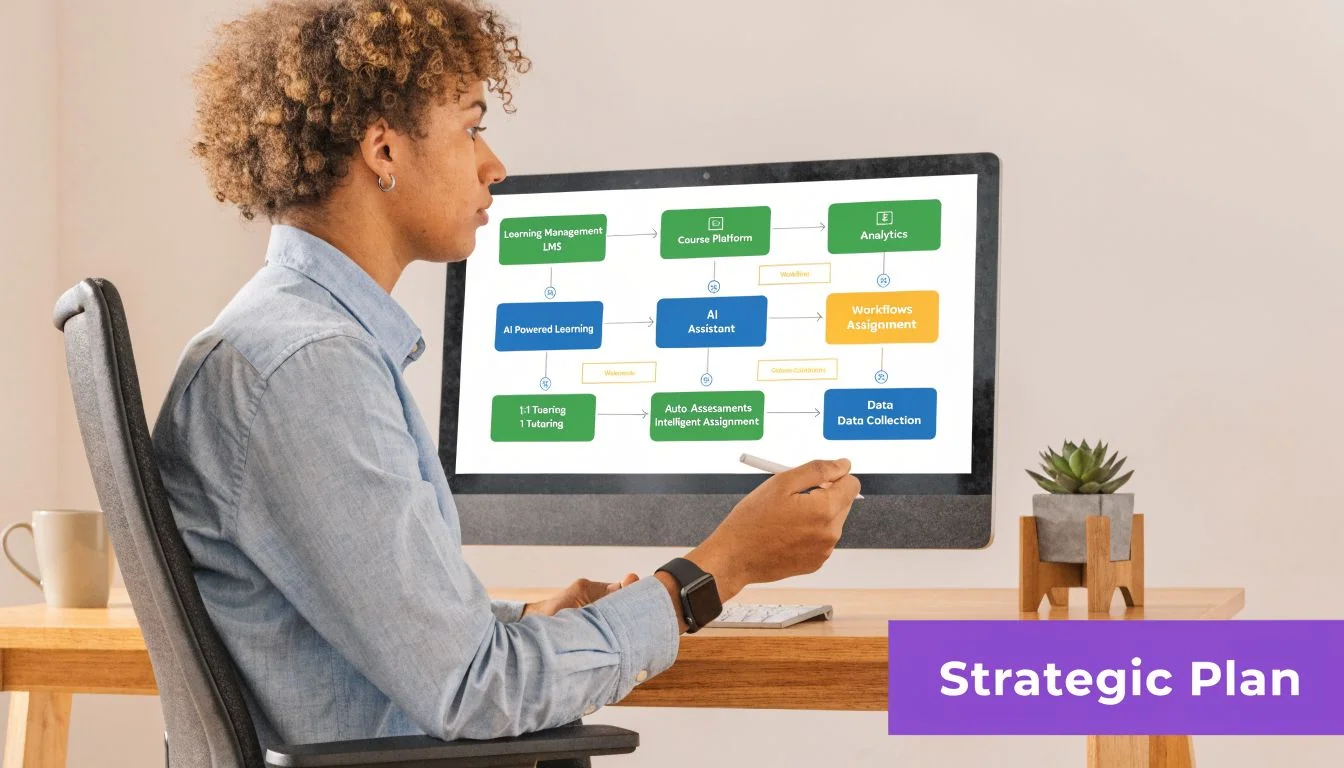
Strong custom elearning content development starts with diagnosis. Before anyone writes a script or records narration, the team needs to define the performance gap, the audience, and the evidence that will prove the training worked. That planning step protects budget, shortens revisions, and keeps the course tied to business results.
In traditional custom development, weak planning can lock a team into weeks of avoidable rework. In a faster, AI-supported workflow, bad inputs create a different problem. You can produce content quickly, but you can also produce the wrong content quickly. Speed only helps when the brief is sharp.
Start with the operational pain
The first question is simple. What is breaking in the work?
Look for signals in the operation itself:
- Support tickets: recurring questions, failed handoffs, and preventable confusion
- Manager interviews: patterns in coaching, quality issues, and missed steps
- Learner conversations: where the process feels unclear, slow, or risky
- Current materials: SOPs, demos, knowledge base articles, and job aids that are outdated, bloated, or contradictory
I usually push teams to bring examples, not summaries. A real ticket thread, a call transcript, or a screenshot of the workflow tells you more than a general complaint like “people are struggling.” It also helps SMEs stop teaching everything they know and focus on what people need to do.
Build a sharper project brief
A useful brief is short. It is also specific enough to guide design decisions without inviting scope creep.
It should answer five questions:
- Who is this for?
- What must they do differently after training?
- What blocks that behavior today?
- What evidence will show improvement?
- What constraints matter? This includes legal review, LMS requirements, localization, accessibility, release timing, and SME availability.
Broad goals produce broad courses. “Improve product knowledge” usually turns into a content dump. A better brief names an observable action in context, such as configuring a feature correctly, following a service workflow without escalation, or using approved language during a customer objection.
Practical rule: If a manager cannot observe the behavior after training, the objective is still too vague.
This is also the point where modern teams can save serious time. AI tools can help summarize source material, identify repeated questions, draft a first-pass outline, and generate rapid prototypes for review. They should not decide the strategy. The team still has to choose the business priority, define the learner’s task, and set the success measure.
Define the audience beyond job title
Job title alone is not a learner profile. A new account manager and a tenured account manager may share a role but fail for different reasons. One may not know the workflow yet. The other may know it and skip steps under pressure.
Use lightweight learner personas that capture:
- Context: new hire, tenured employee, partner, or customer
- Starting point: what they already know
- Friction: where they hesitate, improvise, or make errors
- Motivation: what they care about getting right
- Environment: desktop, mobile, field setting, noisy office, or low bandwidth
That level of detail changes real decisions. It affects whether you build a scenario, a software simulation, a quick reference tool, or a short mobile module. It also affects tone, examples, and localization needs if the program will launch across regions.
Teams that want a stronger planning process should align the brief with these instructional design best practices before development begins. That extra hour upfront usually saves days of revision later.
Designing for Engagement: From Objectives to Storyboards
A product team needs training ready before next week’s feature release. The SME sends release notes, a slide deck, screenshots, and a 40 minute walkthrough. If the design team pours that material straight into slides, learners get a slow content dump and support tickets spike anyway.
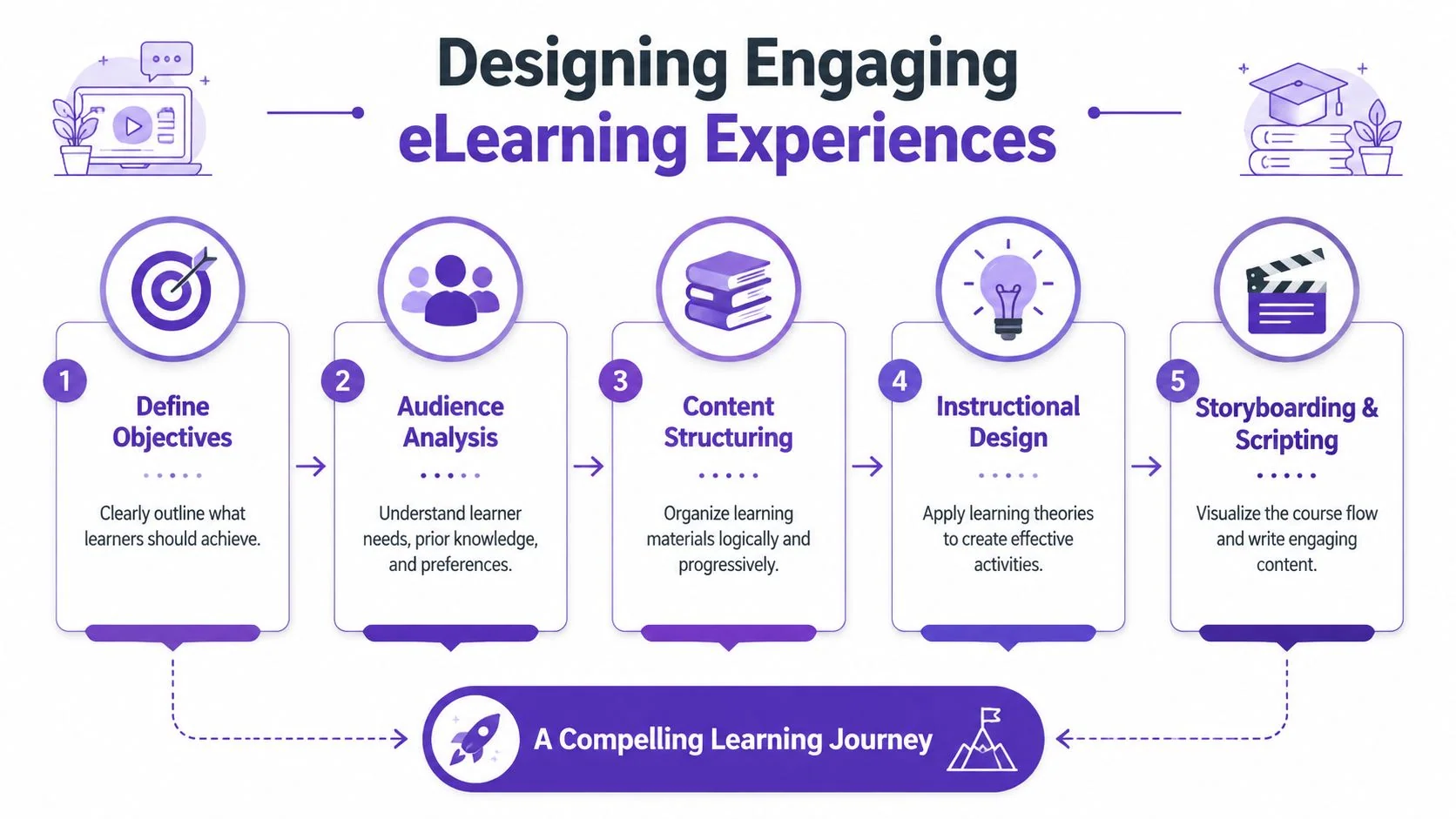
Good custom elearning content development fixes that problem before production starts. Design turns raw expertise into decisions about what the learner must do, what they need to practice, and what can be left out.
Take one common case. Customer success managers need to handle a feature rollout without escalating routine questions. The source material usually includes far more than the course should carry. Product caveats matter. Policy notes matter. Edge cases matter. But they do not all belong in the first learning path.
Turn knowledge into a job-ready objective
Start with the action the learner must perform on the job. Clear objectives make the rest of the design faster because they set the standard for examples, practice, and assessment.
For the rollout example, a useful objective is simple: the learner can explain when the feature fits, configure it correctly, and answer the common customer concern with confidence. That objective points the team toward scenario practice, realistic decision points, and a short software walkthrough. It also gives reviewers a way to challenge content that is accurate but unnecessary.
That discipline matters even more in an agile workflow. AI can help draft scripts, suggest practice questions, and produce a first storyboard quickly, but it still needs a precise objective. Weak objectives create faster confusion.
What a useful storyboard actually contains
A storyboard is a decision document. It prevents expensive revisions by forcing alignment before media production, voiceover, and build work begin.
For that same rollout module, a practical storyboard should cover:
- Screen purpose: what the learner should get from this moment
- On-screen content: steps, visuals, labels, prompts, or interface cues
- Script or narration: concise wording tied to the learner task
- Interaction: scenario choice, click path, reflection prompt, or guided simulation
- SME notes: product nuance, policy language, exceptions, and approved terms
- Assessment cue: the evidence that shows the learner can perform
The best storyboards are specific without being bloated. I have seen teams waste days polishing visual details while the core interaction was still wrong. Get the learning sequence right first. Then tighten language, visuals, and production quality.
Customization that learners actually notice
Customization is not branding alone. A new color palette and logo do not make training feel relevant.
Learners notice customization in the moments where the course reflects their actual work. The scenario sounds like a real customer call. The screen capture matches the system they use. The decision point mirrors the pressure they face in the field. That is what earns attention early.
| Design choice | Weak version | Strong version |
|---|---|---|
| Scenario | Generic workplace dialogue | Real support, sales, or ops conversations |
| Terminology | Industry-neutral wording | Your product names, internal labels, and workflow language |
| Visuals | Stock interface mockups | Actual screens, forms, or process views |
| Practice | Recall-based quiz | Task-based decision or simulation |
A learner should recognize their world in the first minute.
That standard also helps global programs. If the content will be localized later, the storyboard should flag idioms, culture-specific references, on-screen text density, and screenshots that may need regional variants. Catching that in design is cheaper than rebuilding interactions after review.
Teams that want a stronger review process should keep these instructional design best practices close during storyboard sign-off. If you are building with a faster AI-assisted workflow, this practical guide to AI training is also useful for choosing tools that speed up scripting and prototyping without lowering quality.
The Modern eLearning Toolkit: AI-Powered Development
Development used to force a bad choice. Either the SME recorded a rough walkthrough and shipped something messy, or the work got handed to specialists and stalled in a long production cycle.
That gap is one of the biggest changes in custom elearning content development right now.
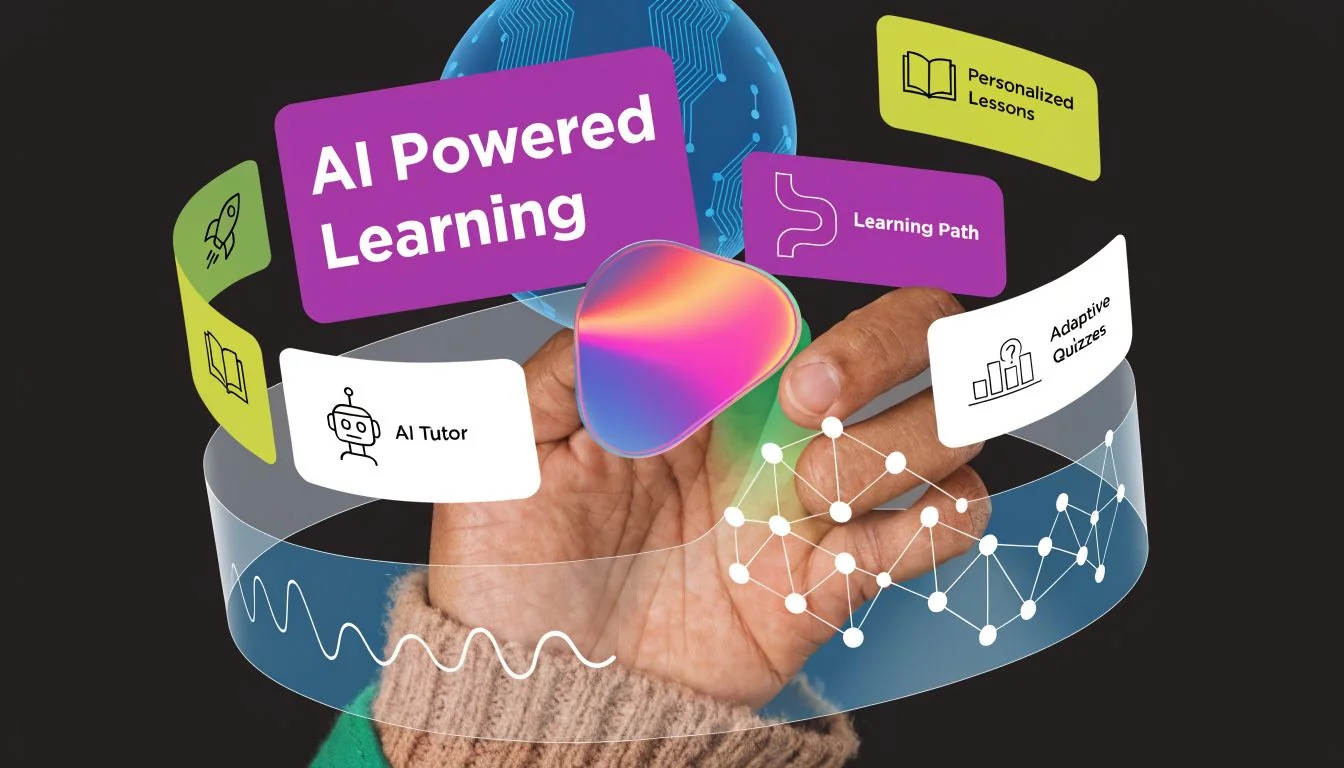
AI-assisted workflows are transforming who can create content and the speed at which teams iterate. According to Mitr Media’s summary of 2026 custom eLearning trends, AI tools can reduce development time by 50 to 70%, and Gartner’s Q1 2026 report indicates 55% of custom eLearning now uses AI for 40% faster prototyping.
That doesn’t remove the need for instructional design. It removes a lot of production friction.
Old workflow versus current workflow
The old workflow looked something like this:
| Task | Traditional approach | AI-assisted approach |
|---|---|---|
| Capture expertise | SME explains in meetings or records long raw demo | SME records once and speaks naturally |
| Script creation | Writer drafts after review rounds | AI generates and polishes from recording |
| Video cleanup | Editor trims mistakes manually | AI removes filler and tightens pacing |
| Voiceover revision | Re-record from scratch | Update script and regenerate narration |
| Localization | Separate language production cycle | Auto-translation and retimed outputs |
This matters most for software training, onboarding, product education, and knowledge base content. Those use cases change constantly. If every revision requires a full edit pass, the content gets stale or the team stops updating it.
Where simple recording tools fall short
Easy recording tools are useful because they lower the barrier to capture. The trade-off is that raw recordings are often too long, too repetitive, and too dependent on the speaker getting every line right in one take.
In practice, screen-recorded demos made with lightweight capture tools are often 50 to 100% longer than necessary, especially when the SME thinks aloud, restarts a sentence, or clicks around while searching for the next step. On the other end, tools like Camtasia, Adobe Premiere Pro, or similar editing software can produce polished output, but they demand editing skill, time, and a person who knows how to shape pacing, transitions, zooms, audio cleanup, and visual focus.
That’s where AI-assisted production changes the workflow. The SME can speak freely without rehearsing every line. The system can transcribe, tighten the script, regenerate voiceover, improve timing, and produce a result that looks professionally edited without forcing the SME to become a video editor.
What works in real production
The most effective pattern I’ve seen is hybrid.
Use AI for the heavy lift that slows teams down:
- transcription
- first-pass script cleanup
- narration regeneration
- captioning
- translation
- retiming
- repetitive edit tasks
Keep people responsible for:
- learning objectives
- scenario choice
- accuracy
- sequencing
- approval
- final quality judgment
AI speeds production. Humans decide what should be taught and what good looks like.
For teams evaluating the wider situation, this practical guide to AI training is useful because it compares course creation tools through a builder’s lens rather than hype.
A strong workflow also changes ownership. Instead of waiting for a central media team, SMEs can contribute clean source material directly. That shortens feedback loops and usually improves accuracy, because the person closest to the process is shaping the content earlier.
Here’s a useful example of how AI-enhanced training workflows are presented in practice:
The main gain isn’t novelty. It’s that teams can finally produce concise, branded, update-friendly learning assets without treating every revision like a mini studio project.
From Final Draft to Global Launch: Testing and Localization
Teams usually feel done once the content looks finished. That’s exactly when avoidable problems slip through. A clean storyboard and polished media won’t save a course that breaks in the LMS, confuses pilot users, or lands awkwardly in another language.
This phase is the final quality gate. Treat it that way.
Run two kinds of testing
Start with learner testing. Put the course in front of a small group that matches the actual audience. Don’t ask whether they “liked” it. Watch where they hesitate, misread a prompt, miss a click target, or interpret a scenario differently than intended.
Then run technical QA. That review should confirm:
- LMS packaging: verify the course publishes and tracks correctly in the format your environment requires, such as SCORM, xAPI, or cmi5
- Device behavior: test on the browsers, screen sizes, and operating systems your learners use
- Accessibility: check keyboard navigation, captions, contrast, focus order, and screen reader behavior against your standards
- Performance: ensure load time, media playback, and interaction timing hold up under normal conditions
When QA gets rushed, teams often spend more time fixing post-launch confusion than they would have spent piloting carefully.
If learners need a facilitator to explain the module, the module isn’t finished.
Localization is more than translation
Global rollout adds another layer. Literal translation isn’t enough if the examples, visuals, date formats, references, or spoken pacing feel imported rather than local.
Good localization means reviewing:
- on-screen text and captions
- narration tone and clarity
- screenshots and interfaces
- region-specific examples
- acronyms, idioms, and cultural references
Video introduces a specific challenge. Once a translated voiceover becomes longer or shorter than the original, scenes and captions drift out of sync. That’s why retiming matters. AutoRetime™-style workflows are useful because they match scenes, cuts, and subtitles to each language’s voiceover length without forcing the team into manual timeline repair for every version.
A release checklist worth keeping
Before launch, confirm these points in one place:
- Content accuracy: SME signoff is complete
- Technical readiness: package tested in the production LMS
- Support alignment: help desk, managers, or trainers know what’s launching
- Localization review: regional reviewers have checked meaning, not just wording
- Measurement plan: tracking is live before learners enter the course
Teams that handle launch well usually think operationally, not just instructionally. They prepare the ecosystem around the course, not only the course itself.
Measuring What Matters: Proving eLearning ROI
A course completion report tells you almost nothing by itself. It shows that someone reached the end. It doesn’t show whether they can do the work better, faster, or more consistently.
That’s the main shift mature teams make with custom elearning content development. They stop treating learning metrics as the end point and start using them as evidence for business outcomes.
Custom eLearning can outperform generic training when it’s aimed at a real business problem. According to Open eLearning Solutions’ analysis of custom versus generic training, targeted custom programs can produce a 4 to 6x performance uplift. The same source notes that 70% of project failures stem from skipping audience analysis, which can lead to a 40% drop in completion rates.
What to measure instead of vanity metrics
Completion rates still matter operationally. They tell you whether people accessed the training. They shouldn’t be the headline.
A stronger measurement stack includes:
- Learning evidence: quiz results, simulation choices, scenario responses
- Behavior evidence: manager observations, workflow adherence, quality checks
- Business evidence: reduced errors, fewer repeated support issues, faster ramp, better customer handling
The best setup links these together. If the goal was cleaner ticket handling, measure training completion, then look at ticket quality or escalation behavior after training. If the goal was product adoption, compare training activity with actual usage behavior in the system.
Use xAPI when you need richer visibility
SCORM is often enough for basic completion tracking. It isn’t enough when you need detail about how learners moved through content, where they hesitated, which scenarios they missed, or what they revisited.
That’s why xAPI is valuable in custom environments. It captures a deeper record of interactions that can be mapped to post-training behavior. Used well, it helps L&D teams answer better questions than “Did they finish?”
For teams building a stronger analytics habit, this guide to learning and development metrics is a practical reference for choosing measures that leadership will care about.
Cost and timeline comparison
Here’s a grounded way to discuss production trade-offs with stakeholders.
| Phase | Traditional Development | AI-Assisted Development |
|---|---|---|
| Discovery | Workshops, SME interviews, manual synthesis | Same strategic work, faster documentation and draft generation |
| Design | Storyboards, script drafts, review cycles | Same design discipline, quicker prototyping and revision |
| Asset production | Separate editing, narration, captioning, graphics | More direct SME capture with AI cleanup and regeneration |
| QA and fixes | Manual updates across versions | Faster updates when scripts or scenes change |
| Localization | Separate production effort per language | More scalable translation and retiming workflow |
This table usually changes the conversation. The point isn’t that AI replaces the process. It reduces the production tax around the process.
Business case: ROI gets easier to defend when you show the chain from audience analysis to behavior change to operating metric.
If a team skips audience analysis, they often lose relevance before launch. If they ignore business KPIs, they struggle to prove value after launch. Both mistakes are avoidable.
Sustaining Success: How to Future-Proof Your Content
The launch date matters less than the maintenance model. That’s the truth many teams learn after the first big rollout.
Training content decays. Products change. Policies get revised. Screenshots age. One broken step in a system walkthrough can make the whole asset feel unreliable. If you treat custom elearning content development as a one-time project, the content library starts losing value almost immediately.
Build small so you can update fast
Industry benchmarks show how costly updates can become when content is built as one large block. Christy Tucker’s review of eLearning development estimates notes that developing one minute of interactive eLearning can require 2 hours of development time, described there as a 120:1 ratio. For a 3-minute module, authoring can reach 360 hours. That’s exactly why modular design matters.
If one product step changes, you want to replace one short lesson, not rebuild a full course.
A resilient content library usually includes:
- Micro modules: short assets tied to one task or decision
- Reusable components: intros, assessments, branded layouts, policy callouts
- Stable source files: organized scripts, visuals, and approval history
- Clear owners: someone is accountable for each asset staying accurate
Put review cycles on the calendar
Content rarely gets updated because “someone notices.” It gets updated because there’s a routine.
A practical review rhythm checks for:
- product or process changes
- broken links and outdated screenshots
- learner confusion signals from feedback or support patterns
- low-performing sections in course analytics
- new localization needs for expanding teams
You don’t need a massive governance committee. You need a repeatable check-in with the right owners.
The most valuable training libraries aren’t the biggest ones. They’re the ones people still trust a year later.
Treat content like an operational asset
This mindset changes spending decisions. Teams become more willing to invest in templates, reusable media patterns, and update-friendly workflows because they know the content won’t stay frozen.
That’s also why AI-assisted workflows fit best inside a modular strategy. Small assets are easier to revise, retime, relocalize, and republish. The faster the business changes, the more that matters.
If your team creates demos, onboarding videos, explainer videos, feature release videos, knowledge base videos, or support article videos from screen recordings, Tutorial AI is worth a close look. It solves a common production bottleneck. Simple recordings are often 50 to 100% longer than necessary, while tools like Camtasia or Adobe Premiere Pro demand expert editing skill. Tutorial AI lets subject matter experts record naturally, speak without rehearsing, and turn raw screen captures into polished, on-brand tutorials that look professionally edited. Every finished video can also be packaged as a SCORM 1.2 or 2004 course so the same content ships straight into your LMS with completion tracking — no separate authoring pipeline. It’s a practical way to produce concise video and documentation efficiently, especially when you need scalable training content for fast-moving SaaS teams.