Creating software tutorials that stick requires more than just hitting ‘record.’ Effective training is built on a foundation of proven learning science, and applying instructional design best practices is the key to transforming complex software workflows into clear, engaging, and memorable learning experiences. This guide moves beyond theory to provide actionable steps, real-world examples, and modern workflow tips that ensure your content not only informs but also empowers your audience to succeed.
We’ll explore 10 essential frameworks and strategies that instructional designers, trainers, and subject matter experts can use to build high-impact tutorials and training materials. These principles are crucial whether you are creating internal documentation, sales enablement videos, or customer education content. For practical applications of effective training, consider how industries implement these principles, such as through established customer onboarding best practices that rely on clear, structured learning paths to drive adoption and retention.
From defining sharp objectives with Bloom’s Taxonomy to leveraging the power of microlearning and scenario-based training, these practices will elevate your educational content from a simple walkthrough to a powerful performance support tool. We’ll also cover how modern tools can streamline this process. For instance, creating polished tutorials often means choosing between simple screen recorders like Loom, which can result in lengthy, unedited videos, and professional software like Adobe Premiere Pro, which requires specialized skills. New AI-powered platforms bridge this gap, allowing subject matter experts to record naturally and still produce a professional, on-brand video efficiently, without needing a video editing background. This list provides the foundational knowledge to make those tools work for you, ensuring your training truly teaches.
1. ADDIE Model (Analysis, Design, Development, Implementation, Evaluation)
The ADDIE model is a cornerstone framework in the world of instructional design, providing a systematic, five-phase process for creating effective training materials. Originating from work at Florida State University and popularized by the U.S. Military, this model ensures a structured and goal-oriented approach, making it one of the most reliable instructional design best practices for large-scale or mission-critical projects. Its linear, yet iterative, nature guarantees that each step logically follows the last, minimizing guesswork and maximizing impact.
The five phases guide you from initial concept to final assessment:
- Analysis: Define the problem, identify the target audience, and establish clear learning objectives.
- Design: Outline the course structure, learning activities, assessment methods, and media choices.
- Development: Create the actual course content and materials based on the design specifications.
- Implementation: Deliver the training to the learners, whether through an LMS, in-person session, or other channels.
- Evaluation: Measure the effectiveness of the training against the initial objectives, using feedback to refine future iterations.
Practical Application and Tips
ADDIE is particularly powerful for complex projects like corporate onboarding systems for Fortune 500 companies or developing certification programs in highly regulated fields like aviation and medicine. For instance, when creating software tutorials, the Analysis phase would involve understanding user pain points, while the Development phase would be the actual screen recording and content creation.
To implement ADDIE effectively:
- Involve SMEs: Engage subject matter experts (SMEs) in all five phases to ensure content accuracy and relevance.
- Establish Checkpoints: Build in regular reviews with stakeholders at the end of each phase to gather feedback and gain approval before proceeding.
- Document Everything: Keep detailed records of decisions, rationale, and feedback. This documentation is invaluable for future updates and for justifying design choices.
For a deeper dive into structuring effective training programs, you can explore how to apply these principles when training employees online.
2. Bloom’s Taxonomy (Revised)
Bloom’s Taxonomy provides a hierarchical framework for classifying learning objectives based on cognitive complexity. Originally developed in 1956 and later revised in 2001, this model is a foundational tool for instructional designers aiming to create well-rounded learning experiences. It structures cognitive skills into six levels, from foundational knowledge to advanced critical thinking, ensuring that training goals are clear, measurable, and appropriately challenging. Adhering to this structure is one of the most effective instructional design best practices for building a curriculum that guides learners logically from simple to complex tasks.

The six levels of the revised taxonomy progress from lower-order to higher-order thinking skills:
- Remembering: Recall facts and basic concepts (e.g., define, list, name).
- Understanding: Explain ideas or concepts (e.g., classify, describe, discuss).
- Applying: Use information in new situations (e.g., execute, implement, solve).
- Analyzing: Draw connections among ideas (e.g., differentiate, organize, compare).
- Evaluating: Justify a stand or decision (e.g., appraise, argue, defend).
- Creating: Produce new or original work (e.g., design, assemble, formulate).
Practical Application and Tips
Bloom’s Taxonomy is invaluable for designing everything from professional certification exams to workplace software training. For instance, when creating a tutorial for a new analytics tool, a lower-order objective might be for users to Remember where the “Export” button is located. A higher-order objective would be for them to Analyze different data visualizations to determine which best represents a specific trend. This tiered approach ensures learners build a solid foundation before tackling more complex, strategic tasks.
To implement Bloom’s Taxonomy effectively:
- Use Action Verbs: Start each learning objective with a specific, measurable verb from the taxonomy (e.g., “Learners will be able to calculate X” instead of “Learners will understand X”).
- Align Assessments: Design quizzes, activities, and assessments that directly correspond to the cognitive level of the objective. A “Creating” objective requires a project-based assessment, not a multiple-choice quiz.
- Structure Content Sequentially: Organize your training content to guide learners progressively through the levels, ensuring they master foundational skills before moving on to more advanced ones.
3. Backward Design (Understanding by Design)
Backward Design, often called “Understanding by Design” (UbD), flips the traditional instructional process on its head. Instead of starting with content and activities, this framework begins with the end goal: the desired learning outcomes. Developed by Grant Wiggins and Jay McTighe, this approach ensures that all instructional activities and assessments are purposefully aligned with what learners should know, understand, and be able to do. This makes it one of the most effective instructional design best practices for ensuring content directly serves its intended purpose.
The three-stage process guides designers from the final destination back to the starting point:
- Stage 1: Identify Desired Results: Clearly define what learners will be able to accomplish after completing the training. These are your non-negotiable learning objectives.
- Stage 2: Determine Acceptable Evidence: Decide how you will measure success. What specific tasks, projects, or quiz results will prove that learners have achieved the objectives?
- Stage 3: Plan Learning Experiences and Instruction: With a clear goal and assessment plan, design the activities, content, and resources that will best prepare learners for success.
Practical Application and Tips
Backward Design is ideal for developing performance-based training, such as corporate leadership programs or professional certification courses where specific competencies must be demonstrated. For example, when creating a software tutorial series on advanced data analysis features, Stage 1 would be defining the specific reports a user must be able to generate. Stage 2 would involve creating a project where they must build that exact report using a sample dataset. Only then, in Stage 3, would you record the step-by-step videos and create guides to teach them the necessary skills.
To implement Backward Design effectively:
- Start with Action Verbs: Use clear, measurable action verbs (e.g., “build,” “analyze,” “configure”) when defining desired results in Stage 1 to set a concrete target.
- Align Assessments Tightly: Ensure the assessment in Stage 2 directly and authentically measures the objective from Stage 1. Avoid multiple-choice questions if the goal is a hands-on skill.
- Be Ruthless with Content: During Stage 3, include only the content and activities that are essential for achieving the learning goals. If it doesn’t support the outcome, cut it.
4. Microlearning
Microlearning is a powerful instructional approach that breaks down complex topics into small, digestible, and highly focused learning units. Instead of lengthy modules, content is delivered in bite-sized chunks, typically lasting 3 to 10 minutes, each designed to meet a single, specific learning objective. This method aligns with modern learning habits, leveraging short attention spans and the need for just-in-time knowledge, making it one of the most effective instructional design best practices for employee training and performance support.

This strategy is highly effective because it fits seamlessly into the learner’s workflow and is often designed for mobile-first consumption. It facilitates knowledge retention through principles like spaced repetition and provides immediate answers to specific questions. Popular examples include:
- Duolingo: Teaches languages through quick, game-like lessons.
- LinkedIn Learning: Offers short video courses on specific professional skills.
- Software Onboarding: Presents quick tutorials on individual features as a user explores an application.
- Safety Briefings: Delivers short, critical safety procedures to manufacturing staff right before they perform a task.
Practical Application and Tips
Microlearning excels when creating software tutorials, where a user needs to learn how to perform one specific function, like “how to export a report” or “how to add a new user.” A short, targeted video is far more effective than a 45-minute comprehensive webinar. For example, a sales team can access a two-minute video on a new CRM feature right before a client call, providing immediate performance support.
To implement microlearning effectively:
- Define a Single Objective: Each micro-lesson must address only one learning outcome. Ask yourself: “What is the one thing the learner should be able to do after this unit?”
- Design for Mobile-First: Assume learners will access content on their smartphones. This means using large fonts, clear visuals, and vertical video formats where appropriate.
- Integrate into the Workflow: Make content easily accessible within the tools and platforms employees already use, such as embedding tutorials directly into your SaaS product or knowledge base.
- Leverage Spaced Repetition: Send brief refreshers or quizzes at increasing intervals after the initial training to boost long-term retention.
For more information on creating concise and effective video content, you can learn about the best practices for screen recording for training.
5. Active Learning and Experiential Learning
Moving beyond passive information consumption, active and experiential learning strategies place the learner directly in the driver’s seat. Rooted in the philosophies of John Dewey and David Kolb, these approaches are built on the constructivist idea that people learn best by doing. This is one of the most critical instructional design best practices for developing durable skills and deep conceptual understanding, as it requires learners to engage with content through hands-on activities, problem-solving, and reflection.
Instead of just listening or reading, learners are tasked with applying knowledge in real-time. This process solidifies learning and makes it more memorable:
- Active Learning: Involves any instructional method that engages learners in the learning process, like discussions, think-pair-share activities, or problem-solving exercises.
- Experiential Learning: A specific type of active learning where learners go through a direct experience, reflect on it, conceptualize the experience, and then apply what they’ve learned in new situations.
Practical Application and Tips
This approach is indispensable for high-stakes skill development. Think of flight simulators for pilots, surgical simulations for medical students, or role-playing exercises for customer service training. In a software training context, instead of a simple demo video, an active learning approach would involve a guided, hands-on simulation where users must click the correct buttons to complete a task within the application.
To implement active learning effectively:
- Use Authentic Scenarios: Design activities and problems that mirror real-world challenges learners will face. This ensures the skills are directly transferable.
- Structure Deliberate Reflection: After an activity, guide learners through a reflection process. Ask questions like, “What happened?”, “Why did it happen?”, and “How would you apply this next time?”.
- Provide Scaffolding: Offer support, hints, and resources to guide learners through challenging tasks without simply giving them the answer. Gradually remove this support as they build competence.
6. Scenario-Based Learning and Situated Learning
Scenario-Based Learning (SBL) is an immersive approach that moves beyond passive information consumption by placing learners in realistic, decision-driven situations. This method, rooted in the theory of situated learning championed by Jean Lave and Etienne Wenger, posits that knowledge is best acquired and retained when it is embedded in the authentic context of its application. This makes it one of the most effective instructional design best practices for developing practical competence and critical thinking, as it bridges the gap between knowing and doing.
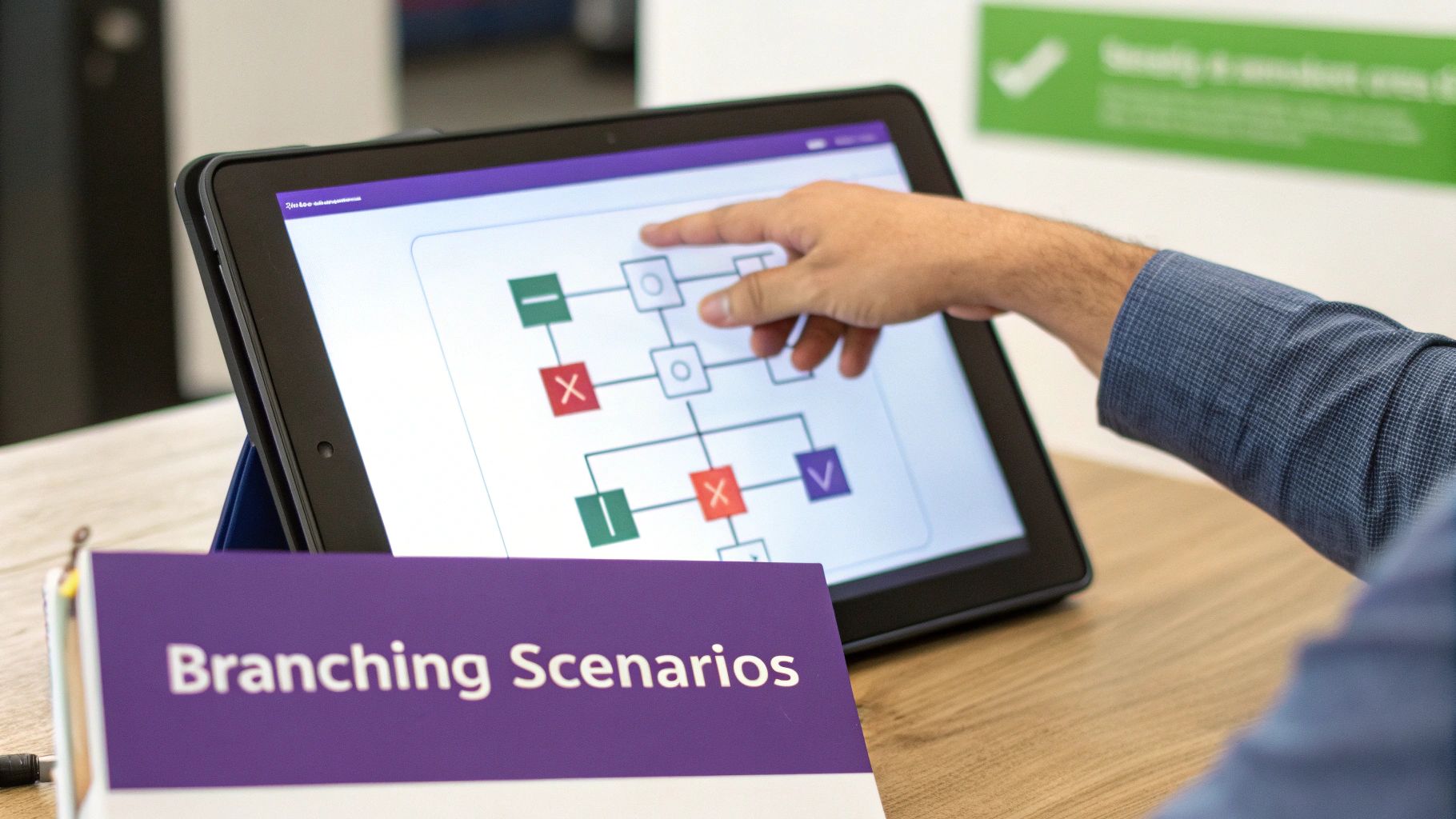
This powerful methodology challenges learners to apply their skills in a safe, controlled environment where mistakes become valuable learning opportunities. The core components include:
- Authentic Context: Scenarios mirror real-world challenges, using language and situations familiar to the learner.
- Decision Points: Learners must make choices that directly influence the outcome of the scenario.
- Branching Paths: Decisions lead down different paths, revealing realistic consequences and providing tailored feedback.
- Active Problem-Solving: Instead of being told information, learners actively discover solutions through experimentation and reflection.
Practical Application and Tips
SBL is indispensable for training that requires judgment and complex decision-making, such as compliance training, customer service role-playing, and crisis management simulations. For example, a software tutorial for a complex CRM could use a scenario where the learner must navigate a tricky customer support ticket, choosing the correct software actions to resolve the issue while maintaining customer satisfaction. This active engagement ensures far greater retention than a simple feature walkthrough.
To implement SBL effectively:
- Ground Scenarios in Reality: Collaborate with SMEs to base challenges on actual job tasks and common pain points.
- Create Realistic Consequences: Ensure that the outcomes of learner decisions, both positive and negative, are believable and instructive.
- Provide Meaningful Feedback: Link feedback directly to the learner’s choices and explain why a particular outcome occurred.
- Design Multiple Valid Paths: In many real-world situations, there isn’t one “perfect” answer. Acknowledge this by creating scenarios with multiple viable solutions.
7. Spaced Repetition and Retrieval Practice
Spaced repetition and retrieval practice are powerful cognitive science-backed techniques that transform learning from a temporary event into a durable skill. This approach counters the natural human tendency to forget information over time, as famously mapped by Hermann Ebbinghaus’s “forgetting curve.” By strategically spacing out review sessions and forcing learners to actively recall information, you embed knowledge far more effectively than through passive re-reading, making it a critical one of the most effective instructional design best practices for long-term retention.
This method is built on two core principles working in tandem:
- Spaced Repetition: Instead of cramming, learning content is revisited at increasing intervals (e.g., one day, three days, one week). This interrupts the forgetting process at precisely the right moments, strengthening neural connections.
- Retrieval Practice: Rather than simply reviewing material, learners are prompted to actively pull the information from their memory. This “testing effect” significantly enhances memory encoding and makes knowledge more accessible for future use.
Practical Application and Tips
This technique is the engine behind highly effective learning platforms like the Duolingo language app and professional study tools like Anki flashcards, which are used to prepare for high-stakes exams in medicine and law. For software training, you could follow up a tutorial on a complex feature with a short quiz one day later, a scenario-based challenge three days later, and a summary prompt a week later to ensure the process sticks.
To implement spaced repetition and retrieval practice effectively:
- Leverage Technology: Use learning management systems (LMS) or specialized tools that can automate the scheduling of quizzes, flashcards, and practice challenges based on individual learner performance.
- Focus on Active Recall: Design assessments that require learners to generate answers, not just recognize them. Instead of a multiple-choice question, ask: “List the three steps to export a report.”
- Educate Your Learners: Explain the “why” behind this method. When learners understand that struggling to recall information is a productive part of the learning process, they are more likely to stay engaged and motivated.
8. Personalization and Adaptive Learning
Personalization and adaptive learning move beyond the one-size-fits-all model by tailoring educational experiences to individual learner needs, performance, and preferences. This approach uses data and algorithms to dynamically adjust the content, pacing, and learning path in real-time. This ensures that each learner receives the specific support they need, making it a cornerstone of modern instructional design best practices for engaging a diverse audience. Instead of a linear journey, learners navigate a customized pathway that challenges them appropriately, reinforcing weak areas and accelerating through mastered concepts.
Adaptive learning systems typically work by:
- Initial Assessment: Gauging the learner’s existing knowledge and skills to establish a baseline.
- Dynamic Content Delivery: Presenting materials, activities, and assessments based on real-time performance.
- Personalized Feedback: Offering targeted guidance and remediation when a learner struggles.
- Adjustable Pacing: Allowing learners to spend more time on difficult topics and less on familiar ones.
Practical Application and Tips
This approach is highly effective in environments with varying skill levels, such as corporate training for a global sales team or foundational software tutorials. For example, an adaptive system for a new CRM software could test a user’s prior experience. A novice might receive detailed, step-by-step video guides, while an expert could skip directly to advanced features. The integration of artificial intelligence is revolutionizing how we approach adaptive learning, allowing for highly tailored educational paths. For innovative approaches in this area, you might look into the solutions offered by Luna Bloom AI.
To implement personalization effectively:
- Design Modular Content: Create small, self-contained content chunks (microlearnings) that can be easily rearranged and combined to form multiple learning paths.
- Establish Clear Personas: Start by defining distinct learner personas based on roles, goals, and existing knowledge to guide the design of adaptive pathways.
- Implement Robust Analytics: Use a system that can track learner interactions, performance data, and choices to make informed, real-time adjustments.
- Audit for Bias: Regularly review the algorithms guiding the learning paths to ensure they are fair, equitable, and free from unintended biases.
9. Interleaving and Contextual Variation
Moving beyond traditional blocked practice, interleaving is a powerful learning strategy that involves mixing different, but related, topics or problem types during a single training session. Instead of mastering one concept before moving to the next, learners are challenged to switch between them. This approach, championed by cognitive psychologists like Robert Bjork, forces the brain to continuously retrieve and apply the correct knowledge, which is one of the most effective instructional design best practices for building long-term retention and flexible problem-solving skills.
This method enhances a learner’s ability to discriminate between concepts and choose the right strategy for a given problem. The process works by:
- Mixing Topics: Instead of practicing all multiplication problems and then all division problems, a learner would tackle a mixed set of both.
- Varying Context: A software tutorial might show how to use a feature in different scenarios (e.g., for marketing, then sales, then support) rather than in one long, uniform demonstration.
- Forcing Retrieval: Each new problem requires the learner to actively recall the appropriate method from memory, strengthening the neural pathways associated with that information.
Practical Application and Tips
Interleaving is highly effective for software training where users must apply multiple features fluidly to complete a complex workflow. For example, a tutorial on a project management tool could interleave tasks like creating a project, assigning a team member, setting a deadline, and generating a report, rather than teaching each skill in isolated, block-style modules. This mirrors real-world usage and better prepares the learner for on-the-job application.
To implement interleaving and contextual variation effectively:
- Start with Blocks, Then Mix: Introduce concepts in separate blocks first to build a foundational understanding, then gradually transition to interleaved practice sets.
- Provide Clear Feedback: Because interleaving is cognitively demanding, it’s crucial to provide immediate and specific feedback, especially on strategy selection, to prevent learners from reinforcing errors.
- Explain the “Why”: Let learners know that this method will feel more difficult than traditional practice but is proven to lead to deeper, more durable learning. This helps manage potential frustration and improves buy-in.
10. Scaffolding and Gradual Release of Responsibility
Scaffolding is an instructional strategy that provides learners with temporary support, enabling them to tackle complex tasks they couldn’t manage independently. Based on concepts from Lev Vygotsky and Jerome Bruner, this approach gradually removes support as the learner’s competence grows. The Gradual Release of Responsibility model, often summarized as “I do, we do, you do,” makes this one of the most effective instructional design best practices for building true mastery and long-term retention. By providing a structured framework, scaffolding builds learner confidence and prevents the frustration that often comes with learning new, complex skills.
This structured process moves learners from dependence to independence:
- I Do (Modeling): The instructor first demonstrates the task, explaining the process and rationale.
- We Do (Guided Practice): The learner attempts the task with direct support, guidance, and feedback from the instructor.
- You Do (Independent Practice): The learner performs the task independently, applying the learned skills and knowledge.
Practical Application and Tips
This model is ideal for teaching procedural skills, such as using new software, operating machinery, or executing a sales process. For example, a software tutorial might start with a video where an expert completes a workflow (I Do), followed by an interactive exercise with on-screen prompts (We Do), and finally, an assignment where the user must complete the workflow unassisted (You Do). This same principle is fundamental in effective corporate training programs.
To implement scaffolding effectively:
- Assess Baseline Skills: Begin by understanding the learner’s current knowledge to determine the right level of initial support.
- Provide Clear Models: Your initial demonstrations must be explicit and easy to follow. Think aloud to make your cognitive process visible.
- Offer Actionable Feedback: During the “We Do” phase, feedback should be specific, timely, and focused on helping the learner improve rather than just pointing out errors.
- Adjust Support as Needed: Be prepared to add or remove scaffolding based on individual learner progress. Not everyone will move toward independence at the same pace.
For a deeper look at how to structure support for new hires, you can explore how these principles apply to employee onboarding best practices.
Instructional Design Best Practices — 10-Point Comparison
| Approach | Implementation complexity 🔄 | Resource requirements & speed ⚡ | Expected outcomes 📊⭐ | Ideal use cases 💡 | Key advantages ⭐ |
|---|---|---|---|---|---|
| ADDIE Model (Analysis, Design, Development, Implementation, Evaluation) | High — five sequential phases, formal documentation | High resources and time; slower delivery cycles | Reliable, well-aligned training with iterative quality improvement | Large-scale, regulated, mission-critical training (military, healthcare, enterprise) | Structured process, thorough needs analysis, continuous evaluation |
| Bloom's Taxonomy (Revised) | Low–Moderate — conceptual framework for objectives | Low resources; quick to adopt into planning | Clear learning objectives and assessment alignment; supports higher-order thinking | Curriculum design, course outcomes, assessment mapping (K‑12, higher ed) | Standardized objective language; logical sequencing of skills |
| Backward Design (Understanding by Design) | Moderate — requires upfront outcome and assessment planning | Moderate resources; upfront time yields efficient instruction later | Strong alignment between goals, assessments, and instruction; improved transfer | Capstone courses, project-based learning, standards-based curricula | Outcome-first clarity; prevents disconnected or irrelevant content |
| Microlearning | Low–Moderate — modular authoring and sequencing required | Lower production per unit; fast deployment and learner consumption | Better short-term retention for discrete objectives; higher completion rates | Just-in-time training, mobile learners, performance support, quick refreshers | Short, focused units; easy updates; mobile-friendly delivery |
| Active & Experiential Learning | High — complex activity and facilitation design | High resources/time; may require specialized facilities or facilitators | Deep understanding, critical thinking, and transfer to real tasks | Simulations, labs, professional skills, design workshops | High engagement and retention; develops applied skills |
| Scenario-Based & Situated Learning | High — extensive SME input and scenario/branching design | High production and platform costs; time-consuming development | Strong transfer, decision-making, and applied competence | Healthcare, crisis management, customer service, compliance training | Authentic context and safe practice for high-risk decisions |
| Spaced Repetition & Retrieval Practice | Low–Moderate — scheduling and retrieval design; algorithm benefits | Low per-session effort; optimal with supportive technology | Dramatically improved long-term retention and durability of memory | Exam prep, language learning, medical knowledge, certification study | Efficient, evidence-based retention; reduces re-teaching needs |
| Personalization & Adaptive Learning | Very high — data models, content modularity, algorithm design | Very high development and maintenance cost; ongoing data needs | Tailored learning paths with higher engagement and improved outcomes | Large diverse learner populations, intelligent tutoring, remediation | Optimizes individual pacing and difficulty; data-driven adjustments |
| Interleaving & Contextual Variation | Moderate — careful sequencing and variation design needed | Moderate resources; practice may feel slower but yields transfer | Better discrimination, flexible application, and problem-solving | Math practice, medical diagnosis, sports training, mixed-skill practice | Enhances transfer and reduces overconfidence from blocked practice |
| Scaffolding & Gradual Release of Responsibility | Moderate–High — calibrated support and fading plan required | Moderate resources and instructor skill; time to monitor progression | Gradual independence, increased confidence, reduced cognitive overload | Novice-to-expert skills (writing, algebra, clinical procedures) | Supports developmentally appropriate progression and mastery |
Putting Theory into Practice: The Modern Tutorial Workflow
The journey through the core principles of instructional design reveals a powerful truth: effective learning isn’t accidental. It’s the result of deliberate, strategic choices. From the foundational structure of the ADDIE model to the cognitive depth of Bloom’s Taxonomy and the practical application of microlearning, each of these instructional design best practices provides a blueprint for creating experiences that truly resonate with learners and drive performance.
We’ve explored how backward design forces a crucial focus on outcomes, ensuring every piece of content serves a clear purpose. We’ve seen how active learning and scenario-based approaches transform passive information consumption into engaging, memorable experiences. Techniques like spaced repetition and interleaving show us how to work with the brain’s natural learning mechanisms, not against them, to build lasting knowledge retention. Finally, personalization and scaffolding remind us that the most effective learning paths are those that meet learners exactly where they are and guide them confidently toward mastery.
The Modern Challenge: Bridging Expertise and Production
Understanding these principles is one thing; applying them efficiently, especially in the fast-paced world of software training, is another. The primary challenge for knowledge base teams, product marketers, and L&D specialists is bridging the gap between deep subject matter expertise and the creation of polished, effective video tutorials.
Traditional workflows present a difficult choice. On one side, you have simple screen recording tools like Loom. They are quick and easy, but the resulting videos are often 50-100% longer than necessary, filled with ums, ahs, and unnecessary pauses that dilute the learning experience. On the other side, professional editing software like Camtasia or Adobe Premiere Pro offers immense power but requires expert video editing knowledge, creating a production bottleneck that slows down content creation.
An AI-Powered Workflow for Expert-Led Content
This is where Tutorial AI comes in, offering tools to generate video tutorials based on screen recordings for demos, onboarding videos, explainer videos, feature release videos, knowledge base videos, and support article videos. Its tools let you speak freely without any practice and still have your video look professional, as if it was edited in Adobe Premiere Pro.
Tutorial AI’s tools allow the subject matter expert to create on-brand videos extremely efficiently. The SME can simply record their screen and explain the process naturally. The platform then automatically transcribes the narration, allowing the creator to edit the video by simply editing the text. This “edit like a doc” approach makes it effortless to:
- Remove filler words and long pauses with a single click.
- Tighten the pacing by deleting sentences or entire sections from the transcript.
- Regenerate speech using a flawless AI voice, ensuring crystal-clear, professional narration.
This technology allows the expert to focus on what they do best: sharing their knowledge. The AI handles the technical complexities, adding post-recording cursor effects, smart zooms on key areas, and applying on-brand templates automatically. By leveraging this workflow, your team can finally turn instructional design theory into a practical, scalable reality, producing exceptional training content that drives user adoption and success.
Ready to empower your subject matter experts and supercharge your tutorial production? See how Tutorial AI helps you apply these instructional design best practices to create professional software videos in minutes, not hours. Visit Tutorial AI to transform your workflow today.