Teams often already have SOPs. They have a shared drive full of them, a binder nobody opens, or a wiki page with instructions written by someone who left months ago. The problem usually isn’t whether documentation exists. The problem is that the training built around it doesn’t match how people learn while doing work.
I’ve seen the same pattern across operations, support, onboarding, and internal enablement. A manager asks for consistency, someone writes a long procedure, a trainer walks people through it once, and then the actual process keeps evolving while the SOP freezes in place. New hires ask the same questions. Experienced staff invent shortcuts. Team leads fill gaps verbally. The company thinks it has a process. What it really has is tribal knowledge with a document attached.
Good standard operating procedures training fixes that. It turns procedures into something people can absorb quickly, use in the moment, and trust when work gets messy. The fastest way to get there today is usually not more text. It’s a tighter system that combines clear procedure design, short learning modules, and video that shows the task exactly as the employee will perform it.
Why Most Standard Operating Procedures Training Fails
A familiar scene plays out like this. Operations writes a careful SOP for a recurring task. The document is accurate on the day it ships. During onboarding, a trainer screenshares the process, answers a few questions, and tells everyone where the document lives. Two weeks later, half the team is following memory, one person is using an older version, and the next new hire learns the process from whoever happens to be online.
That failure usually gets blamed on employees. In practice, the training design is the issue.
Static documents don’t survive dynamic work
Most procedures describe work that changes through software updates, small policy changes, customer edge cases, and team preferences. A text-heavy SOP struggles to keep up with any workflow that lives inside a product, CRM, ticketing tool, admin console, or browser-based process.
When training depends on static text, three things happen:
- People skim instead of learn: Long documents are hard to absorb during a busy day.
- Nuance gets lost: A sentence can describe a step, but not always the judgment call behind it.
- Updates lag behind execution: Teams often change the work before they change the SOP.
The format creates friction
Traditional SOP training often asks people to translate written instructions into actions on a screen. That sounds manageable until the task includes multiple tools, conditional logic, or a customer-facing consequence. Then the learner has to read, interpret, remember, and execute all at once.
Practical rule: If a procedure is performed on a screen, train it on a screen.
That’s why teams end up over-relying on shadowing. Shadowing feels effective because people can watch the task in context. But it doesn’t scale well, and it varies by trainer. One teammate explains details. Another skips them because they’re in a rush. A third teaches the workaround instead of the standard process.
Most SOP training is built for compliance, not performance
Compliance matters. But when training is written only to prove a procedure exists, it rarely helps someone do the work faster or better. Employees don’t need a policy artifact in the middle of a live task. They need an operational aid that shows them what to click, what to check, what can go wrong, and how to recover.
The companies that improve consistency don’t abandon SOPs. They stop treating the SOP as the finished product. The document becomes one layer. The actual training becomes searchable, visible, and easy to update.
Laying the Foundation for Effective SOP Training
The strongest SOP programs start with restraint. Don’t document everything first. Document what matters first.
Organizations with mature Standard Operating Procedures training programs report 20-25% improvements in productivity and 30-40% reductions in training time for new employees, according to industry benchmarks on SOPs in manufacturing and operations. That doesn’t come from flooding teams with documentation. It comes from choosing the right procedures, defining the outcome clearly, and building training around high-value work.
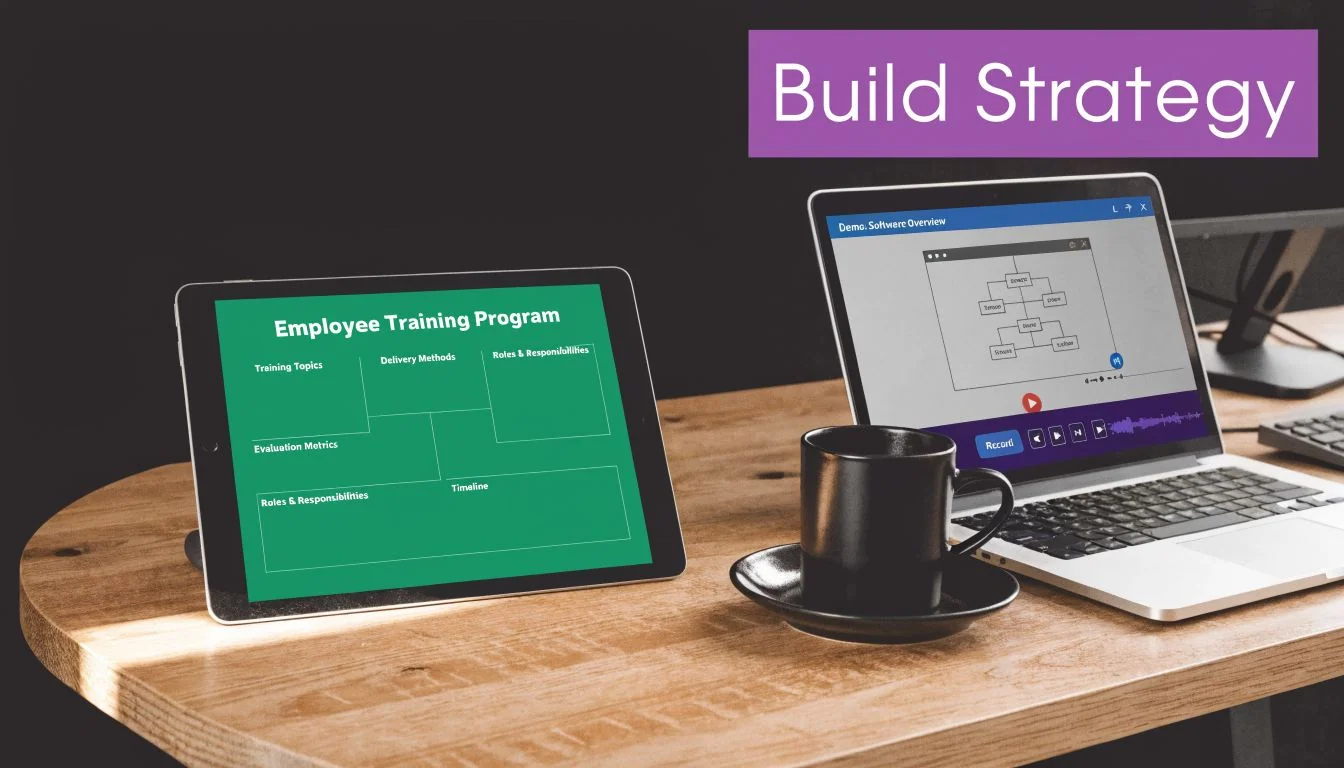
Start with the procedures that move the business
The easiest mistake is trying to map every recurring task in one pass. That creates a backlog of half-finished SOPs and training nobody uses. A better approach is to apply the Pareto principle and focus on the 20% of procedures that drive 80% of results or produce most of the recurring mistakes.
In practice, that means prioritizing tasks that fit one or more of these conditions:
- High frequency: The team performs the task daily or several times a week.
- High consequence: Errors create customer impact, rework, compliance risk, or internal escalation.
- High variability: Different employees complete the task in noticeably different ways.
- High onboarding burden: New hires struggle to become independent on the process.
A support team might start with ticket triage, refund handling, and escalation routing. A SaaS enablement team might begin with demo environment setup, CRM updates, and release walkthroughs. An internal ops team might target invoice processing, user provisioning, and exception approvals.
Define what competence looks like
Every SOP needs a training objective that describes observable performance. “Understand the billing workflow” is vague. “Process a standard billing adjustment without assistance and escalate exceptions correctly” is usable.
I prefer outcomes that answer three questions:
| Question | What to define |
|---|---|
| What should the employee do | The task or decision they must complete |
| Under what conditions | Which tools, inputs, or scenarios apply |
| What counts as success | Accuracy, timing, escalation, or completion standard |
This keeps the training grounded in execution rather than information transfer.
Evaluate before you build
Strong SOP training usually follows a simple sequence: assess learning needs, build clear procedures, then choose the delivery method. That sequence matters because many teams jump straight to recording content before they know where skill gaps sit.
A quick evaluation step can include:
- Manager input: Where do people get stuck, ask for help, or create avoidable rework?
- Frontline input: Which procedures feel unclear, outdated, or overloaded with exceptions?
- Performance review: Which tasks generate inconsistent outputs across the team?
- Compliance review: Which workflows need documented, repeatable execution?
For a practical walkthrough of how to structure that early documentation work, the guide on how to create standard operating procedures is a useful reference.
When employees help define the process, they stop seeing SOP training as top-down control and start using it as a shared playbook.
Get buy-in from the people who will use it
Management support matters, but frontline trust matters more. If team members think SOP training exists to micromanage them, adoption drops fast. Position it differently. The point is to reduce ambiguity, shorten handoffs, and make independent execution easier.
A simple rollout message works better than a long pitch:
- For managers: Fewer repeat questions, cleaner handoffs, better consistency.
- For employees: Faster ramp-up, easier self-service, less guesswork.
- For cross-functional teams: Shared expectations across support, sales, operations, and product.
Keep the foundation lean
A good first version is narrow and current. A bad first version is all-encompassing and already stale. Build the smallest training set that solves a visible problem, then expand from there.
That discipline matters more than format. Teams don’t fail because they started small. They fail because they started broad and never finished.
Designing the SOP Training Content
Once the priority procedures are clear, the job shifts from documentation to instruction. At this point, many SOP efforts stall. Teams know the process well, but they package it in a way learners won’t use.
The core fix is simple. Break procedures into short modules, choose the right format for each task, and make every lesson answer one operational question.
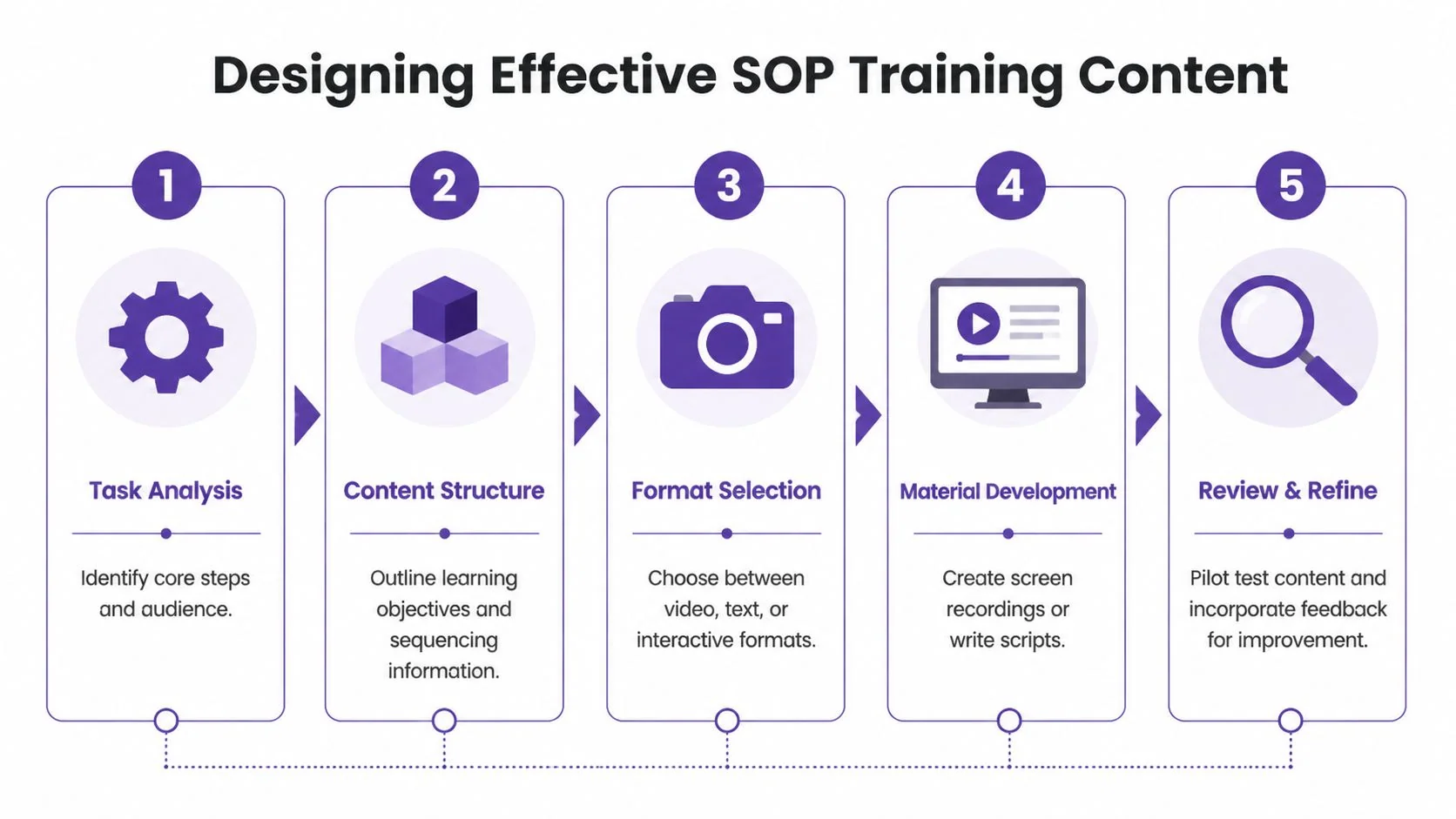
Research on SOP training points to a practical three-step approach: evaluate learning requirements, develop clear procedures with visual aids, and choose suitable instructional methods. The same research notes that short educational modules can improve knowledge retention by 50-70% compared with longer sessions, as outlined in this guide to optimizing SOP training.
Break one procedure into teachable parts
A complete SOP might cover a full workflow from start to finish. Training usually shouldn’t.
Take a process like handling a customer account change. The procedure may include verification, system navigation, exception handling, note logging, and follow-up communication. If you put all of that into one long lesson, learners remember the opening and forget the middle.
Instead, split it into modules such as:
- Verification basics: Confirm identity and required inputs.
- Primary system steps: Complete the standard action path.
- Exception logic: Know when the normal flow no longer applies.
- Documentation standards: Log the action correctly for downstream teams.
- Final review: Check quality before closing the task.
Each module should solve one problem. That makes the training easier to assign, update, and reuse.
Match the format to the task
Not every SOP element belongs in video. Some work better as text. Some need a check-for-understanding. Some need both.
Here’s a practical format guide:
| Training need | Best format | Why it works |
|---|---|---|
| Sequential software task | Video demo | Shows exact clicks, screens, and pacing |
| Policy or rule reference | Short text guide | Easier to scan during live work |
| Decision logic | Flowchart or checklist | Helps with branching choices |
| Knowledge check | Quiz or scenario prompt | Confirms understanding before execution |
| Rare but critical exception | Targeted video plus written note | Gives context without bloating the main lesson |
This blended setup keeps the learner from hunting through a giant article for one answer.
Use microlearning on purpose
Microlearning isn’t just “make it shorter.” It means cutting everything that doesn’t support the task.
For standard operating procedures training, a short module works when it has:
- A single objective
- A small number of steps
- A visible example
- A clear end condition
- An easy path back to the resource later
If a lesson drifts into background, edge-case storytelling, or tool history, split it. Employees usually need enough context to act correctly, not a lecture on the entire system.
A strong SOP lesson should feel like guided execution, not a seminar.
Storyboard the process before creating assets
Even if you’re recording a simple walkthrough, storyboard first. That doesn’t mean building a formal production deck. It means deciding the sequence and the teaching points before you hit record.
A lightweight storyboard can include:
- Opening context: What task is this and when should someone use it?
- Inputs: What should the learner have ready before starting?
- Action sequence: What are the exact steps in order?
- Decision points: Where can the process branch?
- Common mistakes: What usually goes wrong?
- Completion state: How does the learner know the task is done correctly?
That outline prevents a common problem in SME-created training. The expert knows the process too well, so they jump over key moments that a new employee needs.
For teams refining this structure, the piece on instructional design best practices is a practical companion.
Build for updating, not just publishing
SOP content ages fast when products, forms, fields, and rules change. That’s why training assets should be modular from the start. If one step in a workflow changes, you should be able to replace one lesson rather than rework a full training course.
A useful content stack often looks like this:
- Core SOP record: The official documented procedure
- Primary training asset: Usually a short video or guided walkthrough
- Quick-reference support: Checklist, article, or annotated screenshot
- Assessment layer: Quiz, manager check, or live task validation
Keep scripts natural
The best training scripts sound like someone doing the work well, not reading instructions aloud. Short sentences help. Clear verbs help more. “Open the customer record and confirm the billing profile” works better than “The billing profile should then be reviewed within the customer record.”
If the script feels stiff on the page, it will feel stiff in training. That matters because employees can tell when content was written for documentation and then recycled into training without being redesigned.
Creating Engaging SOP Videos with AI
For screen-based work, video usually beats text. It shows sequence, timing, and judgment in one pass. Employees don’t have to imagine where the setting is or guess which button the SOP meant. They can see it.
That matters even more when the procedure lives in software and changes often.
Why text-only SOPs break down on screen-based tasks
A written SOP can explain a path. It rarely shows hesitation, cursor movement, visual confirmation, or what “correct” looks like on the interface. Those details are often the difference between a clean handoff and a support ticket.
I’ve found that teams usually fall into one of two bad options:
- They make a quick screen recording in Loom or a similar tool, which is easy but often rambling.
- They try to produce polished training in Camtasia or Adobe Premiere Pro, which creates a dependency on someone with editing skill and spare time.
Neither option scales well for fast-moving SOP training.
Raw recordings are especially inefficient. People talk while they think, restart sentences, wander between tabs, and leave dead space while searching for the next step. In practice, that kind of recording is often 50-100% longer than necessary. The content is there, but the learner pays for every pause.
The bottleneck isn’t expertise in the subject. It’s editing
Subject matter experts know the procedure. They usually don’t know timeline editing, motion design, caption cleanup, retiming, voice polishing, or how to make a walkthrough look consistent with the rest of the training library.
That’s where AI-based production changes the economics of SOP videos. The right workflow lets the SME focus on the task itself, while the system cleans up the delivery.
A 2025 LinkedIn Learning report found that 62% of L&D leaders struggle with video production for SOPs, and the same source notes that AI screen recorders can reduce training video creation time by up to 70% for knowledge base and sales enablement teams, according to this discussion of SOP gaps and AI-based training creation.
What a modern SOP video workflow should handle
A useful SOP video system should do more than capture the screen. It should reduce the editing burden after the recording.
Look for capabilities like these:
- Script-linked editing: Change the words and let voiceover, captions, and timing update with them.
- Cursor emphasis: Highlight where attention belongs without manually keyframing effects.
- Smart zooms and framing: Focus on the part of the screen that matters during a step.
- Brand controls: Keep fonts, colors, and visual treatment consistent.
- Multilingual output: Recreate the same training in other languages without rebuilding the whole project.
- Documentation output: Turn the same recording into support articles, screenshots, or step lists.
Those features matter because SOP training rarely lives in one place. The same process may need a training video, a knowledge base article, an onboarding module, and a help-center embed.
Where AI tools fit in real operations
This is the practical argument for a video-first SOP approach. A support lead can record a refund workflow. A sales engineer can record a demo environment setup. A product marketer can create a feature release walkthrough. An L&D manager can turn admin steps into onboarding modules. The person closest to the work can create the source material without waiting for a media specialist.
If you’re comparing tool categories more broadly, BeyondComments for creator AI insights is a useful roundup because it frames how different AI content tools reduce production overhead across formats.
Here’s the kind of screen-based SOP content that benefits most from this model:
| SOP use case | Why video works |
|---|---|
| Onboarding videos | New hires see both the steps and the pace |
| Knowledge base videos | Support teams can answer recurring "how do I" questions clearly |
| Explainer videos | Internal process changes are easier to absorb when shown visually |
| Feature release videos | Product updates become easier to train across teams |
| Support article videos | Users can watch the fix instead of parsing dense instructions |
| Demo and handoff videos | Sales and success teams align on the same standard flow |
A short example helps. If a team needs to explain a permissions workflow in a SaaS admin panel, text can list the fields. Video can show the exact menu path, the order of choices, the visual confirmation, and the common place users click the wrong option.
A quick walkthrough looks like this:
One practical option for AI-generated SOP videos
One tool designed for this workflow is create training videos with AI. It turns raw screen recordings into training assets such as demos, onboarding videos, explainer videos, feature release videos, knowledge base videos, and support article videos. The useful part for SOP teams is the operating model: the SME can record and speak naturally without rehearsing for a polished take, then edit the result like a document instead of using a timeline.
That solves a common trade-off. Easy recording tools tend to produce rough output. Traditional editors can produce refined output but require specialist effort. A doc-style editing flow, AI narration updates, cursor tracking, smart zooms, and multilingual retiming make it easier to keep SOP videos current without rebuilding them from scratch every time a screen changes.
The goal isn’t to make cinematic training. It’s to remove friction between process expertise and publishable instruction.
What works better than the old model
The old model says one expert documents the process, another person trains it, and a third person updates the materials later. That handoff-heavy setup is slow and usually outdated by the time it stabilizes.
A better model is tighter:
- The SME records the task once.
- The recording becomes the base for video and written documentation.
- The manager reviews for accuracy.
- The team publishes it into onboarding, the LMS, or the knowledge base.
- When the workflow changes, the owner updates the script or re-records only the affected part.
That doesn’t eliminate documentation discipline. It makes the discipline maintainable.
Deploying and Driving Adoption of Your Training
Publishing SOP content isn’t rollout. It’s storage. Adoption starts when people encounter the training inside the flow of work and managers reinforce it in everyday decisions.
The biggest rollout mistake is assuming that a better format will spread on its own. It won’t. Teams need a clear reason to switch, a clean path to access the content, and visible signals from leaders that this is now the standard.
Put the training where work already happens
If employees have to hunt for SOP training, usage drops. The training should show up in the systems people already use for learning, reference, and execution.
Common placement points include:
- LMS modules for onboarding: Assign role-based SOP content during the first weeks.
- Knowledge base articles for live support: Embed the video next to the written procedure.
- Team hubs or wikis: Keep one current source of truth rather than multiple versions.
- Manager checklists: Tie training completion to readiness for independent work.
Launch with a workflow, not an announcement
A company-wide message saying “new SOP training is live” doesn’t change behavior. A rollout tied to concrete moments does.
Use triggers such as:
- New hire ramp: Required before independent task ownership.
- Process change: Assigned immediately when a workflow updates.
- Quality issue: Used as corrective support when repeat errors appear.
- Cross-training: Assigned before someone covers another role or queue.
That approach keeps standard operating procedures training connected to the work instead of floating as optional content.
Give managers a visible role
Frontline managers are the difference between “available” and “used.” They should know which SOPs matter, when to assign them, and how to verify that the employee can apply the process in real work.
A practical manager playbook includes:
- Confirm completion: Has the employee opened and completed the module?
- Observe execution: Can they perform the task without coaching?
- Check exceptions: Do they know when the normal flow doesn’t apply?
- Reinforce the standard: Are shortcuts replacing the trained process?
If a manager still answers process questions from memory instead of pointing the team to the current SOP, the rollout hasn’t landed.
Use a simple adoption checklist
Here’s a rollout checklist that keeps implementation grounded:
| Rollout area | What to verify |
|---|---|
| Access | Employees can open training from the LMS, wiki, or knowledge base |
| Ownership | Each SOP has a clear content owner and reviewer |
| Audience mapping | Each role gets only the SOPs relevant to its work |
| Communication | Teams know why the new version exists and when to use it |
| Manager enablement | Leads know how to coach and validate adoption |
| Feedback path | Employees can flag outdated steps or missing exceptions |
Build the habit of self-service
The strongest SOP environments don’t train people to ask first. They train people to check the current procedure first. That only works when the content is fast to access and faster to understand.
That’s another reason video-backed SOPs outperform long documents in many teams. When someone can watch the exact process in a few minutes, they stop waiting for another person to explain it live.
Adoption isn’t a campaign. It’s a usage pattern. The training wins when employees trust it enough to use it during real work.
Measuring and Iterating on SOP Training Success
If you can’t tell whether the training changed behavior, you don’t have a training program. You have content.
The cleanest way to measure SOP training is the Kirkpatrick Model. It gives you four practical layers to check: reaction, learning, application, and results. Used properly, it keeps you from stopping at completion rates.
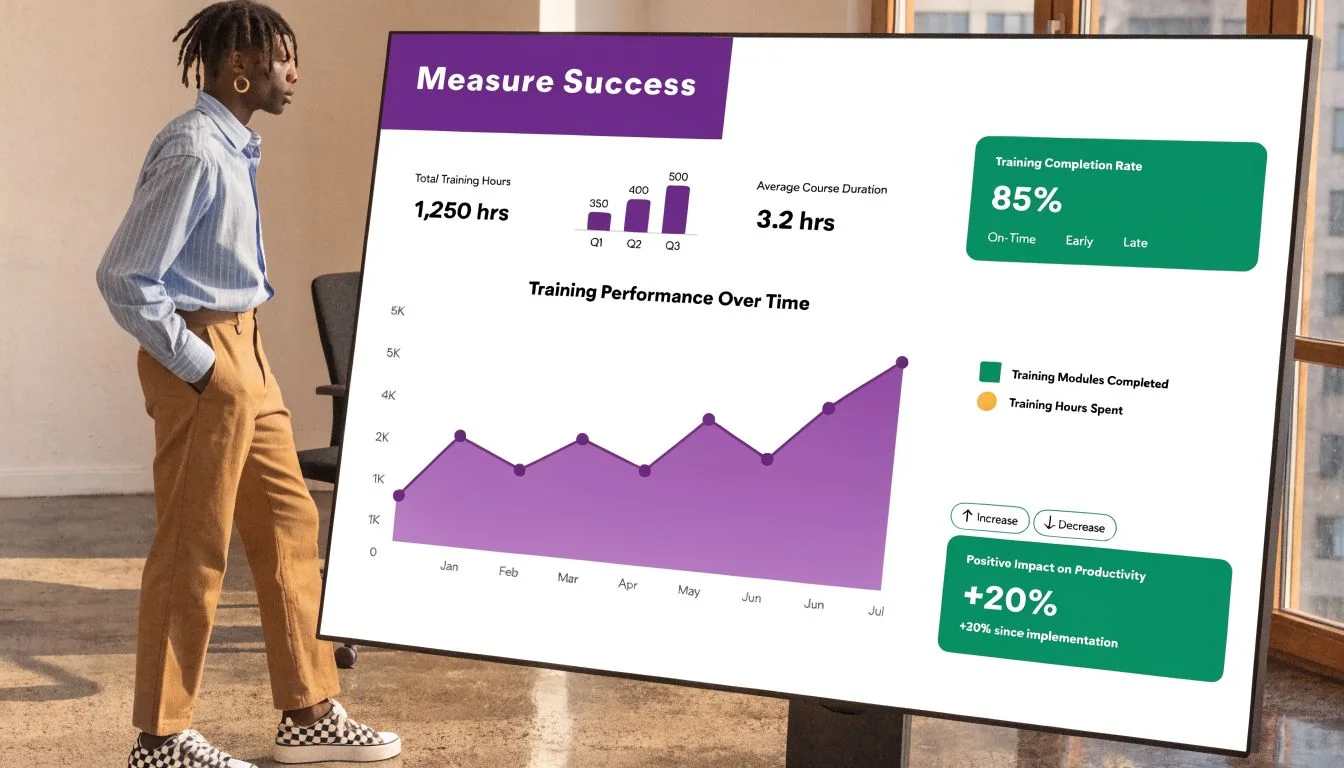
Effective SOP training measurement can show ROI of 300-500% within 12 months, with teams tracking outcomes such as error rates dropping 40-60% and time efficiency improving 20-35%, as described in this guide to measuring training effectiveness.
Measure reaction and learning first
Start with the front end. Did employees find the training usable, and did they understand the process?
Useful indicators include:
- Reaction: Feedback scores and comments about clarity, length, and usability
- Learning: Pre- and post-checks, short quizzes, or scenario responses
- Completion quality: Whether someone finished the module and passed the comprehension gate
This catches weak content early. If learners finish a module but still can’t explain the decision points, the training asset is too shallow or too dense.
Check behavior in the workflow
Behavior is where SOP training earns its keep. Are employees using the trained method when the task is live?
A few strong signals:
| Measurement layer | What to observe |
|---|---|
| Application | Error patterns, rework, policy misses, escalation quality |
| Adherence | Whether employees follow the current process version |
| Independence | How often they need help after training |
| Consistency | Whether output looks similar across team members |
This data often sits in normal operations systems rather than the LMS. Quality reviews, audits, support queues, and manager observations are usually more useful than course analytics alone.
Tie the training to business results
The fourth level is the one executives care about. Did the SOP training improve performance in a way the business can feel?
That might show up as cleaner handoffs, fewer repeat questions, faster completion, lower rework, or fewer support tickets. You don’t need a complex BI stack to see it. A simple dashboard with baseline and post-training comparisons is often sufficient.
Treat every SOP module like a process improvement asset. If it doesn’t change execution, revise it.
Use review cycles that force updates
Measurement matters because workflows drift. Products change. Edge cases show up. Managers spot workarounds. The training should be reviewed whenever one of those signals appears.
A practical iteration rhythm includes:
- Watch feedback after release
- Review error trends and support themes
- Inspect where employees still ask for help
- Update the asset, not just the document
- Recheck performance after the update
That loop turns SOP training into a living system instead of a one-time project.
Frequently Asked Questions About SOP Training
How often should SOP training be updated
Update it whenever the workflow, tool interface, approval rule, or quality standard changes. Don’t wait for an annual review if the live process already moved. For stable procedures, a scheduled review still helps catch drift and outdated examples.
Can SOP training work for non-linear or creative roles
Yes, but the training should standardize the repeatable parts, not the entire job. In creative or consultative work, focus on intake steps, review checkpoints, approval paths, handoff rules, and quality criteria. Leave room for judgment where judgment is required.
What should happen when real work doesn’t match the SOP
Treat that as a signal, not an exception to ignore. Either the employee found a valid edge case the SOP should address, or the process owner needs to correct execution. Capture the mismatch quickly and decide which it is.
Is text still useful if you’re moving to video
Yes. Text works well for quick reference, policy details, and decision rules. Video works best for demonstration. Most strong standard operating procedures training programs use both, with video for showing the work and text for scanning it later.
What’s the biggest rollout mistake
Publishing content without manager reinforcement. If team leads don’t use the SOP during coaching, escalation review, and onboarding, employees won’t treat it as the actual standard.
If you’re replacing static SOPs with screen-based training, Tutorial AI is built for that workflow. It turns a raw screen recording into a polished tutorial, supports doc-style editing, generates written documentation from the same capture, and helps teams keep onboarding, knowledge base, and support content current without heavy video editing.