Your sales team thrives on clarity. A sales standard operating procedure lays out every step—from lead qualification to proposal handoffs—so everyone knows what to do and when. This shared roadmap cuts out guesswork and keeps your process humming along.
Understanding Sales Standard Operating Procedure

Storing your SOPs in a centralized, cloud-based library means scattered playbooks and sticky notes are history. Your reps tap into a single, always-current process map whenever they need guidance. Meanwhile, automated approval routes in your repository eliminate bottlenecks—proposals automatically flow from qualification to review to sign-off without manual nudges.
A governance rhythm—think quarterly or biannual reviews—keeps procedures in step with new products or industry rules. That way, your SOP isn’t just a static file; it evolves alongside your business.
Key Components And Benefits
- Centralized Guidance
Every rep evaluates leads against the same criteria, boosting predictability.
- Automated Handoffs
Triggers move proposals to the right reviewer the moment they hit your checklist.
- Versioned Cloud Repository
Templates, revisions, and approval histories live in one secure location.
- Governance Schedule
Regular checkpoints ensure your SOP adapts to changing goals and regulations. Structured workflows don’t just look neat—they move deals faster and trim recurring errors. In fact, the global SOP software market reached USD 1.2 billion in 2023 as more companies digitize compliance and process management. Read the full research at Dataintelo: Global SOP Software Market
Effective SOPs can reduce process deviations by up to 30% and accelerate approval cycles.
Terminology You Need
Understanding a few core terms brings your SOP to life:
- Stage GatesThese milestones mark when a deal graduates to the next phase.
- Approval TriggersCriteria that automatically route documents to managers for sign-off.
- Escalation PathsA clear chain of command to resolve hang-ups before they stall a sale.
Mapping your process starts by listing each sales phase—from initial contact to contract execution. Call out stakeholder roles, CRM field requirements, and decision checkpoints. These details guide both new hires and seasoned reps alike.
Practical templates and checklists turn your map into day-to-day practice. For example, a proposal checklist can include required attachments, pricing sign-offs, and final signature steps. Consistent file naming and strict version control keep everyone on the same page.
Next Steps
Kick off your SOP build by auditing current workflows. Listen to rep feedback and watch real CRM activity to spot friction points. Those insights will fuel a robust, scalable SOP tailored to your team’s needs.
With clear documentation in place, onboarding accelerates and everyone works from the same playbook—driving measurable, year-over-year improvements across your sales organization.
Recognizing Sales SOP Benefits
Small tweaks in your sales approach can make or break your numbers. A clear, repeatable process turns daily routines into dependable building blocks—and your CRM data into a trustworthy forecast.
At a mid-market software company, enforcing stage-gate checks sparked a 20% jump in lead-to-opportunity conversions.
Meanwhile, a global telecom provider clawed back $3.1 million in lost deals after tightening approval requirements.
Plus, a central library of best-in-class email templates and objection-handling scripts means every rep leans on proven tactics instead of reinventing the wheel.
Real Business Impact
Numbers like these grab executive attention.
- Companies with structured sales processes see 51% improvement in forecast accuracy.
- Win rates climb by about 8% compared to ad-hoc teams.
- 55% of sales leaders admit they’ve lost revenue simply because their process wasn’t defined.
Read the full research on Sales Collective
- Clear qualification criteria slash unqualified opportunities by 30%
- Standardized handoffs cut cycle time by roughly 2 days
- Defined escalation paths stop negotiations from stalling
“Structured SOPs turn guesswork into measurable progress,” says a VP of Sales at Acme Corp. Here’s a quick look at how formalizing your SOP drives results:
Key Benefits of Sales SOPs
| Benefit | Impact | Metric |
|---|---|---|
| Forecast Accuracy | More reliable pipeline predictions | +51% accuracy |
| Win Rate | Higher close percentages | +8% win rate |
| Revenue Protection | Fewer lost deals due to process gaps | Saved 12% of at-risk deals |
Laying out clear, hard numbers like this makes it easier to win budget and buy-in from every level of your organization.
Sustaining Revenue Gains
An SOP isn’t static. It needs regular check-ins to stay aligned with market shifts.
Monthly dashboards—like the one below—help execs see rising forecast accuracy and win rates after SOP tweaks:
To keep momentum:
- Don’t skip your quarterly reviews—outdated steps lead to confusion.
- Listen to frontline feedback so you can iterate effectively.
- Avoid overcomplicating the process—simplicity drives adoption.
Common Actions For Continuous Improvement
- Schedule routine sessions with Sales Ops to assess performance
- Gather input from reps and managers after every product launch
- Revise documentation as new tactics or tools emerge
Key takeawayA living sales SOP, backed by data governance, sustains gains and scales with your team. Share wins and lessons in quarterly town halls to reinforce best practices.
Set up automated alerts in Slack or Microsoft Teams so managers spot deviations in real time.
Embedding these data-driven habits fosters a culture of accountability and excellence.
Combine hard metrics with real-world anecdotes to build a compelling story—and secure ongoing investment in your sales standard operating procedure.
You’ll learn how to document every step to make your SOP actionable.
Documenting Effective Sales Procedures
Clarity in your sales cycle turns guessing into reliable performance. Map out each touchpoint—from first lead contact to signed agreement—to lay the groundwork for consistency.
A well-documented process highlights decision gates, required CRM fields, approval checkpoints, and escalation paths. Simple visual cues can make those elements instantly obvious to any team member.
Mapping Sales Process Stages
When every handoff is spelled out, reps know exactly what’s expected before moving forward. For example, mark a milestone once a demo is on the calendar and list the CRM fields that must be filled in first.
- Decision Milestones signal when prospects advance
- CRM Fields guarantee uniform data collection
- Approval Triggers define who signs off and when
- Escalation Rules show who steps in if progress stalls
Many teams rely on swimlane diagrams to assign responsibilities across sales, marketing, and legal. That visual format accelerates onboarding and quickly exposes missing steps.
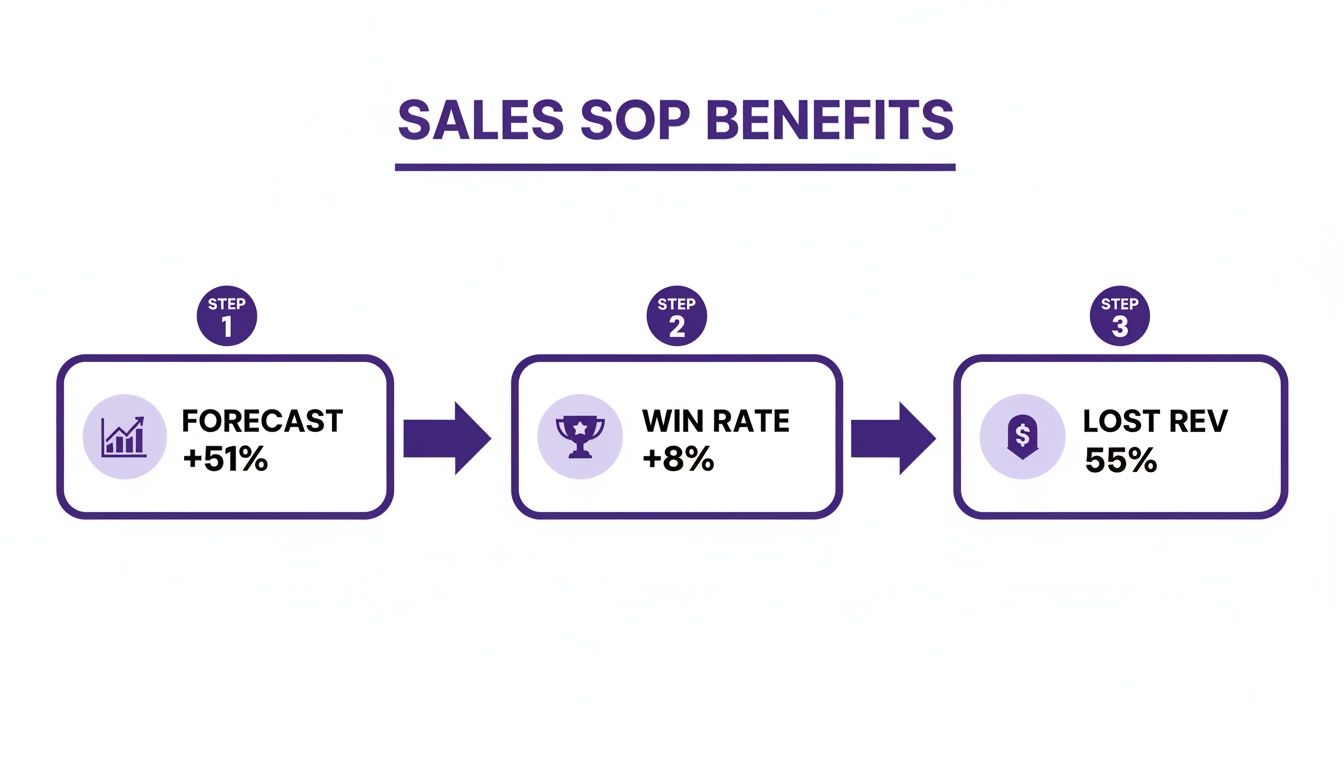
This setup has driven a 51% improvement in forecast accuracy, an 8% increase in win rate, and a 55% drop in lost revenue.
Using Sales SOP Templates
Templates save reps from starting each document from scratch. They provide structure for proposals, demos, and follow-up sequences so nothing important slips through the cracks.
Here’s a quick look at common templates and what they cover:
Comparison of SOP Templates and Checklists
| Template Type | Purpose | Key Components |
|---|---|---|
| Proposal Template | Standardize deal offers | Price details, legal clauses, approval line |
| Demo Script | Ensure consistent walkthroughs | Talking points, timing cues, visual aids |
| Follow-Up Cadence | Keep prospects engaged | Email snippets, call reminders, timing plan |
Use this overview to pick the right layout for each phase of your process.
Adapt each template to match your product’s complexity and your prospect’s needs:
- Break lengthy scripts into sections tied to features
- Add placeholders for company-specific details
- Build with modular snippets to simplify updates
Building Demo Script
A strong demo script outlines talking points, flow, and desired takeaways in sequence. Include prompts for questions and checkpoints to make sure prospects follow along.
One SaaS team added a “pain-point match” segment to their script—and saw a 15% surge in demo-to-trial conversions.
Creating Follow-Up Cadence
A defined outreach plan keeps leads moving. Specify how many touches, which channels, and the messaging themes over a set timeframe.
For instance, alternating email, phone, and LinkedIn steps every 48 hours can double second-meeting bookings.
Enforcing Consistency With Checklists
Checklists act as your safety net, ensuring critical tasks always get done.
- Attach proposal files
- Complete all CRM fields
- Verify approved pricing
- Send follow-up within 24 hours
A simple checklist can reduce errors by up to 30% and boost adoption rates. Embed checklists into your CRM—Salesforce or similar—to guide reps at each stage. At TechCorp, this lifted completion rates by 40%.
Naming Conventions And Version Control
Clear file names make it easy to grab the latest SOP. Version control tracks edits and keeps older drafts retrievable for audits.
Label documents with date, owner, and a brief change summary.Example: Proposal_SOP_v3_2024-04.pdf
Maintaining SOP Governance
An SOP is never “set and forget.” Schedule quarterly reviews to update steps after product launches or policy shifts.
Gather feedback from reps, managers, and legal before each cycle:
- Assign an SOP owner to drive revisions
- Use comment threads to collect suggestions
- Archive outdated sections for reference
Leveraging AI For Documentation
Writing SOPs by hand can be tedious and slow. Automated tools can suggest structure, flag missing details, and accelerate your workflow.
Check out our guide on documentation of training materials with Tutorial AI to see how AI can streamline your SOP creation. Learn more about documentation of training
Visual Aids And Screenshots
Flowcharts, annotated screenshots, and simple icons can demystify complex steps.
- Use callouts to highlight required CRM fields
- Add arrows in diagrams to show sequence
- Color-code high-priority tasks for instant recognition
Training And Onboarding Integration
Link your SOPs directly into onboarding programs for new hires. Run live map walkthroughs to get reps up to speed fast.
- Host small-group workshops for interactive learning
- Build quizzes to reinforce key procedures
- Pair rookies with mentors for hands-on review
Reviewing SOP Performance Metrics
Track adoption rate, completion time, and error reduction to gauge your SOP’s effectiveness. Dashboards can display checklist completion and stage-gate compliance in real time.
- Monitor rep compliance with CRM requirements
- Compare lead-to-close times across reps
- Report QA findings to spot friction points
Real-World Scenario
A mid-size tech company slashed onboarding from two weeks to five days by documenting a clear sales SOP. Using a shared wiki with maps and checklists, they trained six SDRs at once.
Within three months, adoption hit 90% and quarterly bookings climbed by 12%.
Tips For Improving Your Sales SOP
- Gather feedback after each closed deal and tweak steps.
- Keep language tight—use action verbs like “submit,” “review,” and “approve.”
- Archive old sections to cut clutter and reduce confusion.
- Apply consistent design for easy scanning.
By following these pointers, you’ll build a living SOP that scales with your team and keeps reps on track.
Next Steps
Once your written SOP is solid, bring it to life with concise video tutorials. Walk through key tasks on screen so visual learners can follow every step.
In the next section, discover how to create video SOPs without any editing skills using Tutorial AI.
Creating Video SOPs With Tutorial AI
Watching a task unfold on screen beats decades of text manuals. When voice and visuals come together, your sales SOP isn’t just a document—it’s a guided tour. Team members grasp each nuance in seconds, not hours.
Traditional screen recorders like Loom let you hit “record” in an instant. Yet raw footage often stretches 50–100% longer than needed, leaving viewers zoning out during dead air or filler clicks. On the other hand, tools such as Camtasia and Adobe Premiere Pro deliver polished results but demand steep editing know-how. That learning curve can stall video rollouts for days, sometimes weeks.
Why Video SOPs Matter
Embedding step-by-step demos into your workflow drives consistency across every deal. A concise clip can:
- Slash onboarding from ten days to four
- Keep messaging uniform, regardless of who’s speaking
- Provide instant visual context for CRM entries and proposal drafts
In fact, learners retain 90% of what they see and hear compared to 10% from plain text. That jump in comprehension accelerates new reps hitting their numbers.
Challenges With Traditional Tools
Raw screen captures fill up with paused moments and unnecessary clicks. Editing in Loom means manual trims—one by one. Your SME ends up wasting hours just chopping out blank stares at the screen.
Professional suites address precision but demand timeline expertise. Trying to tweak captions, zooms, and callouts can stretch a one-minute fix into an all-day affair.
“We spent more time editing our sales SOP videos than we did selling,” admits a VP of Sales at TechCo. By the time you finish polishing, your process may have already shifted. Endless do-overs kill momentum.
How Tutorial AI Works
Tutorial AI flips that script. Speak naturally on the first take. Then:
- Upload your raw screen recording (or record directly)
- Pick a brand kit—colors, fonts, intro/outro
- Let the platform auto-trim pauses and excess footage
Within minutes, you’ll have captions that sync perfectly, dynamic cursor trails, and smart zooms highlighting every click. No timeline wrestling. No manual audio sweetening.
Tutorial AI excels at generating a wide range of video tutorials—from product demos and onboarding walkthroughs to explainer videos, feature release announcements, knowledge base tutorials, and support article videos. Subject matter experts can simply speak freely without any practice, and the AI will polish the video to look as if it were edited in Adobe Premiere Pro, complete with branded intros, outros, and professional transitions. It allows SMEs to create on-brand videos extremely efficiently.
For a quick rundown:
- Record with Loom, Camtasia or Tutorial AI.
- Upload and choose branding options.
- Sit back while AI handles trimming, captions, zooms and transitions.
In about the time it takes for a coffee break, you’ve got studio-quality output ready for your sales team.
Customizing Brand And Style
Consistency matters. Brand Kits lock in your company’s fonts, colors and logo placements for every video. Plus, Tutorial AI supports over 30 languages, so global teams see process updates in their native tongue.
AutoRetime aligns captions, scene lengths and voiceover whenever you tweak a script. That way, your video library always matches the latest version of your SOP.
| Tool | Editing Effort | Production Time |
|---|---|---|
| Loom | Low | 50–100% longer |
| Camtasia | High | Hours |
| Tutorial AI | Minimal | Minutes |
Use Cases For Sales SOPs
- Onboarding videos that point out every crucial CRM field
- Demos for proposal creation and approval steps
- Explainer videos for new features and product releases
- Knowledge base and support article videos that provide step-by-step guidance
- Objection-handling role plays, complete with on-screen scripts
Feature updates deserve their own clips. Embed these in your knowledge base alongside articles, or drop them into help centers for instant support.
Here is a view of the Tutorial AI dashboard where you manage projects and assets.
This dashboard shows active projects, version history and brand kits at a glance. You can assign review tasks, track progress and keep every video aligned with your latest SOP.
Key insight: Having a centralized video library cuts review cycles by up to 40%.
Tips For Maximizing Efficiency
- Batch-record similar processes to reuse intro/outro sequences
- Script out bullet points to keep narration tight
- Aim for sub-five-minute clips to hold attention
When you update a script, tweak the text and let AI regenerate voiceover and timing. No fresh recording required.
You might be interested in our guide on optimizing screen captures for training with best practices for screen recording.
Getting Started With Tutorial AI
Sign up and explore the dashboard. Create your first project, upload a recording, and watch the magic happen in minutes. The interface walks you through branding, trimming and exporting in three clicks or less.
Common Mistakes To Avoid
Over-editing can sap the natural flow from your walkthroughs. Keep scenes concise and limit animations that don’t add real value. Focus on clear visuals and straightforward narration.
Updating Videos As SOP Evolves
Process changes? Edit your text script and let AI reprocess captions, zooms and audio. Your library stays fresh without extra effort, so every rep has the latest version.
Collaboration And Review Workflow
Invite stakeholders to comment directly in the editor. Resolve feedback, lock in brand elements and export final cuts. Shared workspaces ensure everyone sees the same video version.
Measuring Viewer Engagement
Track watch time, drop-off points and replay segments. These analytics highlight which steps need tightening and which resonate best. Share results in regular review meetings to keep your SOPs razor-sharp.
Start trimming your editing backlog today—sign up for a free Tutorial AI plan. Discover how minutes replace hours and brand consistency becomes an automatic byproduct of great training content. Your next SOP video is just a few clicks away.
Integrating SOPs Into Sales Operations
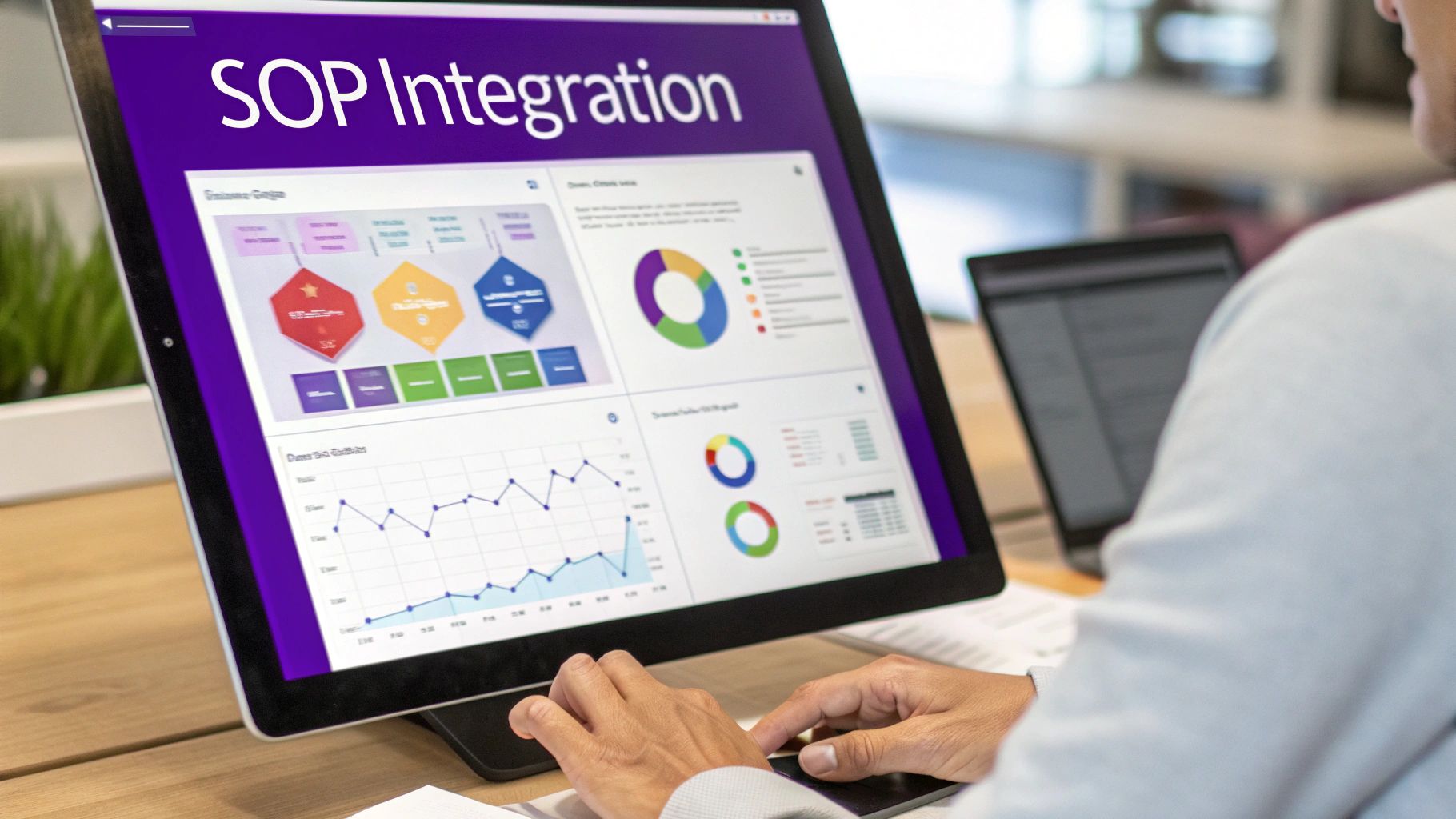
When you weave your sales standard operating procedure into Sales Ops and RevOps, it stops being a static PDF and turns into a performance engine. To keep it alive, set up clear governance structures, define ownership, and lock in a quarterly review cycle. This ongoing rhythm ensures every process step stays relevant.
By creating a feedback loop, you’re driving continuous improvement. An appointed SOP owner takes charge of version control and gathers frontline insights. Cross-functional committees then examine audit snapshots and suggest tweaks before small hiccups become big problems.
Organizations with data-driven Sales Ops that enforce SOPs report 15% higher quota attainment and 20% faster sales cycles than those without a centralized approach. Learn more about evolving Sales Ops roles at Revenue.io.
Governance Structures And Roles
Strong governance lays out who does what when a process drifts off track. Clarity here eliminates guesswork.
- SOP Owner: Manages versions, aligns stakeholders, runs quarterly reviews.
- RevOps Manager: Oversees data governance, ensures CRM hygiene, enforces stage gates.
- Auditing Team: Monitors deviations, analyzes gaps, and escalates reports to leadership.
- Sales Ops Analysts: Track KPIs, automate lead routing, and flag anomalies for coaching.
These pillars embed your SOP into daily routines and guard against workflow drift. Regular checkpoints also sync updates with product launches and market shifts.
Automating Key Processes
Automation turns manual handoffs into instant handshakes. Imagine prospects routing themselves to the right rep, without delays or dropped balls.
- Trigger-Based Lead Routing: Prospects sorted into queues by firmographic rules.
- Playbook Automation: Tasks fire when a prospect opens an email or clicks a link.
- CRM Hygiene Scripts: Required fields validated and duplicates merged overnight.
- Reminder Alerts: Managers pinged about stalled deals and overdue approvals.
These workflows slash cycle times and free sellers to focus on conversations. Consistency goes up when human error goes down. Explore our sales enablement solutions on Tutorial AI to see how AI-driven tools can automate training workflows and highlight SOP updates.
Monitoring And Continuous Improvement
Real-time dashboards shine a light on deal velocity, quota attainment, and stage-gate compliance. When a process veers off course, teams can react in hours, not weeks.
Audit reports drill into deviation alerts and uncover process gaps. That insight feeds directly back into your SOP, keeping it fresh.
A living SOP driven by data governance can boost operational efficiency and accelerate revenue growth. By analyzing these metrics, you guide iterative tweaks based on actual performance. Align each refinement with quarterly goals to keep the momentum rolling.
Real World Scenario
A mid-market B2B SaaS company revamped its Sales Ops toolkit with data-driven routing and deviation alerts. They set up monthly audits, automated lead handoffs, and fast-track paths for stuck deals.
Within two quarters, they logged:
- 25% Reduction In Deal Cycle Time
- 30% Increase In Rep Productivity
- Noticeably better forecast accuracy thanks to consistent, clean data inputs
This shows how solid SOP governance paired with automation delivers measurable gains—and doesn’t require a huge budget.
Best Practices For SOP Integration
- Align review cadences with product launches and major promotions.
- Involve frontline reps early to validate steps and gather improvement ideas.
- Leverage analytics-driven alerts to catch deviations and trigger coaching in real time.
- Keep governance meetings brief, data-focused, and action-oriented.
A culture of accountability blossoms when people see their feedback turn into real process improvements. Regularly revisit your SOP as customer needs and market dynamics evolve.
Next Steps To Embed Your SOP
- Assign an SOP champion to drive adoption and act as the first point of contact.
- Map integration points between your SOP, CRM, and automation tools.
- Pilot the enhanced SOP with one sales pod, refine based on feedback, then roll out company-wide.
Start weaving your SOP into Sales Ops today—and watch performance metrics climb.
FAQ
How Do I Secure Executive Buy-In For A Sales Standard Operating ProcedureWinning over the leadership team often comes down to hard data and a bit of storytelling. Start by showing how past tweaks improved your forecast accuracy and plugged revenue leaks. Then bring stakeholders into collaborative mapping sessions so they feel ownership from day one.
- Showcase forecast accuracy improvements with before-and-after dashboards.
- Highlight revenue protection wins tied to tighter process controls.
- Share direct feedback from your pilot team to put a human face on the numbers.
Which Tools Work Best For Documenting SOPsIn my experience, a cloud-based SOP platform with built-in template libraries and version control ensures everyone’s looking at the latest playbook. For screen captures, I pair Loom with Tutorial AI to transform raw recordings—often 50–100% too long—into crisp, on-brand walkthroughs.
- Cloud SOP platform: single source of truth, auto-updates
- Loom for quick captures
- Tutorial AI for trimming pauses, adding captions, smart zooms, and a professional finish
How Often Should I Update My Sales Standard Operating ProcedureTreat your SOP as a living guide, not a dusty PDF. I block out quarterly review sessions aligned with product launches and market shifts. Meanwhile, CRM alerts flag any process drift so you can roll out minor tweaks on the fly.
Tracking SOP Performance
How Do I Measure The ROI Of My SOP ProgramBefore you launch the SOP, grab baseline numbers for forecast accuracy, win rate, and average deal cycle. Post-launch, keep an eye on those metrics plus CRM data hygiene, approval turnaround times, and ramp speed for new reps. Mix in survey feedback to capture the team’s real-world experience.
“SOPs that evolve based on data insights drive continuous improvement,” says a revenue operations leader. Now explore more SOP tips and templates in our resource hub for deeper strategies today.
Ready to streamline and scale your sales process? Get started with Tutorial AI by visiting Tutorial AI.