In a competitive market, efficiency is the engine of growth. But what does ‘process improvement’ actually look like day-to-day? It’s more than just small adjustments; it’s a strategic mission to eliminate waste, cut down on errors, and deliver more value with less effort. This means taking a hard look at how work gets done, from the factory floor to the digital content pipeline. The problem is that many companies get stuck, unable to turn abstract ideas into concrete actions. They face overwhelming complexity, a lack of clear starting points, and the major challenge of creating high-quality, scalable training materials to support new workflows.
This article moves past theory to provide 10 tangible examples of process improvement methodologies that successful companies use to get ahead. We will break down each method, exploring its core principles, practical applications, and the measurable results it can produce. You will learn not just what to do, but how to do it. For a deeper dive into practical strategies, exploring various aspects like workflow automation benefits and use cases can provide additional context.
Crucially, we’ll demonstrate how modern tools can accelerate these initiatives, especially in knowledge-heavy areas like customer support, sales enablement, and L&D. For instance, creating effective training videos—such as demos, onboarding videos, explainer videos, feature release videos, knowledge base videos, or support article videos—often hits a bottleneck. A subject matter expert (SME) might make an easy-to-use recording with a tool like Loom, but it’s often 50-100% longer than necessary. On the other hand, professional video editing software like Camtasia or Adobe Premiere Pro requires expert knowledge. We’ll show how tools from Tutorial AI bridge this gap. Tutorial AI lets you speak freely without any practice, and its tools will still make your video look professional as if it was edited in Adobe Premiere Pro. This allows the SME to create on-brand videos extremely efficiently, train teams more effectively, and realize the full benefits of process improvement.
1. Example 1: Driving Documentation Efficiency with Lean Six Sigma
Lean Six Sigma is a powerful, data-driven method that merges two proven approaches: Lean, which focuses on eliminating waste, and Six Sigma, which aims to reduce process variation and defects. Applying this to documentation provides a structured framework for making content production faster, cheaper, and better. This approach is one of the most effective examples of process improvement because it replaces guesswork with a systematic, evidence-based workflow. The core of this method is the DMAIC (Define, Measure, Analyze, Improve, Control) cycle.
Tactical Breakdown: Lean Six Sigma for Video Tutorials
A customer support team applying DMAIC to its video tutorial creation process would follow these steps:
- Define: The goal is to reduce the average production time for a 2-minute knowledge base video from 4 hours to under 1 hour, without sacrificing quality. A “defect” is defined as any video requiring major re-edits after initial review.
- Measure: The team tracks every step, discovering that 70% of the time is spent on video editing. This includes cutting filler words, removing long pauses, and adding zooms or callouts.
- Analyze: The data reveals the key bottleneck is the manual editing process. SMEs record long, unscripted demos using tools like Loom, which are often 50-100% longer than necessary. Editing these in professional software like Adobe Premiere Pro requires expert skills, creating a dependency on a single video editor.
- Improve: The team adopts a new tool to fix the process. An AI video generator like Tutorial AI allows SMEs to record freely. The software automatically removes awkward silences, trims unnecessary content, and adds professional effects like zooms and on-brand elements. The SME creates a polished video without needing advanced editing knowledge.
- Control: The team standardizes the new workflow, updating its documentation and setting a new baseline production time of 45 minutes per video.
Key Takeaway: By precisely identifying and measuring process waste, teams can select the right tools to remove bottlenecks. This transforms a slow, specialist-dependent task into an efficient, self-service operation for subject matter experts.
2. Agile Content Creation and Iterative Tutorial Development
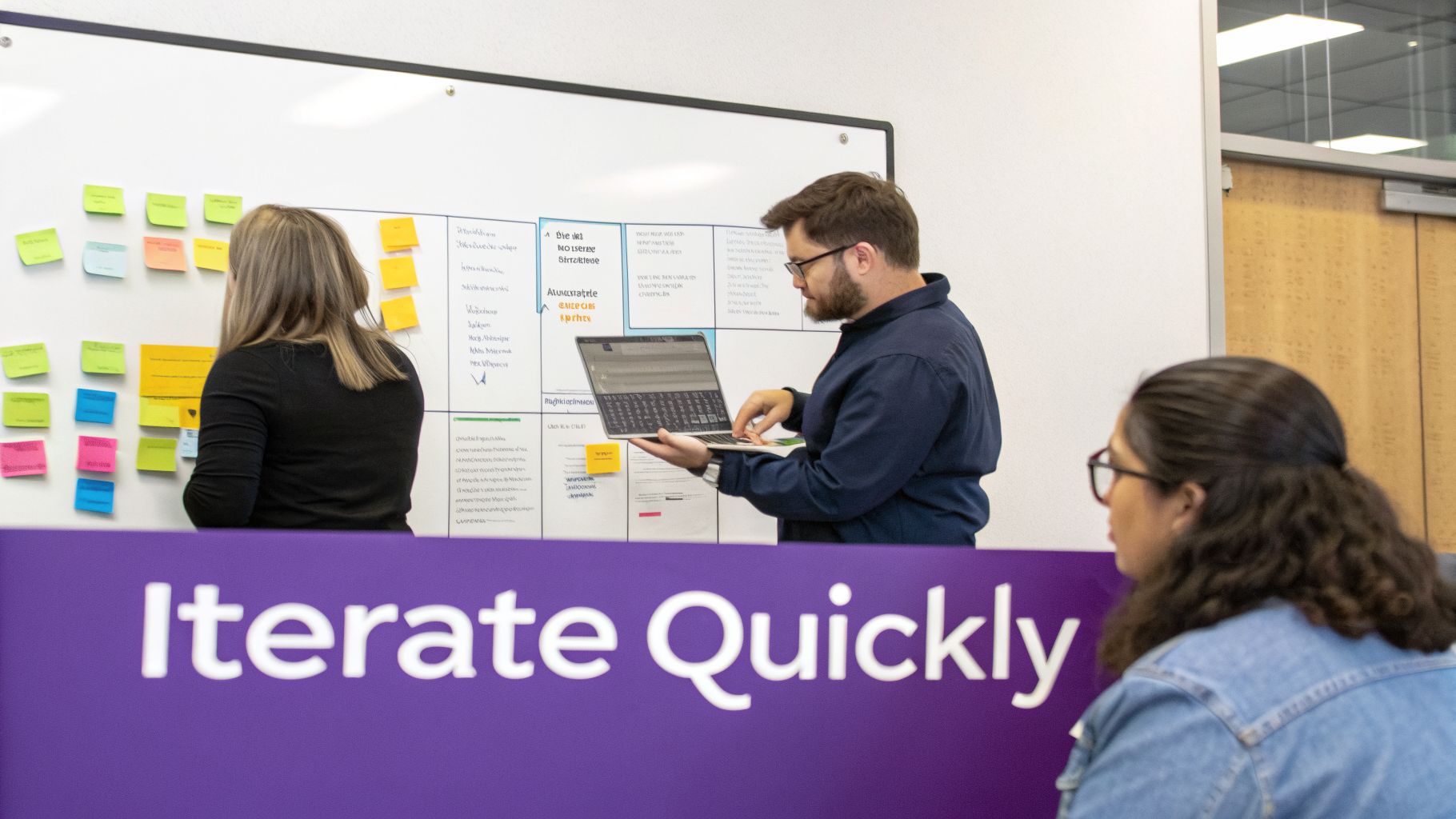
Agile content creation applies the principles of sprint-based software development to producing educational materials like tutorials. Instead of spending months perfecting a comprehensive video series, teams build and release a “minimum viable product” (MVP) tutorial. They then gather immediate user feedback to guide rapid, incremental improvements. This iterative cycle makes it one of the most responsive examples of process improvement, ensuring content directly addresses user needs rather than internal assumptions. Companies like Atlassian and Slack use this method to align documentation with feature releases and user behavior data.
Tactical Breakdown: Agile for Feature Release Videos
A product marketing team adopting Agile for a new feature launch tutorial would execute the following sprints:
- Sprint 1 - MVP Creation: The team’s goal is to create a basic 90-second explainer video for the new feature within one week. The subject matter expert (SME) records a raw, unscripted screen recording of the workflow, which is often 50-100% longer than the final target.
- Sprint 2 - AI-Powered Refinement: Instead of handing the long recording to a video editor who uses complex software like Adobe Premiere Pro, the SME uses an AI tool. A platform like Tutorial AI automatically edits the demo, removing long pauses and filler words, adding professional zooms, and applying on-brand elements. The result is a polished video, ready for initial user feedback, completed in under an hour.
- Sprint 3 - Feedback and Iteration: The video is shared with a beta user group. Feedback reveals that users are confused about a specific step. The SME re-records just that segment and uses the AI’s voiceover regeneration to quickly update the narration without re-editing the entire video.
- Sprint 4 - Standardization: The updated video is finalized and published. The team establishes a new standard process for creating all feature release videos, using bi-weekly tutorial sprints that align with the product development roadmap.
Key Takeaway: Applying Agile principles to content development stops teams from investing heavily in assets that miss the mark. By building and iterating quickly with AI tools, SMEs can create high-quality, user-validated tutorials without specialized editing skills, ensuring content is both timely and effective.
3. Kaizen - Continuous Small Improvements in Content Production
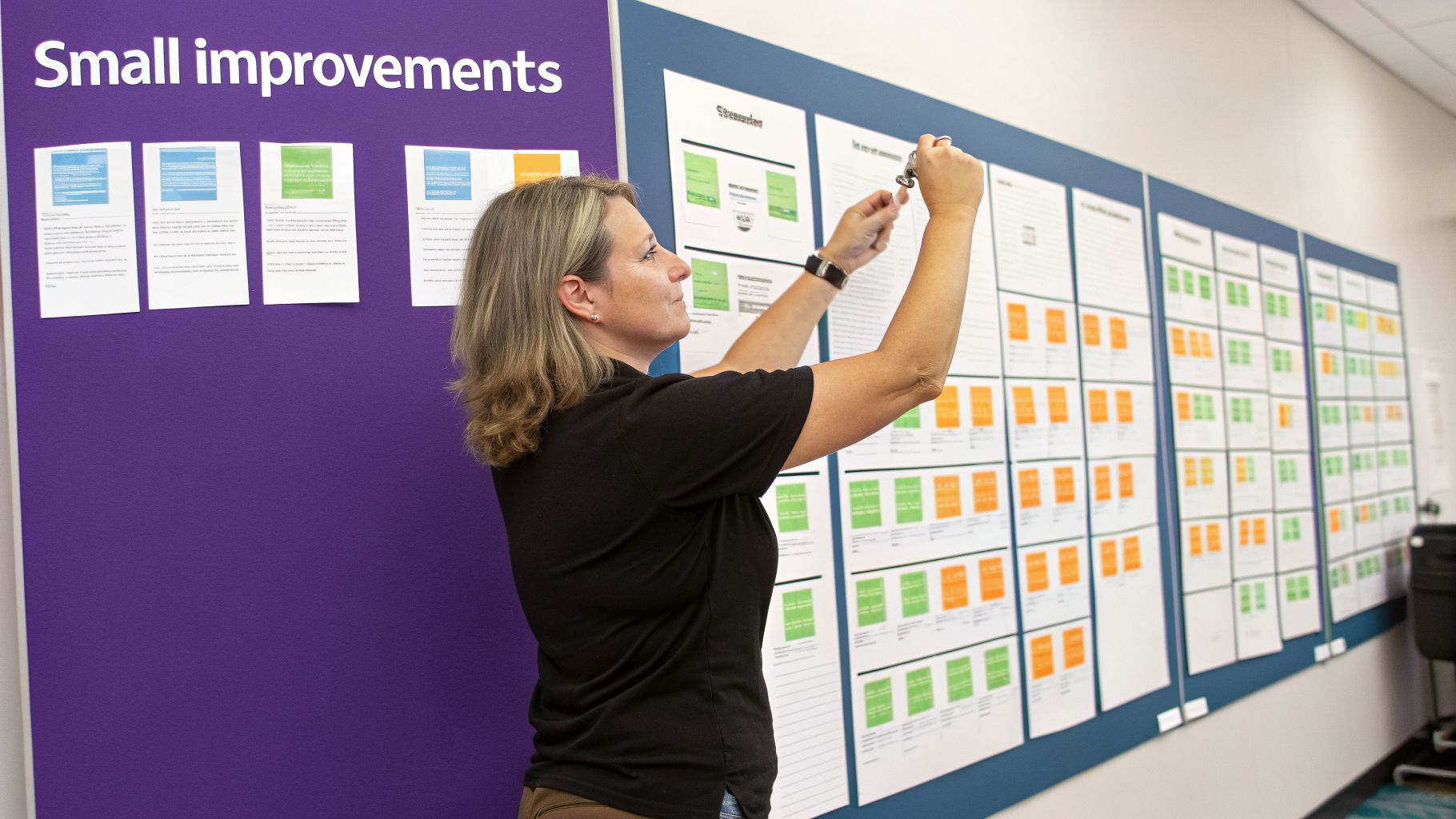
Kaizen, a Japanese term meaning “good change” (Kai = change, Zen = good), is a philosophy centered on making continuous, incremental improvements. This approach empowers employees at all levels to contribute ideas for optimizing processes, creating a culture of constant refinement rather than waiting for large, disruptive projects. Applying Kaizen to content production makes it one of the most sustainable examples of process improvement, as it builds momentum through small, consistent wins. The focus is on eliminating waste, improving quality, and increasing efficiency through ongoing collaboration.
Tactical Breakdown: Kaizen for Knowledge Base Video Creation
A support team adopting Kaizen to refine its workflow for creating knowledge base videos would take these steps:
- Establish a Baseline: The team’s current process involves SMEs recording unscripted demos, which are then sent to a video editor. The editor uses professional software like Adobe Premiere Pro to manually cut filler words, add branding, and apply effects. The process is functional but slow and dependent on the editor’s availability.
- Create Feedback Loops: The team institutes a weekly 15-minute “Process Improvement Standup.” During the first meeting, an SME suggests that the constant back-and-forth for minor text corrections on screen is a major time sink. This is a small “Kaizen event.”
- Implement a Small Change: To address this, the team tests an AI video generator. An SME records a free-flowing demo, and the tool, Tutorial AI, automatically trims silences, removes mistakes, and adds professional zooms. The SME can now directly edit on-screen text and approve the final video in minutes.
- Measure the Impact: The team documents that this single change eliminates two review cycles per video, saving an average of 30 minutes of combined SME and editor time.
- Standardize and Repeat: This new step is added to the official workflow. In the next standup, the video editor suggests using the AI tool to create a standardized intro/outro template, further reducing setup time. Each small, documented improvement accumulates, building significant efficiency gains over time.
Key Takeaway: Kaizen focuses on the cumulative power of small, consistent changes. By creating systems for feedback and empowering everyone to suggest improvements, teams can turn a rigid production line into a dynamic and highly efficient content engine.
4. Business Process Management (BPM) and Workflow Automation
Business Process Management (BPM) is a systematic approach to making an organization’s workflows more effective, efficient, and adaptable. It involves mapping, analyzing, and improving end-to-end processes. When combined with workflow automation, it becomes one of the most impactful examples of process improvement, as it moves beyond theory to create tangible, automated efficiencies. This discipline replaces isolated manual tasks with a cohesive, visible, and often automated operational flow.
Tactical Breakdown: BPM for Tutorial Content Pipelines
A learning and development team can apply BPM to its video creation pipeline, which is plagued by manual handoffs and repetitive tasks.
- Define: The team’s goal is to automate the content pipeline from video recording to publication. The current process requires multiple manual steps: transcribing, editing, adding brand assets, getting approvals, and finally uploading to a Learning Management System (LMS).
- Measure: The process map reveals that 60% of the total time is spent on non-creative, administrative tasks. These include emailing files for approval, manually tagging videos with metadata, and waiting for feedback from stakeholders.
- Analyze: The core issue is a lack of an integrated system. A subject matter expert (SME) records a long, unscripted demo, and the raw file then enters a fragmented workflow involving different tools and people. The process is difficult to track and prone to delays. Learning how to document business processes is the first step toward identifying these bottlenecks.
- Improve: The team implements an AI video generator like Tutorial AI to serve as the central hub. SMEs record demos freely, and the software automatically cuts pauses and adds professional branding. Using integrations with tools like Zapier, a new workflow is built: once a video is generated, it automatically creates a task in a project management tool for review, and upon approval, it is pushed directly to the company’s LMS with pre-filled metadata.
- Control: The new, automated pipeline is documented as the standard operating procedure. Automated notifications keep stakeholders informed, providing full visibility and establishing a new, faster baseline for content delivery.
Key Takeaway: BPM and automation turn a chaotic, manual process into a predictable, high-speed system. By mapping the workflow and connecting tools, teams can eliminate administrative drag and allow experts to focus entirely on creating valuable content.
5. Total Quality Management (TQM) - Zero-Defect Tutorial Content
Total Quality Management (TQM) is a comprehensive organizational approach that places quality at the center of all business activities. Championed by thinkers like W. Edwards Deming, it focuses on continuous improvement, customer satisfaction, and the involvement of every employee in maintaining high standards. This philosophy is one of the most durable examples of process improvement because it shifts the focus from fixing defects to preventing them in the first place, building a culture of excellence.
Tactical Breakdown: TQM for Knowledge Base Videos
A product marketing team aiming for “zero-defect” feature release videos can apply TQM principles to its production workflow.
- Establish Quality Standards: The team defines what a “perfect” video looks like. Criteria include: crystal-clear audio, consistent on-brand visuals, accurate information, and logical pacing. A “defect” is any video that confuses users or requires a post-publication correction.
- Empower All Contributors: Instead of relying on a dedicated video editor, every subject matter expert (SME) is made responsible for the quality of their own content. The goal is to eliminate rework downstream by getting it right from the start.
- Prevent Defects with Better Tools: The primary cause of defects is identified: SMEs record long, unscripted demos that are difficult to edit. This creates errors like awkward pauses, filler words, and inconsistent narration. To fix this, the team implements a new tool.
- Implement Process Controls: An AI video generator like Tutorial AI is introduced. SMEs can now record their screens freely, and the AI automatically removes silences, trims fluff, and adds professional zooms and branding. Its lifelike voice options ensure every video has perfect narration, meeting the audio quality standard every time without any extra effort.
- Continuously Monitor & Improve: The team tracks metrics like user satisfaction scores and the number of support tickets related to new features. A peer-review checklist is implemented before any video goes live, ensuring adherence to the new quality baseline.
Key Takeaway: TQM moves quality control from a final inspection gate to an integral part of the creation process. By empowering SMEs with tools that build quality in from the start, organizations can achieve a “zero-defect” standard and eliminate wasteful rework.
6. Value Stream Mapping - Eliminating Waste in Content Production
Value Stream Mapping (VSM) is a visual Lean technique that maps every step in a process to identify and eliminate non-value-added activities, often called “waste.” By charting the flow of materials and information, VSM reveals where time is spent on rework, waiting, redundant approvals, or manual tasks. This method is one of the most practical examples of process improvement because it makes invisible process inefficiencies tangible and provides a clear roadmap for action. Companies like Microsoft have applied it to optimize software documentation workflows, while hospital systems use it to reduce patient processing times.
Tactical Breakdown: VSM for Tutorial Creation
A product marketing team can apply VSM to accelerate the creation of feature release videos. The goal is to identify and remove bottlenecks between the initial request and the final published tutorial.
- Define: The team aims to slash the “lead time” (total time from request to publication) for a feature tutorial from 10 business days to 2 business days. Waste is defined as any activity that doesn’t directly add value for the end user, such as waiting for reviews or manual editing tasks.
- Measure: The team maps the “current state.” They discover the actual “process time” (hands-on work) is only 6 hours, but the lead time is 10 days. The other 9+ days are spent waiting: waiting for a video editor’s availability, waiting for manager approvals, and waiting for manual transcription.
- Analyze: The VSM clearly shows the largest blocks of “wait time” are centered around the dependency on a skilled video editor. Subject matter experts (SMEs) record long, unscripted demos with tools like Loom, which are often 50-100% longer than necessary. Cleaning this up in professional software like Adobe Premiere Pro is a massive time sink and a single point of failure.
- Improve: To create the “future state,” the team introduces an AI video generator like Tutorial AI. SMEs can now record freely, and the tool automatically removes pauses, trims fluff, adds professional zooms, and applies on-brand assets. This eliminates the dependency on the video editor for standard tutorials, turning a multi-day bottleneck into a self-service task completed in under an hour.
- Control: The new workflow is documented. The future state map shows a lead time of just 1.5 days, exceeding the initial goal. The team sets this as the new performance standard.
Key Takeaway: Value Stream Mapping visually separates value-added work from wasteful waiting. By identifying the true cost of delays and dependencies, teams can justify adopting automation tools that empower experts to complete tasks themselves, dramatically reducing lead time.
7. Standardized Work and Standard Operating Procedures (SOPs)
Standardized Work is the practice of documenting and implementing the most efficient method for a repeatable task to ensure consistency, quality, and predictability. Standard Operating Procedures (SOPs) are the tangible documents that outline these best practices. From McDonald’s operational manuals ensuring global consistency to surgical checklists improving patient outcomes, SOPs are proven examples of process improvement that remove ambiguity and empower teams to perform tasks correctly every time. They establish a baseline for quality and a foundation for future improvements.
Tactical Breakdown: SOPs for Video Tutorial Creation
A customer success team can use SOPs to scale its production of knowledge base videos, ensuring every tutorial meets a high standard of quality, regardless of who creates it.
- Define: The goal is to establish a unified process for creating support tutorials, ensuring all videos have consistent branding, pacing, and clarity. A “defect” is defined as any video that deviates from the approved quality checklist or brand guidelines.
- Measure: The team audits existing videos and finds significant inconsistencies. Some videos have background noise, others use inconsistent branding, and many are too long because SMEs record unscripted demos that are 50-100% longer than needed. Editing these in complex software like Adobe Premiere Pro is a major time sink.
- Analyze: The root cause is the absence of a defined “best way” to create videos. Each team member uses their own methods and tools, leading to varied quality and inefficient, rework-heavy workflows. There is no clear guidance on scripting, recording, or editing.
- Improve: The team develops an SOP for creating tutorials with a new tool. An AI video generator like Tutorial AI is chosen because it automates the most time-consuming parts of the process. The SOP specifies script templates, optimal recording settings, and how the AI automatically removes filler words, trims silences, and applies on-brand elements. The subject matter expert can now create a professional video without advanced editing skills.
- Control: The new SOP is documented and shared. It includes a quality checklist for audio levels, cursor visibility, and accessibility. The team reviews the SOP quarterly to incorporate new features and refine the process, making it a living document. For a deeper dive, you can learn how to write a procedure that your team will actually follow.
Key Takeaway: SOPs turn tribal knowledge into a documented, repeatable process. By combining clear guidelines with tools that automate difficult steps, teams can ensure everyone produces high-quality output consistently and efficiently.
8. Root Cause Analysis (5 Whys) - Solving Tutorial Production Problems
Root Cause Analysis (RCA) is a problem-solving technique that drills down to the fundamental cause of an issue by repeatedly asking “Why?” Instead of just treating symptoms, this method, popularized by the Toyota Production System, identifies the core problem so that implemented solutions prevent recurrence. When tutorials are consistently returned for revision or users struggle with the content, applying the 5 Whys is one of the most practical examples of process improvement because it uncovers hidden systemic flaws.
Tactical Breakdown: 5 Whys for Tutorial Adoption Issues
A knowledge base team facing low adoption rates for new video tutorials can use the 5 Whys to diagnose the problem beyond surface-level assumptions.
- Problem: Newly published video tutorials have extremely low view counts.
- Why? Users report they can’t find the videos when they search the knowledge base. (Initial assumption: Users aren’t searching correctly.)
- Why? The search function doesn’t surface the videos for relevant keywords. (Deeper issue: Search algorithm problem?)
- Why? The videos are missing metadata and tags that the search algorithm relies on. (Getting closer: A content problem, not a technical one.)
- Why? The content creation SOP doesn’t include a mandatory step for adding tags and metadata before publishing. (The process is flawed.)
- Why? The team was focused on speed and assumed the platform would auto-tag content, a feature it doesn’t have. (The root cause: A flawed assumption baked into the process.)
The solution isn’t just to “add tags to the videos”; it’s to update the standard operating procedure (SOP) to mandate a metadata and tagging review before any video goes live. This prevents the problem from happening again with all future content.
Key Takeaway: The 5 Whys method forces teams to look past immediate symptoms and uncover broken processes. By addressing the foundational cause, you create a permanent fix instead of applying a temporary patch that allows the same issue to resurface later.
9. Batch Processing and Single-Piece Flow - Efficient Tutorial Production
Pioneered in lean manufacturing by Toyota, the choice between batch processing and single-piece flow offers a fundamental framework for organizing work. Batching involves grouping similar tasks and completing them in stages-for example, filming five videos, then transcribing all five, then editing all five. Single-piece flow, in contrast, means completing one entire unit of work from start to finish before beginning the next. This choice is one of the most impactful examples of process improvement as it directly governs cycle time, work-in-progress (WIP), and team responsiveness.
Tactical Breakdown: Flow vs. Batching for Knowledge Base Videos
A support team needs to decide how to produce a queue of new knowledge base videos. Here is how they would evaluate both approaches.
- Batch Processing Approach: The team decides to produce 10 videos in batches. Week 1-2: SMEs record all 10 raw demos.
- Week 3-5: A scriptwriter transcribes and scripts all 10 recordings.
- Week 6-10: A single video editor edits, adds branding, and finalizes all 10 videos.
- Outcome: The first video is only available after 10 weeks. This creates a massive backlog of incomplete work (WIP) and a long wait time for the business.
- Single-Piece Flow Approach: The team completes one video at a time. Day 1: An SME records a demo using a tool like Loom. It’s unscripted and 50-100% longer than it needs to be.
- Day 2: The SME uploads the recording to an AI video generator like Tutorial AI. The tool automatically trims silences, removes filler content, and adds professional zooms and branding. The SME makes minor adjustments.
- Day 3: The video is reviewed and published. The cycle time for one video is 3 days.
- Outcome: All 10 videos are completed and published sequentially over approximately 6 weeks (3 days per video x 10 videos). The first video is live in under a week.
Key Takeaway: For tasks like tutorial creation where speed-to-value is critical, single-piece flow is superior. It dramatically reduces total cycle time and WIP. Batching creates delays and hides bottlenecks, while flow delivers value continuously and makes the entire process more predictable.
10. Customer Journey Mapping and User-Centric Content Optimization
Customer journey mapping is a process improvement method that visualizes how users interact with a product from first awareness to expert use. Instead of creating generic content, teams identify specific user pain points at each stage of the journey, such as onboarding, feature discovery, or troubleshooting. This method is one of the most practical examples of process improvement because it aligns content creation directly with user needs, ensuring resources are spent on tutorials that deliver maximum impact. Companies like Slack and Salesforce use this approach to create targeted micro-tutorials that solve real problems.
Tactical Breakdown: Journey Mapping for Support Content
A support team can use journey mapping to proactively address user struggles and reduce ticket volume. The process involves identifying friction points and creating content to resolve them.
- Define: The goal is to reduce support tickets related to “initial setup” by 40% within one quarter. The team defines key journey stages: Awareness → Onboarding → Feature Adoption → Mastery → Troubleshooting.
- Measure: Using product analytics tools like Mixpanel or Amplitude, the team measures user behavior during the onboarding stage. They discover a 60% drop-off rate when users are prompted to integrate a third-party application.
- Analyze: The data shows users hesitate or fail at the API key authentication step. The existing knowledge base article is text-heavy and lacks clear visuals, causing confusion and leading users to open a support ticket.
- Improve: The team decides to create a short, focused video tutorial for this specific moment. An SME records their screen while walking through the integration, speaking freely. Instead of using complex software like Adobe Premiere Pro, they use an AI video generator like Tutorial AI. The tool automatically removes silences, trims unnecessary footage, and adds professional zooms and branding, turning a raw screen recording into a polished tutorial in minutes.
- Control: The new video is embedded directly into the in-app onboarding flow and the relevant support article. The team sets a new baseline for setup-related tickets and monitors the feature adoption rate, which now serves as the primary success metric.
Key Takeaway: By mapping the user journey and using product analytics to pinpoint friction, teams can move from a reactive support model to a proactive one. Creating targeted, easy-to-digest video content at the exact moment of need prevents user frustration and improves key business metrics like feature adoption.
Top 10 Process Improvement Methods Comparison
| Approach | Implementation Complexity 🔄 | Resource Requirements ⚡ | Expected Outcomes 📊 | Ideal Use Cases 💡 | Key Advantages ⭐ |
|---|---|---|---|---|---|
| Lean Six Sigma for Documentation Process Optimization | High — DMAIC, statistical analysis, training required 🔄 | Moderate–High — measurement tools, expertise, training ⚡ | Quantifiable reductions in defects and cycle time; measurable quality gains 📊 | Large knowledge-base teams with high-volume tutorial production 💡 | Data-driven, scalable improvements in speed and quality ⭐ |
| Agile Content Creation and Iterative Tutorial Development | Medium — requires sprint discipline and cultural shift 🔄 | Medium — cross-functional time, feedback systems, rapid tooling ⚡ | Faster time-to-publish and better alignment with user needs 📊 | SaaS/product teams with frequent releases and changing needs 💡 | Rapid iteration, user-driven content, reduced waste ⭐ |
| Kaizen — Continuous Small Improvements in Content Production | Low–Medium — cultural commitment and regular reviews 🔄 | Low — team time, suggestion capture system, small experiments ⚡ | Gradual cumulative efficiency gains and higher team engagement 📊 | Stable, repeatable workflows where small improvements compound 💡 | Low-risk, low-cost improvements; strong employee ownership ⭐ |
| BPM and Workflow Automation | High — process mapping, integrations, automation design 🔄 | High — BPM software, integration effort, monitoring resources ⚡ | Large reductions in manual work, standardized quality, better visibility 📊 | Teams with repetitive steps needing automation and governance 💡 | Dramatic efficiency gains, consistency, and real-time analytics ⭐ |
| Total Quality Management (TQM) — Zero-Defect Tutorial Content | High — organization-wide standards and continuous programs 🔄 | High — training, quality systems, measurement infrastructure ⚡ | Fewer revisions, higher user satisfaction, consistent content quality 📊 | Organizations prioritizing long-term quality and brand consistency 💡 | Preventive quality focus; builds sustained competitive advantage ⭐ |
| Value Stream Mapping — Eliminating Waste in Content Production | Medium — thorough current-state mapping and analysis 🔄 | Low–Medium — facilitator time and stakeholder input ⚡ | Clear identification of waste and baseline metrics for improvement 📊 | Teams needing to locate bottlenecks and prioritize fixes 💡 | Visualizes waste, enables targeted quick wins and measurable change ⭐ |
| Standardized Work and SOPs | Medium — document creation and periodic updates 🔄 | Medium — authoring time, training, distribution systems ⚡ | Consistent output, faster onboarding, reduced errors and rework 📊 | Teams scaling operations or onboarding new creators frequently 💡 | Reduces variability, speeds onboarding, provides repeatable quality ⭐ |
| Root Cause Analysis (5 Whys) — Solving Tutorial Production Problems | Low — simple, structured questioning method 🔄 | Low — minimal facilitation time, no special tools ⚡ | Identification of underlying causes and preventive solutions 📊 | Investigating recurring revisions, quality issues, or process failures 💡 | Cost-effective, builds problem-solving capability; prevents recurrence ⭐ |
| Batch Processing vs Single-Piece Flow — Efficient Tutorial Production | Medium — requires workflow redesign and experiments 🔄 | Variable — may shift resource utilization; tooling supports flow ⚡ | Single-piece flow reduces cycle time; batching can improve utilization 📊 | Teams balancing throughput, urgency, and resource utilization 💡 | Flow can cut cycle time 30–50%; hybrid approaches preserve scale ⭐ |
| Customer Journey Mapping and User-Centric Content Optimization | Medium — research, mapping, and cross-functional alignment 🔄 | Medium–High — analytics, user research, and content adaptation ⚡ | Higher tutorial relevance, engagement, and reduced support burden 📊 | Onboarding, feature adoption, support-driven documentation and marketing 💡 | Targets real user needs; improves discovery, adoption, and retention ⭐ |
From Examples to Action: Implementing Your Own Process Improvements
We’ve journeyed through a collection of powerful examples of process improvement, from the data-driven precision of Lean Six Sigma to the user-focused insights of Customer Journey Mapping. Across these diverse methodologies, a single, unifying principle emerges: a commitment to identifying and methodically eliminating waste. This waste can manifest as lost time, squandered resources, redundant steps, or customer frustration.
The examples in this article demonstrate that inefficiency often hides within the very processes designed to share knowledge. Outdated onboarding videos, confusing support articles, and inconsistent sales demos create friction that slows down entire organizations. These bottlenecks prevent teams from realizing the full potential of any improvement initiative.
From Theory to Tangible Results
The core lesson from these examples is not simply to adopt a framework but to apply its principles to a specific, high-impact problem. The most successful initiatives don’t begin with a company-wide overhaul. They start with a focused effort to solve one glaring issue.
Key Strategic Insight: True process improvement is an iterative cycle of identifying a problem, implementing a targeted solution, measuring the outcome, and repeating the process. It’s about building momentum, not boiling the ocean. Consider the common challenges we explored:
- Slow Onboarding: New hires struggle to find relevant information, leading to longer ramp-up times and lower initial productivity.
- Repetitive Support Tickets: Customer support teams are flooded with the same questions, indicating a failure in proactive knowledge sharing.
- Inconsistent Sales Messaging: Sales demos vary wildly from one representative to another, creating brand confusion and lost opportunities.
Each of these issues represents a point of friction that can be smoothed over with better, more accessible content.
Accelerating Improvement with Modern Tools
Traditional video production has long been a major obstacle. Creating professional-quality tutorials often required a choice between two poor options: a quick, unedited screen recording that is often 50-100% longer than necessary, or a lengthy, expensive project involving expert video editors using complex software like Adobe Premiere Pro. This created a significant delay between identifying a need and delivering a solution.
This is precisely where modern tools change the game. By using a platform like Tutorial AI, the subject matter expert, the person who holds the critical process knowledge, is empowered to become the creator. They can record their screen and speak freely without a script, and the software automatically edits the recording into a polished, on-brand video that looks as if it were professionally produced.
This capability directly accelerates the methodologies we’ve discussed:
- A Kaizen suggestion for a new software workflow can be documented and shared as a clear video tutorial in minutes.
- An Agile content sprint can produce a dozen high-quality micro-learning videos instead of just one.
- Standard Operating Procedures (SOPs) transform from static text documents into engaging, easy-to-follow video guides.
When looking to put examples into action, consider how specific tasks can be automated. For instance, resources on automating translation workflows offer a practical approach to streamlining content localization. The goal is to remove every possible point of friction.
By starting with one pain point, applying a framework, and using the right tools to execute, you can turn these examples of process improvement from a theoretical list into your organization’s next success story. Choose your starting point, map the current state, and commit to making that one process better. The positive effects will ripple outwards, creating a culture of continuous improvement.
Ready to eliminate the video production bottleneck from your process improvement initiatives? See how Tutorial AI empowers your team to create professional, studio-quality tutorials in minutes, not weeks. Get started with Tutorial AI today and turn your subject matter experts into expert content creators.