If you want your training videos to actually work, you need to think about three things: clear goals, engaging visuals, and respecting your team’s time. Gone are the days of needing a professional studio. Modern tools make it easy for anyone to create sharp, effective videos that help people learn and remember. The real secret is to ditch the long, stuffy presentations and embrace short, visual lessons that get straight to the point.
Why Video Is The Gold Standard For Modern Training
Let’s be honest, in a world of remote work and endless information, traditional training manuals just don’t cut it anymore. They’re a struggle to get through and are often terrible at explaining complex ideas. This is where video comes in—not as some passing trend, but as a foundational piece of any smart corporate training strategy.
A video-first approach to learning taps directly into how people actually consume information today. It takes dense, complicated topics and breaks them down into something digestible and, dare I say, interesting. This flexibility is a game-changer for distributed teams and for what we call “just-in-time” learning, where an employee can pull up a quick video to solve a problem the second it happens.
The Tangible Impact on Business Growth
The move to video pays off in ways that go far beyond convenience. The numbers are pretty staggering. Companies that lean into video-first training see 60% higher knowledge retention compared to text alone, 2x higher engagement, and people pick up new skills 30-40% faster through visual demos.
And this isn’t just about making L&D happy. It translates to real ROI. For SaaS companies creating knowledge bases or sales enablement content, the impact is huge. A massive American Society for Training and Development survey of 2,500 companies found that firms with comprehensive training programs pull in 218% higher revenue per employee and enjoy 24% fatter profit margins.
This highlights a critical shift in thinking. Investing in video training isn’t just an expense; it’s a direct line to revenue and profitability. When your sales team can master a new feature by watching a quick demo, they sell better. When a support agent can follow a visual guide to fix a customer’s problem, satisfaction scores go up.
Engaging the Modern Workforce
For training to be effective, it has to fit into the natural flow of work. Nobody has time for hour-long webinars anymore. This is why formats like microlearning—short, focused videos usually under five minutes—have become so essential. These quick-hit lessons are perfect for a workforce that moves fast.
Think about these real-world examples:
- Sales Enablement: Instead of a dense PDF, a new sales rep watches a 3-minute video on handling a common objection right before a big call.
- Onboarding: A new hire can get up to speed on their own time by watching a playlist of short videos that walk them through the company’s core software.
- Product Updates: The product team rolls out a new feature with a quick explainer video, making sure everyone from sales to support is on the same page about its value.
When you make knowledge easy to find and consume, you give your team the power to learn continuously and perform at their best. It’s all about meeting them where they are and giving them the tools they need to succeed without the overwhelm. Ultimately, understanding the link between how you train and how well your team performs is everything. Exploring different strategies for boosting employee engagement with effective training really drives home why video has become the undisputed champ for any organization serious about growth. Your company’s ability to adapt and thrive now depends on making video a core part of how you operate.
Blueprint Your Video For Maximum Impact
The biggest mistake I see people make is hitting the record button without a plan. It’s tempting, I get it. You want to get it done. But jumping in without a blueprint is the fastest way to create a confusing, ineffective training video that wastes everyone’s time. Think of this planning stage as laying the foundation for a house—get it right, and everything else falls into place.
It all starts with defining your learning objectives. And I mean really defining them. Don’t just think about what you want to show; focus on what you want the viewer to be able to do after they’ve watched.
“Show the team the new CRM dashboard” is a weak objective. A much stronger, more actionable goal is, “After watching this video, a new sales rep will be able to log a call, update a contact record, and create a follow-up task in the CRM.” See the difference? That level of clarity will guide every single decision you make from here on out.
And this isn’t just busy work. When you invest in well-planned video training, the return is substantial.
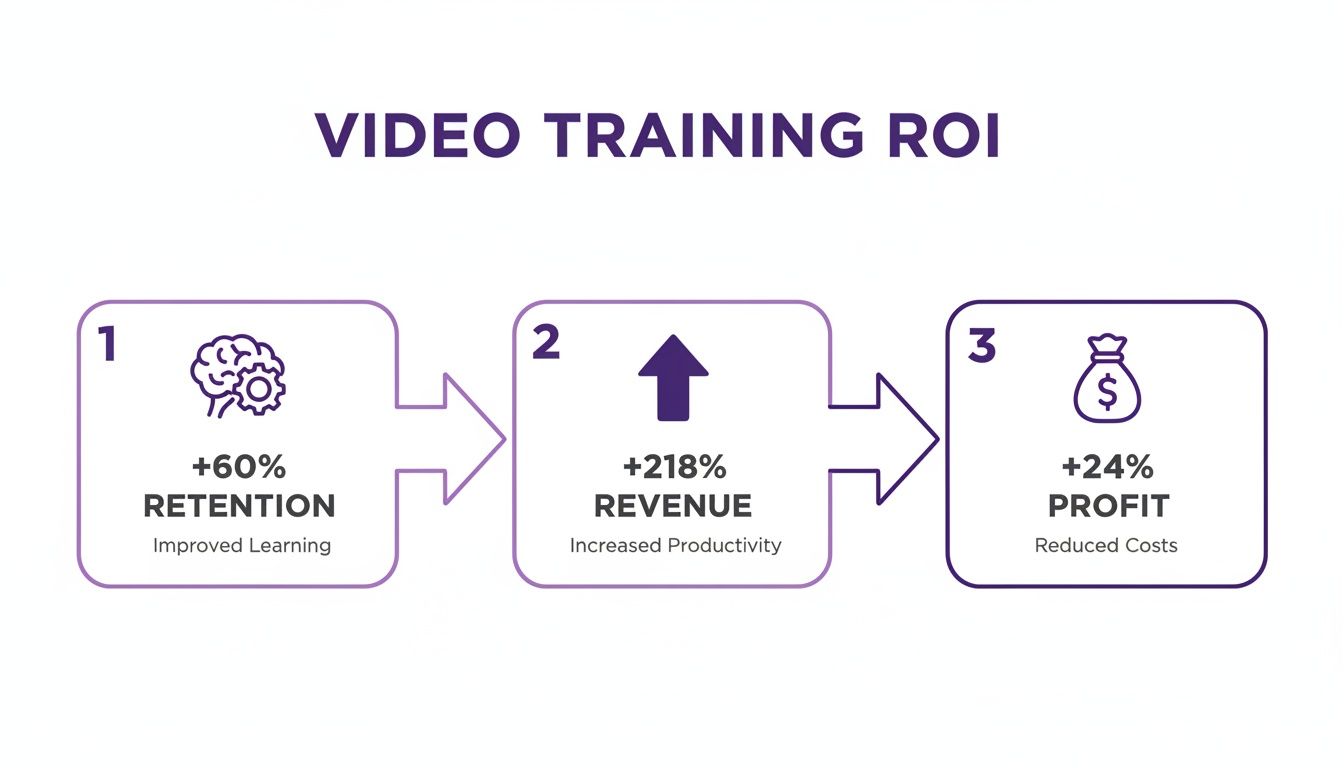
The data speaks for itself. Good training isn’t a cost—it’s an investment that drives retention, revenue, and profit.
Know Your Audience And Choose The Right Format
Okay, so you have your objective. Now, who are you talking to? Are you creating a video for brand-new engineers who need to understand a complex feature from the ground up? Or is it for seasoned account managers who just need a quick rundown of a new pricing model?
The answer completely changes your approach. The engineers need a detailed, step-by-step tutorial. The account managers, on the other hand, would be better served with a short, high-energy explainer video. Understanding this distinction is key to choosing the right format.
Here’s a quick guide to help you match your video format to your training goal.
Choosing The Right Training Video Format
Selecting the right video type is crucial for hitting your learning objective. This table breaks down the most common formats to help you decide which one best fits your specific need.
| Video Type | Best For | Key Objective | Example Use Case |
|---|---|---|---|
| Explainer Video | Introducing a new concept, feature, or workflow. | Build awareness and foundational understanding. | A 90-second animated video on a new company policy. |
| Demo Video | Showcasing a specific software feature or product. | Demonstrate "how-to" in a real-world context. | A screen recording of setting up a new integration. |
| Tutorial Video | Guiding users through a multi-step process. | Enable self-service learning and problem-solving. | A detailed walkthrough for configuring user permissions. |
| Onboarding Video | Welcoming new hires and introducing core tools. | Accelerate ramp-up and ensure consistency. | A series of videos covering the company's tech stack. |
Each format serves a different purpose, so take a moment to think about what will truly resonate with your audience and help them achieve the goal you’ve set.
Scripting For A Natural, Conversational Tone
The final piece of your blueprint is the script. This is where so many training videos go wrong. People write scripts that sound like they were pulled from a technical manual—stiff, dense, and totally robotic. It’s an instant tune-out for your audience.
Your goal should be a natural, conversational tone. Write as if you were explaining something to a colleague sitting right next to you.
The best trick I’ve learned is to write for the ear, not the eye. Read your script out loud. Seriously. Does it sound clunky? Are the sentences a mile long? Chop them up. Use simpler words. And please, use contractions like “you’ll,” “it’s,” and “we’re.” It instantly makes the delivery feel more human and approachable.
The most effective training videos feel less like a lecture and more like a helpful conversation. Your goal is to be a trusted guide, not a narrator reading from a teleprompter. This upfront work—defining goals, knowing your audience, and writing a great script—is what separates amateur content from professional training that actually gets results. A solid plan doesn’t just make the rest of the process smoother; it ensures you create something that’s genuinely helpful and engaging.
Capture Your Expertise, Not a Perfect Performance
The second you hit that red “record” button, the pressure is on. I’ve seen it time and time again: brilliant subject matter experts, the people with the most valuable knowledge, just freeze. They feel like they need to deliver a perfect, one-take monologue, and that single belief is the biggest thing holding teams back from creating training videos consistently.
But what if you could just… talk?
The whole modern approach to making training content throws that old, high-pressure mindset out the window. Your goal isn’t a flawless recording; it’s an authentic one. Just imagine you’re explaining something to a coworker sitting next to you. You’d speak naturally, pause to gather your thoughts, say “um” a few times, and maybe even start a sentence over. That’s perfectly fine.
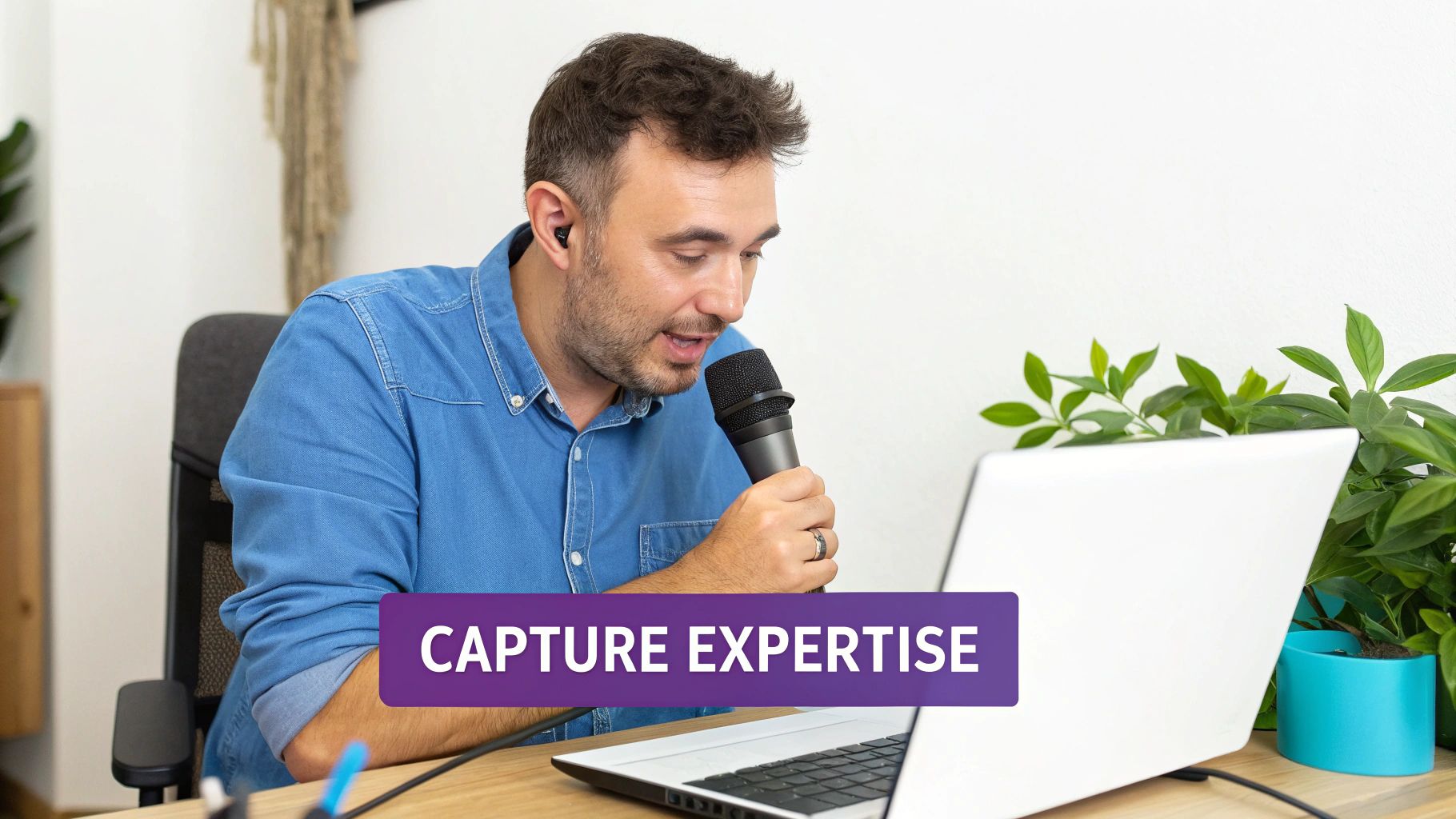
In fact, that raw, unpolished recording is exactly what you want. It’s the ideal starting point because it has all the core information. The magic comes later, when today’s tools clean up that raw material and make it look professional. This completely frees you up to focus on what you know best—sharing your expertise without worrying about how you sound.
The Old Way Is Broken
For years, making good training videos meant choosing between two bad options. On one side, you had simple screen recorders like Loom. They’re super easy to use, but the final videos often end up 50-100% longer than they need to be. They’re packed with dead air, restarts, and rambling that makes viewers tune out.
On the other side were the heavy-hitters: professional video editing suites like Camtasia or Adobe Premiere Pro. These are incredibly powerful, but they demand real video editing skills. Suddenly, your top engineer or product manager is expected to become a part-time video editor, wasting hours learning a completely new discipline. It’s inefficient and a terrible use of their specialized talent.
The real challenge has always been closing the gap between easy recording and a professional result. Asking your experts to also be performers and video editors just leads to burnout and a painfully slow content pipeline. This is where a totally new class of tools is changing the game.
A Better Way to Record Screen Demos
Imagine a process where you just record your screen, talk through the steps, and know that the final video will look like a pro spent hours on it in Premiere Pro. That’s the idea behind AI-powered tools like Tutorial AI, which generates polished video tutorials from simple screen recordings. They’re designed for the subject matter expert, not the career video producer.
This approach is a game-changer for all kinds of essential training content:
- Product Demos & Explainer Videos: Walk through features in a natural, conversational way.
- Onboarding Videos: Show new team members the ropes on internal software.
- Feature Release Videos: Quickly capture and share the value of a new update as soon as it ships.
- Knowledge Base & Support Article Videos: Create crystal-clear visual answers for common customer support questions.
With tools like Tutorial AI, you can speak freely without any practice, and your video will still look professional, as if it were edited in Adobe Premiere Pro. By separating the act of capturing knowledge from polishing the final product, you empower your subject matter expert to create on-brand videos with incredible efficiency. Want to get the most out of every recording session? We’ve put together a detailed guide on screen recording for training that covers all the best practices. This workflow shift is the key to finally scaling your video production.
Transform Raw Footage With AI Editing
Once you’ve captured all that great footage, the real magic begins. This is where we leave the old, frustrating world of video editing behind—that world of complex timelines, steep learning curves, and endless hours spent tweaking tiny clips. Forget wrestling with software like Adobe Premiere Pro or Camtasia; the new way to edit is as simple as editing a document.
Imagine your raw screen recording, complete with all its natural pauses and “ums,” is automatically transcribed into text. To edit the video, you just edit the words. Deleting a sentence in the transcript instantly snips out the corresponding video and audio. This text-based workflow isn’t just a gimmick; it’s a fundamentally faster and more intuitive way to shape your story.
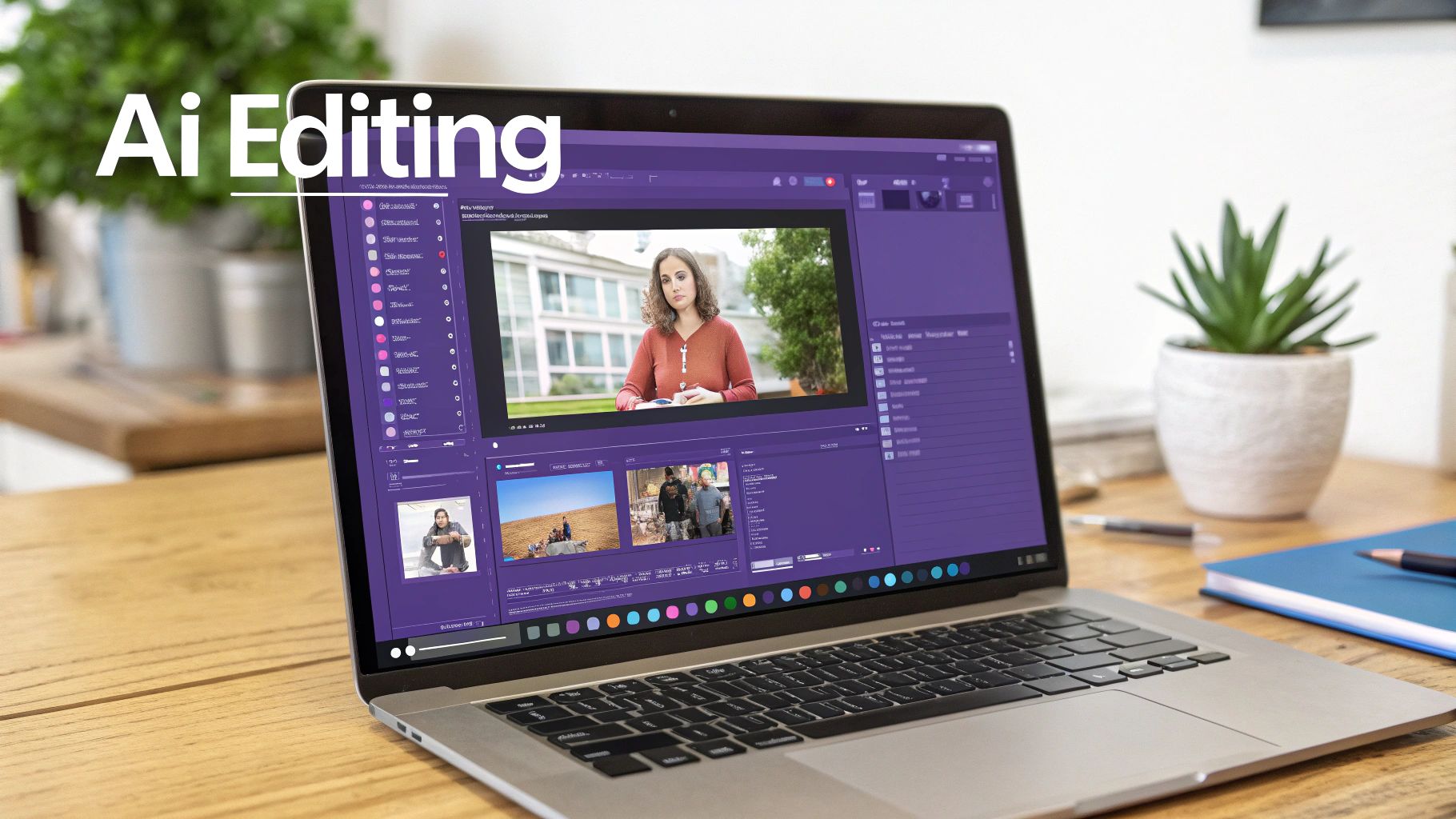
This shift isn’t just on the horizon; it’s happening now. Projections show that by 2025, a staggering 51% of video marketers will be using AI tools for creation and editing. That’s a huge jump from just 18% in 2023—a 128% increase in just two years, signaling a clear move away from traditional methods. This rapid adoption is a major trend worth watching.
Say Goodbye To Manual Editing Tedium
The old way of making training videos put subject matter experts in a tough spot. A simple screen recording made with a tool like Loom is easy enough to capture, but the raw file is often 50-100% longer than it needs to be, packed with dead air and rambling that will send viewers scrambling for the fast-forward button.
On the flip side, you had professional software like Camtasia or Adobe Premiere Pro that required expert video editing knowledge, turning what should have been a quick task into a week-long project. This created a massive bottleneck, trapping valuable knowledge inside the heads of experts who didn’t have the time or patience for traditional editing.
Modern AI tools finally break this trade-off. They’re built to let you speak freely and naturally—no practice runs needed—and still end up with a video that looks like it came from a professional studio. The person with the knowledge can finally create on-brand, high-quality videos without the headache.
Let AI Do The Heavy Lifting
Tools like Tutorial AI are specifically designed to automate the most mind-numbing parts of video editing, transforming your raw footage into a polished final product almost instantly. It’s a total departure from the manual drudgery of dragging clips around on a timeline.
Here’s a glimpse of what this AI-driven process looks like in action:
- Automated Trimming: The AI intelligently identifies and removes all the dead air and long pauses, immediately tightening up the pace of your video.
- Filler Word Removal: It can find and cut out all those “ums,” “ahs,” and “you knows,” cleaning up your narration with a single click. No more hunting them down one by one.
- AI Voice Regeneration: If you have any audio imperfections or just want a perfectly consistent narration, the AI can regenerate your entire voiceover with a crystal-clear, lifelike clone of your voice.
By offloading these meticulous tasks to AI, you get to focus on what actually matters—your content and your message—not the mechanics of editing. The result is a professional-grade video produced in a tiny fraction of the time. This powerful automation means you can create more training content, faster, without ever sacrificing quality. If you want to see what’s out there, we’ve put together a complete guide that explores the best AI video editing software available today.
Add Professional Polish With Smart Effects
Beyond just cleaning up the audio and timing, AI can add a layer of intelligent visual effects that guide your viewer’s attention and make the content much easier to follow. These aren’t just flashy distractions; they’re functional enhancements that genuinely improve learning. Trust me, trying to create these effects manually in traditional software would take a seasoned editor hours.
With AI-powered editors, these effects can be applied automatically or with a simple click:
- Smart Zooms: The AI actually analyzes the on-screen action and automatically adds smooth, dynamic zooms to highlight important details. Your viewer will never miss a critical click or menu item.
- Cursor Highlighting: A simple halo or highlight can be added around the cursor, making it incredibly easy to follow. It’s a small touch that makes a massive difference in software tutorials.
- Automatic Data Blurring: Recording a demo with sensitive info like customer names or emails? The AI can automatically find and blur that data throughout the entire video, saving you from a tedious and error-prone manual task.
This smart layer of visual polish is what elevates a simple screen recording into a clear, professional, and truly effective training asset. It’s the final step in turning a casual walkthrough into a studio-quality tutorial, all without you needing any specialized editing skills.
Put the Finishing Touches on Your Video: Brand, Localize, and Distribute
You’ve recorded and polished your video, which is a huge milestone. But the job isn’t quite finished. The final sprint—branding, localization, and distribution—is what transforms a polished video into a powerful asset that consistently delivers value for your organization. This is where you make sure every piece of content feels like it came directly from your company.
One of the easiest wins here is maintaining brand consistency. Instead of manually adding logos or fussing with color codes for every new video, you can set up a brand kit. This feature acts as a template, saving your company’s specific fonts, color palettes, and logos. The platform then applies them automatically, ensuring every tutorial is instantly recognizable and on-brand. It’s a massive time-saver.
Take Your Training Global
If your teams or customers are spread across different countries, a single video in English just won’t cut it. To truly connect with a global audience, you need to localize your content, which goes way beyond just adding subtitles. As you get ready to share your videos worldwide, it’s worth understanding what localization means—it’s about making the entire experience feel native to each viewer.
This used to be a monumental, expensive task that took weeks of re-editing. Thankfully, AI has completely changed the game.
With just a click, you can translate your script and generate a new, surprisingly human-like AI voiceover in over 30 languages. The tech is even smart enough to automatically adjust the timing of your on-screen actions to match the new narration, a feature often called AutoRetime. This makes scaling your training for a global team incredibly efficient. If you want to explore the technology further, we have a whole guide on the best AI video dubbing tools available today.
Get Your Videos in Front of the Right People
With your video branded and localized, it’s time to get it into the hands of your audience. The goal is to make your content easy to find at the exact moment someone needs it. This kind of “just-in-time” learning is where video really excels.
Here are a few proven ways to distribute your videos:
- Knowledge Base: Embed videos directly into your support articles. It’s often easier to show someone how to solve a problem than to tell them.
- Internal Wiki or LMS: House your training modules in your Learning Management System (LMS) or a company wiki like Confluence or Notion. This creates a centralized hub for learning.
- Direct Sharing: Simple, secure links are perfect for sending onboarding videos to new hires or product updates to the sales team.
This approach leans into a major shift in how people learn. Microlearning videos are turning traditional training on its head, boasting 80% completion rates compared to just 20% for longer-form content. They’re also made 300% faster. This trend is a big reason the global eLearning market is projected to be worth between $336.98 and $400 billion by 2026. Short, mobile-friendly clips under three minutes can boost knowledge retention by 60% and even double the number of repeat visits to your learning platform.
By putting your videos right where your team already works, you eliminate friction and weave continuous learning into their daily routine. It’s the best way to ensure your hard work actually gets seen and makes an impact.
Got Questions? We’ve Got Answers
Even with a solid plan, a few questions always pop up when teams first dive into creating training videos. Let’s tackle the most common ones head-on with some practical, real-world advice.
So, How Long Should a Training Video Be?
Keep it short. Seriously. We’re all fighting for attention, and the sweet spot for a training video is right around 2-5 minutes. You’ll see completion rates skyrocket—sometimes as high as 80% for videos under three minutes.
If a topic feels too big for that window, don’t force it. That’s a clear sign you should break it down into a series of smaller, more focused videos. This microlearning approach is a win-win: it’s easier for your audience to digest and retain the information, and it’s a lifesaver for you down the road. When a small part of the process changes, you just have to update one short video, not re-record a 30-minute epic.
Do I Really Need to Buy a Bunch of Fancy Gear?
Nope. That’s one of the biggest myths. A few years ago, you might have needed to invest in cameras, lights, and a whole audio setup to look professional. Today, the only piece of hardware that truly makes a difference is a good USB microphone. Clear audio is non-negotiable.
The game has changed. The heavy lifting has moved from expensive equipment to smart software. Your goal isn’t to create a cinematic masterpiece during the recording; it’s just to capture your expertise clearly. Modern AI tools are built to take that simple screen recording and turn it into something polished and professional.
The most common mistake I see is teams overspending on hardware while completely neglecting the workflow. A clear voice and a clean screen capture are all the raw ingredients you need when AI is handling the post-production.
Can AI Actually Replace a Professional Video Editor?
For most internal training, demos, and tutorials? Absolutely, yes. A human editor is fantastic for a high-stakes, creative marketing video, but for the bread and butter of training content, AI is faster, cheaper, and more efficient.
Think about the old way of doing things. An expert records a rough walkthrough with a tool like Loom, but it’s full of pauses and “ums,” making it 50-100% longer than it needs to be. Then, it gets handed off to a specialist who has to spend hours cleaning it up in Camtasia or Adobe Premiere Pro.
That handoff is a huge bottleneck. This is where a tool like Tutorial AI completely changes the dynamic. It lets the expert record naturally, without worrying about mistakes. The AI then steps in and automatically produces a video that looks like it was meticulously cut in Premiere Pro. This puts the power directly in the hands of the person who knows the material, eliminating the back-and-forth and slashing production time.
What’s the Single Biggest Mistake to Avoid?
Trying to be perfect during the recording. I see this all the time. Subject matter experts get stuck in a loop, trying to nail that flawless, one-take wonder. It leads to endless restarts, a ton of frustration, and is just a colossal waste of time.
The modern workflow is all about embracing imperfection. Just hit record and explain the process as if you were talking a colleague through it. Don’t sweat the filler words, the long pauses, or if you misspeak. Just get the knowledge out of your head and onto the screen.
Let the AI do the cleanup. You can easily edit the transcript to fix verbal stumbles, trim out awkward silences, and even regenerate your own voice to sound perfect. This completely separates the act of sharing knowledge from the pressure of performing, letting your experts shine.
Ready to stop wrestling with complicated editing software and let your experts create amazing tutorials in a fraction of the time? With Tutorial AI, you can turn raw screen recordings into polished, on-brand training videos with just a few clicks. See how it works at Tutorial.ai.