Often, teams don’t have a video problem. They have a workflow problem.
A product manager needs a feature-release walkthrough by Friday. A support lead wants five help-center videos updated after the UI changed. A sales engineer records a quick Loom, but the result rambles, includes dead air, and runs far longer than the customer needs. Then someone suggests Adobe Premiere Pro or Camtasia, and the project stalls because nobody on the team wants to become a video editor.
That’s where automatic video editing software has become useful for corporate teams. It closes the gap between easy recording tools that produce rough output and professional editors that demand real post-production skill. For knowledge base, L&D, sales enablement, and product marketing teams, that shift matters less because of flashy AI features and more because it changes who can publish quality video. Subject matter experts can record what they know, and the software can handle much of the cleanup, pacing, and polish.
The End of Manual Video Editing
The old workflow is familiar. A subject matter expert opens Loom, records a product demo, says “um” a few times, clicks the wrong tab, starts over, and still ships a video that’s longer than it should be. Or the team hands the file to a video specialist, who then trims pauses, cuts mistakes, adds zooms, fixes timing, and exports a cleaner version hours later.
Neither path scales.
Simple recorders are fast to start but often leave teams with bloated first takes. Professional editors produce stronger results, but tools like Adobe Premiere Pro were built for editors, not support managers, trainers, or account executives who need to explain software clearly and move on with their day. The result is a bottleneck: the people with the knowledge don’t have editing skills, and the people with editing skills don’t always own the knowledge.
That bottleneck is one reason the market has shifted so hard toward automation. The global video editing software market is projected to reach $3.75 billion in 2026, and AI-powered editing tools are growing at a projected 42% CAGR, according to video editing software statistics for 2026.
Practical rule: If your team needs routine demos, onboarding videos, support walkthroughs, or internal training clips, manual timeline editing should be the exception, not the default.
The strongest automatic tools don’t try to turn every employee into an editor. They do the opposite. They let SMEs speak naturally, remove the mechanical cleanup work, and make revisions easier after the recording is done. That changes video from a specialist output into an operational asset.
An Evaluation Checklist for Automatic Video Editors
Most software comparisons focus on features. That’s useful, but it misses the buying questions that matter inside a company. A team rarely fails because the tool lacked one effect. It fails because adoption was weak, review was messy, or the new editor didn’t fit the rest of the workflow.
A more grounded evaluation starts with one overlooked point: existing automatic video editing software reviews rarely address integration challenges with legacy systems, documentation platforms, and team workflows, which is exactly the gap highlighted in this analysis of automatic video editor tooling.
| Evaluation area | What to check | Why it matters for teams |
|---|---|---|
| Ease of adoption | Can a non-editor create a usable first draft quickly? | If SMEs avoid the tool, the rollout dies. |
| Editing model | Is it timeline-first, transcript-first, or template-driven? | The editing model determines who can actually make updates. |
| Workflow integration | Does it fit LMS, CMS, CRM, docs, and internal approval flows? | Standalone speed means little if publishing is still manual. |
| Brand control | Can you standardize fonts, intros, captions, and visual style? | Video volume creates brand inconsistency fast. |
| Update process | How easy is it to revise a product walkthrough after UI changes? | Corporate tutorial videos go stale quickly. |
| Review and QA | Can managers review efficiently before publishing? | AI speed without review creates compliance and accuracy issues. |
Start with the editor your SMEs can survive
The first test is simple. Hand the tool to a trainer, support rep, or solutions consultant. Ask them to produce a short demo without help.
If they get lost in tracks, keyframes, nested timelines, and export settings, the software may be powerful but it’s not a fit for broad internal adoption. A lot of companies overbuy here. They choose a “pro” tool, then limit publishing to one person who becomes the bottleneck.
Look past automation and ask about change management
Automatic cuts, subtitles, silence removal, and AI cleanup all sound good. But business teams live in version two, version seven, and “the product changed yesterday.”
Use these questions during evaluation:
- Revision friction: How painful is it to update one sentence, one step, or one screen?
- Ownership model: Can the original SME make the change, or does everything go back to a specialist?
- Approval path: Can legal, compliance, support, or product stakeholders review without downloading project files?
- Reuse potential: Can a demo become a help article video, onboarding asset, and sales follow-up without starting over?
Most teams don’t need more ways to create video. They need fewer ways to break the production process.
Treat integration as a buying requirement
A tool that exports a nice MP4 but doesn’t fit your documentation stack can still create hidden labor. Teams often underestimate this. The editing step gets faster, then people waste time re-uploading files, updating article embeds, managing versions, and chasing approval links in Slack or email.
For sales enablement, L&D, and support operations, the right question isn’t “What effects does it have?” It’s “Can this become part of how we publish knowledge?”
Comparing the Top Automatic Video Editors
A support manager records a six-minute product walkthrough before lunch. By 3 p.m., product has changed a label, legal wants one line softened, and sales asks for a version they can send to prospects. The editing tool either keeps that work inside the business team, or it pushes everything back to the one person who knows how to clean up video.
That is the primary comparison point for corporate teams. The best tool is not the one with the longest feature page. It is the one your SMEs, trainers, enablement leads, and knowledge managers will use without creating a review bottleneck.
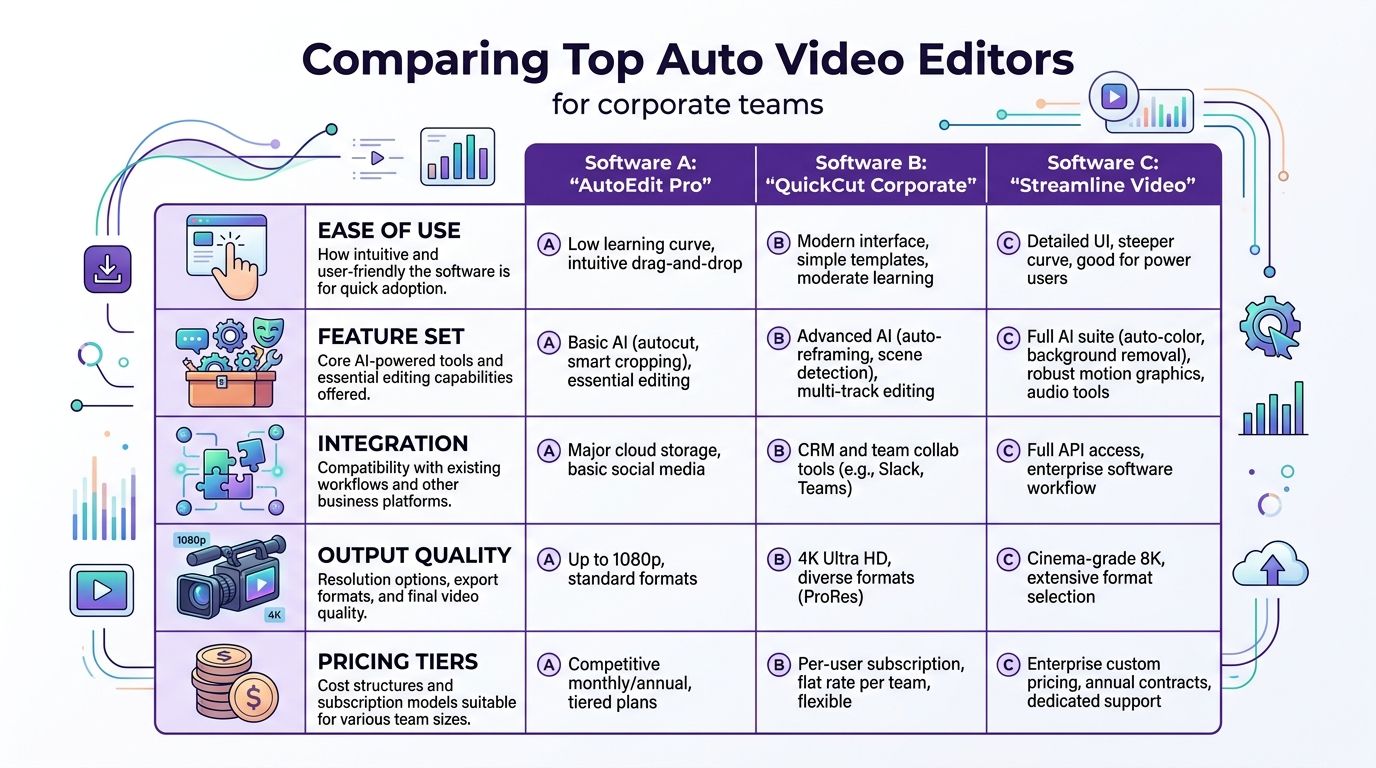
Here is the practical side-by-side view.
| Tool | Best fit | Core strength | Main trade-off |
|---|---|---|---|
| Tutorial AI | Screen-recorded tutorials, demos, onboarding, KB videos | Transcript-driven editing for screen capture workflows | Best when content starts from a product walkthrough, not broad cinematic editing |
| Descript | Talking-head, podcast-style, voice-driven content | Strong text-based editing and audio-centric workflow | Screen tutorial teams may still need more explicit visual guidance controls |
| Camtasia | Teams that want traditional screen recording plus familiar editing | Established screen capture workflow and manual control | More editing skill is still needed for polished results at scale |
Tutorial AI
Tutorial AI is built for a common corporate workflow. A subject matter expert records a product walkthrough, explains the process in plain language, and needs the result cleaned up fast without learning a full editing timeline.
That matters more than it sounds.
In knowledge base, onboarding, support, and sales enablement work, the first draft is rarely the problem. Revision speed is the problem. The team needs to cut repetition, tighten pacing, and update wording after product changes. A transcript-driven model fits that reality better than a tool that expects every editor to work clip by clip.
The page for AI video editing software for screen-recorded tutorials gives a clear view of that approach.
From an operations standpoint, the value is straightforward. SMEs can record without overproducing. Content owners can standardize outputs. Reviewers can focus on accuracy instead of arguing over edit mechanics.
Descript
Descript remains one of the clearest examples of text-first editing. Teams that produce webinars, executive updates, podcast clips, narrated explainers, or internal comms often adopt it quickly because the interface matches how they already work. They edit words first.
That strength has limits in software education use cases. A screen tutorial usually depends on visual sequence, cursor timing, UI emphasis, and step-by-step clarity. If the spoken track is doing most of the work, Descript fits well. If the viewer needs to follow a workflow on screen with precision, teams may find themselves adding more manual handling than expected.
I have seen corporate marketing teams do well with Descript while support and training teams drift back to other tools. The split usually comes down to source material. Voice-led content and screen-led content are different production jobs.
Camtasia
Camtasia still has a place, especially in training organizations that already have established recording habits and at least one person comfortable with editing software.
Its advantage is control. Teams can fine-tune screen recordings, annotations, callouts, and pacing with more intention than many lighter AI editors allow. That makes it useful for formal training assets where consistency matters and revision volume is manageable.
The trade-off is adoption. Camtasia asks users to think like editors. For a dedicated instructional designer, that is fine. For a product manager updating a help video or a sales engineer fixing a demo after a release, it often adds too much friction. The software can do the job. The team may still avoid the job.
What separates these tools in practice
Feature comparisons flatten important differences, so I look at three operational questions.
First, who can make the second edit? If only a specialist can revise the video, the workflow will slow down as volume grows.
Second, how well does the tool fit the source material? Talking-head clips, webinar snippets, and software walkthroughs may all count as “video,” but they do not benefit from the same editing model.
Third, how easily can the output move into the systems the business already uses? A polished export helps, but it is not enough if the team still has to chase approvals, version files manually, or rebuild assets for another channel.
If your team also publishes to short-form channels, this round-up of best TikTok video editing apps is a useful companion resource. It covers a different use case than knowledge base or training teams, and that contrast helps clarify which tools belong in a corporate documentation workflow versus a social content workflow.
How to choose between them
Tutorial AI fits teams whose content starts with screen recordings and needs frequent updates by non-editors. Descript fits teams whose content is structured around spoken words. Camtasia fits teams that accept a more hands-on editing process in exchange for tighter manual control.
Corporate teams usually make the best decision when they pick for the dominant workflow, not the edge case. A support org does not need the same editor as a social media team. An L&D group building repeatable product training does not need the same setup as a podcast producer. Choose the tool that removes labor from your highest-volume video job.
Tutorial AI A Deep Dive for Corporate Teams
A support lead records a six-minute product walkthrough for the knowledge base. The useful part is probably three minutes. The rest is pauses, retries, and side explanations that make sense in the moment but slow down the final asset. In many corporate teams, that is where production stalls. The SME has the knowledge, but nobody wants to hand the file off to a video specialist for routine cleanup.
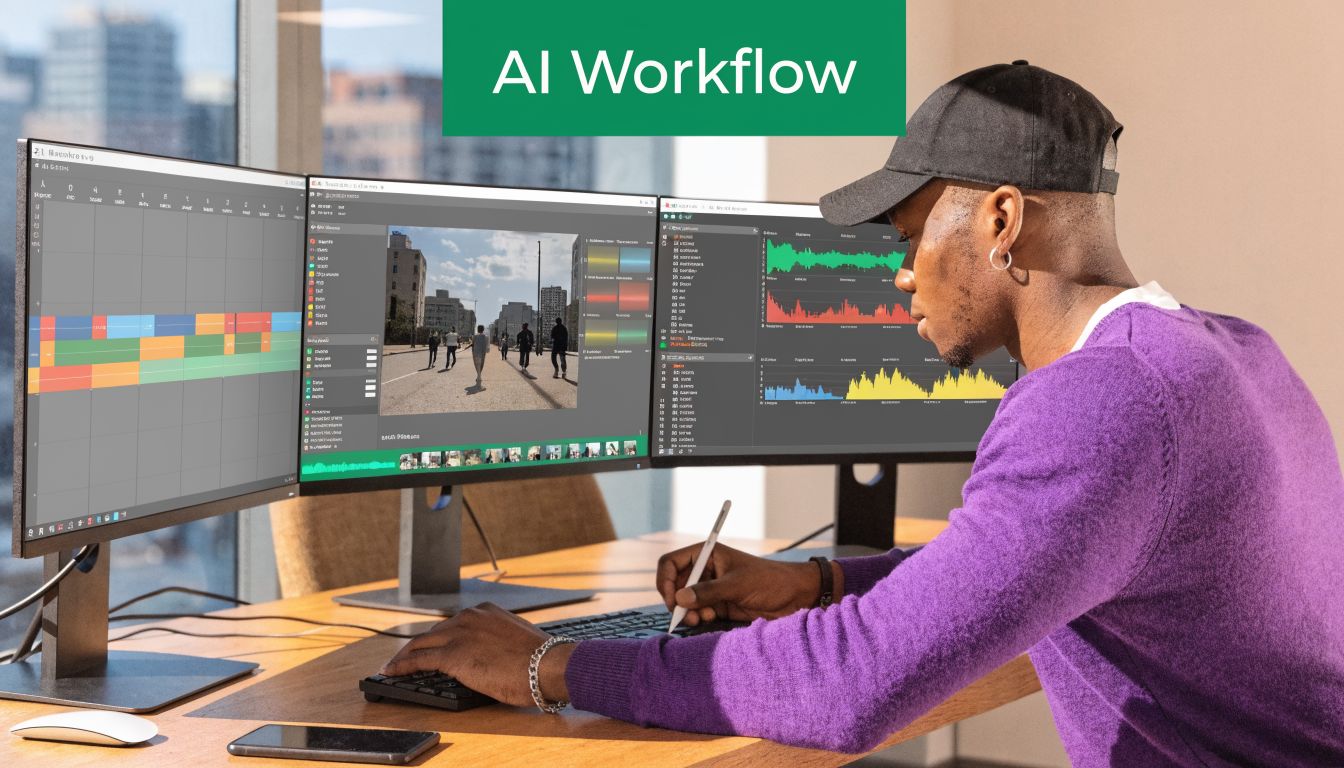
Tutorial AI is useful because it shifts editing work closer to the people who already own the content. For L&D, support, sales enablement, and product teams, that changes the operating model. Instead of asking experts to learn a timeline editor, the team can revise spoken content and screen-based instruction in a format that feels closer to documentation than post-production.
Why Tutorial AI fits corporate SMEs
Corporate video work usually fails on handoffs, not creativity. A trainer records the lesson. A marketer asks for a shorter version. A product manager needs one step updated after a release. If every change requires opening a traditional editor, finding the right cut point, and rebuilding timings by hand, the team publishes less and updates even less.
Tutorial AI is a better fit when the goal is repeatable instructional content. The value is not flashy editing. The value is a workflow that lets non-video-experts clean up a rough recording, tighten the narrative, and keep the asset current as the product changes. That matters for teams building internal training, customer onboarding, and software walkthroughs at volume.
For a closer look at the production process around training content, Tutorial AI’s guide to corporate training video production is a useful reference.
What corporate teams should evaluate closely
The primary question is not whether the software can cut silence or generate captions. Plenty of tools can do that. The question is whether your SMEs can adopt it without creating a new dependency on the design or video team.
A practical evaluation usually comes down to four areas:
- Editing model: Can a trainer or support manager make revisions without learning a complex timeline?
- Update speed: Can the team revise a tutorial after a UI change without rebuilding the whole piece?
- Brand control: Can marketing or enablement standardize intros, layouts, and visual consistency?
- Operational fit: Can the output move into the systems your team already uses for training, support, and approvals?
That last point gets overlooked. A tool can save time in editing and still create friction downstream if reviews, file management, or publishing steps stay manual.
Where it fits in a corporate production stack
Teams deciding whether to build this capability internally or bring in outside help should also look at how AI services are packaged across adjacent workflows. This overview of generative AI agencies gives a decent sense of where companies are outsourcing strategy versus building internal workflows. For tutorial production, I usually recommend keeping the recording and revision process inside the business, close to the SMEs who know the product and the audience.
Tutorial AI tends to fit these use cases well:
- Knowledge base videos: Support teams turn recurring help topics into short, maintainable walkthroughs.
- Training modules: L&D teams create process and product instruction without waiting on a central studio function.
- Sales enablement clips: Pre-sales and enablement teams package repeatable demos into shorter assets that are easier to reuse.
- Release communications: Product marketing records feature changes and trims them into focused updates.
Later in the process, seeing the workflow in motion helps more than reading feature bullets:
The trade-off to understand
Tutorial AI is strongest in a narrow but valuable category. It works best for screen recordings, narrated walkthroughs, and training content that needs regular revision by people who are not professional editors.
That focus comes with limits. Teams producing brand campaigns, motion-heavy explainers, or highly customized visual stories will still need traditional editing tools and the people who know how to use them well. But that is a different job. For corporate tutorial production, the business win usually comes from faster publishing, easier updates, and fewer specialist handoffs.
Recommended Picks for Your Team’s Use Case
A support lead needs ten updated walkthroughs after a product release. A sales engineer needs three follow-up demos before Friday. An L&D manager is rebuilding onboarding with subject matter experts who have never opened a professional editor. Those teams are all buying “automatic video editing software,” but they are solving different operational problems.
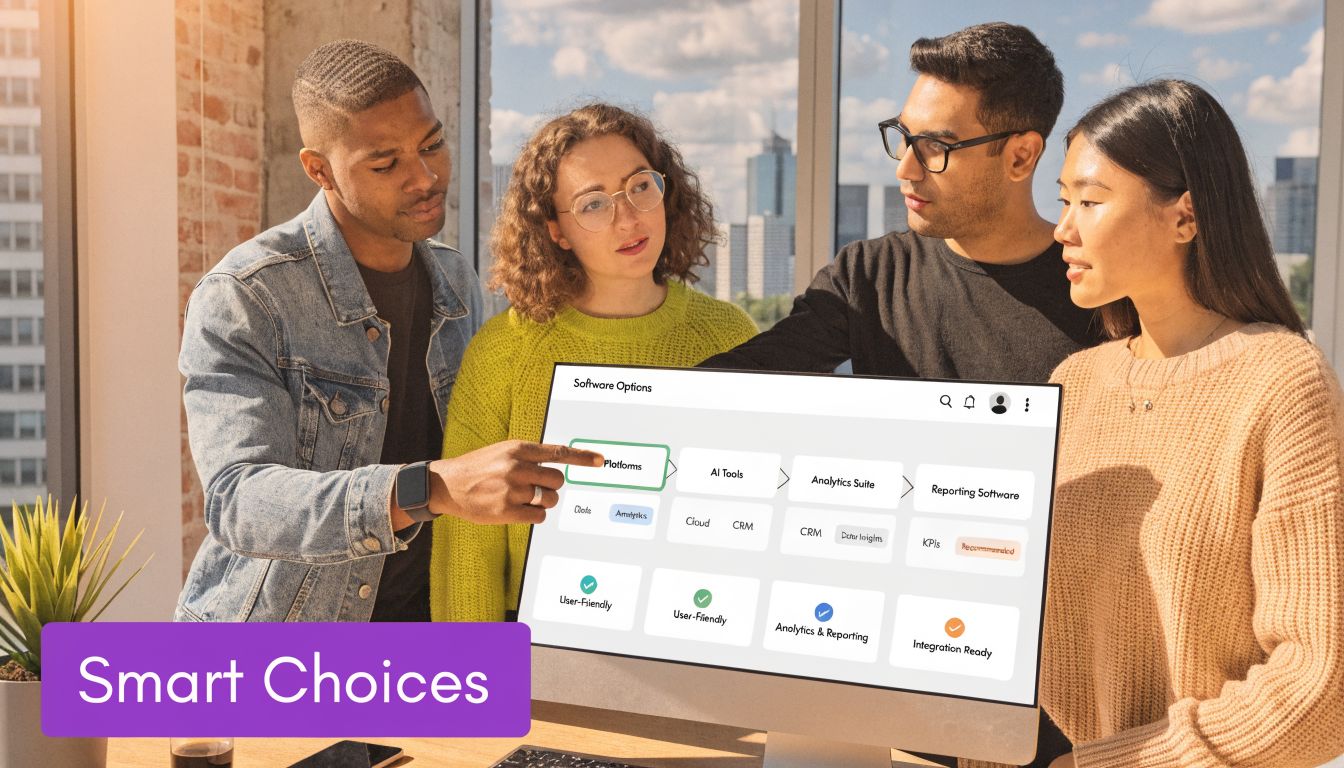
The category is worth serious attention. 92% of companies using video editing software report satisfaction with their social media marketing ROI, according to these 2026 video editing software statistics. For corporate teams, the more useful takeaway is broader. Once video creation becomes repeatable, teams usually find a business case fast. Faster updates, fewer production bottlenecks, and more direct SME participation tend to matter more than polished editing timelines.
Knowledge base and support teams
Pick for update speed.
Support content breaks every time the interface changes, the process shifts, or a customer gets stuck in the same place again. A screen-recording-first tool with transcript-based trimming usually fits this work better than a traditional editor built for timeline craft. The goal is not visual flair. The goal is to let a product specialist or support manager record, clean up, and republish in one sitting.
Teams that want a predictable authoring process can standardize around a step by step guide for creating tutorial videos and keep production close to the people who own the knowledge base.
Sales enablement and pre-sales teams
Pick for speed after the meeting.
Sales teams rarely need cinematic output. They need clear, branded clips that explain one feature, one workflow, or one objection without sending the request to a central video team. The right tool helps account executives, solutions consultants, and sales engineers record a solid explanation, remove dead space, and send it the same day.
That trade-off matters. A tool with more creative control can produce stronger visuals, but it often slows down the people closest to the buyer.
Decision shortcut: If the recorder is also the person handling objections and follow-up, choose the tool with the shortest path from recording to send.
Learning and development teams
Pick based on who will build the training.
If L&D production sits with a small media team, a more hands-on editor such as Camtasia can still be a workable choice. If training creation is spread across facilitators, operations managers, compliance leads, and other SMEs, simpler editing usually wins. Adoption is the primary constraint here. A capable tool that only two people can use becomes a queue, not a system.
In practice, distributed training teams benefit from software that makes revisions boring. That is a good thing.
Marketing teams with mixed channels
Use two workflows on purpose.
Corporate marketing often creates product tutorials, release explainers, webinar clips, and social cutdowns at the same time. One editor rarely handles all of that equally well. Tutorial AI can fit the tutorial and walkthrough side of that mix, especially when product marketers or SMEs need to publish without heavy post-production. Social repurposing may still belong in a different tool optimized for short-form formatting, motion treatment, and channel-specific outputs.
Trying to force one platform to cover every format usually creates more friction than it saves.
Implementation Guide for Maximum Results
Most rollouts fail unnoticed. The software works, but the team never changes its habits.
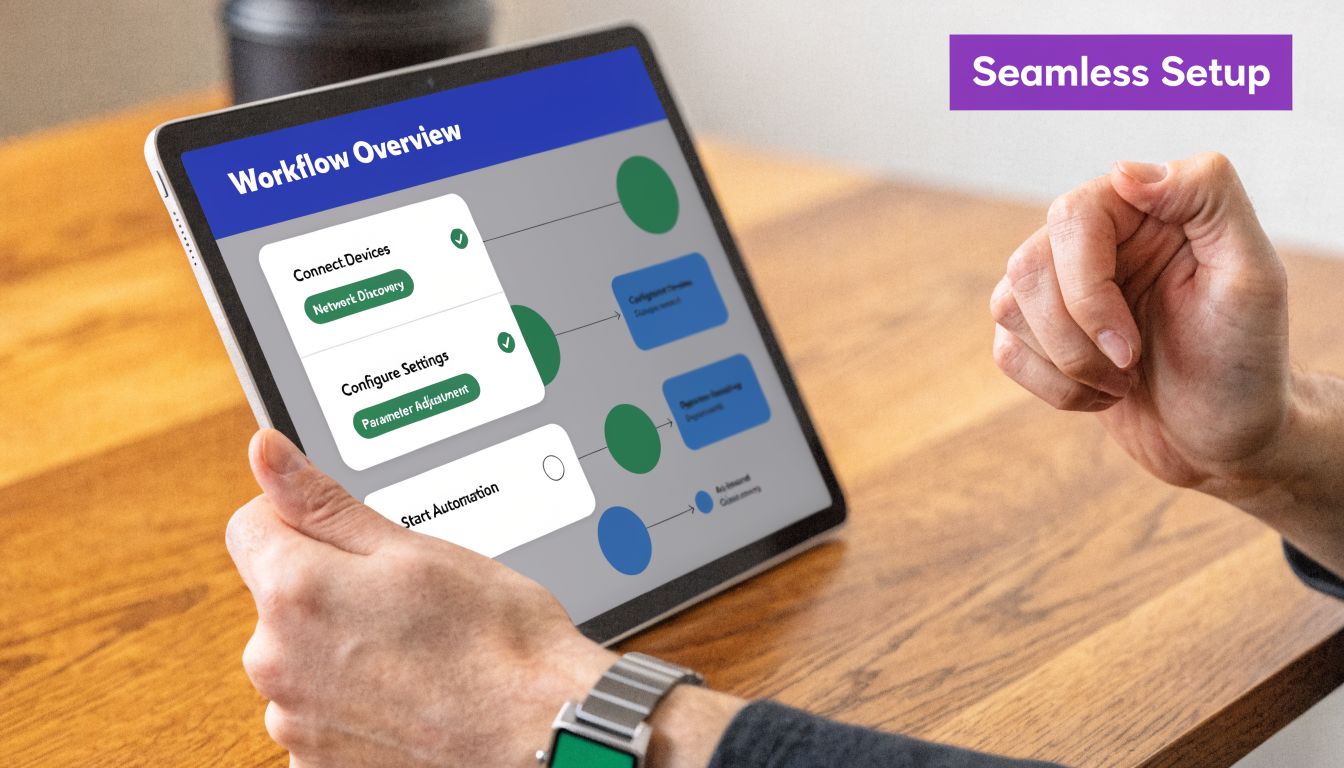
The weak spot is usually quality control. While most automatic video editing software emphasizes speed, there is minimal discussion about quality assurance processes and when human oversight remains necessary, as noted in this piece on video editing automation tools. For business teams, that gap matters. A fast wrong video is still wrong.
Roll out with a narrow pilot
Start with one workflow that already hurts.
Good pilot candidates include support article videos, onboarding walkthroughs, release-note demos, or internal process explainers. Pick a repeatable format with clear owners and frequent demand. That gives the team enough repetition to build a real habit.
Avoid launching with a one-off executive announcement or a highly produced campaign. Those formats create too many exceptions and make the tool harder to judge fairly.
Create human checkpoints on purpose
Automation should remove mechanical labor, not editorial accountability.
Use a lightweight review flow such as:
- SME review: Confirm technical accuracy.
- Brand review: Check terminology, visuals, and consistency.
- Final owner review: Approve publishing location and audience fit.
This is especially important for compliance-sensitive training, regulated industries, or customer-facing product guidance. If the software auto-generates cuts, captions, or rewritten narration, someone still needs to verify that meaning didn’t drift.
Standardize the parts that shouldn’t be debated
Teams move faster when common decisions are already made. Define your intro style, caption rules, terminology, callout style, voice standards, and thumbnail conventions early.
The same applies to publishing. If videos belong in a help center, LMS, CRM sequence, or internal wiki, decide the destination before you scale production. A useful reference point for building that repeatable process is this step-by-step guide from Tutorial AI.
The mature workflow isn’t “AI edits everything.” It’s “AI handles the repeatable labor, and people review the parts that affect trust.”
Train the team on a different mindset
The biggest behavior change is simple: stop treating every video like a handcrafted edit.
For most business content, the goal is clarity, consistency, and maintainability. Teach SMEs to record freely, trust the first automated pass, and focus their attention on message accuracy and viewer usefulness. That’s how automatic video editing software produces real business value instead of becoming another underused subscription.
If your team creates software demos, onboarding walkthroughs, support videos, or internal training, Tutorial AI is worth evaluating as a workflow tool rather than just another editor. It fits teams that want subject matter experts to record screen-based content, make revisions through script-style editing, and publish polished videos without building a full video production function.