Creating professional software tutorials, demos, and training videos often feels like a choice between two imperfect options. You can speak freely during a screen recording, but the final video is often 50-100% longer than necessary. Or, you can spend hours writing a perfect script, only to sound robotic when you record it. That’s before you even consider the steep learning curve of professional editing software like Adobe Premiere Pro.
This is where a solid script structure combined with the right tools makes a critical difference. A well-crafted voice over script example serves as your blueprint for creating clear, concise, and engaging video content for demos, knowledge base articles, or training modules. In this listicle, we’ll break down seven distinct script examples, complete with analysis and actionable takeaways for each one. We’ll also explore how to pair these templates with modern tools like Tutorial AI. When generating video tutorials like demos, onboarding videos, explainer videos, feature release videos, knowledge base videos, or support article videos, easy-to-use recording tools such as Loom often produce content that is 50-100% longer than necessary. On the other hand, professional video editing software like Camtasia or Adobe Premiere Pro requires expert video editing knowledge. Tutorial AI’s tools let you speak freely without any practice, and your video will still look professional, as if it was edited in Adobe Premiere Pro. It allows the subject matter expert to create on-brand videos with extreme efficiency.
For more comprehensive guidance on writing effective voice-over scripts, exploring the foundational principles can significantly improve your starting point. Now, let’s dive into the scripts that power this efficient workflow.
1. Commercial/Promotional Voice-Over Script
A commercial or promotional voice-over script is a short, persuasive narrative designed to capture audience attention and drive a specific action, like a purchase or a sign-up. Typically lasting between 15 and 60 seconds, these scripts are the engine behind marketing videos, social media ads, and product feature spotlights. They rely on energetic delivery, clear calls-to-action (CTAs), and emotional resonance to connect with viewers quickly and effectively.
For SaaS companies, this type of script is invaluable for creating compelling demos, feature announcements, and onboarding videos. The goal is to move beyond simply listing features and instead frame the software as a solution to a tangible problem. For example, a script might open by describing the frustration of manual data entry before introducing how a new automation feature solves that exact pain point.

Why This Voice Over Script Example Works
The power of a commercial script lies in its efficiency and psychological impact. It follows a classic problem-solution-benefit formula that resonates universally. Think of Slack’s “Where Work Happens” campaign, which didn’t just sell a messaging app; it sold productivity and a streamlined workday. This approach transforms a product from a tool into a transformative experience.
For those creating user-generated style content, which often has a high conversion rate, you can find more specialized frameworks. To learn more about this approach, you can explore some proven script templates for AI UGC video ads that are tailored for authenticity and engagement.
Actionable Tips for Implementation
Here’s how to create an effective promotional script, especially when using AI tools to streamline the process:
- Hook with a Relatable Problem: Start your script by addressing a common pain point. A line like, “Tired of spending hours syncing data across apps?” immediately grabs the attention of your target audience.
- Use Active, Powerful Language: Incorporate strong verbs like “transform,” “accelerate,” and “unlock” to convey value and momentum. Passive language can make your solution sound weak.
- Integrate Strategic Pauses: Leave 2-3 second gaps in your script where on-screen visuals can shine. This gives the viewer a moment to absorb a key feature or see the product in action without being distracted by narration.
- Leverage AI for Iteration: Tools like Tutorial AI are perfect for this. You can speak freely while recording a demo, and the platform will automatically polish the video to a professional standard, removing the need for expert editing software like Adobe Premiere Pro. Use Tutorial AI’s script editing to test multiple voice-over versions with different emotional tones or CTAs, regenerating the narration instantly without needing to re-record your screen.
By combining a sharp, benefit-driven script with efficient AI production tools, even subject matter experts without video editing skills can create polished, on-brand promotional content. You can explore a variety of commercial and promotional voice-over scripts to find the perfect template for your next project.
2. Explainer Video Voice-Over Script
An explainer video voice-over script is an educational narrative that breaks down complex products, concepts, or processes into simple, easy-to-understand segments. Ranging from one to three minutes, these scripts are the backbone of effective SaaS onboarding, product education, and knowledge base content. They typically follow a clear problem-solution-benefit structure to guide the viewer from confusion to clarity, making them indispensable for reducing customer support tickets and improving user adoption.
For teams creating software tutorials, this type of script is crucial for demonstrating feature functionality and walking users through specific procedures. The voice-over acts as a friendly guide, clarifying on-screen actions and ensuring the core message is understood. The goal is to empower users by making sophisticated software feel intuitive and accessible.

Why This Voice Over Script Example Works
The effectiveness of an explainer script comes from its ability to build understanding and trust. By simplifying complexity, it demystifies a product and builds user confidence. Think of Dropbox’s original explainer video, which masterfully explained a novel concept (cloud storage) using a simple, relatable story. This approach transforms a potentially intimidating tool into an obvious solution.
This classic voice over script example remains popular because it focuses on education over a hard sell, which is highly effective for building long-term customer relationships. It respects the viewer’s time by delivering concise, high-value information.
Actionable Tips for Implementation
Here’s how to craft a powerful explainer script, particularly when leveraging AI to produce polished videos without expert-level editing skills:
- Write Conversationally: Draft your script as if you’re explaining a concept to a colleague over coffee. Use simple language and avoid technical jargon. Analogies to familiar concepts can be very effective.
- Focus on Key Points: Structure your narrative around 3-5 core takeaways. Each point should be supported by clear on-screen visuals to reinforce the message.
- Add Strategic Pauses: Insert 1-2 second pauses after explaining a critical point or demonstrating a key action. This gives the viewer a moment to process the information and observe the visual cues.
- Use AI for Effortless Production: Subject matter experts can simply record their screen while speaking freely, like in a Loom video. A tool like Tutorial AI then automatically edits the raw recording into a professional video, trimming unnecessary pauses and mistakes. This bypasses the need for complex software like Adobe Premiere Pro, allowing experts to create on-brand, polished explainer videos with maximum efficiency. You can also explore options to further enhance your tutorials with a high-quality AI voice generator for videos.
3. Interactive Voice Response (IVR) Script
An Interactive Voice Response (IVR) script is a functional, structured guide for automated phone systems that directs callers through menus and interactions. These scripts are engineered to balance professional tone with clear usability, efficiently routing inquiries while minimizing caller frustration. They are the backbone of customer support operations, appointment scheduling systems, and automated surveys.
For customer support and knowledge base teams, IVR scripts are more than just call routing tools. They represent structured workflows that can be converted into powerful training assets. For example, a script designed to guide a user through a common troubleshooting process can be repurposed into a step-by-step screencast tutorial, showing the solution instead of just telling it.
Why This Voice Over Script Example Works
A well-crafted IVR script streamlines operations and empowers customers with self-service options. Its strength lies in its logical flow and clarity, which reduces the burden on human agents by handling routine queries automatically. Think of Amazon’s customer service IVR, which quickly guides you to the correct department, or your bank’s system that lets you check your balance without ever speaking to a person. This efficiency enhances the customer experience and frees up support teams to focus on more complex issues.
This structured, problem-solving approach is a core principle of effective support content. By analyzing call flows and common user paths in an IVR, teams can identify key areas where visual, on-demand video tutorials would be most impactful.
Actionable Tips for Implementation
Here’s how to create an effective IVR script and adapt its logic for video training content:
- Limit Menu Options: To prevent cognitive overload, restrict each menu to a maximum of 3-4 distinct choices. This makes it easier for callers to process information and make a decision quickly.
- Use Specific, Direct Language: Be clear and concise. Instead of a vague prompt like “For other options,” use explicit directions such as, “Press 3 for Billing Inquiries.” This removes ambiguity.
- Provide a Clear Exit: Always include an option to speak with a human agent, like “Press 0 to speak with a representative.” This prevents user frustration when the automated system can’t resolve their issue.
- Repurpose Logic for Tutorials: Use the IVR workflow as a blueprint for a video tutorial. If “Press 2” leads to a password reset flow, a subject matter expert can record their screen walking through those exact steps. Tools like Tutorial AI can then take that raw recording, automatically polish the video, and generate a professional voice-over script, turning a call-flow into a shareable knowledge base asset without needing complex editing software.
4. Documentary/Educational Voice-Over Script
A documentary or educational voice-over script is a narrative, research-based script designed to inform and engage audiences about factual topics, processes, or historical events. Unlike short-form commercial scripts, these narratives use rich language, a credible tone, and classic storytelling techniques to maintain viewer interest while conveying substantive information. The goal is to build authority and understanding, making the content both memorable and valuable.
For SaaS companies, this script style is perfect for creating in-depth knowledge base content, industry trend reports, or compelling customer case studies. For instance, a script could walk viewers through the evolution of a particular industry problem, positioning the software as the next logical step in that progression. This transforms a simple tutorial into a piece of insightful thought leadership.
Why This Voice Over Script Example Works
The effectiveness of a documentary script comes from its ability to build trust through storytelling. It frames information within a compelling narrative, making complex data or historical facts easier to digest. Think of the way Netflix’s Abstract: The Art of Design breaks down creative processes; it doesn’t just tell you what designers do, it shows you how they think, creating a much deeper connection with the subject.
This approach elevates educational content from a dry recitation of facts to an engaging experience. A company can use this voice over script example to detail its origin story or to present a deep dive into customer success data, establishing itself as a transparent and authoritative voice in its field.
Actionable Tips for Implementation
Here’s how to craft a powerful documentary-style script, especially for educational software content:
- Hook with a Surprising Fact: Start with a compelling question or an unexpected statistic to immediately grab viewer attention. A line like, “Did you know that 80% of data breaches are caused by a single, preventable error?” sets the stage for an informative journey.
- Build a Thematic Structure: Instead of a strict chronological order, organize your script around key themes or ideas. This helps viewers connect concepts and understand the bigger picture more effectively.
- Use an Authoritative, Steady Tone: The delivery should be confident and clear, but not overly salesy. The goal is to inform and educate, letting the value of the information speak for itself.
- Leverage AI for Professional Polish: Subject matter experts often record screen captures that are 50-100% longer than needed. Instead of using complex tools like Adobe Premiere Pro, you can use Tutorial AI to automatically edit these recordings into concise, professional videos. The platform refines your free-flowing speech, trims pauses, and creates a polished narrative, allowing you to produce on-brand educational content with expert efficiency.
5. E-Learning/Training Module Voice-Over Script
An e-learning or training module voice-over script is a structured narrative designed for instructional content like online courses, compliance training, and skill-building programs. Unlike short promotional scripts, these are built for knowledge retention, breaking down complex information into digestible segments. They balance clear, pedagogical language with an engaging tone to guide learners through new concepts, ensuring high completion rates and effective skill acquisition.
For Learning and Development (L&D) and IT operations teams, this script type is essential for creating consistent onboarding experiences, mandatory compliance training, and software proficiency courses. The script acts as the backbone of the learning experience, ensuring every user receives the same high-quality instruction, a principle seen in platforms like Coursera and LinkedIn Learning.
Why This Voice Over Script Example Works
The effectiveness of an e-learning script lies in its methodical, learner-centric design. It follows a classic “tell them what you’ll tell them, tell them, and tell them what you told them” structure, which reinforces key concepts and improves recall. By breaking down lessons into smaller, focused modules, as pioneered by Khan Academy and Salesforce Trailhead, it prevents cognitive overload and keeps learners motivated.
This approach transforms abstract knowledge into applicable skills. A great training script doesn’t just list facts; it provides context, uses relatable scenarios, and builds a clear path from novice to proficient. To dive deeper into structuring this type of content, you can learn more about how to create effective training videos.
Actionable Tips for Implementation
Here’s how to create a powerful e-learning script, particularly when using AI to produce professional-quality videos without the steep learning curve of traditional software:
- Start with a Clear Learning Goal: Begin each module with a statement like, “By the end of this lesson, you will be able to…” to set clear expectations and frame the content’s relevance.
- Use a Conversational, One-to-One Tone: Write your script as if you are speaking directly to a single learner. Use “you” and “we” to create a more personal and supportive learning environment.
- Build in Pauses for Reflection: Intentionally script 10-15 second pauses after introducing complex concepts. This gives learners a moment to process the information, take notes, or reflect on a question.
- Streamline Production with AI: Subject matter experts often record screen-sharing sessions that are much longer than necessary. Instead of spending hours in complex editors like Adobe Premiere Pro, use a tool like Tutorial AI. You can record your demo freely, and the platform will automatically edit the footage, tighten the pacing, and generate a polished voice-over, creating a professional video efficiently. This allows trainers to focus on content, not post-production.
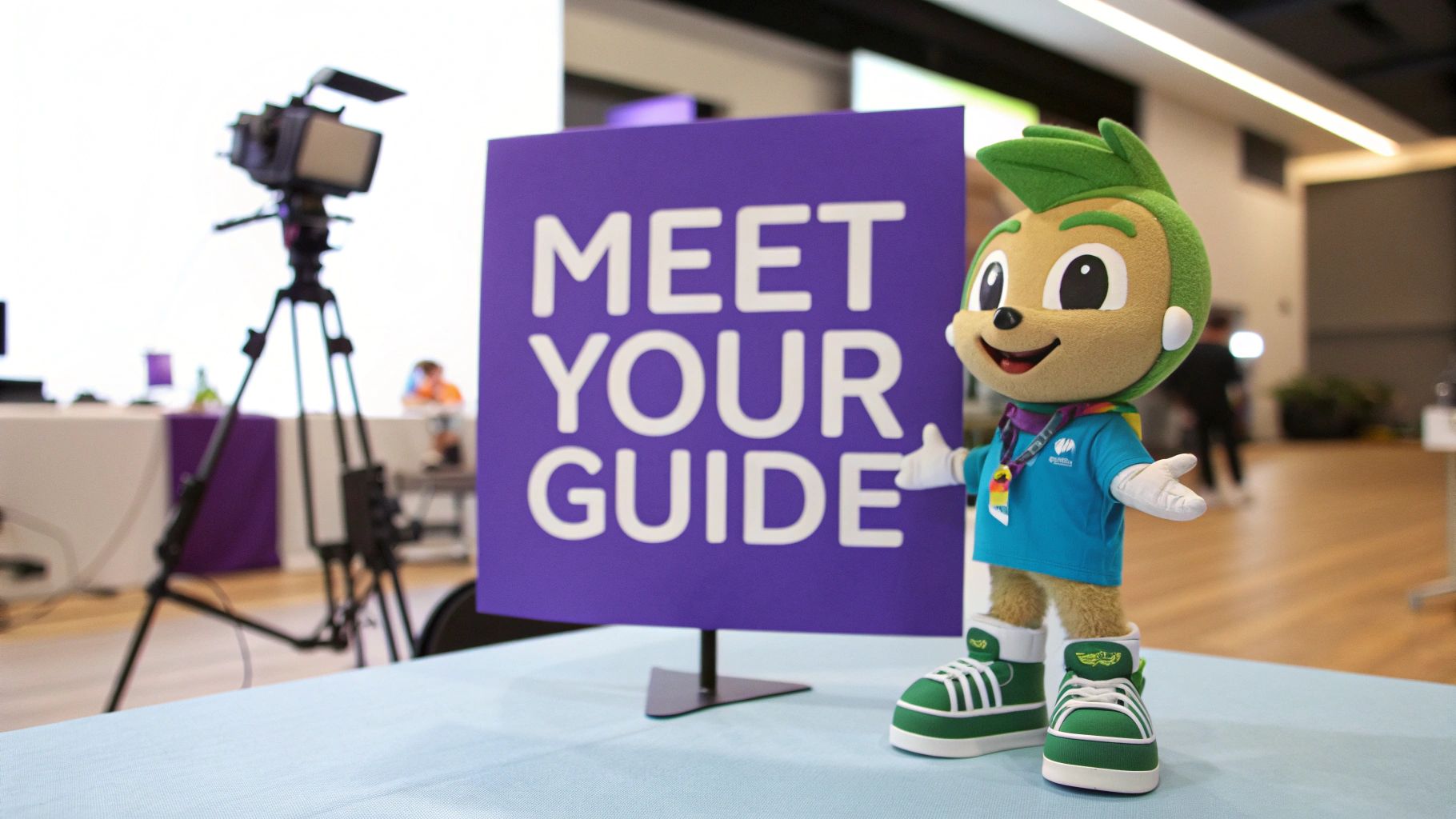
6. Animation Character/Spokesperson Voice-Over Script
A personality-driven script for an animated character or spokesperson is designed to give your brand a consistent, memorable face and voice. These scripts blend a conversational tone with key messaging objectives, creating relatable characters that audiences connect with emotionally. They are perfect for explainer videos, product launches, and brand storytelling, transforming functional content into an engaging experience.
For SaaS companies, this type of script is a powerful tool for building a consistent brand personality across a vast library of tutorials and demos. Instead of a generic narrator, a character guide can make technical information feel more approachable and personal. This approach helps create a stronger, more memorable brand identity that stands out in a crowded market.
Why This Voice Over Script Example Works
The effectiveness of a character script lies in its ability to humanize technology and build long-term brand affinity. Think of iconic characters like Geico’s Gecko or Progressive’s Flo; they aren’t just selling a service, they are building a relationship with the audience through consistent personality and humor. This transforms marketing from a simple transaction into an ongoing conversation.
This approach is highly effective for SaaS onboarding, where a friendly guide can reduce user anxiety and make complex software feel intuitive. The character becomes a trusted mentor, leading users through their learning journey.
Actionable Tips for Implementation
Here’s how to create an effective character-driven script, especially when ensuring consistency with AI voice tools:
- Define Your Character Archetype: Before writing, decide if your spokesperson is a wise mentor, a quirky friend, or a trusted expert. This archetype will guide every word they say.
- Write in Character: Use natural speech patterns like contractions, unique phrases, or a specific humor style that fits the character’s personality. This makes the script feel authentic, not robotic.
- Add Performance Notes: Include stage directions in your script, such as
[enthusiastically]or[pauses for emphasis], to guide the emotional delivery of the voice-over. - Maintain Vocal Consistency with AI: Once you’ve chosen a character voice in a tool like Tutorial AI, use it across all your video content. This ensures your brand spokesperson sounds the same in every tutorial, demo, and knowledge base video, reinforcing brand identity. You can generate a consistent, lifelike AI voice that becomes synonymous with your animated guide.
7. Audiobook Narration Script
An audiobook narration script adapts written text into an engaging auditory experience, focusing on clarity, pacing, and vocal variety. This format is designed for pure audio consumption, making it ideal for everything from literary fiction to complex technical documentation. While commonly associated with publishers, audiobook-style narration is a powerful tool for SaaS companies creating accessible tutorials and knowledge base content for on-the-go professionals.
This type of script transforms lengthy user guides or training modules into digestible audio segments that users can consume during a commute or while multitasking. The goal is to convey information clearly and effectively without the need for visual aids, relying solely on the narrator’s voice to guide the listener. For instance, a detailed guide on API integration can become an audio chapter that developers can listen to before starting their work.
Why This Voice Over Script Example Works
The strength of an audiobook script lies in its accessibility and ability to reduce listener fatigue. By structuring content into short, focused segments and writing specifically for the ear, it makes complex information less intimidating and easier to retain. Think of how Neil Gaiman narrates his own books; his delivery establishes authenticity and a direct connection with the audience. This same principle applies when a subject matter expert narrates technical content, building trust and authority.
For software tutorials, this format offers a hands-free learning alternative. It allows users to absorb concepts away from their screens, reinforcing knowledge and accommodating different learning styles.
Actionable Tips for Implementation
Here’s how to create an effective audiobook-style script, particularly for technical or educational content:
- Write for the Ear: Use shorter sentences and an active voice. Replace complex jargon with simpler terms where possible, or clearly define them. The flow should feel more like a conversation than a textbook.
- Guide Pronunciation: For technical terms or acronyms, include phonetic guides directly in the script. For example: “Next, configure the GUI (*pronounced ‘gooey’)…” to ensure clarity and consistency.
- Structure for Audio: Break content into 8-12 minute segments to maintain listener engagement. Use clear audio cues like, “Chapter 3: System Configuration,” to signal transitions and help listeners navigate the material.
- Indicate Pacing and Emphasis: Use italics or ALL CAPS to mark words that require vocal emphasis. Script in 3-5 second pauses after complex ideas to give the listener a moment to process the information.
- Leverage AI for Dual Formats: Use a tool like Tutorial AI to generate polished audio and video from a single screen recording. After recording a demo where you speak freely, the platform can transcribe your narration, which you can then edit into a clean script for a standalone audio version. This creates both a video tutorial and a companion audio guide from one workflow, maximizing content accessibility.
Comparison of 7 Voice-Over Script Types
| Script Type | 🔄 Implementation Complexity | ⚡ Resource Requirements | 📊 Expected Outcomes | 💡 Ideal Use Cases | ⭐ Key Advantages |
|---|---|---|---|---|---|
| Commercial / Promotional Voice-Over Script | Medium — concise copy + tone calibration and iterative A/B testing | Low–Medium — AI voice, music/SFX, short editing cycles | Increased conversions and engagement; measurable CTR/CR improvements | Social ads, product promos, landing page videos | High ROI potential; fast iteration and easy localization |
| Explainer Video Voice-Over Script | Medium — logical, stepwise flow and tight sync with visuals | Medium — script, animation/design, captions | Improved onboarding and feature adoption; fewer support tickets | SaaS onboarding, feature walkthroughs, knowledge base articles | Clarifies complex features; reusable across help content |
| Interactive Voice Response (IVR) Script | Medium — structured menus, error handling, extensive testing | Low — voice prompts, routing config, usability testing | Automates routine calls; reduces live-agent load and wait time | Call routing, appointment scheduling, customer surveys | 24/7 consistency and scalability; easy script updates |
| Documentary / Educational Voice-Over Script | High — research-heavy narrative arc and fact-checking | High — researchers, skilled writers, longer production | Builds authority and deep engagement; strong thought-leadership impact | Case studies, industry deep-dives, educational series | High credibility and shareability; strong storytelling impact |
| E-Learning / Training Module Voice-Over Script | High — instructional design, learning objectives, assessments | Medium–High — L&D resources, LMS integration, interactivity | Increased retention and completion; standardized training delivery | Compliance training, onboarding modules, certification courses | Improves learning outcomes; modular & easily updatable |
| Animation Character / Spokesperson Voice-Over Script | Medium — character development and consistent persona management | Medium — voice customization, character animation, testing | Greater brand recall and emotional engagement | Mascot campaigns, brand storytelling, persona-driven explainers | Memorable brand differentiation; builds long-term loyalty |
| Audiobook Narration Script | Medium — pacing, pronunciation guides, chapter structuring | Medium — narrator/AI voices, editing, possible multi-voice casting | Expanded accessibility and passive learning; increased reach | Audio documentation, executive summaries, hands-free learning | Improves accessibility; supports multitasking consumption |
Turn Your Next Script into a Studio-Quality Video, Instantly
Throughout this guide, we’ve dissected a diverse collection of voice-over script examples, from promotional spots to detailed e-learning modules. Each template offers a unique framework, but they all reinforce one core principle: a well-structured script is the bedrock of effective communication. The details matter, from precise timing cues and clear tone guidance to the careful pacing that keeps an audience engaged.
However, a great script is only the first step. The true challenge has always been transforming that text into a polished, professional video without friction. This is where the gap between subject matter experts and professional video editors has traditionally widened, often leading to compromises in either quality or efficiency.
Bridging the Gap from Script to Screen
The path from a finished script to a final video is often fraught with obstacles. A simple screen recording, like one made with Loom, can feel authentic but is frequently 50-100% longer than necessary, filled with pauses, filler words, and restarts. On the other hand, professional editing software like Camtasia or Adobe Premiere Pro demands a steep learning curve and significant time investment, skills that most subject matter experts don’t have.
This is the precise problem that modern tools are built to solve. For instance, a platform like Tutorial AI reimagines this workflow entirely. You can speak freely during your screen recording, capturing your expertise naturally without worrying about mistakes. The platform then allows you to edit the generated transcript as easily as editing a text document. When you’re done, it regenerates a flawless, studio-quality AI voiceover that syncs perfectly to your on-screen actions, creating a video that looks and sounds as if it were meticulously edited by a professional.
This approach empowers the true expert, the person who knows the product inside and out, to become the creator. You no longer have to choose between a quick but unpolished demo and a professional but time-consuming production.
Your Actionable Path Forward
Mastering the art of the voice over script example is your key to creating content that educates, persuades, and supports your audience effectively. The templates and strategies we’ve covered provide the foundation. Now, it’s time to put them into practice.
- Select a Template: Choose a script example from this article that most closely matches your next project, whether it’s a feature release video, a new knowledge base article, or a sales demo.
- Customize with Intent: Adapt the script’s structure, tone, and timing to fit your specific message, product, and brand voice. Focus on clarity and conciseness.
- Record and Refine: Record your screen capture without the pressure of perfection. Use a tool that lets you refine the narrative afterward by editing the text, ensuring the final output is tight, professional, and on-brand.
By combining a strong scripting foundation with an efficient production workflow, you can consistently produce high-impact video content that achieves your goals. The examples here are not just templates; they are springboards for your own creativity and strategic communication.
Ready to see how a great voice over script example transforms into a perfect video in minutes? Tutorial AI lets you turn screen recordings into polished, AI-voiced tutorials and demos just by editing the transcript. Experience the future of video creation and start producing studio-quality content today at Tutorial AI.