
Built for Tutorials. Not Podcasts.
Descript is a powerful editor for podcasters and YouTubers — but it wasn't designed for screen recordings, product demos, or SaaS walkthroughs. Tutorial.ai is. Record your screen, get a polished tutorial in minutes, with no timeline to wrestle.
| Feature | Tutorial.ai | Descript |
|---|---|---|
| Primary use case | Screen recording tutorials, product demos, training videos | Podcast editing, YouTube videos, interviews |
| AI script generation from recording | ✅ Automatic — AI writes the script from what you recorded | ❌ Transcribes speech, but does not generate a script from screen activity |
| AI voiceover narration | ✅ Multiple AI voices, multiple languages | ✅ Overdub — AI clone of your own voice |
| Text-based video editing | ✅ Edit the transcript; video updates automatically | ✅ Edit transcript to trim/cut — but timeline still required for restructuring |
| Video timeline required | ❌ No timeline needed | ✅ Timeline-based editor for most editing tasks |
| Native desktop screen recorder | ✅ Mac and Windows native app | ✅ Desktop app, but screen recording is not the primary workflow |
| Cursor smoothing and animations | ✅ Automatic — driven by separate pointer data stream | ❌ Not supported |
| AutoZoom on UI elements | ✅ Smart zoom-ins during recording | ❌ Not supported |
| Localization into 30+ languages | ✅ Translation + AI voiceover in 30+ languages | ❌ No built-in translation or multilingual voiceover |
| AutoRetime™ (auto-adjusts video timing after translation) | ✅ Unique to Tutorial.ai | ❌ Not available |
| Brand kits (logos, colors, fonts) | ✅ Consistent branding across all videos | ❌ No brand kit system |
| Learning curve | Low — no video editing skills required | High — feature-rich editor with significant ramp-up time |
| Multi-track audio editing | ❌ Not the focus | ✅ Professional multi-track audio editor |
| Podcast-specific features | ❌ Not applicable | ✅ Studio Sound, filler word removal, chapter markers for audio |
| iPhone and iPad recording | ✅ Native iOS and iPadOS support | ❌ Not supported |
| Pricing (starting paid plan) | $29/mo (Solo) | $24/mo (Creator) |
| Team collaboration plan | $89/mo (Growth — unlimited users) | $40/mo/user (Pro) |
| Optimized for SaaS/product walkthroughs | ✅ Purpose-built for this workflow | ❌ Requires significant manual setup and workarounds |
Purpose-Built for Tutorials, Not Retrofitted From a Podcast Tool
Descript pioneered text-based video editing and excels at podcast production and long-form YouTube content — it's a genuinely impressive tool for those workflows. But creating a screen recording tutorial in Descript still requires manual timeline work, separate voiceover recording, and significant editing effort. Tutorial.ai applies text-based editing specifically to the screen recording use case: record your screen, and the AI automatically generates the script, narration, cursor cleanup, and zoom effects — with no timeline to touch.
No Timeline. No Video Editing Skills Required.
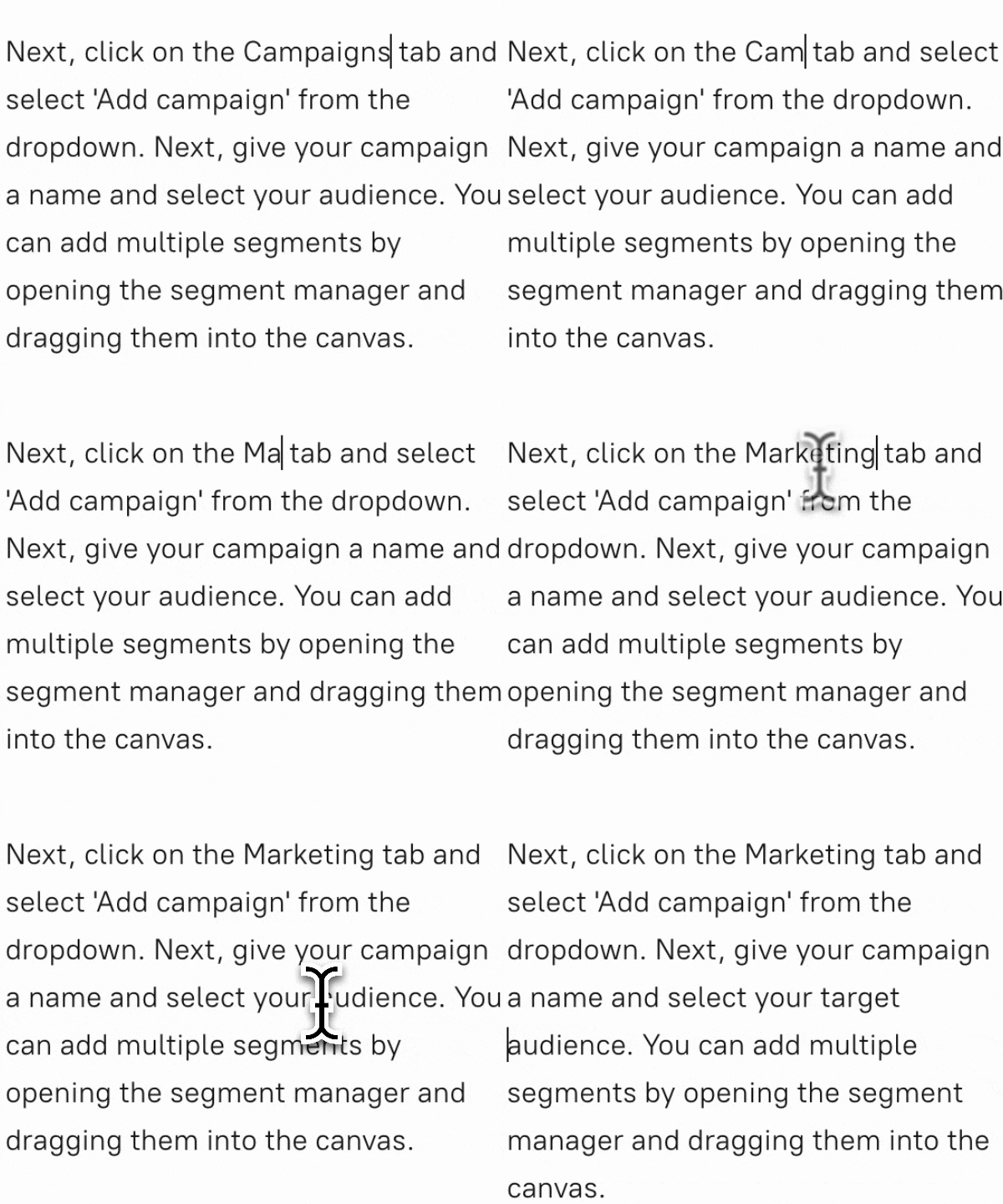
In Descript, text editing trims and cuts footage, but reorganizing a tutorial, adding zoom-ins, or syncing a new voiceover still pushes users back to the timeline. Tutorial.ai has no timeline at all. Edit a sentence in your script and the video updates — including timing, voiceover, and cursor effects. Anyone on your team can create a polished tutorial on day one, regardless of video editing experience.
Localize Once. Publish Everywhere With AutoRetime™.
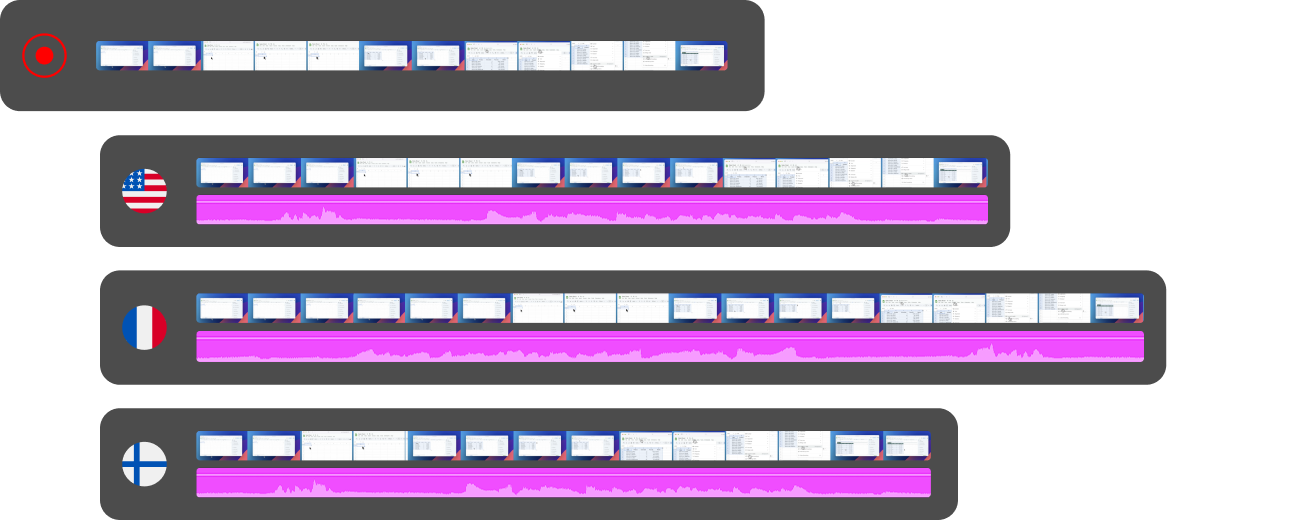
Descript has no built-in translation or multilingual voiceover capability. Tutorial.ai translates your video into 30+ languages and generates a native-language AI voiceover automatically. When the translated narration runs shorter or longer than the original, AutoRetime™ adjusts the video timing to match — no re-recording, no manual trimming. For L&D teams and product organizations with a global audience, this eliminates what would otherwise be dozens of hours of manual rework per language.
Ready to Make Tutorials Without the Editing?
Try Tutorial.ai free and go from raw screen recording to a polished, narrated tutorial in minutes — no timeline, no video editing skills needed. Or book a live demo to see it in action.



