In a fast-moving tech environment, relying on outdated IT training methods is a direct path to knowledge gaps, disengaged teams, and stalled projects. The right approach does more than just teach skills; it directly fuels productivity, encourages innovation, and secures a competitive advantage. If your current training feels more like a box-ticking exercise than a genuine performance driver, it’s time for a significant upgrade.
This guide moves beyond generic advice to provide a tactical roundup of 10 powerful IT training methods that deliver measurable results. We will dissect each strategy, offering a clear blueprint for success that includes:
- Actionable Implementation Steps: Practical, step-by-step guidance to get you started.
- Key Performance Indicators (KPIs): Metrics to track the true impact of your training.
- Real-World Scenarios: Concrete examples showing when and how to apply each method.
- Recommended Tools & Workflows: The best software and processes to support your efforts.
We will cover a full spectrum of options, from traditional instructor-led sessions to modern microlearning and hands-on labs. A special focus will be placed on video-based training, particularly the role of Tutorial AI in generating video tutorials based on screen recordings. These tools can produce demos, onboarding videos, explainer videos, feature release videos, knowledge base videos, and support article videos.
Whether you are onboarding new hires, upskilling existing staff, or rolling out complex new software, this article provides a complete toolkit for modern IT education. You’ll leave with a clear understanding of how to select, combine, and implement training strategies that stick, ensuring your organization not only keeps pace but sets the pace.
1. Video-Based Screen Recording Training
Video-based screen recording training is a foundational method for teaching technical processes. It involves capturing on-screen actions in real time to create step-by-step visual guides. This approach is highly effective for IT training because it shows learners exactly what to do within a software environment, reducing ambiguity and improving knowledge retention for complex tasks. It’s a go-to choice for creating product demos, employee onboarding materials, feature release announcements, and video-rich knowledge bases.

The primary challenge lies in production efficiency. Easy-to-use recording via Loom is often 50-100% longer than necessary. In contrast, professional video editing software such as Camtasia or Adobe Premiere Pro requires expert video editing knowledge, creating a significant bottleneck.
This is where AI-powered platforms like Tutorial AI come in. Its tools let you speak freely without any practice, and still, your video will look professional, as if it was edited in Adobe Premiere Pro. The AI processes the raw footage, automatically editing it into a concise, polished final product. This allows the subject matter expert to create on-brand videos extremely efficiently, making expertise scalable across the organization.
When to Use This Method
This method excels in situations that require clear, visual instruction for software-based tasks.
- Software Onboarding: Guiding new users or employees through their first interactions with a platform.
- Feature Updates: Announcing and demonstrating new software features to existing users.
- Support & Knowledge Base: Creating a library of video answers to common technical questions, like Salesforce does for CRM configuration.
- Process Documentation: Visually documenting standard operating procedures, such as GitHub’s walkthroughs for repository management.
Actionable Implementation Tips
- Pacing is Key: Record at a comfortable pace, but aim for the final edited video to feel about 1.5x faster than a slow, deliberate walkthrough to maintain viewer engagement.
- Guide the Eye: Use cursor highlighting, clicks, and dynamic zooming to draw attention to critical UI elements and actions.
- Add Professional Narration: For consistency across a video series, consider using a high-quality AI voiceover.
- Show, Don’t Just Tell: Include captions that display keyboard shortcuts for power users who want to work more efficiently.
- Check Display Fidelity: Before publishing, test your video on various screen resolutions to ensure all text and UI elements are clear and readable.
2. Interactive Microlearning Modules
Interactive microlearning is an IT training method that breaks down complex topics into small, focused lessons, typically lasting 2 to 5 minutes. Each module is designed to achieve a single, specific learning objective, making it ideal for busy professionals who need just-in-time knowledge without a major time commitment. This approach is highly effective for reinforcing information and providing quick answers to specific problems, fitting neatly into the natural workflow.
The core idea is to deliver learning in digestible bursts that are easy to access and complete on demand. Instead of a long, monolithic course, learners get a playlist of short modules they can consume during a coffee break or between meetings. This format respects the learner’s time and improves knowledge retention by focusing on one concept at a time. The interactivity, through quizzes or polls, ensures learners are actively participating rather than passively watching.
This model has been successfully applied by platforms like Duolingo for language learning and Microsoft’s “Learn” platform, which uses modular paths to teach technical skills. In an enterprise setting, companies like Cisco use this for quick-reference cybersecurity awareness training, allowing IT staff to quickly brush up on specific threat-prevention tactics without sitting through a lengthy webinar.
When to Use This Method
This method is best for targeted knowledge reinforcement and on-demand performance support.
- Just-in-Time Support: Providing quick answers to specific “how-to” questions, like resetting a server password or configuring a specific firewall rule.
- Process Reinforcement: Offering brief refreshers on standard operating procedures that are performed infrequently but must be done correctly.
- Compliance Training: Breaking down security policies or data handling protocols into memorable, bite-sized lessons.
- Software Feature Refreshers: Creating a library of short videos explaining individual features that users may need a reminder on, such as advanced functions in Excel or a CRM.
Actionable Implementation Tips
- Start with the Objective: Clearly state the single learning objective at the beginning of each module so learners know exactly what they will achieve.
- Keep It Short: Strictly enforce a 5-minute maximum length to maintain focus and ensure the content remains “micro.”
- Add Interactive Elements: Embed short quizzes, polls, or simple drag-and-drop exercises to boost engagement and test comprehension immediately.
- Provide a Takeaway: End each module with a quick summary or a downloadable job aid, like a checklist or command snippet, to reinforce the lesson. To build a strong foundation for this, you can explore instructional design best practices.
- Create Thematic Playlists: Group related micro-lessons into a logical series or “learning path” that allows users to explore a broader topic at their own pace.
3. Hands-On Lab and Sandbox Training
Hands-on lab training offers learners safe, isolated sandbox environments where they can practice IT skills without risk to production systems. This IT training method combines instructional content with practical exercises, allowing learners to experiment, make mistakes, and learn from failures in a consequence-free setting. It’s a powerful way to build muscle memory for complex technical procedures and is a cornerstone of modern certification programs.
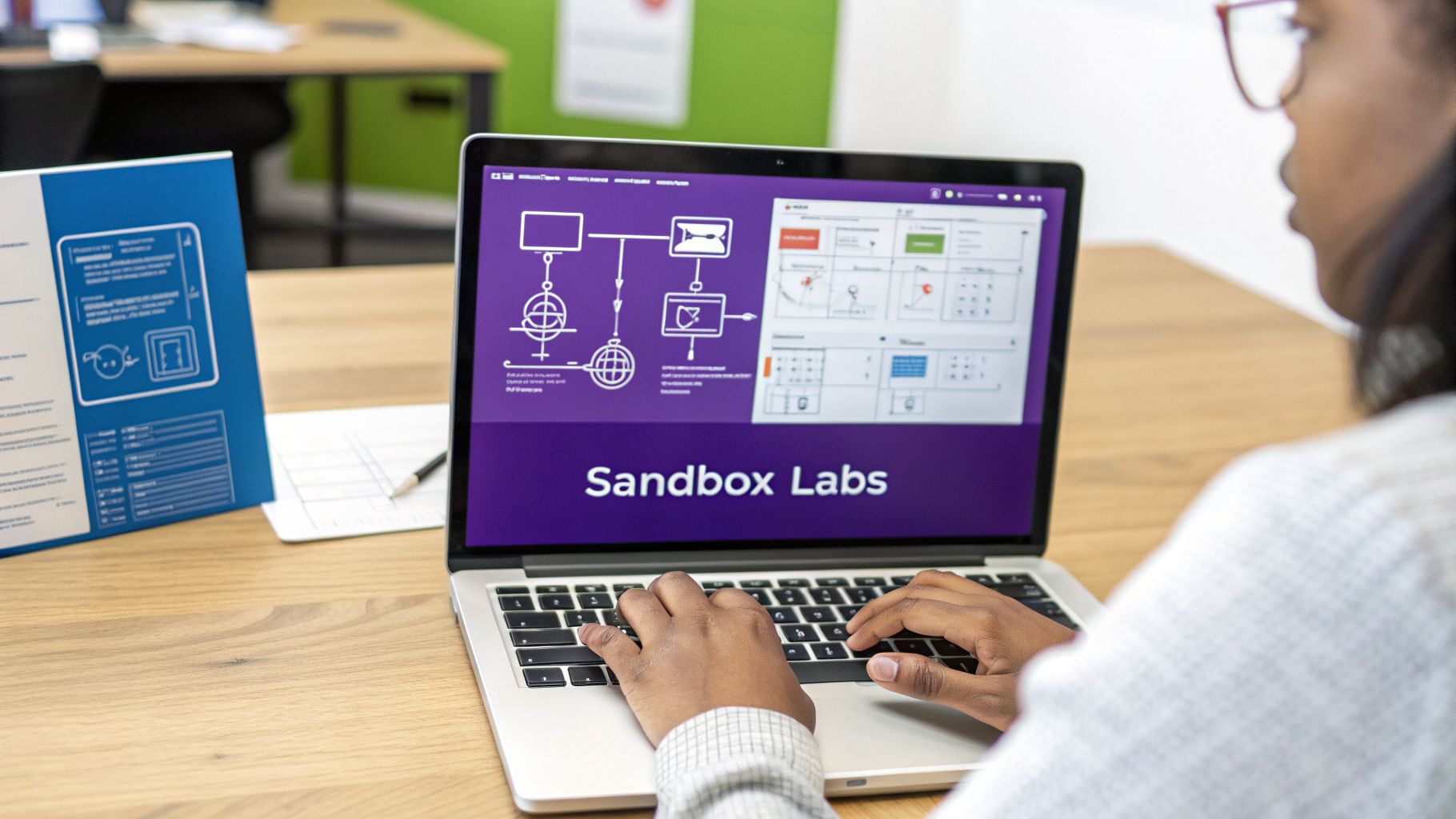
The core strength of this approach is active learning. Instead of passively watching a video, learners directly engage with real tools and platforms. Platforms like A Cloud Guru and Immersive Labs popularized this model by integrating video lessons with immediate hands-on practice in cloud and cybersecurity environments. This combination solidifies theoretical knowledge by putting it into practice right away, which is critical for mastering technical skills.
The main challenge is resource management and guidance. Sandboxes can be costly to maintain, and learners can get stuck without clear direction. A successful lab requires a balance between open exploration and structured guidance, ensuring users can learn effectively without becoming frustrated. Providing clear step-by-step instructions for labs is crucial for guiding learners through complex tasks and ensuring they achieve the intended learning outcomes.
When to Use This Method
This method is ideal for roles that demand practical, real-world skills and for preparing professionals for performance-based certifications.
- Certification Preparation: Preparing for exams like CompTIA Network+ or AWS Certified Solutions Architect, which include performance-based questions.
- Technical Skill Development: Training system administrators in Linux, database administrators in SQL, or developers in a new framework.
- Cybersecurity Training: Practicing penetration testing, threat hunting, and incident response in realistic environments, like those offered by TryHackMe.
- Cloud Platform Onboarding: Allowing new users to experiment with services in Microsoft Azure or Google Cloud Platform without incurring unexpected costs.
Actionable Implementation Tips
- Start with Guided Walkthroughs: Begin with structured labs that have clear instructions before introducing open-ended challenges that test problem-solving skills.
- Define Success Criteria: Clearly state what a successful outcome looks like for each lab so learners can self-assess their progress.
- Provide Debugging Guides: Include hints or walkthroughs for common errors to prevent learners from getting stuck and abandoning the training.
- Create Scaffolding: Offer labs in increasing difficulty levels, allowing skills to build progressively from foundational to advanced.
- Set Time Limits: Manage resource usage and encourage focus by setting appropriate time limits for each sandbox session.
- Offer Post-Lab Reviews: Show learners the optimal solution or an expert’s workflow after they complete a lab to reinforce best practices.
4. Live Instructor-Led Virtual Training (ILT)
Live instructor-led training (ILT) delivers real-time instruction via video conferencing platforms, allowing trainers to interact directly with learners. This synchronous method preserves the engagement and personalization of in-person sessions while accommodating remote participants. It is one of the most effective IT training methods for complex topics that benefit from live Q&A, group discussion, and real-time troubleshooting.
This format has become a standard for corporate education and online learning, with platforms like Zoom and Microsoft Teams serving as virtual classrooms. It’s used for everything from internal corporate training webinars to public-facing workshops, such as AWS Training and Certification live events, where experts can guide learners through intricate cloud concepts and answer specific questions as they arise.
The primary advantage of live virtual training is its interactivity. Unlike pre-recorded content, instructors can gauge audience understanding through direct feedback, run live polls, and dynamically adjust the session’s focus. This direct connection fosters a stronger learning community and allows for immediate clarification, preventing misunderstandings before they take hold. For remote and hybrid teams, it provides a structured, collaborative learning experience that bridges geographical divides.
When to Use This Method
This method is ideal for complex or high-stakes topics where direct interaction and expert guidance are critical for comprehension.
- Complex Technical Subjects: Explaining intricate topics like cybersecurity protocols, database architecture, or advanced coding concepts where learners will likely have many questions.
- Team-Based Problem Solving: Facilitating workshops that require collaborative brainstorming and problem-solving, such as a security incident response drill.
- Software Implementation Kickoffs: Training a department on a new enterprise system like an ERP or CRM, where initial setup and configuration require expert oversight.
- Certification Preparation: Running bootcamps or study groups for professional certifications where candidates can benefit from an expert’s targeted advice and clarification on difficult exam topics.
Actionable Implementation Tips
- Set the Stage: Start every session with a clear agenda and explicit learning objectives so participants know what to expect.
- Encourage Active Participation: Use poll questions frequently to check for understanding and encourage attendees to keep their cameras on to improve engagement.
- Divide and Conquer: Implement breakout rooms for small-group activities or to tackle complex problems collaboratively.
- Manage Energy Levels: Plan for short breaks at least every 45-50 minutes to help learners stay focused and avoid screen fatigue.
- Support All Learners: Record all sessions and distribute the recording and a summary within 24 hours for those who couldn’t attend or want to review the material.
5. Blended Learning Approach
A blended learning approach combines multiple training methods into a cohesive program. It strategically mixes synchronous (live) and asynchronous (on-demand) components to create a flexible and effective learning experience. This approach is powerful for IT training because it draws on the strengths of different formats, accommodating diverse learning styles, schedules, and a wide range of technical subject matter. It’s the foundation for many modern corporate university programs and professional certifications.
The main idea is to use each method for what it does best. For instance, self-paced video lessons can cover foundational concepts, while live instructor-led sessions are reserved for complex problem-solving and real-time feedback. This optimizes resources and respects the learner’s time. The challenge is designing a curriculum where the different parts connect logically and don’t feel like separate, disjointed activities. A well-designed blended program guides learners through a clear path from fundamental knowledge to practical application.
Programs like Google’s IT Support Professional Certificate on Coursera exemplify this method, integrating videos, readings, quizzes, and hands-on labs. Similarly, Microsoft Learn combines its extensive documentation with video tutorials and interactive sandboxes where users can practice code. This multi-faceted approach provides a richer, more complete educational journey than any single method could offer alone.
When to Use This Method
This method is ideal for comprehensive training programs that cover a broad or complex topic from multiple angles.
- Professional Certifications: Preparing learners for exams like CompTIA, which often require both theoretical knowledge and hands-on skill.
- Corporate Onboarding: Getting new hires up to speed on company-specific technologies, culture, and processes using a mix of e-learning, mentorship, and live sessions.
- Deep Skill Development: Teaching complex roles or software, such as Salesforce administration or cloud architecture, where mastery requires theory, practice, and expert interaction.
- Internal University Programs: Building structured learning paths for career advancement within a company, as seen at tech giants like Amazon and Atlassian.
Actionable Implementation Tips
- Start with Objectives: Clearly define what learners should be able to do after completing the program, and use these objectives to guide your choice of methods.
- Map Content to Format: Determine which content is best delivered asynchronously (e.g., terminology, basic procedures) and which requires live interaction (e.g., advanced troubleshooting, Q&A).
- Sequence Logically: Structure the program so that foundational asynchronous content builds toward more advanced live or hands-on activities.
- Build Community: Use discussion forums or dedicated chat channels to encourage peer-to-peer support and build a sense of cohort.
- Provide a Central Hub: Use a Learning Management System (LMS) to host all materials and track progress across different modalities in one centralized dashboard.
6. Peer-to-Peer and Mentorship Training
Peer-to-peer and mentorship training is a relationship-based approach that taps into the expertise of seasoned IT professionals to teach their colleagues. This method works through one-on-one mentoring, peer shadowing, and informal knowledge-sharing sessions. It operates on the principle that colleagues, who share a common context, can translate complex technical ideas into practical, relatable language more effectively than external instructors. This organic process helps build a strong internal support network and a culture of continuous learning.
The core strength of this method is its ability to foster deep, contextual understanding that can’t be found in a manual. A senior engineer doesn’t just show a junior colleague how to deploy code; they explain why a certain process is used, share anecdotes about past failures, and offer shortcuts specific to the company’s environment. This approach is exemplified by Google’s extensive peer mentoring programs for technical staff and the collaborative learning culture found in many open-source projects.
However, its informal nature can also be a weakness. Without structure, mentorship can become inconsistent, dependent on individual personalities, or limited to small pockets of the organization. To succeed at scale, these programs need a formal framework to guide participants, define goals, and ensure the knowledge being shared is accurate and widely accessible. Documenting key insights from these sessions can turn individual lessons into lasting organizational assets.
When to Use This Method
This method is ideal for transferring nuanced, role-specific knowledge that is difficult to codify in standard training materials.
- Onboarding New Hires: Pairing new IT staff with an experienced peer to help them navigate company-specific systems and unwritten rules.
- Skill Specialization: Developing deep expertise in a niche area, such as Amazon’s ‘Amazonians’ peer learning circles for advanced cloud architecture.
- Closing Generational Skill Gaps: Implementing reverse mentoring where junior employees teach senior staff about new technologies or social media tools.
- Process Improvement: Fostering communities of practice, inspired by Etienne Wenger’s framework, where employees collaboratively solve problems and refine best practices.
Actionable Implementation Tips
- Formalize the Relationship: Create a simple mentoring agreement that outlines goals, meeting frequency, and expectations for both mentor and mentee.
- Train Your Mentors: Provide mentors with basic training on effective teaching, active listening, and giving constructive feedback.
- Establish Peer Learning Groups: Organize “lunch-and-learns” or dedicated peer circles where team members can present on topics they are passionate about.
- Document and Share: Encourage participants to document key takeaways from their sessions in a shared knowledge base to benefit the wider team.
- Celebrate and Recognize: Publicly acknowledge the contributions of peer mentors to reinforce the value of knowledge sharing and encourage others to participate.
7. Gamified and Spaced Repetition Training
Gamified training integrates game mechanics like points, leaderboards, and achievements into educational content to boost engagement. When combined with spaced repetition-a method that strategically reintroduces information at increasing intervals-it powerfully reinforces long-term memory. This combination turns the often-tedious process of memorizing technical details into an interactive and rewarding experience, making it one of the most effective IT training methods for knowledge that needs to stick.

The primary challenge is to design a system that is genuinely motivating without trivializing the learning objectives. Poorly implemented gamification can feel like a gimmick, leading to disengagement or encouraging users to game the system for points rather than learn. Platforms like Axonify and TryHackMe solve this by deeply integrating game mechanics with core learning goals, using algorithmic spaced repetition and providing meaningful feedback that connects virtual achievements to real-world competence.
When to Use This Method
This approach is ideal for training that involves a large volume of information that must be memorized and recalled accurately over time.
- Cybersecurity & Compliance Training: Helping staff memorize security protocols or regulatory requirements through repeated, engaging quizzes. TryHackMe does this with its gamified cybersecurity learning paths.
- Product Knowledge Drills: Ensuring sales and support teams retain key features, pricing tiers, and technical specifications.
- Coding & Technical Skills: Reinforcing syntax, commands, and programming concepts. Codecademy uses achievement badges to mark progress in its coding courses.
- Certification Preparation: Breaking down complex exam material into digestible, repeatable modules to improve long-term recall for certifications.
Actionable Implementation Tips
- Define Objectives First: Set clear learning outcomes before adding any game mechanics to ensure they support, rather than distract from, the goal.
- Tie Achievements to Milestones: Award badges or points for mastering a specific skill or completing a critical module, not just for participation.
- Make Leaderboards Optional: Balance competition with collaboration. An opt-in leaderboard can motivate competitive individuals without discouraging others.
- Provide Meaningful Feedback: Explain why an answer was correct or incorrect instead of just awarding points.
- Celebrate Progress, Not Just Winners: Acknowledge personal bests, streaks, and consistent effort to keep the entire team motivated, not just the top performers.
8. Documentation and Self-Service Knowledge Bases
Documentation and self-service knowledge bases provide comprehensive, searchable information that learners can access independently at their point of need. This self-service model is a cornerstone of modern IT training methods, empowering users with written guides, FAQs, and troubleshooting trees. Increasingly, these repositories are enhanced with embedded video and interactive tutorials to help users solve problems without ever contacting a support team.
The primary goal is to make information instantly accessible and easy to digest, reducing the burden on support staff and enabling users to find answers on their own schedule. A well-maintained knowledge base, like the extensive documentation from AWS or Microsoft, becomes the single source of truth for a product or system. These resources are only effective if they are clear, accurate, and consistently updated. To ensure clarity and reduce repetitive inquiries, establishing a clear Standard Operating Procedure for Training is essential for robust self-service resources.
Platforms like Atlassian Confluence, Zendesk, and Intercom have popularized this approach by integrating documentation directly with support and communication workflows. This makes it simple to not only create content but also to analyze its effectiveness and identify knowledge gaps based on user searches and feedback. The result is a dynamic, user-centric training asset that evolves with the product and its users.
When to Use This Method
This method is ideal for providing on-demand, scalable support and continuous learning for complex systems.
- Technical Reference: Offering detailed guides and API documentation that developers and power users need, such as GitHub Docs.
- Customer Self-Service: Answering common questions and troubleshooting issues before a support ticket is created, as seen in the Slack Help Center.
- Internal Process Documentation: Creating a central repository for company-specific procedures, policies, and system guides using tools like Notion.
- On-Demand Troubleshooting: Providing step-by-step solutions for specific error messages or technical problems, a key feature of Apple Support.
Actionable Implementation Tips
- Prioritize Scannability: Use clear, descriptive headings, short paragraphs, and bold text to help users quickly find the information they need.
- Integrate Visuals: Embed screenshots with annotations and short video tutorials to demonstrate complex steps visually.
- Monitor Search Gaps: Regularly review search queries that yield no results to identify content gaps and create new articles to fill them.
- Include Feedback Mechanisms: Add a simple “Was this article helpful?” prompt to every page to gather direct feedback and prioritize content updates.
- Cross-Link Extensively: Connect related articles and guides to create logical learning pathways and help users discover more relevant information.
- Show Last-Updated Dates: Display the last modification date prominently so users can trust that the information is current.
9. Certification and Credentialing Programs
Certification programs structure learning around standardized assessments and credentials that verify an IT professional’s expertise. This approach is one of the most respected IT training methods because it provides recognized proof of competency valued by employers and clients. These programs often combine various learning formats, such as e-learning, labs, and instructor-led sessions, culminating in an exam or portfolio review.
Successful completion results in a credential like the CompTIA A+, a baseline for IT support roles, or the AWS Certified Solutions Architect, a key benchmark for cloud professionals. These certifications act as a common language for skills, allowing organizations to quickly validate a candidate’s knowledge in specific domains, from networking (Cisco CCNA) to cybersecurity (CISSP).
The main benefit is the structured, goal-oriented path they provide. Instead of ambiguous self-study, learners follow a defined curriculum designed to meet industry-wide standards. This formal validation helps professionals advance their careers and gives employers confidence in their team’s capabilities. It also ensures that training is directly tied to the skills required for critical job functions.
When to Use This Method
This method is ideal for formalizing skills, meeting compliance requirements, or enabling career progression.
- Career Advancement: For individuals looking to specialize or move into a more senior role, such as earning a CCNP after a CCNA.
- Building Foundational Knowledge: Establishing a strong, verifiable base of skills with entry-level certifications like CompTIA Network+ or Security+.
- Vendor-Specific Expertise: Mastering a particular technology stack, like Microsoft Azure or Google Cloud Platform, to support enterprise systems.
- Compliance and Partner Requirements: Meeting organizational mandates where certified staff are required for contracts or partnership tiers.
Actionable Implementation Tips
- Align Certifications with Goals: Choose credentials that directly support individual career aspirations and the organization’s technology roadmap.
- Combine Study Materials: Use official guides from certification bodies (e.g., Cisco Press) alongside hands-on labs and practice exams for a well-rounded preparation.
- Form Study Groups: Create internal groups to foster accountability, share insights, and work through complex topics together.
- Set a Realistic Timeline: Establish a clear study schedule with a firm exam date to maintain momentum and focus.
- Document the Journey: Encourage learners to document their projects and lab work, creating a portfolio that demonstrates practical application beyond the certificate itself.
10. Mobile and Microlearning Apps
Mobile learning delivers training content optimized for smartphones and tablets, allowing IT professionals to learn during commutes, breaks, and other idle moments. This method breaks down complex topics into short, digestible lessons, making it one of the most flexible and accessible IT training methods. Modern microlearning apps, popularized by platforms like Duolingo and Skillshare, combine bite-sized content with notifications and social features to build consistent learning habits.
The primary advantage is accessibility. Instead of scheduling long training blocks, team members can complete modules whenever they have a few spare minutes. This approach is ideal for continuous professional development, reinforcing previous training, or providing quick refreshers on specific tools or processes. It respects the busy schedules of IT staff while promoting ongoing skill acquisition.
For flexible and bite-sized learning, incorporating a dedicated micro learning app can deliver focused training content directly to your team’s mobile devices. These apps often include gamification, offline access, and progress tracking, which work together to keep learners engaged and motivated. This makes it easier to build a culture of continuous improvement without disrupting daily workflows.
When to Use This Method
This method is best for reinforcement, just-in-time support, and foundational knowledge that can be broken into small, independent chunks.
- Cybersecurity Awareness: Sending short, frequent tips on identifying phishing attempts or using secure passwords.
- Compliance Refreshers: Delivering quick modules on data privacy policies like GDPR or HIPAA.
- Software Command Quizzes: Using gamified quizzes, like those on Codecademy Go, to help developers memorize new syntax or commands.
- On-the-Go Course Access: Allowing learners to continue courses from platforms like Udemy or Coursera during their commute.
Actionable Implementation Tips
- Design Mobile-First: Don’t just make a web page responsive. Design content specifically for small screens with large fonts, high contrast, and minimal scrolling.
- Keep Lessons Short: Aim for a maximum lesson length of 2-3 minutes to fit into small windows of free time and maintain focus.
- Use Notifications Wisely: Implement strategic notifications to remind learners, but avoid excessive alerts that lead to app fatigue.
- Enable Offline Access: Support offline functionality so team members can learn in areas with poor or no connectivity, like on a subway.
- Test on Actual Devices: Browser-based emulators don’t always capture the true user experience. Test your content on a range of real iOS and Android devices.
10 IT Training Methods Compared
| Training Method | 🔄 Implementation Complexity | ⚡ Resource Requirements | ⭐ Expected Effectiveness | 📊 Expected Outcomes / Impact | 💡 Ideal Use Cases / Key Advantages |
|---|---|---|---|---|---|
| Video-Based Screen Recording Training | Medium — scripting + recording/editing workflow | Medium — recording tools, audio, storage | ⭐⭐⭐⭐ — clear procedural transfer | Reduces support tickets; faster task completion | Great for step-by-step software tutorials; easy updates and multi‑language voiceovers |
| Interactive Microlearning Modules | Low–Medium — modular design and sequencing | Low — short videos, quizzes, LMS support | ⭐⭐⭐⭐ — high completion & retention for discrete skills | Higher completion rates; better spaced retention | Best for just‑in‑time procedural refreshers and busy professionals |
| Hands‑On Lab and Sandbox Training | High — environment provisioning and scenario design | High — virtual infrastructure, resets, monitoring | ⭐⭐⭐⭐⭐ — strong skills transfer through practice | Accelerated competency; measurable skill demonstration | Ideal for system admin, networking, cloud, and security practice |
| Live Instructor‑Led Virtual Training (ILT) | Medium — planning, facilitation skills, scheduling | Medium — conferencing platform, trainer time | ⭐⭐⭐⭐ — effective for complex, interactive topics | Immediate clarification; strong learner engagement | Use for complex topics, Q&A sessions, cohort-based learning |
| Blended Learning Approach | High — coordinating modalities and sequencing | High — multiple platforms, content types, LMS | ⭐⭐⭐⭐⭐ — combines strengths of multiple methods | Scalable, durable learning with better retention | Best for comprehensive programs (onboarding, cert prep) where varied methods are needed |
| Peer‑to‑Peer and Mentorship Training | Medium — program structure and mentor training | Low–Medium — staff time, coordination tools | ⭐⭐⭐⭐ — high personalization; tacit knowledge transfer | Strong cultural impact; faster onboarding via relationships | Effective for legacy systems, tacit knowledge, leadership development |
| Gamified & Spaced Repetition Training | Medium — SRS and game mechanics design | Medium — platform, analytics, content updates | ⭐⭐⭐⭐ — excellent long-term retention and engagement | Sustained learning habits; improved recall metrics | Use for compliance, security awareness, certification prep reviews |
| Documentation & Self‑Service Knowledge Bases | Medium — initial content build and taxonomy | Low–Medium — content authors, KM platform | ⭐⭐⭐ — reliable reference; depends on quality | 24/7 support reduction; searchable problem resolution | Best as primary reference for troubleshooting and standard procedures |
| Certification & Credentialing Programs | High — curriculum, assessment, governance | High — content, proctoring, exam development | ⭐⭐⭐⭐ — motivates study; standardizes skills | Recognized credentials; career advancement | Optimal for validated skill signaling and career pathways |
| Mobile & Microlearning Apps | Medium — mobile UI/UX and offline features | Medium — app development, content optimization | ⭐⭐⭐⭐ — high engagement for short bursts | Improved daily engagement; habit formation | Ideal for on‑the‑go refreshers, notifications, and lightweight review |
Building Your Ultimate IT Training Stack
Choosing the right IT training method is rarely a decision about a single, perfect solution. As we’ve explored, from live instructor-led sessions to self-service knowledge bases, each approach serves a distinct purpose. The true power lies not in picking one, but in strategically combining these methods into a cohesive, multi-layered learning ecosystem. Your goal is to build a robust training stack that addresses the diverse needs of your teams, accommodates different learning styles, and supports continuous skill development across your entire organization.
The journey from a novice to an expert is not linear. It involves different types of learning at different stages. A new hire might start with a structured onboarding path composed of video tutorials and microlearning modules, while a senior engineer might need a deep-dive, hands-on lab to master a new cloud service. Your training program must be flexible enough to support both. This is where the concept of a “training stack” becomes essential. It’s about creating a library of resources that learners can pull from when they need them most.
The Foundation: Scalable, On-Demand Content
At the core of any modern IT training program should be a strong foundation of scalable, on-demand content. This is where methods like Video-Based Screen Recording Training and comprehensive Documentation and Self-Service Knowledge Bases excel. They provide the fundamental, evergreen information that employees will return to again and again.
This foundational layer solves the immediate need for information, whether it’s a new employee learning a core software workflow or a customer support agent needing a quick answer for a ticket. Creating this content, however, can be a major bottleneck. For video specifically, the gap between a quick, unedited screen recording and a polished, professional tutorial is vast.
Key Insight: Raw screen recordings, often captured with tools like Loom, are quick to make but can be 50-100% longer than necessary. They are filled with pauses, mistakes, and inefficient navigation, which frustrates learners and reduces knowledge retention. On the other hand, professional editing software like Adobe Premiere Pro or Camtasia requires specialized skills and significant time investment, making it impractical for subject matter experts who need to create content efficiently. This is precisely the problem that Tutorial AI solves. It allows your experts to simply record their screen and speak freely, without a script or practice. The AI then automatically edits the recording, removing awkward pauses, correcting mistakes, and creating a polished, on-brand video that looks professionally produced. This empowers your most knowledgeable team members to become your most effective content creators, building out your foundational training library at scale.
Layering Methods for Deeper Learning and Engagement
Once your foundation is in place, you can layer on more specialized and interactive IT training methods to foster deeper skills and engagement.
- For Practical Application: Integrate Hands-On Lab and Sandbox Training to allow learners to move from theory to practice in a safe, controlled environment.
- For Complex Topics: Use Live Instructor-Led Virtual Training for complex, nuanced subjects that benefit from real-time discussion, Q&A, and collaborative problem-solving.
- For Cultural Knowledge: Implement Peer-to-Peer and Mentorship Training to transfer the invaluable tacit knowledge and best practices that are never written down in a manual.
- For Sustained Retention: Weave in Gamified and Spaced Repetition Training to make mandatory compliance training more engaging and to reinforce key concepts over time, combating the natural forgetting curve.
By adopting a Blended Learning Approach, you are not just delivering information; you are creating a dynamic learning culture. You empower employees to take ownership of their development, providing them with the right tool for the right job at the right time. This multi-faceted strategy ensures your teams are not only proficient but also adaptable, ready to meet the technical challenges of tomorrow.
Ready to build the scalable foundation of your IT training stack? Tutorial AI makes it effortless for your subject matter experts to create professional-quality video tutorials without any video editing expertise. See how our AI-powered platform can help you produce on-brand, effective training content in a fraction of the time by visiting Tutorial AI.