Think of an employee training plan template as more than just a document. It’s the blueprint you use to turn your company’s learning and development goals into a reality. A solid template takes training from a reactive, check-the-box exercise and transforms it into your secret weapon for closing skill gaps, boosting performance, and keeping your best people around.
Why a Training Plan Is Your Secret Weapon for Growth
Let’s be real—employee training often gets a bad rap as a necessary but dull part of running a business. But what if you could flip that script? What if your training program became a strategic asset that builds a more skilled, resilient, and genuinely engaged team? That’s exactly what a great training plan does. It’s the roadmap that turns that vision into something tangible, shifting training from a cost center to a serious competitive advantage.
This guide isn’t about generic advice. We’re going to give you a practical framework to build a dynamic plan that actually solves the problems you’re facing, whether that’s high turnover, low engagement, or a critical shortage of specific skills.
Navigating the Modern Skills Landscape
In the world we work in today, the skills needed to get the job done are always in flux. This constant change means a structured training plan isn’t just nice to have; it’s essential for survival and growth. Without one, you’re just hoping for the best while your team’s skills slowly become outdated. The real goal is to build a culture of continuous learning, where development is just part of how you operate.
The data backs this up. The World Economic Forum’s Future of Jobs Report 2025 predicts that by 2030, nearly 39% of an employee’s core skills will need a major update. This skill churn is happening faster than ever, driven by new tech and changing job roles. This is where a proactive training plan saves the day. If you want to dive deeper, you can check out the full report on the future of work for more global trends.
Linking Training Directly to Retention and Revenue
A well-designed training program is one of the most powerful tools you have for keeping your employees. When people see a clear path to grow and feel like the company is truly investing in them, their loyalty goes through the roof. And that’s not just a warm-and-fuzzy feeling; it directly impacts your bottom line.
It’s a proven fact: 94% of employees say they would stay at a company longer if it invested in their learning. Even more impressive, companies with comprehensive training programs bring in 218% higher income per employee compared to those that don’t. This proves that an employee training plan isn’t just another expense. It’s an investment that pays you back in a big way. It helps you build a more capable team and fosters an environment where your top performers actually want to stick around, which cuts down on costly turnover and makes everyone more productive.
Building Your Training Plan from the Ground Up
Okay, you’ve got the template. Now, let’s get our hands dirty and turn that framework into a real-world plan that actually works. This is where we move from big ideas to concrete actions, starting with a deep dive into what your people genuinely need to succeed.
Forget starting with a blank document. The real first step is asking one crucial question: “To win, what skills do our people need, and where are we falling short?” Answering this honestly is what separates a training plan that’s just a formality from one that becomes a strategic tool for growth. Think of it as creating a blueprint that directly connects individual development to your company’s most important goals.
This isn’t just a feel-good exercise. There’s a direct line from identifying skill gaps to keeping your best people, which is what ultimately drives business growth.
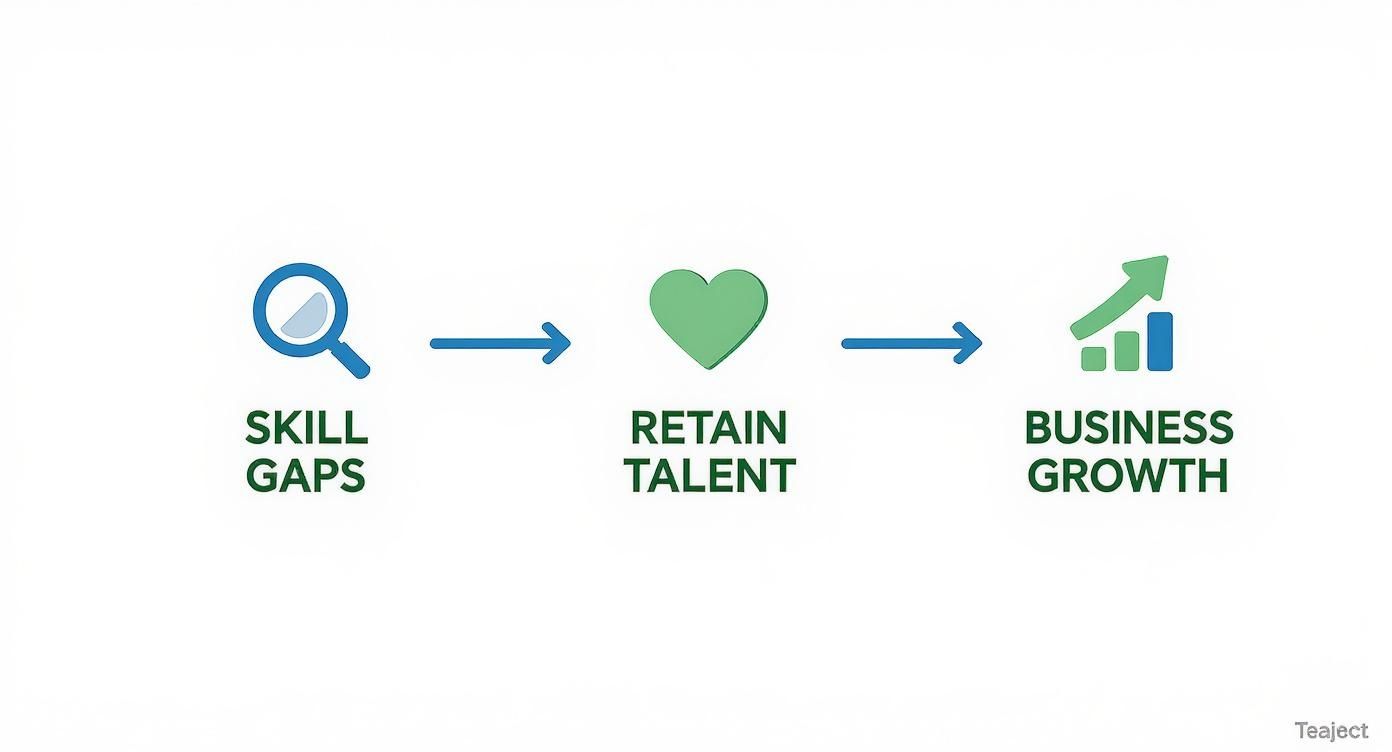
The bottom line is simple but powerful: effective training is a straight path to better retention and stronger business performance.
Start With a Thorough Training Needs Analysis
Before you start building, you need to survey the land. A training needs analysis (TNA) is your diagnostic tool. It helps you pinpoint the specific skill gaps holding back your company, your teams, and your individual employees. Without it, you’re just guessing—and likely wasting time and money on training that doesn’t solve a real problem.
You can tackle a TNA from a few different angles:
- Organizational Analysis: This is the 30,000-foot view. Are you hitting company-wide goals? Are there systemic issues, like high turnover in one department or consistently low customer satisfaction scores, that training might fix?
- Task Analysis: Here, you zoom in on specific roles. What does someone actually need to know and do to be great at their job? Comparing that ideal standard to current performance reveals exactly where the training needs are.
- Individual Analysis: This gets personal. You can gather insights directly from employees and their managers through performance reviews, surveys, or simple one-on-one chats to identify their career aspirations and development goals.
A common mistake I see is leaders assuming they know what training is needed. A proper TNA moves you from guesswork to a data-driven strategy, ensuring every training dollar is well spent. This analysis is more critical than ever. A staggering 77% of organizations report having a hard time finding the right talent, which puts a huge emphasis on developing the people you already have. Your employees are telling you what they want, too. The top requests are for training in leadership (36%), mental health (35%), and new AI tools (34%). But here’s the kicker: 54% of workers say the single biggest support their employer could provide is simply protecting their time to actually do the training.
Define Clear and Measurable SMART Objectives
Once you know where the gaps are, you need to define what “success” actually looks like. A vague goal like “improve sales skills” is impossible to measure and, frankly, not very motivating. This is where the SMART framework comes in handy, helping you create objectives that are Specific, Measurable, Achievable, Relevant, and Time-bound.
It’s all about turning fuzzy goals into crystal-clear targets.
For example, instead of saying: “Train the sales team on the new CRM.”
Try this: “By the end of Q3, all account executives will demonstrate proficiency in the new CRM by logging 95% of client interactions and generating accurate sales forecast reports with less than a 5% error rate.”
See the difference? This level of specificity makes it incredibly easy to see if the training worked. It also gives your team a clear finish line to run towards, which does wonders for engagement.
Choose the Right Training Methods and Tools
Not all training methods are created equal. The right delivery format depends entirely on the skill you’re teaching and the learning styles of your team. I’ve found that a blended approach, mixing a few different formats, almost always works best. To really create an effective plan, you’ll want to lean on proven instructional design best practices to keep things engaging.
Here are a few popular options:
- Workshops & In-Person Sessions: Great for collaborative skills, team-building, and hashing out complex problems together.
- E-Learning Modules: Perfect for standardized information (think compliance) and letting people learn at their own pace.
- Mentorship & Coaching: Invaluable for developing future leaders and passing down that hard-earned institutional knowledge.
- Video Tutorials: Extremely effective for software demos, process walkthroughs, and other technical skills. There are some fantastic guides on making training employees online more impactful.
Produce Supporting Video Tutorials With AI
Let’s be honest: creating high-quality training videos used to be a massive headache. On one hand, you have simple screen recordings from tools like Loom, which are often 50-100% longer than they need to be, full of “ums,” pauses, and restarts. On the other, you have professional software like Adobe Premiere Pro that requires a video editing skill set most of your subject matter experts (SMEs) simply don’t have.
This is where AI-powered tools are changing the game. With something like Tutorial AI, your internal expert can just hit record on their screen—whether for a demo, an onboarding clip, or a knowledge base article—and speak naturally without a script. The AI then works its magic, generating a polished, professional video that looks like it came from a dedicated editor. It automatically cuts the filler words, tightens the pacing, and refines the narrative.
This approach bridges the gap between ease of use and professional quality. It empowers your team to create exceptional:
- Demos and feature release videos
- Onboarding and explainer videos
- Knowledge base and support article videos
You get to skip the endless retakes and expensive editing cycles, turning raw footage into a polished training asset in a matter of minutes.
Creating Engaging Video Content with AI
https://www.youtube.com/embed/tR2RCzEJn7w
Let’s be honest, video production is often the biggest hurdle in executing an otherwise solid employee training plan. It feels like you’re always stuck between two bad options, neither of which really works for a busy team.
On one hand, you have basic screen recordings from tools like Loom. They’re fast, sure, but the end result is often raw and unpolished. Easy-to-use recording is often 50-100% longer than necessary, full of distracting pauses, “ums,” and restarts that make it hard for learners to stay focused.
On the other hand, you’ve got professional-grade software like Adobe Premiere Pro or Camtasia. These tools can create beautiful, polished videos, but they require expert video editing knowledge that most of your subject matter experts just don’t have. This creates a serious bottleneck, leaving you to either hire expensive video editors or just settle for content that isn’t up to par.
Bridging the Gap Between Ease and Quality
This is exactly where modern AI tools are changing the game for training and development.
Picture this: your product manager needs to explain a new feature. Instead of writing a script and doing a dozen takes, she just hits “record” on her screen and talks through the process naturally. No pressure, no script, just her authentic expertise captured in one go.
This is where a tool like Tutorial AI steps in. It takes that raw, unedited recording and, like a professional video editor, works its magic behind the scenes. The AI automatically removes filler words, cuts out awkward silences, and snips out mistakes. Tutorial AI’s tools let you speak freely without any practice, and your video will still look professional, as if it was edited in Adobe Premiere Pro.
This approach is a game-changer. It allows the subject matter expert to create on-brand videos extremely efficiently, turning their raw knowledge directly into a high-quality training asset without the traditional time and skill barriers. The efficiency you gain is massive. Instead of a single polished video taking weeks to produce, you can suddenly build out an entire library of professional-quality content in a fraction of that time.
From Raw Recordings to Polished Training Assets
The real beauty of this approach is that it empowers your internal experts—the people who hold all the critical knowledge. They’re engineers, marketers, and product managers, not video producers. AI removes the friction, letting them do what they do best: share what they know. The AI handles the rest.
Tutorial AI is built to generate video tutorials based on screen recordings for a wide range of needs. Suddenly, your team can easily churn out essential training content:
- Demos and explainer videos that walk through new software or processes.
- Onboarding videos to help new hires get up to speed quickly and consistently.
- Feature release videos to keep the whole company in the loop.
- Knowledge base videos for visual, step-by-step guidance.
- Support article videos that show users how to solve a problem, dramatically reducing help desk tickets.
When you integrate this kind of workflow, your employee training plan becomes far more dynamic. You’re no longer limited to text-based guides. You can easily supplement them with a rich library of video content that is always clear, concise, and professional. There are all sorts of great techniques for using screen recording for training to get the most impact.
Why This Matters for Your Training Plan
Think about the time your team gets back. Your experts no longer have to waste hours practicing a script or doing endless retakes to get that one “perfect” recording. They can just talk, knowing the AI will clean it up later. This not only makes content creation faster but also helps the final video feel more authentic.
Ultimately, this technology breaks down the barriers to video production in your organization. It ensures that your most valuable training asset—the deep, institutional knowledge held by your experts—can be captured and shared effectively, without being blocked by technical skill gaps or tight budgets. Your training plan transforms from a static document into a living, breathing ecosystem of high-impact learning materials.
How to Customize Your Training Plan for Any Role
Let’s be honest: a generic, one-size-fits-all training plan just gathers dust. The skills a brand-new sales hire needs to crush their quota are worlds apart from what a newly minted manager requires to lead a team effectively.
To get real results, you have to adapt your core template to the specific demands of each role. This is where training stops being a box-checking exercise and starts being a genuine investment in your people. It’s how you make sure every module is relevant, engaging, and directly tied to making someone better at their job.
To show you what this looks like in practice, I’ll walk you through three common but very different scenarios. We’ll look at clear objectives, practical activities, and the metrics that prove it’s all working.
Onboarding a New Sales Representative
For a new salesperson, the first 90 days are everything. The real goal isn’t just to have them memorize product specs; it’s to get them fully integrated into your sales process, culture, and CRM. A standard company orientation simply won’t get them there.
Your plan needs to be laser-focused on getting them productive, fast. For more on this, check out our guide on employee onboarding best practices.
Key Training Objectives:
- Develop a deep understanding of the product suite within the first 30 days.
- Master the company’s CRM and sales qualification framework by day 45.
- Confidently manage the full sales cycle for small to mid-sized deals by the end of the first quarter.
Hands-On Training Activities:
- Product Demos: Sit in on daily sessions with product managers and senior sales reps.
- CRM Sandbox: Give them a safe, hands-on environment to practice before they touch live data.
- Call Shadowing: Have them listen in on calls with your top-performing account executives.
- Role-Playing: Practice navigating tough questions and closing techniques with their manager.
The secret to successful sales onboarding is building confidence. A great plan builds this confidence step-by-step, moving from basic knowledge to real-world application with plenty of feedback along the way. Success Metrics:
- Product Certification: Pass a product knowledge exam with a score of 90% or higher.
- CRM Data Integrity: Achieve 95% accuracy when logging leads and activities.
- Pipeline Contribution: Track the number of qualified opportunities they add to the pipeline in their first quarter.
Upskilling a Marketing Team for AI Integration
Now, let’s pivot to an existing team. Your marketing department needs to start using new AI tools for content and data analysis. This isn’t just software training—it’s about fundamentally changing their workflow to be smarter and more data-driven.
The focus here is less on technical skills and more on strategic adaptation. You want to empower the team to think differently and use AI to gain a competitive edge.
Key Training Objectives:
- Successfully integrate two new AI content tools into the existing workflow by the end of the quarter.
- Use an AI analytics platform to generate weekly performance insights that directly improve campaign ROI.
Hands-On Training Activities:
- Expert-Led Workshops: Bring in an external expert or have an internal super-user lead the training.
- Pilot Projects: Assign small, low-risk campaigns to be run entirely with the new AI tools.
- Brainstorming Sessions: Get the team together to explore how AI can enhance current marketing efforts.
- Peer Reviews: Have team members review and critique each other’s AI-generated content drafts.
Success Metrics:
- Content Velocity: A 20% increase in the number of content assets produced each month.
- Campaign Performance: A measurable lift in conversion rates for all AI-assisted campaigns.
- Adoption Rate: 100% of the team is actively using the new platforms by the training period’s end.
Developing New Leadership Skills for Managers
Finally, think about those high-performing individuals you just promoted to management. They’re brilliant at their craft, but they’ve never had to manage performance, navigate tough conversations, or motivate a team. This training is all about building those crucial soft skills.
Key Training Objectives:
- Learn to conduct effective weekly one-on-ones using a structured coaching model.
- Gain the confidence to handle difficult conversations around performance and feedback.
- Develop a collaborative team charter that aligns with broader department goals.
Hands-On Training Activities:
- Mentorship Program: Pair new managers with seasoned, successful leaders in the company.
- Communication Workshops: Focus on skills like active listening and delivering constructive feedback.
- Management Simulations: Role-play common scenarios like addressing poor performance or mediating a team conflict.
Example Training Customizations by Role
Tailoring your training plan is the most effective way to ensure it sticks. What works for a developer won’t work for a support agent. Here’s a quick comparison of how you might adjust the focus for different roles.
| Role | Key Training Focus | Primary Delivery Method | Success Metric |
|---|---|---|---|
| Sales Rep | Product knowledge, CRM proficiency, negotiation skills. | Role-playing, call shadowing, mentorship. | Pipeline generated, close rate, sales cycle length. |
| Software Dev | New programming language, agile methodologies, code review standards. | Self-paced online courses, pair programming, code challenges. | Lines of clean code, bug reduction rate, feature velocity. |
| Customer Support | De-escalation techniques, product troubleshooting, ticketing software mastery. | Simulated customer calls, knowledge base exercises, peer review. | Customer Satisfaction (CSAT) score, first-contact resolution. |
| New Manager | Coaching, feedback delivery, delegation, performance management. | Leadership workshops, mentorship, 360-degree feedback. | Team retention rate, employee engagement scores. |
As you can see, a single template can serve as the foundation for wildly different, yet highly effective, training roadmaps. By thoughtfully tailoring the objectives, activities, and metrics, you turn a simple document into a powerful tool for growth across the entire organization.
How to Launch and Measure Your Training Program

You’ve built a stellar employee training plan. That’s a huge first step, but a great plan on paper is just that—paper. Its real value comes to life when you launch it thoughtfully and measure it relentlessly. This is where your strategy meets the real world.
Success starts with getting everyone on board. You have to communicate the “why” behind the training, showing a clear line from the new skills to individual career growth and the company’s bottom line. Once it’s live, you need to go beyond just checking boxes. To truly gauge success, you have to learn how to measure training effectiveness in a way that actually means something.
Rolling Out Your Program Successfully
The first impression of your training program really matters. A smooth, organized launch builds momentum and gets people excited. A chaotic one? It can create resistance before anyone has even logged in.
Your rollout hinges on two things: clear communication and smart scheduling.
Draft a simple comms plan that answers the big questions for employees: What is this training? Why is it important? And, most critically, what’s in it for me? Push this message out through multiple channels—company-wide emails, quick mentions in team meetings, and a post on your intranet.
Logistics can make or break the experience. Ensure schedules are clear and, if possible, give employees protected time to actually focus on their development.
The best training feels like a natural part of the workflow, not an interruption. Integrating the materials directly into your Learning Management System (LMS) or internal knowledge base is key. It makes everything easy to find and use.
Look Beyond Simple Completion Rates
It’s easy to track how many people finished a course. It’s also a nearly useless metric on its own.
Did the training actually work? That’s the question we need to answer. True measurement means looking for a real-world impact on business outcomes. We need to connect the dots between the skills people learned and tangible improvements in their performance.
- Performance Improvements: After the training, are your sales reps hitting their quotas more often? Are your developers shipping code with fewer bugs? Look for direct improvements in core job KPIs.
- Error Reduction: For any operational role, a drop in costly mistakes or safety incidents is a powerful sign that the training landed correctly.
- Customer Satisfaction: If you trained your support team, keep an eye on metrics like CSAT or Net Promoter Score (NPS). Happier customers are a great indicator of success.
- Employee Retention: This is the long game. People stay where they feel valued and see a path for growth. A lower turnover rate among trained employees is one of the strongest indicators of ROI.
This focus on results is becoming the standard. The corporate training market was valued at a massive USD 163.5 billion in 2023 and is on track to hit USD 326.84 billion by 2032. With 40% of Fortune 500 companies already using e-learning and executives bracing for 40% of their workforce to need reskilling because of AI, measuring what matters is no longer optional.
Gather Feedback and Actually Use It
Numbers tell you what happened. People tell you why.
Collecting qualitative feedback through surveys after the training is essential. It gives you a direct window into the employee experience and tells you exactly where you can improve.
Don’t just ask, “Did you like the training?” That’s a vanity metric. Instead, ask pointed questions: Was the content relevant to your daily work? Was the instructor engaging? What’s one thing you plan to apply to your job next week? This is how you get insights you can actually use. This feedback loop turns your training from a one-off event into a living, evolving program. When you act on that feedback, it sends a powerful message: we’re listening, and we’re invested in getting this right. That’s how you build a true culture of learning.
Common Questions About Employee Training Plans
As you start putting your training plan into action, you’re bound to hit some practical hurdles. It happens to everyone. Navigating these common challenges is what separates a plan that works from one that just collects dust. Let’s tackle some of the most frequent questions we hear from managers and L&D leaders in the trenches.
How Often Should I Update a Training Plan?
Think of your employee training plan template as a living document. It’s not a “set it and forget it” kind of thing.
A full, top-to-bottom review once a year is a good baseline. But honestly, for teams in fast-moving industries or companies going through big changes, a quarterly check-in is much more realistic. You have to keep up.
Beyond your regular schedule, certain events should always trigger an immediate review:
- You’re rolling out a major new piece of software or technology.
- The company pivots its strategy or sets new overarching goals.
- New compliance rules or industry standards drop.
- You start seeing the same skill gaps pop up again and again in performance reviews.
How Do I Secure Management Buy-In for the Budget?
Getting leadership to sign off on a training budget is all about how you frame it. Don’t just talk about the cost of the training; you have to shine a bright light on the cost of doing nothing. This means you have to speak their language: business outcomes and return on investment (ROI).
You need to come prepared with data. For instance, show them how a specific sales training program could realistically lead to a 10% increase in closed deals. Or, you could demonstrate how a better onboarding process gets new hires up to full speed 30% faster, which is a direct cost saving.
When you frame the investment as a clear solution to real problems—like high turnover, low productivity, or compliance risks—it stops being an “expense” and becomes a strategic necessity.
How Can We Make Training Engaging for Different Learners?
One size never fits all in training. The best way to reach everyone is with a blended learning approach. If you rely on a single format, you’re guaranteed to lose a chunk of your team. The real key is to build in variety and choice.
Let people engage with the material in the way that clicks for them. Your plan should be a mix: interactive e-learning modules, on-demand videos they can watch anytime, hands-on workshops, and even one-on-one mentorship. Don’t forget simple, well-written guides and documentation. This variety is what keeps people tuned in.
What Is the Difference Between a Training and a Development Plan?
People often use these terms interchangeably, but they really are two different things.
A training plan is usually driven by the company. It’s focused on building specific skills an employee needs for their current job to meet immediate business needs. Think of it as tactical—like learning the new CRM software the sales team just adopted.
On the other hand, a professional development plan is more of a partnership, often driven by the employee’s own ambitions. It’s all about the long game, preparing someone for their future career path and personal growth. These goals might even go beyond their current role.
The magic happens when a great training plan directly supports an employee’s individual development goals. That’s the win-win every company should be aiming for.
Ready to create high-quality, engaging training videos without the hassle of traditional editing? Tutorial AI turns your raw screen recordings into polished, professional tutorials in minutes.Start creating for free today!