
Highlights
Dim everything but the area you want viewers to focus on — apply a spotlight mask to any region of your video and trim its timing on the timeline.
💡 Available on Growth and Enterprise plans. See Pricing for the full breakdown.
Highlights dim everything outside a region of your video so the area you’ve chosen stays at full brightness — useful for calling out a button, a form field, a paragraph, or any part of a busy interface viewers might miss. The dim happens on playback only; your source recording is untouched.
This article covers adding a highlight, trimming the mask on the timeline, and how highlights interact with auto-zoom.
Adding a highlight
- Move the playhead to the moment in the video where you want the highlight to begin.
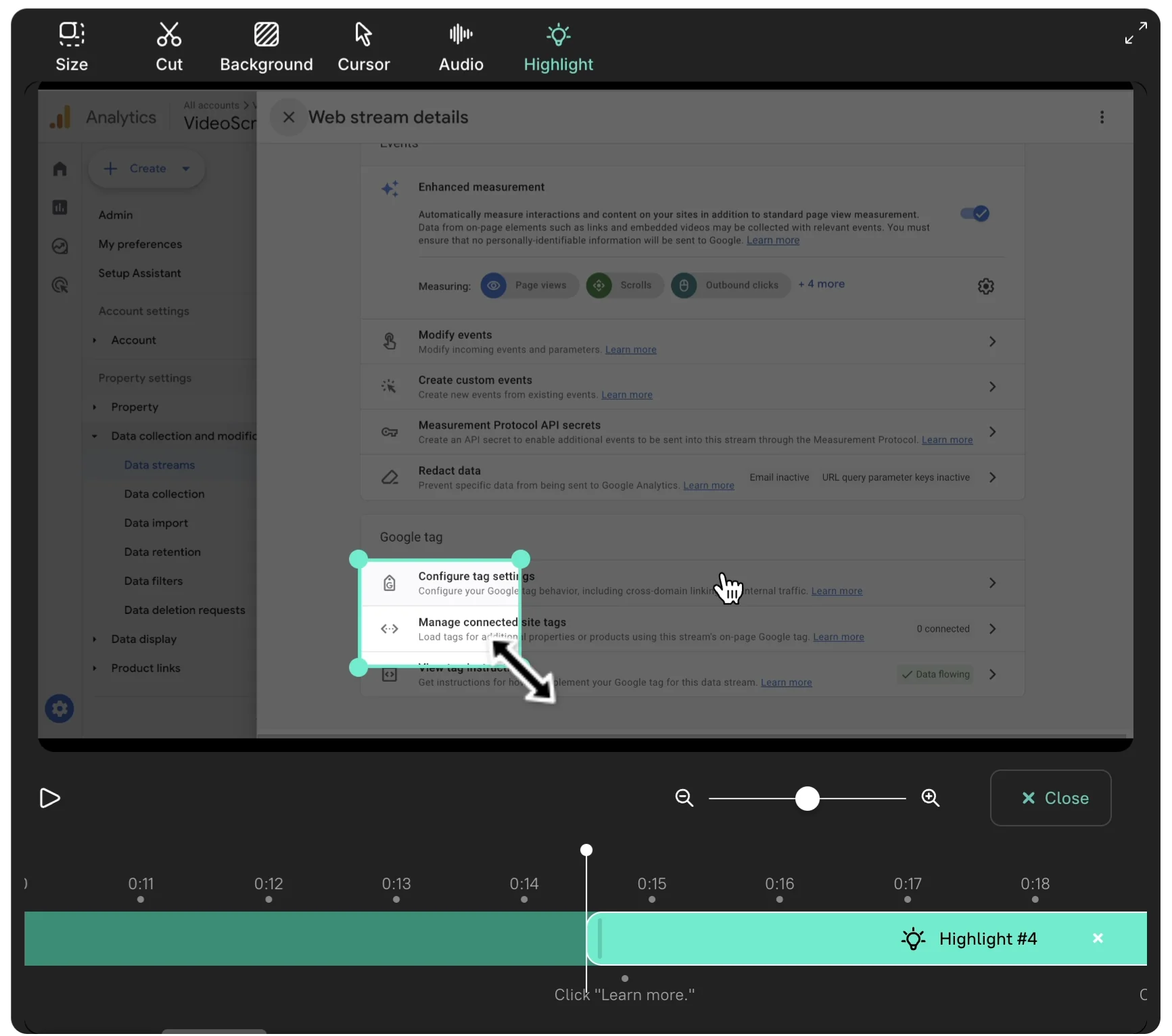
- In the video preview toolbar, click the Highlight icon.

- Drag on the preview to draw the region you want to keep bright, then drag the corner handles to fine-tune the edges.
Trimming the mask on the timeline
- Drag the start and end edges of the highlight segment on the timeline to set how long it stays on screen.
- Pinch on the trackpad, or use the timeline zoom slider, to zoom in for finer positioning.
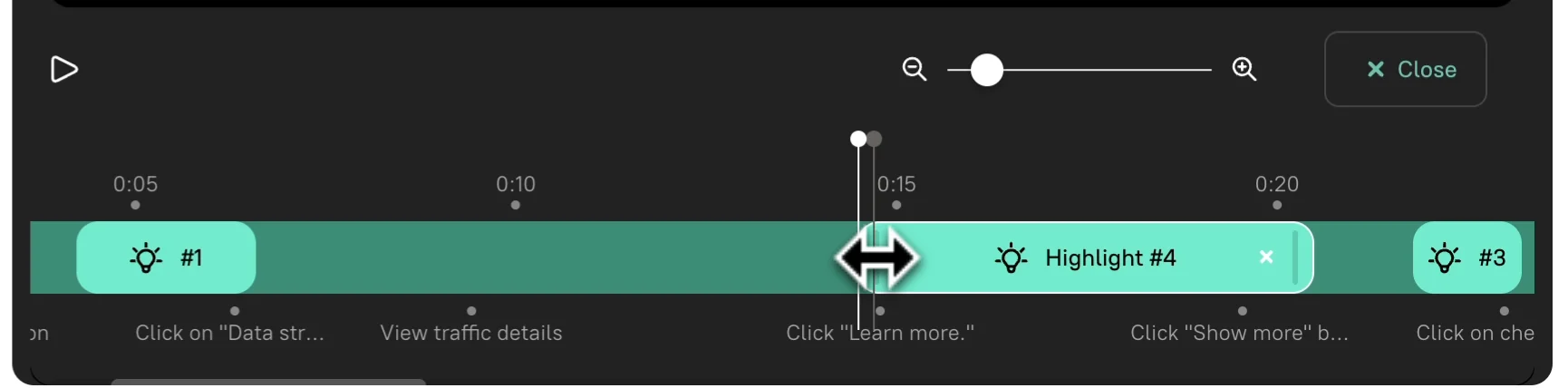
To review, drag the playhead a few seconds before the highlight begins and press play.
How highlights work with auto-zoom
When the video is zoomed in — either from an automatic zoom or a Zoom marker — the camera moves to frame the highlight automatically, even if the cursor in your original recording is somewhere else. That means you can call out something you never clicked during the recording: a section header, an inactive menu item, a piece of explanatory text.
Tips
- Add highlights as the final step, once the script is locked. Re-cutting the script can shift highlight timings, and trimming the mask after the fact is faster than re-drawing it.
- Pair a highlight with a Zoom marker when the area you want to call out is small — zoom enlarges it, the highlight dims everything around it.
- To mask sensitive data instead of emphasizing something, use Blur sensitive data — it covers the region rather than dimming the surroundings.